
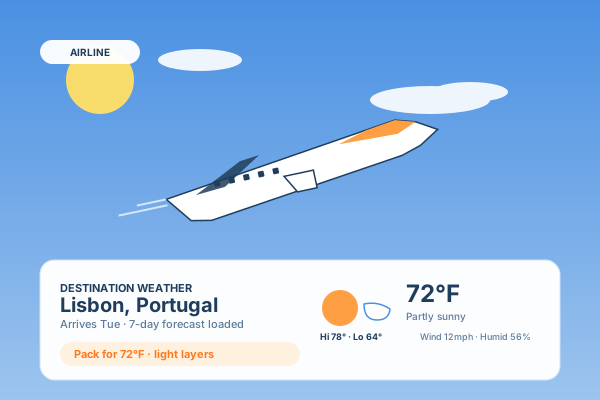
Airline + travel sites
Show destination weather on flight booking, tour, and hotel pages so travellers can see what to pack and plan around. Drop the forecast right next to a fare or itinerary.
Embed live conditions, an hourly outlook, and a multi-day forecast in Measure impact with your own analytics. Detect each visitor's location or pin a city, show multiple cities at once, in Fahrenheit or Celsius. No code.
Built for no-code website teams























Live demo, not a screenshot. Pick cities, change units, restyle it. What you see here is what ships to your site.
Before and after Poper
Here is the widget embedded on a real page layout, before and after. Style it to match your brand, then copy one snippet to go live.
 Before
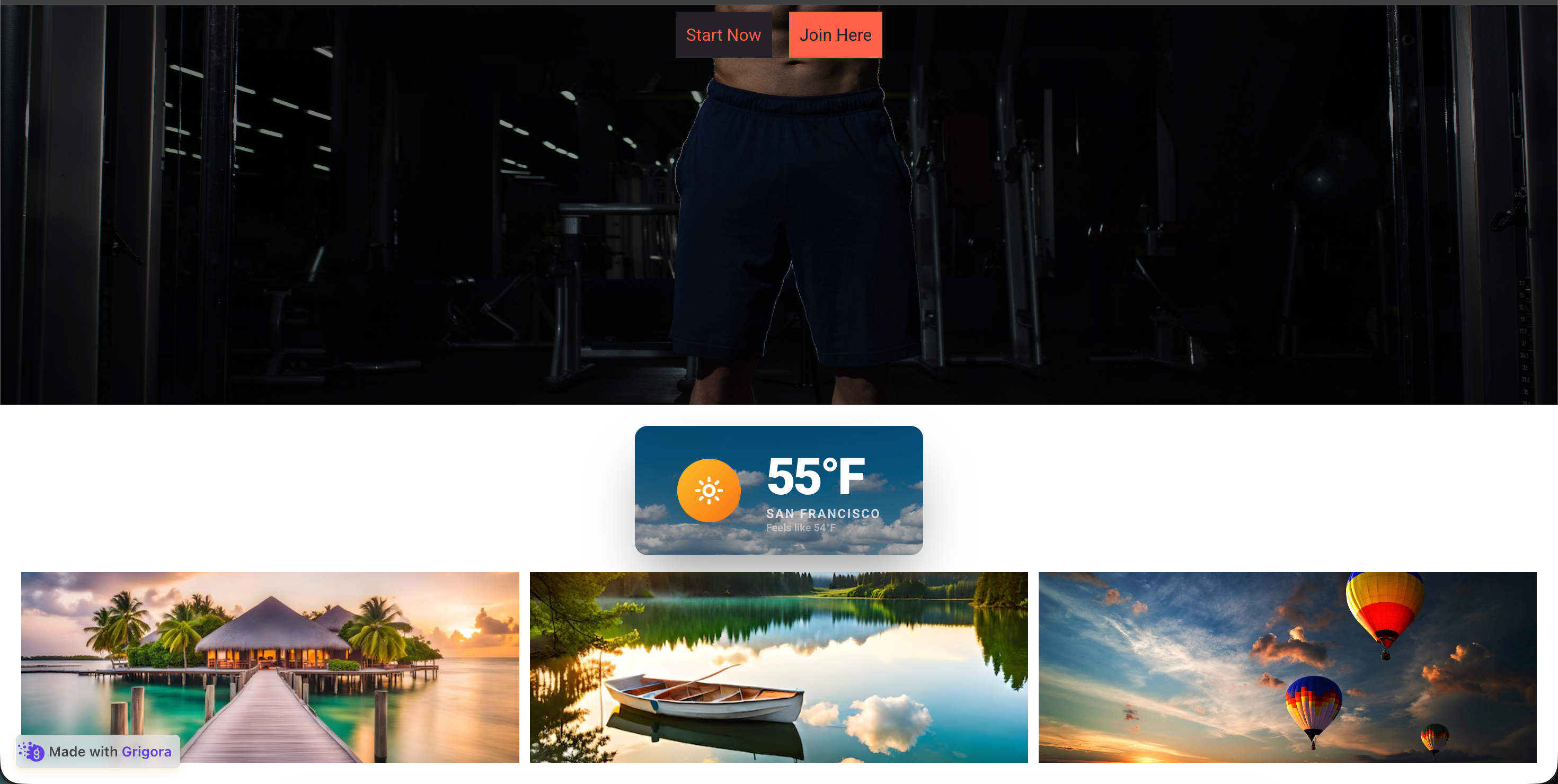 Poper widget live
Mockups for illustration. Style the widget to match your site and embed in 90 seconds.
How to use it
Three steps. Measure impact with your own analytics.
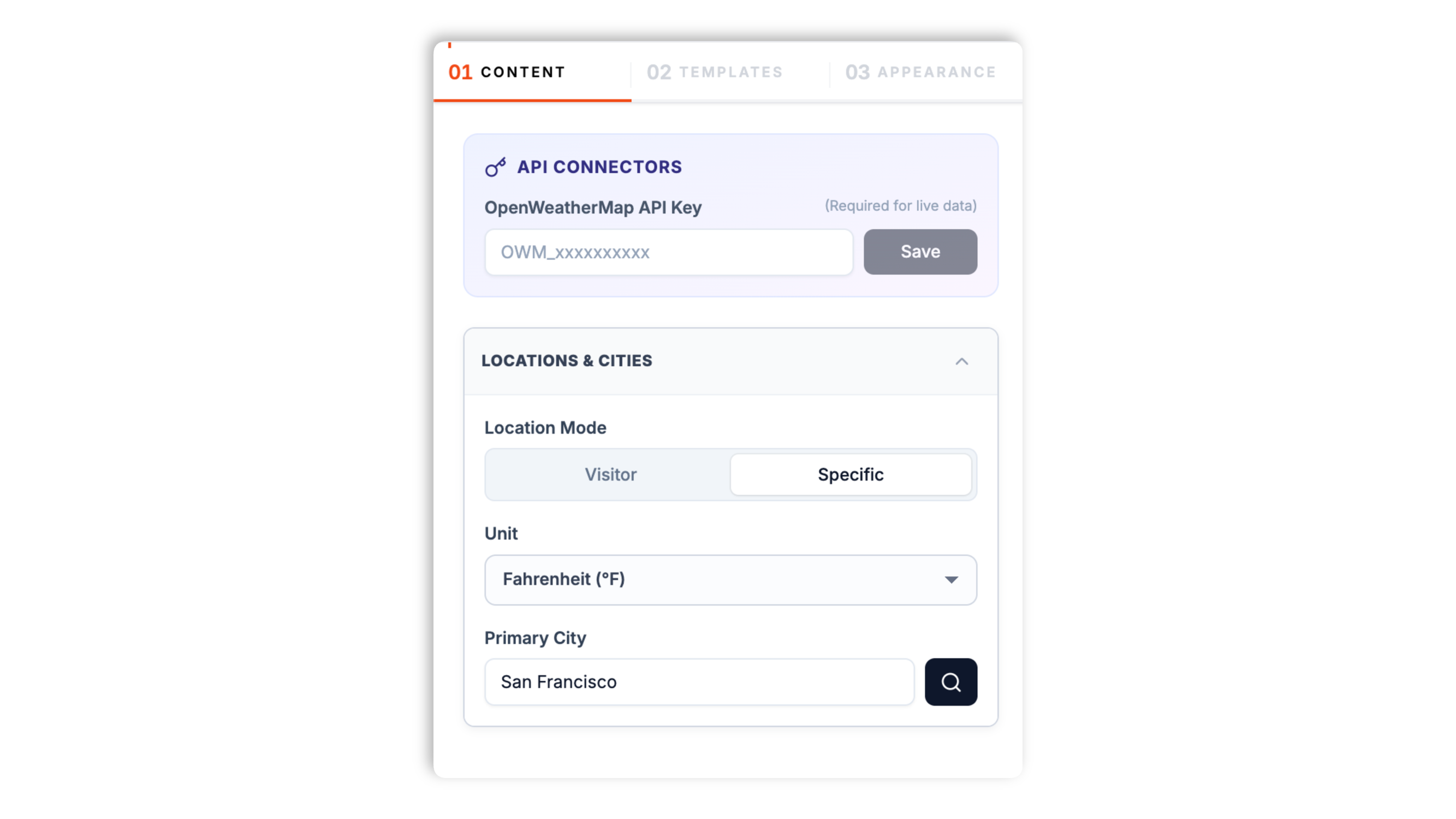
Paste a free OpenWeatherMap API key, then search any city (e.g. Brooklyn, NY) or switch the location mode to Visitor so each person sees their own local weather. Choose Fahrenheit or Celsius.
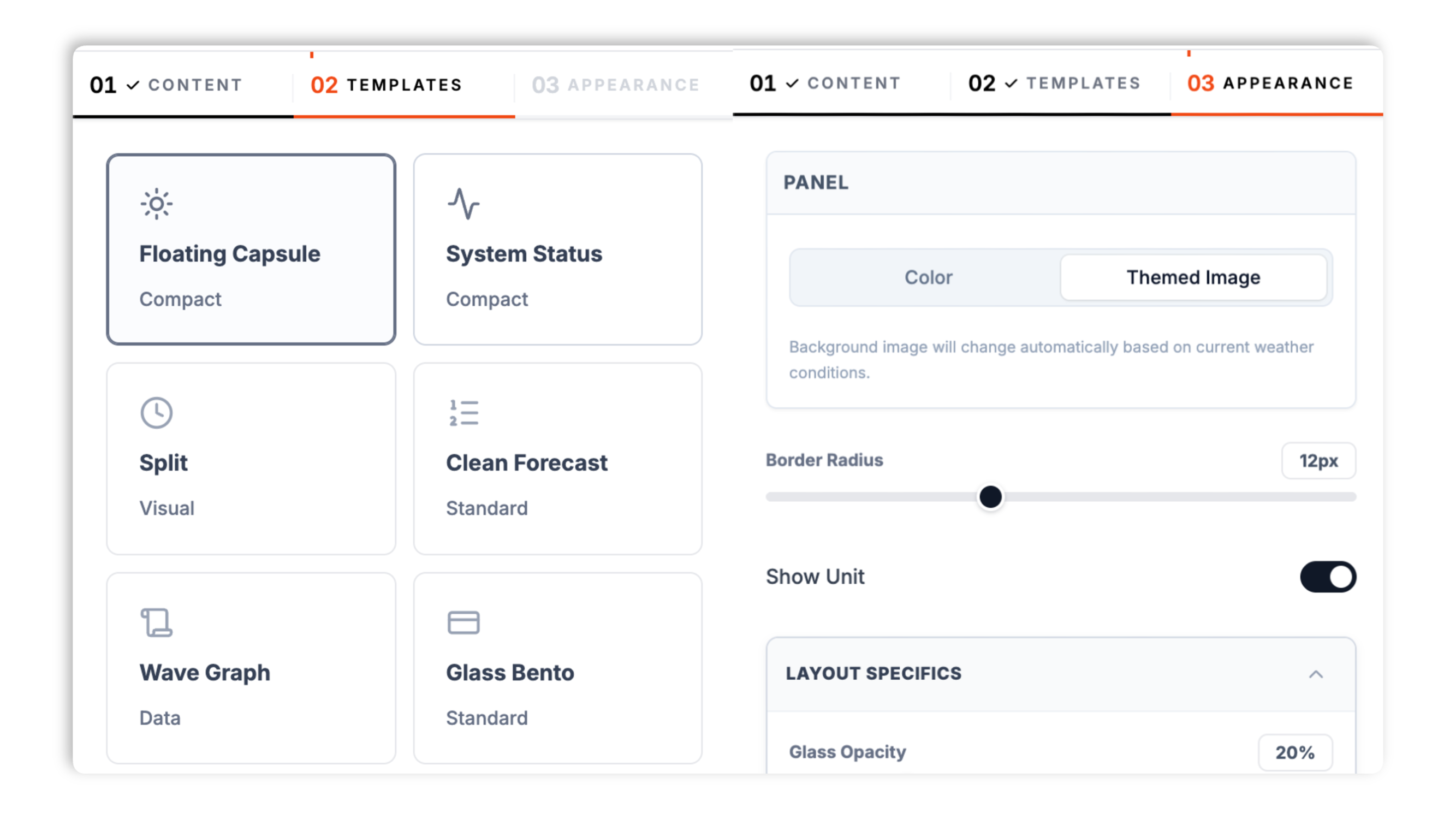
Choose from 14 layouts including Floating Capsule, Glass Bento, Clean Forecast, Wave Graph, Boarding Pass, Command Center, Global Grid, and News Ticker. Match your brand color, font, corner radius, and dark mode.
Paste the Poper embed snippet into your site. Use the Poper embed snippet in a supported page.

Works everywhere
Drop-in install on WordPress, Shopify, Wix, Squarespace, Webflow, Framer, Ghost, and any HTML-friendly stack. No build step, no developer needed.


Plus 250+ other platforms via the embed snippet. If your site can render a <script> tag, it can render the Weather Widget for Website: Live Forecasts, Multi-City, Visitor Location.
Six things that matter when you embed live weather, not 30 features no one uses.
Connect a free OpenWeatherMap API key once and the widget shows live current conditions, an hourly outlook, and a multi-day forecast. You decide which detail fields appear: feels-like temperature, humidity, wind, precipitation, UV index, visibility, pressure, and sunrise and sunset times.
Set a Specific city so every visitor sees the same forecast, or switch to Visitor mode so the widget resolves each viewer's approximate location by IP. No browser geolocation prompt, no permission friction.
Floating Capsule, Glass Bento, Clean Forecast, Wave Graph, Command Center, Global Grid, and more. Switch any time.
Toggle the temperature unit between Fahrenheit and Celsius. The whole widget updates instantly.
The widget loads through the Poper embed snippet and uses scoped CSS so it will not bleed into your design system or block your page render. Run PageSpeed Insights before and after embedding to confirm.
The Global Grid and News Ticker layouts display multiple cities side by side. Useful for travel sites comparing destinations, news desks covering a region, and tourism boards showing top spots. Available widget settings right in the editor.
Use cases
Four buyer types who get the most lift from embedding Weather Widget for Website: Live Forecasts, Multi-City, Visitor Location on their site.
Show destination weather on flight booking, tour, and hotel pages so travellers can see what to pack and plan around. Drop the forecast right next to a fare or itinerary.
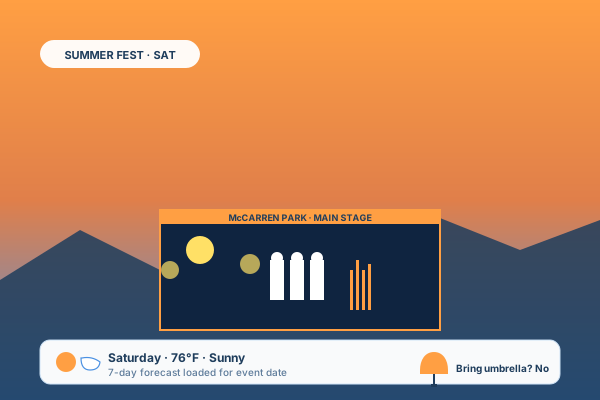
Embed the event-day forecast on concert, festival, wedding, and stadium pages. Visitors see the conditions before they arrive, which cuts last-minute questions.
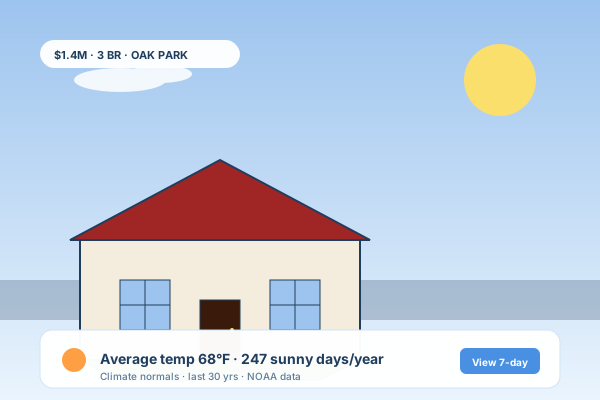
Add local climate context to property pages. A current-conditions card plus the multi-day forecast helps buyers picture day-to-day life in the neighborhood.
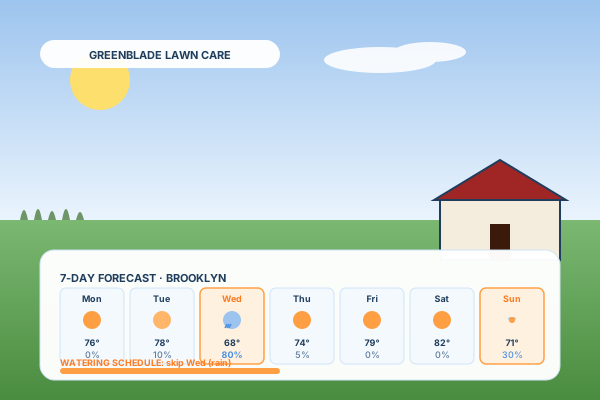
Lawn care, pool service, gardening, painting, roofing. Visitors check the weather before they book. Put a multi-day forecast next to your CTA so they see when conditions are right.
Most weather widgets are either ad-supported or paywall the layouts you want. Here is how the popular ones stack up.
| Recommended Poper | weatherwidget.io | Elfsight Weather | Common Ninja Weather | |
|---|---|---|---|---|
| Poper workspace available | Trial only | |||
| Connect your own OpenWeatherMap key | ||||
| Visitor (IP-based) location mode | Paid only | Paid only | ||
| Multi-city layouts | Limited | |||
| Hourly forecast | ||||
| Multi-day forecast | ||||
| Number of layout templates | 14 | 4 | 8 | 6 |
| Fahrenheit and Celsius units | ||||
| Plan details depend on your Poper workspace | Limited | |||
| Available widget controls | Paid only | Paid only | ||
| Starting paid price | Plan details vary | No-code + ads | Vendor pricing varies | Vendor pricing varies |
| Bundled with popups, forms, quizzes, more widgets |
Comparison reflects external competitor positioning. Verify current details on each provider's site.
Travel, hospitality, news, and outdoor service brands using the Poper weather widget.
“We added the Poper weather widget to our hotel destination pages so guests can see local conditions before they book. It took a couple of minutes to set up and brand to match the site.”

“We tried a few weather widgets before Poper. Visitor location mode just works, and the Global Grid layout that shows several cities at once is exactly what our news desk needed.”

“We checked our page performance score before and after embedding and it held steady. The widget loads through the Poper embed snippet and the scoped CSS did not touch the rest of our design system.”

Pricing
All plans are billed yearly. Each card shows the per-month equivalent. Start free, then upgrade only when you need more campaigns, websites, or AI credits.
Yearly billing · save up to 40%Essential lead capture for solo creators and growing businesses.
billed $180/year
Full engagement suite with A/B testing, gamification & unlimited leads.
billed $348/year
Unlimited everything with white-label, API access & advanced analytics.
billed $948/year
Prices shown for the 50k monthly visitor tier on yearly billing. A Free Forever plan ($0) and a custom Enterprise plan are also available. No contracts, cancel anytime.
Weather is one of the most-checked pieces of data on the open web, and it influences purchase decisions for travel, events, hospitality, retail, and outdoor services. Embedding a live forecast on your own site keeps that decision moment on your page instead of bouncing the visitor away. This guide walks through what actually matters when you add a weather widget to your website in 2026: how the OpenWeatherMap API works and why you connect your own key, the difference between a fixed-city and a visitor-location setup, why forecast accuracy decays past a week, how to keep the widget light on mobile, and what weather data can and cannot do for SEO.
Poper's weather widget runs on the OpenWeatherMap API. OpenWeatherMap offers a generous free tier (current conditions plus a forecast) and is one of the most widely used weather APIs on the web. When you set up the widget you connect your own free OpenWeatherMap API key once. The widget then uses that key to fetch live conditions and the forecast for whatever location you have configured. Connecting your own key means you control your own usage and rate limits rather than sharing a pooled quota. If you do not have a key yet, OpenWeatherMap issues one for free after a quick signup. Available widget settings, so you know immediately whether it works.
The widget has two location modes. Specific mode pins a single city you choose, so every visitor sees the same forecast. This is the right choice for a venue page, a single-location business, or a destination guide where the location is the whole point. Visitor mode resolves each viewer's approximate location from their IP address, so a reader in Berlin sees Berlin and a reader in Tokyo sees Tokyo, with no browser permission prompt. IP-based location is accurate to roughly the city level, which is more than enough for a weather forecast, and it avoids the friction of the HTML5 Geolocation prompt that most visitors decline. Multi-city layouts (Global Grid and News Ticker) take a different approach again: you list several cities yourself and the widget shows them all at once.
Numerical weather prediction models have a measurable accuracy decay curve. A next-day forecast is highly accurate for temperature and reasonably accurate for precipitation. By day three accuracy has dropped noticeably, and by day seven a daily forecast is far less reliable than a next-day one. Forecasts that advertise 14 or 16 days are largely guesswork in the back half. The practical takeaway for a website weather widget is to lean on the near-term outlook: the current conditions and the hourly view are the most trustworthy, the next few days are solid, and anything beyond about a week should be treated as a rough indication. If you need long-range planning data, seasonal climate normals are a better source than a daily forecast.
Third-party widgets can be a hidden Core Web Vitals risk when they ship synchronous JavaScript or large unscoped CSS. The Poper weather widget loads asynchronously so it does not block your page from rendering, and it uses scoped CSS so its styles cannot leak into the rest of your site. Validate performance on your own page after embedding. The honest way to confirm impact on your specific page is to measure it: run PageSpeed Insights before you add the widget and again after. On a typical page you should not see a meaningful change to your Performance score.
Be realistic about SEO. Unlike reviews or events, Schema.org does not have a widely-adopted weather-forecast type that Google parses into a rich result, so an embedded weather module will not earn you a special SERP card. Google already shows its own weather panel for queries like 'weather in Paris' from its own data partners. What a weather widget can do is more indirect. Embedding a relevant local forecast on a travel, event, or destination page adds genuinely useful content, which can lift time on page and make the page more topically relevant for long-tail location queries. That is the realistic benefit: a better, stickier page, not a guaranteed ranking boost.
A weather widget is an embeddable script that displays live weather conditions, an hourly forecast, and a multi-day outlook directly on your website. Poper's weather widget runs on the OpenWeatherMap API (you connect your own free API key) and can either pin a fixed city or resolve each visitor's approximate location by IP.
Last fact-checked: . We re-verify every quarter.
Tutorial
A quick walkthrough of setting up and embedding this widget.
Tutorial video coming soon
Can't find the answer you're looking for? Chat with our support team.
Contact SupportPoper takes Measure impact with your own analytics to embed and can show each visitor their own local forecast.
Free plan available forever