
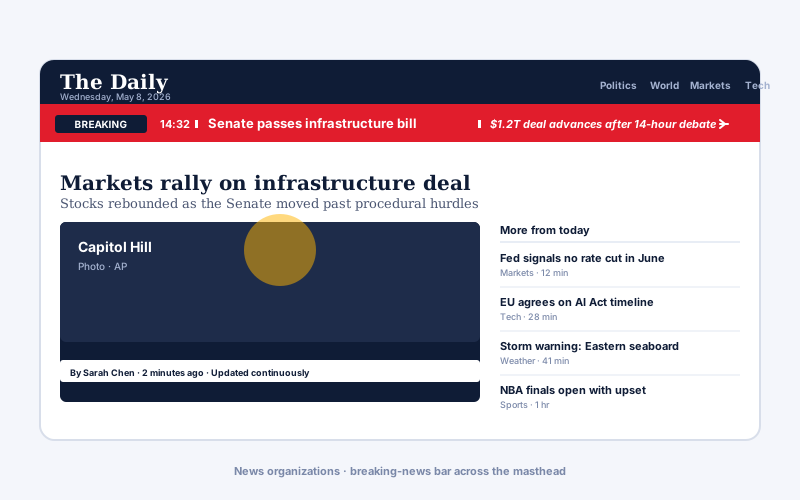
News organizations
Run a headline strip across the masthead in feed mode, pointed at your CMS feed. Headlines refresh on your chosen interval, so editors do not have to touch the ticker.
Embed a scrolling news ticker in 90 seconds. Live feed URL or manual entries, 5 layouts, pause-on-hover, no code. No-code and privacy-conscious.
Built for no-code website teams























Live demo, not a screenshot. Add entries, switch layouts, brand it. What you see here is what ships to your site.
Before and after Poper
Here is the widget embedded on a real page layout, before and after. Style it to match your brand, then copy one snippet to go live.
 Before
 Poper widget live
Mockups for illustration. Style the widget to match your site and embed in 90 seconds.
How to use it
Three steps. Under two minutes. No developer needed.
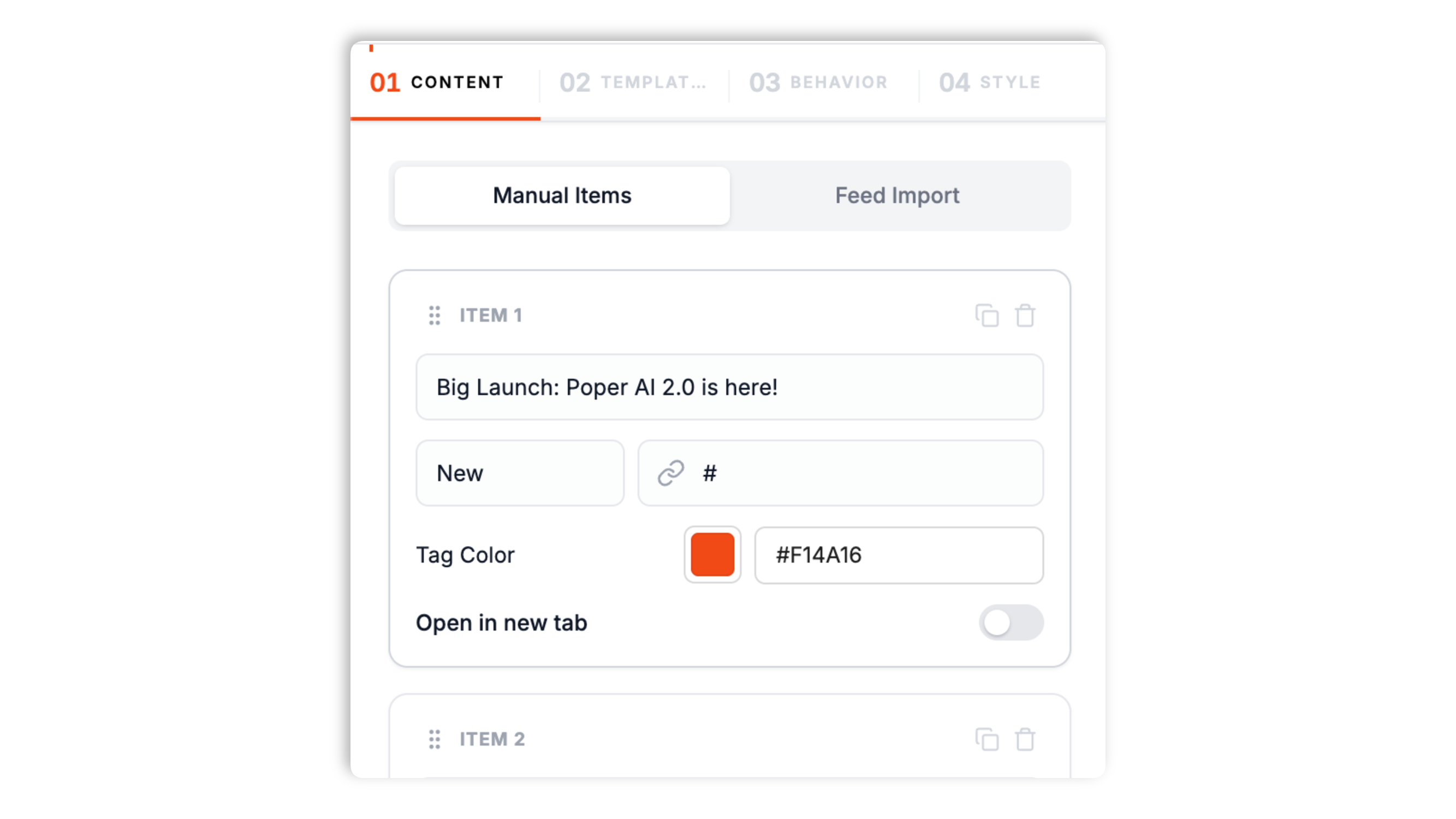
Paste a feed URL to auto-pull headlines, or type entries by hand. Set the refresh interval and item limit in the builder, then add a header label and icon.
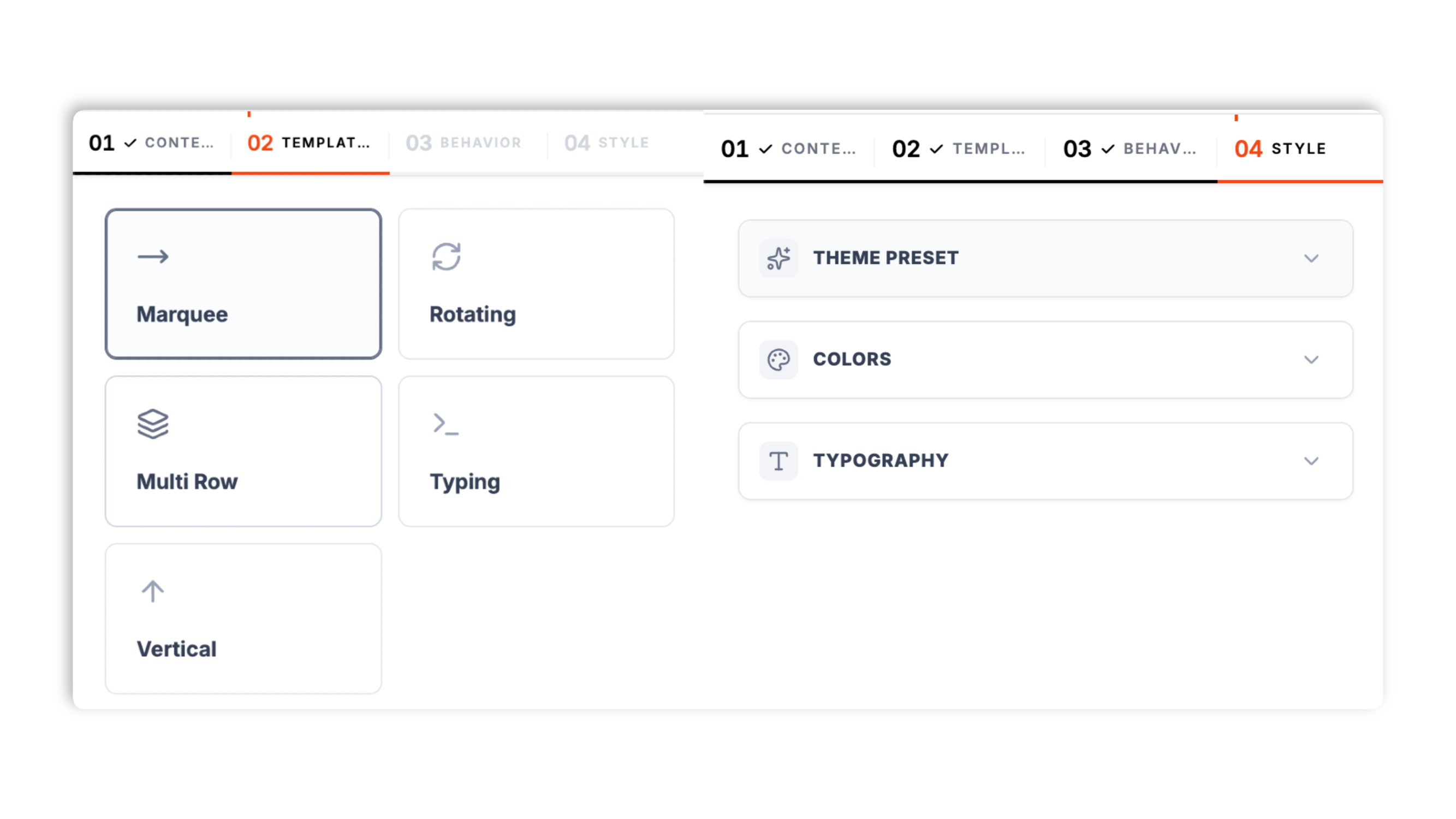
Pick from 5 layouts: Marquee, Rotating, Multi Row, Typing, and Vertical. Match brand colors, fonts, tag colors, and a style preset. Live preview updates as you tweak.
Paste the Poper embed snippet into your site. Works on WordPress, Ghost, Wix, Webflow, Shopify, Squarespace, Framer, and supported HTML setup.

Works everywhere
Drop-in install on WordPress, Shopify, Wix, Squarespace, Webflow, Framer, Ghost, and any HTML-friendly stack. No build step, no developer needed.


Plus 250+ other platforms via the embed snippet. If your site can render a <script> tag, it can render the News Ticker Widget: Scrolling Headlines and Announcements.
Six things that matter when you are running a ticker, not 30 features no one uses.
Most ticker widgets are manual-only, which means somebody on the team has to remember to update them. Switch the News Ticker to feed mode, paste a feed URL, and the ticker re-fetches headlines on the refresh interval you set in the builder. Point it at your blog feed or news wire and the ticker keeps cycling new headlines without anyone touching it.
Moving content can be hard to read while it scrolls. Every layout pauses its scroll or rotation the moment a visitor hovers over the ticker, so they can stop motion long enough to read the current headline, then resume on mouse-out. No setup required.
Give each entry a short tag label like New, Promo, or Alert, each with its own color, so urgent items stand out.
Marquee, Rotating, Multi Row, Typing, and Vertical. Switch any time in the builder through the normal publish flow.
The ticker loads asynchronously with scoped styles that do not bleed into your design system. The Style tab includes a custom CSS field for available design control, and the ticker shrinks its font automatically on small screens so it stays readable on mobile.
Add an optional header label and icon to the front of the ticker. Each entry can deep-link to any URL and open in a new tab. Scroll speed and direction (left or right) are adjustable, and the Rotating layout shows a per-item progress bar.
Use cases
Four buyer types who get the most lift from embedding News Ticker Widget: Scrolling Headlines and Announcements on their site.
Run a headline strip across the masthead in feed mode, pointed at your CMS feed. Headlines refresh on your chosen interval, so editors do not have to touch the ticker.

Run a stock tape with price changes (AAPL +2.4%, GOOG -0.7%, NVDA +5.1%). Use feed mode pointed at a market feed and set a short refresh interval.
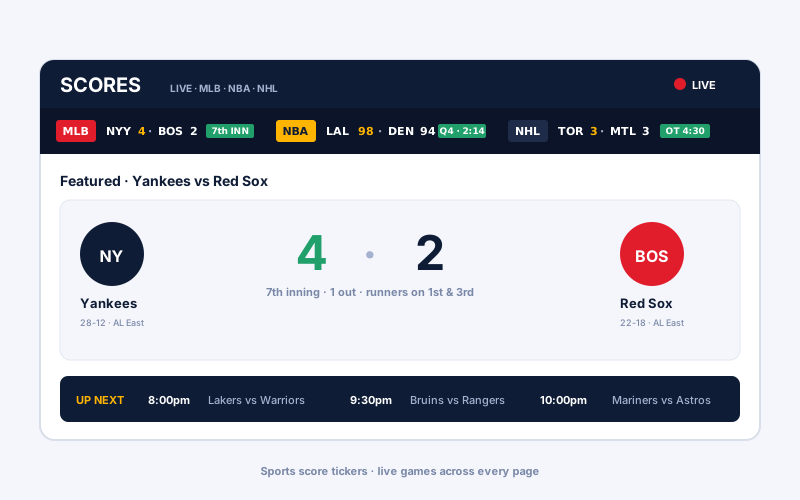
Show game scores across every page. Yankees 4-2 Red Sox 7th inning, Lakers vs Nuggets Q4, Maple Leafs vs Canadiens overtime. Feed mode refreshes scores on your interval.
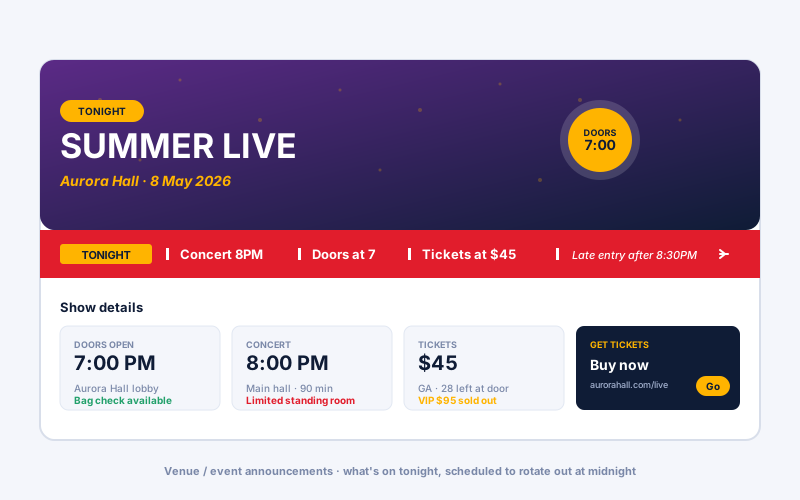
TONIGHT · Concert 8PM · Doors at 7 · Tickets at $45. Type each announcement as a manual entry, give it a color-coded tag, and deep-link it to the ticket page.
Most ticker tools paywall a feed source, tag styling, or extra widgets. Here is how the popular ones stack up.
| Recommended Poper | Elfsight News Ticker | POWR Ticker | |
|---|---|---|---|
| Poper workspace available | Limited | Limited | |
| Live feed URL source | |||
| Manual entries | |||
| 5 layouts (Marquee, Rotating, Multi Row, Typing, Vertical) | 3 layouts | 2 layouts | |
| Pause-on-hover | |||
| Color-coded tag labels | Paid only | ||
| Adjustable scroll speed and direction | |||
| Available design controls | Paid only | Paid only | |
| Configurable feed refresh interval | Paid only | ||
| Plan details depend on your Poper workspace | Plan details vary | Vendor pricing varies | Vendor pricing varies |
| Works alongside other Poper tools |
Comparison reflects external competitor positioning. Verify current details on each provider's site.
Editors, ecommerce leads, and SaaS teams who shipped a ticker that does not break the page.
“Pointed feed mode at our blog feed and the headline strip keeps cycling new posts on its own. Editors stopped having to remember to update the bar entirely.”

“We use the Marquee layout for storewide promos and tag the urgent ones red. Pause-on-hover means shoppers can actually read an offer before it scrolls past.”

“Switched our changelog strip to the Typing layout for a developer-site feel. Custom CSS in the Style tab let us match it to our design system exactly.”

Pricing
All plans are billed yearly. Each card shows the per-month equivalent. Start free, then upgrade only when you need more campaigns, websites, or AI credits.
Yearly billing · save up to 40%Essential lead capture for solo creators and growing businesses.
billed $180/year
Full engagement suite with A/B testing, gamification & unlimited leads.
billed $348/year
Unlimited everything with white-label, API access & advanced analytics.
billed $948/year
Prices shown for the 50k monthly visitor tier on yearly billing. A Free Forever plan ($0) and a custom Enterprise plan are also available. No contracts, cancel anytime.
A news ticker is a small surface that punches well above its weight. On news and media sites it carries the headline strip across the masthead and routes scroll-tired readers to the latest stories. On ecommerce stores it carries the free-shipping promise and the urgency-driving promotional message that lifts cart conversion. On SaaS landing pages it carries the new-feature launch banner, the changelog stream that builds release credibility, and recent announcements. On event sites it carries schedule notes, room changes, and speaker updates. Every one of those use cases benefits from two things the typical ticker tool does not make easy: a feed source so the ticker can maintain itself without an editor in the loop, and a layout and pause behavior that lets visitors actually read the content while it scrolls. This guide walks through what matters when you choose and configure a news ticker widget in 2026, based on what the Poper News Ticker widget actually does: manual versus feed sourcing, the five layouts, pause-on-hover, tag labels, and when a ticker beats a static announcement bar.
The Poper News Ticker has two source modes, set in the Content tab. Manual mode is where you type each item by hand, and it makes sense when the content is editorial: a curated promotional headline, a maintenance window, a campaign tagline, a regulatory disclosure with specific legal wording. Each manual entry has a headline, an optional link with an open-in-new-tab toggle, and an optional tag label with its own color. Manual mode does not make sense for anything that updates more than once a week, because somebody on your team has to remember to update it, and they will forget. Feed mode solves the staleness problem: paste a feed URL, set a refresh interval, and the ticker re-fetches headlines from that feed on the interval you chose. Most news teams already have a feed coming out of their CMS, so pointing the ticker at it costs nothing and the ticker keeps cycling fresh headlines. Refresh interval matters: too fast and you waste requests, too slow and the ticker feels stale. The default is 15 minutes, which suits a typical company blog or news section; for a faster-moving feed like a market or score feed, set a shorter interval in the builder. You also set an item limit so the ticker only pulls the most recent headlines rather than the entire feed history.
The widget ships five layouts and you switch between them in the Templates tab through the normal publish flow. Marquee is the classic horizontal scroll, the safe default for a top-of-page headline strip. Rotating shows one item at a time and cross-fades to the next on a timed interval, with an optional per-item progress bar, which works well when each headline deserves a moment of undivided attention. Multi Row stacks two or more rows of scrolling items for sites with a lot of content to surface at once. Typing reveals each headline character by character for a terminal-style effect that suits developer and product sites. Vertical scrolls items upward in a taller container, which fits a sidebar placement next to article content. Every layout reads from the same set of items, so you can preview all five against your real content and pick the one that matches the page. Container width, height, padding, gap, border radius, and shadow are all adjustable per layout, and the Style tab controls background, border, headline, tag, and accent colors plus a custom CSS field.
Moving content has an inherent tension: motion catches the eye, but it also makes the current item harder to read because it keeps sliding away. The Poper News Ticker resolves this with pause-on-hover, which is on by default for every layout. When a visitor moves their pointer over the ticker, the Marquee and Vertical scroll animations pause, and the Rotating layout stops advancing to the next item, so the visitor can read the headline that is currently visible. When the pointer leaves, motion resumes from where it stopped. This is the single most important usability behavior for any scrolling ticker, because without it a visitor who spots an interesting headline has to wait for it to come back around. Keep scroll speed moderate as well: a ticker that scrolls too fast is unreadable even with pause-on-hover, because the visitor cannot reliably get their pointer onto a specific item. Speed and direction (left or right) are both adjustable in the Behavior tab, so tune the speed against your longest headline and test it on a real screen before shipping.
Not every item in a ticker carries the same weight. A routine blog headline and a time-sensitive promotion should not look identical as they scroll past. The News Ticker gives each manual entry an optional tag label, a short word like New, Promo, Sale, or Alert, with its own color picked in the builder. A red Alert tag and a blue Promo tag let a visitor's eye sort the stream at a glance without reading every word. Keep tag labels short, one word is ideal, and use color consistently so the same kind of message always carries the same tag. Do not tag every item, because if everything is tagged then nothing stands out; reserve tags for the entries that genuinely need to jump out of the rotation. In feed mode, items can carry a tag from the feed itself, and where a feed item has no tag the ticker can apply your configured tag labels in rotation so the feed still looks branded.
A static announcement bar is one message, no motion, always visible. A news ticker is multiple messages, scrolling or rotating. Static bars are better when there is one critical message you need every visitor to read: a cookie notice, a legal disclaimer, a system-down warning. Tickers are better when there are several messages of varying urgency that benefit from rotation: promotional offers, recent blog posts, headlines, event updates, hiring announcements. The motion of a ticker is what catches the eye, which is exactly why pause-on-hover matters, because the same motion that grabs attention also makes reading harder until the visitor can stop it. Use a static bar for a single must-read message where motion would work against comprehension; use a ticker for a stream of roughly equally important messages where rotation adds value because no single message dominates. The decision also flips by audience: news, finance, and SaaS visitors tend to read a ticker as informational, while retail visitors read it as promotional. Match the ticker style to the audience. A headline strip in serif type with restrained tags reads as journalism; a Marquee with bright colored tags reads as retail promotion. Both are correct in context. Test the choice with a few real visitors before committing, because a ticker that fits the page compounds: visitors see fresh, relevant content every visit and click through.
A news ticker widget is an embeddable scrolling or rotating text strip that displays a stream of headlines, announcements, or updates on a website. The Poper News Ticker sources items from manual entries you type in the builder or from a feed URL it re-fetches on a configurable interval.
Last fact-checked: . We re-verify every quarter.
Tutorial
A quick walkthrough of setting up and embedding this widget.
Tutorial video coming soon
Can't find the answer you're looking for? Chat with our support team.
Contact SupportPoper takes 90 seconds to embed and feed mode refreshes headlines on your interval.
Free plan available forever