
Show traffic momentum on your homepage
An all-time visitor total in the footer or about section signals an established, well-visited site. Connect Google Analytics 4 so the number is real.
Show how many people visit your site, with breakdown details depending on the selected layout. Pull real numbers from the Poper Script or Google Analytics 4, or set them yourself. 12 styles, Available widget settings use the Poper builder.
Built for builder website teams























Live demo, not a screenshot. Pick a layout, style it, brand it.
Before and after Poper
Here is the widget embedded on a real page layout, before and after. Style it to match your brand, then copy one snippet to go live.
 Before
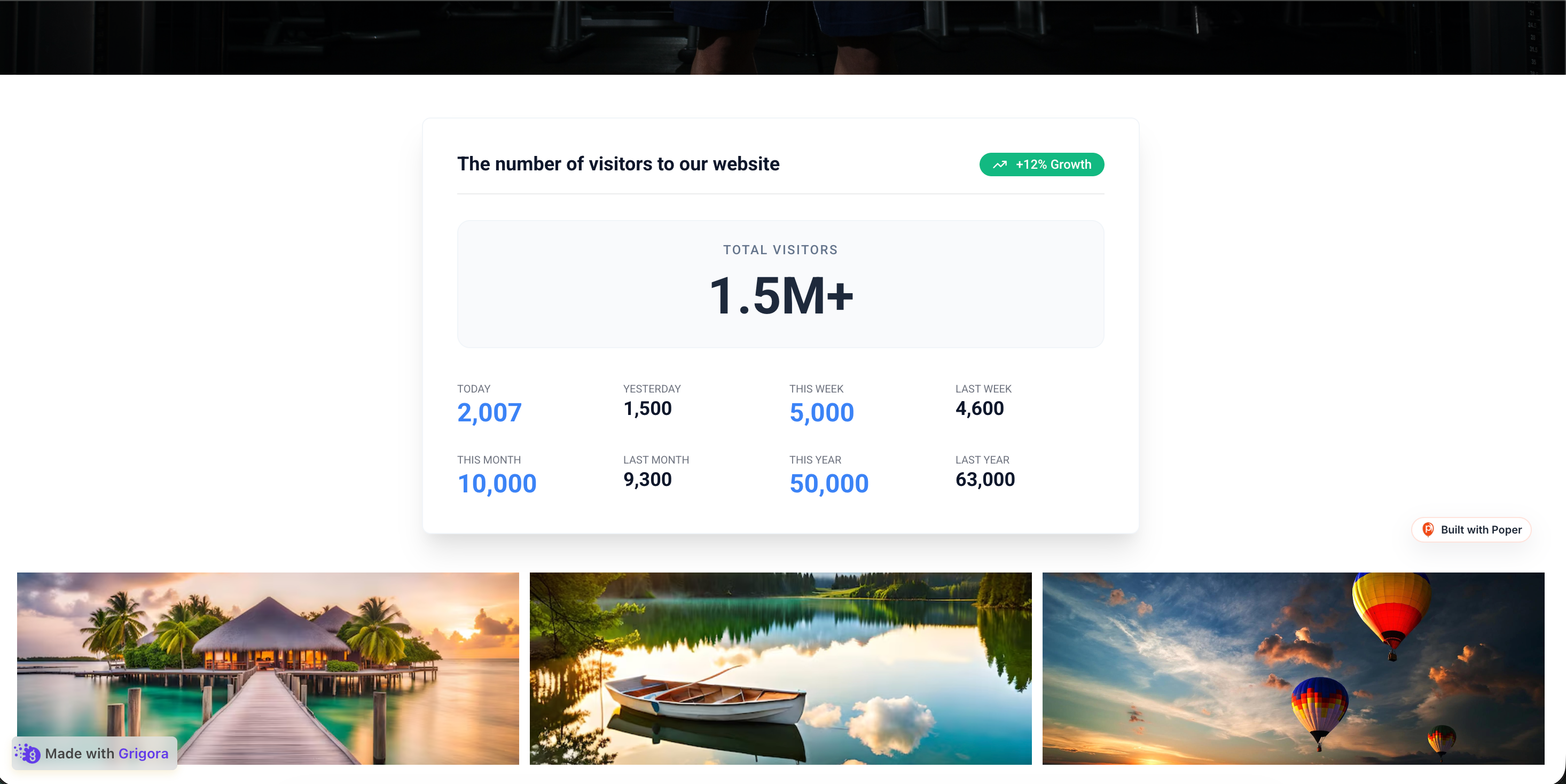 Poper widget live
Mockups for illustration. Style the widget to match your site and embed in 90 seconds.
How to use it
Measure impact with your own analytics.
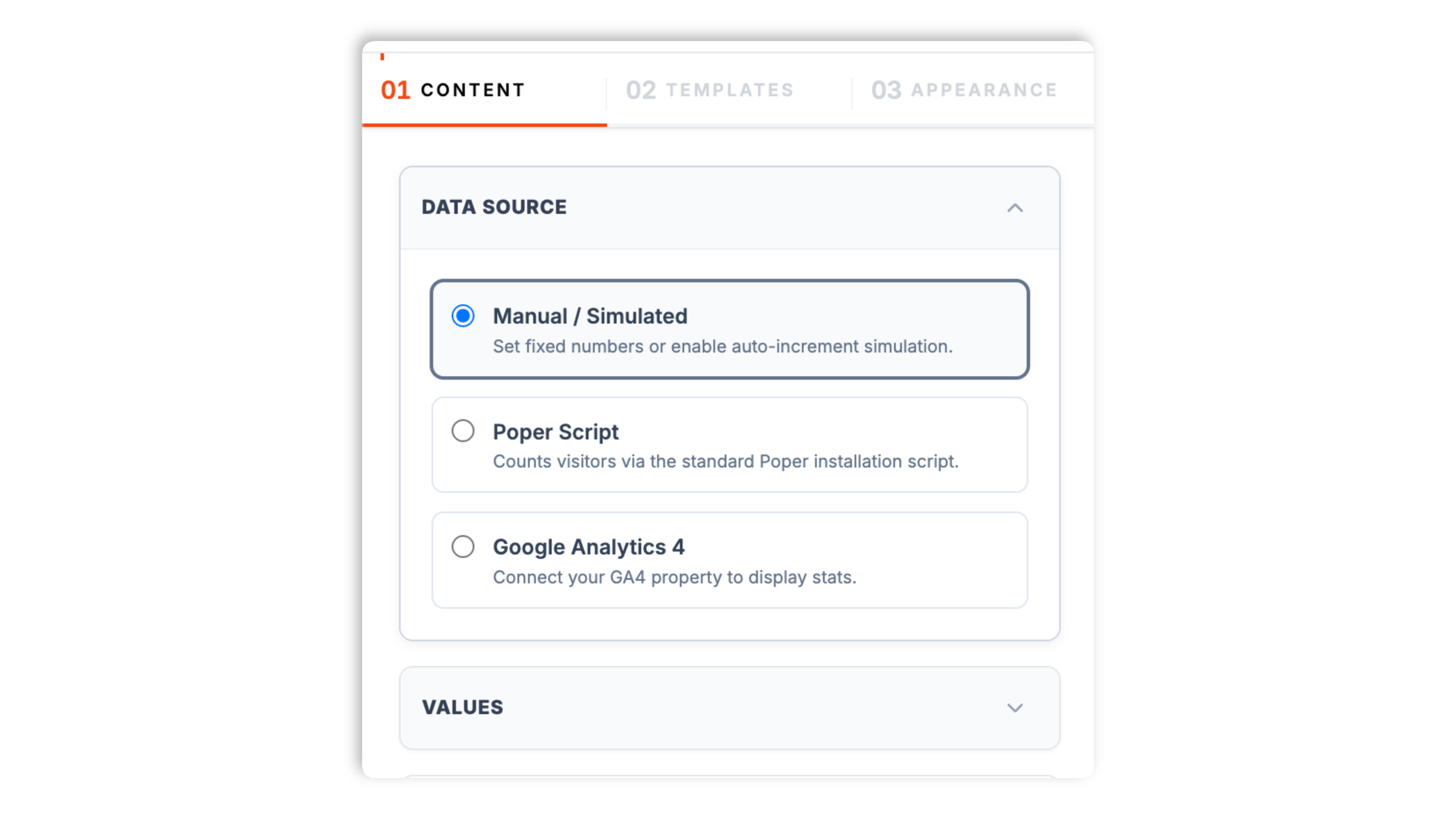
Choose one of three sources: set the numbers yourself (with an optional auto-increment simulation), let the standard Poper Script count your visitors, or connect a Google Analytics 4 property.
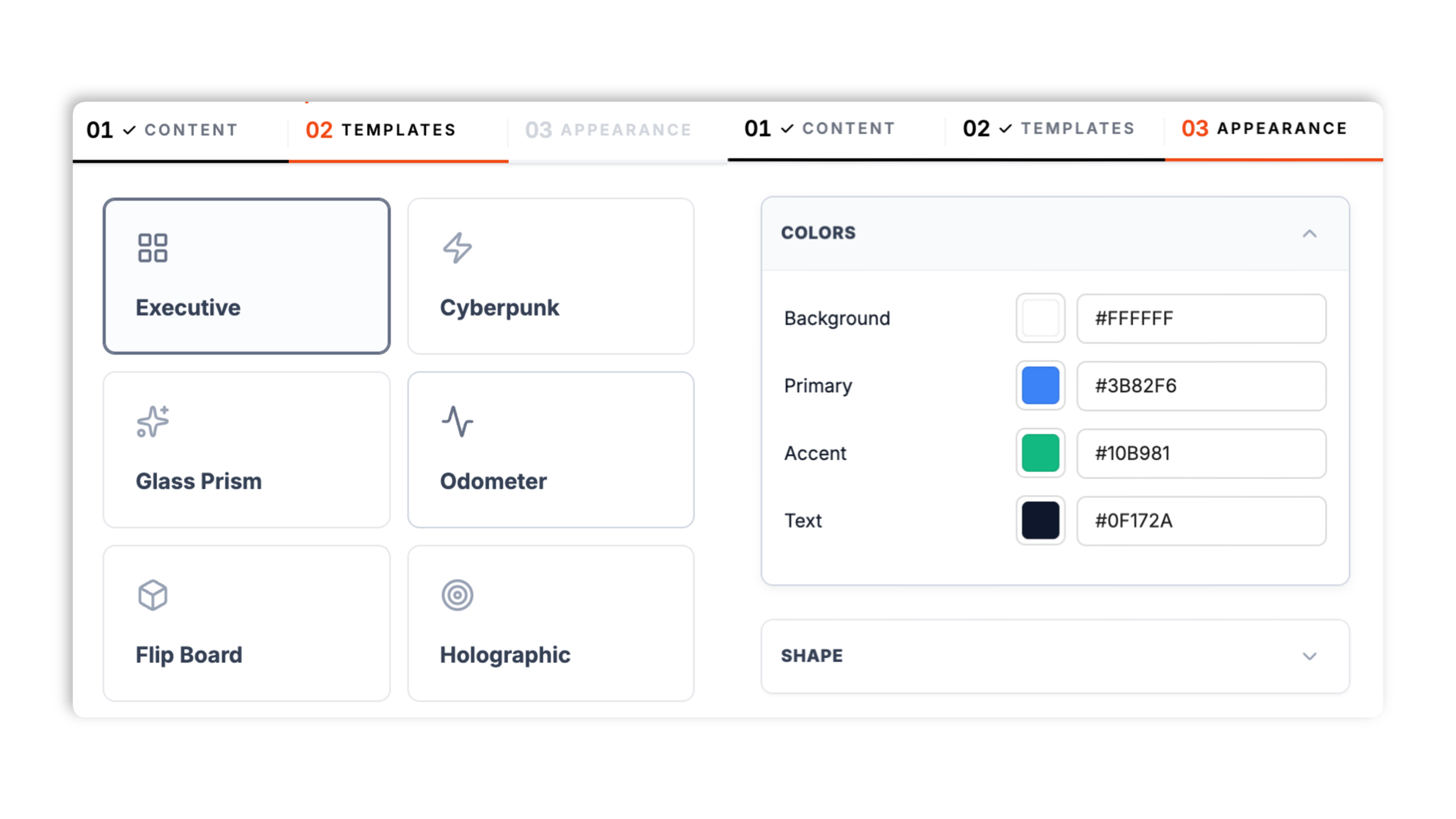
Choose from 12 layouts: Executive, Cyberpunk, Glass Prism, Odometer, Flip Board, Holographic, Social Pill, Matrix, Planetary, Gradient, Clean List, or Server Rack. Set the available colors, corner radius, label, and breakdown options for the selected layout.
Paste the Poper embed snippet into a supported page. Works anywhere your Poper embed snippet is supported.

Works everywhere
Drop-in install on WordPress, Shopify, Wix, Squarespace, Webflow, Framer, Ghost, and any HTML-friendly stack. No build step, no developer needed.


Plus 250+ other platforms via the embed snippet. If your site can render a <script> tag, it can render the Visitor Counter Widget for Website - Poper.
Six things that matter when you are paying for a visitor counter widget.
The visitor counter shows how many people have visited your site, with available breakdown fields such as today, week, month, year, and total. Layouts render different subsets of that data; compact layouts may show only the headline count. Twelve layouts present the numbers as everything from a clean dashboard to a mechanical flip board.
Connect a live source so the count reflects real traffic. The Poper Script uses the installation script already on your site to count visitors, and the embed refreshes from the Poper API on a short interval. Or connect a Google Analytics 4 property through a guided integration and read its visitor stats directly.
Set the numbers yourself, or turn on a gentle auto-increment so the count ticks up on its own.
Available colors, corner radius, and label controls vary by layout.
Executive is a clean KPI dashboard, Odometer and Flip Board are mechanical rolling counters, Social Pill is a compact badge, and Cyberpunk, Holographic, Matrix, and Server Rack are bolder styled treatments. Choose the layout that displays the fields you need before publishing.
Validate the widget in the footer, sidebar, or about-page layout where you plan to place it.
Use cases
Four buyer types who get the most lift from embedding Visitor Counter Widget for Website - Poper on their site.
An all-time visitor total in the footer or about section signals an established, well-visited site. Connect Google Analytics 4 so the number is real.
Show readers how many people visit your blog with a today and this-month breakdown. The Clean List or Executive layout keeps it informative and tidy.
A live-feeling visitor count on a community page communicates activity. The Poper Script counts visitors using the script already on your site.
A styled counter, Cyberpunk, Holographic, or Flip Board, turns your visit count into a design feature on a portfolio or personal site.
Most visitor counters ship one style or no real data source. Here is how the popular widget builders stack up.
| Recommended Poper | Elfsight Click Counter | FreeVisitorCounters | HitWebCounter | |
|---|---|---|---|---|
| Poper workspace available | Limited views | |||
| Pull real counts from Google Analytics 4 | ||||
| First-party script visitor counting | Partial | |||
| Today / week / month / all-time breakdown | Total only | Total only | Total only | |
| Number of layout styles | 12 | Limited | Limited | Limited |
| Manual or simulated counts | ||||
| Brand-match colors and styling | Partial | Partial | ||
| No ads on the widget | ||||
| Pricing for unlimited use | Plan details vary | Vendor pricing varies | Builder with ads | Builder with ads |
| Bundled with popups, forms, more widgets |
Comparison reflects external competitor positioning. Verify current details on each provider's site.
Marketers, engineers, and designers who added a visitor counter with Poper.
“We connected Google Analytics 4 and dropped the Executive layout into our footer. The visitor total is real, straight from the analytics we already trust.”

“The Poper Script source was the easiest setup. The same script we already had on the site started counting visitors, no extra integration.”

“We used the Flip Board layout on our portfolio. The visit count became part of the design instead of a boring number in the corner.”

Pricing
All plans are billed yearly. Each card shows the per-month equivalent. Start free, then upgrade only when you need more campaigns, websites, or AI credits.
Yearly billing · save up to 40%Essential lead capture for solo creators and growing businesses.
billed $180/year
Full engagement suite with A/B testing, gamification & unlimited leads.
billed $348/year
Unlimited everything with white-label, API access & advanced analytics.
billed $948/year
Prices shown for the 50k monthly visitor tier on yearly billing. A Free Forever plan ($0) and a custom Enterprise plan are also available. No contracts, cancel anytime.
A visitor counter shows how many people visit your site, and it has been a staple of the web since the earliest hit counters. Done well, it is a small but effective trust signal: an established visitor total tells a new visitor that other people value the site too. This guide walks through what actually matters when you add a visitor counter widget in 2026: choosing a data source, understanding the difference between a cumulative visit count and a live-presence indicator, picking a layout, and keeping the numbers honest.
The Poper visitor counter supports three data sources, and the right one depends on whether you want real numbers or manually controlled counts. Manual or Simulated mode lets you set the counts yourself; an optional auto-increment makes the number tick up gently, which is useful for a styled display where the exact figure matters less than the sense of activity. The Poper Script source uses the standard Poper installation script that is already on your site to count visitors, with the embedded widget refreshing the count from the Poper API on a short interval. The Google Analytics 4 source connects your GA4 property through a guided OAuth flow and reads its visitor stats directly, refreshing every few minutes. If accuracy matters, use the Poper Script or GA4 source; if you want a controlled display, use manual mode.
It is worth being precise about what this widget does. A visitor counter shows cumulative visit counts: how many people visited today, this week, this month, this year, and in total. That is different from a live-presence indicator that claims a specific number of people are on the page right this second. The two solve different jobs. A cumulative counter is a credibility and longevity signal, it says the site has been visited many times. A live-presence indicator is an urgency signal, it pressures a visitor to act now. The Poper visitor counter is a cumulative counter with a today-to-all-time breakdown. If you want live, on-page urgency, that is a job for a social-proof or activity widget rather than this one.
The Poper visitor counter ships 12 layouts so the same numbers fit very different page designs. Executive is a clean KPI dashboard that suits an analytics-style display with the full breakdown visible. Clean List is a minimal, tidy list of figures. Odometer and Flip Board render the count as a mechanical rolling display, a nod to classic hit counters. Social Pill is a compact badge for a footer or header. Cyberpunk, Holographic, Matrix, Server Rack, Planetary, Glass Prism, and Gradient are bolder, styled treatments for sites that want the counter to be a visual feature. Every layout uses the same underlying count data, but layouts render different subsets of the available fields, so choose the layout based on both appearance and the numbers you need to show.
A visitor counter only helps if visitors can trust it. The simplest way to stay honest is to use a real data source: the Poper Script counts actual visitors via the script on your site, and the Google Analytics 4 source reflects the same data your analytics already records. Manual mode and the auto-increment simulation are legitimate for a stylized display, but be thoughtful about it, a wildly inflated or obviously fake-looking number undermines trust faster than no counter at all. Choose a believable starting figure, and if you are showing the counter as a credibility signal rather than decoration, prefer a live source so the number is genuinely yours.
Placement shapes how a visitor counter reads. The footer is the classic home for a cumulative counter: it is unobtrusive, and visitors who reach it are often gauging whether the site is established. An about page is another natural fit, where a visitor total sits alongside the story of the site. A blog or community sidebar works when the count itself is interesting content, for example showing readers how many people visit each month. A compact layout like Social Pill can sit in a header. The counter is not a conversion element in the way a checkout-page urgency banner is, so place it where a credibility signal is welcome rather than on a high-pressure conversion step.
A visitor counter widget is an embeddable script that displays how many people have visited a website. The Poper visitor counter shows a today, week, month, year, and all-time breakdown, and can pull real counts from the Poper Script or a connected Google Analytics 4 property.
Last fact-checked: . We re-verify every quarter.
Tutorial
A quick walkthrough of setting up and embedding this widget.
Tutorial video coming soon
Can't find the answer you're looking for? Chat with our support team.
Contact SupportConfigure the counter in your Poper workspace and connect Poper Script or GA4 where needed.
Free plan available forever