
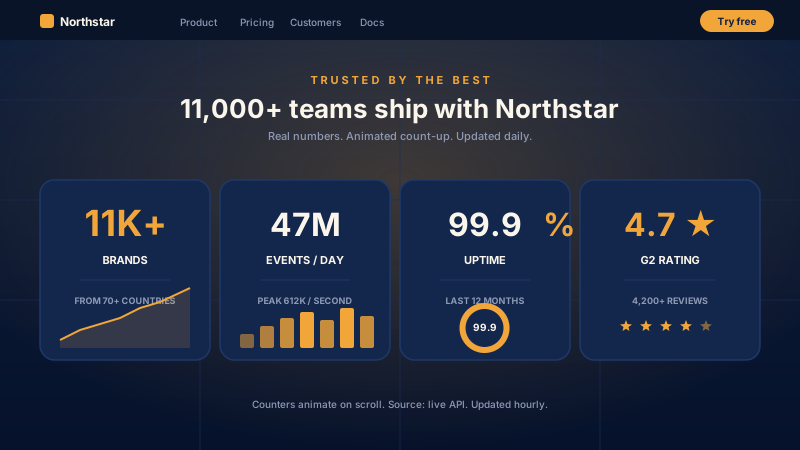
SaaS landing-page proof
Put one headline number above the fold: 11K+ brands, or 47M events handled, or a 4.7 star rating. A big number that counts up on scroll gives visitors quick proof in the first screen. Embed several to build a stat row.
Display a statistic or milestone with smooth count-up animation. Triggers on scroll, 12 layouts, mobile responsive. Built for SaaS, nonprofits, agencies. Use the Poper builder.
Built for builder website teams























Live demo, not a screenshot. Style it, brand it, embed it.
Before and after Poper
Here is the widget embedded on a real page layout, before and after. Style it to match your brand, then copy one snippet to go live.
 Before
 Poper widget live
Mockups for illustration. Style the widget to match your site and embed in 90 seconds.
How to use it
Three setup steps in the Poper builder.
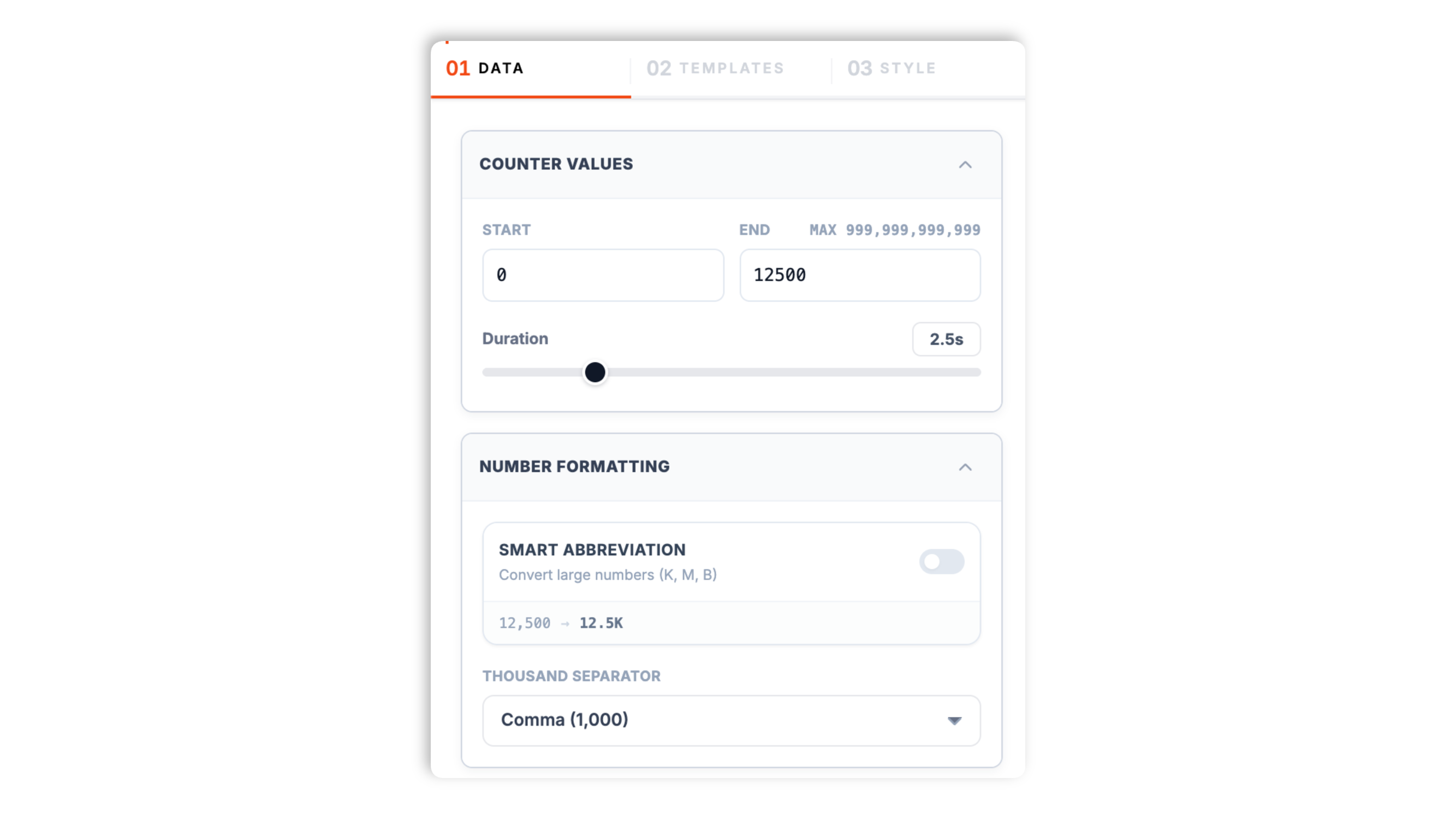
Enter the start value, the target end value, a label, and an optional secondary label. The widget formats the number automatically with a thousands separator or K/M/B abbreviation.
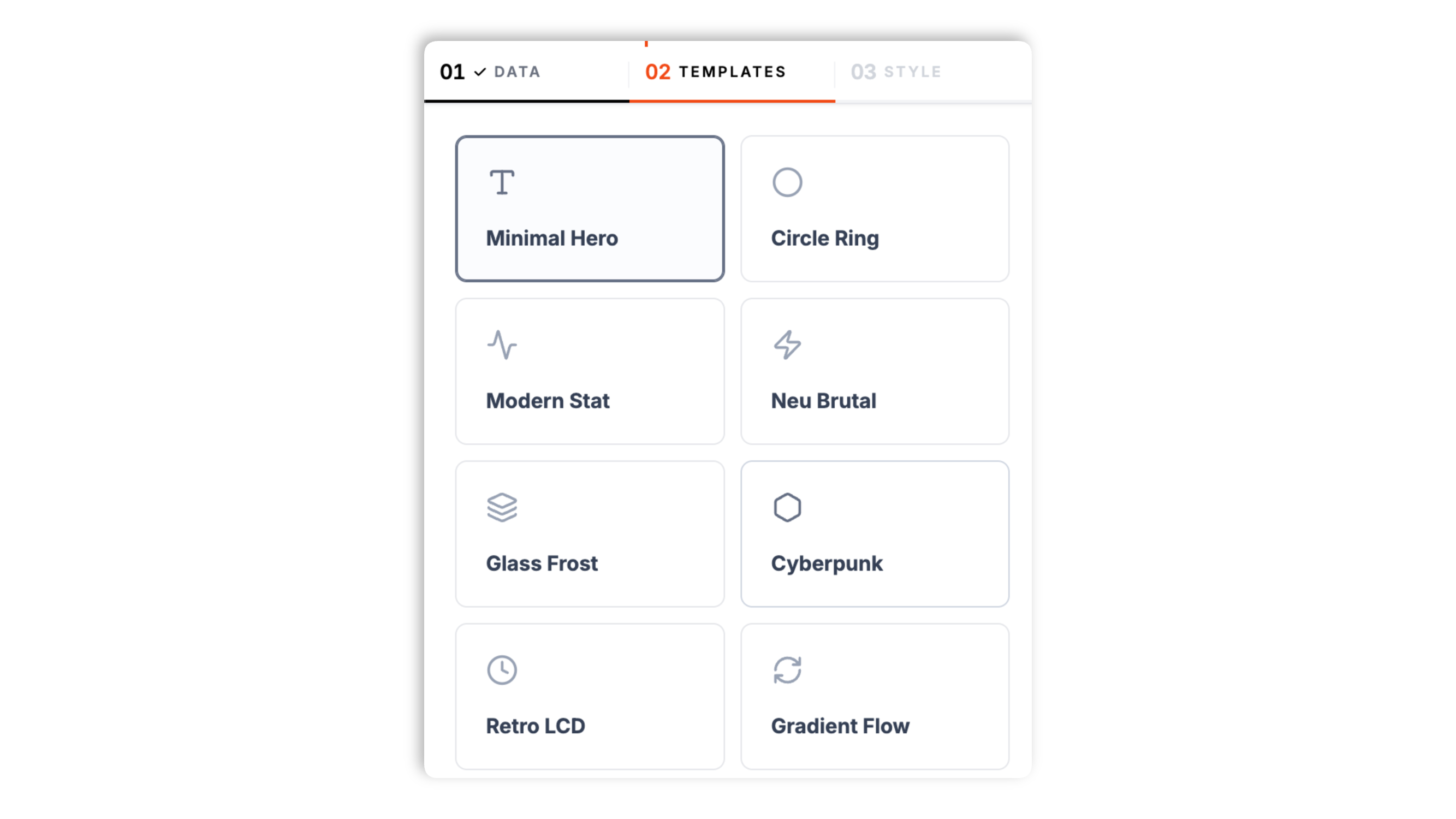
Choose one of 12 layouts, from Minimal Hero to Glass Frost to Cyberpunk. Set background, text, and accent colors. Live preview updates instantly so you see exactly how it lands.
Paste the snippet into your site. The counter animates when it scrolls into view. Use the Poper embed snippet in a supported page.

Works everywhere
Drop-in install on WordPress, Shopify, Wix, Squarespace, Webflow, Framer, Ghost, and any HTML-friendly stack. No build step, no developer needed.


Plus 250+ other platforms via the embed snippet. If your site can render a <script> tag, it can render the Number Counter Widget: Animated Stats Display for Your Site.
Six things that matter when you are paying for a counter widget.
The counter animates when it scrolls into view, not on page load. That timing is what makes the count feel alive instead of a static number a visitor scrolled past. It is built on the IntersectionObserver API, fires once when the counter enters the viewport, and uses an ease-out curve so the number settles smoothly on its final value.
Minimal Hero, Circle Ring, Modern Stat, Neu Brutal, Glass Frost, Cyberpunk, Retro LCD, Gradient Flow, Isometric 3D, Pill Badge, Card Mockup, Split View. Switch between them in the builder. Use the available settings for the selected layout and test the result at your target widths.
Thousands separator (comma, dot, or space) or K/M/B/T abbreviation, plus a free-text prefix and suffix.
Background, text, and accent colors. The counter takes on your brand instead of looking generic.
Some layouts reserve the rendered width of the final value before the count begins; compact layouts may behave differently. Validate layout shift and performance on your own page.
Large values can blow out a tight layout. Several layouts auto-abbreviate long numbers, and the widget scales the font down when a value runs long, so an eight-digit count still fits its card cleanly.
Use cases
Four buyer types who get the most lift from embedding Number Counter Widget: Animated Stats Display for Your Site on their site.
Put one headline number above the fold: 11K+ brands, or 47M events handled, or a 4.7 star rating. A big number that counts up on scroll gives visitors quick proof in the first screen. Embed several to build a stat row.
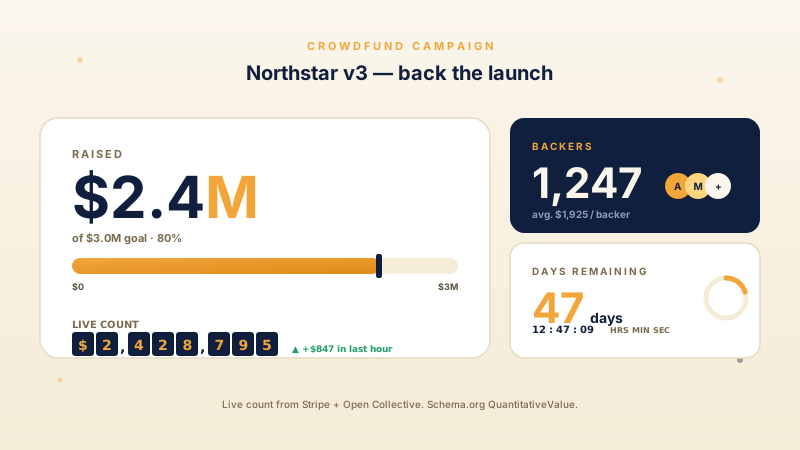
Show $2.4M raised or 1,247 backers as an animated count-up. Watching the number climb makes the contribution feel real. Pair it with Poper's countdown timer for urgency.
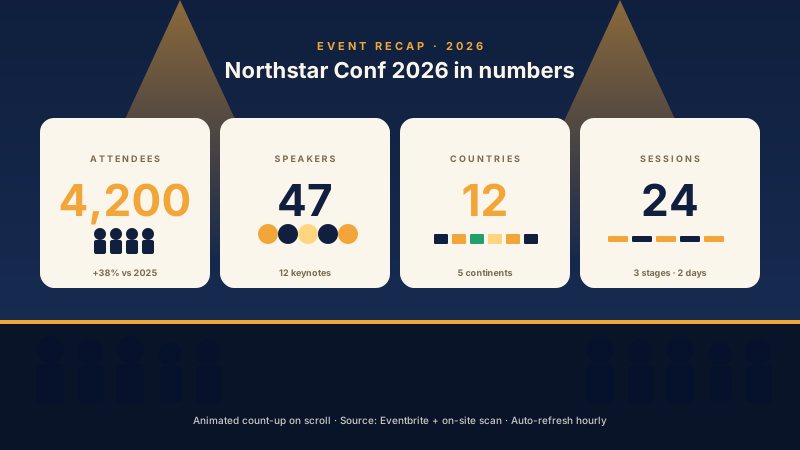
Turn a post-event recap into a marketing asset: 4,200 attendees or 24 sessions, counting up as the visitor scrolls. Embed one per number to build the recap section.
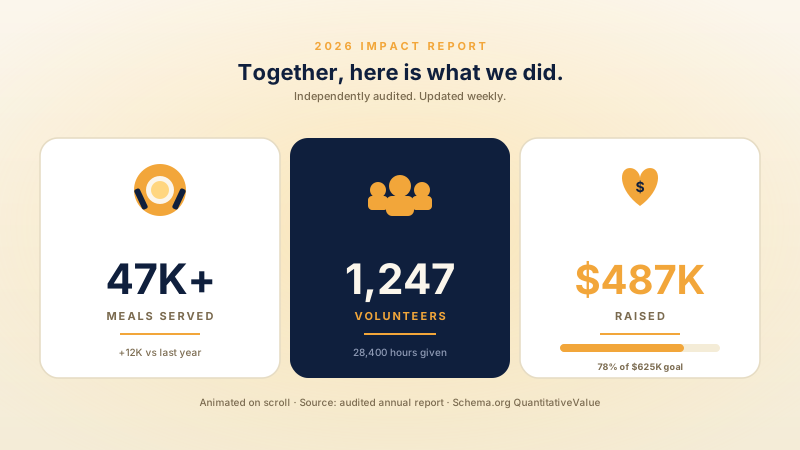
A counter turns an impact report into a moment donors stop scrolling for: 47K meals served, or $487K raised, animating up the instant it comes into view.
Most counter widgets ship a couple of layouts and little design control. Here is how the popular ones stack up.
| Recommended Poper | Elfsight Counter | POWR Counter | |
|---|---|---|---|
| Poper workspace available | Limited | Limited | |
| Scroll-triggered count-up animation | |||
| 12 layout presets | 3 layouts | 4 layouts | |
| Number formatting (K/M/B abbreviation, separators) | Paid only | ||
| Free-text prefix and suffix | |||
| Brand color controls | Paid only | ||
| Mobile responsive layouts | |||
| Available widget settings (final-value width reserved) | Sometimes | Sometimes | |
| Plan details depend on your Poper workspace | Plan details vary | Vendor pricing varies | Vendor pricing varies |
| Bundled with popups, forms, more widgets |
Comparison reflects external competitor positioning. Verify current details on each provider's site.
Marketers and SaaS teams who switched from static stats to animated counters.
“We put a Minimal Hero counter above our pricing fold. Watching the customer number climb as visitors scroll makes the social proof actually register.”

“Embedded four counters as a stat row and the layout did not shift while the numbers animated. Reserving the final-value width clearly works.”

“The Glass Frost layout matched our nonprofit page perfectly, and the K abbreviation kept our funds-raised figure readable without overflowing the card.”

Pricing
All plans are billed yearly. Each card shows the per-month equivalent. Start free, then upgrade only when you need more campaigns, websites, or AI credits.
Yearly billing · save up to 40%Essential lead capture for solo creators and growing businesses.
billed $180/year
Full engagement suite with A/B testing, gamification & unlimited leads.
billed $348/year
Unlimited everything with white-label, API access & advanced analytics.
billed $948/year
Prices shown for the 50k monthly visitor tier on yearly billing. A Free Forever plan ($0) and a custom Enterprise plan are also available. No contracts, cancel anytime.
An animated number counter is one of the highest-leverage social-proof patterns on the web. Done well, it takes a static stat ('10,000 customers') and turns it into a moment of attention that frames the rest of your page. Done badly, it hurts Cumulative Layout Shift and feels cheesy. This guide walks through what matters when you choose and configure a number-counter widget in 2026, based on what the Poper Number Counter widget actually does: scroll-triggered animation with IntersectionObserver, the 12 layouts, CLS prevention by reserving the final-value width, number formatting, and honesty about the figures you display.
Static numbers on a landing page get mentally skimmed past. The visitor sees '10,000+ customers' and registers it as a generic claim, then keeps scrolling. An animated counter disrupts that scan: the number starts at the start value and climbs, which catches the eye and forces a brief pause. That pause is the entire game. It turns a number from 'a claim I read' into 'a thing I watched happen.' Motion in the viewport reliably draws attention more than a static element in the same position. The trick is to keep the motion brief and tie it to scroll-into-view, so it happens when the visitor is actually looking. The Poper Number Counter does both: you set the animation duration in the Data tab, and the count fires when the counter scrolls into view rather than on page load. The animation uses an ease-out curve, so the number decelerates into its final value instead of stopping abruptly.
An animation only earns its keep if the visitor actually sees it. A counter that animates on page load while it is still below the fold has finished by the time the visitor scrolls down to it, so they see a static number and the effect is wasted. The Poper Number Counter avoids this by using the browser's IntersectionObserver API to watch when the counter enters the viewport. As soon as the counter scrolls into view, the count-up begins, and it fires once, so a visitor who scrolls past and back does not see it replay. IntersectionObserver is also the right tool for performance: unlike old scroll-event listeners that run dozens of times per second, it notifies the widget asynchronously only when the visibility threshold is crossed, so it adds less scroll work than older scroll-event approaches.
The Poper Number Counter ships twelve layout presets and you pick one in the Templates tab. Minimal Hero is a clean, large headline number for above-the-fold proof. Circle Ring presents the number inside a circular progress style. Modern Stat is a dashboard-style card with room for a secondary label. Neu Brutal is bold and outlined with strong contrast. Glass Frost is a soft glassmorphism panel, and Cyberpunk is a neon-inspired one. Retro LCD mimics a vintage digital display, Gradient Flow uses a vivid gradient surface, and Isometric 3D gives the card dimension. Pill Badge is a compact rounded badge for inline use, Card Mockup is credit-card inspired, and Split View stacks the headline and value vertically. Each layout is one counter, so to build a row of stats you embed several counters side by side. Some layouts, such as Circle Ring and Retro LCD, automatically abbreviate very large numbers so the value stays inside the card.
A subtle pitfall with counter widgets is Cumulative Layout Shift. If a counter starts at zero (one digit, narrow) and animates to ten million (eight digits, wide), text around the counter can reflow as the digit count grows during the animation, and that triggers a CLS hit. The fix is to measure the rendered width of the final value before the animation starts and reserve that width, so the counter element is already as wide as it will ever be. Some layouts reserve the width of the final string before animation, while compact layouts may not use the same reserve-width element. Run PageSpeed Insights before and after to validate CLS on your own page.
A counter draws the eye precisely because it animates, which means whatever figure you put on it gets more scrutiny than the same number in body text. Make sure it is true and verifiable. If the counter says 10,000 customers, you should be able to back that up. If it says a 4.7 star rating, that should be the actual aggregate from your review platforms, not a rounded-up guess. The Poper Number Counter takes a value you enter in the builder, so keeping it accurate is on you: when the real number changes, update the end value in the Data tab. Use the prefix and suffix fields to label the number clearly (a $ prefix, a + or % suffix) so a visitor knows exactly what it counts, and pick a thousands separator or the K/M/B abbreviation so a large number stays readable at a glance.
A number counter widget is an embeddable component that displays a statistic with an animated count-up effect, triggered when the element scrolls into the visitor's viewport. The Poper Number Counter shows one configurable number per widget instance and ships 12 layout styles.
Last fact-checked: . We re-verify every quarter.
Tutorial
A quick walkthrough of setting up and embedding this widget.
Tutorial video coming soon
Can't find the answer you're looking for? Chat with our support team.
Contact SupportConfigure the counter in your Poper workspace and publish it to your page.
Free plan available forever