
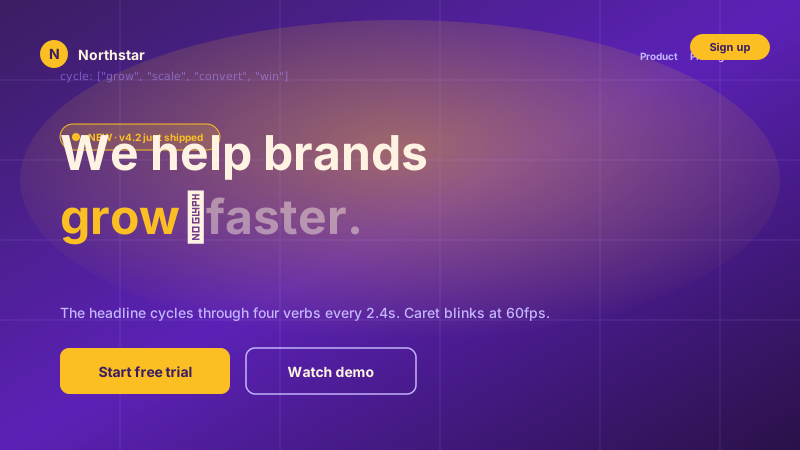
SaaS hero headlines
Cycle audience tags ('for marketers, for designers, for sales') in your hero to broaden appeal without rewriting the page.
Animated type-on text that cycles through phrases with type, wait, and delete actions. Set fixed prefix and suffix text, tune typing speed, and pick a cursor style. No code.
Built for no-code website teams























Live demo, not a screenshot. Style it, brand it, embed it.
Before and after Poper
Here is the widget embedded on a real page layout, before and after. Style it to match your brand, then copy one snippet to go live.
 Before
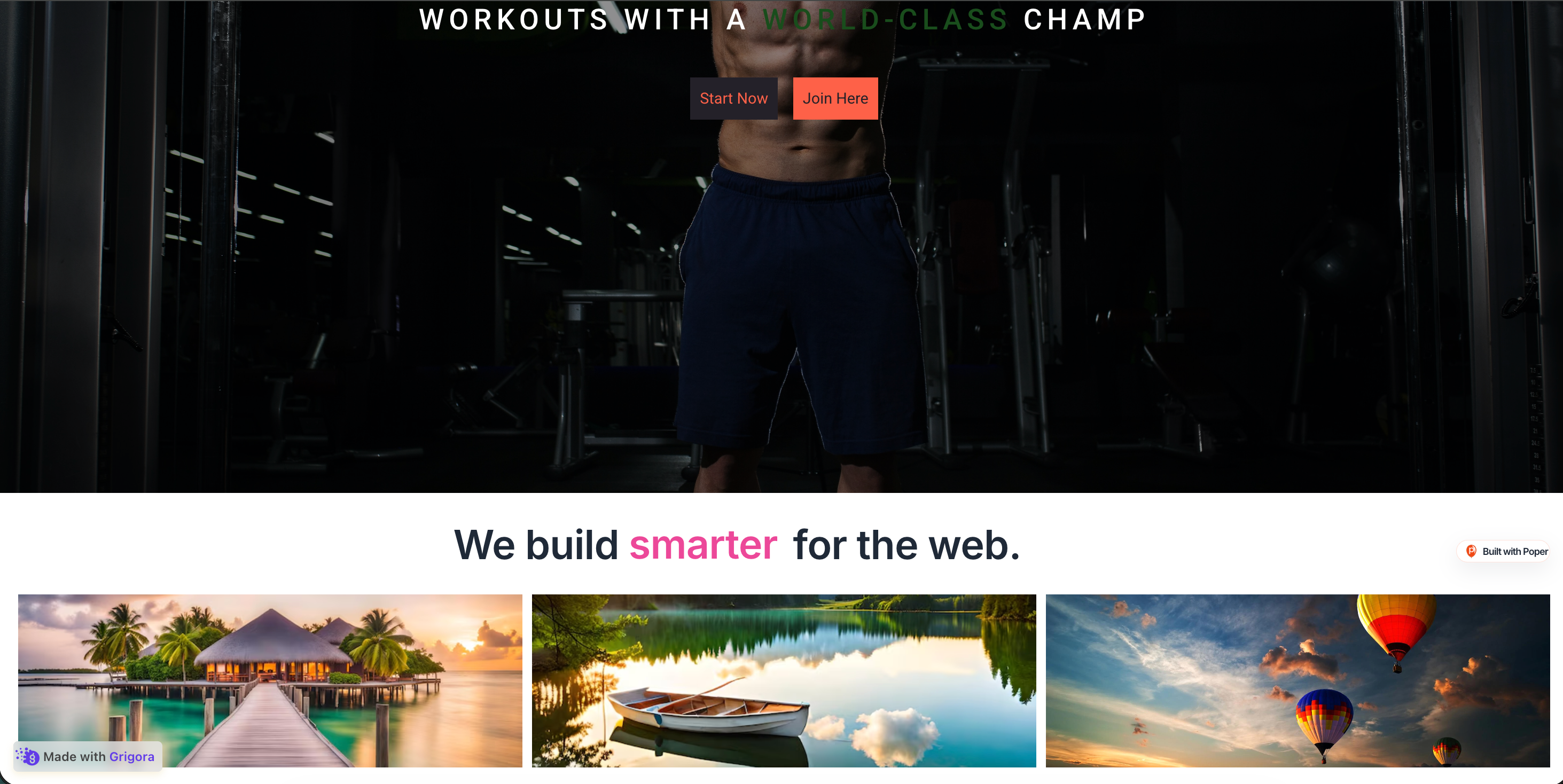 Poper widget live
Mockups for illustration. Style the widget to match your site and embed in 90 seconds.
How to use it
Three steps. Under two minutes. No code required.
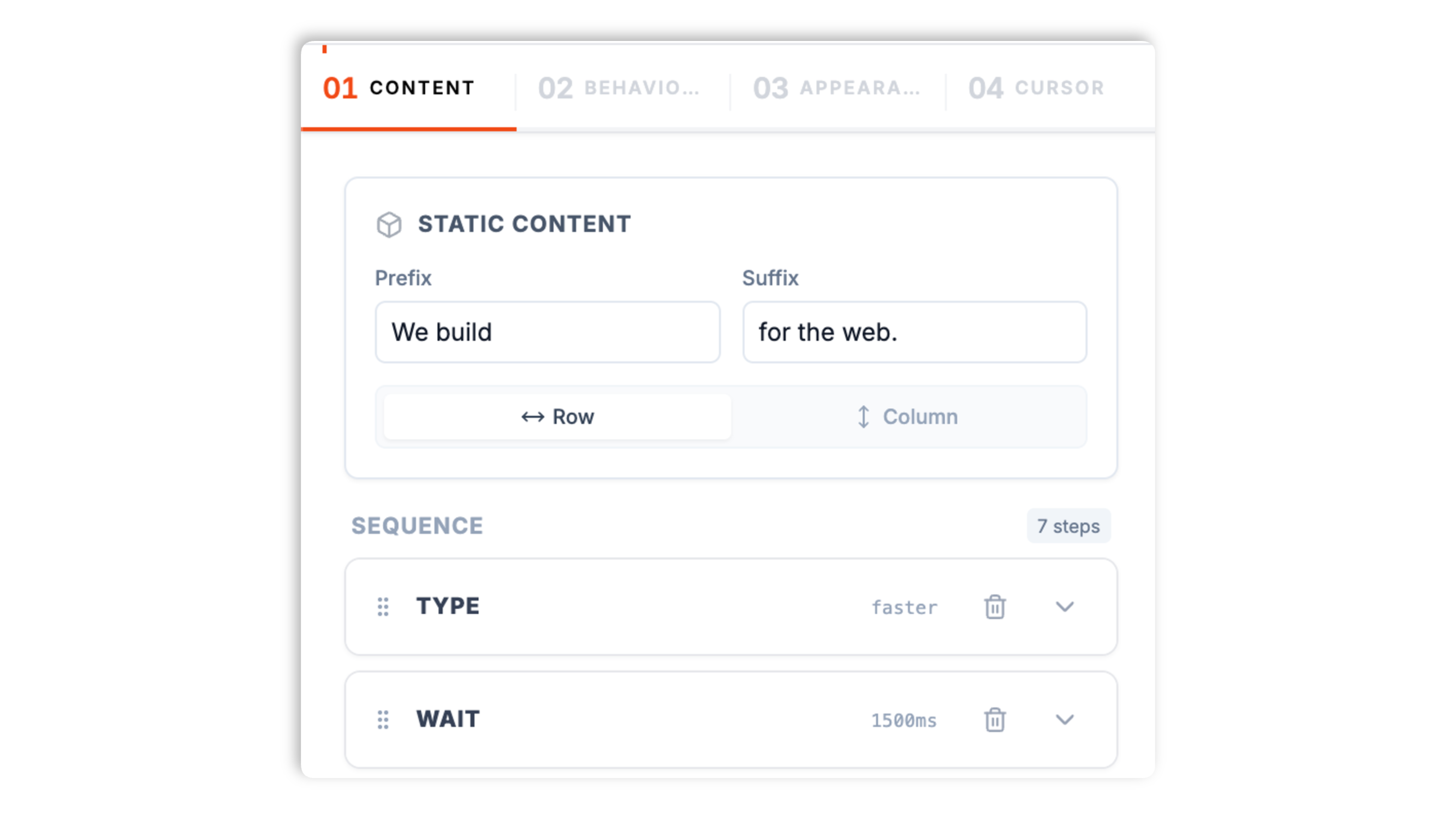
Set a fixed prefix (like 'We build') and suffix (like 'for the web'), then add a sequence of type, wait, and delete actions for the words that cycle in between. Give each typed word its own color.
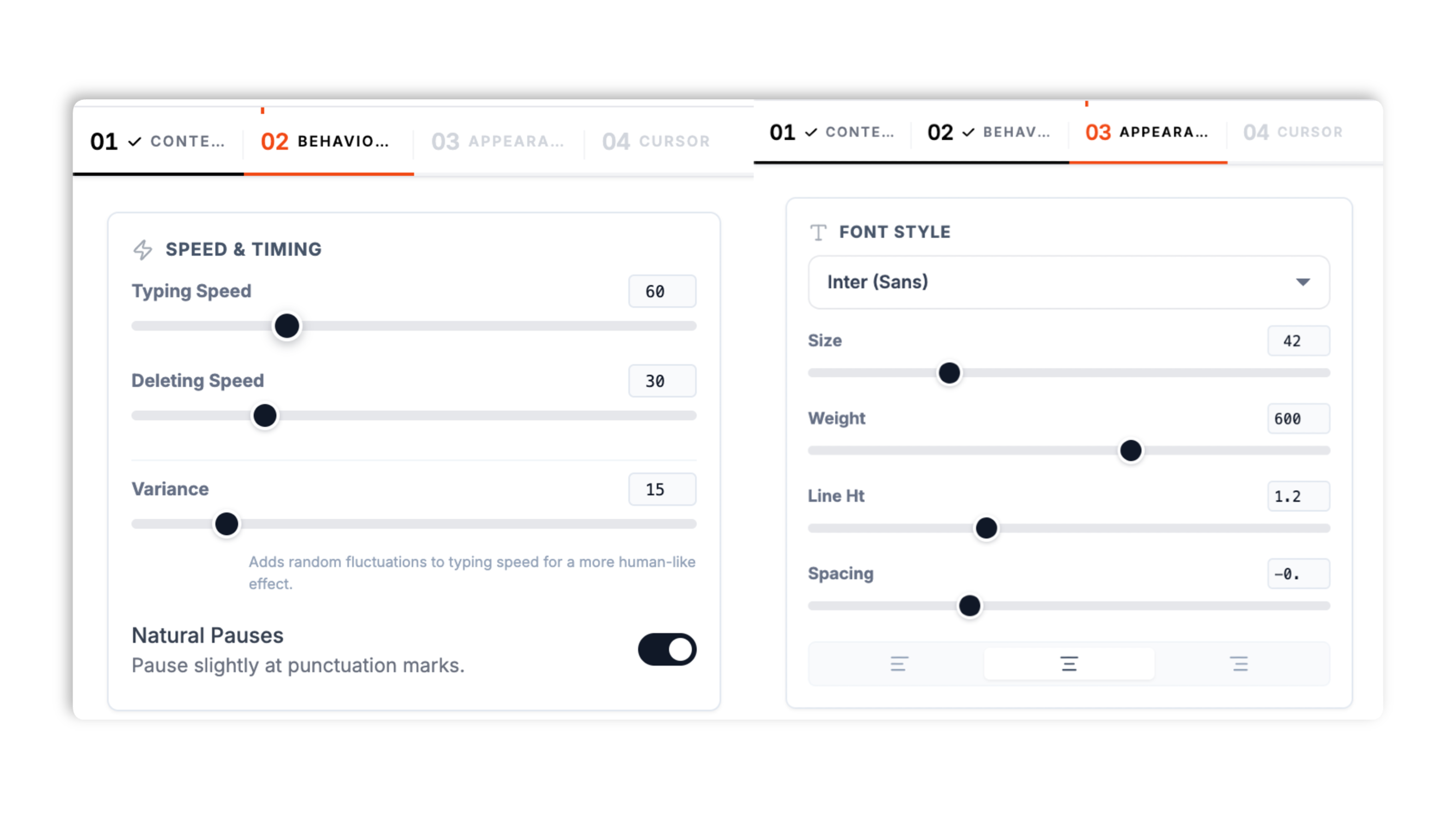
Adjust base typing speed, speed variance, delete speed, loop, and start delay in the Behaviour tab. Set fonts, size, color or gradient, alignment, and background in Appearance. Pick a line, block, or underline cursor and its blink animation in the Cursor tab.
Paste the one-line snippet on your site. Works anywhere your Poper embed snippet is supported.

Works everywhere
Drop-in install on WordPress, Shopify, Wix, Squarespace, Webflow, Framer, Ghost, and any HTML-friendly stack. No build step, no developer needed.


Plus 250+ other platforms via the embed snippet. If your site can render a <script> tag, it can render the Type Writer Widget for Website. No-code - Poper.
The controls that matter when you are building an animated hero.
Most generic widgets bolt animated text on as an afterthought. Poper's type writer widget is built around an explicit action timeline: type a phrase, wait, delete, then type the next one. You set a fixed prefix and suffix so only the words in the middle animate, which keeps the headline readable while it cycles.
Tune base typing speed, speed variance for a natural human feel, delete speed, pause on punctuation, loop, loop delay, and start delay. Switch between layout rows or columns for the prefix, animated word, and suffix.
Pick a line, block, or underline cursor, or an icon cursor. Set its color, size, spacing, and blink animation.
Fonts, size, weight, letter spacing, solid color or gradient, optional glow, and background. Designed to fit your site.
Async-injected with scoped CSS that does not bleed into your design system. The widget renders inline in your hero Validate performance on your own page after embedding.
Change a phrase, a color, or the typing speed in the dashboard and the update reaches every site running the embed. No code re-paste, no redeploy.
Use cases
Four buyer types who get the most lift from embedding Type Writer Widget for Website. No-code - Poper on their site.
Cycle audience tags ('for marketers, for designers, for sales') in your hero to broaden appeal without rewriting the page.
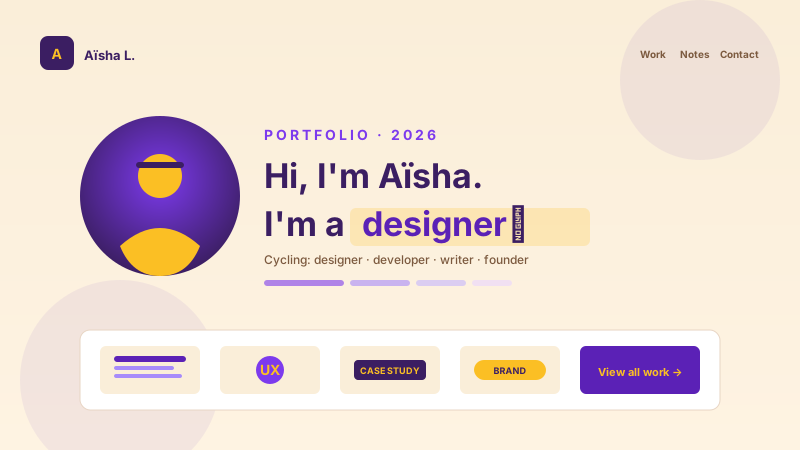
Roles, skills, or one-liners typed-on for dynamic about pages. Personality without copy bloat.

Cycle benefit phrases under a 'launching in 47 days' counter to keep waitlist visitors engaged before signup.
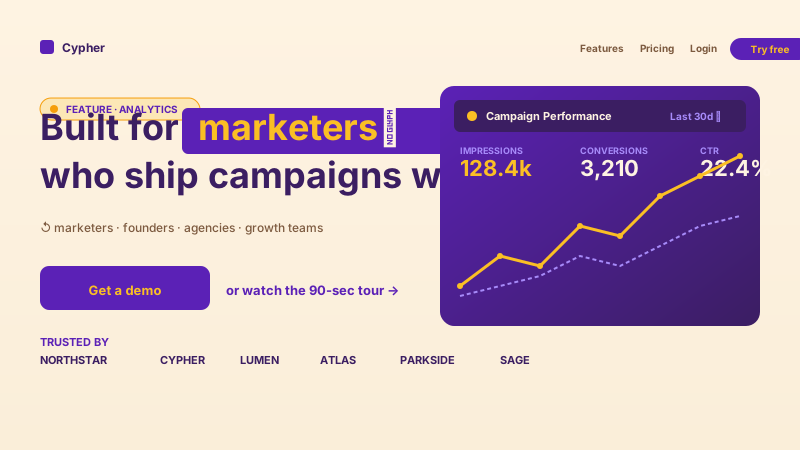
Spotlight a feature with 'Built for marketers / founders / agencies' cycling phrases right above your demo CTA.
Available widget controls. Here is how the popular ones stack up.
| Recommended Poper | Elfsight Typing Effect | POWR Typing | |
|---|---|---|---|
| Poper workspace available | Limited | Limited | |
| Type, wait, delete action timeline | Basic | Basic | |
| Fixed prefix and suffix text | |||
| Per-word text color | Paid only | ||
| Cursor shape and blink controls | Limited | Limited | |
| Gradient text and glow | Paid only | ||
| No-code dashboard editor | |||
| Edit in the dashboard and republish | |||
| Pricing | Plan details vary | Vendor pricing varies | Vendor pricing varies |
| Bundled with popups, forms, more widgets |
Comparison reflects external competitor positioning. Verify current details on each provider's site.
Marketers, designers, and product teams who use Poper Type Writer in their hero.
“We added Poper's type writer widget to our hero and the cycling headline let one page speak to three different buyer types. Setup took a few minutes.”

“The type, wait, delete model is the part that sold me. I could see exactly what would animate and in what order instead of fighting a library.”

“Speed variance is the detail most widgets skip. With it on, the typing actually feels human instead of like a robot.”

Pricing
All plans are billed yearly. Each card shows the per-month equivalent. Start free, then upgrade only when you need more campaigns, websites, or AI credits.
Yearly billing · save up to 40%Essential lead capture for solo creators and growing businesses.
billed $180/year
Full engagement suite with A/B testing, gamification & unlimited leads.
billed $348/year
Unlimited everything with white-label, API access & advanced analytics.
billed $948/year
Prices shown for the 50k monthly visitor tier on yearly billing. A Free Forever plan ($0) and a custom Enterprise plan are also available. No contracts, cancel anytime.
Animated type-on hero text (the typewriter effect that cycles through phrases like 'for marketers, for designers, for engineers') is a proven way to add motion and personality to a hero section. The trick is making it tasteful (a short list of phrases, not a never-ending novel) and brand-coherent (font, color, and cursor all match the rest of the page). This guide walks through what actually matters when you choose and configure a typewriter widget in 2026: the type, wait, and delete action model, typing-speed tuning, cursor styling, and the Use the source fields supported by the widget showing hero (yes) vs body content (no).
Poper's type writer widget runs an explicit action timeline rather than a single rotating string. You write a fixed prefix and a fixed suffix, then build an ordered list of actions for the words in between. A 'type' action holds one phrase and the color it types in. A 'wait' action holds a pause duration in milliseconds. A 'delete' action removes characters before the next phrase types in. Because the prefix and suffix never animate, the headline stays readable the whole time, and only the variable words draw the eye. This model also makes the effect predictable: you can see exactly what types, in what order, with which pauses, instead of guessing how a library will tween between strings.
A typewriter effect that types every character at a perfectly even cadence reads as mechanical. Poper exposes base typing speed plus a speed variance value, so each keystroke lands a little faster or slower than the last, the way real typing does. Delete speed is separate from typing speed because deletion usually feels better when it is quicker. Pause on punctuation adds a short rest after commas and periods. Loop, loop delay, and start delay control whether the sequence repeats, how long it waits between loops, and how long it waits before the first character appears. Spend a minute on these values: the difference between a default cadence and a tuned one is the difference between a headline that feels designed and one that feels like a plugin.
The caret is a small detail that carries a lot of the typewriter feel. Poper lets you choose a shape cursor (a thin line, a solid block, or an underline) or an icon cursor for something more playful. You control the cursor color, size, horizontal and vertical offset, spacing from the text, and its animation, including a steady blink. You can also set the cursor to blink only while idle. Match the cursor color to your brand accent and size it relative to the font so it reads as part of the headline rather than a stray artifact. On a dark hero, a slightly brighter caret color helps it stay visible without glowing.
The Appearance tab covers everything visual: font family (with a custom font option), font size, weight, line height, letter spacing, and text alignment. Text can be a single solid color or a gradient between two colors, with an optional glow. You can also set a background color, padding, border radius, border, and shadow if you want the typewriter to sit inside a contained card rather than free-floating in the hero. The layout direction setting arranges the prefix, the animated word, and the suffix either in a row or stacked in a column, which is useful when the animated phrase is long enough to need its own line on mobile.
Placement is most of the win. A typewriter effect belongs in the hero, where a visitor first lands and where a cycling headline can broaden the appeal of a single page to several audiences at once ('built for marketers, built for founders, built for agencies'). It works well directly above a primary call to action, and on coming-soon or waitlist pages where there is little other content to compete with. Avoid using it in body copy or in long-form content: motion that helps in a hero becomes a distraction when a visitor is trying to read. Keep the phrase list short so the full cycle completes while the visitor is still looking at the hero.
A typewriter widget animates text appearing character-by-character in a hero or callout section, cycling through multiple phrases using an ordered sequence of type, wait, and delete actions with configurable speed and a styled cursor.
Last fact-checked: . We re-verify every quarter.
Tutorial
A quick walkthrough of setting up and embedding this widget.
Tutorial video coming soon
Can't find the answer you're looking for? Chat with our support team.
Contact SupportPoper takes about a minute to embed and your typewriter runs straight from the dashboard.
Free plan available forever