
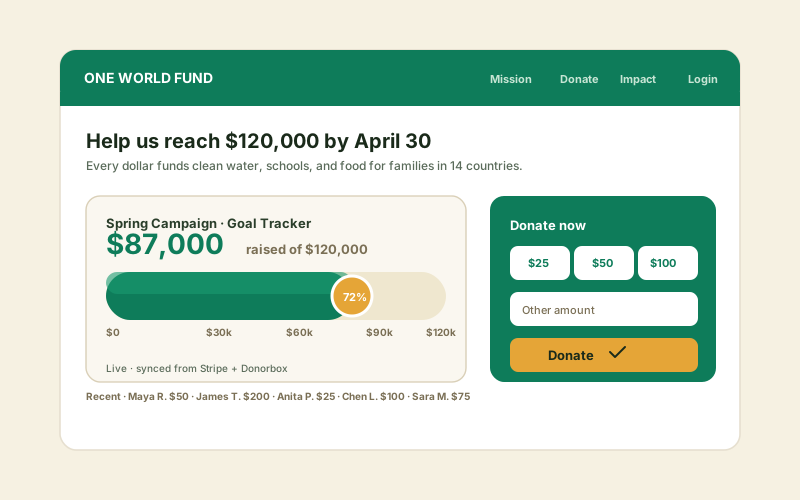
Fundraising thermometer
A fixed-value bar showing dollars raised against a goal, set to your latest total. Use the Simple Bar or Half Circle layout and update the Current value as the campaign runs.
Show goals, fundraising totals, skills, and project milestones as progress bars. Eight layout templates, milestone markers, animate-on-load, full brand styling. No code.
Built for no-code website teams























Live demo, not a screenshot. Pick a layout, set a value, brand it. What you see here is what ships to your site.
Before and after Poper
Here is the widget embedded on a real page layout, before and after. Style it to match your brand, then copy one snippet to go live.
 Before
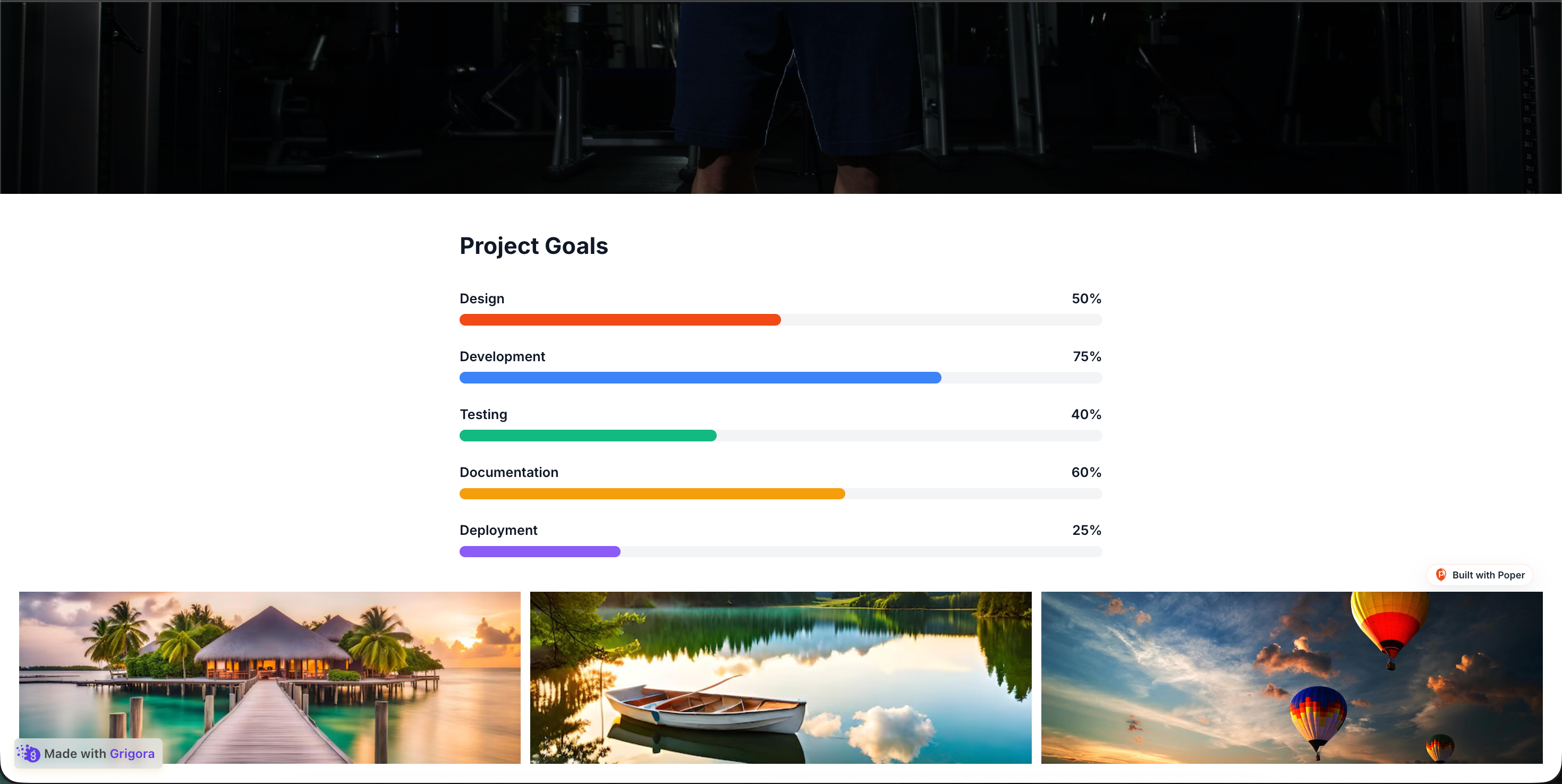 Poper widget live
Mockups for illustration. Style the widget to match your site and embed in 90 seconds.
How to use it
Three steps. Under two minutes. No developer needed.
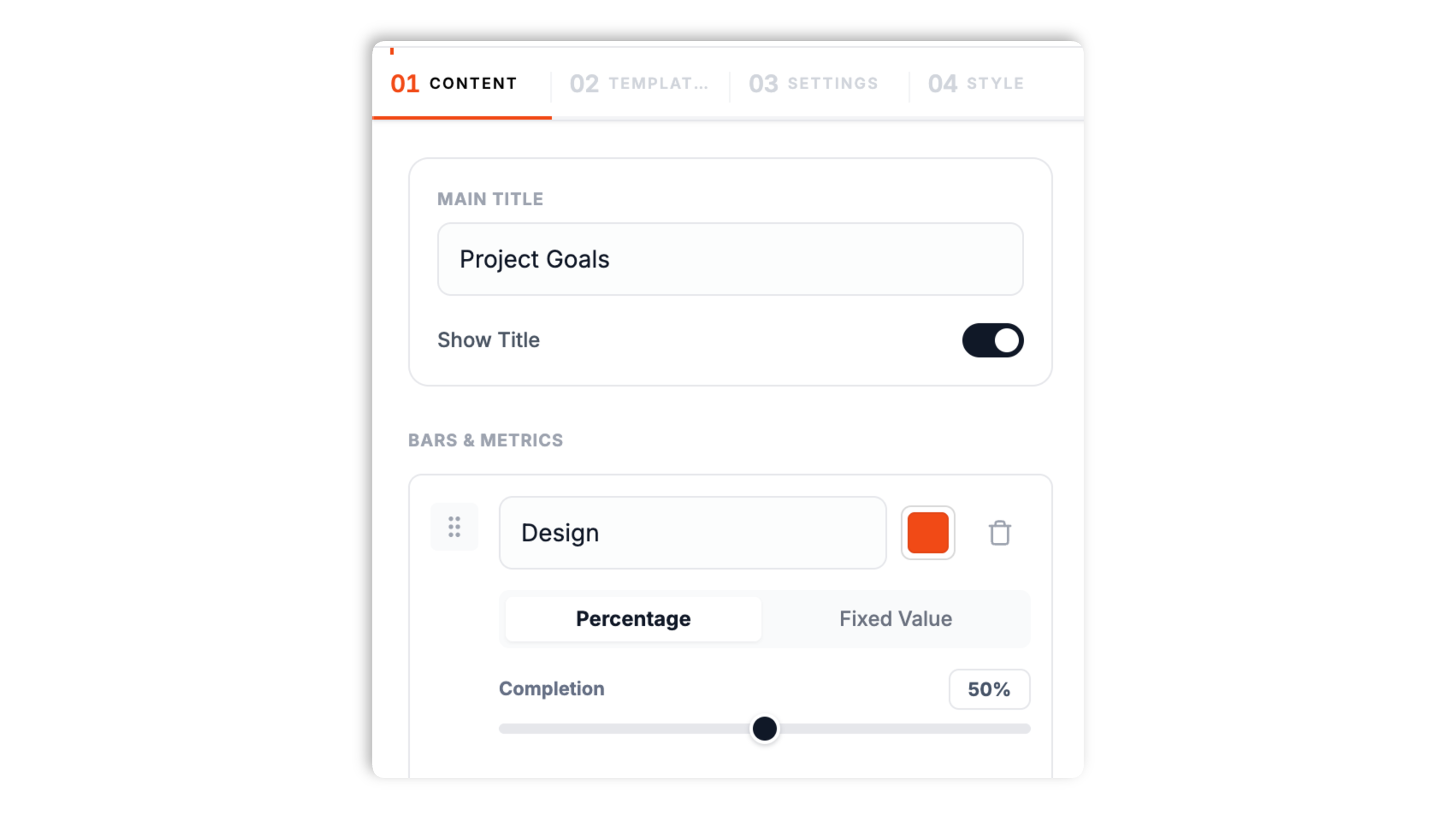
In the Content tab, set a main title and add each bar with a label and a color. For every bar, choose Percentage (0 to 100) or Fixed Value, where you set a Current value and a Goal. Add milestone markers and a milestone label if you want them.
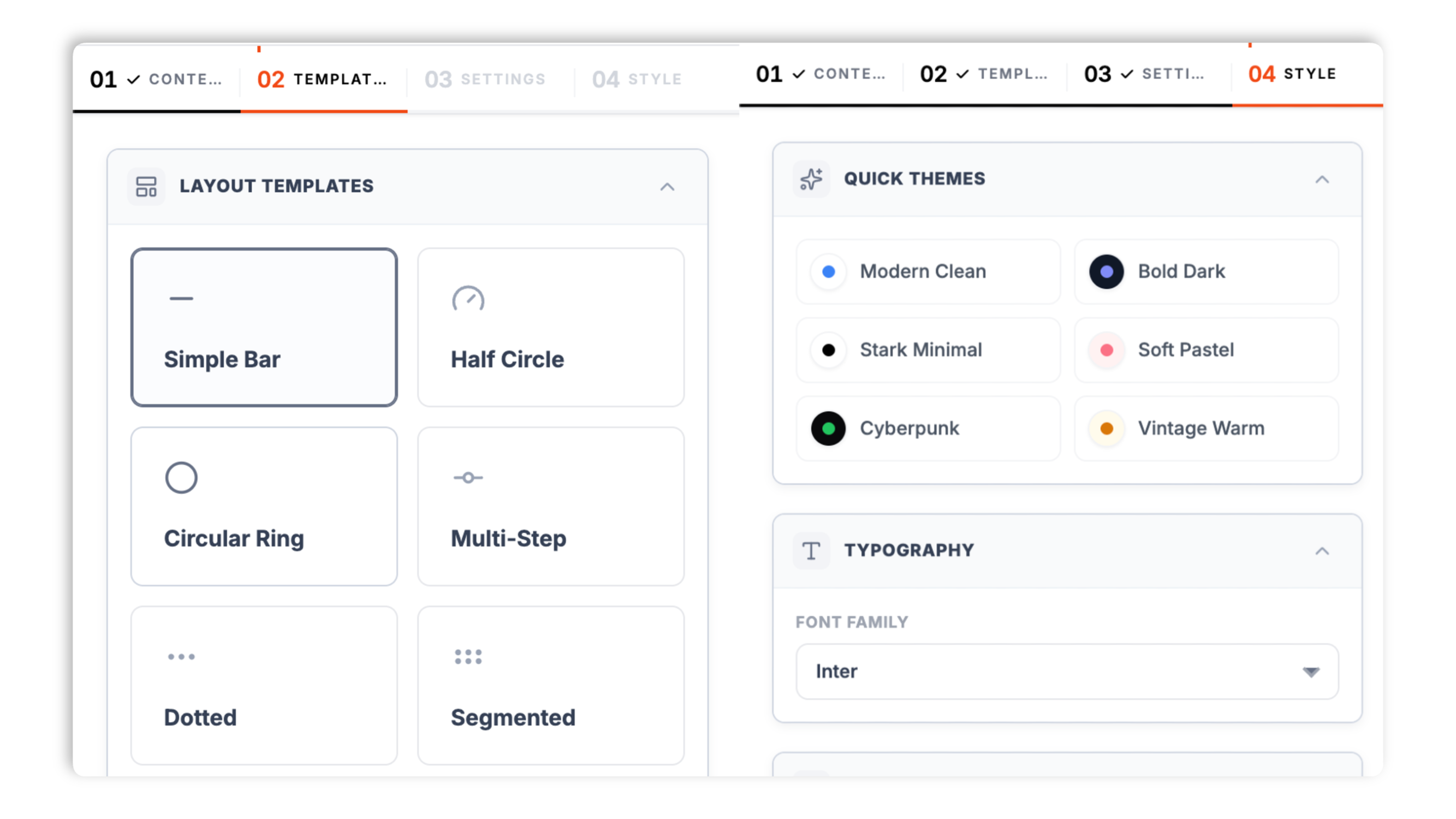
In the Templates tab, choose one of eight layouts: Simple Bar, Half Circle, Circular Ring, Multi-Step, Dotted, Segmented, Distribution, or Vertical List. In Style and Settings, set the track, fill, accent, text, and background colors, the bar size, and the animation.
Paste the Poper embed snippet into your site. Works anywhere your Poper embed snippet is supported.
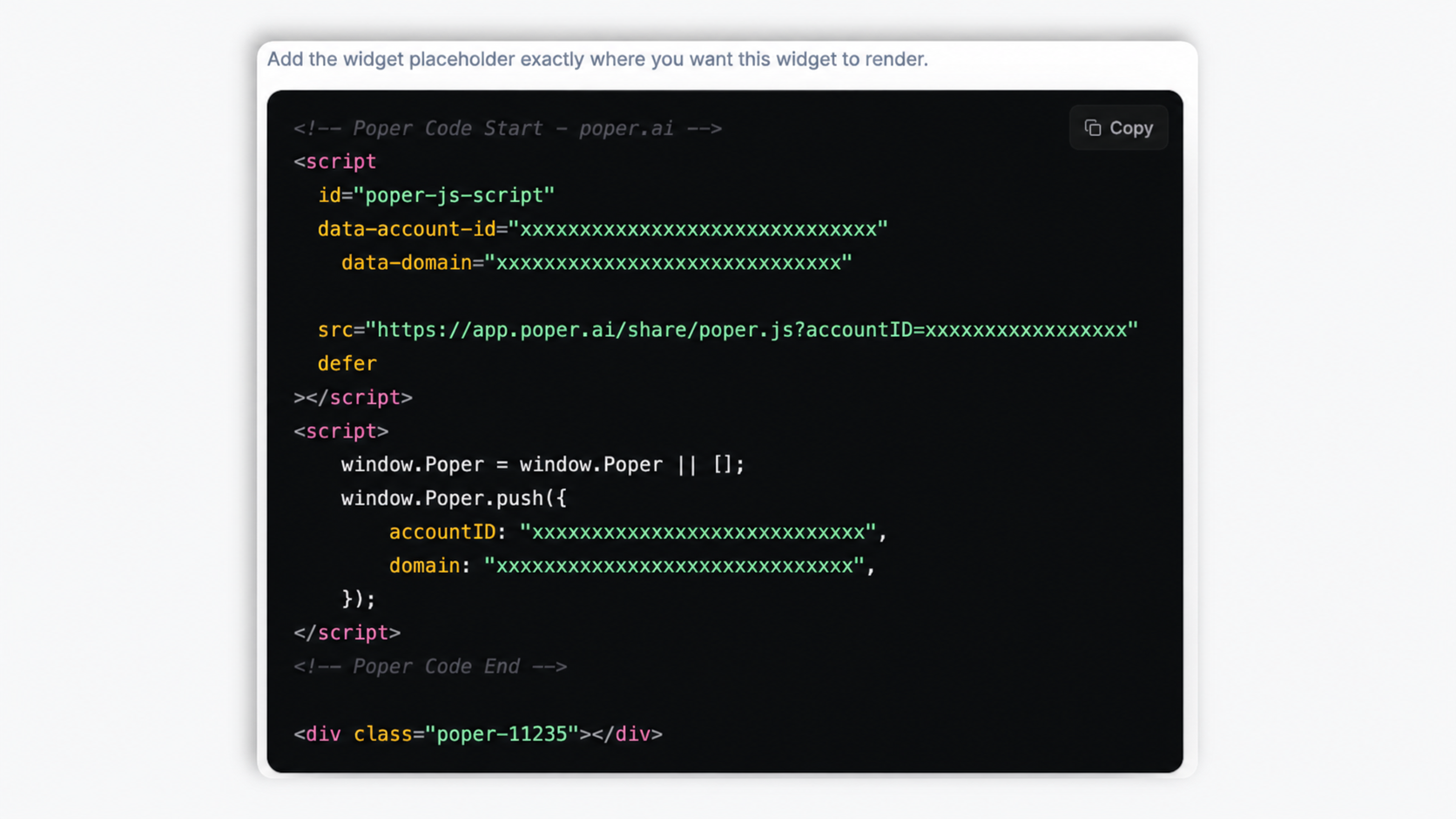
Works everywhere
Drop-in install on WordPress, Shopify, Wix, Squarespace, Webflow, Framer, Ghost, and any HTML-friendly stack. No build step, no developer needed.


Plus 250+ other platforms via the embed snippet. If your site can render a <script> tag, it can render the Progress Bar Widget: Goal, Fundraising & Milestone Bars for Websites.
What the progress bar widget actually does, with no invented features.
Simple Bar, Half Circle, Circular Ring, Multi-Step, Dotted, Segmented, Distribution, and Vertical List. A horizontal bar for a single goal, a ring or half-circle gauge for a dashboard, a multi-step indicator for a process, a distribution bar for a breakdown. Pick the layout in the Templates tab and your bars reflow into it.
Each bar can be a simple 0 to 100 percentage, or a fixed value where you set a Current figure and a Goal (for example 8,700 of 12,000). Stack as many bars as you want in one widget.
Add milestone points to a bar as a comma-separated list of values, with a shared milestone label. Toggle them on or off.
Use your site analytics to evaluate widget performance. Designed to fit your site.
The bar fills with an entrance animation when the page loads. Set the animation duration and choose the easing function: Ease In Expo, Linear, Ease Out Quad, or Ease In Out Quad. You can also turn the animation off.
Show or hide bar titles, the value or percentage readout, and milestone markers per widget. The Circular Ring layout also lets you choose whether the center shows the percentage, the value, or nothing.
Use cases
Four buyer types who get the most lift from embedding Progress Bar Widget: Goal, Fundraising & Milestone Bars for Websites on their site.
A fixed-value bar showing dollars raised against a goal, set to your latest total. Use the Simple Bar or Half Circle layout and update the Current value as the campaign runs.
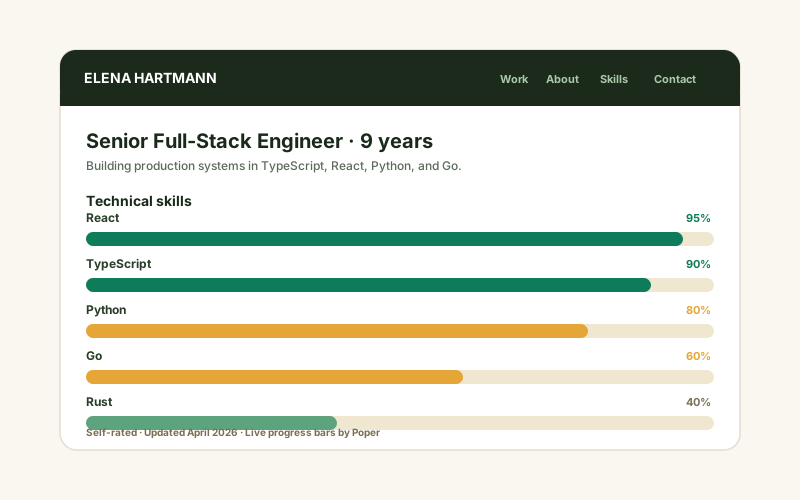
Portfolio and resume sites with a row of percentage bars (React 95%, TypeScript 90%, Python 80%). The Simple Bar or Dotted layout reads cleanly, and each bar takes its own color.
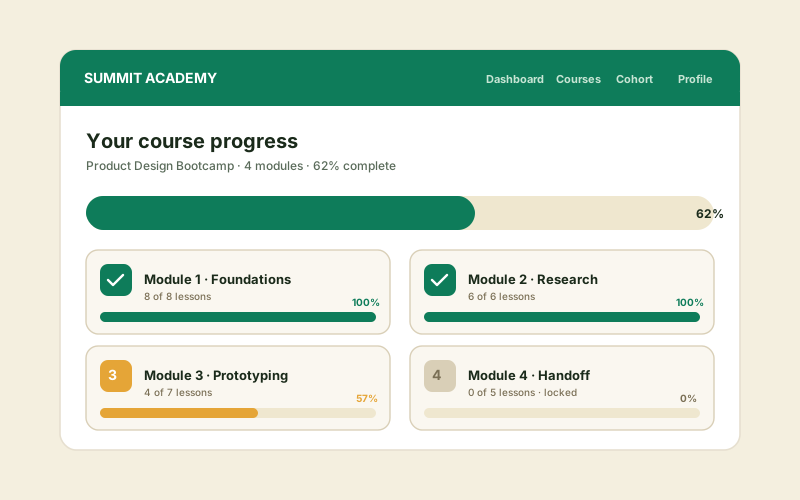
Show per-module completion as a set of bars. The Vertical List layout reads like a timeline, and the Multi-Step layout suits a fixed sequence of stages.
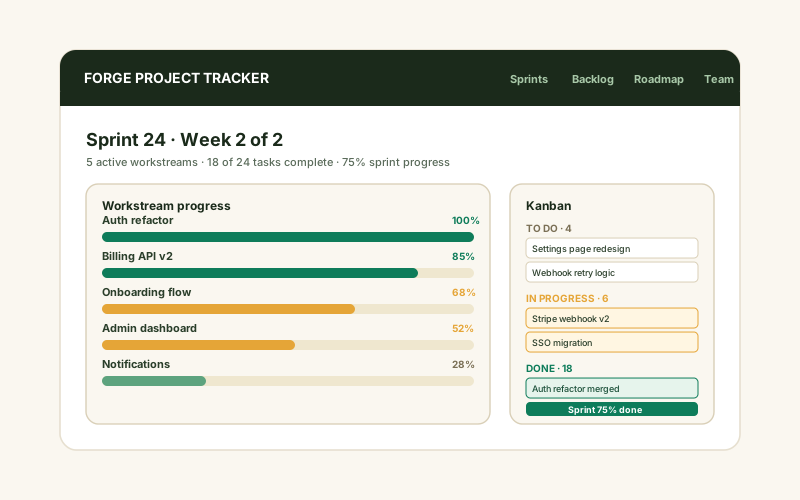
A bar per workstream showing how far each one is. The Distribution layout shows a single goal split into parts; the Segmented layout breaks each bar into discrete blocks.
Elfsight, Common Ninja, and POWR are widget platforms that include a progress bar widget. Here is how Poper compares.
| Recommended Poper | Elfsight | Common Ninja | POWR | |
|---|---|---|---|---|
| Poper workspace available | Limited | Limited | Limited | |
| Horizontal and circular layouts | ||||
| Half-circle, multi-step, and timeline layouts | 8 templates | Limited | Limited | Limited |
| Percentage and fixed-value (current of goal) bars | ||||
| Milestone markers on a bar | Limited | Limited | Limited | |
| Animate when visible with easing control | ||||
| Multiple bars in one widget | ||||
| Branding behavior follows workspace permissions | Paid only | Paid only | Paid only | |
| Pricing | Plan details vary | Vendor pricing varies | Vendor pricing varies | Vendor pricing varies |
| Bundled with popups, forms, quizzes, more widgets |
Comparison reflects external competitor positioning. Verify current details on each provider's site.
Nonprofits, studios, and publishers who show progress with Poper bars.
“We use a fixed-value bar on our campaign page to show dollars raised against the goal. Updating the Current value as donations come in takes a few seconds in the builder.”

“The eight layout templates made this flexible. We used the Circular Ring for a dashboard summary and the Simple Bar for the detail breakdown, all from the same widget.”

“We added a row of skill bars to our team page. Milestone markers and per-bar colors let us match it to our brand, and we validated performance after embedding.”

Pricing
All plans are billed yearly. Each card shows the per-month equivalent. Start free, then upgrade only when you need more campaigns, websites, or AI credits.
Yearly billing · save up to 40%Essential lead capture for solo creators and growing businesses.
billed $180/year
Full engagement suite with A/B testing, gamification & unlimited leads.
billed $348/year
Unlimited everything with white-label, API access & advanced analytics.
billed $948/year
Prices shown for the 50k monthly visitor tier on yearly billing. A Free Forever plan ($0) and a custom Enterprise plan are also available. No contracts, cancel anytime.
A progress bar turns an abstract number into something a visitor can feel at a glance. A fundraising total, a skill level, a project stage, a course module: all of them read faster as a bar than as text. This guide covers what the Poper progress bar widget actually does, how to set up percentage and fixed-value bars, how to choose among its eight layout templates, how milestone markers work, and how to keep the bar honest and readable.
Reading '8,700 of 12,000' takes a moment of mental arithmetic to turn into a sense of how far along something is. A bar filled roughly three-quarters of the way conveys the same thing instantly, before the visitor has read a single digit. That is the core value of a progress bar: it encodes a ratio as a length, and the human visual system reads length far faster than it parses numbers. It is why progress bars work for fundraising totals, skill levels, course completion, and project status alike. The Poper progress bar widget gives you that encoding without any code, and it shows the underlying number alongside the bar so the visitor gets both the quick read and the exact figure.
The Poper progress bar widget supports two bar types, and choosing the right one keeps the bar meaningful. A percentage bar is a simple 0 to 100 scale; use it when the natural unit is a percentage, such as a skill level or a completion rate. A fixed-value bar has a Current figure and a Goal, and the widget calculates the fill from the ratio; use it when the real-world number matters, such as 8,700 dollars raised of a 12,000 dollar goal, or 340 of 500 seats filled. The fixed-value mode keeps the actual figures in front of the visitor, which is important for a fundraiser or a sign-up drive where the number itself is part of the message. Each bar in a multi-bar widget can be set independently, so you can mix percentage and fixed-value bars in one block.
The widget ships eight layout templates, and the right one depends on the shape of your data. Simple Bar is a clean horizontal bar, the default for a single goal or a row of skills. Half Circle and Circular Ring render the progress as a gauge, which suits a dashboard-style summary; the Circular Ring lets you choose whether the center shows the percentage, the value, or nothing. Multi-Step renders a fixed sequence of stages, ideal for a process with discrete steps. Dotted breaks the bar into dots. Segmented breaks each bar into discrete blocks. Distribution shows a single total split into colored parts, good for a breakdown like a budget. Vertical List lays the bars out as a vertical, timeline-style sequence. Because switching templates reflows the same bars, you can try several and keep the one that reads best.
Beyond the fill itself, the Poper progress bar widget lets you add milestone markers to a bar. You enter the milestones as a comma-separated list of values, '25, 50, 75' for a percentage bar or '200, 500' for a fixed-value bar, and the widget places a marker at each point along the track. A single milestone label is shared across the markers. Milestones are useful when the journey toward the goal has meaningful checkpoints: stretch targets on a fundraiser, phase boundaries on a project, or grade thresholds on a course. You can toggle milestone display on or off, and they are available on the layouts where they make visual sense.
A progress bar should reflect a real number, and it should be easy to read. On the honesty side: set the Current value to the real figure and keep it updated, because a fundraising bar that never moves, or one pinned near full when the campaign is not, undercuts trust in the page. On the readability side: give each bar a clear label, pick a fill color with enough contrast against the track, and keep the bar count reasonable so the widget does not become a wall of bars. The animate-on-load entrance, with its configurable duration and easing, draws the eye to the bar as the page settles; keep the duration short enough that the final value is visible quickly. Preview the widget at a mobile width before embedding, since the widget adapts to small screens and you want to confirm the labels still read.
A progress bar widget is an embeddable, no-code block that displays a visual goal-tracker on a website: fundraising totals, skill levels, project milestones, or course completion. The Poper progress bar widget supports percentage and fixed-value bars, eight layout templates, and milestone markers. Values are set manually in the builder.
Last fact-checked: . We re-verify every quarter.
Tutorial
A quick walkthrough of setting up and embedding this widget.
Tutorial video coming soon
Can't find the answer you're looking for? Chat with our support team.
Contact SupportPoper takes 90 seconds to embed and ships eight layout templates, milestone markers, and full brand styling.
Free plan available forever