
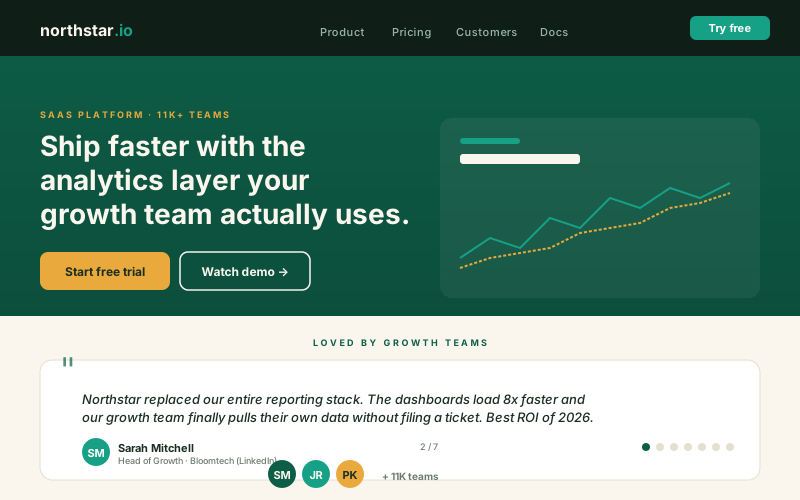
SaaS landing pages
Curate two or three sharp customer quotes next to the pricing CTA. so prospects can read peer context near the decision point.
Curate customer quotes into one rotating carousel. 8 layouts, autoplay rotation, brand colors, author photos. Use the Poper builder.
Built for builder website teams























Live demo, not a screenshot. Paste your quotes, style it, embed it. What you see here is what ships to your site.
Before and after Poper
Here is the widget embedded on a real page layout, before and after. Style it to match your brand, then copy one snippet to go live.
 Before
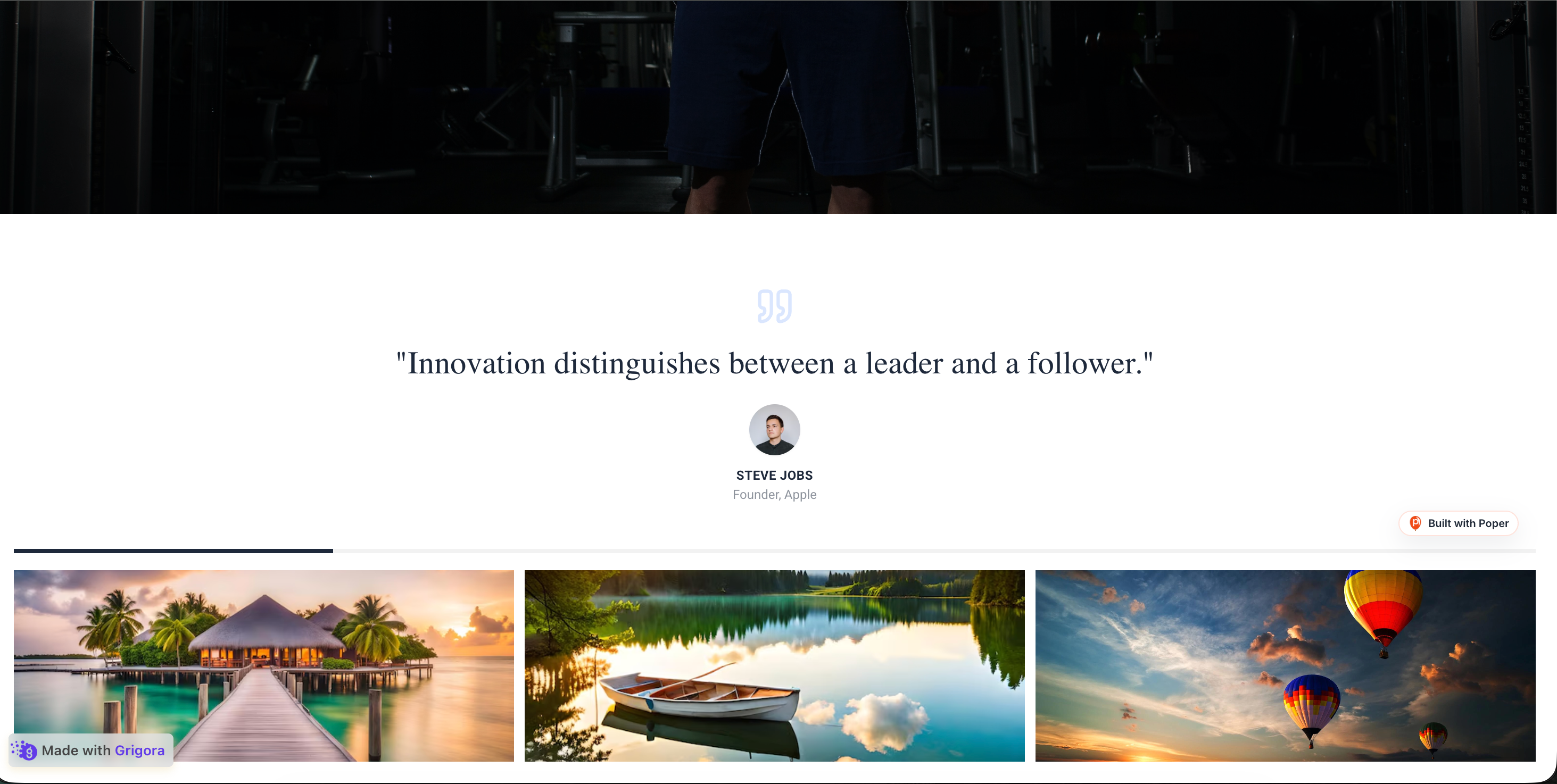 Poper widget live
Mockups for illustration. Style the widget to match your site and embed in 90 seconds.
How to use it
Three setup steps in the Poper builder.
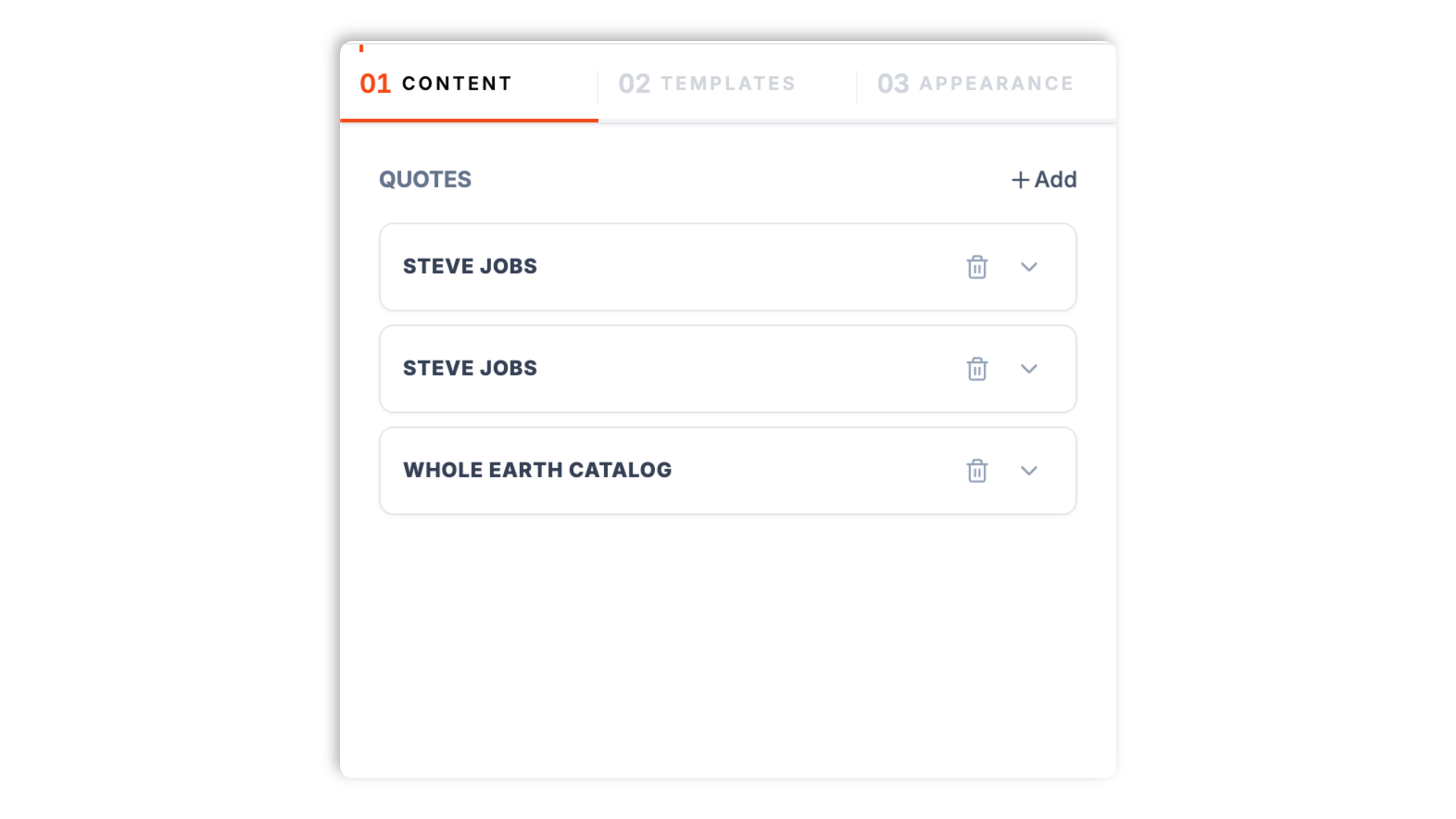
Drop in the quote text plus the author's name, role, and an optional headshot. Type or paste each quote yourself from wherever your customers praise you. Reorder quotes by dragging them.
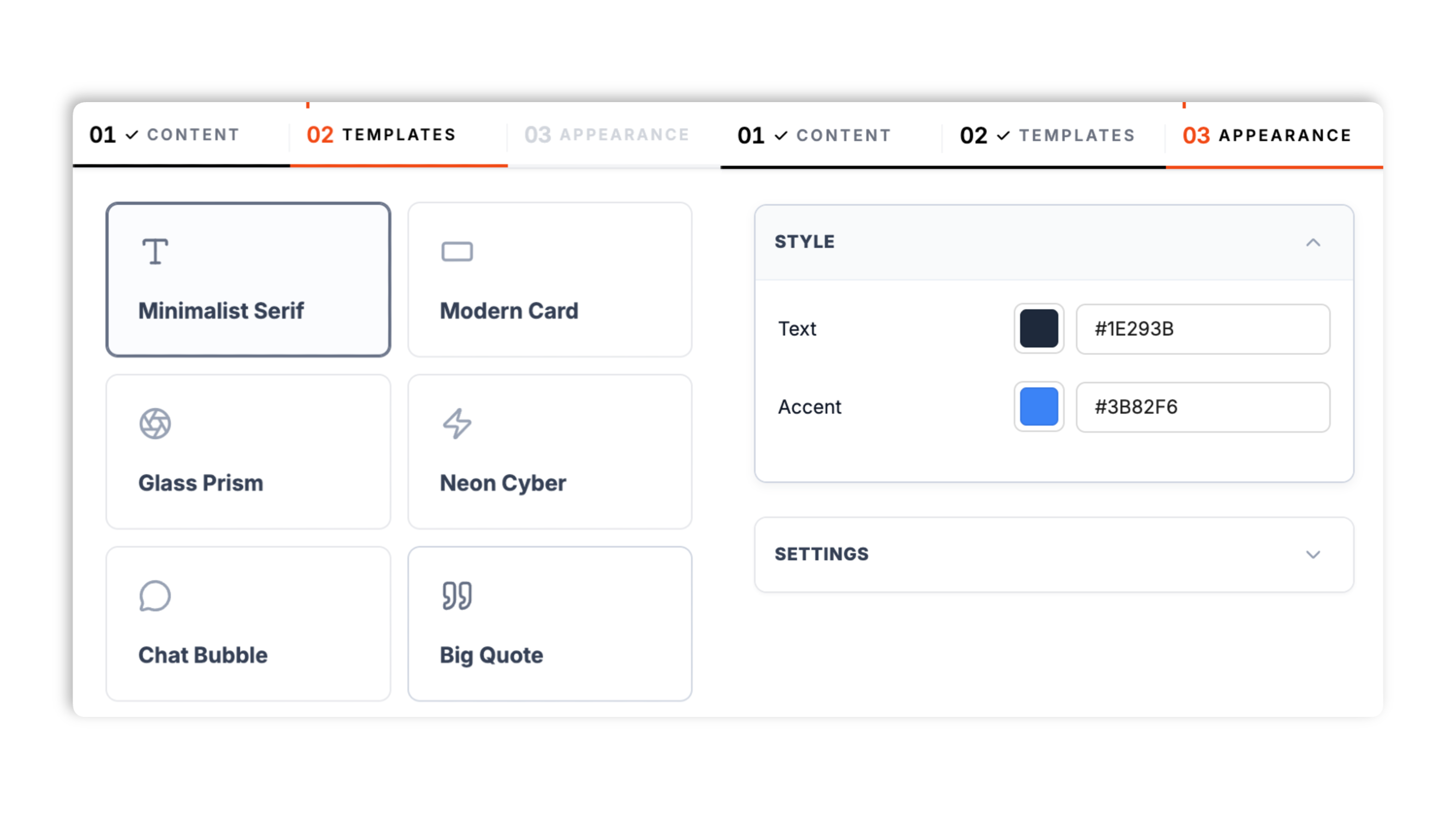
Choose one of 8 layouts, from Minimalist Serif to Glass Prism to Bauhaus Art. Set background, text, and accent colors, and turn navigation arrows on or off. Live preview updates as you tweak.
Paste the one-line script into your site. Works anywhere your Poper embed snippet is supported.

Works everywhere
Drop-in install on WordPress, Shopify, Wix, Squarespace, Webflow, Framer, Ghost, and any HTML-friendly stack. No build step, no developer needed.


Plus 250+ other platforms via the embed snippet. If your site can render a <script> tag, it can render the Quotes Carousel Widget: Curate Customer Quotes into a Rotating Carousel.
Six things that matter when you are curating customer quotes for landing pages, not 30 features no one uses.
Aggregator widgets pull every review from a feed whether it lands or not. The Quotes Carousel is built around editorial control: you pick the quotes, write the attribution, and set the order by dragging cards in the builder. Use your own analytics to evaluate how the section performs on landing pages.
Minimalist Serif, Modern Card, Glass Prism, Neon Cyber, Chat Bubble, Big Quote, Retro Cassette, and Bauhaus Art. Each shows one quote and rotates to the next on autoplay. Switch layouts in the builder through the normal publish flow.
Layouts display different subsets of quote fields, such as author name, role, and optional avatar.
Available color controls vary by layout, with extra author-color or font controls only on layouts that use them.
When you use the Modern Card layout, each quote can carry a 1-to-5 star rating shown above the quote, so a customer's words and their score appear together.
Autoplay rotation is adjustable from 2 to 20 seconds. Validate performance and layout behavior on your own page after embedding.
Use cases
Four buyer types who get the most lift from embedding Quotes Carousel Widget: Curate Customer Quotes into a Rotating Carousel on their site.
Curate two or three sharp customer quotes next to the pricing CTA. so prospects can read peer context near the decision point.
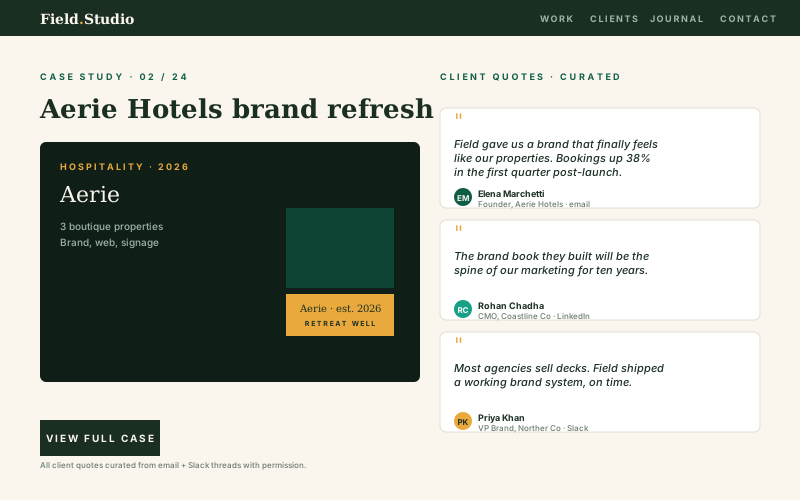
Curate the best client compliments into a rotating carousel on your services page. Authentic praise beats stock case studies.

Show student transformation quotes alongside before-and-after metrics on your program page. Named alumni quotes can add context near program details.
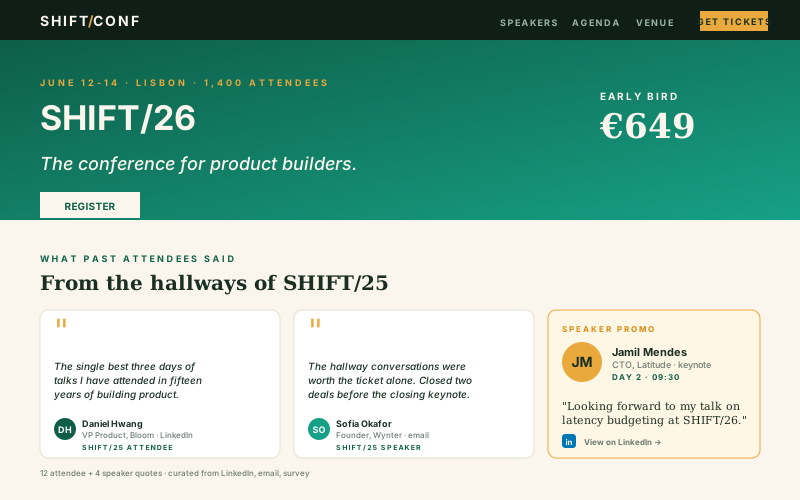
Rotate past attendee and speaker quotes on your conference homepage. Named attendee quotes can add context near event details.
Most carousels are heavy, branded, or paywall the basics. Here is how the popular ones stack up.
| Recommended Poper | Elfsight Testimonial Slider | POWR Testimonial Carousel | Trustmary | |
|---|---|---|---|---|
| Poper workspace available | Limited | Limited | ||
| Manually curated quotes (no API required) | Limited | |||
| Layout presets included | 8 layouts | Several | Several | Several |
| Use the source fields supported by the widget display | ||||
| Star rating per quote | Modern Card layout | |||
| Autoplay rotation with adjustable interval | ||||
| Drag-to-reorder quotes in the builder | Paid only | Paid only | Limited | |
| Brand color controls | Paid only | Paid only | ||
| Optional navigation arrows | ||||
| Validate performance on your own page after embedding | Partial | Partial | ||
| Plan details depend on your Poper workspace | Plan details vary | Vendor pricing varies | Vendor pricing varies | Vendor pricing varies |
| Bundled with popups, forms, quizzes, more widgets |
Comparison reflects external competitor positioning. Verify current details on each provider's site.
Marketers and founders who replaced static testimonial blocks with curated rotating quotes.
“We pasted five customer quotes into a Poper carousel under our pricing CTA and arranged the cards so the most relevant quote appears first.”

“We had years of great client praise sitting unused. The Quotes Carousel finally gave us a way to curate those quotes onto the services page without screenshot collages.”

“The Modern Card layout let us show a star rating with each quote, and the colors matched our site straight away. Autoplay rotation does the rest.”

Pricing
All plans are billed yearly. Each card shows the per-month equivalent. Start free, then upgrade only when you need more campaigns, websites, or AI credits.
Yearly billing · save up to 40%Essential lead capture for solo creators and growing businesses.
billed $180/year
Full engagement suite with A/B testing, gamification & unlimited leads.
billed $348/year
Unlimited everything with white-label, API access & advanced analytics.
billed $948/year
Prices shown for the 50k monthly visitor tier on yearly billing. A Free Forever plan ($0) and a custom Enterprise plan are also available. No contracts, cancel anytime.
A curated quotes carousel is one of the highest-leverage social-proof units on a landing page, and it is shockingly underused. Most teams either embed an auto-aggregated review feed, which dilutes the message, or hand-code a static testimonial block, which ages poorly. The middle path is a manually curated, rotating carousel of customer quotes you collect yourself from wherever your customers actually praise you. This guide covers what matters in 2026, based on what the Poper Quotes Carousel widget actually does: curated versus auto-aggregated content, the eight layouts, where the quote unit should sit on the page, attribution best practices, and when a rotating carousel beats a static testimonial grid.
Auto-aggregated review widgets, the ones that embed every review pulled from a third-party feed, display whatever is there: off-message reviews, complaints about features you have already fixed, and quotes from buyers who are not your target persona. That noise dilutes the focus of the unit. A curated quotes carousel inverts the model. A marketer hand-picks the few quotes that map exactly to the page's value proposition and sequences them so each one lands in turn. The Poper Quotes Carousel is built for exactly this: you type or paste each quote, write the author name and role, and set the order by dragging cards in the builder. There is no API connection, because you add every quote yourself. Use auto-aggregated review widgets on a dedicated reviews page, where breadth signals trust. Use a curated quotes carousel on a landing or pricing page, where focus matters.
The Poper Quotes Carousel ships eight layouts, and you pick one in the Layouts tab. Minimalist Serif is a clean, typography-led treatment that suits a calm landing page. Modern Card presents the quote on a card and is the one layout that can show a star rating per quote. Glass Prism is a soft glassmorphism style, and Neon Cyber is a dark, neon treatment that reveals the quote with a typing effect. Chat Bubble styles each quote like a message and has its own author color control. Big Quote sets the words large and lets you choose the font. Retro Cassette is a warm vintage style, and Bauhaus Art is a bold geometric one. Every layout shows one quote at a time and rotates to the next on autoplay, so the choice is purely about which visual tone matches your brand and page. You can preview all eight against your real quotes before deciding.
A testimonial unit earns its keep when it sits close to the decision the visitor is about to make. On a landing page that means near the primary call to action, not buried in a section far below the fold. The usual hierarchy is the hero, then one or two quotes, then the call to action. The carousel format fits this well because rotation creates a sense of breadth, the impression of many happy customers, while keeping the unit physically compact so it does not push your call to action down the page. On a pricing page, place a carousel directly under the price and choose quotes that answer the most common pricing objection, such as whether the product is worth it or that the customer switched from a competitor. On a homepage, the carousel sits below the hero call to action. On a feature page, place it where attention typically dips, a few blocks down. The Poper Quotes Carousel autoplays by default, and you set the rotation interval between 2 and 20 seconds; a moderate interval gives visitors time to read each short quote.
When you add a quote to the carousel, attribution is what makes it credible. The two anchors are the author's name and their role: a quote from a named person with a real title reads far stronger than one attributed to Anonymous. The Poper Quotes Carousel gives each quote a name field and a role field, so use both. You can upload an avatar for each quote in the builder when you have an appropriate image to use. The legal floor is consent: you should have permission from the quoted person before publishing a quote that came from a private message. A public comment is generally fine to attribute, but a private message is not yours to publish without a yes. Most happy customers say yes when you ask. The ones who decline, you respect.
Both formats have a place. A static testimonial grid, many quotes laid out at once, is the right choice for a dedicated testimonials or reviews page where breadth is the message and the visitor came specifically to evaluate trust by scanning lots of quotes. A rotating quotes carousel, a handful of quotes shown one at a time, is the right choice for a landing page, a pricing page, a feature page, or a product page, where the quote unit is one of several elements competing for space. The carousel keeps a small footprint while still suggesting breadth through rotation. The rule of thumb: if the page is about your product, use a carousel; if the page is about your reviews, use a grid. Some teams run both, a carousel near the call to action on the pricing page and a fuller grid on a separate reviews page. The Poper Quotes Carousel is the carousel half of that pair: curated, compact, and rotating.
A quotes carousel widget is an embeddable rotating display of curated customer quotes (quote text plus author name, role, and an optional photo) that you hand-pick. The Poper Quotes Carousel gives marketers add, delete, reorder, and edit control over which quotes show and in what order, with no API connection.
Last fact-checked: . We re-verify every quarter.
Tutorial
A quick walkthrough of setting up and embedding this widget.
Tutorial video coming soon
Can't find the answer you're looking for? Chat with our support team.
Contact SupportPoper rotates your curated quotes on supported pages.
Free plan available forever