
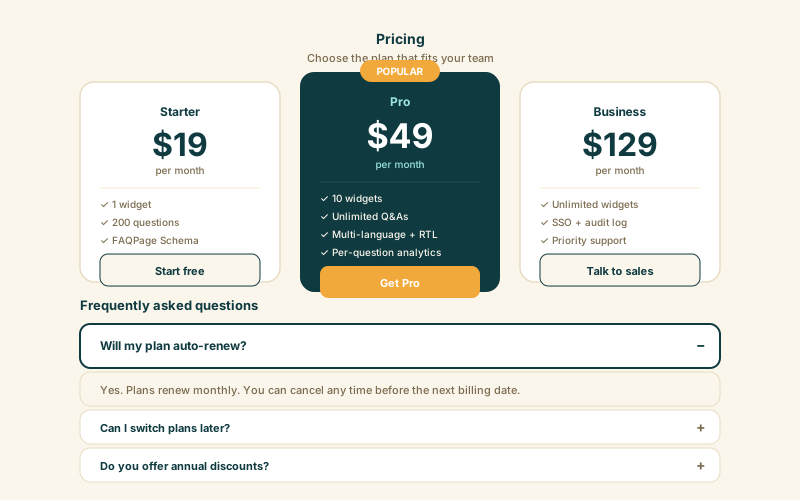
SaaS pricing FAQs
Bottom-of-pricing FAQs catch buyers right before they bounce. With FAQPage schema, your pricing questions also appear directly in Google search, capturing comparison-shoppers earlier.
Embed a searchable FAQ in 90 seconds. Accordion, list, or column layout, grouped categories, and an optional FAQPage Schema toggle for Google. No code.
Built for no-code website teams























Live demo, not a screenshot. Add questions, switch layouts, toggle search. What you see here is what ships to your site.
Before and after Poper
Here is the widget embedded on a real page layout, before and after. Style it to match your brand, then copy one snippet to go live.
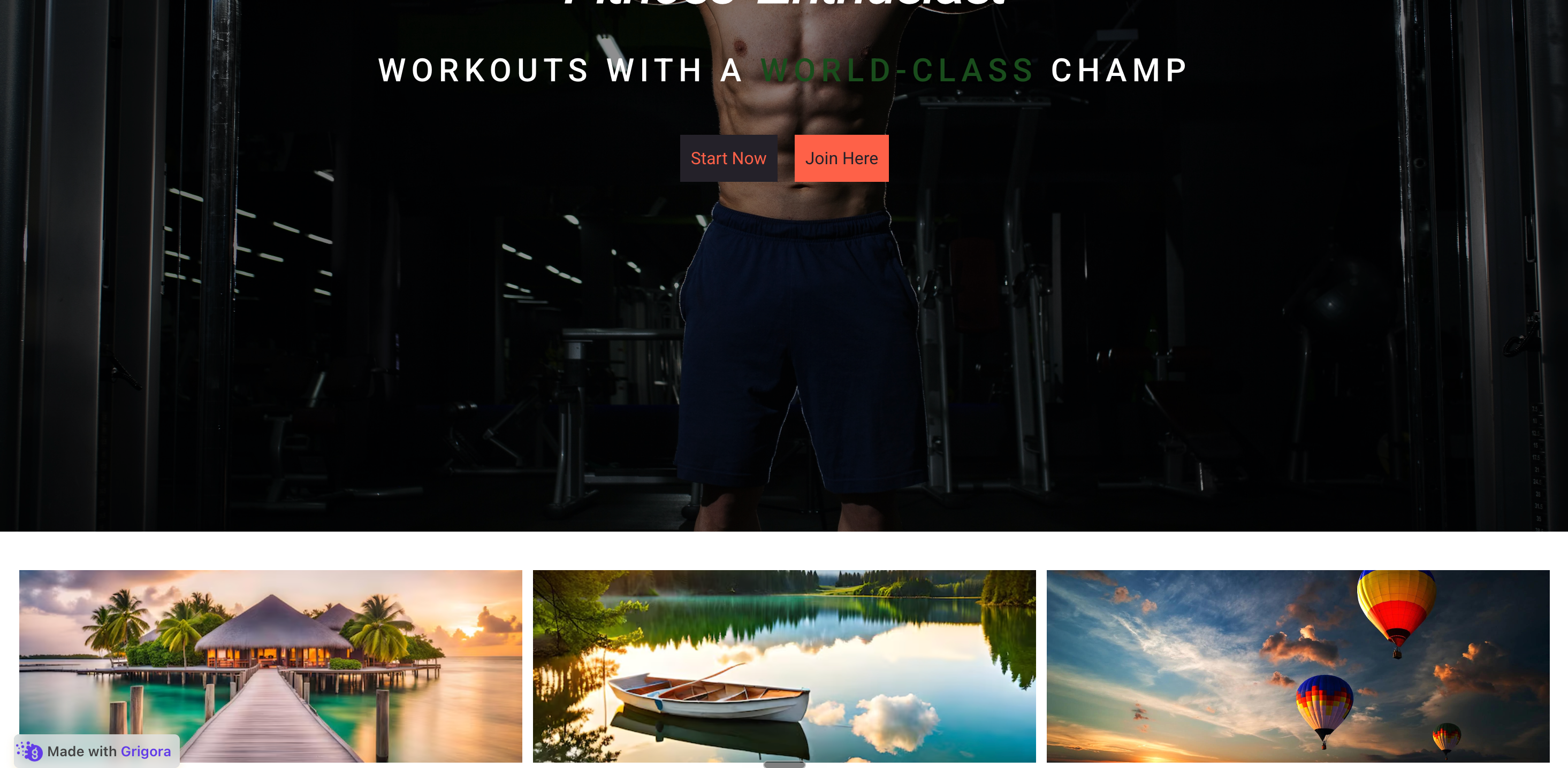 Before
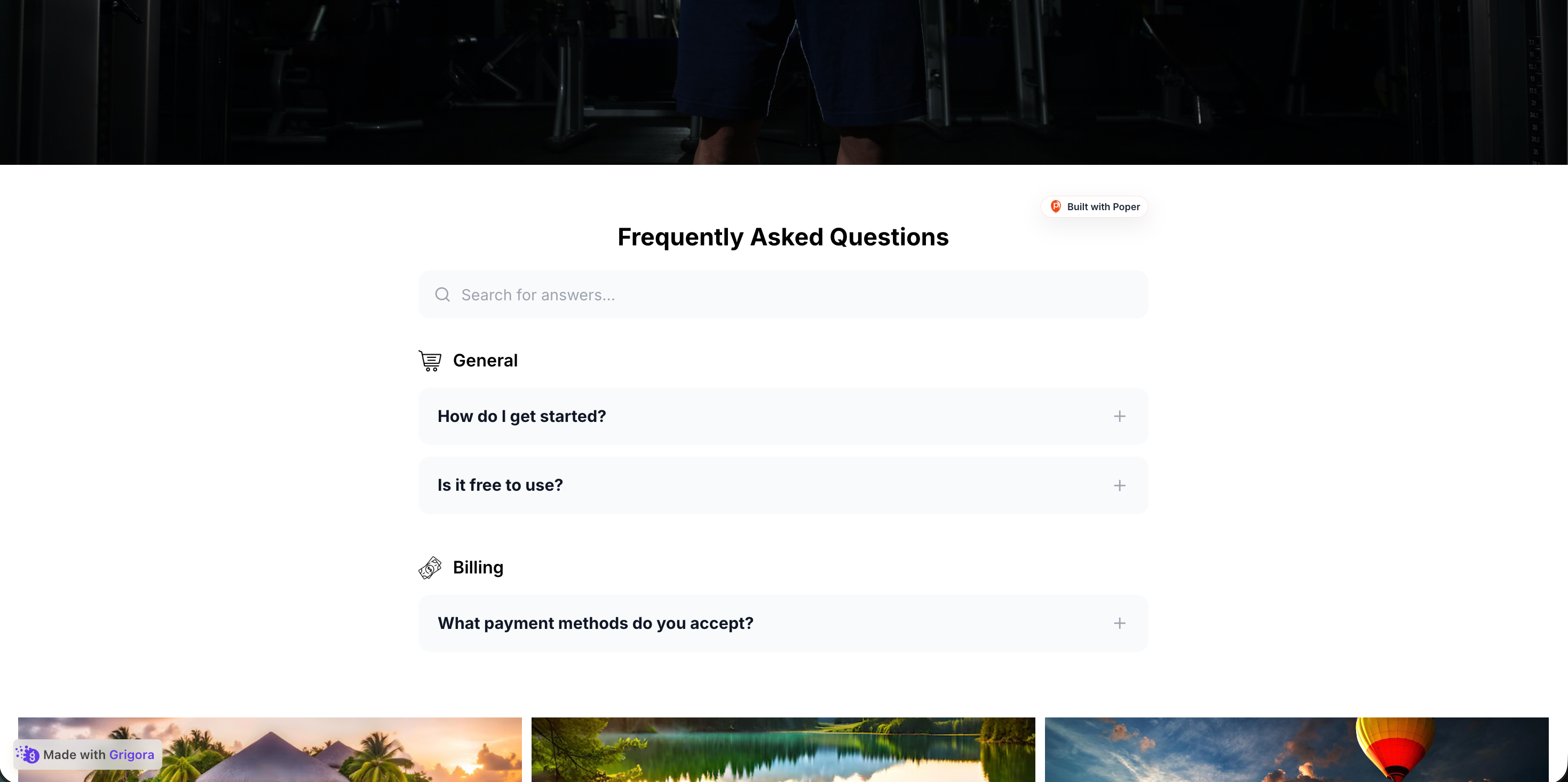 Poper widget live
Mockups for illustration. Style the widget to match your site and embed in 90 seconds.
How to use it
Three steps. Under two minutes. No developer needed.
Add questions in the Poper builder, group them into categories (Pricing, Shipping, Returns, Support) with the Add Category and Add Question buttons, and write plain-language answers. Reorder categories and questions by drag and drop.
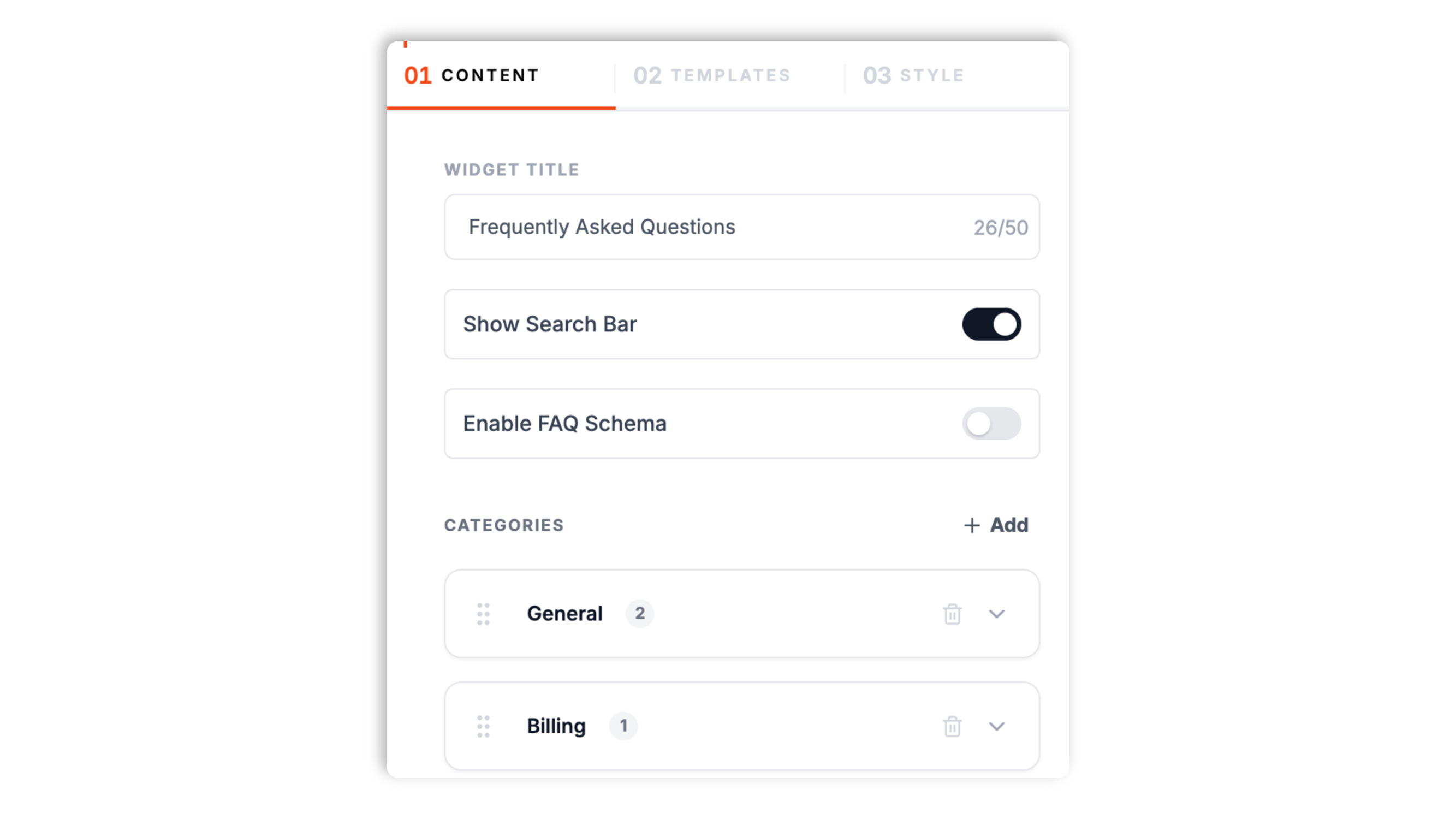
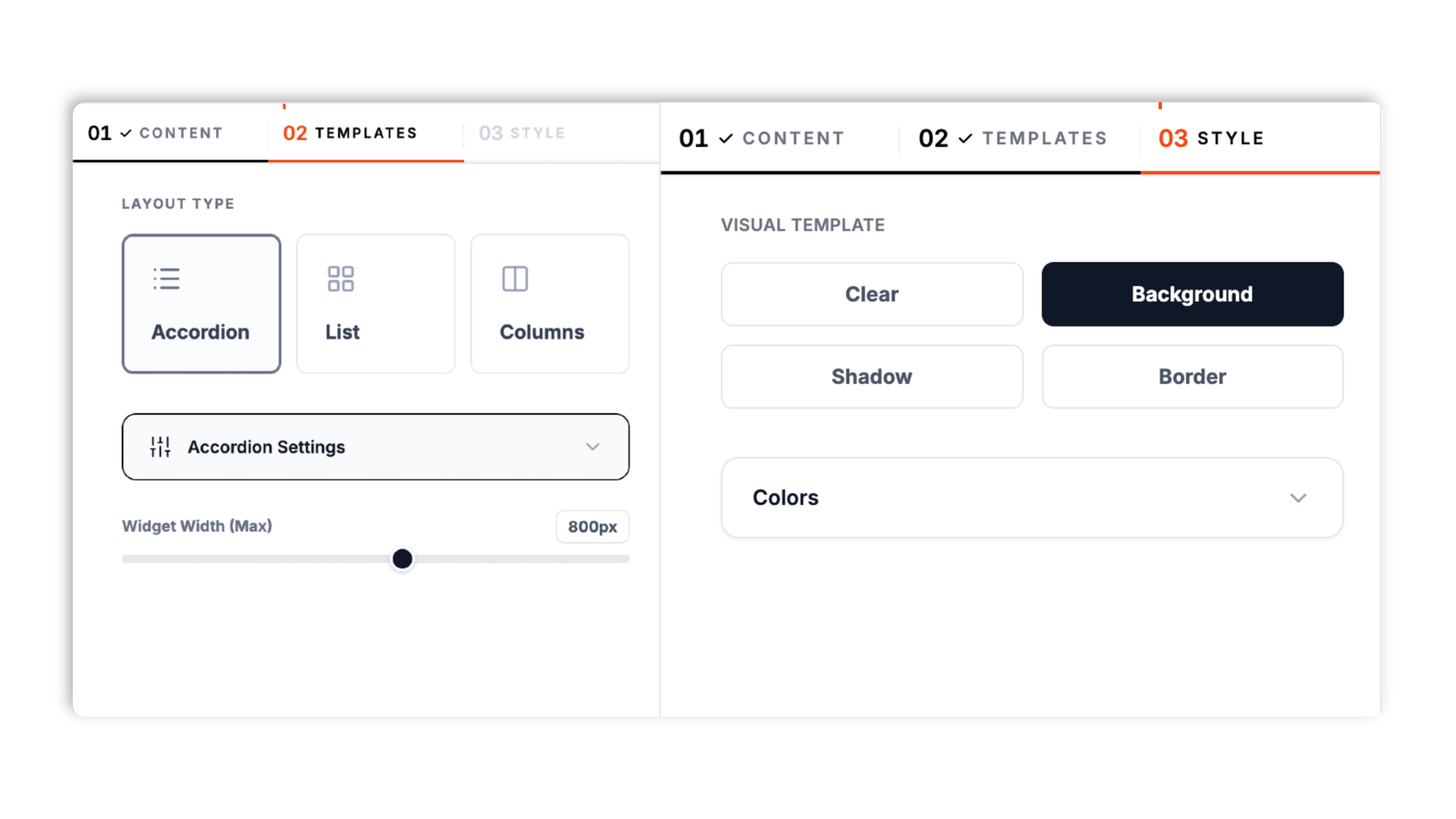
Choose one of three layouts: Accordion, List, or Columns. Pick a visual template (Clear, Background, Shadow, or Border), set the accordion icon style, and match your question, answer, and background colors.
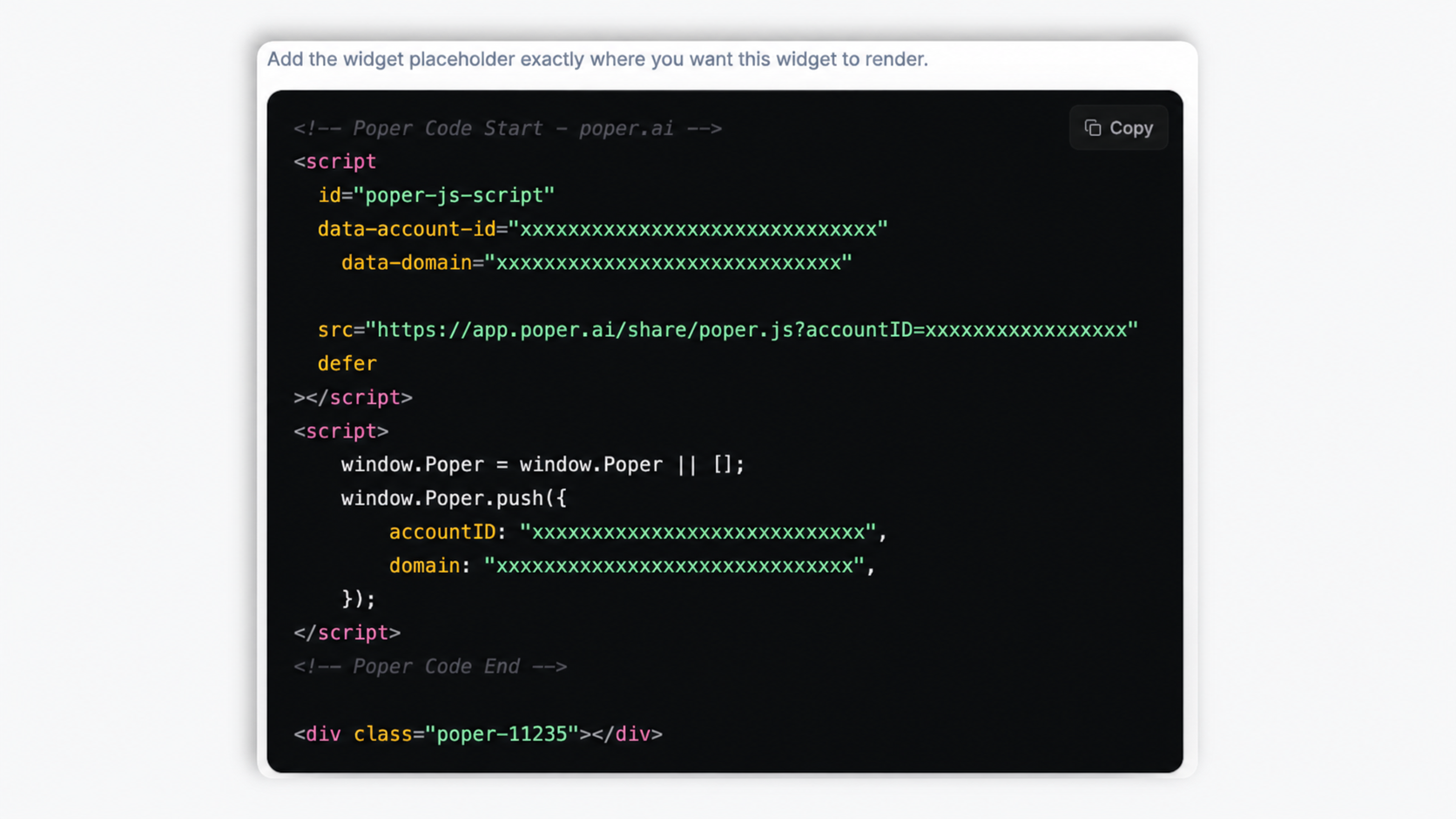
Paste the Use the Poper embed snippet in a supported page into your site. Works anywhere your Poper embed snippet is supported. Turn on the FAQPage Schema toggle if you want Google to read your questions as structured data.
Works everywhere
Drop-in install on WordPress, Shopify, Wix, Squarespace, Webflow, Framer, Ghost, and any HTML-friendly stack. No build step, no developer needed.


Plus 250+ other platforms via the embed snippet. If your site can render a <script> tag, it can render the FAQ Widget: Embed Frequently Asked Questions with FAQPage Schema.
Six things that matter when you are picking an FAQ widget in 2026, not 30 features no one uses.
Three layouts cover every page type. The Accordion layout keeps answers collapsed until a visitor clicks, which is the right pick for high-volume FAQs and pricing pages. The List layout stacks every question and answer in a single readable column. The Columns layout splits questions into a multi-column grid on desktop for policy and reference pages where every answer should be visible at once. Switch between all three in the builder through the normal publish flow.
Toggle on the search bar and visitors type to filter the FAQ live across question and answer text. No external search service, no API quota, and no extra page weight beyond the widget itself.
Group questions into categories with their own titles and icons, or turn category titles off for one flat list.
Clear, Background, Shadow, and Border templates restyle every question card. Brand the question, answer, and background colors.
Turn on the FAQPage Schema toggle and the widget injects FAQPage JSON-LD into the page with the mainEntity, Question, and acceptedAnswer shape Google reads. Validate in the Rich Results Test. It is one toggle, no JSON to write, and it is off by default so you stay in control of when it ships.
The widget is async-injected, loaded through the Poper embed snippet, and uses scoped CSS that cannot bleed into your design system. Review privacy behavior for your selected setup, so your privacy report stays clean after embedding.
Use cases
Four buyer types who get the most lift from embedding FAQ Widget: Embed Frequently Asked Questions with FAQPage Schema on their site.
Bottom-of-pricing FAQs catch buyers right before they bounce. With FAQPage schema, your pricing questions also appear directly in Google search, capturing comparison-shoppers earlier.
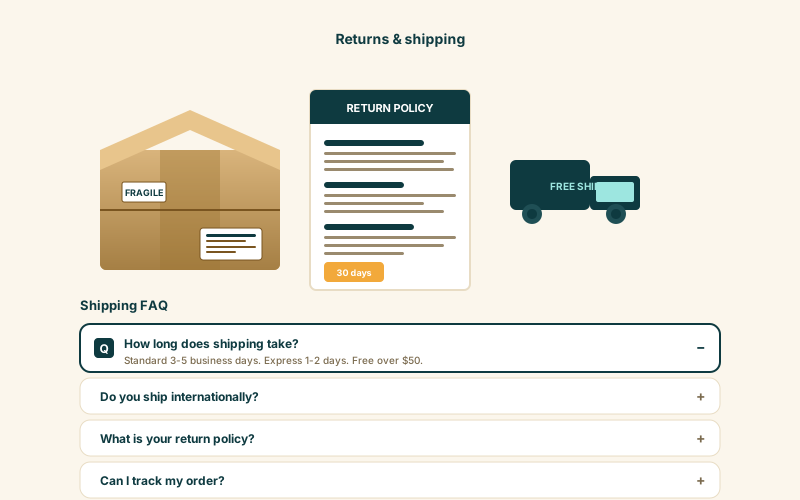
Shipping windows, return policy, size charts, and product-care questions live next to the buy button. Available widget settings.
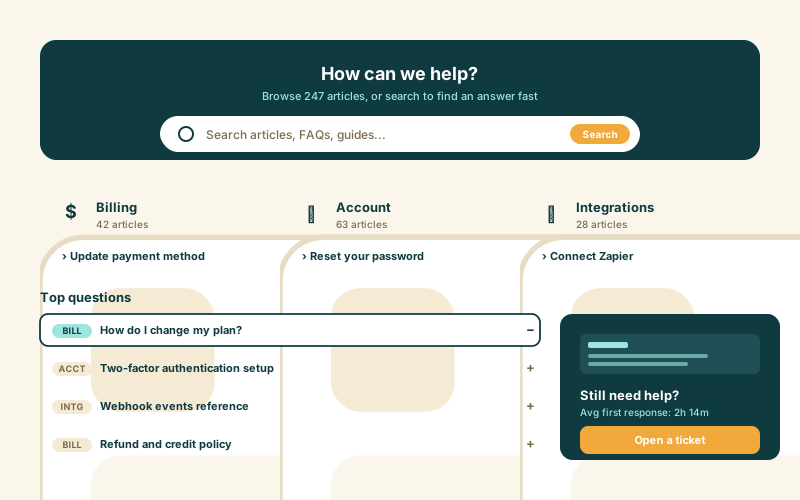
The List layout keeps every answer visible and crawlable, and the search bar lets visitors find an answer in seconds. Group questions into Billing, Account, and Integrations categories so the page stays scannable.
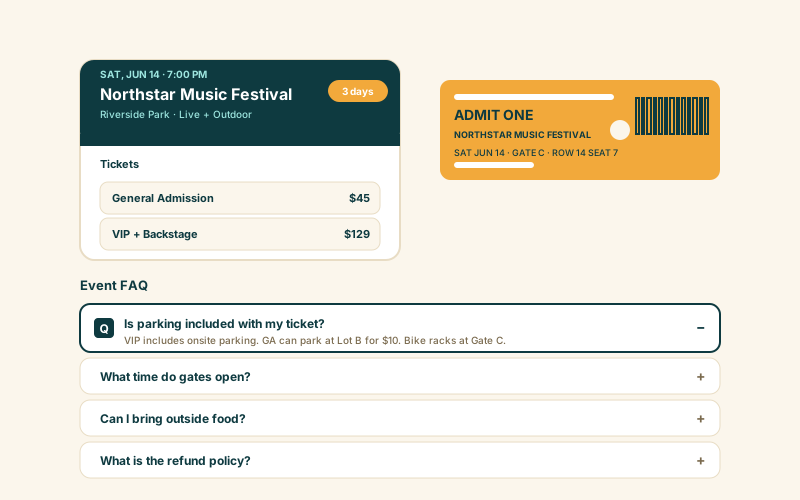
Course curriculum, prerequisite, certificate, and refund questions in one tidy block. Schema markup helps the course rank for question-style queries like 'is X course worth it'.
Most FAQ widgets either skip FAQPage Schema or lock layouts behind a paid tier. Here is how the popular ones stack up.
| Recommended Poper | Elfsight FAQ | POWR FAQ | Common Ninja FAQ | |
|---|---|---|---|---|
| Poper workspace available | Limited (200 views) | Limited (25 views) | Limited | |
| FAQPage JSON-LD (Schema) option | Paid only | Paid only | ||
| Accordion layout | ||||
| List and Columns layouts | Limited | Paid only | Limited | |
| Built-in search bar | Paid only | Paid only | Paid only | |
| Grouped categories with icons | Limited | |||
| Visual templates (clear, shadow, border) | Limited | Limited | Limited | |
| Available widget controls | Paid only | Paid only | Paid only | |
| Pricing for unlimited views | Plan details vary | Vendor pricing varies | Vendor pricing varies | Vendor pricing varies |
| Works alongside other Poper tools |
Comparison reflects external competitor positioning. Verify current details on each provider's site.
No mystery, no manual JSON-LD writing. This is the markup that earns your listing rich-result stars.
{
  "@context": "https://schema.org",
  "@type": "LocalBusiness",
  "name": "Your Business Name",
  "image": "https://yourbusiness.com/logo.png",
  "url": "https://yourbusiness.com",
  "aggregateRating": {
    "@type": "AggregateRating",
    "ratingValue": "4.8",
    "reviewCount": "1847"
  },
  "review": [
    {
      "@type": "Review",
      "author": { "@type": "Person", "name": "Jane Smith" },
      "datePublished": "2026-04-12",
      "reviewRating": {
        "@type": "Rating",
        "ratingValue": "5"
      },
      "reviewBody": "Outstanding service from start to finish."
    }
  ]
}
Validated against Google's official Rich Results Test on day one.
Run the test yourselfMarketers, CX leads, and legal-ops teams who switched from hand-rolled accordions to Poper.
“We replaced a hand-rolled accordion with Poper's FAQ widget mostly for the auto-injected FAQPage schema. Within 6 weeks, three of our pricing FAQs were appearing in 'People also ask' for the queries we cared about. Demo requests up 19%.”

“Our pre-purchase support tickets dropped 47% after we shipped FAQ blocks below every product page. The search filter was the unlock. Visitors find their answer in 5 seconds instead of contacting us.”

“Our policy pages needed every answer visible, not hidden behind a click. The List layout did exactly that, and grouping the questions into categories kept a long page scannable.”

Pricing
All plans are billed yearly. Each card shows the per-month equivalent. Start free, then upgrade only when you need more campaigns, websites, or AI credits.
Yearly billing · save up to 40%Essential lead capture for solo creators and growing businesses.
billed $180/year
Full engagement suite with A/B testing, gamification & unlimited leads.
billed $348/year
Unlimited everything with white-label, API access & advanced analytics.
billed $948/year
Prices shown for the 50k monthly visitor tier on yearly billing. A Free Forever plan ($0) and a custom Enterprise plan are also available. No contracts, cancel anytime.
An FAQ section used to be a tidy housekeeping touch at the bottom of a page. After Google added FAQPage rich results in 2018, it became one of the highest-ROI SEO assets a site could ship. Then in August 2023 Google quietly reduced FAQ rich-result eligibility to a small set of authoritative health and government sites, and the entire web reset its expectations almost overnight. This guide walks through what an FAQ widget actually does in 2026: where FAQPage Schema.org still wins, how to capture 'People also ask' real estate, when to choose the accordion, list, or columns layout, why a properly-structured FAQ block remains essential for AI Overview citation and ChatGPT and Perplexity grounding even after the rich-result reduction, and how to turn an FAQ block into measurable conversion impact on the pages that already drive your revenue. By the end you should be able to confidently ship an FAQ widget that ranks for question-style queries, captures generative answer-box citations across Google, ChatGPT, Claude and Perplexity, cuts pre-purchase support tickets by a meaningful margin, and lifts conversion on the bottom-of-funnel pages where it matters most. We will also cover the common pitfalls that quietly disqualify a page from rich-result eligibility and the small set of layout decisions that decide whether your FAQ block helps the visitor or just adds vertical noise to the page.
On August 8, 2023, Google announced it was reducing the visibility of FAQ rich results to a narrow set of well-known authoritative government and health sources. Marketing forums lit up with declarations that FAQPage schema was dead. The truth is more nuanced and matters a lot for how you ship FAQ blocks today. FAQPage JSON-LD is still parsed by Google on every site, still feeds the AI Overview answer box, still powers 'People also ask' alignment, still surfaces in Google's experimental Search Generative Experience, and still shows up as featured snippets even when the gold accordion does not render in the regular ten-blue-links view. Sites that removed their FAQPage markup after the announcement saw measurable losses in zero-click visibility, AI citation rate, and 'People also ask' inclusion. Independent studies from Aleyda Solis, Search Engine Land, and SISTRIX all confirm the same pattern: removed schema correlates with reduced presence in answer-box surfaces, even on pages whose ranking did not change. The right move from Poper is to keep injecting valid FAQPage JSON-LD on every FAQ block you ship. Available widget settings. The upside is the long tail of question-style queries that now resolve through generative answer boxes rather than blue-link rich cards. Google's own developer documentation continues to list FAQPage as a supported structured-data type with no plans to deprecate the spec, only the gold accordion rendering. Validate every page after launch using Google Search Console, the Rich Results Test, and the new AI Overviews search-console insight panel. If your questions appear in the parsed-entities list, you have done the work correctly.
'People also ask' (PAA) blocks now appear on roughly 48% of US English desktop SERPs and 53% of US English mobile SERPs (BrightEdge 2026 study). Each PAA block expands into a featured-snippet-style answer pulled from a single source page, and clicking 'show more' reveals related questions in an effectively-infinite chain. Sites whose FAQ blocks contain the exact question phrasing that PAA surfaces win the citation slot. The optimization is mechanically straightforward: research PAA queries for your topic with tools like AlsoAsked, AnswerThePublic, or Ahrefs' Questions report; mirror the exact wording in your FAQ widget questions; write the answer in 40 to 60 words because PAA snippets truncate beyond that; lead with the direct answer in the first sentence so it survives truncation; and let Poper's FAQPage JSON-LD give Google the structured signal it needs to associate your answer with the question. Sites that do this well earn 30 to 60% of their organic clicks from PAA panels rather than from the main ten blue links, and the clicks rates from PAA tend to be higher because the visitor has already seen a good answer and clicked through wanting more. The 'People also ask' surface is also the primary feeder for Google's AI Overview answer panels and for ChatGPT's Bing-grounded search results. Question alignment is not just a Google play, it is the same alignment ChatGPT, Perplexity, and Claude use to decide which page to cite when a user asks a question in a chat thread.
The Poper FAQ widget ships three layouts, and choosing between them is almost always context-dependent. The Accordion layout keeps every answer collapsed until a visitor clicks, which saves vertical space and signals 'pick what you need'. The List layout stacks every question and answer in one open column and signals 'every answer is right here, scan freely'. The Columns layout splits the questions into a multi-column grid on desktop, which works for reference-heavy pages where a visitor wants to scan the whole set quickly. On pricing pages and product pages, where visitors are comparison-shopping and have specific friction questions, the Accordion layout wins because it lets the buyer self-select the question they care about without scrolling through irrelevant ones. The closed-by-default state also forces the visitor to make a tiny commitment, a click, which raises engagement. On legal, terms, refund, privacy, and policy pages, where reviewers expect every answer visible and visitors often print or save the page, the List layout wins because printing-to-PDF works correctly only when answers are open. On dense help-center and reference pages, the Columns layout reduces scan length by putting more questions in view at once. Available widget settings, and the Accordion layout adds its own controls for icon style, whether the first question opens by default, and whether multiple answers can stay open at once.
FAQ blocks are conversion levers, not just SEO assets, and treating them as one of the two means leaving the other on the table. Studies from Baymard Institute, Nielsen Norman Group, Shopify's internal merchant data, and Stripe's checkout-optimization research converge on a 15 to 35% conversion impact when an FAQ block appears below the buy button, beneath the pricing table, or alongside the demo-request form. The mechanism is straightforward: visitors with unanswered objections leave, and visitors whose objections are addressed inline complete the action. The highest-impact FAQ entries on most pages are not product-related, they are policy-related: refund window, shipping cost, cancellation terms, contract length, support response-time SLA, data-residency commitments, and the existence-and-duration of a free trial. Audit your top exit-intent popup triggers, your top pre-purchase support tickets, your top live-chat opening messages, and your sales team's most-repeated objection-handling lines, then convert the top 8 to 12 questions into FAQ entries written in the visitor's language rather than your marketing copy. Keep the set tight: 8 to 12 questions per surface scans better than 40, and a smaller set means each answer earns more attention. Iterate every quarter as your support tickets and objections shift. The FAQ block on a high-traffic page is one of the highest-ROI surfaces on your entire site for sustained CRO investment.
FAQ widgets are not a substitute for a knowledge base, a help-center search engine, a community forum, or a chat agent. They cover the predictable 80% of questions that visitors ask before converting and during the first week of using a product. The remaining 20% (specific account states, edge-case integrations, billing disputes, multi-step debugging) belong in a help center, in a status page, or in front of a human support agent. The fastest-converting FAQ blocks on the modern web are short (8 to 12 questions per surface), grouped into 2 to 4 categories at most when categories are used, written in plain language that mirrors the visitor's actual phrasing rather than your internal terminology, and linked out to deeper documentation for any long-tail questions that one in twenty visitors might want. Do not try to put 100 questions in your FAQ widget. The page becomes harder to scan, the FAQPage schema signal dilutes across so many entries that no single one earns featured-snippet treatment, and the visitor stops trusting that there is a curated answer for their specific problem. The right pattern is to pick the 8 to 12 highest-impact questions for the page you are working on, ship them with FAQPage schema and stable anchor links, link the long tail to a help center or knowledge base, and treat the FAQ widget as a conversion-rate optimization tool rather than a knowledge dump. That is the configuration that ranks in 2026, captures 'People also ask' real estate, gets cited by AI Overview, and lifts conversion on the pages that drive your revenue.
An FAQ widget is an embeddable script that displays a list of questions and answers on a website in an accordion, list, or column layout. The Poper FAQ widget groups questions into categories, includes an optional search bar, and has an optional FAQPage JSON-LD toggle so the questions can be read by Google as structured data.
Last fact-checked: . We re-verify every quarter.
Tutorial
A quick walkthrough of setting up and embedding this widget.
Tutorial video coming soon
Can't find the answer you're looking for? Chat with our support team.
Contact SupportUse the Poper embed snippet in a supported page, with three layouts and an optional FAQPage Schema toggle.
Free plan available forever