
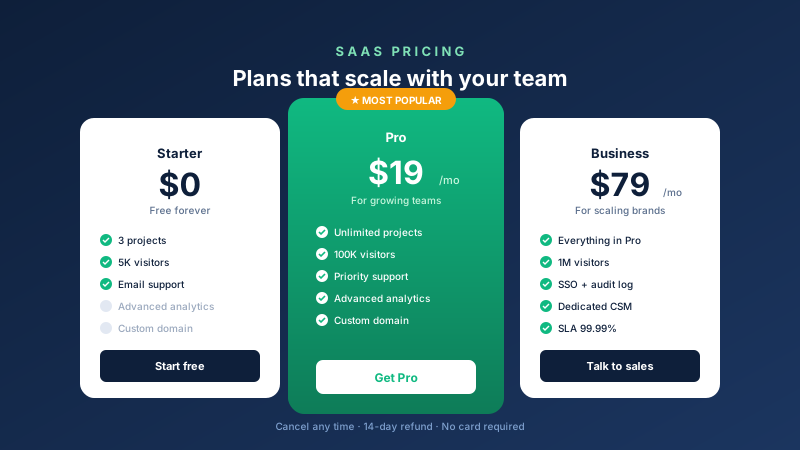
SaaS pricing pages
Starter, Pro, Business tiers with a Most Popular badge on Pro and a CTA button per plan that links to your signup.
Embed a pricing table with the plan columns supported by the selected layout. Includes 12 templates, a Most Popular badge, feature-list text, and CTA buttons.
Built for no-code website teams























Live demo, not a screenshot. Tier it, brand it, embed it. What you see here is what ships to your site.
Before and after Poper
Here is the widget embedded on a real page layout, before and after. Style it to match your brand, then copy one snippet to go live.
 Before
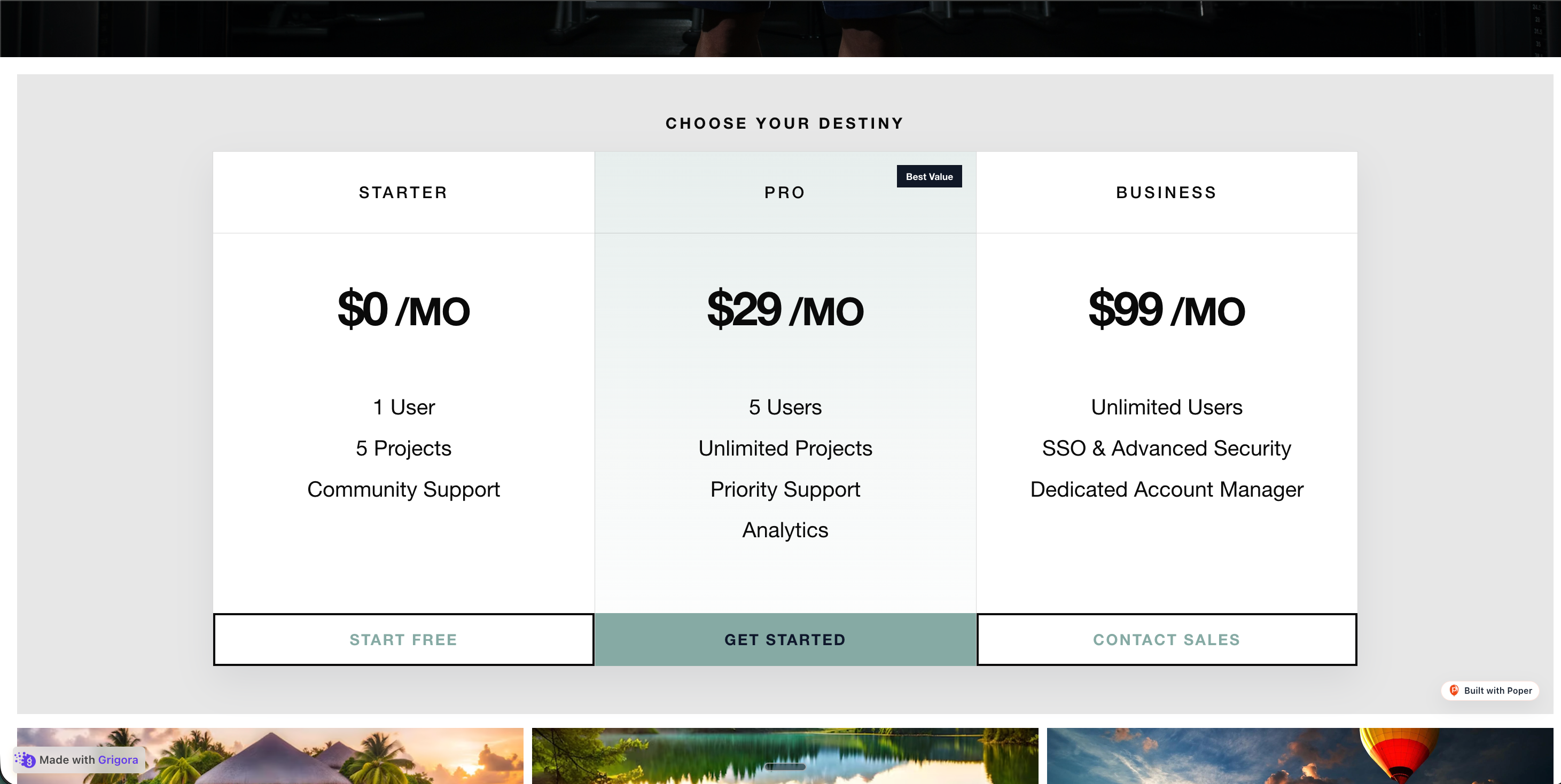 Poper widget live
Mockups for illustration. Style the widget to match your site and embed in 90 seconds.
How to use it
Add plan columns, choose a template, and embed where your Poper snippet is supported.
Add the plan columns supported by your chosen layout in the Poper builder. Add tier names, prices, descriptions, feature checklists, CTA links, and a Most Popular badge on the tier you want to highlight.
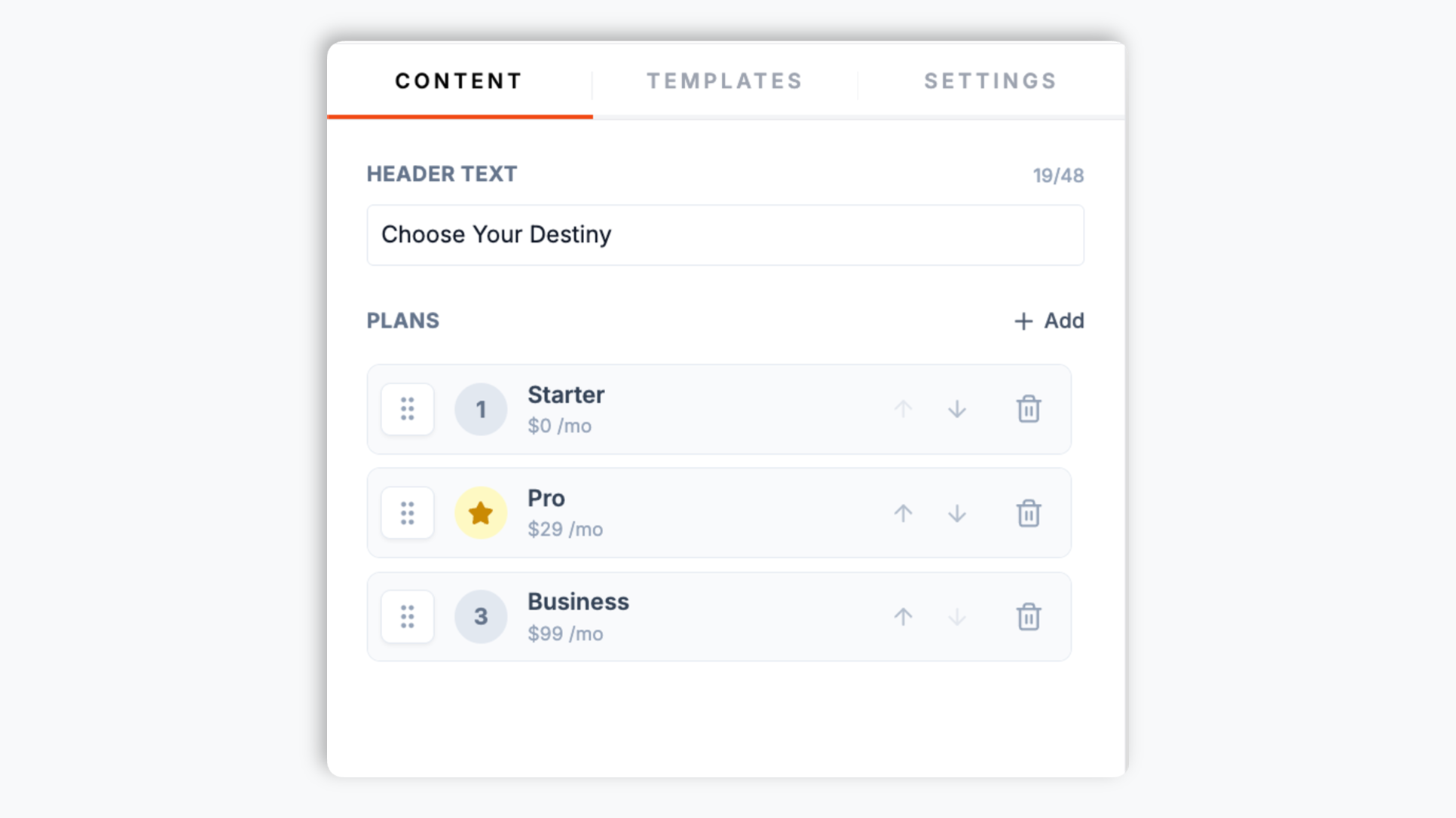
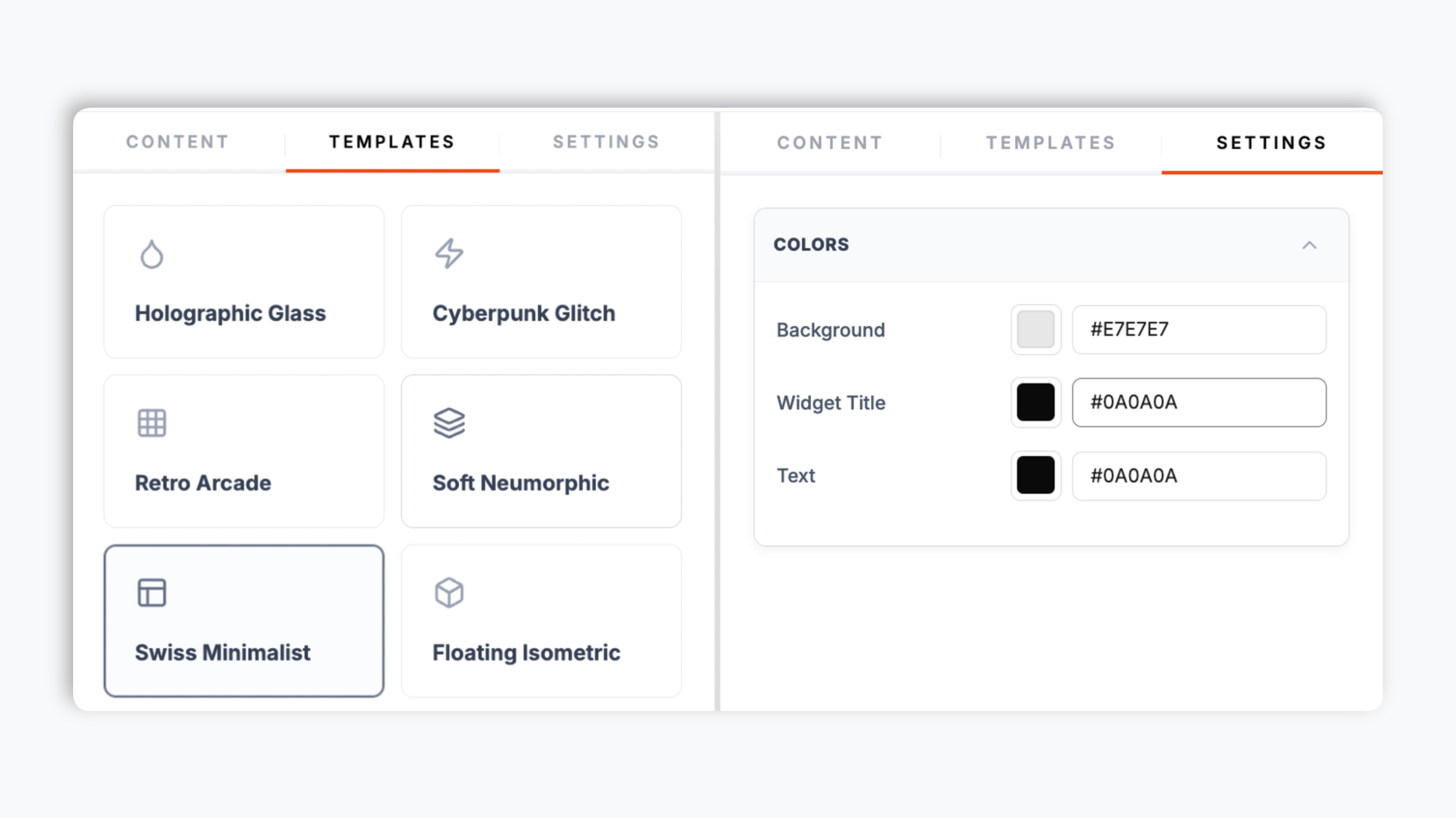
Choose from 12 templates: Bento Grid, Cyberpunk Glitch, Floating Isometric, Holographic Glass, Swiss Minimalist, Neo-Brutalist, Soft Neumorphic, Retro Arcade, Origami Fold, Terminal CLI, Vertical Stack, Growth Timeline. Live preview updates as you tweak.
Paste the Poper embed snippet into your site. Works anywhere your Poper embed snippet is supported.

Works everywhere
Drop-in install on WordPress, Shopify, Wix, Squarespace, Webflow, Framer, Ghost, and any HTML-friendly stack. No build step, no developer needed.


Plus 250+ other platforms via the embed snippet. If your site can render a <script> tag, it can render the Pricing Table Widget: Tiered Plans with a Most Popular Badge.
Six things that matter when you are paying for a pricing widget, not 30 features no one uses.
Pick the template that matches your brand. Bento Grid for modern SaaS, Cyberpunk Glitch for gaming and creator tools, Floating Isometric for 3D-feel landing pages, Holographic Glass for AI products, Swiss Minimalist for B2B, Neo-Brutalist for indie hackers, Retro Arcade, Origami Fold, Terminal CLI, Soft Neumorphic, Vertical Stack, Growth Timeline. Switch layouts through the normal widget publish flow.
Flag any tier as Most Popular to apply a visual highlight: a color accent and badge ribbon that makes the recommended plan easier to spot. The badge label is fully editable. Type Most Popular, Best Value, Recommended, or anything that fits your offer.
Give every tier its own feature list. Edit the feature-list text lines in the builder so each plan reads exactly how you want.
Rewrite a price or feature-list line in the dashboard and publish through the normal widget flow.
Use the styling controls exposed by the selected layout. Some templates include primary color, background color, title color, and text color controls, and the Most Popular tier carries a highlight accent on supported templates.
Many pricing-page visitors are on mobile. Responsive templates help each tier stay readable on smaller screens; preview the final table on a real phone before publishing.
Use cases
Four buyer types who get the most lift from embedding Pricing Table Widget: Tiered Plans with a Most Popular Badge on their site.
Starter, Pro, Business tiers with a Most Popular badge on Pro and a CTA button per plan that links to your signup.
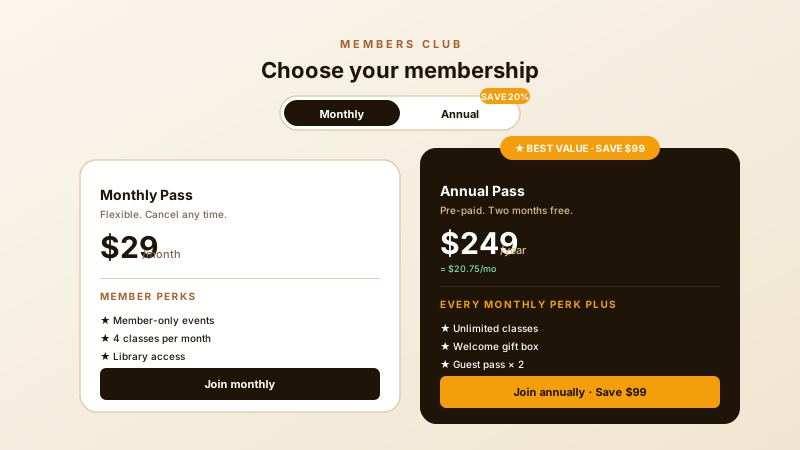
Monthly Pass and Annual Pass member tiers with perks lists and a Best Value badge. Each tier CTA links straight to your join or checkout page.
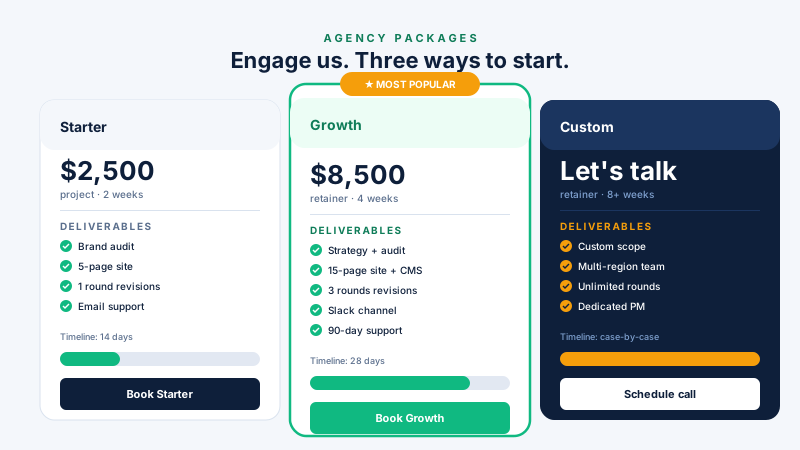
Starter, Growth, Custom service tiers with deliverables and package details directly on the page.
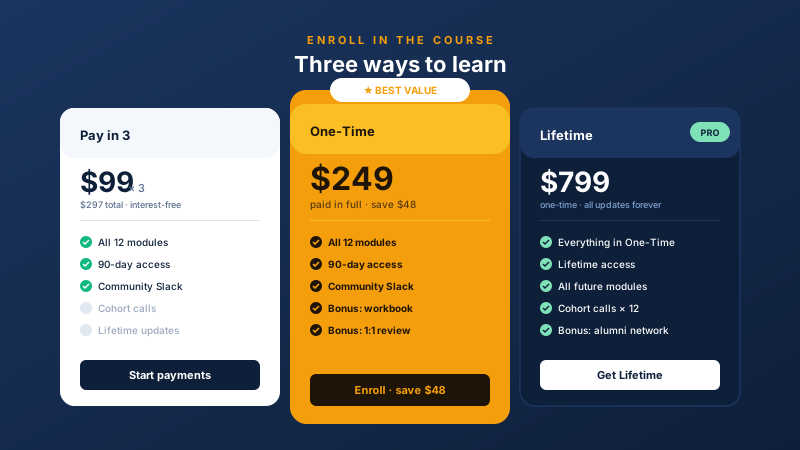
Pay-in-3 instalments, one-time fee with bonuses, and lifetime access tiers. Highlight the bundle as Best Value when it is the plan you want learners to notice first.
Most pricing widgets give you one generic layout and bundle nothing else. Here is how the popular ones stack up.
| Recommended Poper | Elfsight Pricing | POWR Pricing | Common Ninja Pricing | |
|---|---|---|---|---|
| Poper workspace available | ||||
| Number of pre-built templates | 12 | 5 | 4 | 6 |
| Most Popular visual badge | ||||
| Custom feature checklist per tier | ||||
| Editable badge label | Limited | Limited | Limited | |
| Layout-specific color controls | Paid only | Paid only | Limited | |
| Mobile responsive stacking | ||||
| Updates use the normal publish flow | ||||
| Starter price (billed yearly) | Plan details vary | Vendor pricing varies | Vendor pricing varies | Vendor pricing varies |
| Bundled with popups, forms, quizzes, more widgets |
Comparison reflects external competitor positioning. Verify current details on each provider's site.
SaaS founders, course creators, and service businesses who switched from generic pricing widgets to Poper.
“Switched our pricing page to Poper's Bento Grid template with the Most Popular badge on Pro. The visual highlight made the recommended plan clearer.”

“We use the Cyberpunk Glitch template on our gaming creator-tool site. The vibe matches our brand and we restyle the table to a seasonal palette without ever touching a developer.”

“We rewrite our feature checklists almost every month as the product ships. Updating the feature-list text in the dashboard keeps the pricing page aligned with the current offer after we publish the widget changes.”

Pricing
All plans are billed yearly. Each card shows the per-month equivalent. Start free, then upgrade only when you need more campaigns, websites, or AI credits.
Yearly billing · save up to 40%Essential lead capture for solo creators and growing businesses.
billed $180/year
Full engagement suite with A/B testing, gamification & unlimited leads.
billed $348/year
Unlimited everything with white-label, API access & advanced analytics.
billed $948/year
Prices shown for the 50k monthly visitor tier on yearly billing. A Free Forever plan ($0) and a custom Enterprise plan are also available. No contracts, cancel anytime.
The pricing table is one of the highest-intent components on a SaaS or service site. It is where the visitor compares plans, checks the price, and decides which CTA to click next. This guide covers what actually matters in 2026: clear tier structure, a visual highlight for the recommended plan, feature checklists that answer buyer questions, CTA copy that matches the next step, and the mobile UX details that decide whether the table reads on a phone.
A Most Popular or Best Value badge is useful when one tier is the right fit for most buyers. It gives visitors a starting point and keeps the table from feeling like three identical cards. In Poper, you can flag the tier you want to highlight and type your own badge label. Use the highlight honestly: the recommended tier should be a real plan with a clear reason it is recommended.
Plan order should match how your buyers compare options. Many pages use Starter, Pro, and Business because that progression is easy to read, but some enterprise or services pages put the highest-touch offer first. In the Poper pricing builder you control the order of your tier columns, so you can present them in whichever sequence fits your market. Keep the tiers real, distinct, and easy to explain.
The feature list under each tier is not a spec sheet, it is an objection-handling tool. Lead each row with the benefit, keep rows scannable, and order them so the most decision-relevant capability is near the top where the eye lands first. The Poper widget gives every tier its own editable checklist, so you can tune the list without touching code. Keep each tier focused; a wall of twenty checkmarks reads as noise and slows the decision down.
Every tier on a pricing table needs a call-to-action button, and the words on it should match the next step. Entry plans might say Start free, paid plans might say Get started, and enterprise plans might say Contact sales. The Most Popular badge label is another small but important surface: Most Popular, Best Value, Recommended, or your own wording. The Poper widget lets you write both the CTA button text and the badge label per tier directly in the builder.
Many pricing-page visitors arrive on mobile, but most pricing tables are designed for desktop side-by-side comparison. On a narrow phone, a three-column table can become hard to read. Responsive templates help tiers read as focused cards on smaller screens, but you should still preview your pricing table on a real phone before you ship it.
A pricing table widget is an embeddable component that displays your product or service tiers with prices, feature checklists, a Most Popular badge, and CTA buttons that route to your signup, checkout, or contact page.
Last fact-checked: . We re-verify every quarter.
Tutorial
A quick walkthrough of setting up and embedding this widget.
Tutorial video coming soon
Can't find the answer you're looking for? Chat with our support team.
Contact SupportBuild a pricing table with a Most Popular badge, tier cards, feature lists, and CTA buttons.
Free plan available forever