
























Pinterest Feed Widget for Website. Free, Unlimited - Poper
Pinterest Feed Widget

Pinterest on any website.

Embed Pinterest boards, individual pins, and Rich Pins in a native masonry layout. Built for home, food, wedding, and DIY brands. Free, no code.

No credit card required
14-day free trial
Cancel anytime

Trusted by 11,000+ brands

Timetics
Academie Digitale
Goldcast
nbcf
Seedstock
Wow
Linkxar
Gale Toyota
Skills
Rugby Sport
Lamp
Leaktronics
Steel
Theatre in Chicago
Globerto
Meetup
FYM
Zeben
Kraftix
IETraditionala
Meethires
Leadscrape
Happily
Timetics
Academie Digitale
Goldcast
nbcf
Seedstock
Wow
Linkxar
Gale Toyota
Skills
Rugby Sport
Lamp
Leaktronics
Steel
Theatre in Chicago
Globerto
Meetup
FYM
Zeben
Kraftix
IETraditionala
Meethires
Leadscrape
Happily
Free forever, paid plans from $19/mo

Try the live widget

Live demo, not a screenshot. Pick a board, switch to Masonry, brand it. What you see here is what ships to your site.

From Pinterest to your site

Your Pinterest reviews. Now on your own domain.

Poper crawls the official Pinterest review feed for your business and renders it inline on your website. Same reviews, your branding, your domain.

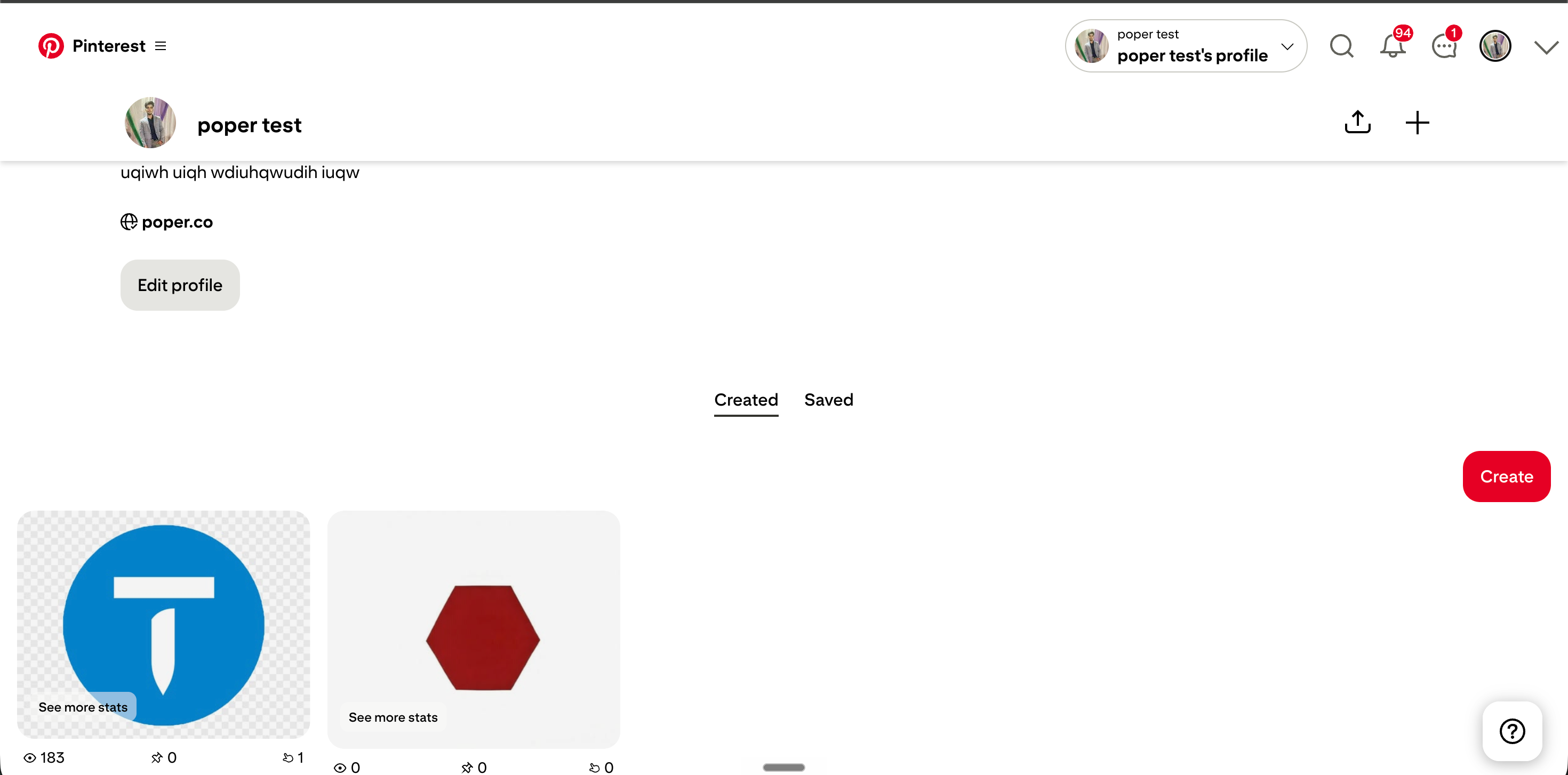
pinterest.com
Pinterest.com profile for AcmeHomeDecor showing Business Account badge, 187K followers, and a masonry grid of 9 pins with 3 highlighted boards by Helena, James, and AïshaSource: PinterestOpen
Pinterest.com profile for AcmeHomeDecor showing Business Account badge, 187K followers, and a masonry grid of 9 pins with 3 highlighted boards by Helena, James, and Aïsha
acmehomedecor.com
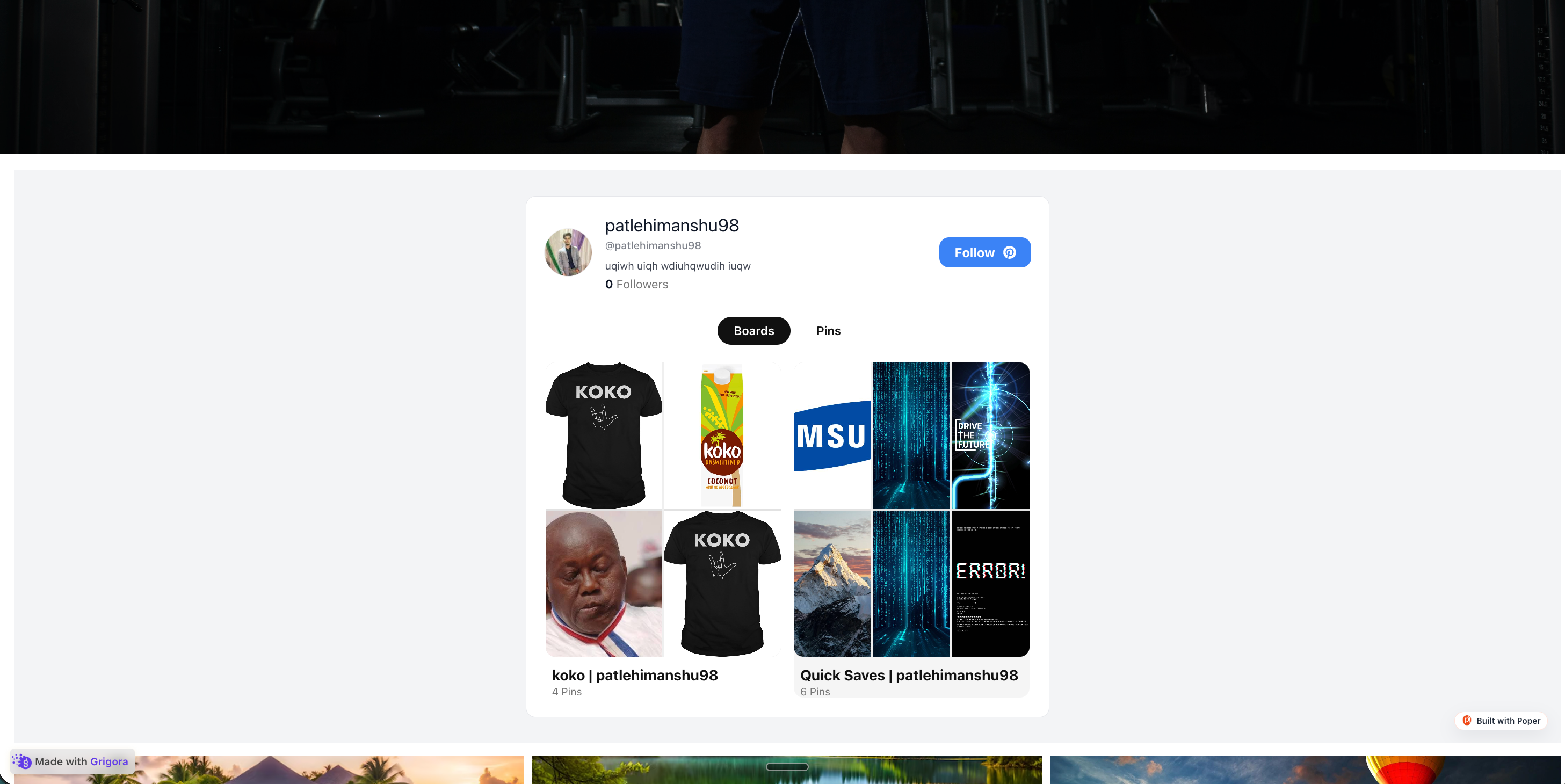
AcmeHomeDecor's own branded site with the Poper Pinterest feed widget embedded inline, showing the same 3 pins by Helena, James, and Aïsha re-skinned in soft sage and warm cream tonesPoper widget live
AcmeHomeDecor's own branded site with the Poper Pinterest feed widget embedded inline, showing the same 3 pins by Helena, James, and Aïsha re-skinned in soft sage and warm cream tones

Mockups for illustration. Pull your real Pinterest Feed Widget: Embed Boards, Pins, and Rich Pins on Any Site from Pinterest and embed in 90 seconds.

How to use it

How to add a Pinterest board to your website

Three steps. Under two minutes. No developer needed.

  1. 01

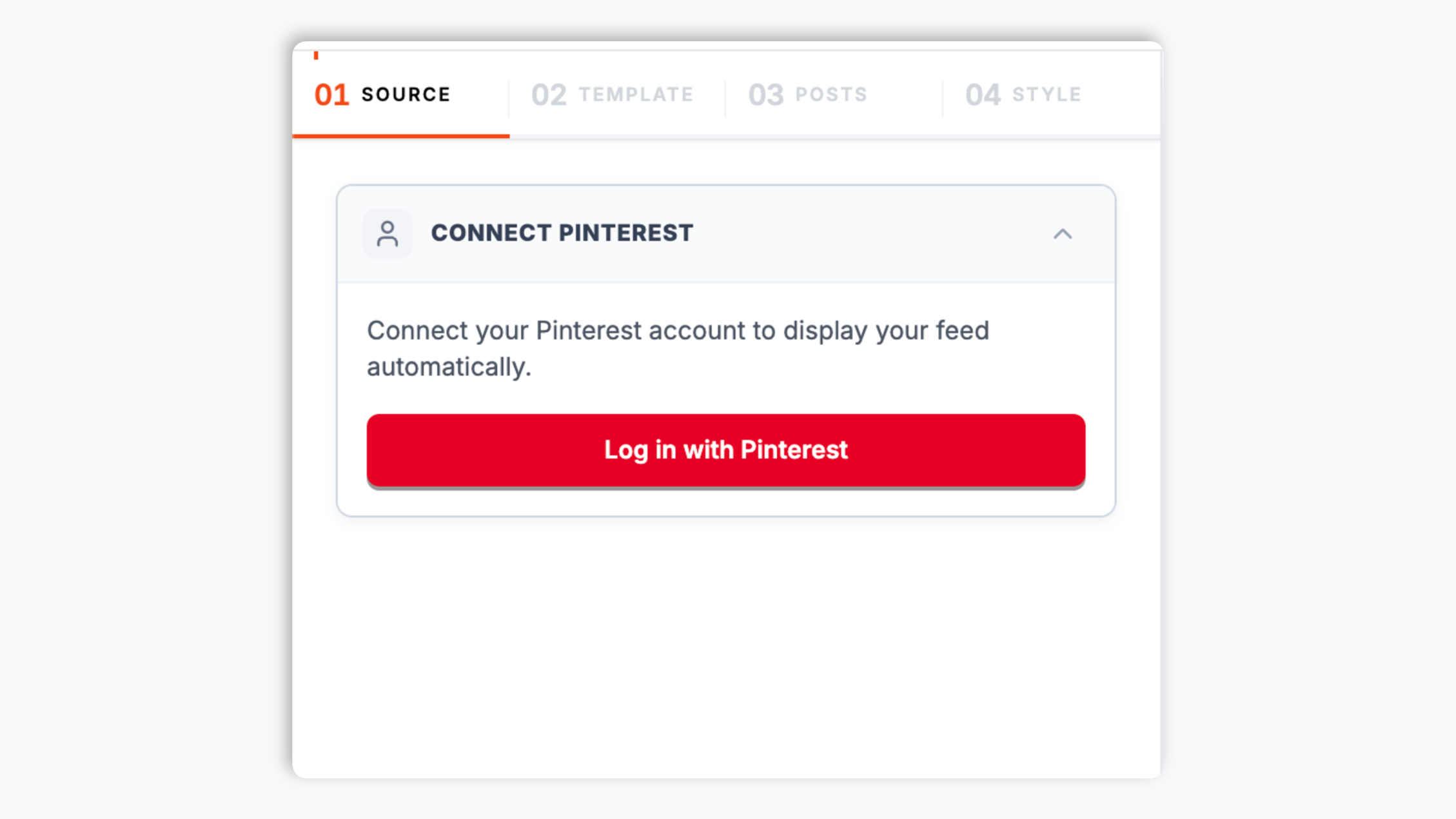
    Connect your Pinterest account

    Sign in via Pinterest's official OAuth flow and authorize Poper to read your public boards and pins. Connection takes 30 seconds and is fully revocable from your Pinterest account settings any time.

    Poper widget builder showing AcmeHomeDecor Pinterest account search resolving to pinterest.com/acmehomedecor with 187K followers, Business Account badge, and Pinterest red Connect button
  2. 02

    Pick a board and a layout

    Choose a single board, multiple boards aggregated, or your full profile. Pick Masonry (the native Pinterest layout), Grid, Carousel, or Magazine. Tweak colors, gutters, and card style to match your site.

    Layout picker showing 6 Pinterest widget thumbnails with Masonry highlighted in Pinterest red plus brand color and card style controls
  3. 03

    Copy the snippet and embed

    Paste the one-line script tag into your site. Works on Squarespace, Wix, Webflow, Showit, WordPress and 250+ platforms. Pin Save button optional.

    One-line embed script for the Pinterest feed widget with a Pinterest red Copy button and Squarespace, Wix, Webflow, Showit, WordPress design-CMS platform badges

Works everywhere

Works with every website platform you already use

Drop-in install on WordPress, Shopify, Wix, Squarespace, Webflow, Framer, Ghost, and any HTML-friendly stack. No build step, no developer needed.

WordPress
Shopify
Wix
Squarespace
Webflow
Framer
Ghost
HTML

Plus 250+ other platforms via the embed snippet. If your site can render a <script> tag, it can render the Pinterest Feed Widget: Embed Boards, Pins, and Rich Pins on Any Site.

What you get with Poper Pinterest Feed

Six things that matter when you are paying for a Pinterest widget, not 30 features no one uses.

Native Masonry layout, the way Pinterest renders it

Masonry is Pinterest's signature layout because every pin keeps its natural aspect ratio with no cropping, no awkward letterboxing, and no forced thumbnails. Poper renders the same true masonry algorithm Pinterest uses on pinterest.com, with column count that adapts by breakpoint, edge-to-edge gutter control, and lazy-loaded rows that keep your Largest Contentful Paint clean. Visitors see the layout they already trust.

Rich Pins schema preserved end to end

Product Pins keep their price and availability, Recipe Pins keep their ingredient list and cook time, Article Pins keep their author and headline. Poper reads the Open Graph and schema.org markup Pinterest already harvested from your source page and renders the metadata inline on every card.

Multi-board aggregation

Combine 2 or more Pinterest boards into one feed. Built for retailers with separate boards per product line and designers with one board per project.

Pinterest Save button overlay

Add the official Pinterest Save button on hover so visitors save your pins straight to their own boards. Drives organic Pinterest reach back to you.

Image performance tuned

Each pin served via global CDN with WebP, AVIF fallback, responsive srcset, and lazy load. No layout shift, no LCP regression, no Lighthouse hit.

Filter by Pin type, keyword, and save count

Show only Product Pins on your shop page, only Recipe Pins on your food blog, or only the most-saved pins from a board. Filters apply at the API layer so you ship a curated feed without manually moving pins between boards.

Use cases

Where Pinterest Feed Widget: Embed Boards, Pins, and Rich Pins on Any Site actually moves the needle

Four buyer types who get the most lift from embedding Pinterest Feed Widget: Embed Boards, Pins, and Rich Pins on Any Site on their site.

Home decor brand mood board with sage green sofa, framed living room composition, paint chips and textile swatches in a sage and walnut palette

Home decor and interior design brands

Mood boards are the native deliverable in interiors. Embed a Pinterest board per project or product line on your storefront so visitors browse the curated direction in the layout they already trust from pinterest.com.

Fashion blogger flat-lay with denim, loafer, crimson handbag, and Style Guide cover laid out on a warm cream background

Fashion bloggers and style editors

Outfit flat-lays, lookbooks, and shoppable style guides are Pinterest staples. Embed your seasonal style boards on your blog so readers browse the curated edit and click through to source each piece.

Food blog recipe card for Tuscan Tomato Tart with ingredient list, cook time, kitchen counter ingredients, and a stack of rustic Italian cookbooks

Recipe blogs and food bloggers

Recipe Pins preserve ingredient lists and cook times inline on each card. Embed your recipe boards on your site's recipe index as a browsable gallery that updates the same day you pin.

Wedding planner client board with garden bouquet, Helena and James invitation suite, table setting collage, and Sonoma vineyard venue map

Wedding and event planners

Inspiration boards live and die on Pinterest. Embed the curated direction on each client project page so couples can scroll the visual story without bouncing between tabs.

Poper vs other Pinterest widgets

Pinterest's official Save button and Embeds are free but minimal. Third-party tools paywall the basics. Here is how the popular options stack up against Poper.

 Recommended
Poper
Pinterest Save Button + Embeds
Tagembed Pinterest
Curator.io Pinterest
Free plan available
14-day trial only
14-day trial only
Native Masonry layout
Single pin only
Full board embed
Multi-board aggregation
Paid only
Paid only
Rich Pins (Product, Recipe, Article)
Product only
Board sections preserved as headers
Paid only
Pinterest Save button overlay
Paid only
Filter by pin type or save count
Paid only
Sync frequency (lowest plan)
6 hours
On page load
Daily
Hourly
Custom CSS / total design control
Paid only
Pricing for unlimited pins
$19/mo (Starter)
Free
$15/mo
$25/mo
Bundled with popups, forms, quizzes

Comparison reflects publicly listed pricing and features as of 2026. Verify current details on each provider's site.

Real teams. Real outcomes.

Retailers, designers, food bloggers, and wedding planners who switched from broken embeds to Poper.

Poper has improved our website's user engagement! Since integrating Poper's personalized popups, we've seen a dramatic surge in conversions and user interactions. The platform's intuitive design makes creating and customizing popups a breeze, even for those with minimal tech skills. What truly sets Poper apart are its…
Jayson Ang
Jayson Ang
Singapore Property Swapper · Singapore Property Swapper
Fantastic app and support team, they are very quick to help and provide a solution or improvement to their product. Highly recommended!
Alex
Alex
CEO · AH
Poper has been a total lifesaver for our agency! As a digital marketing agency, we’re always juggling a million things at once. Poper has been a real game-changer in terms of streamlining our workflow and keeping track of all our clients’ campaigns. The ability to track all our clients’ websites from one place is a…
Idris Basir
Idris Basir
-

Pricing

Simple pricing. Free plan covers most websites.

Free forever for one widget. Upgrade only when you need faster sync, multiple instances, or to drop the watermark.

Free

Everything you need to ship the widget today.

$0forever
  • 1 widget instance
  • All layouts & customization
  • Brand-match styling
  • 6-hour sync cadence
  • Poper watermark
Start free
Most popular

Pro

Remove the watermark, faster sync, more widget instances.

$19/mo
  • Unlimited widget instances
  • 30-minute sync cadence
  • No Poper watermark
  • Custom CSS
  • Priority email support
  • Shoppable tagging
Start 14-day trial

Business

Multi-site, multi-account, white-label.

$49/mo
  • Multi-account combined feeds
  • Real-time sync
  • White-label embed
  • API access
  • Dedicated success manager
  • Custom SLA
Start 14-day trial

All plans include unlimited page views, no contracts, cancel anytime. Annual billing saves 20%.

Guide · 7 min read

The complete guide to embedding a Pinterest feed on your website

Pinterest is not a social network in the scroll-and-react sense. It is a visual discovery and planning tool, used most heavily by women aged 35 to 54 in the home, food, wedding, fashion, and DIY categories, and it skews higher on commercial intent than almost any other platform on the open web. A pinterest feed widget on your own site captures that planning energy at the exact moment a visitor is ready to save, plan, or buy. This guide walks through what actually matters when you choose and configure a Pinterest widget in 2026: the Pinterest API v5 reality, the difference between board and pin embedding, Rich Pins schema, the native Masonry layout, image performance, and the Pinterest Save button integration that turns a one-way embed into a two-way reach loop.

01

Why Pinterest behaves differently from every other social feed

Most social platforms reward novelty. Posts decay in minutes, the algorithm punishes anything more than a day old, and a feed embed has to refresh constantly to look alive. Pinterest is the opposite. A pin saved in 2019 still drives traffic in 2026 because Pinterest is built around save-and-return behavior, not real-time scroll. The average pin lifespan is measured in months, not hours, and a single high-quality pin can compound traffic for years as it spreads across boards, feeds, and search results. Pinterest reported 480 million-plus monthly active users as of 2024, and the audience skews female (about 70 percent), older than other social platforms (35 to 54 is the largest age bracket), and concentrated in commercial verticals where people plan large purchases, home renovation, weddings, holidays, and the seasonal kitchen. The behavior pattern is also distinct: Pinterest users arrive in planning mode rather than scrolling mode. They search, they save to boards, they return weeks later when the project starts. That intent profile is closer to a search engine than to a social feed. For a brand or creator in those visual planning verticals, a Pinterest board often holds more reach than the brand's own homepage and a higher commercial intent than the same audience on Instagram or TikTok. Embedding that board on your site brings the discovery audience straight to your conversion surface without asking them to leave for pinterest.com and lose the session.

02

Pinterest API v5, OAuth, and what you can and cannot embed in 2026

Pinterest moved its public API to v5 in 2022 and deprecated the older v3 endpoints in stages through 2023. Today every legitimate Pinterest widget runs on the Pinterest API v5, which uses OAuth 2.0 with scoped read tokens (boards.read, pins.read, user_accounts.read) and requires app-level approval from Pinterest before any third party can call the production endpoints. Poper holds that platform-level approval, which means your widget calls go through Poper's vetted application credentials and you do not have to file your own developer app, wait for Pinterest's review, or maintain your own refresh-token rotation. The v5 API supports public board feeds, individual pin embedding, board sections, Rich Pin metadata, pin engagement counts, and Pinterest Trends data for any region you have access to. It does not support private boards, secret boards, or pins from other people's accounts (Pinterest revoked the user.boards.read scope for third-party access to other users' content in 2023 to align with platform privacy norms). Quota lives at 1,000 calls per hour per user token under default tier, which is generous enough that Poper's edge cache turns the typical embed into one or two upstream calls per six-hour sync window even for high-traffic pages, with automatic backoff when Pinterest returns rate-limit headers. The practical takeaway: any Pinterest widget claiming to embed someone else's private board in 2026 is either lying, web-scraping (against Pinterest's terms of service and gets blocked frequently), or using cached snapshots that go stale within days.

03

Board embedding versus single pin embedding: what to use when

Pinterest gives you two embed paths. Single pin embedding (the official Pinterest Embed Pin button generates a snippet for one pin) is best when you want to feature a specific recipe, product, or idea inside an article and let readers save it directly. The single-pin route is also the right call inside a long-form blog post where the pin is supporting evidence rather than the main attraction. Board embedding pulls every pin from a chosen board (or specific board sections) into a live grid that updates as you add new pins. Board embeds are how you build a shoppable storefront, a recipe library, or a wedding inspiration wall. They are also how you keep your site from going stale, because every new pin you add to your board lands on your site automatically without you touching the embed. Poper supports both. The third pattern that the official Pinterest tools do not cover is multi-board aggregation, combining a Living Room board, a Kitchen board, and a Bedroom board into one Home feed for a furniture site, or one board per project for a designer portfolio collected into a single Recent Work feed. Multi-board aggregation is where editorial control meets scale, and it is also why agencies, multi-brand retailers, and designers with large project archives tend to outgrow the official embeds quickly. The Poper builder lets you pick the source boards, set the merge order (recency, save count, or custom), and keep board-section headers in the merged view so visitors can still scroll a Kitchen group within the merged Home feed.

04

Rich Pins, the Pinterest Save button, and the two-way reach loop

A Rich Pin is a pin that pulls structured data from the source page using Open Graph or schema.org markup and renders extra fields inline on the pin card. There are three Rich Pin types: Product Pins (price, availability, where to buy), Recipe Pins (ingredients, cook time, servings), and Article Pins (headline, author, story description). Pinterest harvests this metadata when you claim your domain and add the markup to your pages, and from then on every pin from your domain gets the rich treatment automatically across pinterest.com, the Pinterest mobile app, and any third-party embed that respects the schema. A widget that strips the Rich Pin metadata at embed time is throwing away the highest-converting field on a Product Pin (price) and the most-saved field on a Recipe Pin (ingredient list), which is exactly what a buyer in planning mode is scanning for. Poper preserves all three Rich Pin types end to end and renders the same fields visitors already trust from pinterest.com. The companion to Rich Pins is the Pinterest Save button, the official overlay that lets a visitor save your pin straight to their own board from your embed. The Save button is what turns an embed into a two-way reach loop: every save on your site sends the pin back into Pinterest's discovery graph, where it can drive new traffic back to you for months as that newly-saved pin spreads across the saver's followers, the Today tab, and Pinterest search. Poper renders the official Save button as a hover overlay on every card, with no extra script tag needed and no third-party cookies set. For brands in commercial verticals, this two-way loop is the single highest-leverage reason to embed a Pinterest feed at all, because it is the only Pinterest surface where activity on your own site directly fuels reach back inside Pinterest.

05

Masonry versus Grid, image performance, and why layout choice is a ranking signal

Masonry is the layout Pinterest uses on pinterest.com because it preserves each pin's natural aspect ratio with no cropping. A tall infographic stays tall, a square product photo stays square, a wide cinemagraph stays wide. Forcing every pin into a fixed grid is the single most common mistake third-party Pinterest widgets make, because it crops the visual asset that the pin was designed around and signals to a Pinterest-native visitor that the embed is not native. Poper ships true CSS masonry by default, with Grid and Carousel as opt-in alternates for sites that want a more uniform look. The other layout decision that matters for SEO is image performance. Pinterest pins are image-heavy by definition, and image-heavy widgets are notorious Core Web Vitals killers. The worst offenders inline 200 KB-plus of JavaScript synchronously, fetch every pin on every page load instead of caching, and use fixed-pixel dimensions that destroy Cumulative Layout Shift on resize. Poper's widget loads asynchronously below the fold by default, fetches pins from a global CDN edge cache (your visitors do not hit Pinterest on every page view), uses scoped CSS that will not bleed into your design system, serves WebP with AVIF fallback, and clocks in under 40 KB gzipped. If page speed matters to your SEO (it does, Google reads Core Web Vitals as a ranking signal), this is the single biggest reason to choose carefully which Pinterest widget you embed. The right embed adds reach without adding latency, and on a competitive vertical where dozens of brands chase the same Pinterest-aware audience, that latency margin is often the difference between page two and page one of Google for your category keyword. Pinterest itself uses Pinterest Trends to publish what audiences are searching for week by week, and a fast, well-laid-out Pinterest embed is one of the few ways to capture that trend signal directly on your own conversion page.

Quick reference

What is Pinterest Feed Widget: Embed Boards, Pins, and Rich Pins on Any Site?

A Pinterest feed widget is an embeddable script that renders a public Pinterest board, a single pin, or aggregated boards on any website in Pinterest's native Masonry layout, with Rich Pin metadata and the official Save button preserved.

Key facts

  • Pinterest reported 480 million-plus monthly active users as of 2024, with the audience skewing female (about 70 percent) and concentrated in the 35 to 54 age bracket.
  • Pinterest API v5 uses OAuth 2.0 with scoped read tokens (boards.read, pins.read, user_accounts.read) and requires Pinterest app-level approval for any third-party widget.
  • Rich Pins come in three types: Product Pins (price, availability), Recipe Pins (ingredients, cook time), and Article Pins (headline, author), populated from Open Graph and schema.org markup on the source page.
  • Pinterest Trends is Pinterest's public discovery tool that surfaces what users are searching and saving, used by retailers and editorial brands as a leading indicator for seasonal demand.
  • The native Pinterest layout is true CSS Masonry, where each pin preserves its natural aspect ratio rather than being forced into a fixed-grid thumbnail.
  • The Pinterest Save button is the official overlay that lets visitors save your pins to their own boards directly from your site, creating a two-way reach loop back into Pinterest discovery.

Frequently asked questions

Can't find the answer you're looking for? Chat with our support team.

Contact Support

Stop forcing Pinterest pins into a fixed grid

Poper takes 90 seconds to embed and ships true Masonry, Rich Pins, and the Save button overlay. Free plan, no credit card.

Free plan available forever