
Profile




Profile feed
Your latest posts in a clean grid. Carousel, masonry, or list layout. Best for brand pages and About sections.
Embed your Instagram profile media feed in 90 seconds. Survives every Meta API change. No code.
Built for no-code website teams























Live demo, not a screenshot. Style it, brand it, embed it. What you see here is what ships to your site.
Live preview
Same Instagram profile media, embedded on your own domain with native styling.


Same square crop, same 3-column grid, same hover states as the Instagram app. Visitors recognize it instantly, no learning curve.
Show post count, followers, bio, and Story highlights. Optional, brand-controlled, fully responsive.
Each post links to the original Instagram post. Visitors who like your content end up following you, not bouncing.
Feed types
Display the latest media from your connected Instagram profile in a clean, branded widget on your site.
Your latest posts in a clean grid. Carousel, masonry, or list layout. Best for brand pages and About sections.
The Instagram Feed widget displays profile media from the connected Instagram account.
On a real site
A polished fashion brand site with the Poper Instagram feed embedded as a Shop the Look section. Notice how it feels native to the page, not bolted on.
Limited drops, natural-dyed fabrics, made in batches of 40 pieces. New collection in shops Friday.
Slow fashion / hand-dyed in Brooklyn since 2018.
Mock fashion-brand page for illustration. Match your real brand fonts, colors, and layout in the widget builder above.
How to use it
Three steps. Under two minutes. No developer needed.
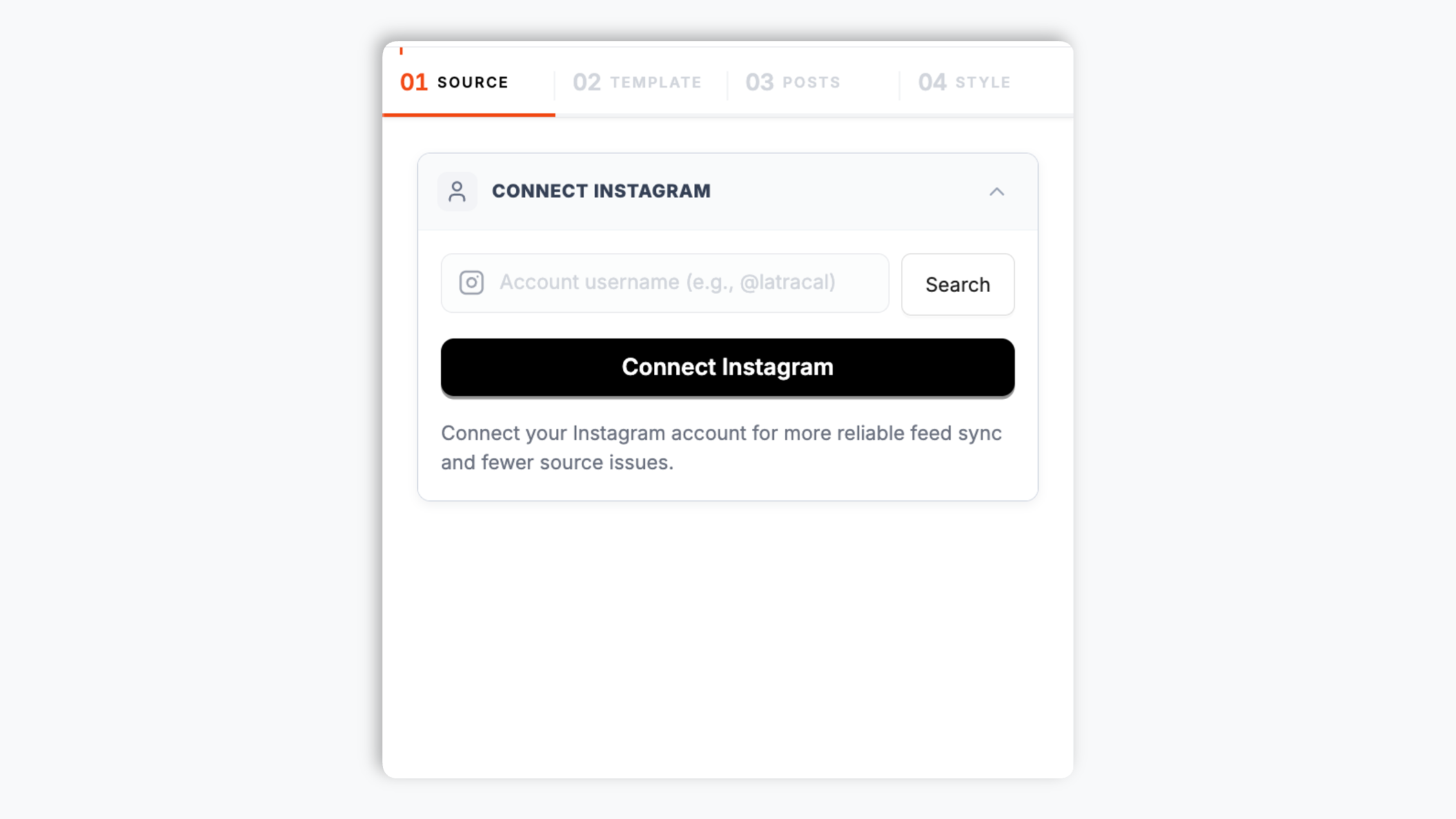
Sign in via Meta's official OAuth flow. Connection takes 30 seconds and is fully revocable from your Instagram settings any time.
Choose Grid, Carousel, Masonry, Magazine or Wall. Tweak colors, fonts, spacing and card style to match your site exactly.

Paste the Poper embed snippet into your site. Works on WordPress, Shopify, Wix, Squarespace, Webflow, Ghost, Framer and 250+ platforms.

Works everywhere
Drop-in install on WordPress, Shopify, Wix, Squarespace, Webflow, Framer, Ghost, and any HTML-friendly stack. No build step, no developer needed.


Plus 250+ other platforms via the embed snippet. If your site can render a <script> tag, it can render the Instagram Feed Widget: Embed Instagram profile media on Any Site.
Six things that matter when you are paying for an Instagram widget, not 30 features no one uses.
Use your own analytics to validate this feed on your site.
Show the latest photos and videos from the connected Instagram profile in a branded layout on your website.
Each Instagram Feed widget displays one connected Instagram profile. To show multiple Instagram accounts, create a separate widget for each profile.
Use the styling controls available for this feed layout.
The embed loads through the Poper snippet. Validate layout and performance on your own page after embedding.
Tag products on UGC posts so visitors can click straight to the product page. Works with Shopify, WooCommerce, BigCommerce, and any custom store via product URLs.
Meta killed direct embedding for Personal accounts in December 2024. Every widget now needs a Business or Creator account. Most just throw an error and lose the user. Poper detects the Personal account at connect and walks them through the free 30-second switch in the Instagram app (Settings > Account > Switch to Professional > Creator). Reversible, invisible to followers, unlocks Insights as a bonus.
Use cases
Four buyer types who get the most lift from embedding Instagram Feed Widget: Embed Instagram profile media on Any Site on their site.
The visual-first verticals where Instagram is the primary brand surface. Embed your shoppable feed on product pages and let UGC do the selling.
Use your own analytics to validate this feed on your site.
Refresh cadence follows your Poper plan: Free every 15 days, Starter every 3 days, and Pro/Business every 1 day.
Keep your latest Instagram profile posts visible on your own site so sponsors, clients, and collaborators see fresh visual work.
Most widgets paywall the features you actually need. Here is how the popular ones stack up against Poper on what matters.
| Recommended Poper | SnapWidget | EmbedSocial | LightWidget | |
|---|---|---|---|---|
| Poper workspace available | ||||
| Profile feed | ||||
| Sync frequency (lowest plan) | Scheduled refresh | Refresh cadence follows your Poper plan: Free every 15 days, Starter every 3 days, and Pro/Business every 1 day. | 12 hours | Refresh cadence follows your Poper plan: Free every 15 days, Starter every 3 days, and Pro/Business every 1 day. |
| Available design controls | Paid only | |||
| Shoppable UGC tagging | Pro plan | Paid add-on | ||
| Pricing for unlimited posts | Vendor pricing varies | Vendor pricing varies | Vendor pricing varies | Vendor pricing varies |
| Bundled with popups, forms, quizzes |
Comparison reflects external competitor positioning. Verify current details on each provider's site.
Marketers, agencies, and DTC brands using Poper's Instagram Feed widget for single-profile media embeds.
“Poper's Instagram Feed widget gave our product pages a clean way to show the latest posts from our brand profile. We connected one Instagram account, matched the feed to our storefront, and the widget now feels like part of the page.”
“We manage several client Instagram accounts, so we create one Poper widget per profile. That keeps each client feed separate, easy to style, and simple to place on the right landing page.”
“The Instagram Feed widget replaced a stale screenshot grid on our homepage. Visitors now see current media from our connected profile, and we can refresh the widget from the dashboard without touching site code.”
Pricing
All plans are billed yearly. Each card shows the per-month equivalent. Start free, then upgrade only when you need more campaigns, websites, or AI credits.
Yearly billing · save up to 40%Essential lead capture for solo creators and growing businesses.
billed $180/year
Full engagement suite with A/B testing, gamification & unlimited leads.
billed $348/year
Unlimited everything with white-label, API access & advanced analytics.
billed $948/year
Prices shown for the 50k monthly visitor tier on yearly billing. A Free Forever plan ($0) and a custom Enterprise plan are also available. No contracts, cancel anytime.
Instagram is still the highest-engagement visual platform on the open web, and embedding your profile feed on your own site is one of the cheapest ways to make a brand page feel alive. The catch: Meta keeps changing the API, and most widget tools let you down right when you need them. This guide walks through what actually matters when you choose and configure an Instagram widget in 2026: API resilience, profile media display, performance, and shoppable use cases.
Meta's Instagram Graph API is a moving target. They deprecated the old Basic Display API on December 4, 2024, killed the legacy oEmbed flow before that, and have shipped at least four breaking endpoint changes in the last 18 months. Most widget tools are built by small teams that cannot keep up. When Meta changes a field name or rotates a token format, those widgets quietly start showing empty feeds or stale posts, and customers wait days or weeks for a fix. Poper runs an automated token-refresh job every night, monitors endpoint health continuously, and ships hot-fix deploys within hours of any Meta change. The result is a widget that keeps showing your latest posts even when Meta is having a bad week.
The Instagram Feed widget focuses on the profile media your connected Business or Creator account publishes. That keeps the setup clear: connect the account, choose a profile feed layout, style the cards, and embed the feed on your site. Visitors see a fresh visual section from the Instagram account you control.
When Meta deprecated the old Basic Display API, they removed the only official way for third parties to read content from Personal Instagram accounts. As of 2026, every legitimate embed widget requires the source account to be Business or Creator (Instagram calls these 'Professional' accounts). The good news: switching from Personal to Creator is free, reversible, takes about 30 seconds in the Instagram app (Settings > Account > Switch to Professional > Creator), and unlocks Instagram Insights as a bonus. Any widget that claims to support Personal accounts in 2026 is either web-scraping (against Meta's terms of service and gets blocked frequently) or hasn't updated their marketing copy.
The embed loads through the Poper snippet. Validate layout and performance on your own page after embedding.
Use your own analytics to validate this feed on your site.
Tutorial
A quick walkthrough of setting up and embedding this widget.
Tutorial video coming soon
Can't find the answer you're looking for? Chat with our support team.
Contact SupportPoper takes 90 seconds to embed and survives every Meta API change. Start from your Poper workspace.
Free plan available forever