
OSS author
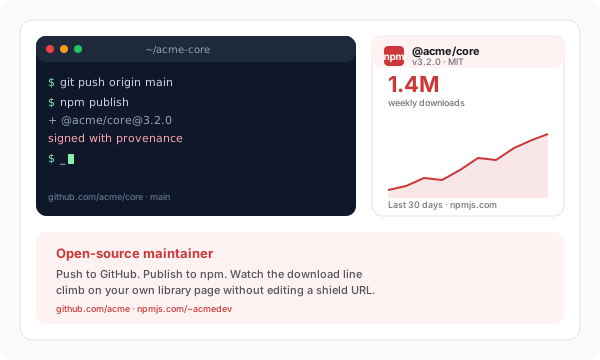
Add the live npm package card to your library homepage. Current version metadata next to the install command is a stronger trust signal than a stale badge, and it keeps visitors engaged long enough to read your docs and try the package.
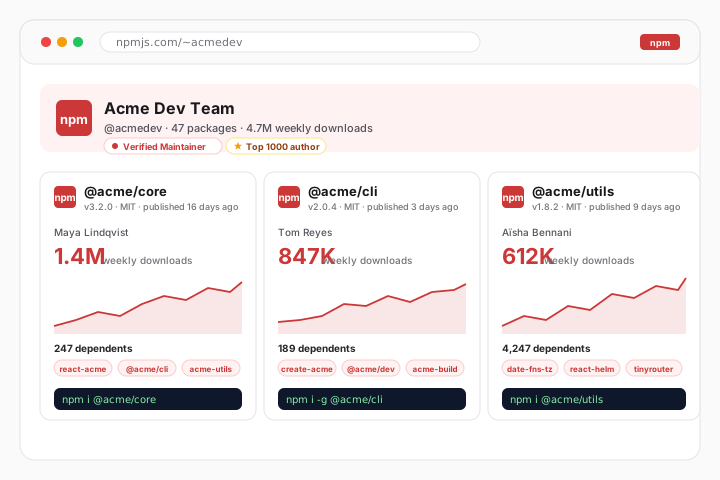
Embed an npm author or maintainer package feed with current version, license, repository, homepage, keywords, and install-command details where available.
Trusted by 11,000+ JavaScript authors and dev-tool teams























Live demo, not a screenshot. Type a package name or npm handle, brand the card, and ship the same widget to your project site.
From npm to your site
Poper pulls your public npm feed and renders it inline on your website, fully branded to match your design. No API keys, no manual updates.
 Poper widget live
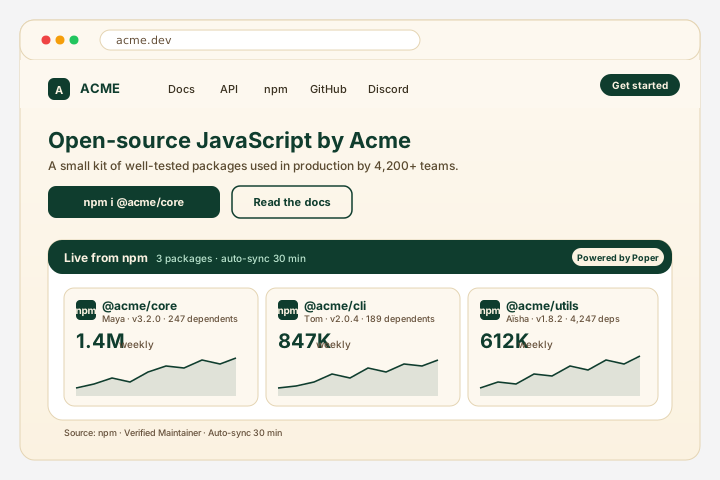
Mockups for illustration. Pull your real npm feed and embed in 90 seconds.
How to use it
Three steps. Under two minutes. Public packages work without a token.
Poper renders an npm author or maintainer package feed with package metadata available from npm.
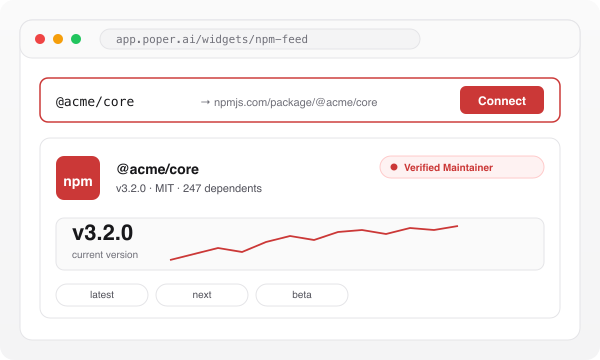
Style the npm package card with your colors, fonts and badge styles so it matches your docs site, framework page or personal portfolio exactly.

Paste the one-line script tag into your project site, docs page or company landing. Works on Next.js, Astro, Docusaurus, Nextra, VuePress, Hugo, Webflow, Framer, WordPress, Ghost and any HTML stack.

Works everywhere
Drop-in install on WordPress, Shopify, Wix, Squarespace, Webflow, Framer, Ghost, and any HTML-friendly stack. No build step, no developer needed.


Plus 250+ other platforms via the embed snippet. If your site can render a <script> tag, it can render the npm Feed Widget: Embed Packages and Versions on Any Site.
Six things that matter when you embed npm on a JavaScript project landing, not 30 features no one uses.
Poper renders an npm author or maintainer package feed with supported metadata such as package name, current version, license, repository links, keywords, and install command where available.
A shields.io badge is a static image that goes stale and cannot be themed beyond color. The npm widget reads the registry directly and renders current package metadata as part of a real, brand-matched card you control.
Point the widget at a author or maintainer handle so the right package data resolves without hand-typing version numbers.
The package card shows the install command right next to the package name, current version and maintainer context, so a visitor can copy it without leaving your page.
The embed loads through the Poper snippet. Validate layout and performance on your own page after embedding.
The npm feed uses the native package-list card layout.
Use cases
Four buyer types who get the most lift from embedding npm Feed Widget: Embed Packages and Versions on Any Site on their site.
Add the live npm package card to your library homepage. Current version metadata next to the install command is a stronger trust signal than a stale badge, and it keeps visitors engaged long enough to read your docs and try the package.
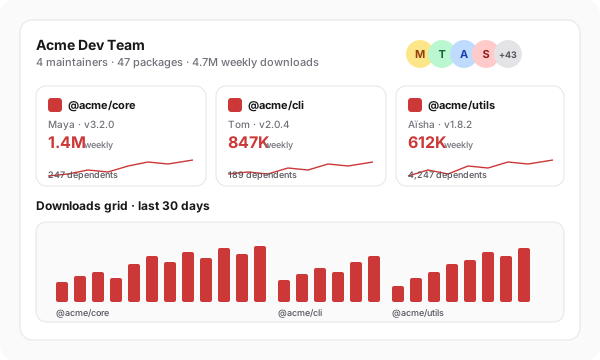
Embed npm package cards on your case-studies or open-source page so prospects see the utilities, design-token packages and component libraries you ship. Current registry metadata on a consultancy site signals depth that a static logo wall cannot.
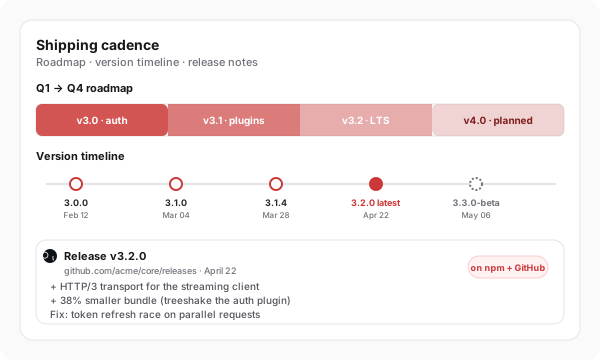
Use your own analytics to validate this feed on your site.
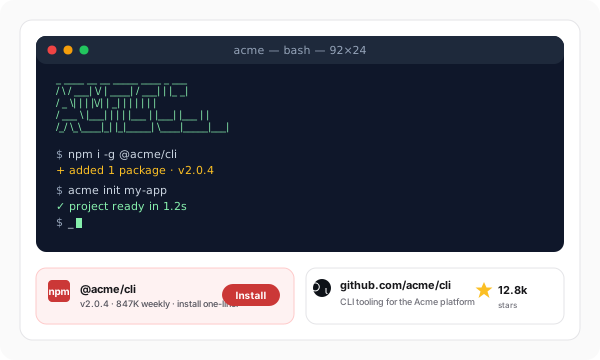
Engineering managers and staff engineers embed npm package cards on their personal sites to prove maintained-OSS credibility. A published package becomes a live, verifiable credential next to your bio, not a stale list in a resume PDF.
A static SVG shield is great in a README but goes stale and cannot be themed beyond color. Here is how Poper stacks up against the widget platforms and the npmjs.com badge for a JavaScript project landing.
| Recommended Poper | Elfsight | Common Ninja | npmjs.com badge (shields.io) | |
|---|---|---|---|---|
| Plan details depend on your Poper workspace. | ||||
| Live package metadata from the registry | Static SVG | |||
| Latest version and maintainer on the card | Separate badge | |||
| Install command shown on the card | Limited | Limited | ||
| Refreshes without a redeploy or CDN purge | Cached SVG, slow | |||
| The npm feed uses the native package-list card layout. | Paid only | Paid only | Color only | |
| Works on hosted docs sites, not just READMEs | Image embed only | |||
| Plan details depend on your Poper workspace. | Paid only | Paid only | N/A | |
| Bundled with popups, forms, quizzes |
Comparison reflects publicly available features as of 2026. SVG-based shields are great for READMEs but limited to static images that cannot be themed beyond color.
Library authors, dev-tool teams and consultancy leads who use Poper's npm feed widget to keep package metadata on their own sites.
“Poper has improved our website's user engagement! Since integrating Poper's personalized popups, we've seen a dramatic surge in conversions and user interactions. The platform's intuitive design makes creating and customizing popups a breeze, even for those with minimal tech skills. What truly sets Poper apart are its…”

“Fantastic app and support team, they are very quick to help and provide a solution or improvement to their product. Highly recommended!”

“Poper has been a total lifesaver for our agency! As a digital marketing agency, we’re always juggling a million things at once. Poper has been a real game-changer in terms of streamlining our workflow and keeping track of all our clients’ campaigns. The ability to track all our clients’ websites from one place is a…”

Pricing
All plans are billed yearly. Each card shows the per-month equivalent. Start free, then upgrade only when you need more campaigns, websites, or AI credits.
Yearly billing · save up to 40%Essential lead capture for solo creators and growing businesses.
billed $180/year
Full engagement suite with A/B testing, gamification & unlimited leads.
billed $348/year
Unlimited everything with white-label, API access & advanced analytics.
billed $948/year
Prices shown for the 50k monthly visitor tier on yearly billing. A Free Forever plan ($0) and a custom Enterprise plan are also available. No contracts, cancel anytime.
Poper renders an npm author or maintainer package feed with package metadata available from npm.
Poper renders an npm author or maintainer package feed with package metadata available from npm.
Every JavaScript developer scans for a few package facts before installing: the current version, whether the package still publishes releases, who maintains it, which license applies, and where the source repository lives. Those are the signals that answer is this library real, is it being maintained, will it still exist in six months. A static SVG shield from shields.io can label one fact, but it is a flat image you cannot brand, and a screenshot is stale the day after you take it. A live widget that reads registry metadata and renders it as part of a real, themed package card stays accurate and on-brand without your effort. That is what dev-tool buyers actually want to see next to the install command when they evaluate a new SDK.
The embed loads through the Poper snippet. Validate layout and performance on your own page after embedding.
An npm feed widget is an embeddable script that displays an npm author or maintainer package feed on a website with supported package metadata such as package name, current version, license, repository links, keywords, and install command where available.
Tutorial
A quick walkthrough of setting up and embedding this widget.
Tutorial video coming soon
Can't find the answer you're looking for? Chat with our support team.
Contact SupportPlan details depend on your Poper workspace.
Free plan available forever