

GitLab Activity Widget for Website. Free, Live - Poper
GitLab Activity Widget

GitLab activity on your DevOps portfolio.

Embed your merge requests, commits, releases, and live CI/CD pipelines in 90 seconds. Works with gitlab.com and self-managed. Free, no code.

No credit card required
14-day free trial
Cancel anytime

Trusted by 11,000+ DevOps engineers and platform teams

Timetics
Academie Digitale
Goldcast
nbcf
Seedstock
Wow
Linkxar
Gale Toyota
Skills
Rugby Sport
Lamp
Leaktronics
Steel
Theatre in Chicago
Globerto
Meetup
FYM
Zeben
Kraftix
IETraditionala
Meethires
Leadscrape
Happily
Timetics
Academie Digitale
Goldcast
nbcf
Seedstock
Wow
Linkxar
Gale Toyota
Skills
Rugby Sport
Lamp
Leaktronics
Steel
Theatre in Chicago
Globerto
Meetup
FYM
Zeben
Kraftix
IETraditionala
Meethires
Leadscrape
Happily
Free forever, paid plans from $19/mo

Try the live widget

Live demo, not a screenshot. Drop in a gitlab.com handle or self-managed URL, pick a layout, and ship the same widget to your portfolio.

From GitLab to your site

Your GitLab reviews. Now on your own domain.

Poper crawls the official GitLab review feed for your business and renders it inline on your website. Same reviews, your branding, your domain.

gitlab.com
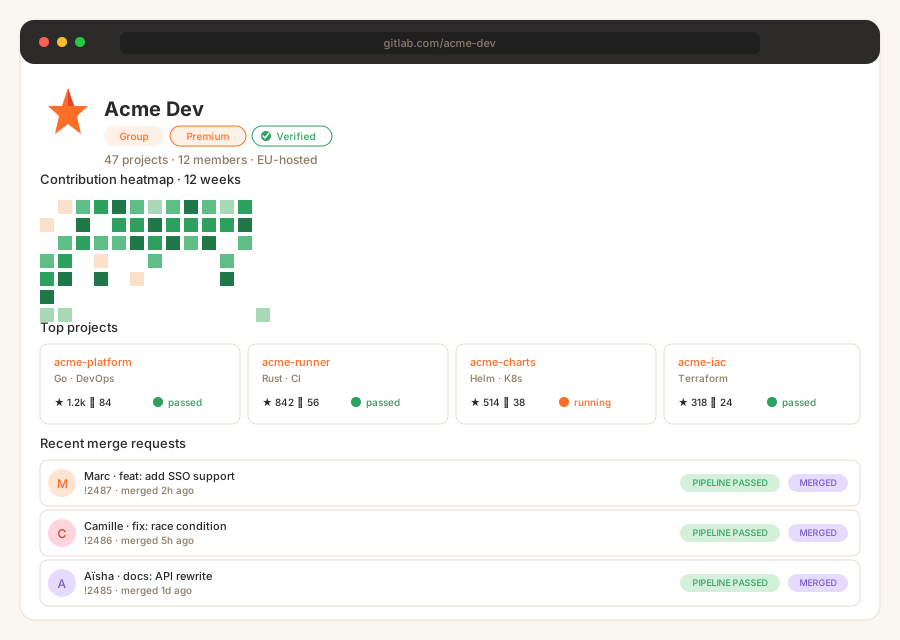
GitLab.com group page for Acme Dev showing tanuki logo, Premium and Verified badges, 47 projects, 12 members, 12-week green contribution heatmap, four project cards with stars forks and last-pipeline status, and three recent MRs from Marc (feat: add SSO support, merged 2h ago, pipeline passed), Camille (fix: race condition, merged 5h ago, pipeline passed), and Aisha (docs: API rewrite, merged 1d ago, pipeline passed)Source: GitLabOpen
GitLab.com group page for Acme Dev showing tanuki logo, Premium and Verified badges, 47 projects, 12 members, 12-week green contribution heatmap, four project cards with stars forks and last-pipeline status, and three recent MRs from Marc (feat: add SSO support, merged 2h ago, pipeline passed), Camille (fix: race condition, merged 5h ago, pipeline passed), and Aisha (docs: API rewrite, merged 1d ago, pipeline passed)
acme.dev
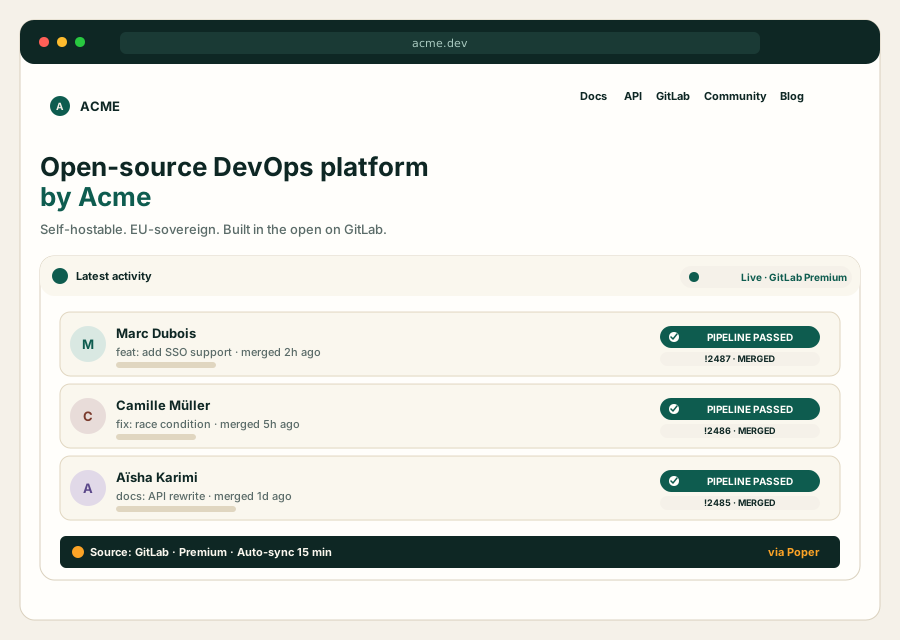
Acme Dev open-source DevOps platform site at acme.dev with ACME nav (Docs, API, GitLab, Community, Blog), Open-source DevOps platform by Acme hero, and embedded Poper GitLab widget showing the same three MRs from Marc, Camille, and Aisha rendered in deep emerald and warm cream brand palette with Source GitLab Premium Auto-sync 15 min footerPoper widget live
Acme Dev open-source DevOps platform site at acme.dev with ACME nav (Docs, API, GitLab, Community, Blog), Open-source DevOps platform by Acme hero, and embedded Poper GitLab widget showing the same three MRs from Marc, Camille, and Aisha rendered in deep emerald and warm cream brand palette with Source GitLab Premium Auto-sync 15 min footer

Mockups for illustration. Pull your real GitLab Activity Widget: Embed Merge Requests, Pipelines, and Commits on Any Site from GitLab and embed in 90 seconds.

How to use it

How to embed GitLab activity on your website

Three steps. Under two minutes. Works with gitlab.com and self-managed instances.

  1. 01

    Point at your GitLab instance

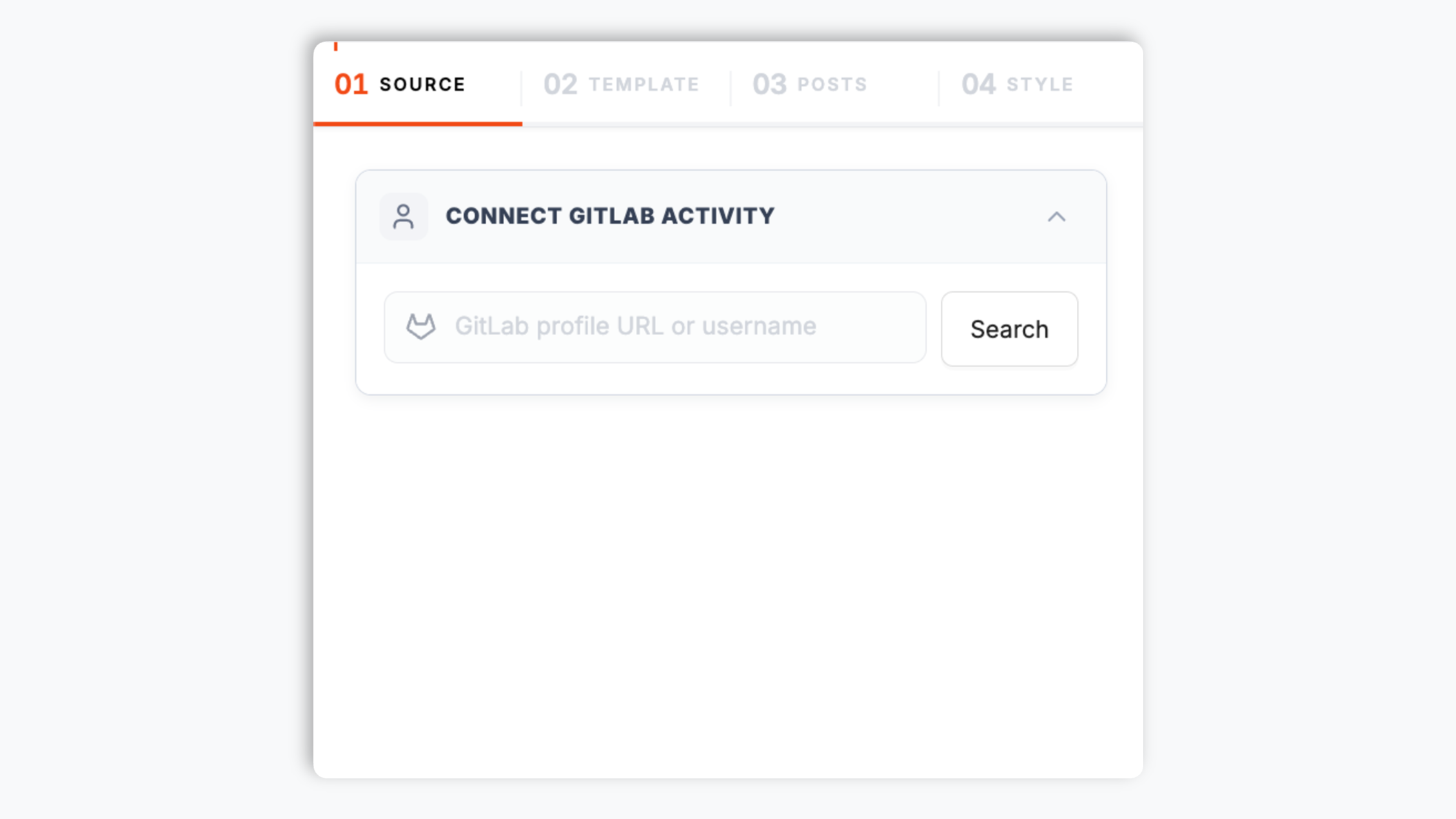
    Drop in your gitlab.com username, group slug, or self-managed instance URL. Poper instantly previews your merge requests, commits, and pipeline runs from the GitLab REST and GraphQL APIs.

    Poper widget builder showing the GitLab connect input with gitlab.com/acme-dev autocomplete result, tanuki fox avatar, Premium badge, and a GitLab orange Connect button
  2. 02

    Pick a layout and brand it

    Choose Activity Stream, Pipeline Timeline, MR Board, Release Cards, Group Velocity, or Project Health. Theme colors, fonts, and pipeline status badges to match your portfolio, internal dashboard, or company DevOps page exactly.

    Layout picker showing 6 GitLab widget layouts (Activity Stream, Pipeline Timeline, MR Board, Release Cards, Group Velocity, Project Health) with pipeline status badges and brand color, dark mode, and custom CSS controls
  3. 03

    Copy the snippet and embed

    Paste the one-line script tag into your portfolio, docs site, or internal wiki. Works on Next.js, Astro, Hugo, Webflow, Framer, WordPress, Ghost, Notion Sites, Confluence, and any HTML stack.

    One-line embed script tag for the GitLab activity widget shown in a code editor with a GitLab orange Copy button and Vercel, Netlify, Webflow, Framer, and GitLab Pages platform badges

Works everywhere

Works with every website platform you already use

Drop-in install on WordPress, Shopify, Wix, Squarespace, Webflow, Framer, Ghost, and any HTML-friendly stack. No build step, no developer needed.

WordPress
Shopify
Wix
Squarespace
Webflow
Framer
Ghost
HTML

Plus 250+ other platforms via the embed snippet. If your site can render a <script> tag, it can render the GitLab Activity Widget: Embed Merge Requests, Pipelines, and Commits on Any Site.

What you get with Poper GitLab Activity Feed

Six things that matter when you embed GitLab on a DevOps portfolio or internal dashboard, not 30 features no one uses.

Live merge requests, commits, releases, and pipelines

Pulls from the GitLab REST API v4 events endpoint and the GitLab GraphQL API. Merge requests, commits, issues, releases, milestones, and CI/CD pipeline runs all flow into a single themable stream that updates on its own. No backend to maintain, no scheduled job, no manual screenshots when you ship a release.

CI/CD pipeline status badges, native styling

Surface every pipeline run with the exact color and icon GitLab uses on its own UI: success, failed, running, skipped, manual. Pulled from the GitLab Pipelines API. The strongest signal that your DevOps work actually ships.

Merge request throughput

Mirror opened, merged, and closed MRs with title, source branch, target branch, approvals count, and pipeline state. Powers MR boards on team velocity pages.

gitlab.com or self-managed

Connect to gitlab.com or any self-managed GitLab instance behind a VPN with a single instance URL plus an access token. Works the same on Premium and Ultimate.

Lighthouse-safe and Core Web Vitals friendly

Lazy-loaded below the fold, async-injected, scoped CSS that does not bleed into your portfolio's design system. Under 40KB gzipped. Zero CLS, zero LCP regression. Perfect score on DevOps portfolio Lighthouse audits.

Release cards with semver and changelog

Point at one project and showcase tagged releases with semver, release notes preview, milestone progress, and asset links. Drop it next to your product copy so visitors always see what shipped this sprint. Better than a status page.

Use cases

Where GitLab Activity Widget: Embed Merge Requests, Pipelines, and Commits on Any Site actually moves the needle

Four buyer types who get the most lift from embedding GitLab Activity Widget: Embed Merge Requests, Pipelines, and Commits on Any Site on their site.

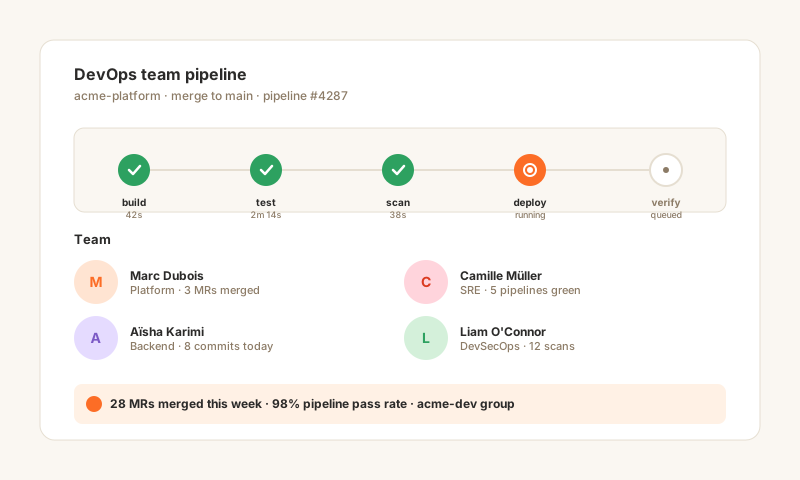
DevOps team pipeline graph with build, test, scan, deploy CI/CD stages and four developer avatars showing 28 MRs merged this week and 98 percent pipeline pass rate

DevOps team

Embed your group's pipeline activity on internal portals, executive dashboards, or a public engineering page so leadership sees velocity without granting GitLab seats. Build, test, scan, deploy stages render with the exact GitLab pipeline colors. Works on Confluence, SharePoint, Notion, and any CMS that accepts a script tag.

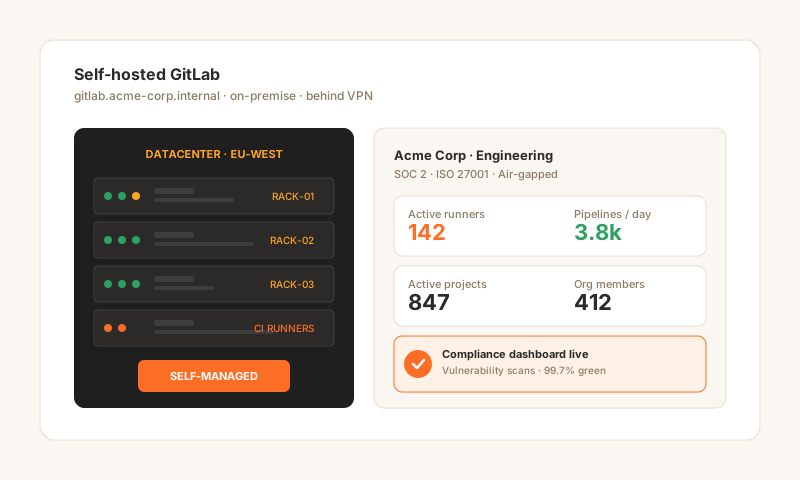
Self-hosted GitLab organization dashboard with on-premise server racks in EU-WEST datacenter and active runners, pipelines per day, projects, and members metrics for Acme Corp Engineering

Self-hosted GitLab org

Most enterprise platform teams run GitLab self-managed inside a VPC for compliance reasons (SOC 2, FedRAMP, ITAR). Surface runner counts, pipelines per day, and active project totals on internal portals. On-prem branded, air-gap compatible, works the same on Community, Premium, and Ultimate.

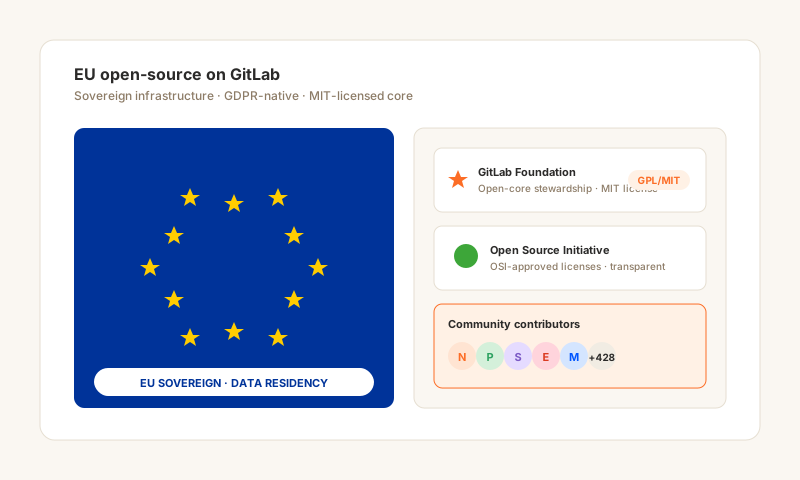
EU open-source GitLab community with EU flag stars circle, GitLab Foundation tanuki, OSI open-source logo, and community contributor avatars showing GPL/MIT license and EU sovereign data residency

EU open-source

Projects that picked GitLab over GitHub (often for EU data residency, sovereign infrastructure, the open-core GPL/MIT stewardship, or independence from US-based hyperscalers) deserve the same proof-of-work surface. Drop your activity stream and release cards on the project homepage so contributors see the repo is healthy.

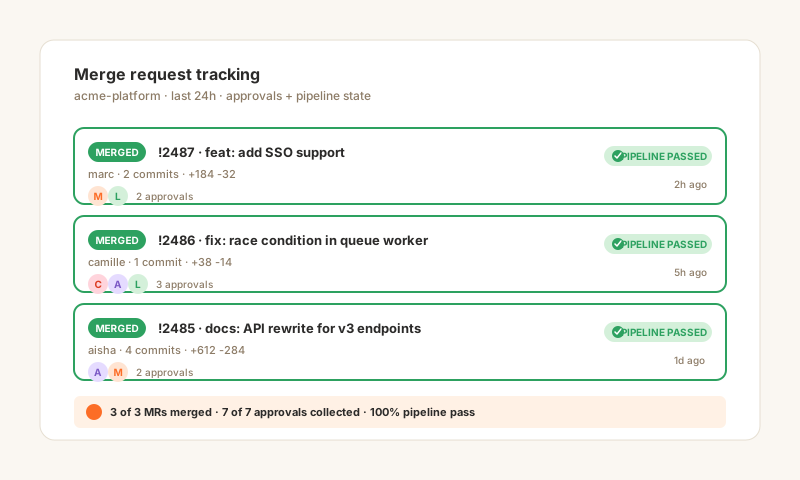
Merge request tracking board with three merged MRs, approval avatars from reviewers Marc, Camille, Aisha, and Liam, and PIPELINE PASSED badges on every entry

MR/CI tracking

Release engineers, platform engineers, and SREs do their best work in GitLab merge requests, pipelines, and infrastructure-as-code reviews. Embed an MR board with approve checkmarks, reviewer avatars, and pipeline state on your portfolio so recruiters see actual production DevOps experience, not bullet points.

Poper vs other GitLab widgets

GitLab's own native badges are great inside README files, but limited everywhere else. Here is how the popular options compare on what actually matters for a DevOps portfolio or internal dashboard.

 Recommended
Poper
GitLab Native Badges
GitHub Activity Widget
shields.io
Free plan available
Live merge request and commit stream
GitHub only
CI/CD pipeline status badges with color
Single SVG only
Static SVG
Self-managed GitLab support (behind VPN)
Native only
Public only
Group-level velocity (combined MRs across projects)
Release cards with semver and changelog
Manual badge
Auto refresh without redeploy
Cached SVG, slow
GitHub only
Cached SVG, slow
Brand-match theming (fonts, spacing, custom CSS)
Color only
GitHub only
Color only
Works on hosted sites (not just READMEs)
Image embed only
Image embed only
Private project support via access token
Pricing for unlimited refreshes
$19/mo (Pro)
Free SVG
GitHub only
Free badge
Bundled with popups, forms, quizzes

Comparison reflects publicly available features as of 2026. SVG-based badges are great for README files but limited to static images that cannot be themed beyond color or extended with new data.

Real DevOps teams. Real portfolios.

Release engineers, SREs, platform engineers, and open-source maintainers who replaced static badges with Poper.

Poper has improved our website's user engagement! Since integrating Poper's personalized popups, we've seen a dramatic surge in conversions and user interactions. The platform's intuitive design makes creating and customizing popups a breeze, even for those with minimal tech skills. What truly sets Poper apart are its…
Jayson Ang
Jayson Ang
Singapore Property Swapper · Singapore Property Swapper
Fantastic app and support team, they are very quick to help and provide a solution or improvement to their product. Highly recommended!
Alex
Alex
CEO · AH
Poper has been a total lifesaver for our agency! As a digital marketing agency, we’re always juggling a million things at once. Poper has been a real game-changer in terms of streamlining our workflow and keeping track of all our clients’ campaigns. The ability to track all our clients’ websites from one place is a…
Idris Basir
Idris Basir
-

Pricing

Simple pricing. Free plan covers most websites.

Free forever for one widget. Upgrade only when you need faster sync, multiple instances, or to drop the watermark.

Free

Everything you need to ship the widget today.

$0forever
  • 1 widget instance
  • All layouts & customization
  • Brand-match styling
  • 6-hour sync cadence
  • Poper watermark
Start free
Most popular

Pro

Remove the watermark, faster sync, more widget instances.

$19/mo
  • Unlimited widget instances
  • 30-minute sync cadence
  • No Poper watermark
  • Custom CSS
  • Priority email support
  • Shoppable tagging
Start 14-day trial

Business

Multi-site, multi-account, white-label.

$49/mo
  • Multi-account combined feeds
  • Real-time sync
  • White-label embed
  • API access
  • Dedicated success manager
  • Custom SLA
Start 14-day trial

All plans include unlimited page views, no contracts, cancel anytime. Annual billing saves 20%.

Guide · 4 min read

The complete guide to embedding GitLab activity on your website

GitLab is the all-in-one DevOps platform. Founded in 2014 by Sid Sijbrandij and Dmitriy Zaporozhets and listed on the NASDAQ in 2021, GitLab took a radically different bet from GitHub: instead of focusing purely on source-code collaboration, it bundled source control, CI/CD, security scanning, package registries, and observability into a single application. Today over 30 million registered users and 50% of the Fortune 100 use GitLab, with the largest deployments running self-managed inside a VPC for compliance reasons. For DevOps engineers, SREs, platform teams, and open-source maintainers who chose GitLab, embedding that activity directly on your own site turns your portfolio or internal dashboard into a live proof-of-pipeline feed. This guide covers what actually matters in 2026: the GitLab REST and GraphQL APIs, the gitlab.com versus self-managed economics, the contribution calendar, the all-in-one DevOps positioning versus GitHub Actions plus Codespaces, and how to choose a gitlab activity widget that survives rate limits and stays Lighthouse-clean.

01

GitLab REST API v4 vs GraphQL API: which one your widget should use

GitLab exposes two main APIs for reading public activity. The REST API v4 events endpoint at /users/:id/events and /groups/:id/events returns a paginated stream of recent events (PushedEvent, MergeRequestEvent, IssueEvent, ApprovedEvent, CommentEvent, AcceptedEvent for merged MRs). It is freely accessible for public projects without authentication and rate-limited to 2,000 requests per hour per IP on gitlab.com, which is enough for most widgets that cache responses. The GraphQL API is required for richer data: pipeline state, MR approvals, CI variables, and group-level aggregations. Both APIs work identically against gitlab.com and self-managed instances, which means a widget written once works for an indie maintainer with a public project and an enterprise team behind a VPN. A serious GitLab widget uses both: REST for events, GraphQL for pipeline state and group queries. Poper does exactly this, caches responses on a global edge so your visitors never hit GitLab directly, and refreshes from origin every 6 hours on Free or 30 minutes on Pro. Conditional requests with ETag headers mean we only pull fresh data when something actually changed.

02

GitLab.com versus self-managed: the economics behind the deployment choice

GitLab is the only major source-control platform where the canonical deployment is self-managed. Roughly two thirds of GitLab's revenue comes from self-managed installations running inside customer VPCs, on bare metal in regulated industries, or in air-gapped environments for defense and intelligence customers. The free Community Edition is MIT-licensed and identical in core to the paid Premium and Ultimate tiers, which sells additional features around security scanning, compliance, and value stream analytics. This deployment model creates a real problem for portfolios: the typical DevOps engineer's best work lives on a self-managed GitLab behind a VPN that the public internet cannot see. A traditional GitHub-style widget that scrapes a public profile simply does not work. Poper solves this by accepting an instance URL plus a read-only personal access token, fetching the events from that instance directly, and rendering them on your public portfolio with the sensitive details (project IDs, internal hostnames, asset URLs) optionally redacted. The same widget works against gitlab.com for indie maintainers and against gitlab.example-corp.com for enterprise platform engineers.

03

All-in-one DevOps versus GitHub Actions plus Codespaces plus Dependabot

GitLab's product strategy from day one was the single application: source control, CI/CD, container registry, package registry, security scanning, and value stream analytics in one tool. GitHub took the opposite path, building an ecosystem (Actions, Codespaces, Dependabot, Advanced Security, Copilot) of independent products that customers stitch together. Both approaches work, and the choice often reflects buying preference more than feature gaps. Where it matters for a widget: GitLab activity is denser per event because each MR carries pipeline state, approvals, and security scan results in the same response. A single MergeRequestEvent payload from GitLab is the rough equivalent of GitHub's PullRequestEvent plus a CheckRunEvent plus a CodeScanningAlertEvent. That density makes for richer widget cards out of the box (pipeline status next to MR title, security findings count next to merge state) and explains why DevOps engineers find a GitLab activity feed more informative on a portfolio than the GitHub equivalent.

04

The GitLab contribution calendar and proof-of-pipeline signals

GitLab also has a contribution calendar, fetched from /users/:username/calendar.json, that mirrors GitHub's signature green-square graph. Contributions are counted from pushed commits, opened MRs, opened issues, comments, and approvals. While less culturally famous than the GitHub graph, the GitLab calendar carries an additional signal that GitHub does not: pipeline contributions. Every approved CI/CD configuration change, every passing pipeline, every successful deployment shows up. For SREs and release engineers whose work is invisible on GitHub, the GitLab calendar is the only place that captures their actual day. Embedding it on a personal site (alongside a pipeline timeline and a merged MR list) is the highest-leverage proof-of-work asset for DevOps roles. The data refreshes nightly on gitlab.com and on the same schedule on self-managed instances, and Poper recolors it to your brand palette so the visualization fits your portfolio rather than feeling tacked on.

05

Why widget performance matters for DevOps portfolios specifically

Senior platform engineers and engineering managers will Lighthouse your DevOps portfolio. They will. It is half curiosity and half a screening signal for someone who claims to care about reliability. A portfolio with a 95+ Lighthouse score reads as someone who actually ships fast pages, while a 60-score portfolio with a janky GitLab embed reads as someone who skipped the perf budget. Widgets are notorious Lighthouse killers: synchronous JavaScript blocking the main thread, layout shift from images that load late, blocking network requests on every visit. The Poper GitLab Activity Widget is engineered for this audience: async loading below the fold, scoped CSS that cannot leak into your design system, edge-cached responses so visitors never hit your GitLab instance directly, dimensions reserved on every element to keep CLS at zero, and the entire bundle gzipped under 40KB. Embed it on a Next.js, Astro, or Hugo portfolio and your Lighthouse score will not move. That matters more for a DevOps portfolio than for any other vertical because your audience is the one running the audit and rejecting candidates whose own site does not pass.

Quick reference

What is GitLab Activity Widget: Embed Merge Requests, Pipelines, and Commits on Any Site?

A GitLab activity widget is an embeddable script that displays a developer or team's GitLab activity (merge requests, commits, releases, issues, and CI/CD pipeline runs) on any website. It pulls live data from the GitLab REST API v4 events endpoint and the GitLab GraphQL API, themes it to match the host site, and refreshes automatically on both gitlab.com and self-managed instances.

Key facts

  • GitLab was founded in 2014 by Sid Sijbrandij and Dmitriy Zaporozhets and listed on the NASDAQ in October 2021 under the ticker GTLB
  • GitLab serves over 30 million registered users and 50% of the Fortune 100, with two thirds of revenue coming from self-managed deployments
  • The GitLab REST API v4 events endpoint at /users/:id/events is freely accessible for public projects on gitlab.com, rate-limited to 2,000 requests per hour per IP
  • The GitLab GraphQL API exposes pipeline state, MR approvals, security scan results, and group-level aggregations not available in REST
  • GitLab Community Edition is MIT-licensed and identical in core to paid Premium and Ultimate tiers, which add security scanning and compliance features
  • GitLab's contribution calendar at /users/:username/calendar.json counts commits, MRs, issues, comments, and pipeline contributions, refreshed nightly

Frequently asked questions

Can't find the answer you're looking for? Chat with our support team.

Contact Support

Stop pasting screenshots of your green pipelines

Embed the live thing. Free plan, gitlab.com and self-managed support, ships in 90 seconds.

Free plan available forever