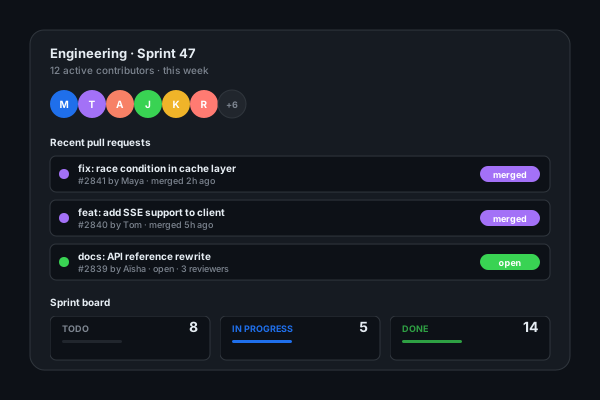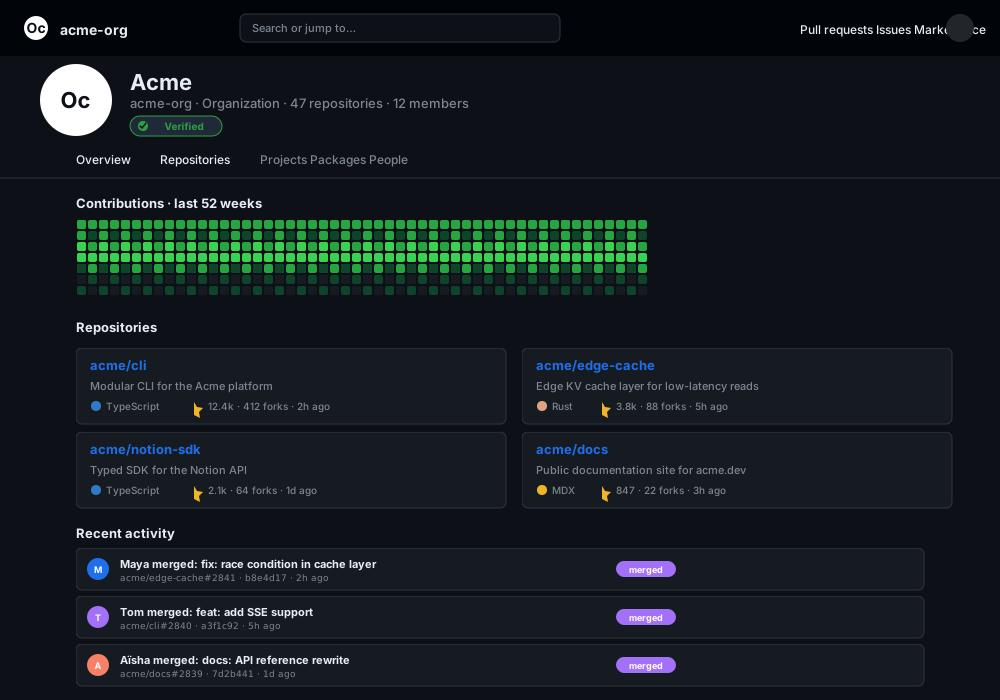


GitHub.com organization page for acme-org showing the Octocat logo, Acme Organization Verified Org header, 47 repositories, 12 members, a 52-week contribution heatmap, four repo cards (cli, edge-cache, notion-sdk, docs) with star and fork counts, and three recent merged pull requests by Maya, Tom, and Aïsha
GitHub Activity · 15 min
●acme.dev
Poper widget live
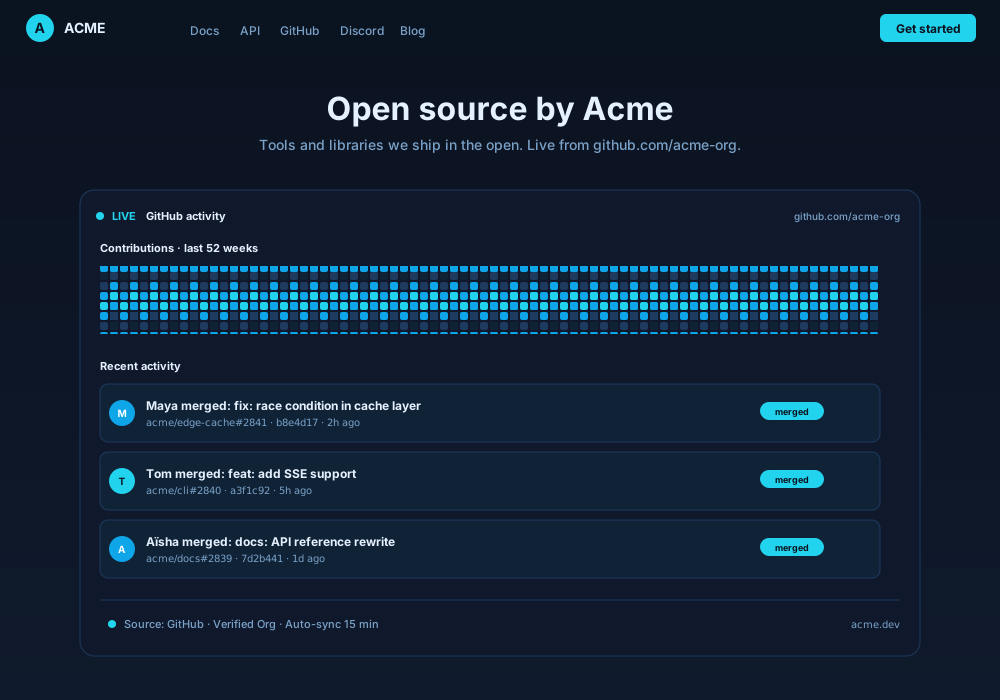
Acme Org developer site at acme.dev with nav links Docs, API, GitHub, Discord, Blog, an Open source by Acme hero, and the Poper GitHub Activity widget embedded inline showing the same three merged PRs and a contribution heatmap recolored in muted blue and cyan, with Source: GitHub Verified Org Auto-sync 15 min footer
Mockups for illustration. Pull your real GitHub Activity Widget: Embed Commits, PRs and Contributions on Any Site from GitHub and embed in 90 seconds.
How to use it
How to embed GitHub activity on your website
Three steps. Under two minutes. Public repos work without GitHub OAuth.
01Step 1
Enter your GitHub handle
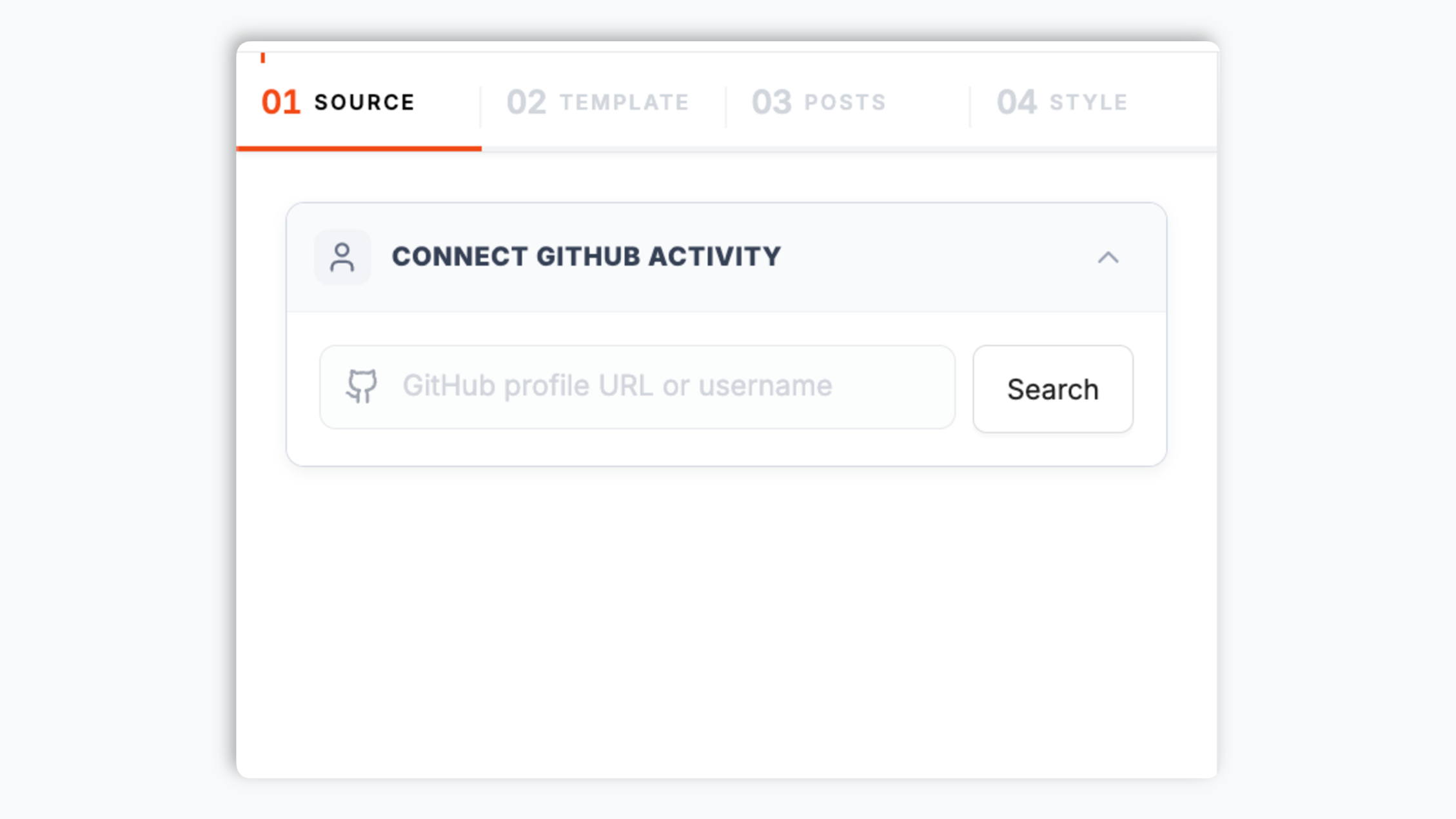
Type a GitHub username or organization slug. Poper instantly previews your public events feed, pinned repos, and 52-week contribution graph.
02Step 2
Pick a layout and brand it
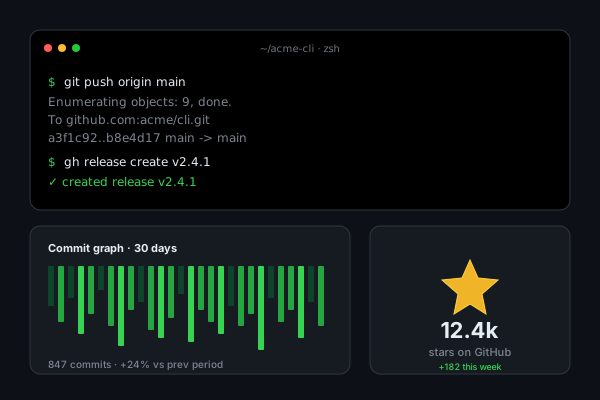
Choose Activity Stream, Repo Cards, Contribution Heatmap, Pinned Grid, Release Timeline, or Stats Card. Theme colors, fonts, and the heatmap palette to match your portfolio or company site exactly.
03Step 3
Copy the snippet and embed
Paste the one-line script tag into your portfolio, docs site, or company page. Works on Next.js, Astro, Hugo, Webflow, Framer, WordPress, Ghost, Notion Sites, and any HTML stack.
Works everywhere
Works with every website platform you already use
Drop-in install on WordPress, Shopify, Wix, Squarespace, Webflow, Framer, Ghost, and any HTML-friendly stack. No build step, no developer needed.
WordPress
Shopify
Wix
Squarespace
Webflow
Framer
Ghost
HTML
Plus 250+ other platforms via the embed snippet. If your site can render a <script> tag, it can render the GitHub Activity Widget: Embed Commits, PRs and Contributions on Any Site.
What you get with Poper GitHub Activity Feed
Six things that matter when you embed GitHub on a developer portfolio, not 30 features no one uses.
Live commits, PRs, releases, and stars
Pulls from the GitHub REST API v3 events endpoint and the GraphQL API v4 contributions API. Commits, pull requests, issues, releases, forks, and stars all flow into a single themable stream that updates on its own. No backend to maintain, no cron job, no late-night copy edits when you ship.
Themable 52-week contribution graph
The signature green-square contribution graph, pulled live from the GraphQL contributionsCollection API and recolored to match your brand. Show 12 months, 90 days, or 30 days. Build-in-public devs love it.
Pinned repositories
Mirror the exact repos you pinned on your GitHub profile, with description, primary language badge, star count, and fork count.
User, org, or single-repo mode
Embed your personal handle, an organization, or a single repository. Powers personal portfolios, team engineering pages, and project README sites.
Lighthouse-safe and Core Web Vitals friendly
Lazy-loaded below the fold, async-injected, scoped CSS that does not bleed into your portfolio's design system. Under 40KB gzipped. Zero CLS, zero LCP regression. Perfect score on dev portfolio Lighthouse audits.
Release timeline with semver
Point at one repo and showcase tagged releases with semver, release notes preview, and download counts. Drop it next to your product copy so visitors always see the latest version. Better than a static badge.
Use cases
Where GitHub Activity Widget: Embed Commits, PRs and Contributions on Any Site actually moves the needle
Four buyer types who get the most lift from embedding GitHub Activity Widget: Embed Commits, PRs and Contributions on Any Site on their site.
Open-source maintainers
Add the activity stream and release timeline to your project homepage so visitors immediately see the repo is healthy and well-maintained. A live contribution heatmap is the strongest organic signal that your project is worth depending on.
Developer portfolios and personal sites
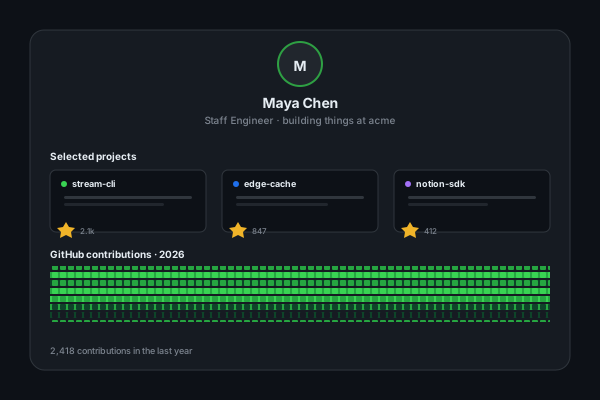
Turn your GitHub profile into a live proof-of-work block on your portfolio. Recruiters and clients see exactly what you have shipped this week, not what you listed in a static bio. The fastest way to make hire me into something they can verify in one scroll.
Dev-tool and SaaS engineering velocity pages
Embed your org's combined activity on /engineering, /changelog, or /careers. Nothing attracts senior engineers and technical buyers like seeing a company that visibly ships every week. Shorter sales cycles, better hires.
Changelog and release-notes pages
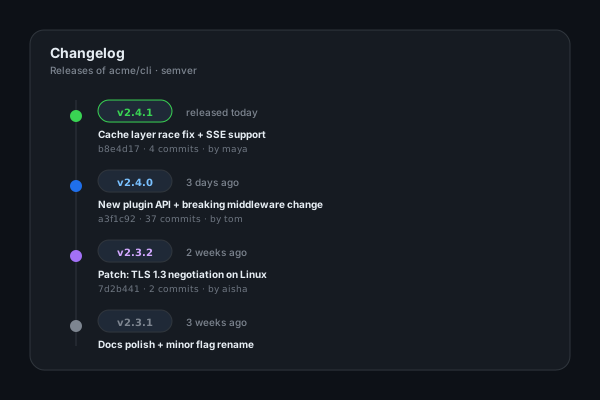
Point at one repo and showcase tagged releases with semver, release-notes preview, and commit hashes. Drop the timeline next to your product copy so visitors and customers always see the latest version shipped.
Poper vs other GitHub widgets
Most GitHub widgets are static SVGs that need a redeploy or a paid layout. Here is how the popular ones compare on what actually matters for a dev portfolio.
Recommended
Poper
GitHub Stats Card
GitHub Streak Stats SVG
Awesome README Badges
Free plan available
Live activity stream (commits, PRs, releases)
Themable 52-week contribution graph
Static SVG only
Static SVG only
Pinned repositories block
Release timeline with semver
Manual badge
Auto refresh without redeploy
Cached SVG, slow
Cached SVG, slow
Brand-match theming (fonts, spacing, custom CSS)
Color only
Color only
Works on hosted sites (not just READMEs)
Image embed only
Image embed only
Image only
Multi-account or org combined feed
Private-repo support via OAuth
Pricing for unlimited refreshes
$19/mo (Pro)
Free SVG
Free SVG
Free badge
Bundled with popups, forms, quizzes
Comparison reflects publicly available features as of 2026. SVG-based stats cards are great for READMEs but limited to static images that cannot be themed beyond color or extended with new data.
Real developers. Real portfolios.
Indie devs, open-source maintainers, and engineering teams who replaced static stats cards with Poper.
“Poper has improved our website's user engagement! Since integrating Poper's personalized popups, we've seen a dramatic surge in conversions and user interactions. The platform's intuitive design makes creating and customizing popups a breeze, even for those with minimal tech skills. What truly sets Poper apart are its…”
“Fantastic app and support team, they are very quick to help and provide a solution or improvement to their product. Highly recommended!”
Alex
CEO · AH
“Poper has been a total lifesaver for our agency! As a digital marketing agency, we’re always juggling a million things at once. Poper has been a real game-changer in terms of streamlining our workflow and keeping track of all our clients’ campaigns. The ability to track all our clients’ websites from one place is a…”
Idris Basir
-
Pricing
Simple pricing. Free plan covers most websites.
Free forever for one widget. Upgrade only when you need faster sync, multiple instances, or to drop the watermark.
All plans include unlimited page views, no contracts, cancel anytime. Annual billing saves 20%.
Guide · 4 min read
The complete guide to embedding GitHub activity on your website
GitHub is the modern resume for 100M+ developers worldwide. For engineers, open-source maintainers, dev-tool startups, and bootcamp grads, what you ship on GitHub is more credible than any bio paragraph. Embedding that activity directly on your own site turns your portfolio from a static page into a live proof-of-work feed that updates every time you push. This guide covers what actually matters in 2026: the GitHub REST and GraphQL APIs, the contribution graph, the build-in-public movement, GitHub Sponsors, profile READMEs, and how to choose a github activity widget that survives rate limits and stays Lighthouse-clean.
01
GitHub REST API v3 vs GraphQL API v4: which one your widget should use
GitHub exposes two main APIs for reading public activity. The REST API v3 events endpoint at /users/USERNAME/events returns a paginated stream of recent public events (PushEvent, PullRequestEvent, CreateEvent for releases and tags, IssueCommentEvent, WatchEvent for stars, ForkEvent). It is freely accessible without authentication and rate-limited to 60 requests per hour per IP, which is enough for most widgets that cache responses. The GraphQL API v4 is required for the signature contribution graph data: it exposes contributionsCollection.contributionCalendar with daily counts and color levels, plus pinnedItems for the repositories you pinned on your profile. GraphQL requires authentication and gives you a 5000/hr rate limit. A serious GitHub widget uses both: REST for events, GraphQL for the contribution graph and pinned repos. Poper does exactly this, caches responses on a global edge so your visitors never hit GitHub directly, and refreshes from origin every 6 hours on Free or 30 minutes on Pro.
02
The contribution graph is the most recognizable visual in software
The green-square calendar that appears on every GitHub profile is one of the most recognizable visualizations on the modern web. It is also one of the strongest proof-of-work signals available to developers: 52 weeks by 7 days of square dots, each colored by how many contributions you made that day. Recruiters scan it in seconds. Open-source users use it to judge whether a maintainer is still active. Build-in-public devs use it to prove momentum to a Twitter or X audience. The data comes from the GraphQL contributionsCollection.contributionCalendar field, returns up to a year of daily counts, and is fully recolorable. Embedding the graph on your own portfolio (rather than linking out to github.com) keeps visitors on your domain, lets you theme the colors to match your brand, and means the visual itself becomes indexable content under your URL.
03
Build in public, GitHub Sponsors, and the dev portfolio renaissance
Since 2020 the build-in-public movement has fundamentally changed how developers market themselves. Indie hackers ship in the open, livestream their commits, and use GitHub Sponsors to fund their work directly from the audience that watches them code. GitHub Sponsors paid out over $40 million to maintainers since launch, and the program now supports 100+ countries. A live activity widget on your personal site is the highest-leverage marketing asset for this audience: it pairs perfectly with a Sponsor button, a newsletter signup, and a Bento or Linktree-style hub. The signal is honest (it is your real commits, not a curated highlight reel), updates without your effort, and feels authentic in a way that AI-generated landing copy cannot. For maintainers raising sponsorship, an embedded contribution heatmap plus the latest release timeline is the closest thing to a financial statement that open source has.
04
Profile READMEs, /awesome lists, and the rise of dev personal branding
GitHub profile READMEs (introduced in 2020 as the README in a special repo named after your username) made every developer their own publisher. Today profile READMEs contain stats cards, language graphs, contribution streaks, GitHub Sponsors badges, and even auto-generated blog post summaries. The limitation: profile READMEs only render on github.com and only support static images via shields.io or vercel-hosted SVG endpoints. A widget on your own personal site (.dev domain, GitHub Pages, or any static host) breaks past those limits. You get interactive cards, real-time data, custom layouts, theming beyond color, and SEO benefit (because the embedded content is indexable HTML on your domain). The dev portfolio market has matured: tools like brittanychiang.com, leerob.io, and fly.io's engineering page set the bar, and they all share the same pattern of live GitHub data integrated directly into the portfolio rather than as an external link.
05
Why widget performance matters for engineer portfolios specifically
Senior engineers and engineering managers will Lighthouse your portfolio. They will. It is half curiosity and half a screening signal. A portfolio with a 95+ Lighthouse score reads as someone who actually cares about the craft, while a 60-score portfolio with a janky GitHub embed reads as someone who copy-pasted their resume. Widgets are notorious Lighthouse killers: synchronous JavaScript blocking the main thread, layout shift from images that load late, blocking network requests to GitHub on every visit. The Poper GitHub Activity Widget is engineered for this audience: async loading below the fold, scoped CSS that cannot leak into your design system, edge-cached responses so visitors never hit GitHub directly, dimensions reserved on every element to keep CLS at zero, and the entire bundle gzipped under 40KB. Embed it on a Next.js, Astro, or Hugo portfolio and your Lighthouse score will not move. That matters more for a developer site than for any other vertical, because your audience is the one running the audit.
Quick reference
What is GitHub Activity Widget: Embed Commits, PRs and Contributions on Any Site?
A GitHub activity widget is an embeddable script that displays a developer's public GitHub activity (commits, pull requests, releases, stars, and the contribution graph) on any website. It pulls live data from the GitHub REST API v3 events endpoint and the GraphQL API v4 contributions endpoint, themes it to match the host site, and refreshes automatically.
Key facts
1GitHub hosts over 100 million developers and 420 million repositories as of 2026, making it the largest source code host in the world
2Public repository activity is freely accessible via the GitHub REST API v3 without authentication, rate-limited to 60 requests per hour per IP
3Authenticated GitHub API access raises the rate limit to 5,000 requests per hour and unlocks private repository data via OAuth
4The contribution graph (green-square calendar) is fetched from the GraphQL API v4 contributionsCollection.contributionCalendar field and shows up to 12 months of daily activity
5GitHub Sponsors has paid over $40 million to open-source maintainers since launch and now supports developers in 100+ countries
6The events feed at /users/USERNAME/events returns up to 90 days of public activity including PushEvent, PullRequestEvent, CreateEvent, IssueCommentEvent, WatchEvent, and ForkEvent
Frequently asked questions
Can't find the answer you're looking for? Chat with our support team.
No. The unauthenticated GitHub REST API rate limit is 60 requests per hour per IP, and the authenticated limit is 5,000 per hour. Poper proxies all GitHub calls through a global edge cache, which means your visitors never hit GitHub directly. Your widget makes one request from our origin every 6 hours (Free) or 30 minutes (Pro), regardless of how many people visit your site. So even if your portfolio gets hugged-by-Hacker-News-front-page traffic, you will not get rate-limited or rendered as an empty card. For the contribution graph data we use the GraphQL API v4 which has its own 5000/hr limit, also proxied.
No, not for public repos. Public GitHub activity (commits to public repos, public pull requests, public releases, the contribution graph for users with public profiles) is freely accessible via the GitHub REST API v3 events endpoint and the GraphQL contributionsCollection without any authentication. You only need to connect via OAuth if you want to display private repository activity, increase your rate limit beyond Poper's edge-cached default, or display contribution data from accounts that opted out of showing private contributions on their public profile. The OAuth flow is one click from the widget builder, scoped to read-only, and revocable any time from your GitHub developer settings.
Yes. Poper supports three modes: User mode pulls from /users/USERNAME/events for an individual developer, Organization mode pulls from /orgs/ORGNAME/events for an entire org's combined public activity, and Repository mode pulls from /repos/OWNER/REPO/events for a single project. Use User mode for personal portfolios, Organization mode for engineering team pages, and Repository mode to mirror release notes on a product page. You can also combine multiple users into one feed (useful for agencies showing their developer team's combined output) on the Pro plan.
Yes, exactly. Poper fetches the contribution graph from the GitHub GraphQL API v4 field contributionsCollection.contributionCalendar, which is the same data source github.com renders on your profile page. You get up to 12 months of daily contribution counts with the original 5-level color scale, plus the metadata for streak calculations. We then recolor the graph using your brand palette so it matches your site instead of GitHub's default green. The math is identical: it counts commits to default and gh-pages branches, opened issues and pull requests, and pull request reviews, all in public repositories (or in private ones too if the user opted in to show private contributions on their public profile).
Yes. The Poper GitHub Activity Widget emits SoftwareSourceCode and CreativeWork schema.org JSON-LD for each event in the activity stream, plus Person schema for the underlying GitHub user (name, URL, sameAs link to github.com). Search engines like Google can pick up these structured signals and use them in rich results for queries like your name plus open source or your handle plus github. Repositories rendered as cards also include CodeRepository schema with programmingLanguage, dateCreated, and dateModified fields, which helps your portfolio rank for searches that include your project names.
No. The widget is engineered to be Lighthouse-safe specifically because the audience for a developer portfolio is technical and will run audits. The script is async-loaded below the fold, gzipped under 40KB, uses scoped CSS that does not bleed into your design system, reserves dimensions on every element to keep CLS at zero, and proxies all GitHub API calls through a global edge cache so visitors never make blocking requests to api.github.com. We routinely test on Next.js, Astro, and Hugo portfolios and the widget does not move the Performance, Accessibility, Best Practices, or SEO score from a 95+ baseline.
On the Free plan, Poper polls the GitHub API every 6 hours, so a commit you push in the morning is on your widget by lunch. On Pro and Business plans, polling drops to every 30 minutes, which is fast enough that the widget feels nearly real-time during a live coding session or a scheduled release. You can also force a manual refresh from the Poper dashboard, which is useful right after shipping a new release or merging a high-profile PR you want to show off immediately. Behind the scenes we use GitHub's conditional requests with ETag and If-Modified-Since headers, so we only count against your rate limit when the underlying data actually changed.
Yes, with one extra step. By default the widget shows public activity only. To include private repos, click Connect with GitHub in the widget builder and authorize the Poper OAuth app with the read:user, repo, and read:org scopes (the repo scope grants read access to your private repos and is required by GitHub even when you only want to display events). The token is encrypted at rest, never logged in plaintext, and revocable any time from your GitHub developer settings under Applications. We recommend creating a fine-grained personal access token scoped to the specific repos you want to display rather than granting full repo access if you have many sensitive private projects.
Pair it with the rest of Poper
Embed the rest of your developer presence with sister widgets across other dev platforms.