
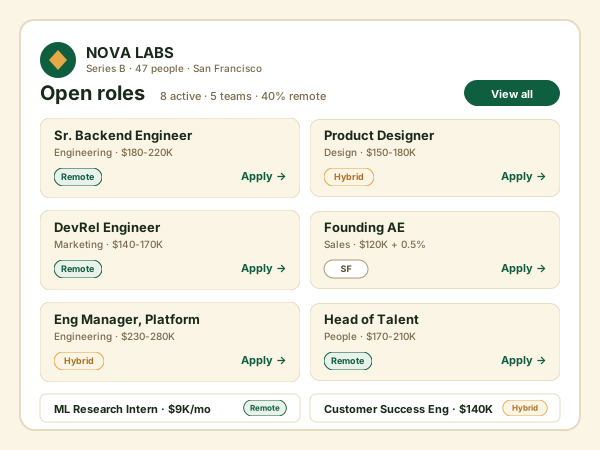
Early-stage startup careers pages
Seed and Series A startups that have a handful of open roles and no hiring platform yet. Add each role by hand and embed a branded board on the marketing site instead of a plain text list.
Add your open roles by hand, pick a grid, list, or masonry layout, and embed a branded job board in 90 seconds. Built-in keyword search and a full detail popup. No code.
Built for no-code website teams























Live demo, not a screenshot. Add roles, style it, and ship it. What you see here is what embeds on your site.
How to use it
Three steps. Measure impact with your own analytics.
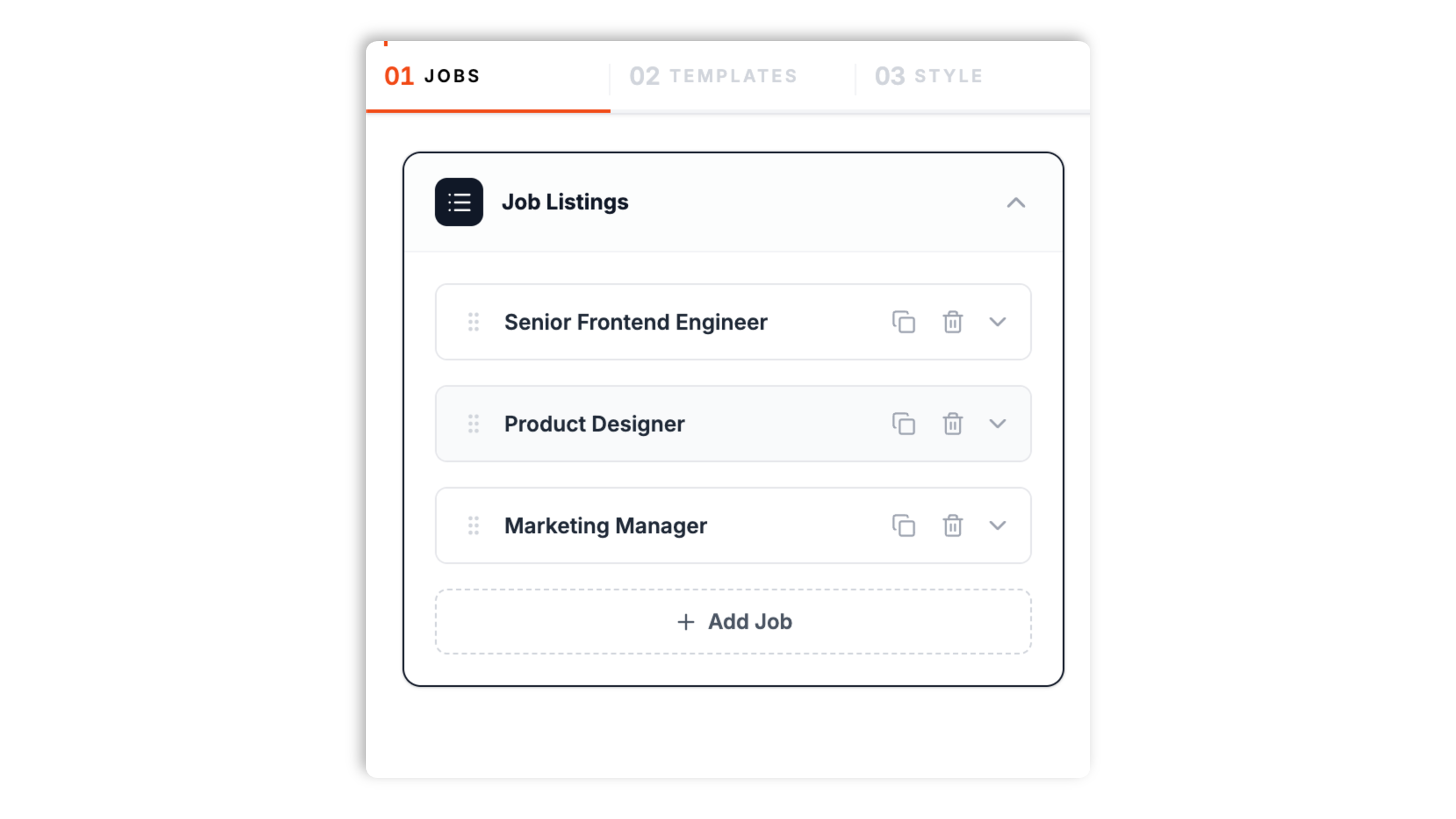
Add each role in the Poper builder: title, company, location, salary, contract type, department, description, skills tags, an apply link, and a cover image and logo.
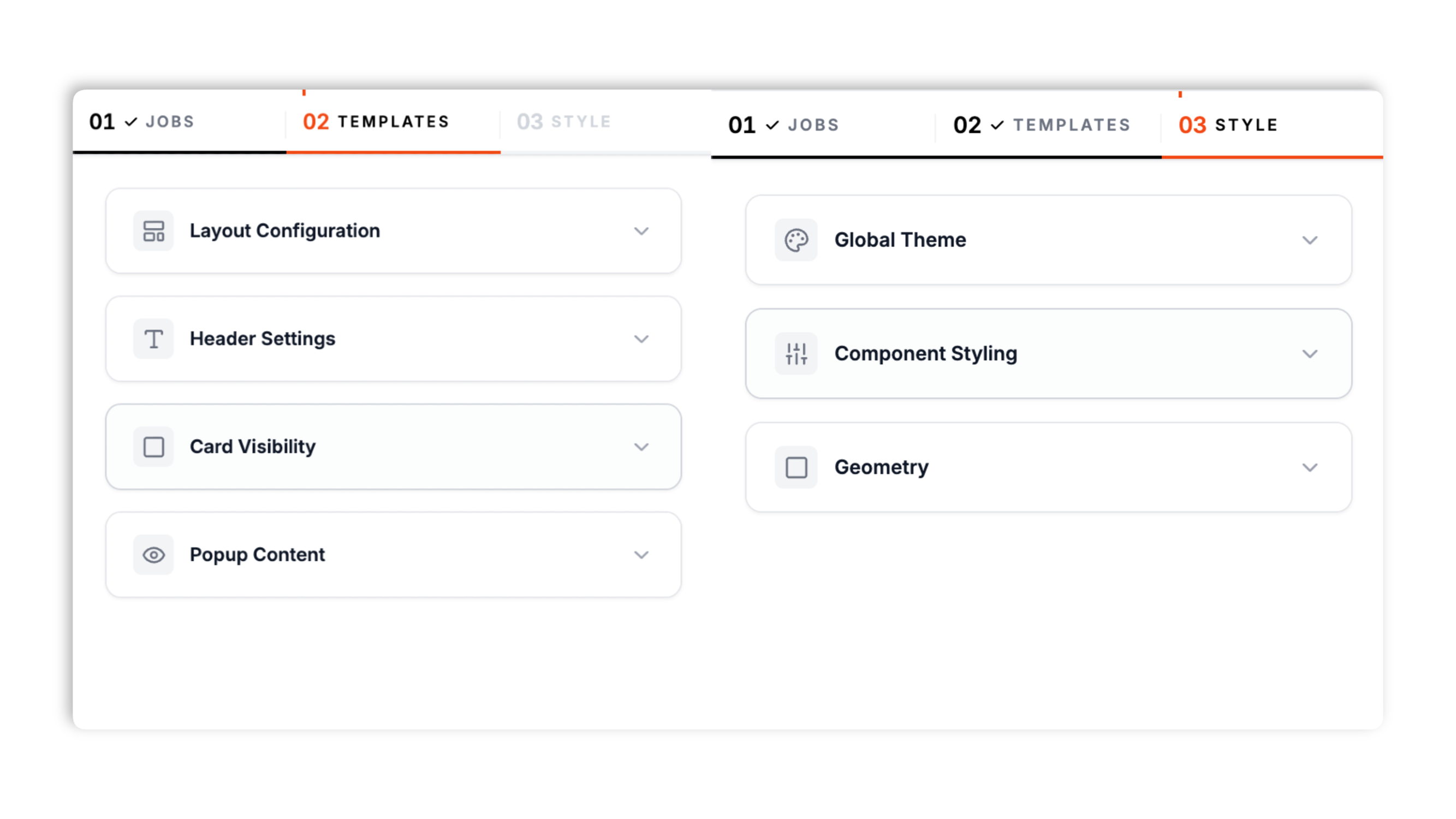
Choose a grid, list, or masonry layout, set the number of columns and spacing, turn on a header with a title and search box, and decide which fields show on the card and in the detail popup.
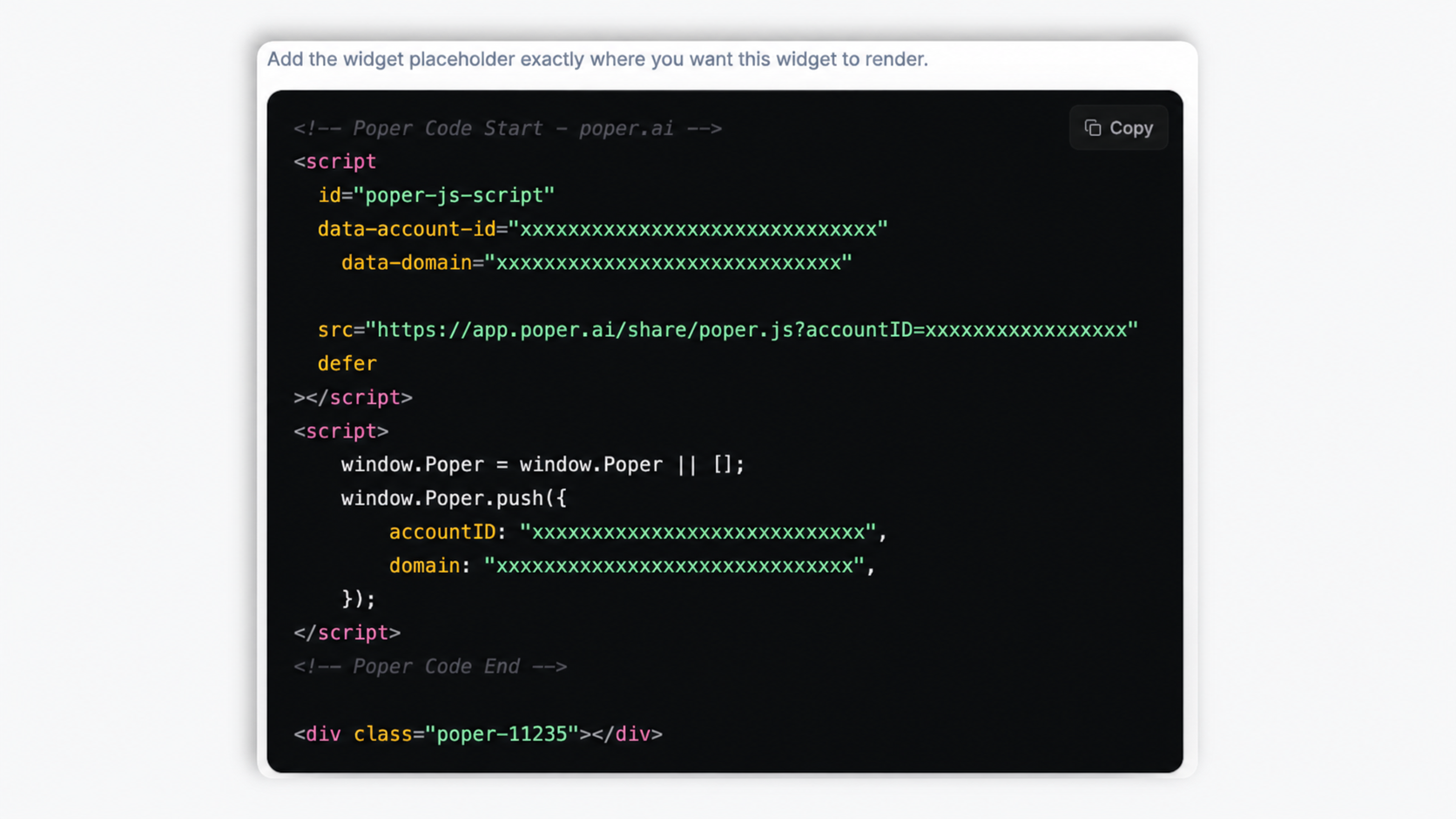
Paste a one-line script tag into your site. Works anywhere your Poper embed snippet is supported.
Works everywhere
Drop-in install on WordPress, Shopify, Wix, Squarespace, Webflow, Framer, Ghost, and any HTML-friendly stack. No build step, no developer needed.


Plus 250+ other platforms via the embed snippet. If your site can render a <script> tag, it can render the Job Board Widget: Embed an Embeddable Careers Page on Any Site.
Six things that matter when you are running real hiring on a real careers page, not 30 features no recruiter actually uses.
Add each role directly in the Poper builder with a title, company, location, salary, contract type, department, description, skill tags, an apply link, a cover image, and a company logo. There is nothing to connect and no account to authorize. That makes it the right fit for early-stage teams, niche boards, and anyone who wants a branded list of roles on their own site without paying for a separate hiring tool.
Turn on the header search box and visitors can filter roles as they type. The search matches job title, company, location, department, and skill tags at once, so a candidate typing react or remote or design narrows the board instantly without a page reload.
Each listing opens a detail popup with the full description, company, location, salary, department, contract type, and skills. You decide which of those fields appear, both on the card and inside the popup, so the board reads exactly the way you want.
Render roles as a multi-column card grid, a single-column list, or a masonry layout. Set columns, gap, and width.
Light or dark theme, accent color, Google fonts, card and button typography, and corner radius.
Show or hide salary, company, department, location, skills, cover image, logo, and buttons per card.
Use cases
Four buyer types who get the most lift from embedding Job Board Widget: Embed an Embeddable Careers Page on Any Site on their site.
Seed and Series A startups that have a handful of open roles and no hiring platform yet. Add each role by hand and embed a branded board on the marketing site instead of a plain text list.
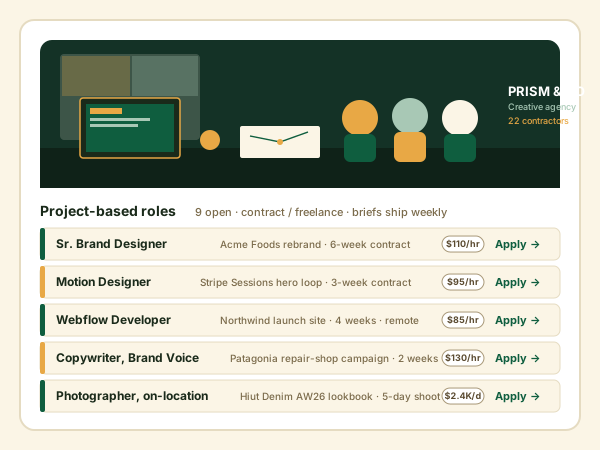
Boutique recruiting firms that want a clean, searchable list of the roles they are placing. Add each opening, brand the board, and embed it on the agency site.
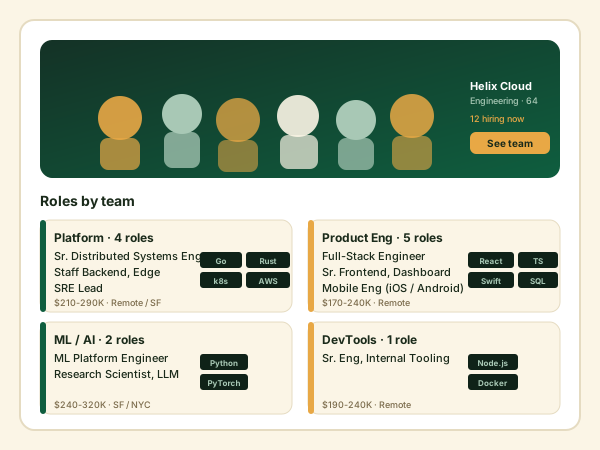
Vertical boards for designers, developers, or a specific community. Add roles manually, group them by department, and let visitors search by keyword.
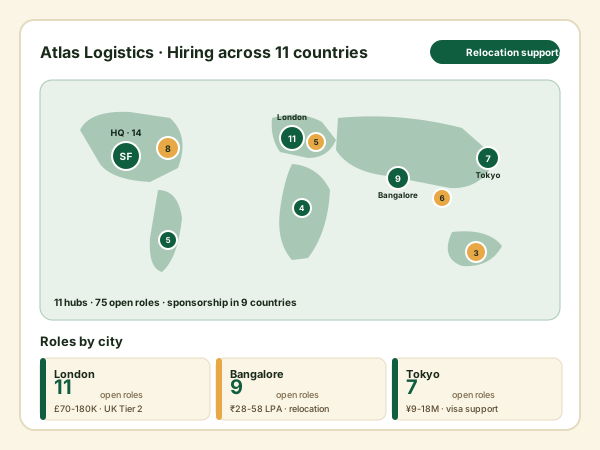
A company with open roles in several cities lists them all on one branded board. Each role card carries its own location text, and visitors search by city, role, or skill.
Most embeddable job board widgets paywall styling or charge per widget. Here is how the popular ones compare.
| Recommended Poper | Elfsight | POWR | Common Ninja | |
|---|---|---|---|---|
| Poper workspace available | Limited views | Limited views | Limited views | |
| Add roles by hand, no hiring tool needed | ||||
| Keyword search across title, company, skills | Limited | Limited | Limited | |
| Full detail popup per role | Limited | |||
| Grid, list, and masonry layouts | Limited | Limited | Limited | |
| Per-field card visibility toggles | Partial | Partial | Partial | |
| Available design controls | Paid only | Paid only | Paid only | |
| Light and dark theme presets | Limited | |||
| Remove third-party branding | All plans | Paid only | Paid only | Paid only |
| Bundled with popups, forms, quizzes, more widgets | ||||
| Pricing for unlimited views | Plan details vary | Vendor pricing varies | Vendor pricing varies | Vendor pricing varies |
Comparison reflects external competitor positioning. Verify current details on each provider's site.
Recruiting and people-ops teams who switched from a plain text list to an embeddable job board.
“We had five open roles sitting in a plain bullet list on our about page. The Poper job board widget turned them into a branded grid in an afternoon, no developer involved.”

“The keyword search is the part candidates actually use. Someone types react or remote and the board narrows instantly. Setup was just pasting one snippet on Webflow.”

“We list roles for several client companies. Adding each one by hand and styling the board to match our site gave us a clean, searchable jobs page without a separate hiring tool.”

Pricing
All plans are billed yearly. Each card shows the per-month equivalent. Start free, then upgrade only when you need more campaigns, websites, or AI credits.
Yearly billing · save up to 40%Essential lead capture for solo creators and growing businesses.
billed $180/year
Full engagement suite with A/B testing, gamification & unlimited leads.
billed $348/year
Unlimited everything with white-label, API access & advanced analytics.
billed $948/year
Prices shown for the 50k monthly visitor tier on yearly billing. A Free Forever plan ($0) and a custom Enterprise plan are also available. No contracts, cancel anytime.
A careers page is often the weakest part of a company's site. Open roles end up as a plain bullet list, or as a link off to a separate hiring tool with someone else's branding. An embeddable job board widget fixes that without a developer: you add each role by hand in a builder, pick a layout, brand it to match your site, and paste a one-line snippet. This guide covers what actually matters when you choose a job board widget in 2026: the difference between a manual-entry widget and a hiring-platform integration, why a searchable and scannable layout matters, how a detail popup keeps candidates on your page, and where the widget fits if you also run a separate applicant-tracking tool.
There are two broad categories of careers-page tooling. The first is a full applicant-tracking system that manages the entire hiring funnel, from posting to interview scheduling to offer. The second, and the category this widget belongs to, is a manual-entry job board widget: a builder where you type in each open role and embed the result on your site. The manual-entry approach is the right fit for a large share of companies. Early-stage teams with a few roles do not need a paid hiring platform. Niche and community boards want a simple, branded list. Recruiting agencies often just want a clean, public view of the roles they are working on. With a manual-entry widget you add a role's title, company, location, salary, contract type, department, description, skill tags, an apply link, and images, then publish. There is nothing to authorize and no integration to maintain. The trade-off is honest: you update the board yourself when a role opens or closes, rather than having it sync from a separate system. For teams whose role list changes a few times a month, that trade-off is easy to make.
The most common careers-page mistake is presenting roles as a long undifferentiated list. A candidate scanning for a frontend role on a board with thirty openings gives up fast. A good job board widget solves this two ways. First, layout: a card grid lets a visitor scan many roles at once, with the job title, location, salary, and a few skill tags visible on each card, a single-column list works better for a short set of roles or a narrow column, and a masonry layout fits cards of uneven height without leaving gaps. Second, search: a keyword search box at the top of the board lets a candidate type what they are looking for and narrow the list immediately. The search should match more than the job title. A candidate might search by a skill (react), a city, a department (design), or the company name. When the search covers all of those fields at once, the candidate finds the relevant roles in one step. A board that is both scannable and searchable keeps candidates engaged long enough to click into a role, which is the whole point of the page.
When a candidate clicks a role, the worst outcome is bouncing them straight to a third-party application form on a different domain. They lose your branding and your context, and many never come back. A better pattern is a detail popup: clicking a card opens a panel, on the same page, with the full job description, the company, location, salary, department, contract type, and skill tags. The candidate reads everything they need in your design, and only follows the apply link when they have decided to act. A job board widget should let you control exactly which fields appear in that popup, the same way you control which fields appear on the card. Some teams want a dense card and a rich popup; others want the opposite. The widget should adapt to the way you want to present roles, not force a single fixed template on every site that embeds it.
An embedded job board only works if it does not look embedded. If the board ships with its own colors, its own fonts, and its own card style, it reads as a third-party bolt-on and quietly lowers trust in the careers page. A job board widget should expose enough styling control to make the board feel like part of the site. At minimum that means a light or dark theme, an accent color that matches the brand, a choice of font, control over typography sizes on cards and in the popup, button colors, and corner radius. Spacing matters too: column count, gap between cards, and overall width should all be adjustable so the board fits the page it lives on. The header is part of the brand surface as well, with a title, a caption, and an alignment choice. When all of these line up with the rest of the site, the board reads as a first-class section of the careers page rather than a widget someone pasted in.
Plenty of companies run a dedicated applicant-tracking system and still want a better-looking careers page than that system provides by default. A manual-entry job board widget works fine in that setup. You keep the hiring tool as the system of record for applications and interview workflow, and you use the widget purely as the public, branded display layer on your marketing site. The apply link on each listing simply points at wherever you want candidates to apply, which can be the application form your hiring tool generates. The maintenance cost is that you mirror open roles into the widget by hand, but for most teams the role list is short and changes slowly, so the effort is small and the payoff is a careers page that matches the rest of the site. If your role list is large and changes daily, a tighter integration between your hiring tool and your site may be worth the engineering effort instead. Pick the approach that matches how often your openings actually change.
A job board widget is an embeddable script that displays your open roles on your own website. With Poper you add each role by hand in a builder, choose a grid, list, or masonry layout, brand it, and embed it. Visitors can search the board by keyword and open a full detail popup on any role.
Last fact-checked: . We re-verify every quarter.
Tutorial
A quick walkthrough of setting up and embedding this widget.
Tutorial video coming soon
Can't find the answer you're looking for? Chat with our support team.
Contact SupportPoper takes 90 seconds to embed a branded, searchable job board on your own site.
Free plan available forever