LinkedIn Recommendation Widget for Websites. Free - Poper
LinkedIn Recommendation Widget

LinkedIn recommendation widget for personal brand sites.

Embed your LinkedIn recommendations and endorsements on consulting, freelance, coaching, and agency sites. Manual import workflow because LinkedIn closed the recommendation API in 2015. Honest, ships fast.

No credit card required
14-day free trial
Cancel anytime

Trusted by 11,000+ brands

Timetics
Academie Digitale
Goldcast
nbcf
Seedstock
Wow
Linkxar
Gale Toyota
Skills
Rugby Sport
Lamp
Leaktronics
Steel
Theatre in Chicago
Globerto
Meetup
FYM
Zeben
Kraftix
IETraditionala
Meethires
Leadscrape
Happily
Timetics
Academie Digitale
Goldcast
nbcf
Seedstock
Wow
Linkxar
Gale Toyota
Skills
Rugby Sport
Lamp
Leaktronics
Steel
Theatre in Chicago
Globerto
Meetup
FYM
Zeben
Kraftix
IETraditionala
Meethires
Leadscrape
Happily
Free forever, paid plans from $19/mo

Try the live LinkedIn recommendation widget

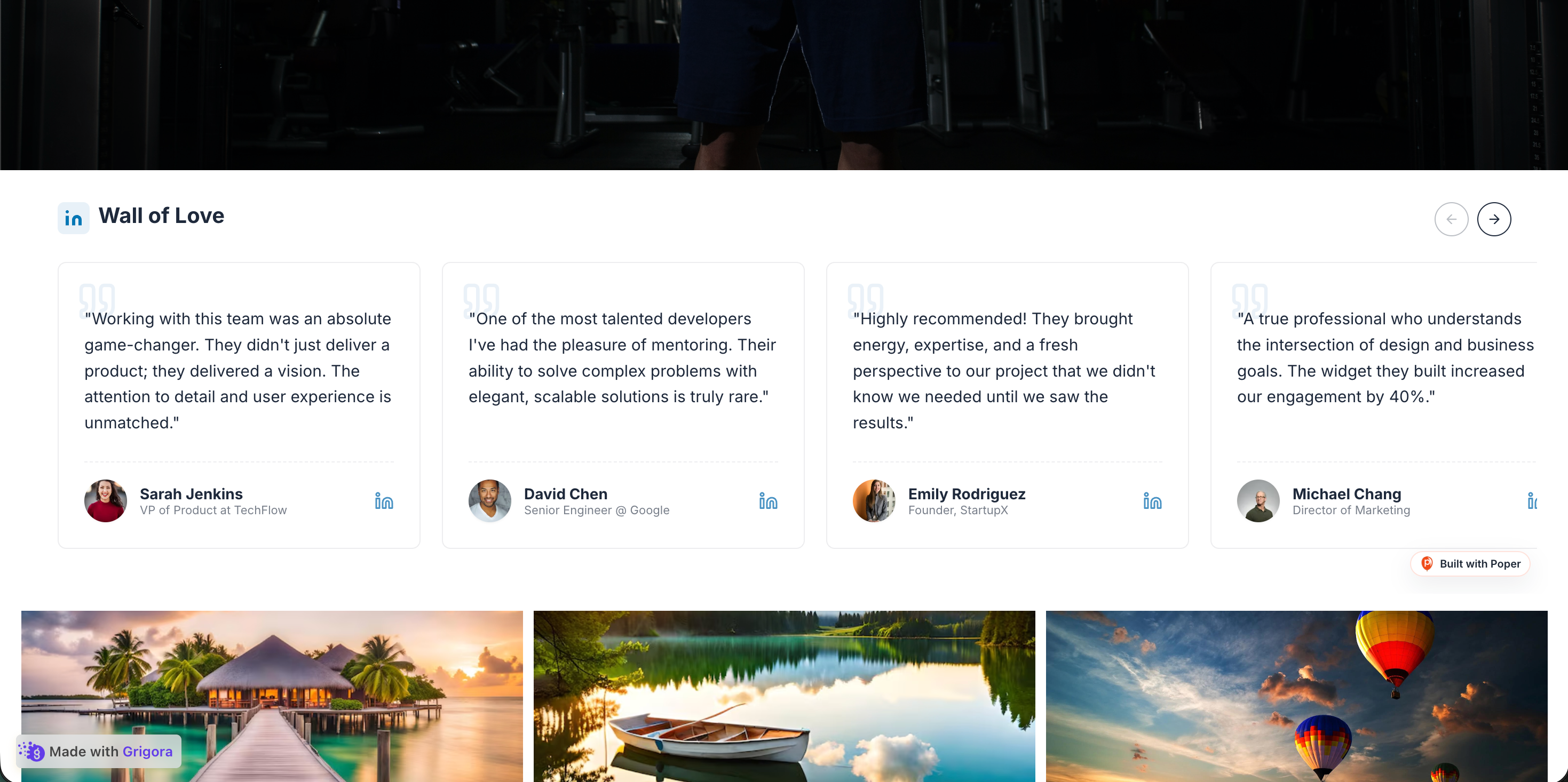
Live demo, not a screenshot. Paste a recommendation, style it, brand it, embed it on a personal brand or agency site. What you see here ships to your portfolio.

How to use it

How to add LinkedIn recommendations to your website

Three steps. Under three minutes. No developer needed.

  1. 01

    Open LinkedIn and copy your recommendations

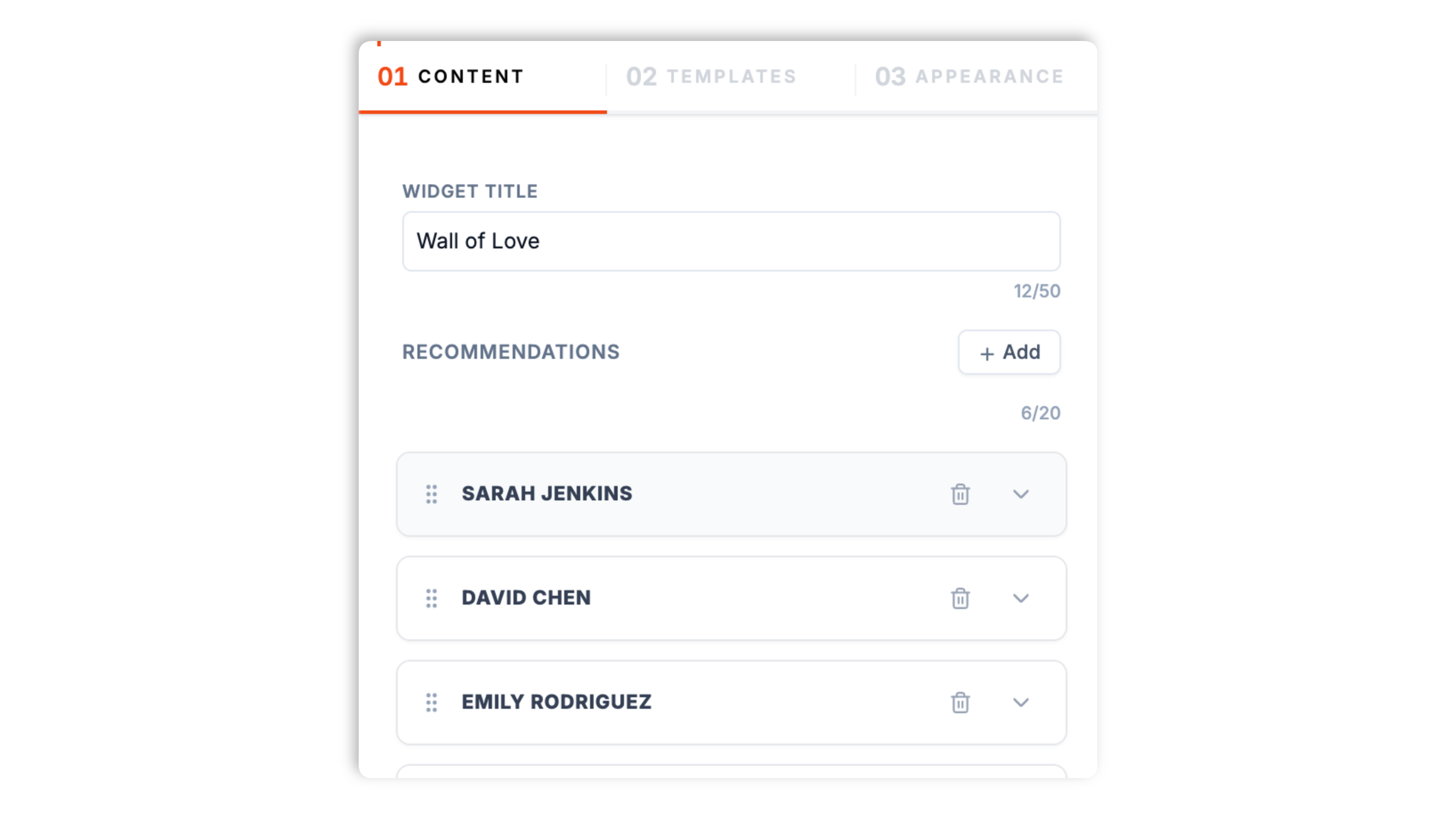
    Sign in to LinkedIn and open the Recommendations section of your profile. Copy the recommendation text, recommender name, role, company, and (optionally) profile photo URL for each endorsement you want to display. The widget supports paste from LinkedIn directly or from a screenshot using the optional OCR helper in the Poper builder.

  2. 02

    Pick a personal-brand-ready layout and brand it

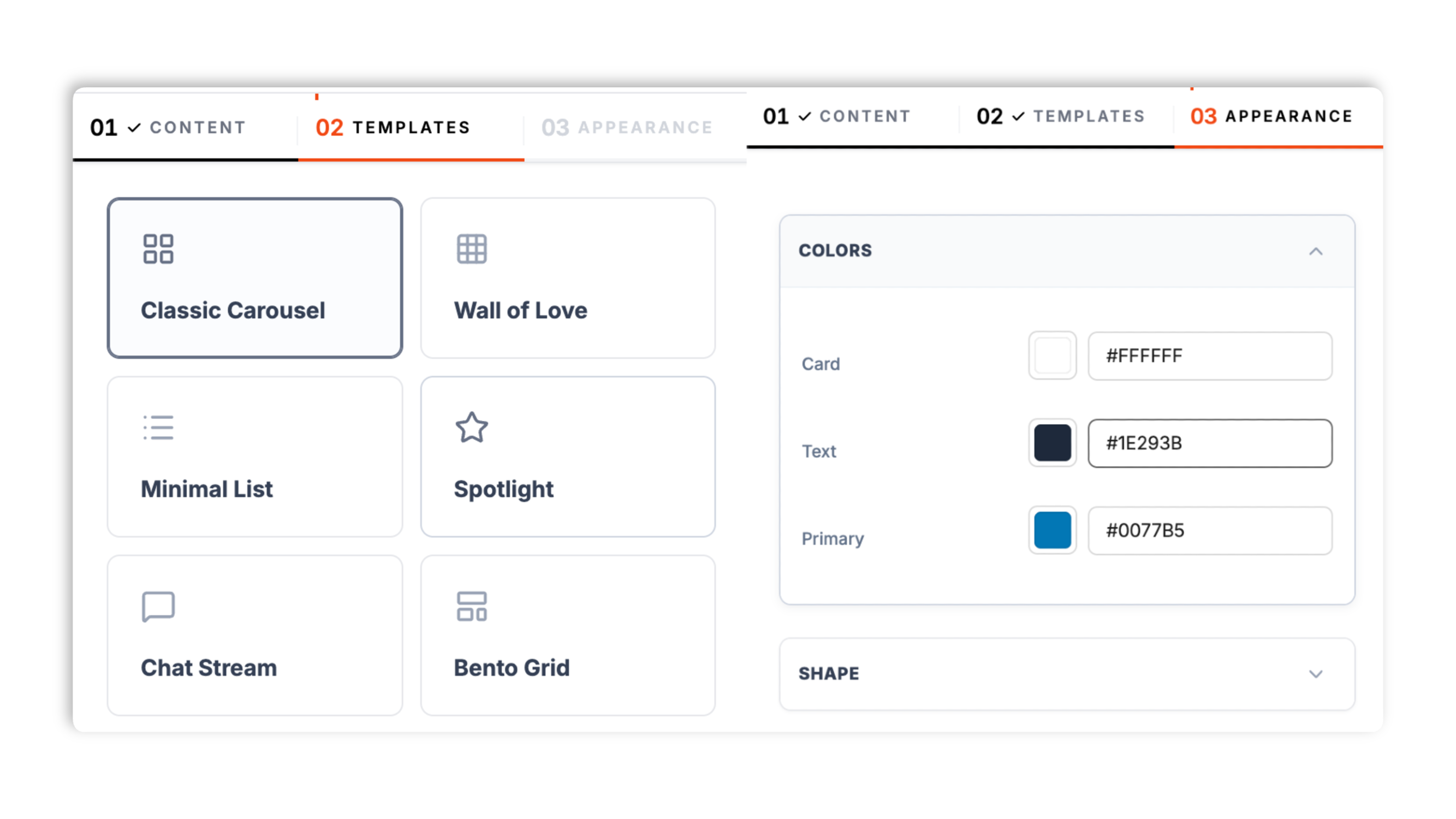
    Choose Recommendation Wall, Featured Endorsement Card, Carousel, Quote Strip, About Page Sidebar, or Agency Leadership Grid. Match your personal brand colors, typography, and LinkedIn-blue accent surface so the embed feels native to your portfolio, agency about page, or consulting site.

  3. 03

    Embed once and update when new recommendations arrive

    Paste the one-line script tag into your homepage, about page, services page, or portfolio page. Works on WordPress, Squarespace, Wix, Webflow, Framer, Ghost, Next.js, and any HTML stack. When you receive a new LinkedIn recommendation, paste it once into the Poper dashboard and every embed updates automatically across every page.

Works everywhere

Works with every website platform you already use

Drop-in install on WordPress, Shopify, Wix, Squarespace, Webflow, Framer, Ghost, and any HTML-friendly stack. No build step, no developer needed.

WordPress
Shopify
Wix
Squarespace
Webflow
Framer
Ghost
HTML

Plus 250+ other platforms via the embed snippet. If your site can render a <script> tag, it can render the LinkedIn Recommendation Widget: Display Endorsements + Recommendations on Personal Brand and Agency Sites.

What you get with Poper LinkedIn Recommendations

Six things that matter when a consultant, freelancer, sales rep, or agency is paying for a LinkedIn recommendation widget, not 30 features no one uses.

Honest manual import workflow built for the post-2015 LinkedIn API reality

LinkedIn closed the consumer recommendation API in 2015 and has never reopened it. Every credible LinkedIn recommendation widget in 2026 uses manual paste import. Poper is honest about this constraint and ships the fastest, most ergonomic paste workflow on the market: one form per recommendation with auto-format for recommender name, role, company, and quote text, plus an optional OCR helper that extracts fields from a LinkedIn screenshot in one click. Most users complete a 6-recommendation import in under four minutes start to finish, including formatting and ordering.

6 personal-brand-tuned layouts, all responsive, all included

Recommendation Wall, Featured Endorsement Card, Carousel, Quote Strip, About Page Sidebar, Agency Leadership Grid. Switch between them per page in the dashboard without re-embedding. Each layout is purpose-built for a specific personal brand site context, from a solo consulting homepage to a multi-consultant agency about page.

LinkedIn logo per card

Optional LinkedIn-blue logo on each recommendation card signals authentic source and lifts trust over generic testimonials.

Recommender photo + role attribution

Each endorsement shows recommender photo, role, and company so prospects can audit the source one click away on LinkedIn.

Core Web Vitals safe on personal brand and agency sites

Lazy-loaded below the fold, async-injected, scoped CSS, sub-35 KB gzipped. Shipped on Squarespace personal portfolios, Webflow agency sites, WordPress consulting blogs, and headless Next.js sales-rep personal sites without moving Lighthouse Performance, LCP, or CLS. Your portfolio pagespeed budget stays intact while your inquiry conversion climbs.

Update once, propagates to every embed

When you receive a new LinkedIn recommendation, paste it once into the Poper dashboard and every embed across your homepage, about page, services page, and portfolio updates automatically within seconds. No code edits, no per-page maintenance. The Agency Leadership Grid layout pulls per-team-member recommendation lists so each consultant's section updates independently when that person collects a new endorsement.

Use cases

Where LinkedIn Recommendation Widget: Display Endorsements + Recommendations on Personal Brand and Agency Sites actually moves the needle

Four buyer types who get the most lift from embedding LinkedIn Recommendation Widget: Display Endorsements + Recommendations on Personal Brand and Agency Sites on their site.

Consultants and freelancers (portfolio recommendations)

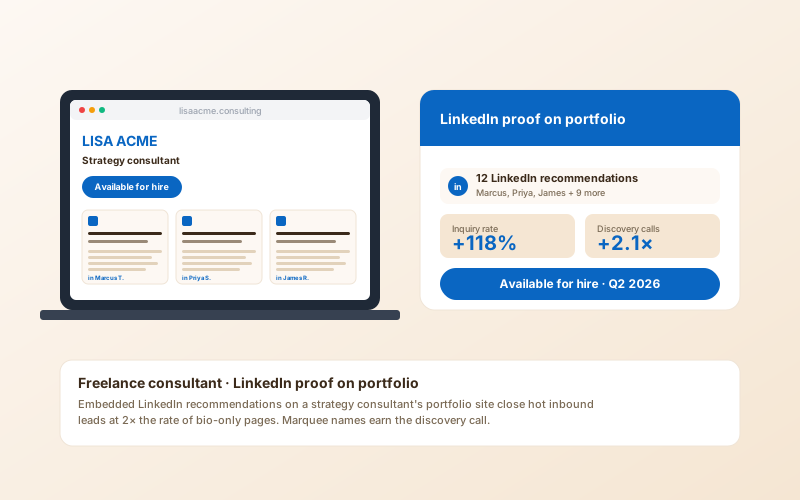
Consultants and freelancers showcase LinkedIn recommendations on portfolio about pages and services pages. Real client endorsements with verifiable LinkedIn profiles do the trust work that no anonymous testimonial can match, lifting inquiry conversion at the top of the engagement funnel.

B2B sales reps (personal brand sites)

Quota-carrying sellers in B2B SaaS, financial services, and enterprise tech increasingly run personal brand sites alongside the company website. Embedded LinkedIn recommendations from past customers establish trust faster than any company case study during the buyer evaluation cycle.

Coaches, advisors, and fractional executives

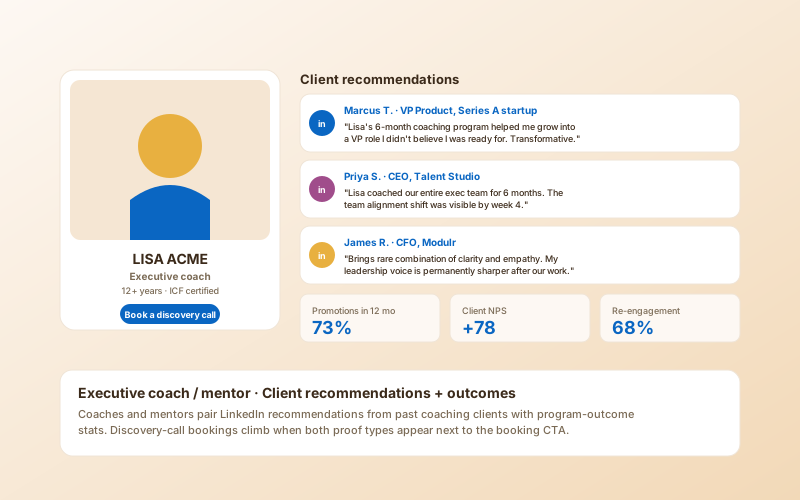
Executive coaches, fractional CMOs and CFOs, leadership advisors, and personal brand strategists all need third-party validation on the booking page. LinkedIn recommendations from past coaching clients carry meaningful weight at the discovery-call stage.

Agencies showcasing leadership team recommendations

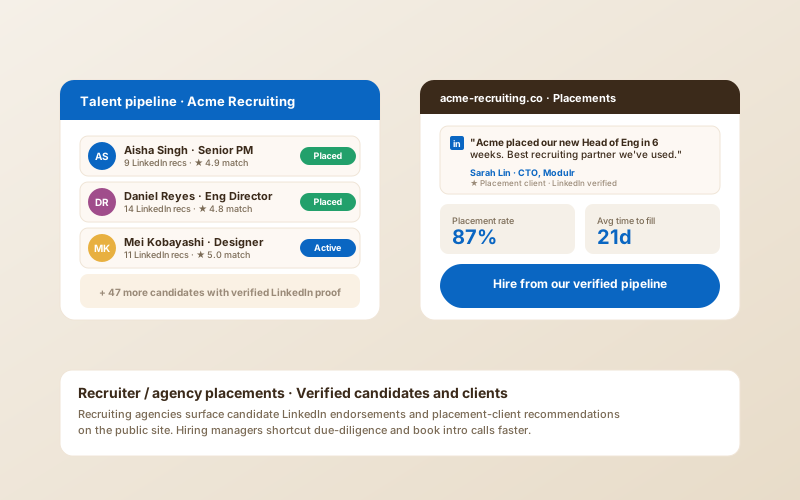
Agencies use the Agency Leadership Grid layout on the team page to surface LinkedIn endorsements per founder, partner, and senior consultant. The grid format lets each team member carry their own social proof without overwhelming the page with a single combined wall of quotes.

Poper vs other LinkedIn recommendation widgets

LinkedIn closed the consumer recommendation API in 2015. The official LinkedIn Profile Badge is a free placeholder, not a recommendation widget. Here is how the manual-import alternatives stack up for personal brand sites.

 Recommended
Poper
LinkedIn Profile Badge
Senja Testimonials
Testimonial.to
Free plan available
Recommendation Wall layout
Featured Endorsement Card layout (single hero quote)
Limited
Optional LinkedIn logo per card
Profile only
Carousel + Quote Strip + About Sidebar layouts
Paid only
Paid only
Agency Leadership Grid (per-team-member recommendations)
OCR import from LinkedIn screenshot
Auto-injects Review + Person Schema.org
Paid only
Paid only
Custom CSS and design system control
Shows live recommendation feed via LinkedIn API
No (API closed since 2015)
No (badge only)
No (API closed)
No (API closed)
Pricing for unlimited recommendations
$19/mo (Starter)
Free (LinkedIn-hosted only)
$29/mo
$30/mo
Bundled with popups, forms, quizzes, more widgets

Comparison reflects publicly listed pricing and feature documentation as of 2026. LinkedIn closed the consumer recommendation API surface in 2015. Every widget in this comparison (including Poper) imports recommendations manually. Anyone claiming live LinkedIn recommendation API sync in 2026 is misrepresenting the integration. Verify current details on each provider's site.

Real consultants. Real agencies. Real inquiry lift.

Independent strategy advisors, freelance developers, and managing agency partners who shipped Poper on personal brand and team pages.

Poper has improved our website's user engagement! Since integrating Poper's personalized popups, we've seen a dramatic surge in conversions and user interactions. The platform's intuitive design makes creating and customizing popups a breeze, even for those with minimal tech skills. What truly sets Poper apart are its…
Jayson Ang
Jayson Ang
Singapore Property Swapper · Singapore Property Swapper
Fantastic app and support team, they are very quick to help and provide a solution or improvement to their product. Highly recommended!
Alex
Alex
CEO · AH
Poper has been a total lifesaver for our agency! As a digital marketing agency, we’re always juggling a million things at once. Poper has been a real game-changer in terms of streamlining our workflow and keeping track of all our clients’ campaigns. The ability to track all our clients’ websites from one place is a…
Idris Basir
Idris Basir
-

Pricing

Simple pricing. Free plan covers most websites.

Free forever for one widget. Upgrade only when you need faster sync, multiple instances, or to drop the watermark.

Free

Everything you need to ship the widget today.

$0forever
  • 1 widget instance
  • All layouts & customization
  • Brand-match styling
  • 6-hour sync cadence
  • Poper watermark
Start free
Most popular

Pro

Remove the watermark, faster sync, more widget instances.

$19/mo
  • Unlimited widget instances
  • 30-minute sync cadence
  • No Poper watermark
  • Custom CSS
  • Priority email support
  • Shoppable tagging
Start 14-day trial

Business

Multi-site, multi-account, white-label.

$49/mo
  • Multi-account combined feeds
  • Real-time sync
  • White-label embed
  • API access
  • Dedicated success manager
  • Custom SLA
Start 14-day trial

All plans include unlimited page views, no contracts, cancel anytime. Annual billing saves 20%.

Guide · 7 min read

The complete guide to embedding LinkedIn recommendations on a personal brand or agency website

LinkedIn recommendations are the most credible third-party endorsement format available to consultants, freelancers, B2B sales reps, executive coaches, and agency leadership in 2026. Unlike anonymous reviews on niche directories, LinkedIn recommendations come from named professionals with verifiable identities, role attribution, and one-click audit trails back to a public LinkedIn profile. Embedding LinkedIn recommendations on a personal brand site or agency about page is one of the highest-leverage trust interventions a consultant or sales-rep marketer can ship in any quarter, and the effect compounds as the recommendation count grows. This guide walks through what actually matters when you choose and configure a linkedin recommendation widget in 2026: the post-2015 LinkedIn API restriction history that explains why every credible widget uses manual import, the ergonomic difference between pasting recommendations one form at a time versus OCR-extracting from a LinkedIn screenshot, why the official LinkedIn Profile Badge does not actually display recommendations and is not a substitute, the layout choice between a hero Featured Endorsement Card and a full Recommendation Wall depending on personal brand site stage, the Schema.org injection that earns recommender attribution in Google search results, and the etiquette and best practices for collecting, displaying, and refreshing LinkedIn recommendations without violating platform terms or sounding self-promotional. The guide is opinionated where it matters because vague advice in this space wastes inbound inquiries.

01

Why LinkedIn closed the recommendation API in 2015 and what that means for personal brand sites in 2026

LinkedIn shipped a public REST API in 2009 that allowed third-party developers to fetch profile data, including the recommendations a member had received and given. By 2014, that API had become a vector for aggressive scraping, profile-data resale, and unwanted contact-list extraction by recruiters and lead-gen vendors. In May 2015, LinkedIn announced sweeping restrictions on its public API surface, deprecating the recommendation endpoint along with most other consumer-data endpoints. The replacement Marketing Developer Program and Sales Navigator API tracks that LinkedIn opened in subsequent years cover company pages, ads, lead-gen forms, and Sales Navigator buyer intent data, but they do not include consumer recommendation read access. As of 2026, more than a decade after the original deprecation, LinkedIn has never reopened public read access to member recommendations. Every honest LinkedIn recommendation widget on the market today uses manual import: the user pastes recommendation text, recommender name, role, company, and optional profile photo URL from their LinkedIn profile into the widget builder. Some tools attempt to scrape LinkedIn member pages despite the platform's terms of use, which both creates legal exposure for the user and breaks reliably whenever LinkedIn tightens anti-scraping defenses. Poper does not do this. We use a fast, ergonomic manual paste workflow with optional OCR helper for screenshot import, and we are honest about the underlying constraint. If a competing widget claims live LinkedIn recommendation API sync in 2026, the claim is false and the integration is either a fragile scraper that will break within weeks or a marketing line with nothing behind it. Operate accordingly when you compare options.

02

LinkedIn Profile Badge versus a real LinkedIn recommendation widget: why they are not the same thing

LinkedIn provides an official free Profile Badge that personal brand site owners can embed, and many beginner consultants assume it covers the recommendation use case. It does not. The LinkedIn Profile Badge is a static visual link that displays your profile name, headline, profile photo, and a Connect on LinkedIn call-to-action. Clicking the badge opens your full LinkedIn profile in a new tab, where the visitor can read recommendations on LinkedIn itself. The badge does not display recommendations on the personal brand site. The conversion difference between the badge approach and a true embedded recommendation widget is significant: the badge requires the visitor to leave the personal brand site and open LinkedIn (where they will inevitably see other consultants in the right-rail recommendations and may never return), while a real recommendation widget keeps the prospect on your site reading endorsements in your design context. For consulting sites, freelance portfolios, and agency about pages, the real recommendation widget is the correct tool. The Profile Badge is a complementary asset for the footer or contact page, but it is not a substitute for embedded recommendations on the homepage above the fold. Poper supports both: the LinkedIn-blue logo per recommendation card and the optional Profile Badge link in the footer, so you get authentic LinkedIn attribution in two places without forcing the visitor off the site to read the actual endorsements.

03

How to collect more (and better) LinkedIn recommendations from past clients and colleagues

LinkedIn recommendations carry weight in proportion to specificity. A short generic recommendation that says great consultant, would work with again contributes almost nothing to inquiry conversion. A specific 80 to 150 word recommendation that names the project, the constraint, the outcome, and one concrete behavior the consultant exhibited carries enormous weight at the discovery-call stage. The single biggest mistake consultants and freelancers make when requesting LinkedIn recommendations is sending the LinkedIn Request a Recommendation feature with no context, which forces the recommender to start from a blank page and almost always produces a generic two-line response. The high-conversion pattern is to send a personal email or LinkedIn message that includes three to five specific bullet points the recommender could speak to, plus a draft sentence the recommender is welcome to edit or replace. The recommender then has a starting point and almost always returns something more specific and longer than they would have written cold. After receiving the recommendation on LinkedIn, paste it into the Poper widget builder using the manual import workflow, add the recommender name, role at the time of the engagement, and company, then publish. Best practice is to refresh the displayed recommendation set every six months by featuring the most recent and most specific endorsements at the top of the wall. Older recommendations from clients whose role or company has changed should be edited to reflect the role and company at the time of the work, with a clear date footnote. The Featured Endorsement Card layout is best paired with one marquee recommendation from a recognizable client name. The Recommendation Wall layout is best when the volume itself is the social proof. The Agency Leadership Grid surfaces per-consultant recommendations so each team member's section reflects their specific client portfolio.

04

Layout choice by personal brand site stage: where each format converts best for consultants, agencies, and B2B sellers

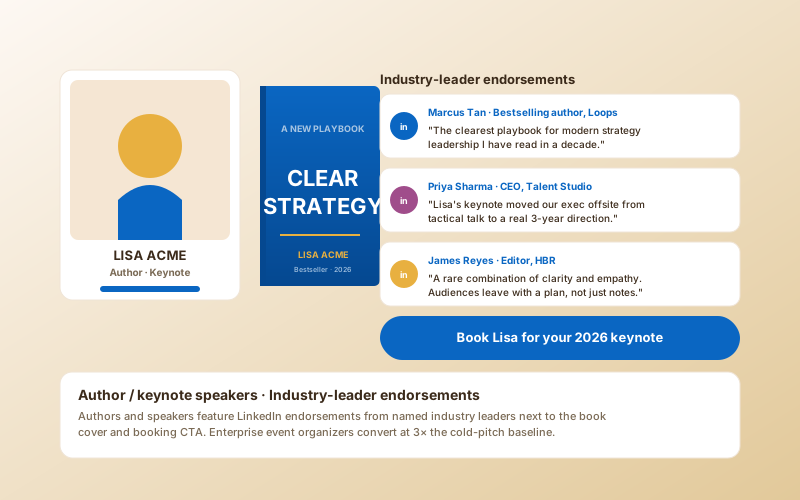
Featured Endorsement Card belongs on the consulting homepage above the fold when the consultant has at least one marquee recommender whose name carries weight in the target buyer segment. The Featured Endorsement Card format displays a single hero quote with full recommender attribution including photo, role, and company, and it works because it reduces cognitive load on a cold visitor to one specific testimony rather than asking them to evaluate ten quotes simultaneously. Recommendation Wall is the highest-leverage placement on the about page, because the about page is where prospects do their depth evaluation and the wall format demonstrates volume of endorsements as a separate trust signal beyond the content of any single quote. The Wall layout displays six to twelve recommendations in a card grid with optional LinkedIn logo per card and per-recommender attribution. Carousel is built for personal brand sites with limited vertical real estate (sales-rep personal sites, fractional executive booking pages) where the consultant wants to display three to six rotating recommendations without committing 800 pixels of vertical scroll to the social proof section. Quote Strip pairs three short endorsements (40 to 80 words each) with the standard hero text and works particularly well above the contact form on a coaching booking page. About Page Sidebar pairs two to four recommendations with the standard about-page bio in a vertical sidebar that reads naturally alongside the consultant biography. Agency Leadership Grid surfaces per-team-member recommendation lists on the agency team page, where each founder, partner, and senior consultant has their own LinkedIn endorsements grouped under their photo and bio. Pick the layout to match the personal brand site stage and the funnel position of the page, not the consultant's aesthetic preference. The wrong layout in the wrong place wastes the trust signal that took weeks of relationship work to collect.

05

B2B sales personal brand culture, recommendation collection best practices, and the etiquette of displaying endorsements

B2B sales has shifted measurably toward personal brand sites for quota-carrying sellers in SaaS, financial services, enterprise tech, and professional services. Buyers in 2026 routinely Google a seller by name before agreeing to a discovery call, and the seller's personal brand site (often a one-page Squarespace or Webflow site with bio, services, and testimonials) is now part of the deal-evaluation surface. LinkedIn recommendations from past customers are the most credible asset on a B2B seller personal brand site, more credible than the seller's company case studies and dramatically more credible than self-written testimonials. The collection workflow that works in B2B sales: at the moment a customer is most enthusiastic (typically immediately after a successful onboarding milestone or contract renewal), the seller sends a personal LinkedIn message asking for a public recommendation with two to three specific bullet points the customer could speak to. The recommendation lands on LinkedIn within a week if the prompt is specific enough. The seller pastes the recommendation into the Poper widget builder, publishes to the personal brand site, and the next prospect researching that seller before a discovery call sees verified LinkedIn endorsement directly on the personal brand site. Etiquette: never edit the substance of a recommendation without the recommender's permission, never display a recommendation from a recommender who has since moved companies without updating the role-and-company-at-the-time attribution, never claim live LinkedIn API sync when the actual import is manual, and never reciprocate recommendations as a transactional exchange because LinkedIn flags reciprocal recommendation patterns and the practice is widely known among sophisticated B2B buyers as a credibility-killing tell. The Poper widget is built for honest manual import, attribution accuracy, and ergonomic refresh as new endorsements arrive. Coaches, fractional executives, and consulting partners all use variations of the same workflow: collect specifically, attribute accurately, display selectively, and refresh quarterly.
Quick reference

What is LinkedIn Recommendation Widget: Display Endorsements + Recommendations on Personal Brand and Agency Sites?

A LinkedIn recommendation widget is an embeddable script that displays your LinkedIn recommendations and endorsements on a personal brand site, consulting page, freelance portfolio, or agency about page. Because LinkedIn closed the consumer recommendation API in 2015, every honest widget in this category uses manual paste import from your LinkedIn profile rather than live API sync.

Key facts

  • LinkedIn closed the consumer recommendation API in 2015 and has never reopened public read access to member recommendations
  • Every credible LinkedIn recommendation widget in 2026 uses manual paste import from a LinkedIn profile or screenshot, not live API sync
  • The official LinkedIn Profile Badge is a static link to your LinkedIn profile, not an embedded recommendation widget, and the two are not substitutes
  • B2B sales personal brand sites for quota-carrying sellers increasingly carry embedded LinkedIn recommendations as a primary trust surface in the deal evaluation funnel
  • Schema.org Review and Person markup auto-injection lets recommender attribution surface in Google search results next to your organic personal brand listing
  • Specific 80 to 150 word LinkedIn recommendations that name project, constraint, and outcome carry far more conversion weight than generic two-line endorsements

Last fact-checked: . We re-verify every quarter.

Frequently asked questions

Can't find the answer you're looking for? Chat with our support team.

Contact Support

Stop hiding your LinkedIn recommendations one click away on your profile page

Poper takes under four minutes to import a 6-recommendation set and ships immediately to your personal brand site.

Free plan available forever