

YouTube Feed Widget for Website. Free, Unlimited - Poper
YouTube Feed Widget

YouTube feed widget for any website.

Embed your channel, playlist, or single video in 90 seconds. Auto-syncs new uploads via the official YouTube Data API. Free, no code.

No credit card required
14-day free trial
Cancel anytime

Trusted by 11,000+ brands

Timetics
Academie Digitale
Goldcast
nbcf
Seedstock
Wow
Linkxar
Gale Toyota
Skills
Rugby Sport
Lamp
Leaktronics
Steel
Theatre in Chicago
Globerto
Meetup
FYM
Zeben
Kraftix
IETraditionala
Meethires
Leadscrape
Happily
Timetics
Academie Digitale
Goldcast
nbcf
Seedstock
Wow
Linkxar
Gale Toyota
Skills
Rugby Sport
Lamp
Leaktronics
Steel
Theatre in Chicago
Globerto
Meetup
FYM
Zeben
Kraftix
IETraditionala
Meethires
Leadscrape
Happily
Free forever, paid plans from $19/mo

Try the live YouTube widget

Live demo, not a screenshot. Style it, brand it, embed it. What you see here is what ships to your site.

From YouTube to your site

Your YouTube reviews. Now on your own domain.

Poper crawls the official YouTube review feed for your business and renders it inline on your website. Same reviews, your branding, your domain.

youtube.com
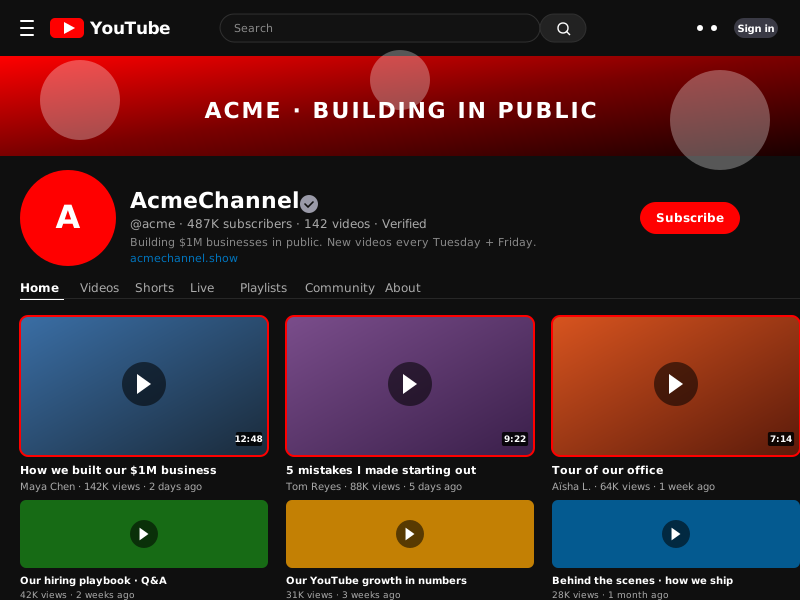
youtube.com/@acme channel page recreation with red YouTube logo, AcmeChannel header showing 487K subscribers and Verified badge, a 6-video grid with thumbnails, durations, view counts, and a red Subscribe buttonSource: YouTubeOpen
youtube.com/@acme channel page recreation with red YouTube logo, AcmeChannel header showing 487K subscribers and Verified badge, a 6-video grid with thumbnails, durations, view counts, and a red Subscribe button
acmechannel.show
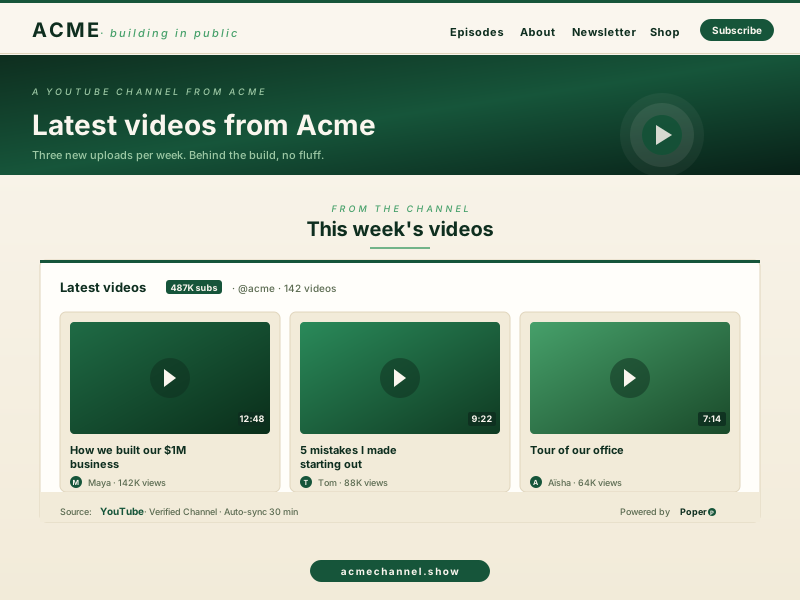
AcmeChannel branded creator site (acmechannel.show) with the Poper YouTube widget embedded inline showing the same 3 highlighted videos in a deep-emerald and cream palette instead of YouTube redPoper widget live
AcmeChannel branded creator site (acmechannel.show) with the Poper YouTube widget embedded inline showing the same 3 highlighted videos in a deep-emerald and cream palette instead of YouTube red

Mockups for illustration. Pull your real YouTube Feed Widget: Embed Channels, Playlists and Videos on Any Site from YouTube and embed in 90 seconds.

How to use it

How to add YouTube videos to your website

Three steps. Under two minutes. No developer needed.

  1. 01

    Connect a channel, playlist, or single video

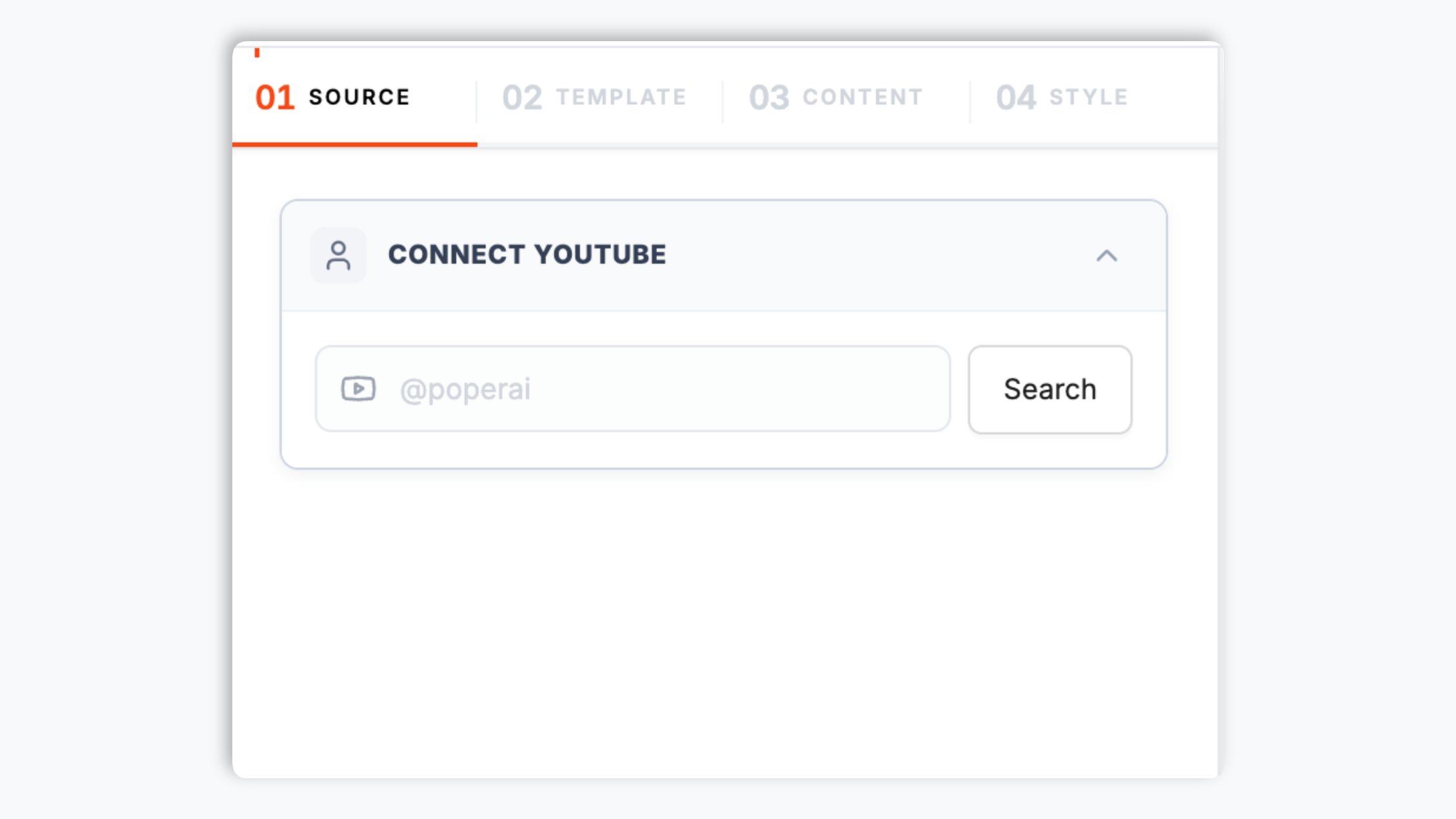
    Paste a YouTube channel URL, a playlist ID, or a video ID. Poper resolves it through the official YouTube Data API v3 and pulls the right metadata.

    Poper widget builder showing AcmeChannel YouTube channel search resolving to youtube.com/@acme with 487K subscribers, a green Verified badge, and a red Connect button
  2. 02

    Pick a layout and brand it

    Choose Grid, Carousel, Masonry, Stories strip, Magazine, or Wall. Tweak colors, fonts, thumbnail style, and player chrome to match your site.

    Layout picker showing 6 YouTube widget thumbnails (16:9 video tile, vertical Shorts strip, playlist column, grid, magazine, wall) plus brand color picker and player chrome controls
  3. 03

    Copy the snippet and embed

    Paste the one-line script tag into your site. Works on Webflow, Framer, Carrd, Linktree, Notion-Site, WordPress, Shopify, and 250+ platforms.

    One-line embed script tag for the YouTube feed widget shown in a code editor with a red Copy button and Webflow, Framer, Carrd, Linktree, Notion-Site platform badges

Works everywhere

Works with every website platform you already use

Drop-in install on WordPress, Shopify, Wix, Squarespace, Webflow, Framer, Ghost, and any HTML-friendly stack. No build step, no developer needed.

WordPress
Shopify
Wix
Squarespace
Webflow
Framer
Ghost
HTML

Plus 250+ other platforms via the embed snippet. If your site can render a <script> tag, it can render the YouTube Feed Widget: Embed Channels, Playlists and Videos on Any Site.

What you get with Poper YouTube Feed

Six things that matter when you are paying for a YouTube widget, not 30 features no one uses.

Auto-injects VideoObject Schema.org JSON-LD on every video

This is the single highest-leverage SEO win for any video widget on the open web. Google's video carousel and the rich video thumbnail in regular search results are both gated by VideoObject structured data. Most YouTube widgets just drop an iframe and call it a day, leaving your videos invisible to Google's video index. Poper auto-emits a fully-populated VideoObject block (name, description, thumbnailUrl, uploadDate, duration in ISO 8601, contentUrl, embedUrl, interactionStatistic) for every video the widget renders, so your channel content is eligible for video carousel placement, video thumbnails next to organic results, and Bing Video search the moment you embed.

Channels, playlists, and single videos

Most YouTube widgets only do channel feeds. Poper supports all three source types from the same widget config. Switch between them without re-embedding the snippet on your site.

Shorts support

Native 9:16 thumbnails, vertical autoplay, and a dedicated Shorts feed type. The only widget that treats Shorts as a first-class format.

Brand-match styling

Colors, fonts, thumbnail shapes, custom CSS. Looks native to your site, not the generic red YouTube chrome.

Lite player keeps Core Web Vitals green

Default mode loads only the thumbnail and a play button (under 5KB per video). The full YouTube iframe (which weighs 600KB+ and ships dozens of cookies) only loads when a visitor actually clicks play. No CLS, no LCP regression, no Lighthouse hit.

Multi-channel aggregation

Combine 2 or more YouTube channels into one feed. Built for agencies managing client channels, multi-brand companies, and creator collectives sharing one wall.

Use cases

Where YouTube Feed Widget: Embed Channels, Playlists and Videos on Any Site actually moves the needle

Four buyer types who get the most lift from embedding YouTube Feed Widget: Embed Channels, Playlists and Videos on Any Site on their site.

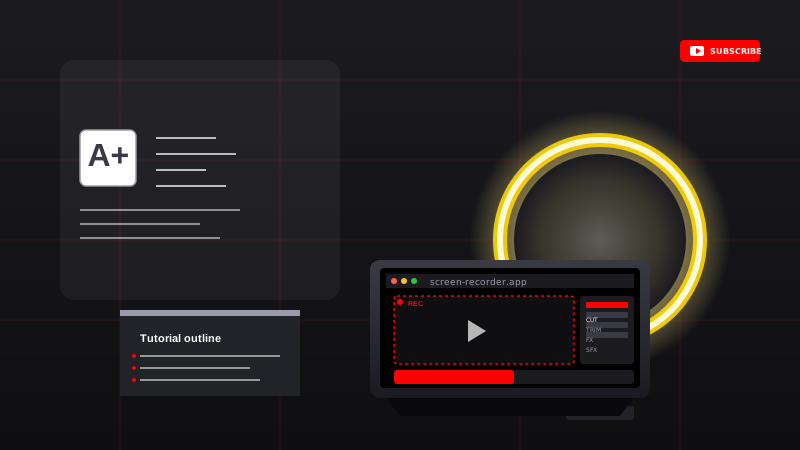
Tutorial creator workstation with laptop showing screen-recording editor, ring-light beside the camera, and a whiteboard with the tutorial outline

Tutorial channels and how-to creators

Build a tutorial library on your own site. Group videos by topic playlist, embed at the bottom of related blog posts, and pick up search traffic for tutorial queries while keeping the watch session on your domain.

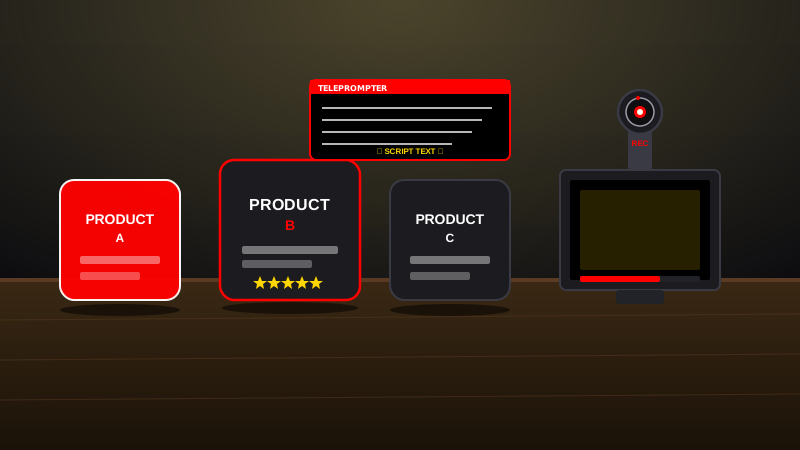
Product reviewer setup with three products lined up on the desk, a camera with red record light, and a teleprompter showing the reviewer's script

Product reviewers and unboxers

Show every product review next to the product itself. Three products on the desk, the camera pointed at the reviewer, the script on the teleprompter — and the latest review video auto-syncs from YouTube to your site.

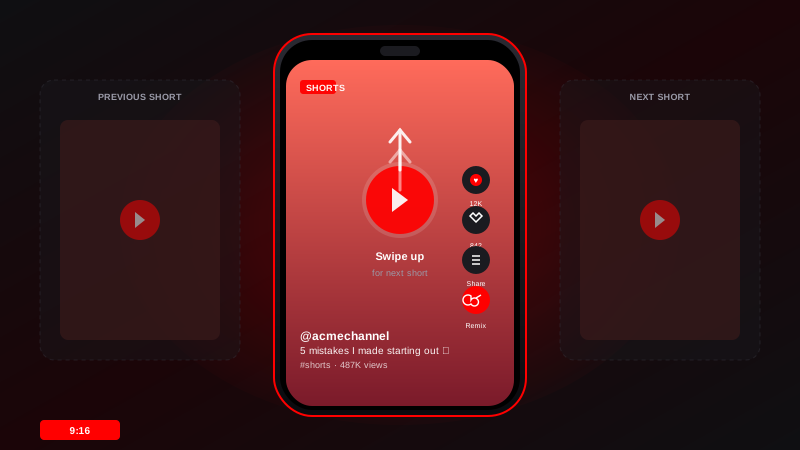
YouTube Shorts vertical phone mockup playing a Short with swipe-up arrow indicator and a remix icon, plus previous/next Short previews on either side

Shorts creators and short-form video

Embed a vertical Shorts wall on your link-in-bio page or creator site. Native 9:16 thumbnails, swipe-up navigation, and a remix CTA that drives Shorts engagement back to YouTube.

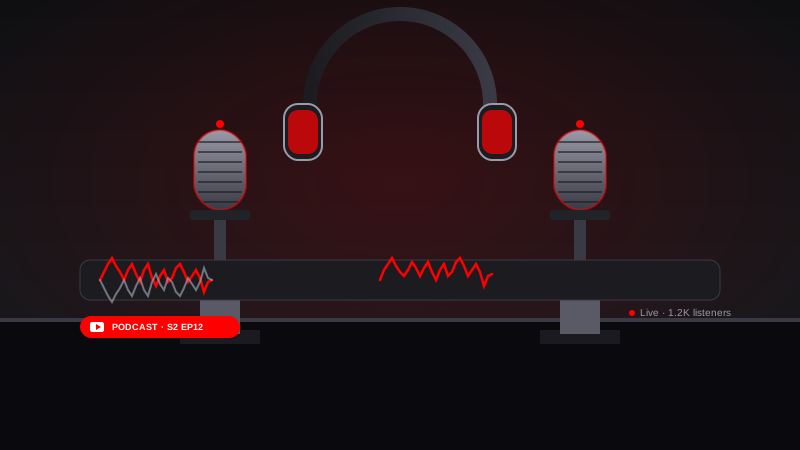
Podcast YouTube studio with two microphones facing each other, a pair of headphones between them, and a red waveform graphic showing live audio

Podcast hosts and video podcasters

Embed a video podcast feed on your show page. Each new episode auto-appears, viewers stay on your site for the watch session, and you keep the listener relationship instead of losing it to YouTube's recommendations.

Poper vs other YouTube widgets

YouTube has its own free iframe, but it stops at single videos. Here is how Poper stacks up against the most common alternatives on what actually matters.

 Recommended
Poper
YouTube Embed
Elfsight YouTube
POWR YouTube Gallery
Free plan available
14-day trial
Single video embed
Channel feed (auto-sync new uploads)
Playlist feed
Shorts (9:16) feed type
Paid only
Multi-channel combined feed
Paid only
VideoObject JSON-LD auto-injection
Lite player (defers iframe until click)
Sync frequency (lowest paid plan)
30 minutes
Manual
1 hour
1 hour
Custom CSS / total design control
Paid only
Paid only
Pricing for unlimited videos
$19/mo (Starter)
Free
$5/mo+
$10/mo+
Bundled with popups, forms, quizzes

Comparison reflects publicly listed pricing and features as of 2026. Verify current details on each provider's site.

Real teams. Real outcomes.

Marketers, agencies, and creators who switched from native iframes and broken third-party widgets to Poper.

Poper has improved our website's user engagement! Since integrating Poper's personalized popups, we've seen a dramatic surge in conversions and user interactions. The platform's intuitive design makes creating and customizing popups a breeze, even for those with minimal tech skills. What truly sets Poper apart are its…
Jayson Ang
Jayson Ang
Singapore Property Swapper · Singapore Property Swapper
Fantastic app and support team, they are very quick to help and provide a solution or improvement to their product. Highly recommended!
Alex
Alex
CEO · AH
Poper has been a total lifesaver for our agency! As a digital marketing agency, we’re always juggling a million things at once. Poper has been a real game-changer in terms of streamlining our workflow and keeping track of all our clients’ campaigns. The ability to track all our clients’ websites from one place is a…
Idris Basir
Idris Basir
-

Pricing

Simple pricing. Free plan covers most websites.

Free forever for one widget. Upgrade only when you need faster sync, multiple instances, or to drop the watermark.

Free

Everything you need to ship the widget today.

$0forever
  • 1 widget instance
  • All layouts & customization
  • Brand-match styling
  • 6-hour sync cadence
  • Poper watermark
Start free
Most popular

Pro

Remove the watermark, faster sync, more widget instances.

$19/mo
  • Unlimited widget instances
  • 30-minute sync cadence
  • No Poper watermark
  • Custom CSS
  • Priority email support
  • Shoppable tagging
Start 14-day trial

Business

Multi-site, multi-account, white-label.

$49/mo
  • Multi-account combined feeds
  • Real-time sync
  • White-label embed
  • API access
  • Dedicated success manager
  • Custom SLA
Start 14-day trial

All plans include unlimited page views, no contracts, cancel anytime. Annual billing saves 20%.

Guide · 7 min read

The complete guide to embedding YouTube on your website

A youtube feed widget is how you turn YouTube watch time into website watch time. YouTube is still the second-largest search engine on earth and the highest-engagement video platform on the open web, but if visitors leave your site to watch on youtube.com you lose the session, the cookie, the upsell, and the next-page click. The right embed keeps the play happening on your domain while still using YouTube's CDN, official iframe, and recommendation graph. This guide walks through what actually matters when you choose and configure a YouTube widget in 2026: the YouTube Data API v3 quota system, the difference between channel, playlist, and single video embeds, Shorts support, VideoObject schema markup for video carousel placement in Google, and what the YouTube iframe really costs in Lighthouse.

01

Channel feed vs playlist feed vs single video embed: which one do you actually want

YouTube exposes three distinct primitives through its public API and each maps to a different job. A single video embed is what you get from the native iframe code on any YouTube watch page. It is fine for one-off embeds (a hero video on a landing page, a product demo on a product page, a VSL above the fold), but it cannot grow on its own and you maintain it by hand every time you publish. A playlist feed pulls every video in a YouTube playlist (PLxxxxx ID), respects the playlist sort order, and auto-includes new videos you add to the playlist. This is the right primitive for tutorial libraries, course modules, customer testimonial walls, and any curated set where you want editorial control. A channel feed pulls every public upload from a channel via the channel's uploads playlist (every YouTube channel has a hidden uploads playlist with ID UU + the rest of the channel ID). This is the right primitive for a creator's homepage, a podcast show page, or any place where the latest content should always be the first thing visitors see. There is also a fourth, less-known option: search feeds, which let you pull every public video matching a keyword query across all of YouTube. Search feeds are useful for brand-mention monitoring and for industry-news walls, but they cost 100 quota units per call versus 1 for the playlist or channel approach, so most teams stick to channels and playlists. Poper supports all three primary primitives (and search as an opt-in for higher-tier plans) from the same widget config so you can switch between them without re-embedding the snippet on your site. Picking correctly at the start saves you a re-embed cycle later.

02

The YouTube Data API v3 quota system: what 10,000 units per day actually means

Every YouTube widget on the market is rate-limited by the same thing: the YouTube Data API v3 free quota of 10,000 units per project per day. Different API calls cost different amounts of quota. A simple search.list call costs 100 units, a videos.list call costs 1 unit, and a playlistItems.list call costs 1 unit. A naive widget that uses search.list to fetch a channel feed will hit the daily quota after about 100 sync runs, which is why so many free YouTube widgets show stale or empty feeds by mid-afternoon. Poper avoids search.list entirely. We resolve channel handles to channel IDs once at connect time, then use the channel's uploads playlist with playlistItems.list (1 unit per page) plus a single batched videos.list call (1 unit per video page) to fetch metadata. The result is roughly 50x more headroom than a search-based widget, plus we cache responses at the global CDN edge so visitors to your site never hit the YouTube API directly. You can request a quota increase from Google for free, but you should not need to.

03

Shorts, oEmbed, and the formats most YouTube widgets get wrong

YouTube Shorts are vertical videos 60 seconds or shorter, served through a different player surface and a different recommendation graph than regular YouTube videos. The YouTube Data API v3 returns Shorts in the same response shape as regular videos, but most widget builders never noticed and just render every video as a 16:9 landscape thumbnail. The result is a stretched or letterboxed Shorts thumbnail in your feed and a playback experience that ignores the vertical format. Poper detects Shorts (videos with 9:16 aspect ratio and duration under 61 seconds) and renders them in a dedicated 9:16 thumbnail mode with optional vertical autoplay. We also offer a separate Shorts-only feed type for creator pages that want a TikTok-style wall, and a mixed mode that lets you blend Shorts and long-form into one chronological feed without the layout breaking. Worth knowing: the official YouTube oEmbed endpoint at youtube.com/oembed is still useful for fetching titles and thumbnails of single videos without using API quota, but it does not return playlists or channel feeds and Google now downranks oEmbed-only embeds because they lack structured data. Poper combines oEmbed for instant single-video metadata with the YouTube Data API for playlist and channel sync. There are a few other format gotchas worth flagging. Live streams (videos with liveBroadcastContent: live) need a slightly different player config to avoid showing a stale thumbnail after the stream ends. Premieres behave like scheduled videos until they go live, then convert to regular videos. Member-only videos are not exposed through the public API at all, which means no widget can embed them outside of YouTube itself. Region-blocked videos return a privacyStatus of unlisted in some markets and require server-side IP detection to handle gracefully. Poper handles every one of these edge cases automatically so you do not have to read the YouTube Data API reference docs to ship.

05

What the YouTube iframe really costs in Lighthouse, and how to keep your score green

The default YouTube iframe is one of the heaviest single resources you can put on a page. A single embedded video pulls roughly 600KB of JavaScript, sets several third-party cookies, blocks the main thread during load, and frequently regresses Largest Contentful Paint by 1 to 2 seconds. Embed five videos as standard iframes and you can lose 20 Lighthouse points before any other code runs. The fix is the lite-player pattern: render only the thumbnail and a play button overlay (under 5KB per video) on initial load, and only swap in the real iframe when the visitor clicks play. Google itself published a lite-youtube-embed reference component making the same point. Poper ships lite mode as the default, so all the videos you embed cost you no more LCP than the same number of static images. Visitors who click see the full player, full chromecast and quality controls included. Visitors who scroll past pay nothing. The performance difference between lite mode and standard iframe embeds is the difference between a 90+ Lighthouse score and a 60. There are three additional optimizations Poper applies on top of lite mode. First, thumbnails are served from i.ytimg.com (YouTube's own CDN) and converted to WebP on the fly through our edge layer, which typically halves thumbnail weight versus the default JPEG. Second, the play-button overlay uses a single inline SVG instead of an image request, which saves a round trip per video. Third, when a visitor does click play, the iframe is loaded with the youtube-nocookie.com privacy-enhanced domain, which avoids dropping advertising cookies until after playback starts and helps with GDPR consent requirements in the EU. The combined result is that a page with twelve embedded videos in lite mode often outperforms a page with two embedded videos in standard mode on every Core Web Vitals metric. If page speed matters to your SEO, this is the single biggest reason to choose carefully which YouTube widget you embed.

Quick reference

What is YouTube Feed Widget: Embed Channels, Playlists and Videos on Any Site?

A YouTube feed widget is an embeddable script that pulls videos from a YouTube channel, playlist, or single video ID through the official YouTube Data API v3 and renders them on a website with auto-sync, custom branding, and Schema.org VideoObject markup for search visibility.

Key facts

  • YouTube has 2.7 billion monthly active users as of 2025, making it the second-largest search engine after Google itself.
  • The YouTube Data API v3 provides a free quota of 10,000 units per project per day. Most read calls cost 1 unit, but search.list costs 100 units.
  • Schema.org VideoObject JSON-LD is required for eligibility in Google's video carousel and for the rich video thumbnail next to organic results.
  • The standard YouTube iframe weighs about 600KB and can regress Largest Contentful Paint by 1 to 2 seconds. Lite-player patterns ship only a thumbnail until the visitor clicks play.
  • YouTube Shorts are vertical videos 60 seconds or shorter. They are returned in the same Data API responses as regular videos, but require a 9:16 aspect ratio thumbnail to render correctly.
  • Channel uploads can be fetched without using search quota by reading the channel's hidden uploads playlist (UUxxxxx, derived from the channel ID UCxxxxx).

Frequently asked questions

Can't find the answer you're looking for? Chat with our support team.

Contact Support

Stop losing watch time to the YouTube recommendation graph

Embed your channel, playlist, or video on your own domain. Auto-sync new uploads, ship VideoObject schema, keep the session.

Free plan available forever