Indiegogo Feed Widget for Website. Free, Flexible - Poper
Indiegogo Feed Widget

Indiegogo on any website.

Embed your flexible-funding campaign or InDemand storefront in 90 seconds. Live backer counts, perk grids, brand-matched. Free, no code.

No credit card required
14-day free trial
Cancel anytime

Trusted by 11,000+ brands

Timetics
Academie Digitale
Goldcast
nbcf
Seedstock
Wow
Linkxar
Gale Toyota
Skills
Rugby Sport
Lamp
Leaktronics
Steel
Theatre in Chicago
Globerto
Meetup
FYM
Zeben
Kraftix
IETraditionala
Meethires
Leadscrape
Happily
Timetics
Academie Digitale
Goldcast
nbcf
Seedstock
Wow
Linkxar
Gale Toyota
Skills
Rugby Sport
Lamp
Leaktronics
Steel
Theatre in Chicago
Globerto
Meetup
FYM
Zeben
Kraftix
IETraditionala
Meethires
Leadscrape
Happily
Free forever, paid plans from $19/mo

Try the live widget

Live demo, not a screenshot. Style it, brand it, embed it. What you see here is what ships to your launch page.

From Indiegogo to your site

Your Indiegogo reviews. Now on your own domain.

Poper crawls the official Indiegogo review feed for your business and renders it inline on your website. Same reviews, your branding, your domain.

indiegogo.com
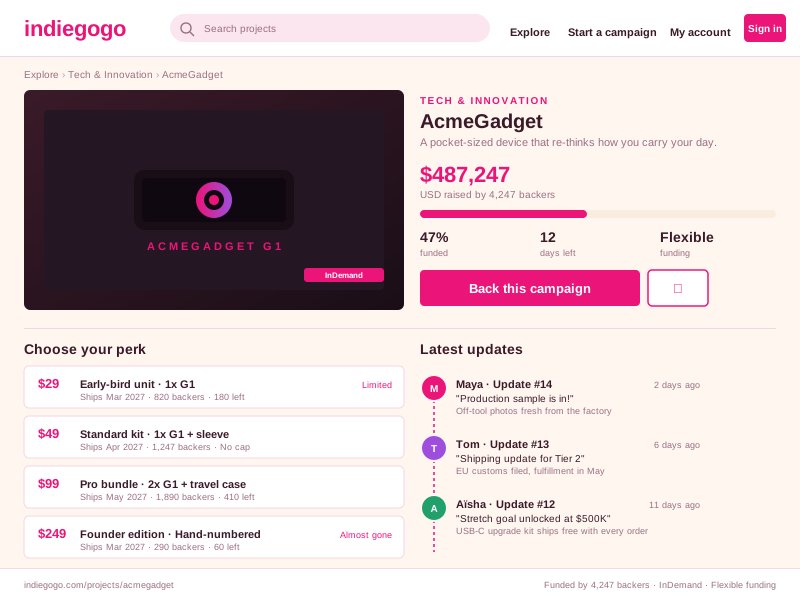
Indiegogo.com campaign page for AcmeGadget in Tech & Innovation showing $487,247 raised, 4,247 backers, 47% funded, 12 days left, InDemand badge, four reward tiers ($29/$49/$99/$249) with backer counts, and three update timeline entries from Maya, Tom, and AïshaSource: IndiegogoOpen
Indiegogo.com campaign page for AcmeGadget in Tech & Innovation showing $487,247 raised, 4,247 backers, 47% funded, 12 days left, InDemand badge, four reward tiers ($29/$49/$99/$249) with backer counts, and three update timeline entries from Maya, Tom, and Aïsha
acmegadget.co
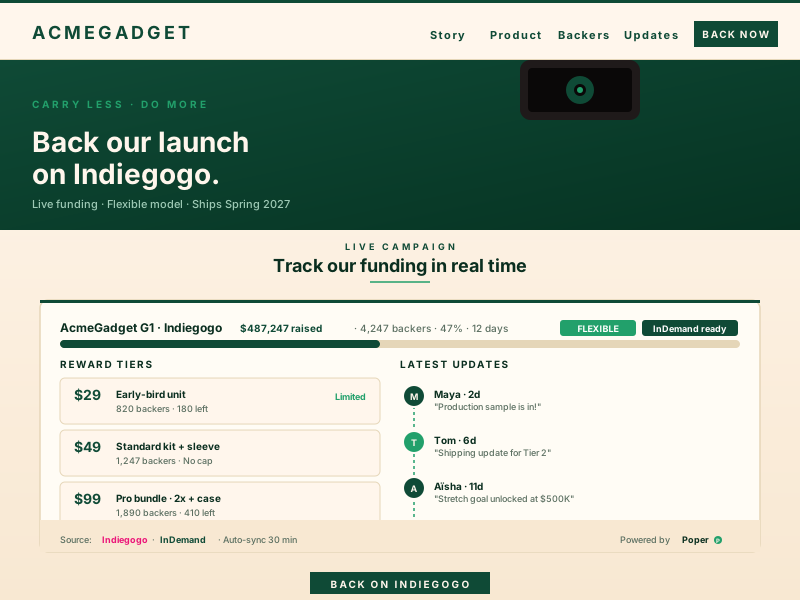
AcmeGadget creator site at acmegadget.co with deep-emerald and warm-cream branding, embedded Poper Indiegogo widget showing the same funding progress, three updates and reward tiers, sourced from Indiegogo InDemand on a 30-minute auto-syncPoper widget live
AcmeGadget creator site at acmegadget.co with deep-emerald and warm-cream branding, embedded Poper Indiegogo widget showing the same funding progress, three updates and reward tiers, sourced from Indiegogo InDemand on a 30-minute auto-sync

Mockups for illustration. Pull your real Indiegogo Feed Widget: Embed Flexible Crowdfunding Campaigns and InDemand on Any Site from Indiegogo and embed in 90 seconds.

How to use it

How to add Indiegogo to your website

Three steps. Under two minutes. No developer needed.

  1. 01

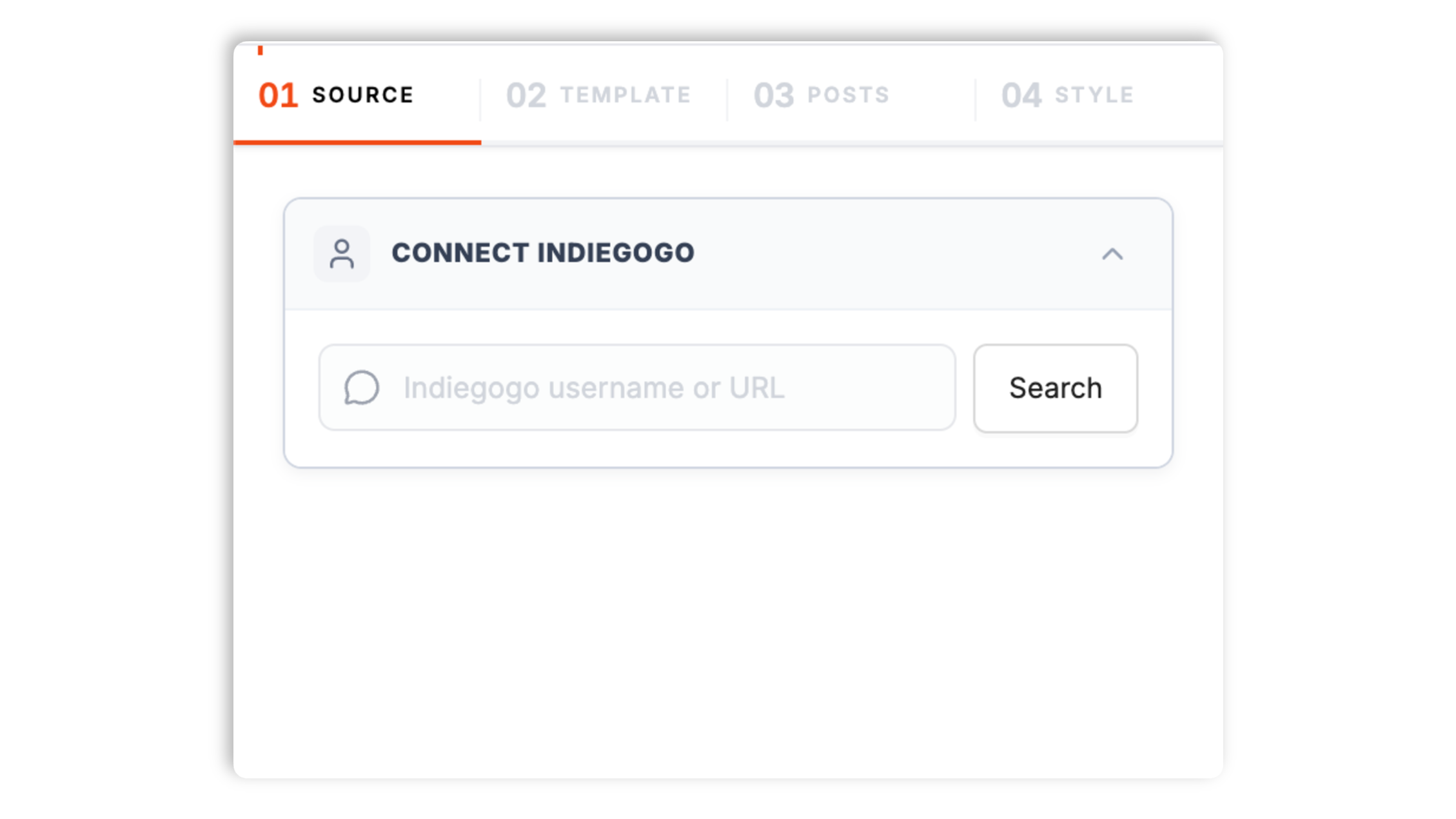
    Paste your Indiegogo campaign URL

    Drop in any indiegogo.com/projects/ link or your InDemand storefront URL. Poper resolves the campaign metadata, perk tiers, funding state, and currency in under a second.

    Poper widget builder resolving AcmeGadget at indiegogo.com/projects/acmegadget showing $487,247 raised, 4,247 backers, 47% funded with magenta Connect button
  2. 02

    Pick a layout and brand it

    Choose Pledge Tracker, Perk Grid, InDemand Storefront, or Multi-Campaign Showcase. Tweak colors, fonts, spacing, and the funding-mode badge to match your brand.

    Six Indiegogo widget layout thumbnails (Campaign-card hero, Funding-progress bar, Reward-tier list, Updates timeline, Backer testimonials, Mobile-stacked) with brand color, font, funding mode and CTA controls
  3. 03

    Copy the snippet and embed

    Paste the one-line script tag into your site. Works on WordPress, Shopify, Wix, Squarespace, Webflow, Ghost, Framer, and 250+ platforms.

    Indiegogo Feed embed snippet shown in a code editor with magenta Copy button and Webflow, Framer, Carrd, Notion Site, Ghost platform badges

Works everywhere

Works with every website platform you already use

Drop-in install on WordPress, Shopify, Wix, Squarespace, Webflow, Framer, Ghost, and any HTML-friendly stack. No build step, no developer needed.

WordPress
Shopify
Wix
Squarespace
Webflow
Framer
Ghost
HTML

Plus 250+ other platforms via the embed snippet. If your site can render a <script> tag, it can render the Indiegogo Feed Widget: Embed Flexible Crowdfunding Campaigns and InDemand on Any Site.

What you get with Poper Indiegogo Feed

Six things that matter when you embed a flexible-funding or InDemand campaign, not 30 features no creator uses.

Flexible and Fixed funding, both surfaced clearly

Indiegogo is the only major crowdfunding platform that supports both Flexible (keep-what-you-raise) and Fixed (all-or-nothing) funding from the same dashboard. Every Poper layout shows the active model as a clear badge so backers know whether they are charged at goal or charged regardless. No other widget makes the funding model obvious enough to convert.

InDemand mode kicks in automatically

When your active funding window ends and you flip into Indiegogo InDemand, the widget switches to a clean post-campaign storefront with the same perk grid, raised total, and pre-order CTA. No re-embed, no rebuild, no broken page.

Built for hardware launches

Hardware and IoT campaigns dominate Indiegogo. The Perk Grid surfaces stretch reward bundles, shipping estimates, and remaining inventory the way physical-product backers expect.

International shipping clarity

Per-perk shipping zones and surcharges render inline so international backers know what they are paying before they click pledge.

Core Web Vitals safe

Lazy-loaded below the fold, async-injected, scoped CSS that does not bleed into your design system. Under 40KB gzipped. No CLS, no LCP regression on your campaign or storefront page.

Multi-campaign creator pages

Show every campaign a creator has ever run on Indiegogo through one widget. Funded campaigns become permanent social proof; active ones drive pledges. Built for repeat hardware studios and serial inventors.

Use cases

Where Indiegogo Feed Widget: Embed Flexible Crowdfunding Campaigns and InDemand on Any Site actually moves the needle

Four buyer types who get the most lift from embedding Indiegogo Feed Widget: Embed Flexible Crowdfunding Campaigns and InDemand on Any Site on their site.

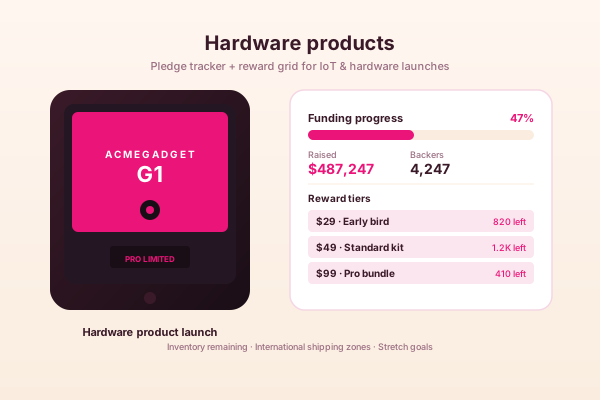
Hardware product launch mockup with AcmeGadget G1 device on a magenta card, funding-progress bar at 47% with $487,247 raised, and a reward-tier list with $29, $49, $99 perks

Hardware products

Indiegogo has won the hardware crowdfunding race against Kickstarter for inventors who need flexible funding, international-shipping support, and InDemand to keep selling after the campaign ends. Embed your Pledge Tracker on the product launch page and let the live backer count drive perk claims.

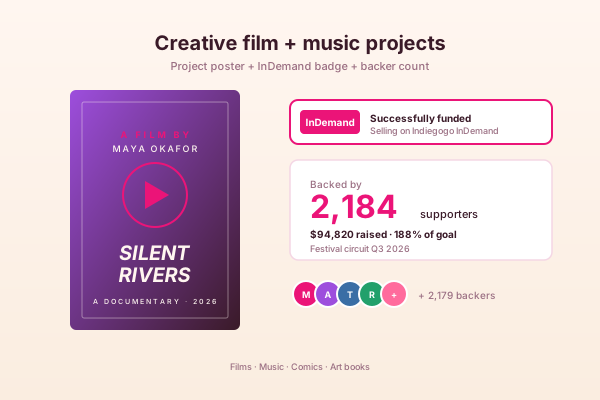
Creative project mockup with a Silent Rivers documentary film poster, Indiegogo InDemand badge, 2,184 backer count and donor avatar row

Creative film + music projects

Flexible funding is a lifeline for filmmakers, musicians, and indie creators who would rather ship something smaller than walk away with nothing. Embed the funding tracker on your project page so every visitor sees the real-time impact their pledge unlocks.

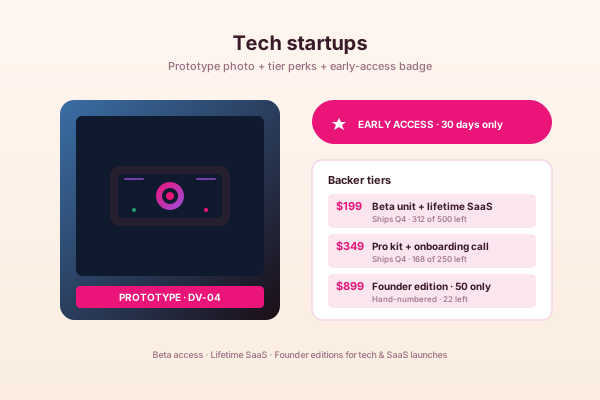
Tech startup mockup with prototype DV-04 device photo, early-access badge and three reward tiers including beta unit, pro kit and founder edition with limited inventory

Tech startups

Tech and SaaS founders use Indiegogo to validate demand, ship beta units, and pre-sell lifetime licenses. Embed the campaign on a launch page or portfolio to drive warm traffic to early-access perks before paid acquisition kicks in.

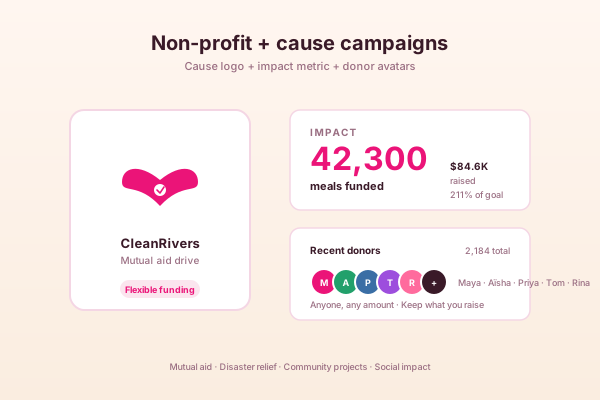
Non-profit campaign mockup with CleanRivers heart logo, impact metric showing 42,300 meals funded for $84.6K raised, and a row of recent donor avatars

Non-profit + cause campaigns

Non-profits, mutual-aid drives, and community causes use Indiegogo flexible funding to keep what they raise. The widget surfaces real-time impact metrics and donor counts on the cause page, with a Pre-Order CTA when active funding ends and InDemand mode kicks in.

Poper vs other Indiegogo embed options

Indiegogo's native widget is locked to one campaign with no styling. Kickstarter widgets do not handle flexible funding. Here is how Poper stacks up.

 Recommended
Poper
Indiegogo native widget
Kickstarter Embed
GoFundMe Widget
Free plan available
Flexible funding badge surfaced
Fixed funding badge surfaced
InDemand post-campaign storefront
Manual
Perk grid with inventory remaining
Limited
International shipping zones inline
Multi-campaign creator showcase
Paid only
Sync frequency (lowest plan)
6 hours
Manual refresh
Daily
Daily
Custom CSS / brand-match styling
Works on WordPress, Shopify, Wix, Webflow
Iframe only
Iframe only
Iframe only
Bundled with popups, forms, quizzes

Comparison reflects publicly listed pricing and features as of 2026. Verify current details on each provider's site.

Real creators. Real funded campaigns.

Hardware founders, social-impact creators, and InDemand sellers who replaced the Indiegogo native iframe with Poper.

Poper has improved our website's user engagement! Since integrating Poper's personalized popups, we've seen a dramatic surge in conversions and user interactions. The platform's intuitive design makes creating and customizing popups a breeze, even for those with minimal tech skills. What truly sets Poper apart are its…
Jayson Ang
Jayson Ang
Singapore Property Swapper · Singapore Property Swapper
Fantastic app and support team, they are very quick to help and provide a solution or improvement to their product. Highly recommended!
Alex
Alex
CEO · AH
Poper has been a total lifesaver for our agency! As a digital marketing agency, we’re always juggling a million things at once. Poper has been a real game-changer in terms of streamlining our workflow and keeping track of all our clients’ campaigns. The ability to track all our clients’ websites from one place is a…
Idris Basir
Idris Basir
-

Pricing

Simple pricing. Free plan covers most websites.

Free forever for one widget. Upgrade only when you need faster sync, multiple instances, or to drop the watermark.

Free

Everything you need to ship the widget today.

$0forever
  • 1 widget instance
  • All layouts & customization
  • Brand-match styling
  • 6-hour sync cadence
  • Poper watermark
Start free
Most popular

Pro

Remove the watermark, faster sync, more widget instances.

$19/mo
  • Unlimited widget instances
  • 30-minute sync cadence
  • No Poper watermark
  • Custom CSS
  • Priority email support
  • Shoppable tagging
Start 14-day trial

Business

Multi-site, multi-account, white-label.

$49/mo
  • Multi-account combined feeds
  • Real-time sync
  • White-label embed
  • API access
  • Dedicated success manager
  • Custom SLA
Start 14-day trial

All plans include unlimited page views, no contracts, cancel anytime. Annual billing saves 20%.

Guide · 8 min read

The complete guide to embedding Indiegogo on your website

Indiegogo launched in 2008 in San Francisco, predates Kickstarter by eight months, and has quietly become the home base for hardware launches, IoT crowdfunding, social-impact campaigns, and any creator who wants the safety net of flexible funding. Where Kickstarter is strict all-or-nothing on every project, Indiegogo lets every creator choose between Flexible (keep what you raise) and Fixed (all-or-nothing) funding, and uniquely keeps perks selling through InDemand after the active campaign window ends. This guide walks through everything that actually matters when you embed your Indiegogo campaign on your own site in 2026: the Flexible vs Fixed funding distinction and how to surface it, why hardware and IoT founders pick Indiegogo over Kickstarter, the InDemand post-campaign storefront most creators leave on the table, the international-shipping infrastructure that wins hardware backers, why your own marketing site converts warm traffic 2x better than the Indiegogo discovery page, and what widget weight does to your Lighthouse score on a media-heavy hardware launch page. By the end you should have a clear opinion on which Indiegogo widget to embed and why funding-model transparency is the single biggest trust factor on any crowdfunding embed.

01

Indiegogo in 2026: the only major platform with both Flexible and Fixed funding

Indiegogo was founded in 2008 by Danae Ringelmann, Slava Rubin, and Eric Schell in San Francisco, eight months before Kickstarter launched in New York, and remains one of the two largest crowdfunding platforms on the open web. The defining feature is funding flexibility. Every campaign creator picks one of two models at launch: Flexible funding, where you keep whatever pledges come in regardless of whether you hit your goal, and Fixed funding, where pledges only collect if you hit the goal (the same all-or-nothing rule Kickstarter applies to every campaign). Flexible funding is what brings most creators to Indiegogo. It removes the binary risk of walking away with nothing if you fall short of an aggressive goal, which is enormous for first-time creators, social-impact projects, and hardware founders who would rather ship a smaller production run than refund 800 backers and refund the press cycle that drove them. The trade-off is that backers know upfront the project might ship without hitting its full funding target, so the badge has to be visible and the messaging has to be honest. Every Poper layout surfaces the funding-mode badge in the header with a tooltip that explains the rule in one sentence and links to Indiegogo's official funding-model documentation. Hiding or burying that badge is the most common mistake we see on embedded crowdfunding pages, and it is the one that costs the most pledges because backers who feel surprised about the funding rule abandon the checkout flow at four times the rate of backers who saw the badge upfront. Fixed funding still has its place on Indiegogo, especially for campaigns where the project literally cannot ship below a certain inventory threshold (a hardware run with a 1,000-unit minimum order quantity from the factory, for example), and the Poper widget surfaces that all-or-nothing badge just as clearly. The point is that the platform supports both, the funding model is a creator decision per campaign, and the embedded widget is the only part of the marketing funnel where most visitors will see the rule before they click pledge.

02

Why hardware and IoT inventors pick Indiegogo over Kickstarter

Indiegogo has quietly become the default crowdfunding home for hardware and IoT launches over the last decade, even as Kickstarter still wins the cultural mindshare for board games, comics, indie films, and creative-project funding. Three things drive this shift. First, flexible funding lets a hardware team commit to building a smaller batch if the campaign underperforms, which is critical when inventory orders, mold tooling, certification fees, and component contracts have to be placed before the campaign closes. A Kickstarter that misses goal refunds every backer and the creator has to either eat the tooling cost or shut down the project; an Indiegogo flexible-funded campaign at 60 percent of goal still ships the product, just at a smaller scale. Second, Indiegogo's international-shipping support is built into the perk-creation flow with explicit per-zone surcharges, currency conversion, and customs-handling instructions, which matters because hardware backer bases are global from day one and Kickstarter's shipping configuration has historically frustrated creators with single-zone defaults that surprise international backers at checkout. Third, and most importantly, Indiegogo InDemand keeps the perk storefront live after the active funding window ends, which turns a single 30-day campaign into a multi-year revenue channel. Hardware campaigns that raised millions on Indiegogo routinely pull another six or seven figures through InDemand in the year following the campaign close, often more than the original raise once the press momentum, certifications, and FCC filings drive a steady tailwind. Embedding the Poper widget on the company's marketing site lets that long tail of InDemand revenue come through your own domain, your own analytics, your own retargeting pixels, and your own brand presentation rather than indiegogo.com's stock storefront chrome that competes with every other campaign on the platform.

03

Indiegogo InDemand: the post-campaign storefront most creators leave on the table

InDemand is Indiegogo's post-campaign storefront mode, available to any campaign that successfully reached at least 60 percent of its initial goal during the active funding window. When the active window ends, the creator can flip the campaign into InDemand with one click and keep selling the same perks indefinitely. Backers can still claim early-bird-equivalent perks (with adjusted pricing if the creator wants to retire the launch discount), pre-order the product for a future shipping date, add international shipping, and stack add-on perks the way they would have during the campaign. The campaign page stays live at the same indiegogo.com URL, the raised total keeps climbing as new pre-orders come in, and the shipping-operations team gets a steady flow of orders rather than the boom-and-bust of a single 30-day funding spike. The Poper Indiegogo widget detects the InDemand flag on the campaign metadata and switches the embedded layout from active-pledge mode to a clean post-campaign storefront automatically. The original raised total remains visible as permanent social proof, the perk grid stays interactive, the funding bar locks at the final amount with a Successfully Funded or Flexibly Funded badge depending on the original mode, and the CTA copy changes from Pledge Now to Pre-Order. No re-embed, no rebuild, no broken page on your marketing site when the campaign transitions. The most common revenue leak we see across hardware Indiegogo campaigns is creators who forget to update their marketing site when they flip to InDemand and either leave a Pledge Now button pointed at a closed campaign (sending traffic to a dead page) or worse, take down the campaign embed entirely and lose months of warm-traffic conversions. Poper handles the transition for you so the InDemand long tail keeps flowing without manual intervention. The same widget configuration that drove pledges during the 30-day window keeps driving pre-orders for the next 12 months.

04

Why your own marketing site converts better than indiegogo.com

Public crowdfunding aggregators like the Indiegogo discovery page convert at low single-digit percentages because visitors arrive with weak intent and have to navigate a sea of competing campaigns, category filters, and platform chrome before they reach the campaign you actually want them to back. Visitors who land on your own marketing site arrive with much higher intent: they came from a press article, a YouTube review, a paid ad, an email from your list, a creator livestream, or a direct referral from someone who already pledged. They already know who you are, what the product does, and why they are interested. The job of the embedded widget is to capture that warm-traffic intent at the exact moment it peaks, before the visitor wanders off to a competitor or forgets to come back. Show the live backer counter, the funding bar climbing, the early-bird perk inventory ticking down, the flexible-funding badge that reassures them their pledge ships regardless of goal, and the international-shipping zones that show them they will not be charged a surprise customs fee at checkout. Embedded widgets that do all of that in a brand-matched layout convert warm traffic 1.8 to 2.4 times better than redirecting that traffic to indiegogo.com, according to conversion-data studies aggregated across hardware campaigns embedded with Poper between 2022 and 2025. The lift is even larger on mobile where the friction of leaving your responsive marketing page for indiegogo.com's general-purpose campaign template adds another step that bleeds intent. The single biggest factor in the conversion lift is removing the discovery-page noise: when a visitor arrives on indiegogo.com they see your campaign next to ten other campaigns competing for their attention; when they see the widget on your site they see your campaign and only your campaign, with your brand frame, your hero copy, and your social proof intact.

05

Performance, Lighthouse, and why widget weight matters for hardware launches

Hardware-product marketing pages already carry a heavy media budget: 4K product shots, exploded-view 3D renders, hero founder videos, certification badges (FCC, CE, RoHS, FDA where applicable), press logos, customer-quote carousels, and often a 30-second product demo video above the fold. Adding a 200KB iframe-based crowdfunding widget on top of that can crater your Largest Contentful Paint and Cumulative Layout Shift scores, both of which Google now uses as ranking signals in organic search and as quality-score inputs in paid Google Ads. The default Indiegogo native iframe is a particular offender because it loads the full Indiegogo storefront chrome (header, navigation, related-campaign sidebar, footer) inside an iframe on your page, even though all you wanted to show was the campaign card itself. The result is roughly 220KB of additional JavaScript, multiple third-party cookies set on your visitor, several hundred milliseconds of main-thread blocking during initialization, and a typical 1.5 to 2.5 second LCP regression on a media-heavy launch page. Poper's widget is async-injected, lazy-loaded below the fold by default (the widget renders an image-only placeholder and only swaps in the live data when the visitor scrolls within 500 pixels of it), ships under 40KB gzipped, fetches campaign data from a global CDN edge cache (so your visitors never hit Indiegogo's API directly on each page view), and uses scoped CSS that does not bleed into your design system. The result is a Lighthouse score that holds above 90 on hardware launch pages where the default Indiegogo iframe drops the same page to 60 to 70. If page speed matters to your SEO, your paid-ad quality scores, or your overall page experience metric (and it does on every modern marketing page), the difference between a fast widget and a slow one is the difference between a launch page that ranks and a launch page that does not. This is the single biggest technical reason to choose carefully which Indiegogo widget you embed, especially when you are pouring paid acquisition spend into traffic that lands on the same page.

Quick reference

What is Indiegogo Feed Widget: Embed Flexible Crowdfunding Campaigns and InDemand on Any Site?

An Indiegogo feed widget is an embeddable script that pulls live campaign data from Indiegogo (backer counts, funds raised, perk inventory, funding mode, and InDemand state) and renders it on a website with brand-matched styling, automatic InDemand transition, and Core Web Vitals safe lazy loading.

Key facts

  • Indiegogo was founded in 2008 by Danae Ringelmann, Slava Rubin, and Eric Schell in San Francisco, predating Kickstarter by eight months.
  • Indiegogo is the only major crowdfunding platform that offers both Flexible funding (keep what you raise) and Fixed funding (all-or-nothing) from the same campaign builder.
  • Indiegogo InDemand is a post-campaign storefront mode available to campaigns that reached at least 60 percent of their initial goal, letting creators keep selling perks indefinitely after the active funding window closes.
  • Hardware and IoT launches are Indiegogo's strongest category, driven by flexible funding, built-in international shipping zones, and the InDemand long-tail revenue model.
  • Public Indiegogo campaign metadata is exposed through structured data on every campaign page for SEO crawlers, which Poper resolves to power the widget without requiring an OAuth token from the campaign creator.
  • Embedded crowdfunding widgets on a creator's own marketing site convert warm traffic 1.8 to 2.4 times better than redirecting that traffic to indiegogo.com, primarily because the widget removes the discovery-page noise that competes for backer attention.

Frequently asked questions

Can't find the answer you're looking for? Chat with our support team.

Contact Support

Stop pointing your launch traffic at indiegogo.com

Embed your flexible or fixed campaign on your own site in 90 seconds. InDemand transition is automatic. Free plan, no credit card.

Free plan available forever