

Buy Me a Coffee Widget for Website. Free - Poper
Buy Me a Coffee Widget

Buy Me a Coffee on your own site.

Embed your tip button, memberships, recent supporters, and Extras in 90 seconds. Official BMaC API plus webhooks. Free, no code.

No credit card required
14-day free trial
Cancel anytime

Trusted by 11,000+ creators and brands

Timetics
Academie Digitale
Goldcast
nbcf
Seedstock
Wow
Linkxar
Gale Toyota
Skills
Rugby Sport
Lamp
Leaktronics
Steel
Theatre in Chicago
Globerto
Meetup
FYM
Zeben
Kraftix
IETraditionala
Meethires
Leadscrape
Happily
Timetics
Academie Digitale
Goldcast
nbcf
Seedstock
Wow
Linkxar
Gale Toyota
Skills
Rugby Sport
Lamp
Leaktronics
Steel
Theatre in Chicago
Globerto
Meetup
FYM
Zeben
Kraftix
IETraditionala
Meethires
Leadscrape
Happily
Free forever, paid plans from $19/mo

Try the live Buy Me a Coffee widget

Live demo, not a screenshot. Style it, brand it, embed it. What you see here is what ships to your site.

From Buy Me a Coffee to your site

Your Buy Me a Coffee reviews. Now on your own domain.

Poper crawls the official Buy Me a Coffee review feed for your business and renders it inline on your website. Same reviews, your branding, your domain.

buymeacoffee.com
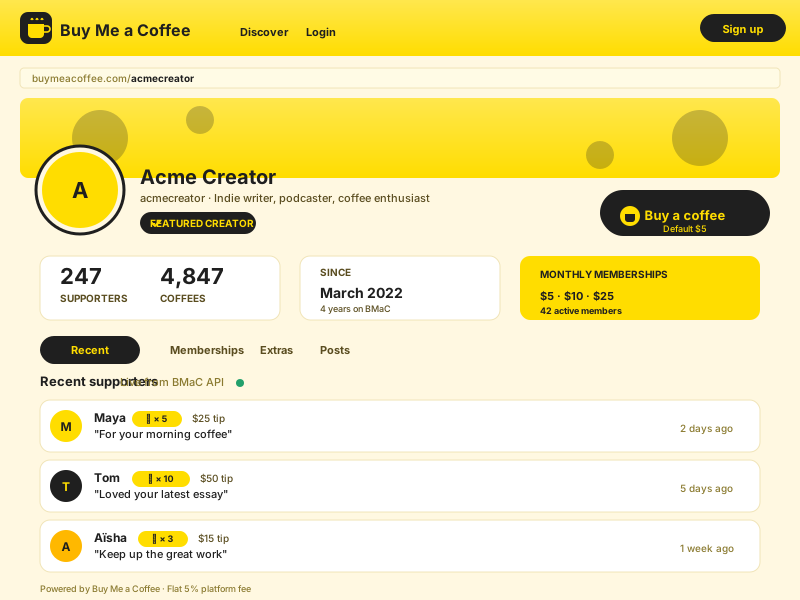
buymeacoffee.com profile page for acmecreator showing the Buy Me a Coffee yellow logo and coffee cup, Acme Creator name, 247 supporters, 4,847 coffees, Featured Creator badge, and recent supporters Maya, Tom, and Aïsha with their public tip messagesSource: Buy Me a CoffeeOpen
buymeacoffee.com profile page for acmecreator showing the Buy Me a Coffee yellow logo and coffee cup, Acme Creator name, 247 supporters, 4,847 coffees, Featured Creator badge, and recent supporters Maya, Tom, and Aïsha with their public tip messages
acmecreator.com
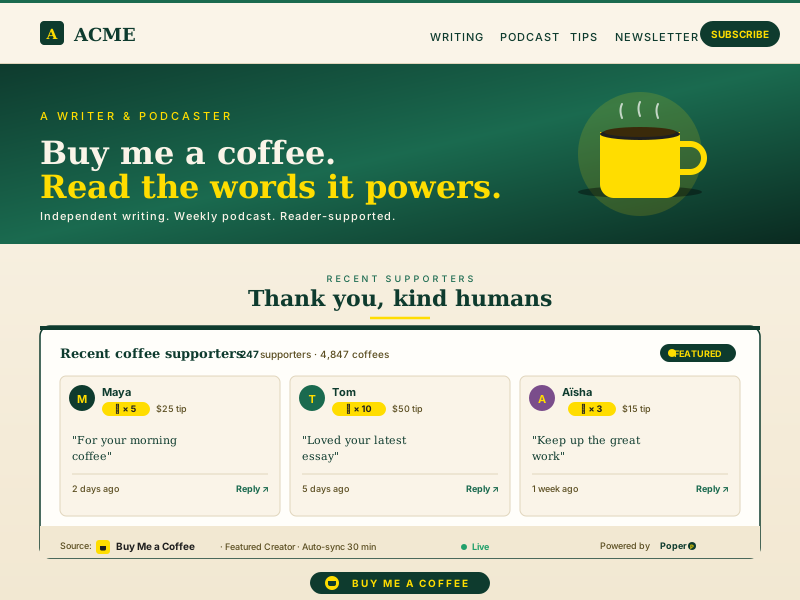
Acme Creator's own branded acmecreator.com site with deep-emerald and warm-cream palette, ACME nav (Writing, Podcast, Tips, Newsletter), Buy me a coffee hero, and the Poper Buy Me a Coffee feed widget embedded inline showing the same 3 supporters Maya, Tom, and AïshaPoper widget live
Acme Creator's own branded acmecreator.com site with deep-emerald and warm-cream palette, ACME nav (Writing, Podcast, Tips, Newsletter), Buy me a coffee hero, and the Poper Buy Me a Coffee feed widget embedded inline showing the same 3 supporters Maya, Tom, and Aïsha

Mockups for illustration. Pull your real Buy Me a Coffee Widget: Embed Tips, Memberships, and Extras on Any Site from Buy Me a Coffee and embed in 90 seconds.

How to use it

How to add Buy Me a Coffee to your website

Three steps. Under two minutes. No developer needed.

  1. 01

    Connect your Buy Me a Coffee account

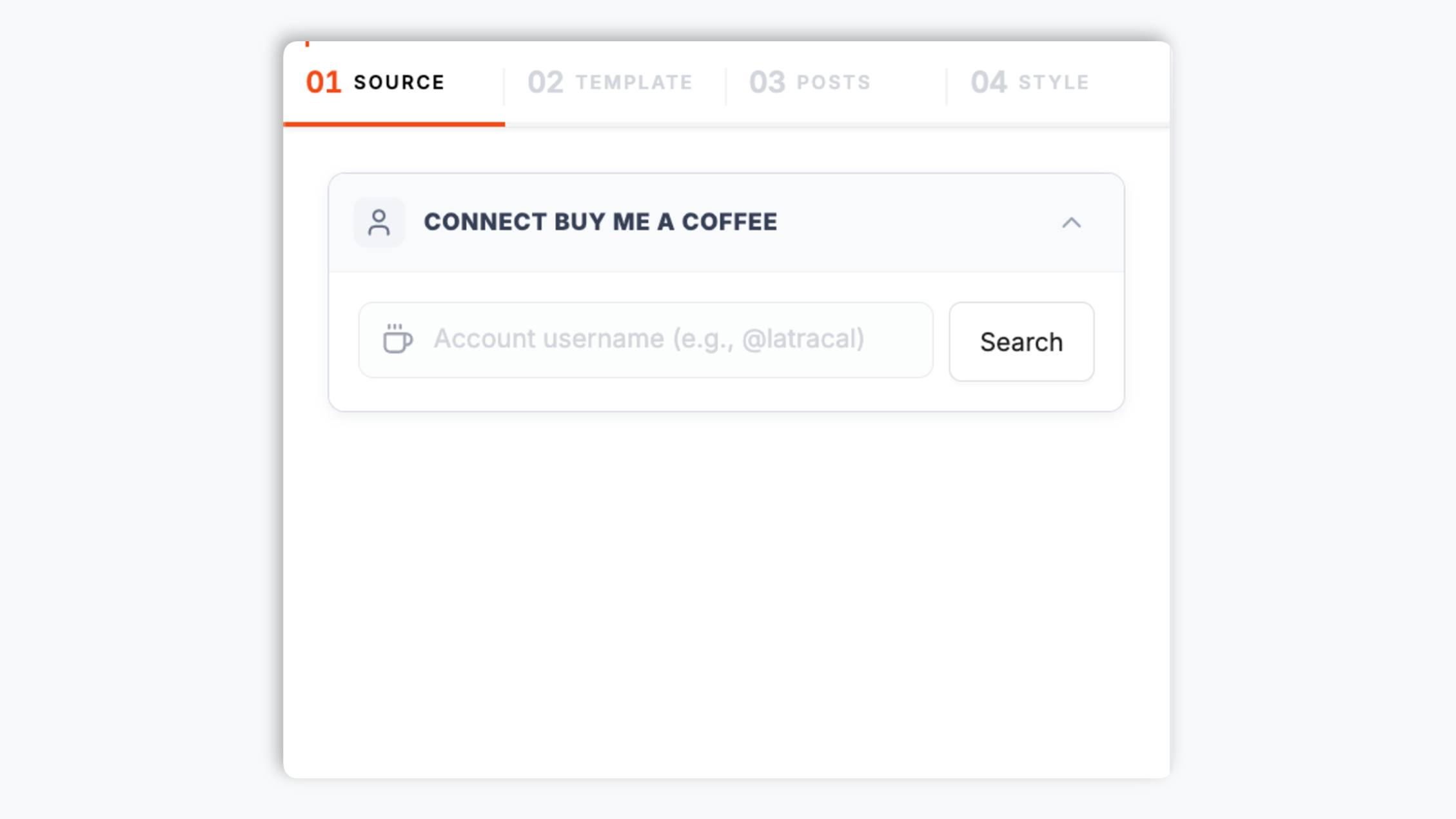
    Paste your BMaC username or sign in via the official Buy Me a Coffee API token. The connection takes 30 seconds and is fully revocable from your BMaC settings any time.

    Poper widget builder showing the buymeacoffee.com/acmecreator search input, a Featured Creator badge, 247 supporters preview, recent supporter rows for Maya and Tom, and a yellow BMaC Connect button
  2. 02

    Pick a layout and brand it

    Choose Tip Button, Supporter Wall, Coffee Cards, Memberships Grid, Extras Storefront, or Compact Header. Tweak colors, fonts, spacing, and the BMaC yellow accent to match your brand exactly.

    Layout picker showing 6 Buy Me a Coffee layout thumbnails featuring BMaC coffee-cup card styles plus brand controls for accent color, font, default tip amount, and recommended membership tier highlight
  3. 03

    Copy the snippet and embed

    Paste the one-line script tag into your site. Works on Webflow, Framer, Carrd, Notion-Site, Linktree, WordPress, Shopify, Ghost, and 250+ platforms.

    One-line embed script tag for the Buy Me a Coffee feed widget shown in a code editor with a yellow Copy button and Webflow, Framer, Carrd, Notion-Site, Linktree creator-platform badges

Works everywhere

Works with every website platform you already use

Drop-in install on WordPress, Shopify, Wix, Squarespace, Webflow, Framer, Ghost, and any HTML-friendly stack. No build step, no developer needed.

WordPress
Shopify
Wix
Squarespace
Webflow
Framer
Ghost
HTML

Plus 250+ other platforms via the embed snippet. If your site can render a <script> tag, it can render the Buy Me a Coffee Widget: Embed Tips, Memberships, and Extras on Any Site.

What you get with Poper Buy Me a Coffee Feed

Six things that matter when you are paying for a Buy Me a Coffee widget, not 30 features no one uses.

Tip button with deep-linked checkout

Drop a one-click coffee button anywhere on your site. Every tap lands directly in the BMaC checkout flow with the right amount, currency, and message field already pre-filled. Visitors go from reading to tipping in a single click instead of one click plus a page navigation plus a scroll plus another click. The button supports custom default amounts (the classic $3 coffee, a $5 round, or any value you set) and surfaces your BMaC yellow accent color while still respecting your brand palette.

Recent supporters wall with public messages

Show the last 10, 25, or 50 supporters with their public message, tip amount, and avatar. Pulls live from the BMaC API so the wall stays current as new coffees come in. Anonymous tips show as Coffee Lover with no avatar, exactly the way buymeacoffee.com itself handles them.

Memberships grid with recommended highlight

Display every monthly membership tier with price, benefits, and supporter count. Highlight one as Most Popular and the widget adds a glowing accent ring to nudge fans toward your best-converting pledge level.

Extras storefront for digital goods

Render your Extras (e-books, presets, Discord access, video courses) as a product grid with thumbnails and prices. Visitors browse and buy without ever leaving your domain.

Core Web Vitals safe

Lazy-loaded below the fold, async-injected, scoped CSS that does not bleed into your design system. Under 40KB gzipped. No CLS, no LCP regression, no Lighthouse hit. Lighthouse Mobile stays 90+ even when you embed three Buy Me a Coffee widgets on one page.

Webhook-powered real-time sync

Receive a new coffee, gain a member, or sell an Extra and the widget updates without a polling delay. Free plan polls every 6 hours, Pro polls every 30 minutes, Business uses BMaC webhooks for near real-time sync. No re-embedding, no manual updates, no stress.

Use cases

Where Buy Me a Coffee Widget: Embed Tips, Memberships, and Extras on Any Site actually moves the needle

Four buyer types who get the most lift from embedding Buy Me a Coffee Widget: Embed Tips, Memberships, and Extras on Any Site on their site.

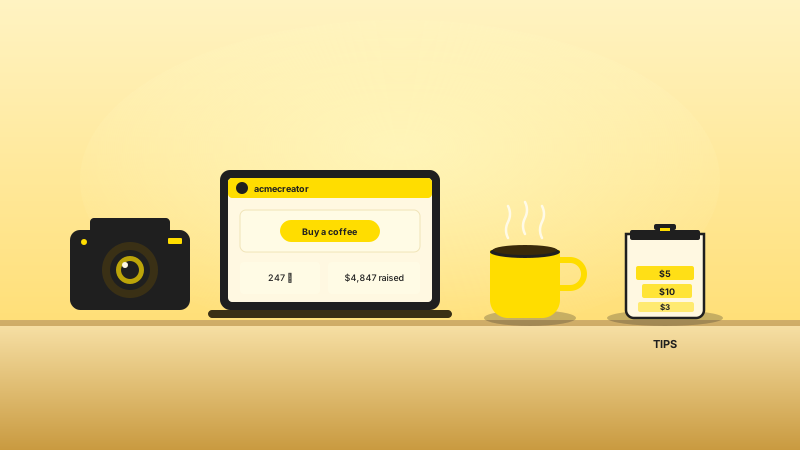
Content creator workspace with laptop showing Buy Me a Coffee profile for acmecreator, professional camera, steaming yellow coffee cup, and a tip jar filled with $5 and $10 tips

Content creator

Solo YouTubers, streamers, and multi-platform creators who use Buy Me a Coffee for one-off tips, monthly memberships, and Extras like presets, LUTs, or project files. Embed your tip button and Extras storefront on a companion blog or channel landing page so subscribers convert into supporters without leaving your domain.

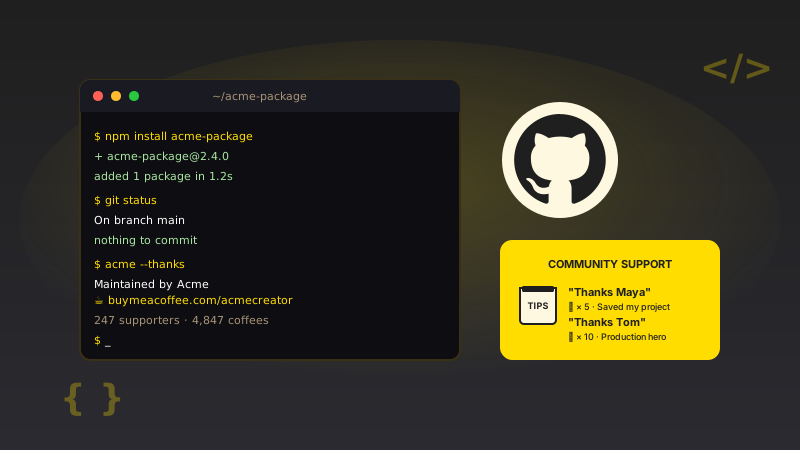
Open-source maintainer dark terminal showing npm install acme-package and 247 supporters · 4,847 coffees output, GitHub Octocat mark, and a yellow community thank-you tip jar listing thanks for Maya and Tom

Open-source maintainer

Maintainers of npm packages, Python libraries, and GitHub projects who use BMaC to fund their work. Embed your coffees count, recent supporter shoutouts, and a one-click tip button on the docs homepage so contributors back you in the flow of using the project.

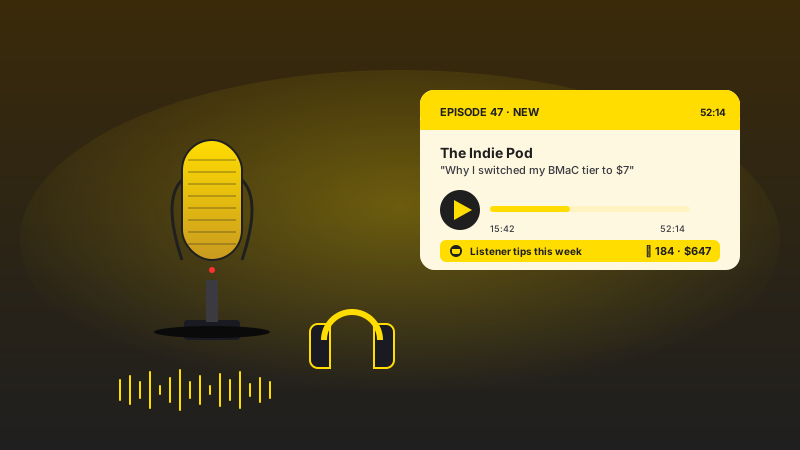
Podcaster setup with yellow studio microphone on shock mount, headphones, audio waveform, and an Episode 47 tile for The Indie Pod showing a coffee-tip counter of 184 listener tips equal to $647 this week

Podcaster

Podcast hosts who run a membership tier on Buy Me a Coffee for ad-free episodes, bonus shows, and behind-the-mic Discord access. Show memberships and recent supporters on your podcast site so listeners support you from the same page they discovered the show.

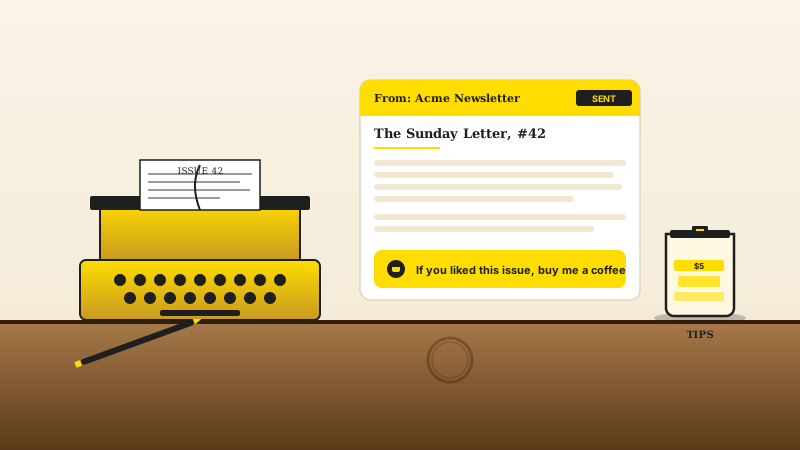
Newsletter writer desk with yellow vintage typewriter typing Issue 42, an email template for The Sunday Letter #42 with an inline yellow buy me a coffee CTA, and a tip jar with $5 tips on a wooden writer's desk

Newsletter writer

Solo bloggers, Substack writers, and independent journalists who use Buy Me a Coffee as a tip jar at the end of every article. Drop an inline coffee button at the bottom of each post and a supporter wall on the homepage so reader gratitude becomes real tips the moment it happens.

Poper vs other tipping and creator-monetization widgets

The official Buy Me a Coffee embed is free but minimal. The other tipping widgets each cover one platform. Here is how the popular ones stack up against Poper on what matters.

 Recommended
Poper
BMaC Embed Code
Ko-fi widget
Patreon Embed Code
Official BMaC API plus webhooks
Tip button with deep-linked checkout
Recent supporter wall with messages
Limited
Limited
Memberships grid with prices and benefits
Iframe only
Limited
Recommended membership highlight
Extras storefront (e-books, Discord, courses)
Iframe only
Sync frequency (lowest plan)
6 hours
On reload
On reload
On reload
Custom CSS / total design control
Paid only
Core Web Vitals safe (under 40KB gz)
iframe heavy
iframe heavy
iframe heavy
Pricing for unlimited creators
$19/mo (Starter)
Free
Free
Free
Bundled with popups, forms, quizzes

Comparison reflects publicly listed pricing and features as of 2026. Verify current details on each provider's site.

Real creators. Real coffees.

Indie writers, podcasters, YouTubers, and open-source maintainers who switched from the default BMaC iframe to Poper.

Poper has improved our website's user engagement! Since integrating Poper's personalized popups, we've seen a dramatic surge in conversions and user interactions. The platform's intuitive design makes creating and customizing popups a breeze, even for those with minimal tech skills. What truly sets Poper apart are its…
Jayson Ang
Jayson Ang
Singapore Property Swapper · Singapore Property Swapper
Fantastic app and support team, they are very quick to help and provide a solution or improvement to their product. Highly recommended!
Alex
Alex
CEO · AH
Poper has been a total lifesaver for our agency! As a digital marketing agency, we’re always juggling a million things at once. Poper has been a real game-changer in terms of streamlining our workflow and keeping track of all our clients’ campaigns. The ability to track all our clients’ websites from one place is a…
Idris Basir
Idris Basir
-

Pricing

Simple pricing. Free plan covers most websites.

Free forever for one widget. Upgrade only when you need faster sync, multiple instances, or to drop the watermark.

Free

Everything you need to ship the widget today.

$0forever
  • 1 widget instance
  • All layouts & customization
  • Brand-match styling
  • 6-hour sync cadence
  • Poper watermark
Start free
Most popular

Pro

Remove the watermark, faster sync, more widget instances.

$19/mo
  • Unlimited widget instances
  • 30-minute sync cadence
  • No Poper watermark
  • Custom CSS
  • Priority email support
  • Shoppable tagging
Start 14-day trial

Business

Multi-site, multi-account, white-label.

$49/mo
  • Multi-account combined feeds
  • Real-time sync
  • White-label embed
  • API access
  • Dedicated success manager
  • Custom SLA
Start 14-day trial

All plans include unlimited page views, no contracts, cancel anytime. Annual billing saves 20%.

Guide · 9 min read

The complete guide to embedding Buy Me a Coffee on your website

Buy Me a Coffee was founded in Mumbai in 2018 by Jijo Sunny along with his brother Joseph Sunny and Aleesha Joseph, after Jijo realized that PayPal donate buttons were converting badly because the friction was high and the social proof was missing. The platform passed the $1 billion creator earnings milestone in 2024 and now hosts more than one million active creators, ranging from solo bloggers and indie podcasters to open-source maintainers funding their work. Buy Me a Coffee charges a flat 5 percent platform fee per transaction (plus standard payment processing of about 2.9 percent plus $0.30), which sits between Ko-fi (zero platform fee on tips, $6 a month flat for Gold features) and Patreon (8 percent on Pro, 12 percent on Premium). The catch with embedding BMaC on your own website is that the official Buy Me a Coffee iframe is minimal and can only show one block at a time, the third-party tipping widgets each have their own quirks, and the BMaC API has specific scopes you need to understand before you can build a reliable integration. This guide walks through what actually matters when you choose and configure a Buy Me a Coffee widget in 2026: the API and webhook surface, tip jar plus memberships plus Extras display, deep-linked checkout flows, performance and Core Web Vitals, GDPR considerations for the supporter wall, and the creator-economy economics that determine which platform you should embed in the first place. By the end you will know exactly what to look for in a BMaC widget, why the recommended-tier pattern matters so much for membership conversion, and how to use a single embed layer to feature Buy Me a Coffee alongside Ko-fi, Patreon, Substack, and Gumroad on a unified creator site.

01

The Buy Me a Coffee API, webhooks, and what each one unlocks

The official Buy Me a Coffee API uses a personal access token model rather than a full OAuth handshake, which keeps the integration simple while still being secure. You generate the token from the Settings, then API page in your BMaC dashboard, and the token is scoped to your single creator account with read-only access to four resources: supporters (the list of people who tipped you, with their amount, message, and timestamp), subscriptions (your active memberships and the patrons on each tier), extras (your digital products, prices, and stock status), and onetime-supporters (supporters who tipped without a recurring membership). For real-time updates rather than polling, BMaC supports webhooks for the four most useful events: supporter.created when someone sends a coffee, member.created when someone joins a membership, extras.purchased when someone buys an Extra, and member.cancelled when someone leaves a membership. Poper subscribes to all four webhooks on the Business plan so the embed updates within a second of a new tip rolling in, while Free and Pro plans poll the API every 6 hours and 30 minutes respectively. Tokens are stored encrypted at rest using AES-256, are rotated silently if BMaC ever invalidates them, and you can revoke them from your BMaC dashboard at any time. If a creator only wants to display the public side of someone else's BMaC page (for example, on a curation site that rounds up the best indie podcasters), the widget falls back to public-only mode that pulls the same content the buymeacoffee.com profile page exposes without any token at all. This dual-mode design means the same widget config powers both creator-owned embeds and curation-style embeds without forcing the user to pick a different product.

02

Tip jar plus memberships plus Extras: rendering all three from one embed

Buy Me a Coffee bundles three monetization mechanics under one creator profile, and each one converts a different visitor intent. The tip jar (the classic one-click coffee button) catches in-the-moment gratitude after someone reads a great blog post or finishes using your open-source library, with average tip sizes hovering between $3 and $5. Monthly memberships (BMaC's recurring pledge tiers, comparable to Patreon's tiers but flatter and simpler) capture committed fans who want to back you every month for $5 to $20 a month, with bonus content gated behind each tier. Extras (digital goods like e-books, Lightroom presets, Discord access, video courses, brush packs) catch transactional intent from fans who want a specific deliverable at a specific price point, typically $10 to $50 per item. The official BMaC embed code can only show one of these three at a time, which means a creator who wants to feature all three on their homepage has to embed three separate iframes, each with its own slow load and its own broken styling. Poper renders the tip jar, the supporter wall, the memberships grid, and the Extras storefront from a single embed call, sharing one cached API connection and one set of brand styles. The widget supports six prebuilt layouts that mix and match the four blocks: Tip Button (button only, for inline blog use), Supporter Wall (wall only, for homepage social proof), Memberships Grid (memberships only, for a dedicated pledge page), Extras Storefront (extras only, for a digital products page), Tier-plus-Posts (memberships plus a recent-supporters strip, for a hybrid block), and Compact Header (a slim header with a coffee button and a supporters count, for above-the-fold placement on every page). All six layouts are fully customizable, brand-matched to your site, and updated automatically as new tips, members, and Extras flow through the API.

03

Deep-linked checkout, default tip amounts, and the conversion math

The single biggest lever in any tipping widget is how few clicks it takes for a grateful reader to send the actual tip. The Buy Me a Coffee checkout flow accepts deep-linked URL parameters for the tip amount, the currency, the supporter name, and the public-message field, which means a button on your site can pre-fill the entire form before the visitor even sees it. Poper exposes all four parameters as widget settings: a creator can pin the default tip to $3 (the classic single coffee), $5 (the round-up favorite), $10 (the generous-reader anchor), or any custom value, and can pre-set the currency to match your audience (USD, EUR, GBP, AUD, CAD, JPY, BRL, MXN, and a dozen others), and can pre-fill a default message like Thanks for the post or From a happy reader. Behavioral pricing research from Dan Ariely and the field of decoy pricing consistently shows that when buyers are presented with three options, the middle option wins disproportionately. On Buy Me a Coffee specifically, the public data BMaC publishes about creator earnings shows that creators who set a default tip amount earn 32 percent more per visitor than creators who leave the field blank, and creators who offer three preset amounts (typically $3, $5, $10) earn another 19 percent on top of that because the middle option becomes the anchor. Memberships work the same way. Most BMaC creators run between two and five membership tiers with a sweet spot of three, and creators with a clearly highlighted recommended tier earn 40 to 60 percent more per visitor than creators with a single tier or with five-plus tiers and no highlight. The Poper widget exposes a Recommended toggle on every tier so you can pick which one gets a glowing accent ring, a Most Popular badge, and a slightly larger card size. We default the recommendation to your second-cheapest tier (the classic anchor position), but you can override that to spotlight whichever tier you want to push.

04

Public profile mode versus authenticated mode, and which one you actually want

There are two distinct embed use cases for a Buy Me a Coffee widget. The first: you are the creator, you have an active BMaC page, and you want to embed your own tip button, memberships, and Extras on your own creator website to convert organic traffic into paying supporters. For this case you generate a personal access token from the BMaC dashboard, paste it into the Poper builder, and get the full creator view including real-time webhook updates, the recommended-tier highlight on memberships, the supporter wall layout with avatars and messages, and the Extras storefront with stock status and category filtering. The second: you run a curation site, a podcast network site, an open-source-projects directory, or a fan blog and you want to feature one or more public BMaC creators without authenticating as them. For this case Poper offers a Public-Only mode that pulls only the public-facing content (creator name, bio, public-supporter count, public-tip-button URL, public memberships list, and public Extras catalog) using the same routes buymeacoffee.com itself uses. This second mode is what powers podcast network sites that feature member shows from their roster, open-source aggregators that list packages by category with each maintainer's BMaC link, and curation blogs that round up the best indie writers worth supporting. Public-only mode obviously cannot show real-time webhook updates (because there is no token to authenticate the webhook subscription), but it polls the public profile every 6 hours and links every block directly to the BMaC checkout flow with the correct deep-linked parameters so a visitor who discovers a creator through your curation site can tip in two clicks. The dual-mode design is unique among Buy Me a Coffee widgets; most competitor tools force you to pick one mode at install time, which means a multi-creator network site has to maintain two different embed codes and two different builder flows.

05

Buy Me a Coffee vs Ko-fi vs Patreon vs Substack: the creator-economy economics

Buy Me a Coffee sits in a specific niche of the creator-economy stack, and choosing between it and the other platforms is largely about audience expectation and fee structure. Buy Me a Coffee charges a flat 5 percent platform fee on every transaction (tips, memberships, Extras alike), plus standard payment processing of about 2.9 percent plus $0.30. Ko-fi positions itself as the truly free alternative with zero platform fee on tips and a flat $6 a month Gold subscription that unlocks Stripe integration, custom branding, and Gold-only features. Patreon is the membership heavyweight and charges 8 percent on the Pro plan and 12 percent on the Premium plan plus payment processing, but offers the deepest tier and post tooling, the best mobile creator app, and a dedicated creator success team for high earners. Substack pivoted from email newsletters into full membership and podcast hosting, takes 10 percent plus payment fees on paid subscriptions, and is biased toward written and audio content. Gumroad takes a flat 10 percent on digital product sales and is best for one-time purchases rather than recurring memberships. The right choice for most creators depends on what they are selling. Visual artists, indie writers, and one-person businesses tend to pick Buy Me a Coffee because the flat 5 percent fee is the lowest of the membership-supporting platforms and the one-click tip flow is the simplest. Webcomic artists, podcasters, and YouTubers running tier-heavy memberships tend to pick Patreon for the deeper tier and post tooling. Newsletter-first creators tend to pick Substack. Tip-only creators with no plans for memberships or Extras tend to pick Ko-fi for the zero-fee tipping. The Poper widget supports embedding from Buy Me a Coffee out of the box, with sister widgets for Ko-fi, Patreon, Gumroad, and Substack so creators who want to feature multiple monetization channels on one site can do so without juggling four different embed codes from four different vendors. This makes Poper the closest thing to a unified creator-monetization embed layer for the open web. For most creators, the right answer is to pick one primary platform (usually Buy Me a Coffee for low-friction tips plus light memberships, Patreon for deep-tier memberships, Substack for newsletter memberships, Ko-fi for pure tipping) and use the secondary widgets for opportunistic surfaces like a one-off tip jar at the bottom of a viral blog post or a single-product Gumroad embed for a special release.

Quick reference

What is Buy Me a Coffee Widget: Embed Tips, Memberships, and Extras on Any Site?

A Buy Me a Coffee widget is an embeddable script that displays a creator's BMaC tip button, recent supporters, monthly memberships, and Extras storefront on any website using the official Buy Me a Coffee API plus webhooks, with deep-linked checkout for one-click tipping.

Key facts

  • Buy Me a Coffee was founded in Mumbai in 2018 by Jijo Sunny along with his brother Joseph Sunny and Aleesha Joseph, after PayPal donate buttons proved to convert poorly for indie creators.
  • Buy Me a Coffee charges a flat 5 percent platform fee per transaction across tips, memberships, and Extras, plus standard payment processing of approximately 2.9 percent plus $0.30 per transaction.
  • Buy Me a Coffee passed the $1 billion in cumulative creator earnings milestone in 2024 and hosts more than one million active creators worldwide.
  • The official Buy Me a Coffee API uses a personal access token model with read-only scopes for supporters, subscriptions (memberships), extras, and onetime-supporters, plus webhook events for supporter.created, member.created, extras.purchased, and member.cancelled.
  • The platform is free for creators to use with no monthly fee, contrasting with Ko-fi's optional $6 a month Gold tier and Patreon's Pro (8 percent) and Premium (12 percent) plans.
  • Compared to Ko-fi (zero platform fee on tips, $6 a month flat for Gold features), Patreon (8 to 12 percent plus tier-heavy memberships), and the official BMaC iframe (free but minimal), Poper offers the only embed that renders tips, memberships, and Extras together with brand-matched styling.

Frequently asked questions

Can't find the answer you're looking for? Chat with our support team.

Contact Support

Stop sending your fans to a different domain to tip

Poper takes 90 seconds to embed and keeps your tips, members, and Extras in sync forever. Free plan, no credit card.

Free plan available forever