
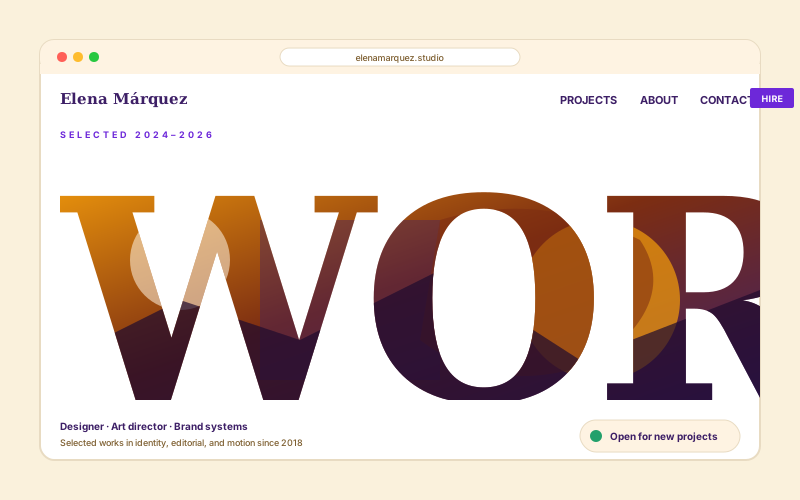
Portfolio hero text-mask
Designer and studio portfolios use a giant text-clipped headline as the hero. Copy reads as type, photo reads as personality, both in one move.
Apply fixed mask styles, framed treatments, or a custom mask image to your image. 15 styles and live preview.
Built for builder website teams























Live demo, not a screenshot. Pick a mask style, set the image, embed it.
Before and after Poper
Here is the widget embedded on a real page layout, before and after. Style it to match your brand, then copy one snippet to go live.
 Before
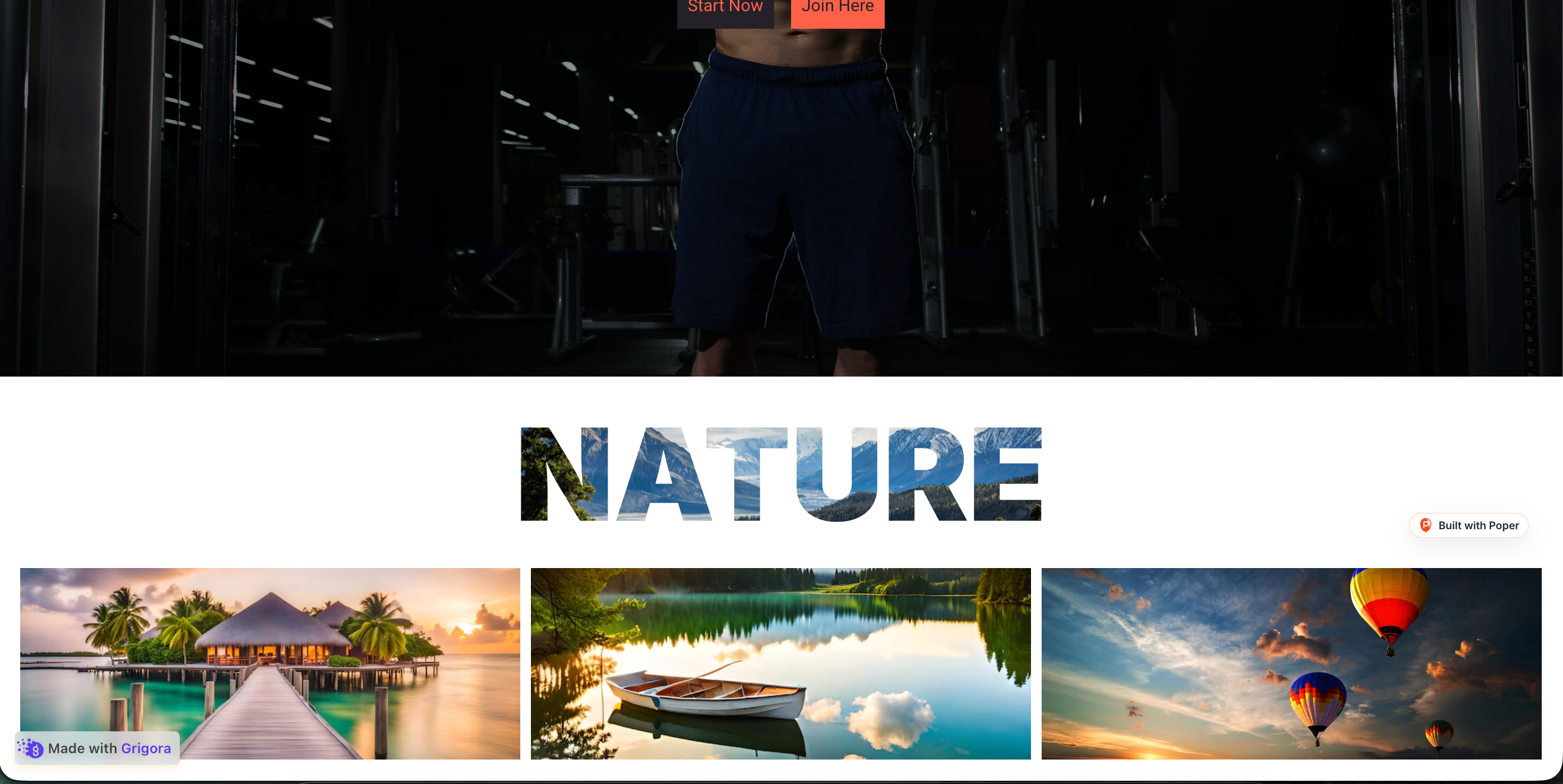 Poper widget live
Mockups for illustration. Style the widget to match your site and embed in 90 seconds.
How to use it
Measure impact with your own analytics.
Set the image you want to clip and, for text-based styles, the headline word that the image fills. For the Custom Mask style, upload a logo or shape image to clip with. The live preview updates instantly.
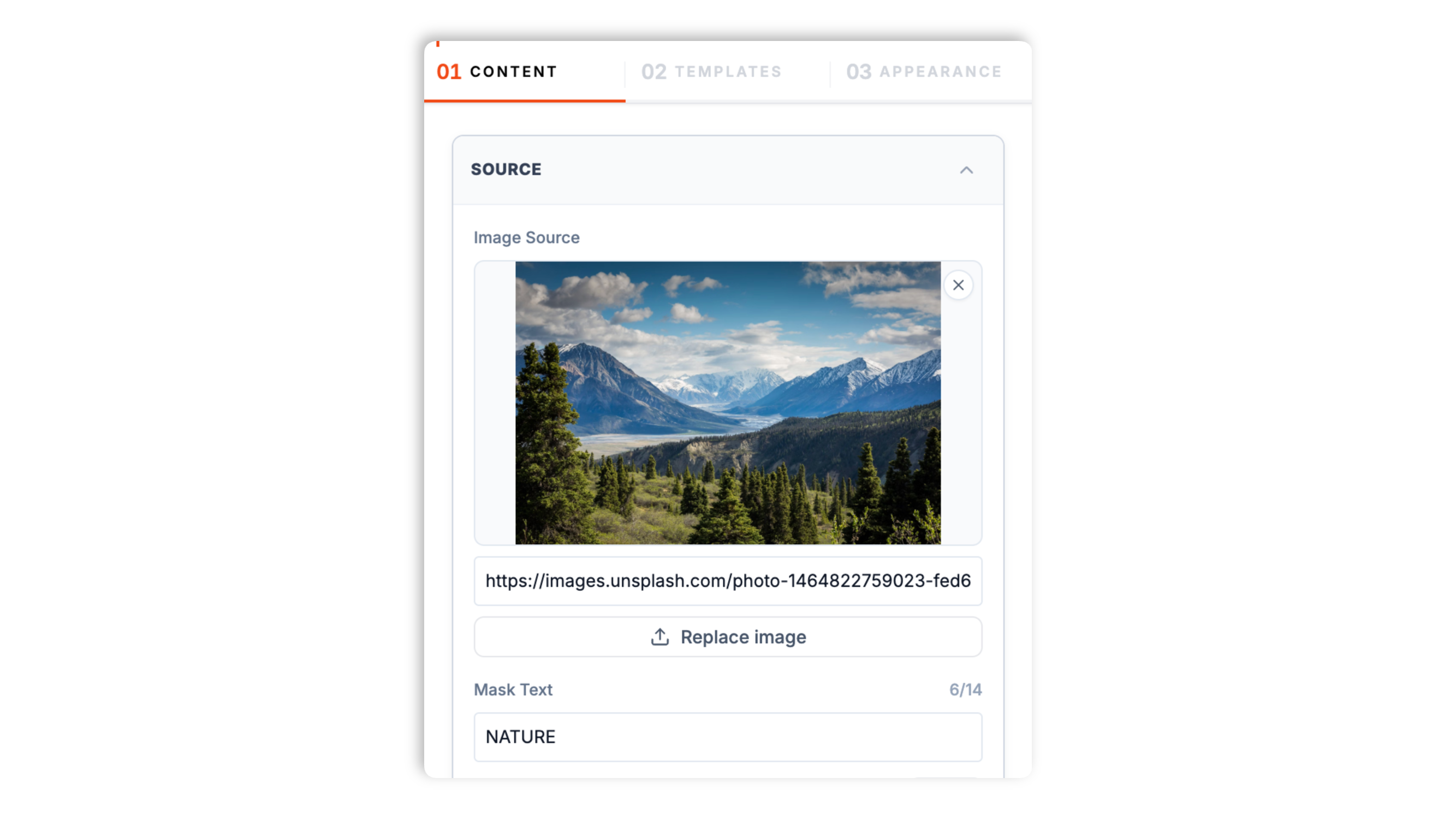
Choose from 15 mask styles: Typography, Custom Mask, Geometric, Organic Blob, Brush Stroke, Halftone, Vertical Blinds, Pixel Grid, Torn Paper, Window Panes, Honeycomb, Film Strip, Postage Stamp, Iris Reveal, and Bar Code.
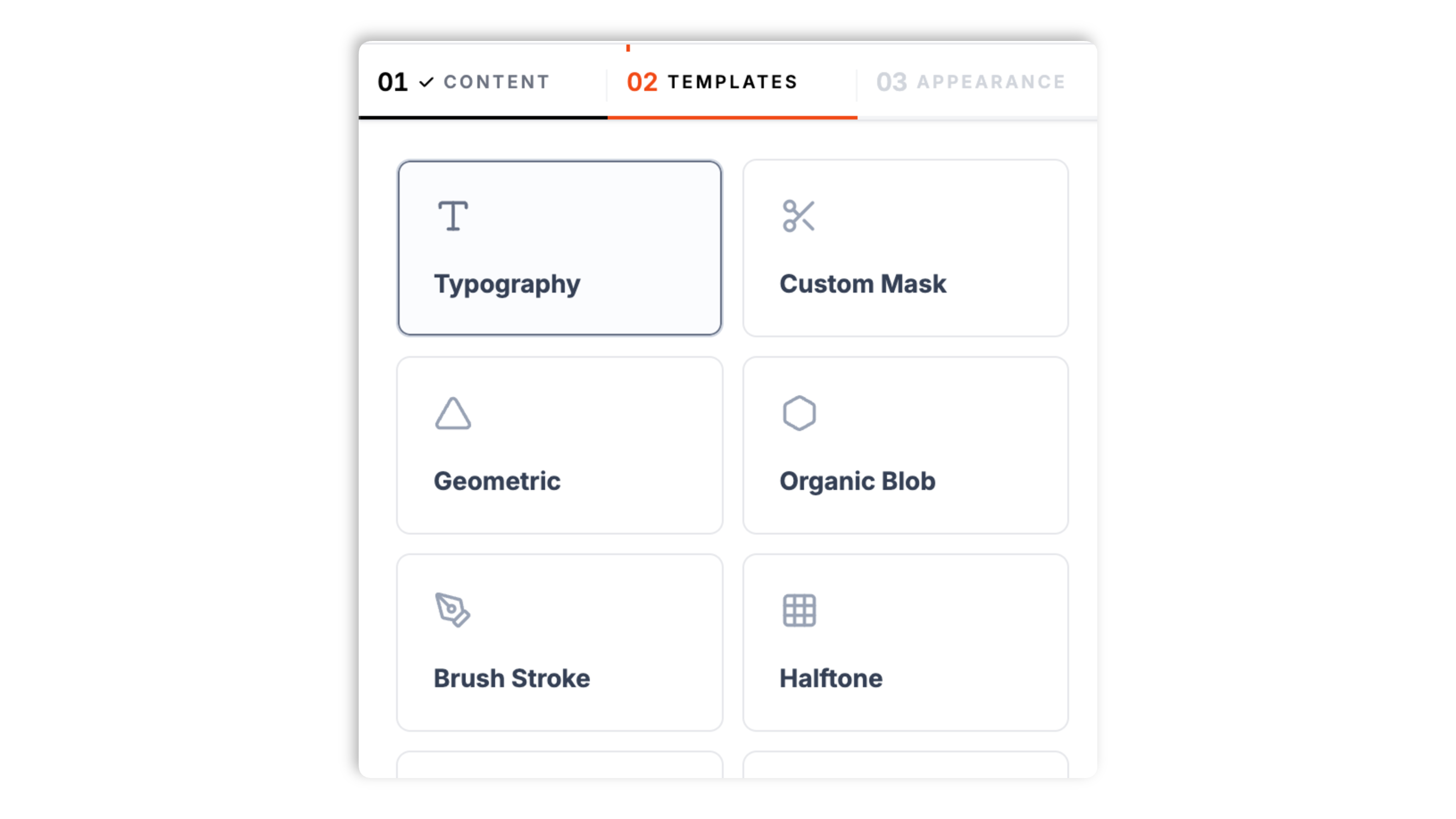
Paste the Poper embed snippet into a supported page. Works anywhere your Poper embed snippet is supported.

Works everywhere
Drop-in install on WordPress, Shopify, Wix, Squarespace, Webflow, Framer, Ghost, and any HTML-friendly stack. No build step, no developer needed.


Plus 250+ other platforms via the embed snippet. If your site can render a <script> tag, it can render the Image Masking Widget for Website - Poper.
Six things that matter when you are masking images for a real website.
The Typography style fills a headline word with your image, so the copy reads as type and the photo reads as personality in a single element. You set the word the image fills, and the style does the rest. It is the style designers and studios reach for to make a hero headline feel custom rather than templated.
Typography, Custom Mask, Geometric, Organic Blob, Brush Stroke, Halftone, Vertical Blinds, Pixel Grid, Torn Paper, Window Panes, Honeycomb, Film Strip, Postage Stamp, Iris Reveal, and Bar Code. Each presents the same image with a different mask, clip, frame, or overlay treatment, so you can pick a style that fits the brand and page.
The Custom Mask style uses a mask image you supply, such as your own logo, and the Geometric style offers selectable clipping shapes. The source image is not destructively edited.
Styles are designed for responsive embeds, but the final result should be checked with your image and page layout.
The Geometric style ships several clipping shapes, so you can match the form to the page.
The widget applies non-destructive CSS masking, clipping, or framed treatments depending on the selected style, so the original image file is not altered.
Use cases
Four buyer types who get the most lift from embedding Image Masking Widget for Website - Poper on their site.
Designer and studio portfolios use a giant text-clipped headline as the hero. Copy reads as type, photo reads as personality, both in one move.
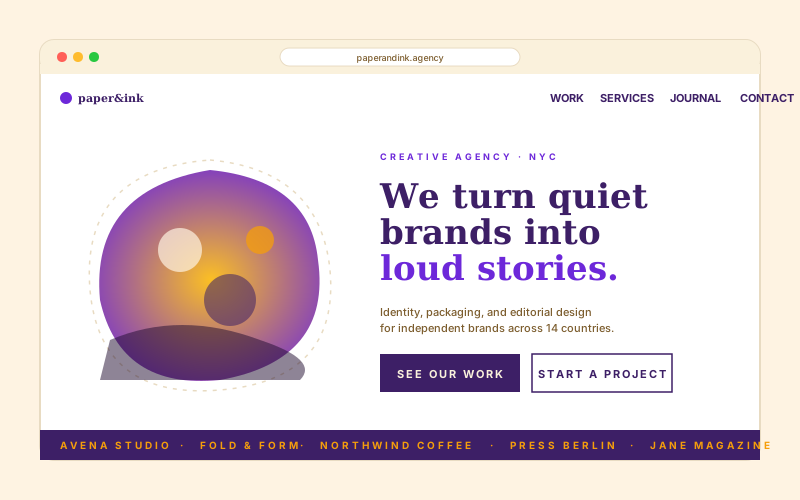
Independent agencies pair an organic blob-masked team photo with a serif tagline so the page reads as a magazine spread, not a template.
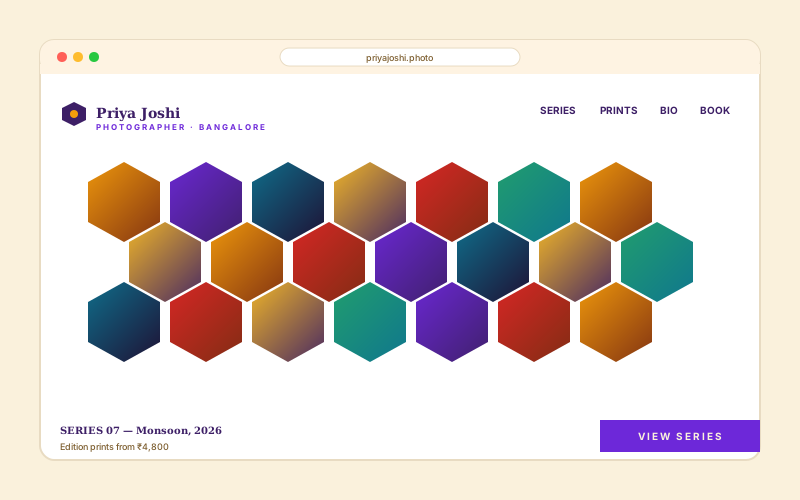
Photographers use a hexagon grid of clipped images as the front page so the body of work reads as one composition, not a stack of thumbnails.
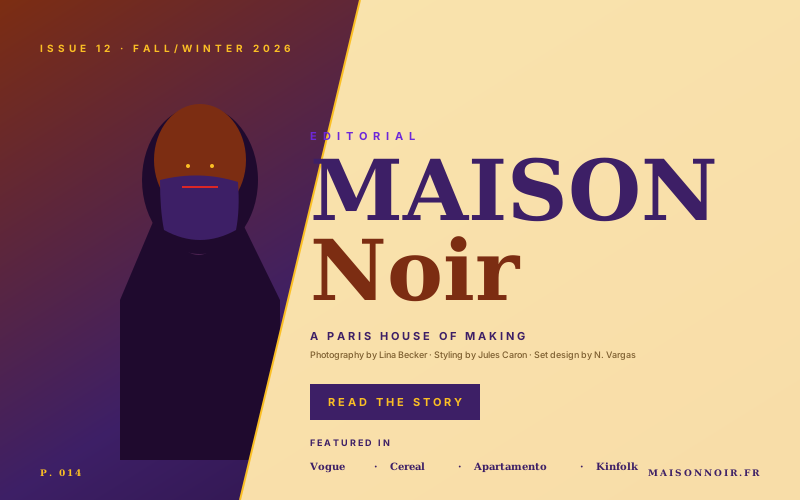
Magazines and fashion brands use a diagonal-split mask to layer a model image against a brand wordmark. Reads as a cover, scrolls as a site.
Image masking usually means opening a design tool or paying for a separate widget. Here is how Poper compares with other widget platforms.
| Recommended Poper | Elfsight | Common Ninja | |
|---|---|---|---|
| Poper workspace available | Limited views | Limited views | |
| Poper builder | |||
| Number of mask styles | 15 styles | Limited | Limited |
| Clip an image into headline text | Limited | Limited | |
| Custom logo or shape mask | Limited | Limited | |
| Selectable geometric shapes | Limited | Limited | |
| Live preview while editing | |||
| Responsive across screen sizes | |||
| Remove third-party branding | All plans | Paid only | Paid only |
| Bundled with popups, forms, more widgets | |||
| Pricing | Plan details vary | Vendor pricing varies | Vendor pricing varies |
Comparison reflects external competitor positioning. Verify current details on each provider's site.
Designers and creative teams masking images without opening a design tool.
“The Typography mask turned a plain hero headline into a distinctive visual on our site. We picked a font, dropped in a photo, and validated the result in preview.”

“We clipped our team photos with the Organic Blob style across the about page. The live preview meant no guesswork, and the source images were never touched.”

“Being able to mask an image with our own logo, without opening Photoshop, was the feature we did not know we wanted. Fifteen styles is plenty to pick from.”

Pricing
All plans are billed yearly. Each card shows the per-month equivalent. Start free, then upgrade only when you need more campaigns, websites, or AI credits.
Yearly billing · save up to 40%Essential lead capture for solo creators and growing businesses.
billed $180/year
Full engagement suite with A/B testing, gamification & unlimited leads.
billed $348/year
Unlimited everything with white-label, API access & advanced analytics.
billed $948/year
Prices shown for the 50k monthly visitor tier on yearly billing. A Free Forever plan ($0) and a custom Enterprise plan are also available. No contracts, cancel anytime.
An image mask clips a photo into a shape: a headline word, a hexagon, an organic blob, a strip of film, or your own logo. It is an easy way to give a website visual personality without opening a design tool for every change. The modern technique behind it is CSS masking, which applies a shape to an image while leaving the original file untouched. This guide walks through what actually matters when you use an image masking widget: how clip-path masking works, the difference between text masks and shape masks, picking a style that fits the brand, and where masked images belong on a page.
The widget uses a mix of CSS masking, clipping, background clipping, border radius, overlays, and framed treatments depending on the selected style. You provide an image and choose a style, and the widget applies the matching visual treatment without destructively editing the original image. Check the selected style in preview and on the live page, especially when the image has important edge details.
There are two broad kinds of image mask, and they solve different design problems. A text mask fills the letterforms of a word with the image, so the headline reads as type while the photo shows through the characters. The Typography style does exactly this: you give it a word, a font family, a weight, and a font size, and the image fills the letters. Text masks are striking in a hero section because they combine the message and the imagery into one element. A shape mask, by contrast, clips the whole image into a single form: a geometric shape, an organic blob, a honeycomb of hex cells, a strip of film, a postage stamp, a torn-paper card, or a custom mask such as a logo. Shape masks are better when the image itself is the point and you want it presented in a way that feels designed rather than dropped into a plain rectangle. A good image masking widget offers both, and the right choice depends on whether the headline or the image is carrying the page.
A mask style is a design decision, not just a filter, because the shape carries a tone. A clean Geometric clip reads as modern and confident. An Organic Blob reads as soft, friendly, and contemporary. A Brush Stroke or Torn Paper style reads as handcrafted and editorial. A Halftone or Bar Code style reads as graphic and print-inspired. A Film Strip or Postage Stamp style adds a nostalgic, analog feel. A Honeycomb or Window Panes style turns a single image into a structured composition. The widget ships fifteen styles for exactly this reason: the same photo can support a portfolio, an agency site, a photography page, or a fashion editorial depending on how it is clipped. The practical approach is to try a few styles against your real image in the live preview, then judge which one matches the rest of the site rather than picking in the abstract. A couple of styles add small extra controls (the Geometric style lets you pick the clipping shape, and the Torn Paper style lets you set a paper color), but the main decision is the style itself.
When you mask an image, it is worth being clear about what the mask is and is not. The mask shape is decorative. It changes how the image is presented but adds no information a screen reader needs to announce. The image inside the mask, however, still carries whatever meaning it carried before. The widget itself does not add ARIA roles, keyboard interaction, or screen-reader announcements, because a masked image is a static visual element, so the accessibility work belongs to the page that hosts it. If a masked image is purely decorative, such as a textured blob behind a headline, it should be treated as decorative in the surrounding markup. If the masked image is meaningful, such as a team portrait or a product photo, the page around it should still describe the subject of the photo, because the clipping shape does not remove that need. A headline rendered as a text mask is a special case worth noting: the word is visually formed from the image, so make sure the same word is also present as real, readable text in the page so the heading is not lost to anyone who cannot see the masked rendering.
Image masking is a finishing move, so it works best in a few specific places rather than everywhere. The strongest spot is the hero section. A text-masked headline or a shape-masked hero image is the first thing a visitor sees and sets the tone for the whole site, which is why portfolios, agencies, and studios so often lead with one. The second strong spot is an about or team section, where a blob-masked or hex-masked group of portraits turns a row of headshots into a composition. A third is a featured-work or gallery section, where masking the lead image signals which piece matters most. Where masking is usually a mistake is in dense, repetitive UI: long lists, data tables, and small thumbnails, where an unusual shape makes content harder to scan rather than more appealing. The simple rule is to use a mask where you want a visitor to slow down and notice an image, and to leave plain rectangles where you want them to move quickly through information.
An image masking widget presents an image with masking, clipping, or framed visual treatments. Poper includes fixed styles plus a custom mask image option, and the source image is not destructively edited.
Last fact-checked: . We re-verify every quarter.
Tutorial
A quick walkthrough of setting up and embedding this widget.
Tutorial video coming soon
Can't find the answer you're looking for? Chat with our support team.
Contact SupportPoper lets you apply one of 15 supported mask styles from your workspace.
Free plan available forever