
Local service businesses
Plumbers, dentists, gyms, law firms. Businesses where 'reviews on Google' is the #1 trust signal. A branded review wall on your site closes the deal that the listing started.
Embed your Google reviews on your website in an on-brand layout. Search a business, pick from 21 layouts, and add optional LocalBusiness review schema. Embed-supported setup, ready with a guided setup flow.
Built for supported embed workflows























Live demo, not a screenshot. Style it, brand it, embed it. What you see here is what ships to your site.
How to use it
Three steps from source URL to embed-ready preview.
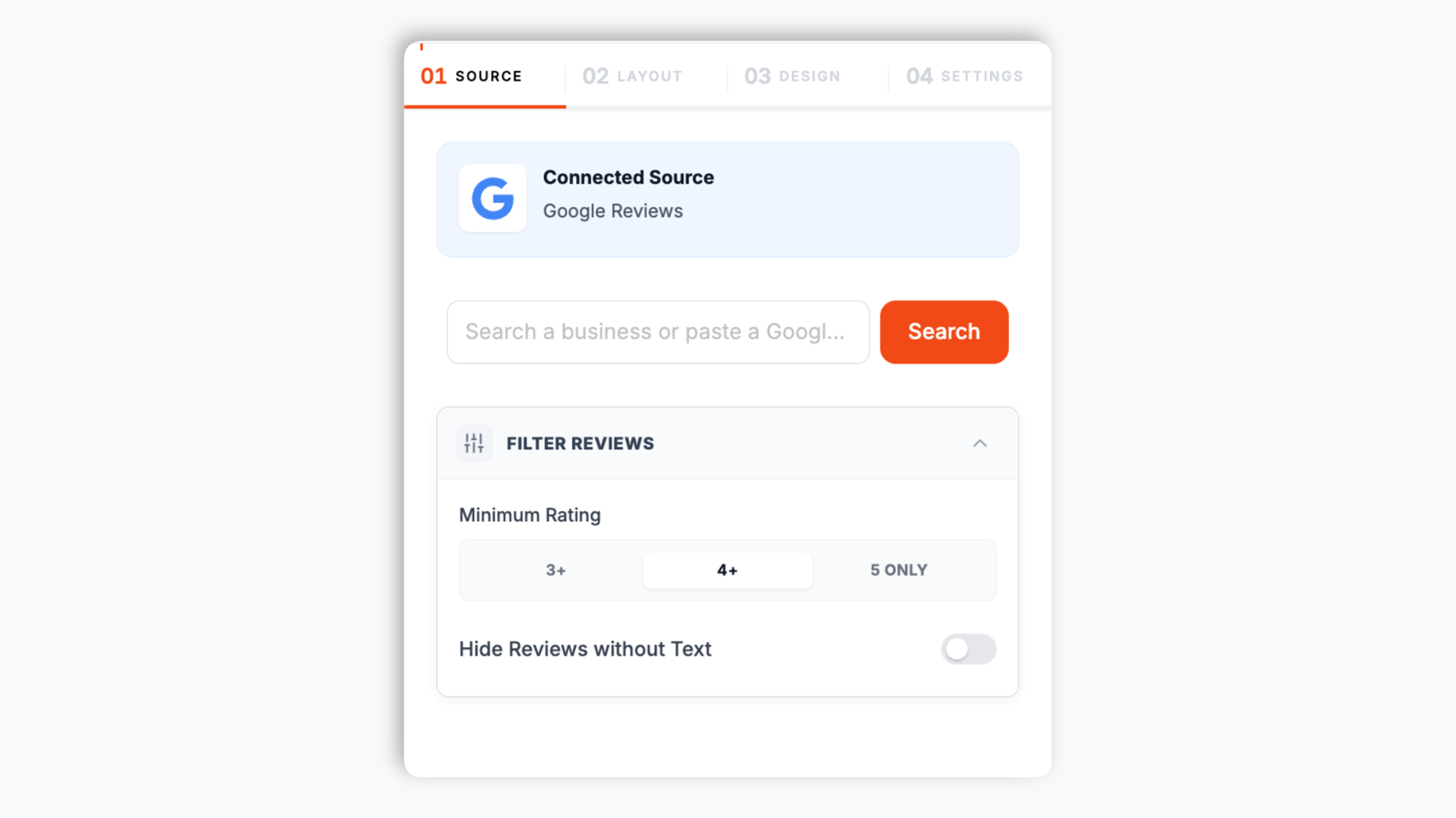
In the Poper builder, search for any business by name or address, or paste its Google Maps URL. No sign-in, no account connection. Poper fetches the reviews for you.
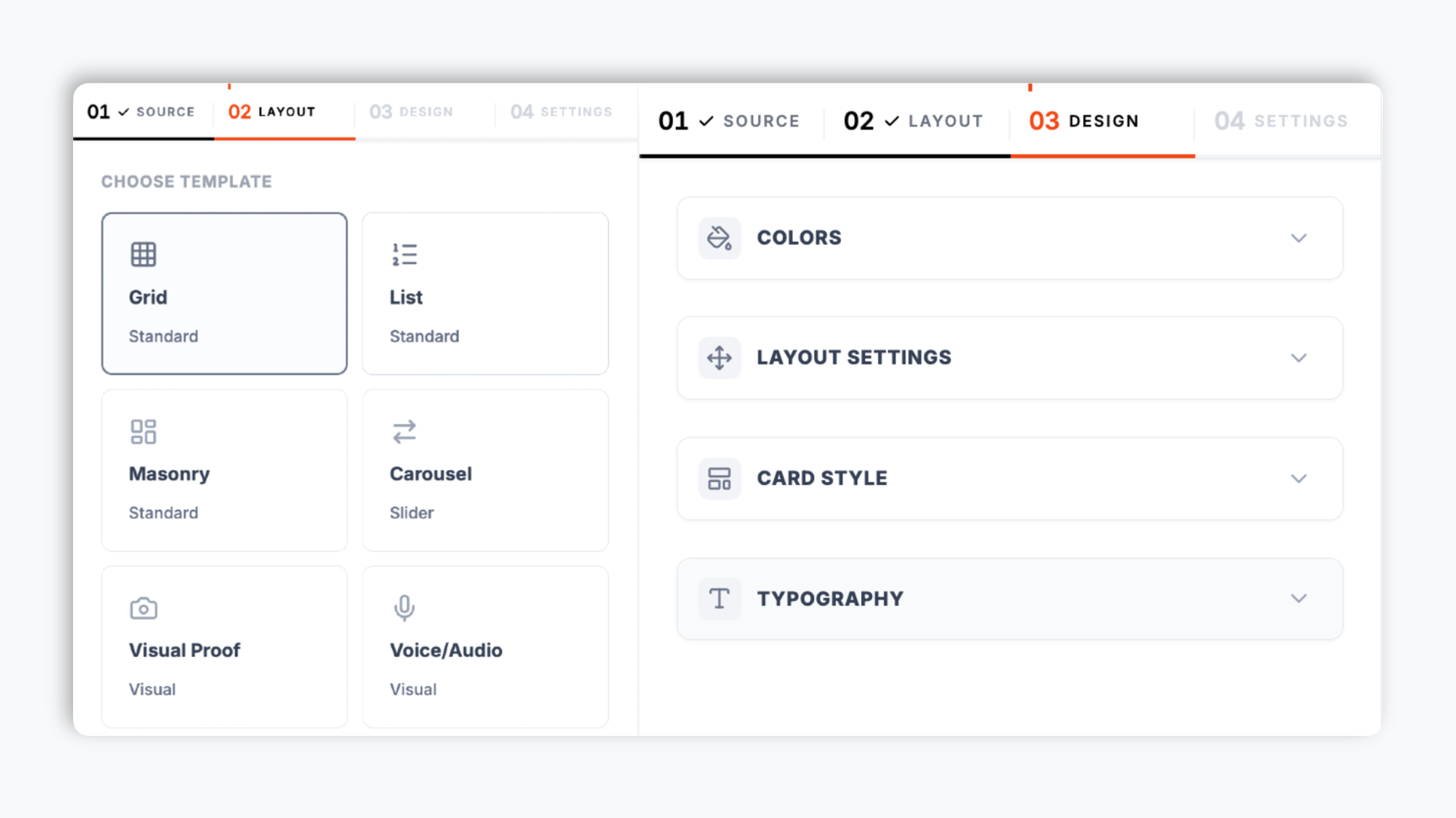
Choose from 21 layouts including Carousel, Grid, Masonry, List, Quote Wall, and Trust Meter. use available template-dependent colors, four font choices, filters, and element visibility controls. Live preview updates as you tweak.
Paste the Poper embed snippet into your site. Works anywhere your Poper embed snippet is supported.

Works everywhere
Drop-in install on WordPress, Shopify, Wix, Squarespace, Webflow, Framer, Ghost, and any HTML-friendly stack. No build step, no developer needed.


Plus 250+ other platforms via the embed snippet. If your site can render a <script> tag, it can render the Google Reviews Widget: Embed Your Google Reviews on Any Website.
Six things that matter when you are choosing a Google Reviews widget, not 30 features no one uses.
Carousel, Grid, Masonry, List, Image-forward grid, Quote Wall, Timeline, Trust Meter, Badge, Ticker, and more. Choose the layout that fits the page and publish through your normal workflow. Layouts include responsive styles from mobile to desktop.
Find a business by name or address, or paste its Google Maps URL. No OAuth, no account connection. Poper fetches the reviews for you.
When embed mode supports it, turn on optional LocalBusiness review schema for LocalBusiness review data. Validate it with your own search tooling; search engines decide if anything is shown.
Set a minimum rating and hide reviews with no written text.
Background, card, text, star, border, and button colors. Card corner radius and shadow depth. Toggle reviewer name, avatar, date, rating, and platform logo.
Choose Inter, Roboto, Lato, or Montserrat so the widget reads as part of your site, not bolted on.
Use cases
Four buyer types who get the most lift from embedding Google Reviews Widget: Embed Your Google Reviews on Any Website on their site.
Plumbers, dentists, gyms, law firms. Businesses where 'reviews on Google' is the #1 trust signal. A branded review wall on your site closes the deal that the listing started.
Drop your Google reviews next to a CTA or pricing block so visitors can evaluate social proof without leaving the page.
Put your Google rating and recent reviews on your menu and homepage. Carousel, Grid, Masonry, and other layouts can support a dedicated trust section.
Pair your Google reviews (location trust) with product reviews (purchase confidence). Shoppers comparing your store to a marketplace want both signals on the page.
Compared against the widget providers that offer the same job: embedding your Google reviews on your site.
| Recommended Poper | Elfsight | Common Ninja | Trustindex | |
|---|---|---|---|---|
| Poper workspace available | ||||
| Number of review layouts | 21 | Limited | Limited | Limited |
| optional LocalBusiness review schema (JSON-LD) | Paid add-on | Paid only | ||
| Minimum-rating filter | Paid only | |||
| Available color, font, radius, and shadow controls | Limited | Limited | ||
| Search a business with no sign-in | ||||
| Starter plan (billed yearly) | Plan details vary | Vendor pricing varies | Vendor pricing varies | Vendor pricing varies |
| Bundled with popups, forms, quizzes |
Comparison reflects external competitor positioning. Verify current details on each provider's site.
Marketers and local-business operators who put their Google reviews on their own site with Poper.
“Poper has improved our website's user engagement! Since integrating Poper's personalized popups, we've seen a dramatic surge in conversions and user interactions. The platform's intuitive design makes creating and customizing popups a breeze, even for those with minimal tech skills. What truly sets Poper apart are its…”

“Fantastic app and support team, they are very quick to help and provide a solution or improvement to their product. Highly recommended!”

“Poper has been a total lifesaver for our agency! As a digital marketing agency, we’re always juggling a million things at once. Poper has been a real game-changer in terms of streamlining our workflow and keeping track of all our clients’ campaigns. The ability to track all our clients’ websites from one place is a…”

Pricing
All plans are billed yearly. Each card shows the per-month equivalent. Start free, then upgrade only when you need more campaigns, websites, or AI credits.
Yearly billing · save up to 40%Essential lead capture for solo creators and growing businesses.
billed $180/year
Full engagement suite with A/B testing, gamification & unlimited leads.
billed $348/year
Unlimited everything with white-label, API access & advanced analytics.
billed $948/year
Prices shown for the 50k monthly visitor tier on yearly billing. A Free Forever plan ($0) and a custom Enterprise plan are also available. No contracts, cancel anytime.
Most businesses paste Google's official embed onto their site, get a plain box with dated styling, and assume that is the best they can do. It is not. This guide walks through what actually changes once you swap to a real review widget: an on-brand layout, more reviews on the page, optional LocalBusiness review schema, display filtering, and why widget performance matters for SEO.
Google's official embed option for your business gives you a single fixed layout, dated styling, and no control over color, typography, or which reviews appear. It works, but it looks pasted in and it does nothing for your brand. A dedicated review widget changes that. With Poper you choose from 21 layouts, set your own colors and fonts, and decide which elements appear on each card. The reviews are the same reviews from Google; the difference is that they now look like a designed part of your site instead of a borrowed iframe.
Layout choice should follow the page. Carousel is a good fit above the fold on a homepage, where vertical space is tight and you want to rotate variety. Grid and Masonry suit a dedicated reviews page where visitors want to scan many reviews at once. Quote Wall and Timeline work for long-scroll storytelling pages. Trust Meter and Badge are compact aggregate displays for placing near a CTA or in a sidebar. Poper lets you switch between all 21 layouts in the builder through the normal publish flow, so you can match the format to each placement.
When embed mode supports it, turn on optional LocalBusiness review schema for LocalBusiness review data. Validate it with your own search tooling; search engines decide if anything is shown.
Poper includes a display filter on the embedded widget. You can set a minimum rating, so only reviews at or above the rating you choose are shown, and you can hide reviews that have no written text. This is useful when you want a clean wall of substantive, higher-rated reviews on a landing page. It is a display setting on the widget. A sensible practice is to keep filtering light and honest: showing a representative set of your reviews builds more trust than a feed that looks curated to the point of being unbelievable.
The embed loads through the Poper snippet. Validate performance and styling on your own page after embedding.
Tutorial
A quick walkthrough of setting up and embedding this widget.
Tutorial video coming soon
Can't find the answer you're looking for? Chat with our support team.
Contact SupportUse Poper to display reviews with 21 layouts and optional LocalBusiness review schema where supported.
Free plan available forever