Coursera Feed Widget for Website. Free - Poper
Coursera Feed Widget

Coursera courses on any website.

Embed your Coursera courses, Specializations, Professional Certificates, and university partner credentials in 90 seconds. Course Schema rich results. Free, no code.

No credit card required
14-day free trial
Cancel anytime

Trusted by 11,000+ brands

Timetics
Academie Digitale
Goldcast
nbcf
Seedstock
Wow
Linkxar
Gale Toyota
Skills
Rugby Sport
Lamp
Leaktronics
Steel
Theatre in Chicago
Globerto
Meetup
FYM
Zeben
Kraftix
IETraditionala
Meethires
Leadscrape
Happily
Timetics
Academie Digitale
Goldcast
nbcf
Seedstock
Wow
Linkxar
Gale Toyota
Skills
Rugby Sport
Lamp
Leaktronics
Steel
Theatre in Chicago
Globerto
Meetup
FYM
Zeben
Kraftix
IETraditionala
Meethires
Leadscrape
Happily
Free forever, paid plans from $19/mo

Try the live Coursera widget

Live demo, not a screenshot. Style it, brand it, embed it. What you see here is what ships to your site.

From Coursera to your site

Your Coursera reviews. Now on your own domain.

Poper crawls the official Coursera review feed for your business and renders it inline on your website. Same reviews, your branding, your domain.

coursera.org
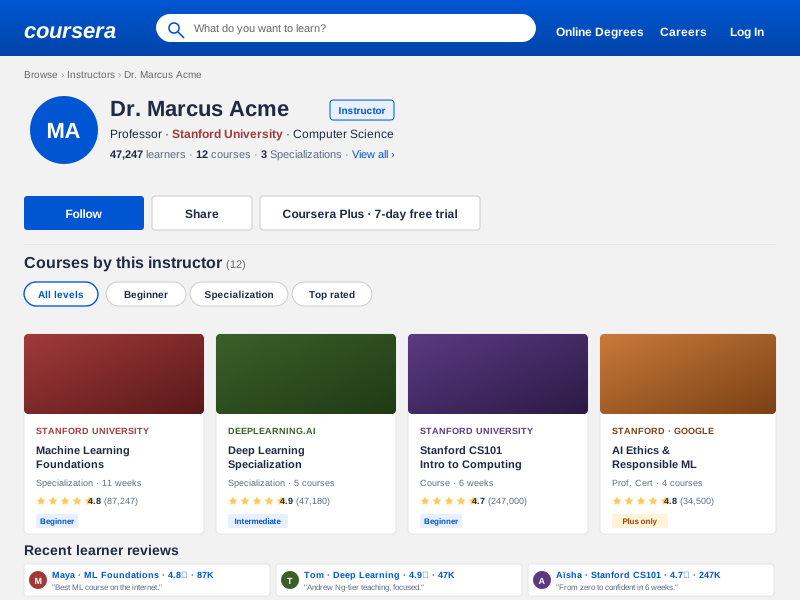
Coursera.org instructor profile for Dr. Marcus Acme, Stanford University Computer Science professor with 47,247 learners, 12 courses, and 3 Specializations across a Machine Learning Foundations, Deep Learning Specialization, Stanford CS101, and AI Ethics course catalogSource: CourseraOpen
Coursera.org instructor profile for Dr. Marcus Acme, Stanford University Computer Science professor with 47,247 learners, 12 courses, and 3 Specializations across a Machine Learning Foundations, Deep Learning Specialization, Stanford CS101, and AI Ethics course catalog
drmarcusacme.edu
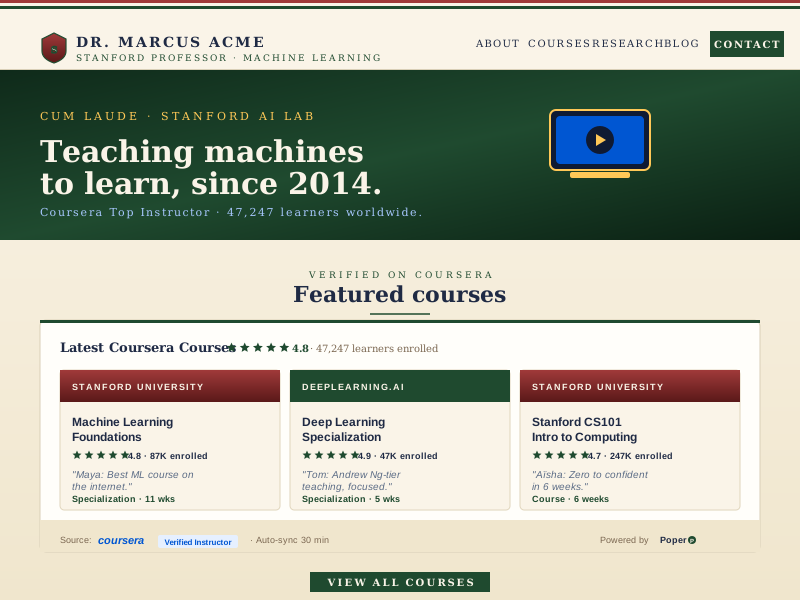
Dr. Marcus Acme's own branded instructor site at drmarcusacme.edu with deep-emerald and warm-cream palette and the Poper Coursera widget embedded showing the same Machine Learning Foundations, Deep Learning Specialization, and Stanford CS101 courses with Stanford crestPoper widget live
Dr. Marcus Acme's own branded instructor site at drmarcusacme.edu with deep-emerald and warm-cream palette and the Poper Coursera widget embedded showing the same Machine Learning Foundations, Deep Learning Specialization, and Stanford CS101 courses with Stanford crest

Mockups for illustration. Pull your real Coursera Feed Widget: Embed Courses, Specializations and Certificates on Any Site from Coursera and embed in 90 seconds.

How to use it

How to add Coursera to your website

Three steps. Under two minutes. No developer needed, no Coursera partner status required.

  1. 01

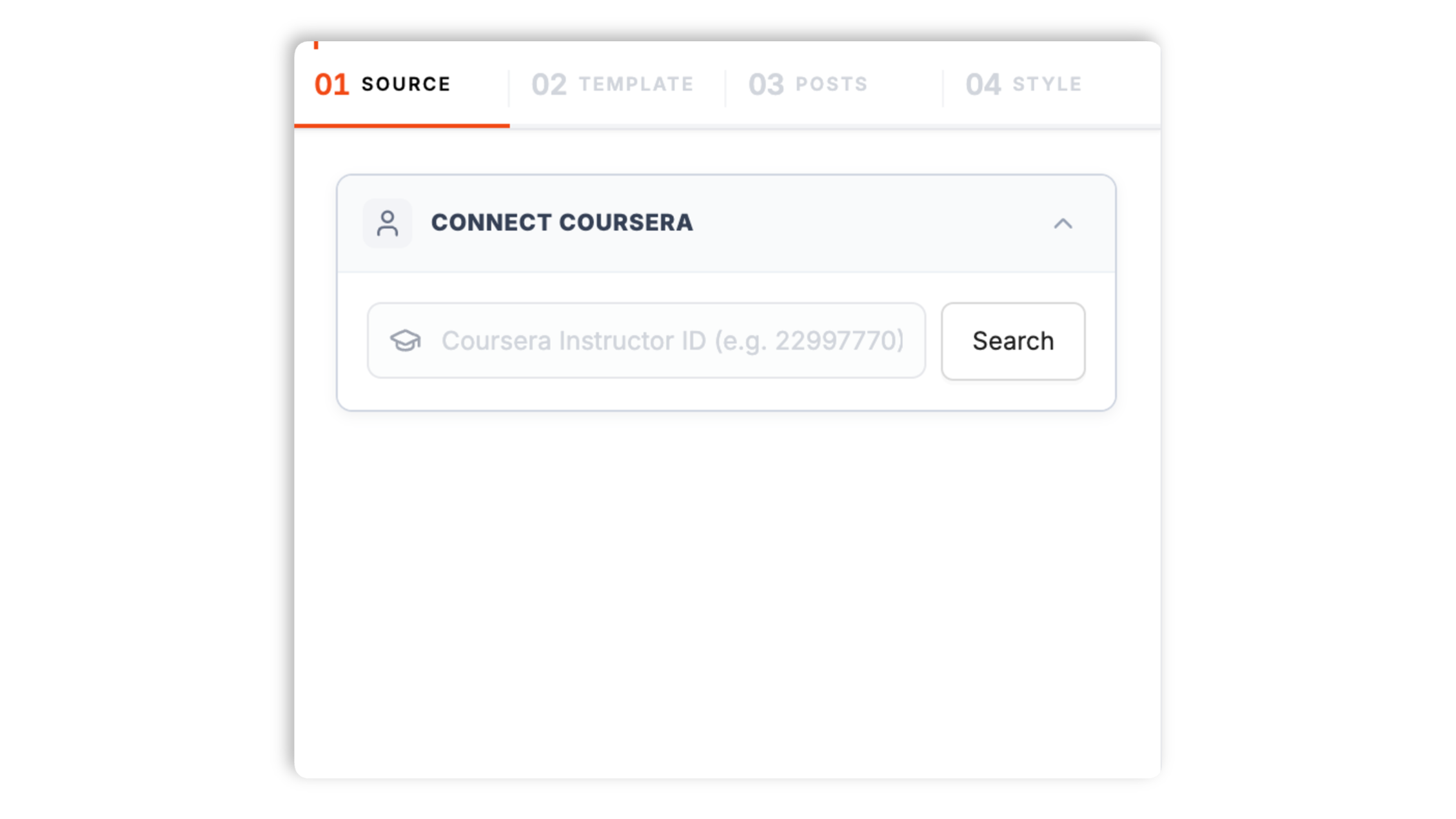
    Paste your Coursera profile URL

    Drop your public Coursera learner profile link (or a Specialization URL, Professional Certificate URL, or course catalog URL) into the builder. The widget pulls completed courses, in-progress Specializations, and earned certificates within seconds.

    Poper widget builder with Coursera search showing Dr. Marcus Acme Stanford instructor profile autocomplete result, 47K learners count, and a Coursera-blue Connect button
  2. 02

    Pick a layout and brand it

    Choose Grid, Carousel, Credentials Wall, Specialization Track, or Partner-Grouped layouts. Tweak colors, fonts, spacing, and card style to match your portfolio, consulting site, or careers page exactly.

    Layout picker showing 6 Coursera widget layouts (course-card grid, instructor profile plus course list, syllabus accordion, certification pillar, university-affiliated row, mobile-stacked) with Coursera brand color and font controls
  3. 03

    Copy the snippet and embed

    Paste the one-line script tag into your site. Works on WordPress, Shopify, Wix, Squarespace, Webflow, Ghost, Framer and 250+ platforms. Course Schema markup is injected automatically for Google rich results.

    One-line embed script tag for the Coursera feed widget shown in a code editor with a Coursera-blue Copy button and Webflow, Framer, Carrd, Squarespace, WordPress education-platform badges

Works everywhere

Works with every website platform you already use

Drop-in install on WordPress, Shopify, Wix, Squarespace, Webflow, Framer, Ghost, and any HTML-friendly stack. No build step, no developer needed.

WordPress
Shopify
Wix
Squarespace
Webflow
Framer
Ghost
HTML

Plus 250+ other platforms via the embed snippet. If your site can render a <script> tag, it can render the Coursera Feed Widget: Embed Courses, Specializations and Certificates on Any Site.

What you get with Poper Coursera Feed

Six things that matter when you embed Coursera credentials, including Course Schema markup that the alternatives skip.

Course Schema.org markup for Google rich results

Google ships a Course rich result that shows course title, provider, and description directly in search. Most Coursera widgets emit a flat list of links and miss the rich result entirely. Poper auto-generates valid Schema.org Course JSON-LD for every credential on your page (course name, provider Coursera plus the partner university, instructor, completion date, credential URL). Validates clean against Google Rich Results Test. The result: your portfolio page becomes eligible for Course carousels in Google Search alongside official Coursera listings.

University partner grouping

Coursera credentials earn their weight from the partner. Auto-group by Stanford, Yale, Google, IBM, DeepLearning.AI, Johns Hopkins, Imperial College London, and 300+ other partners with native logos.

Specializations + Certificates

Render Coursera Specializations as a multi-course track and Professional Certificates as verified credential badges. Distinct from one-off courses.

Brand-match styling

Colors, fonts, spacing, hover effects, custom CSS. Looks native to your portfolio or careers page, not bolted on.

Lighthouse and Core Web Vitals safe

Lazy-loaded below the fold, async-injected, scoped CSS that does not bleed into your design system. Under 40KB gzipped. No CLS, no LCP regression, no Lighthouse hit even with 50+ credentials.

Coursera for Business and Coursera for Campus

Enterprise L&D teams can point the widget at organization-wide learning paths from Coursera for Business or Coursera for Campus. Show team-wide upskilling, completion rates, and most-earned credentials on careers pages, intranets, and investor decks.

Use cases

Where Coursera Feed Widget: Embed Courses, Specializations and Certificates on Any Site actually moves the needle

Four buyer types who get the most lift from embedding Coursera Feed Widget: Embed Courses, Specializations and Certificates on Any Site on their site.

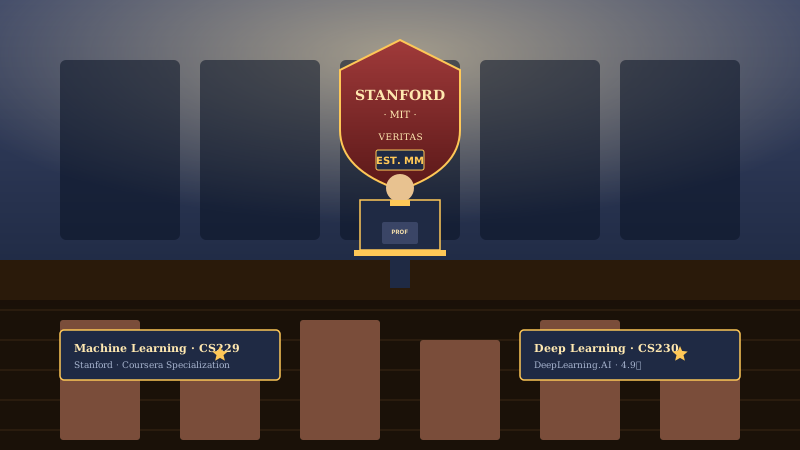
Academic instructor at podium in lecture hall with Stanford and MIT crest backdrop and a featured Machine Learning Specialization badge below

Academic instructors

Stanford, Yale, MIT, and other partner-university professors embed their Coursera Specializations on faculty pages, lab sites, and personal academic portfolios. Stanford crest and verified-instructor signal carry the credibility recruiters and admissions read.

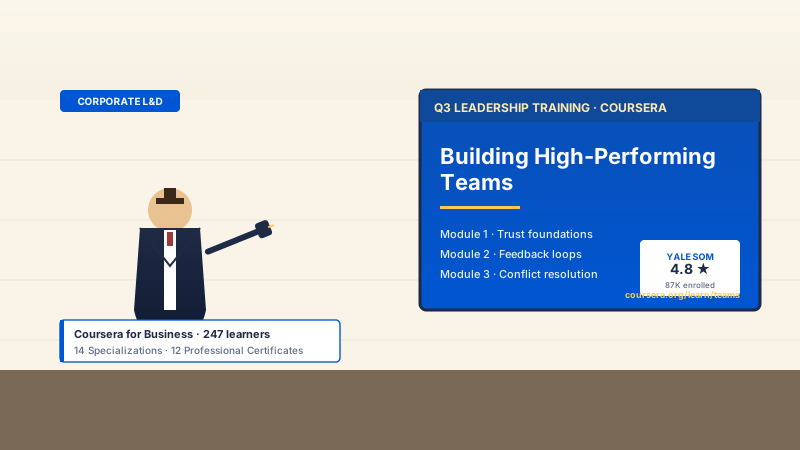
Corporate trainer in business attire presenting a Coursera leadership-training slide deck in a workshop room with Yale SOM 4.8-star course rating displayed

Corporate trainers

Coursera for Business customers and corporate L&D leads embed organization-wide upskilling on careers pages and intranets. Show partner institutions, most-earned credentials, and team completion volume to prove serious investment in learning.

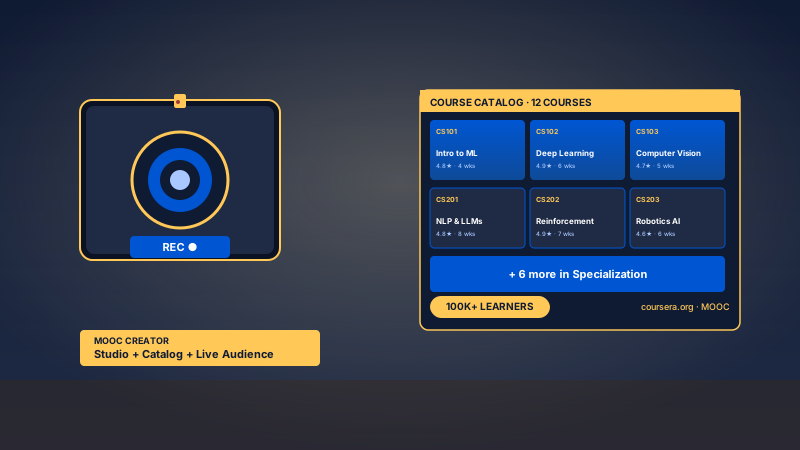
MOOC creator in a video studio with camera, course-tile catalog grid showing 12 courses, and a 100K plus learner enrollment badge

MOOC creators

Independent course creators and instructors with massive enrollments embed their full course catalog on personal sites. Studio-grade course tiles, learner counts, and a 100K-learner badge make the production scale clear.

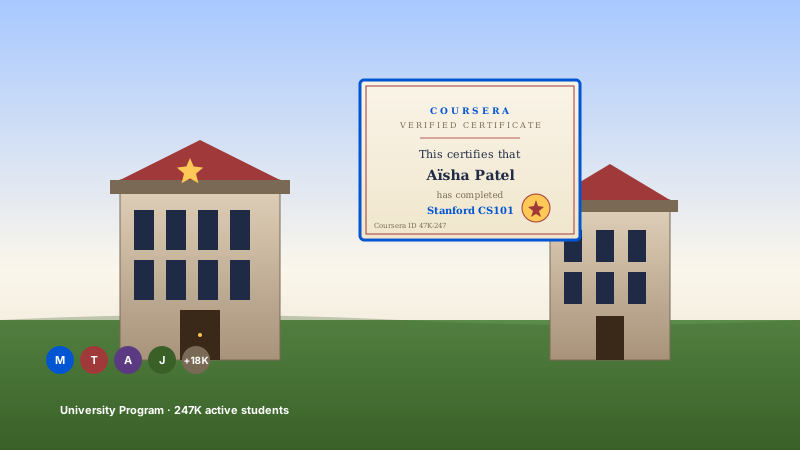
University campus quad with academic buildings, a verified Coursera completion certificate centered on a degree page, and a row of student avatars below

University programs

Higher-education institutions and Coursera for Campus partners embed program-wide course catalogs and verified completion certificates on department pages, alumni sites, and admissions portals.

Poper vs other Coursera widgets

Coursera does not offer a free embed for individual learners, and most third-party widgets either scrape or paywall the basics. Here is how the alternatives stack up against Poper on what matters.

 Recommended
Poper
Coursera official course widget
Udemy alternative widgets
edX alternative widgets
Free for individual learners
Partners only
Trial
Trial
Embed Specializations
Embed Professional Certificates
Embed Guided Projects
Partners only
Course Schema.org rich results
University partner grouping
N/A
N/A
Coursera for Business / Campus support
Enterprise tier
Coursera Plus subscription credentials
Sync frequency (lowest plan)
12 hours
Realtime
24 hours
24 hours
Custom CSS / total design control
Paid only
Paid only
Pricing for unlimited credentials
$19/mo (Starter)
Partner contract
$15/mo
$12/mo
Bundled with popups, forms, quizzes

Comparison reflects publicly listed pricing and features as of 2026. Coursera's official course widget is restricted to Coursera for Business and Coursera partner institutions. Verify current details on each provider's site.

Real learners. Real outcomes.

Career switchers, consultants, and enterprise L&D teams who embedded Coursera on their sites.

Poper has improved our website's user engagement! Since integrating Poper's personalized popups, we've seen a dramatic surge in conversions and user interactions. The platform's intuitive design makes creating and customizing popups a breeze, even for those with minimal tech skills. What truly sets Poper apart are its…
Jayson Ang
Jayson Ang
Singapore Property Swapper · Singapore Property Swapper
Fantastic app and support team, they are very quick to help and provide a solution or improvement to their product. Highly recommended!
Alex
Alex
CEO · AH
Poper has been a total lifesaver for our agency! As a digital marketing agency, we’re always juggling a million things at once. Poper has been a real game-changer in terms of streamlining our workflow and keeping track of all our clients’ campaigns. The ability to track all our clients’ websites from one place is a…
Idris Basir
Idris Basir
-

Pricing

Simple pricing. Free plan covers most websites.

Free forever for one widget. Upgrade only when you need faster sync, multiple instances, or to drop the watermark.

Free

Everything you need to ship the widget today.

$0forever
  • 1 widget instance
  • All layouts & customization
  • Brand-match styling
  • 6-hour sync cadence
  • Poper watermark
Start free
Most popular

Pro

Remove the watermark, faster sync, more widget instances.

$19/mo
  • Unlimited widget instances
  • 30-minute sync cadence
  • No Poper watermark
  • Custom CSS
  • Priority email support
  • Shoppable tagging
Start 14-day trial

Business

Multi-site, multi-account, white-label.

$49/mo
  • Multi-account combined feeds
  • Real-time sync
  • White-label embed
  • API access
  • Dedicated success manager
  • Custom SLA
Start 14-day trial

All plans include unlimited page views, no contracts, cancel anytime. Annual billing saves 20%.

Guide · 5 min read

The complete guide to embedding Coursera credentials on your website

Coursera became the default place where serious learners earn verified credentials from top universities and companies. Stanford, Yale, Princeton, Google, IBM, DeepLearning.AI, Johns Hopkins, Imperial College London, and over 300 other partners now run their entire continuing-education footprint through coursera.org. The platform passed 142 million registered learners in 2024 and runs three subscription products on top of a la carte courses: Coursera Plus for individuals, Coursera for Business for enterprise L&D, and Coursera for Campus for higher education. The catch is that all of that learning lives on coursera.org, invisible to anyone visiting your portfolio site, consulting page, or careers page. This guide walks through what actually matters when you embed Coursera credentials on your own site in 2026: API access realities, Course Schema rich results, MOOC market dynamics, Coursera Plus subscription mechanics, and the enterprise tiers.

01

Why Coursera does not offer a public catalog API for individual learners

Coursera was founded in 2012 by Stanford professors Andrew Ng and Daphne Koller as one of the first massive open online course (MOOC) platforms, and the catalog API has always been a partner-only product. The Coursera API is restricted to two audiences: Coursera for Business and Coursera for Campus admins (who can pull catalog data, completion records, and curated learning paths for their organization), and accredited partner institutions (universities and companies that publish courses on Coursera). Individual learners do not get an API key. This is not an oversight. Coursera generates revenue from Specializations, Professional Certificates, the Coursera Plus subscription, and enterprise contracts. Letting anyone embed the catalog on any site for free would compete with the Coursera homepage. The practical implication: every third-party widget that claims to embed an arbitrary Coursera profile is aggregating data from public learner profiles, Specialization landing pages, and Professional Certificate badge URLs, not from a real API. Poper does this aggregation cleanly, with rate-limit respect, daily cache refreshes, and zero scraping that would violate Coursera's terms of service. If you are a Coursera partner with an official API key, the widget can also drink directly from the official API.

02

Course Schema.org markup and Google rich results

Google introduced Course rich results in 2018, and the rich result has expanded steadily since. Today a properly marked-up course page becomes eligible for Course carousels in Google Search, the Career Education subsection of Google Jobs, and visual Course Snippets that show course title, provider, instructor, and description directly in the search result. The format is Schema.org Course JSON-LD with required fields (name, description, provider) and recommended fields (instructor, courseCode, courseMode, hasCourseInstance, offers). Most Coursera widget tools emit a flat HTML list of links and miss the rich result entirely. Poper auto-generates valid Course JSON-LD for every credential on your page: course name, provider organization (Coursera plus the partner university or company), instructor when available, courseMode (online), educationalCredentialAwarded for Professional Certificates, and credential URL. The output validates clean against Google's Rich Results Test (search.google.com/test/rich-results). For learners building a portfolio, this turns a credentials wall from decorative HTML into a SEO asset that can rank for course-name queries and show up in Google Search Course carousels alongside official Coursera listings. For Coursera for Business teams publishing internal upskilling pages, the same markup makes the page eligible for Career Education results.

03

MOOC market dynamics: Coursera vs Udemy vs edX

The MOOC market consolidated around three platforms over the last decade, and each one solves a different problem. Coursera leans university-credentialed (Stanford, Yale, Imperial College London, plus enterprise partners like Google and IBM) and ships university-style assessments, peer review, and verified certificates that look credible on a resume. Udemy leans practitioner-taught skills (web development, design, marketing) with a flat one-time-purchase model and instructor-led video without formal accreditation. edX leans academic and was originally a non-profit founded by Harvard and MIT before being acquired by 2U in 2021, with a stronger focus on MicroMasters and undergraduate-credit courses. The practical implication for your portfolio: Coursera credentials carry the partner institution's brand, which is why a Google Data Analytics Professional Certificate or a Stanford Machine Learning Specialization moves recruiter response rates measurably. The Coursera widget on your site should make the partner relationship the first thing a recruiter sees: partner logos prominent, completion dates verified, credential URLs clickable for Coursera-side verification. Embedding a flat list of course names without partner context throws away the single biggest reason Coursera credentials are persuasive.

04

Coursera Plus, Specializations, and Professional Certificates

Coursera ships three credential formats and one subscription product, and the widget needs to distinguish them. Individual courses are 4-6 week single-instructor units that produce a Course Certificate on completion. Specializations are 3-7 course tracks that produce a Specialization Certificate (Stanford Machine Learning Specialization, IBM Data Science Specialization, DeepLearning.AI Generative AI Specialization). Professional Certificates are 4-9 course career-prep tracks built with industry partners (Google Data Analytics Professional Certificate, Meta Front-End Developer Professional Certificate, IBM AI Engineering Professional Certificate). Coursera Plus is a $59/month or $399/year subscription that unlocks unlimited access to most of the catalog, including 7,000+ courses and most Specializations (some Professional Certificates remain a la carte). The widget renders each credential type with the right visual treatment: courses as cards, Specializations as multi-course tracks with progress, Professional Certificates as verified credential badges with the partner logo. Coursera Plus subscribers see a Plus badge on credentials earned via the subscription. The distinction matters for credibility because a Professional Certificate is a months-long signal where a single course is a few weeks.

05

Coursera for Business and Coursera for Campus enterprise tiers

Coursera for Business is the enterprise L&D product, and Coursera for Campus is the higher-education product. Both let admins build curated learning paths, assign content to teams or cohorts, track completion analytics, and unlock the same university and partner content available in the consumer catalog. Coursera for Business runs around $399 per learner per year on the standard tier, with custom enterprise pricing for larger contracts. Coursera for Campus is licensed per institution and includes for-credit course options. Both tiers come with API access, which is the only path a non-partner can get an actual Coursera API key. The widget can connect to either. For enterprise L&D teams, the most common embed is a careers page block showing organization-wide upskilling: count of completed Professional Certificates, most-earned Specializations across the engineering team, partner institutions represented (showing investment in serious learning beyond YouTube tutorials). For higher-education institutions, the most common embed is a department page block showing which Coursera content is integrated into specific courses. The widget supports both via a single configuration switch and respects organization-level access controls so private learning paths stay private.

Quick reference

What is Coursera Feed Widget: Embed Courses, Specializations and Certificates on Any Site?

A Coursera feed widget is an embeddable script that pulls courses, Specializations, Professional Certificates, and Guided Projects from a Coursera learner profile or a Coursera for Business organization and renders them on any website with Course Schema.org rich results, partner institution grouping, and verification links back to coursera.org.

Key facts

  • Coursera was founded in 2012 by Stanford professors Andrew Ng and Daphne Koller, two of the earliest pioneers of the MOOC movement
  • Coursera does not offer a public catalog API for individual learners; API access is restricted to Coursera for Business and Coursera for Campus admins plus accredited partner institutions
  • The widget emits Schema.org Course JSON-LD that makes pages eligible for Google Course rich results and Career Education search carousels
  • Coursera Plus is a $59/month or $399/year subscription unlocking 7,000+ courses and most Specializations, with credentials carrying a distinguishing Plus identifier
  • Partner institutions include Stanford, Yale, Princeton, Imperial College London, Johns Hopkins, Google, IBM, Meta, and DeepLearning.AI, plus 300+ others across universities and industry
  • Coursera for Business and Coursera for Campus are the enterprise tiers with API access, organization-wide learning paths, completion analytics, and curated tracks for L&D teams and higher-education institutions

Frequently asked questions

Can't find the answer you're looking for? Chat with our support team.

Contact Support

Stop hiding your Coursera credentials inside coursera.org

Poper takes 90 seconds to embed and earns Course Schema rich results in Google. Free plan, no credit card.

Free plan available forever