
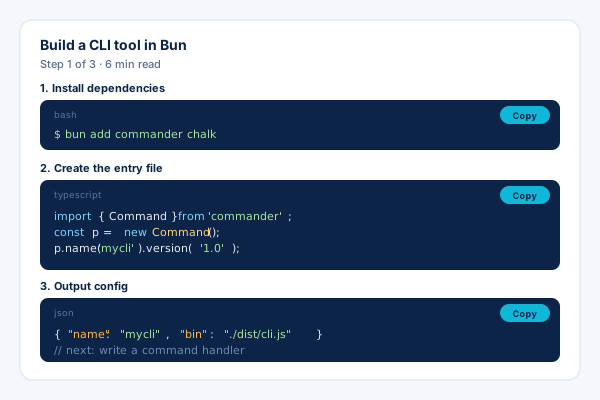
Tutorial blogs
Step-by-step lessons with multiple syntax-highlighted code blocks and inline explanations.
Paste your code, pick a language, and choose a frame. Twelve layouts from macOS windows to retro terminals, each with six themes, embedded with the Poper snippet.
Built for builder website teams























Live demo, not a screenshot. Paste code, pick a frame, and style it.
Before and after Poper
Here is the widget embedded on a real page layout, before and after. Style it to match your brand, then copy one snippet to go live.
 Before
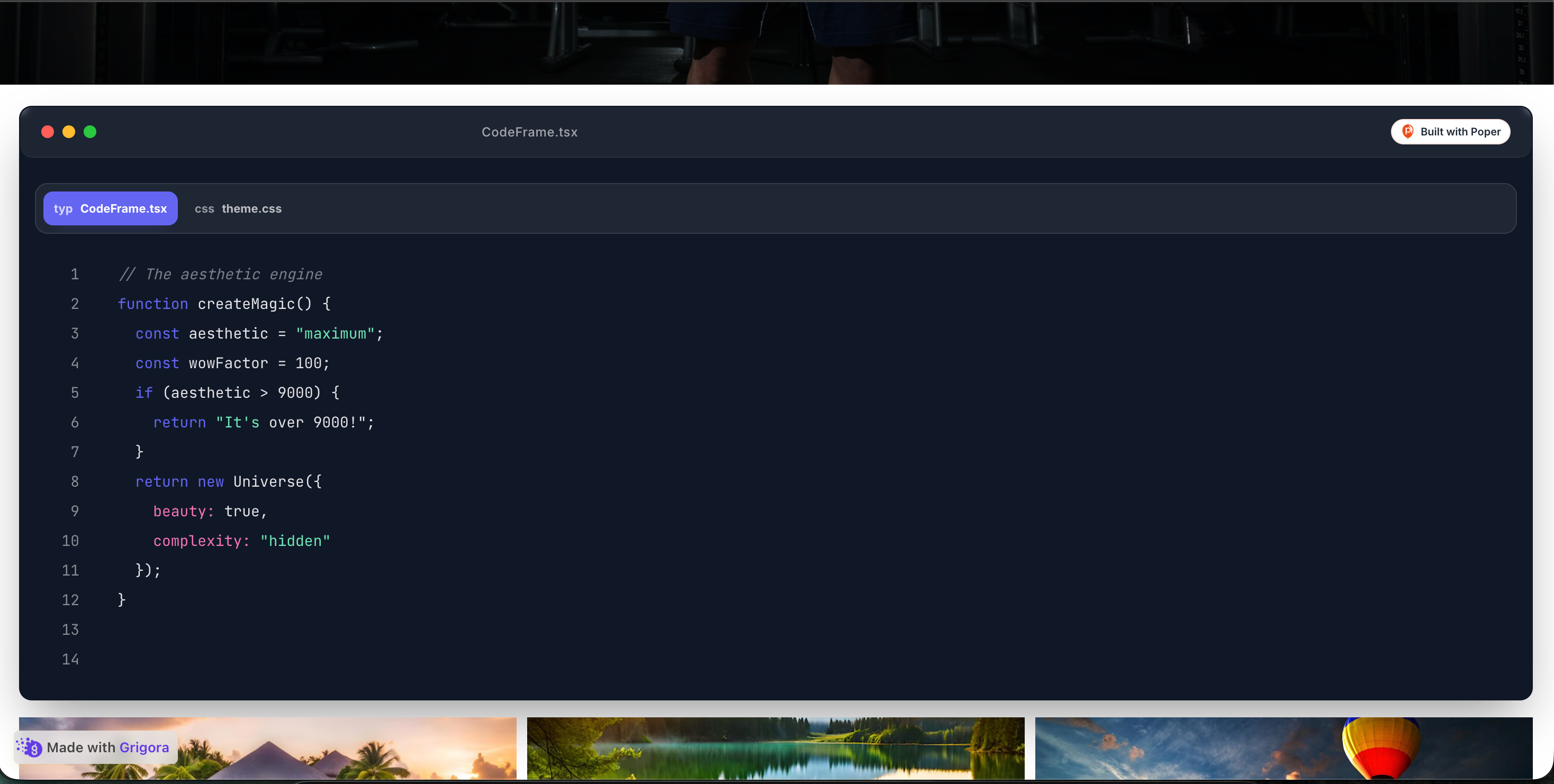 Poper widget live
Mockups for illustration. Style the widget to match your site and embed in 90 seconds.
How to use it
Three setup steps in the Poper builder.
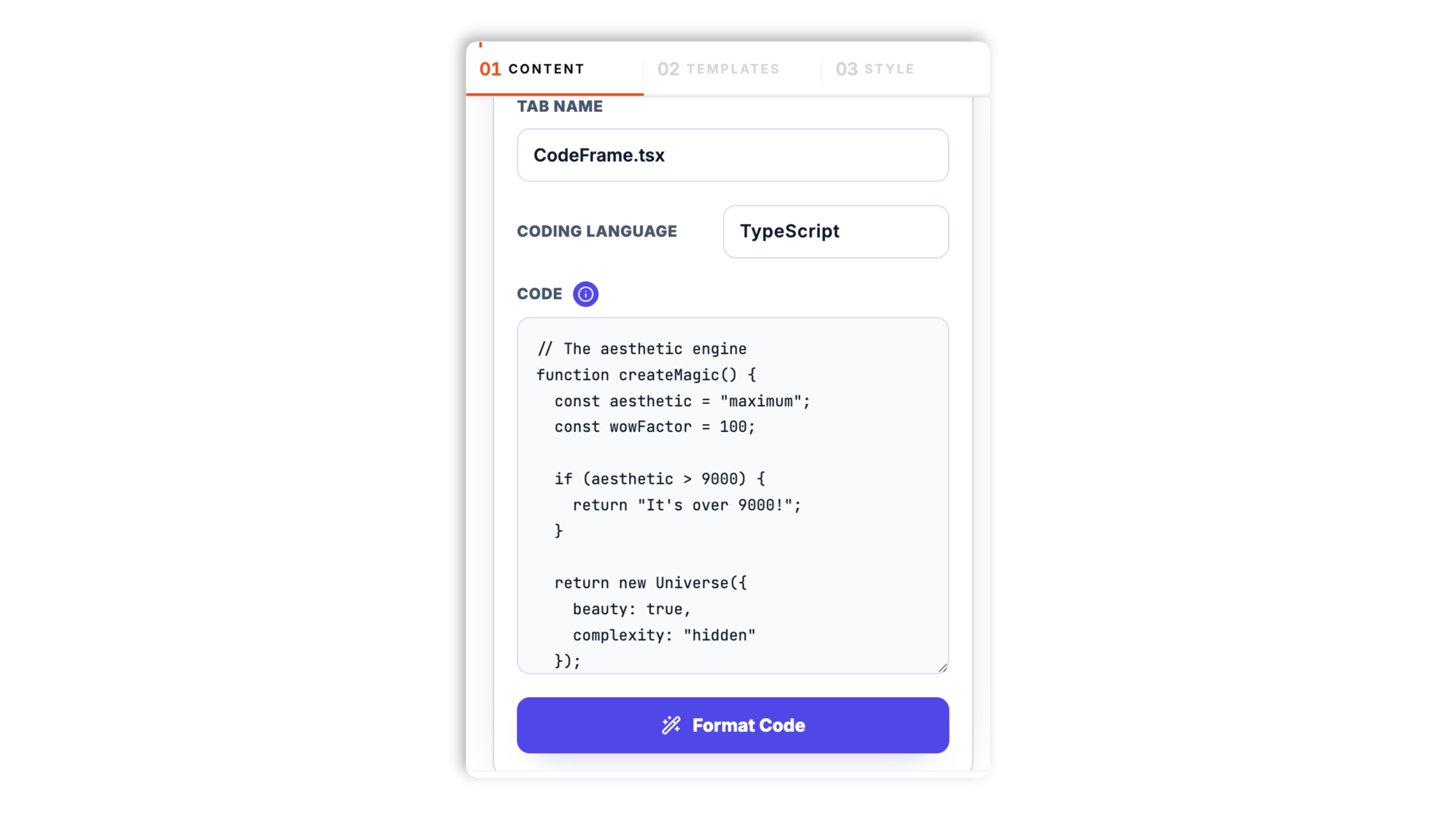
Drop your code into the builder and pick a language. Syntax highlighting is built in for popular languages including TypeScript, JavaScript, Python, Go, Rust, SQL, CSS, HTML, and JSON.
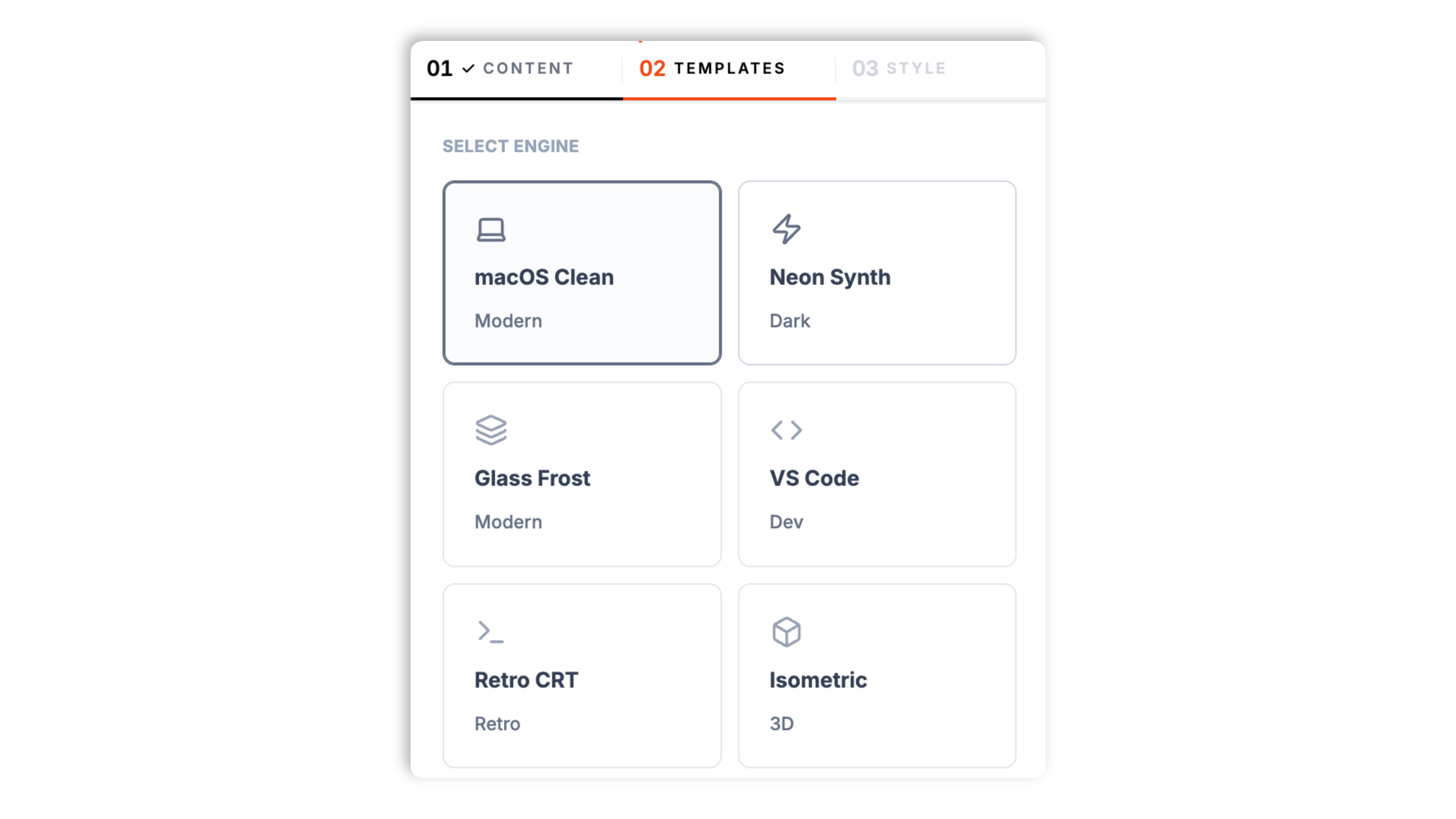
Choose one of twelve frame layouts, from a clean macOS window to a VS Code editor, a retro CRT terminal, frosted glass, and more. Each layout comes with six color themes.
Paste the Poper embed snippet into a supported documentation, blog, or HTML page.

Works everywhere
Drop-in install on WordPress, Shopify, Wix, Squarespace, Webflow, Framer, Ghost, and any HTML-friendly stack. No build step, no developer needed.


Plus 250+ other platforms via the embed snippet. If your site can render a <script> tag, it can render the Code Snippet Widget for Website - Poper.
Six things that matter when you embed code blocks on a documentation site.
This widget does one thing well: it renders a code block in a polished frame. Paste your code, pick a language, and choose a layout. Every default is tuned for showing code clearly on a documentation or blog page.
Switch between a macOS window, a VS Code editor, a retro CRT terminal, frosted glass, an isometric card, a brutalist frame, and more. Change the layout in the builder through the normal publish flow.
Add more than one file and they render as tabs inside the same frame, so visitors can switch between examples.
Toggle line numbers, and tune padding, font size, and line height so the code reads the way you want.
Validate performance and layout behavior on your own page after embedding.
Every frame layout ships with six color themes. The editor exposes theme presets and spacing/text controls rather than arbitrary custom color inputs.
Use cases
Four buyer types who get the most lift from embedding Code Snippet Widget for Website - Poper on their site.
Step-by-step lessons with multiple syntax-highlighted code blocks and inline explanations.
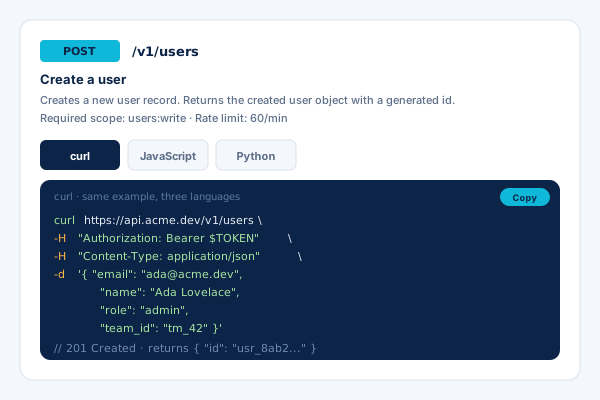
Reference pages with endpoint descriptions and curl, JavaScript, and Python files of the same example as tabs.
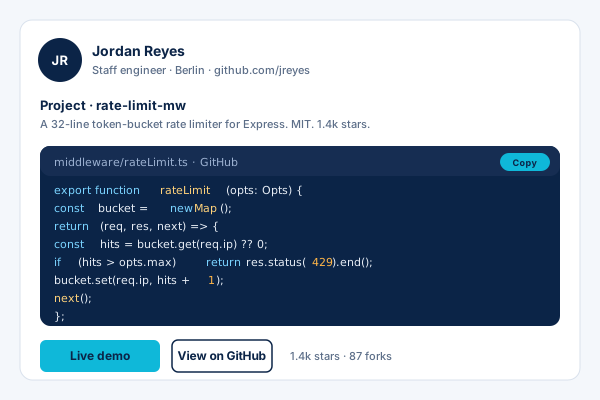
Project pages with GitHub-style snippets in a clean frame next to live-demo links.
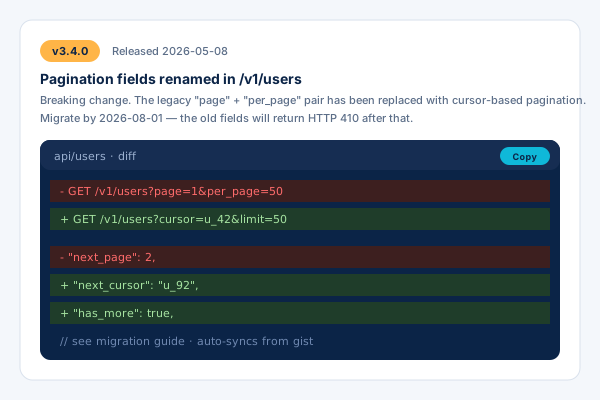
Release notes with code examples for API changes so customers can migrate quickly.
Frame range, design control, and a real free plan, compared with the popular options.
| Recommended Poper | Carbon by Dawn Labs | Common Ninja Code Highlighter | |
|---|---|---|---|
| Poper workspace available | Limited | ||
| Frame layout presets | 12 layouts | Limited | Limited |
| Themes per layout | 6 each | Several | Several |
| Multi-file tabs | |||
| Line numbers toggle | |||
| Available widget controls | Paid only | ||
| Builder setup | |||
| Bundled with popups, forms, more widgets | |||
| Paid plan details | Plan details vary | Builder export tool | Vendor pricing varies |
Comparison reflects external competitor positioning. Verify current details on each provider's site.
Developer and docs teams who switched to Poper Code Snippet.
“We moved our docs to Poper's code snippet widget. The VS Code frame matched our site, and switching the theme to our brand colors took a minute.”

“Multi-file tabs are exactly what our API reference needed. We show the same request in curl, JavaScript, and Python in one frame.”

“Twelve layouts meant we found a frame that fit our site with the built-in controls. The retro terminal one is a favorite on our blog.”

Pricing
All plans are billed yearly. Each card shows the per-month equivalent. Start free, then upgrade only when you need more campaigns, websites, or AI credits.
Yearly billing · save up to 40%Essential lead capture for solo creators and growing businesses.
billed $180/year
Full engagement suite with A/B testing, gamification & unlimited leads.
billed $348/year
Unlimited everything with white-label, API access & advanced analytics.
billed $948/year
Prices shown for the 50k monthly visitor tier on yearly billing. A Free Forever plan ($0) and a custom Enterprise plan are also available. No contracts, cancel anytime.
Code blocks are the backbone of any technical documentation site or developer blog. Get them right and your pages feel polished and easy to read. Get them wrong and you frustrate the developers who came to learn. The Poper code snippet widget renders your code in a styled frame, with built-in syntax highlighting and twelve layouts to choose from. This guide covers how the widget works, the layouts and themes, multi-file tabs, and where to use it.
You paste your code into the builder and pick a language. The widget highlights the syntax and renders the code inside a frame layout you choose. Everything is set up in the dashboard with the Poper builder, and the live preview updates as you edit.
The widget includes twelve frame layouts: a clean macOS window, a VS Code editor, a retro CRT terminal, frosted glass, an isometric card, a brutalist frame, a sketchpad, a Polaroid, a cyber grid, an aura glow, and a calm zen mode. Each layout ships with six color themes, and you can switch layouts at any time through the normal publish flow.
Add more than one file and they render as tabs inside the same frame. This is the standard pattern for API reference pages, where the same request is shown in curl, JavaScript, and Python. Visitors switch tabs without leaving the page.
Toggle line numbers and the frame controls, and tune padding, font size, and line height so the code reads clearly. When a theme preset is not exactly right, adjust the exposed frame, spacing, font-size, and line-height controls.
Use it on tutorial blogs, API documentation, developer portfolios, and SaaS changelogs. Embed it on supported documentation, blog, or HTML pages and validate the final page after publishing.
A code snippet widget is an embeddable component that renders syntax-highlighted code inside a styled frame, with line numbers and optional multi-file tabs.
Last fact-checked: . We re-verify every quarter.
Tutorial
A quick walkthrough of setting up and embedding this widget.
Tutorial video coming soon
Can't find the answer you're looking for? Chat with our support team.
Contact SupportUse twelve frames and available design controls to present code snippets on your site.
Free plan available forever