
Blogger Feed Widget for Website. Atom-Synced, Free - Poper
Blogger Feed Widget

Blogger posts on any website.

Embed your Blogspot blog or custom-domain Blogger publication in 90 seconds. Pulls the official Atom feed at /feeds/posts/default with labels, authors, and images intact. Free, no code.

No credit card required
14-day free trial
Cancel anytime

Trusted by 11,000+ brands

Timetics
Academie Digitale
Goldcast
nbcf
Seedstock
Wow
Linkxar
Gale Toyota
Skills
Rugby Sport
Lamp
Leaktronics
Steel
Theatre in Chicago
Globerto
Meetup
FYM
Zeben
Kraftix
IETraditionala
Meethires
Leadscrape
Happily
Timetics
Academie Digitale
Goldcast
nbcf
Seedstock
Wow
Linkxar
Gale Toyota
Skills
Rugby Sport
Lamp
Leaktronics
Steel
Theatre in Chicago
Globerto
Meetup
FYM
Zeben
Kraftix
IETraditionala
Meethires
Leadscrape
Happily
Free forever, paid plans from $19/mo

Try the live widget

Live demo, not a screenshot. Paste a Blogger URL, pick labels and a layout, embed. What you see here is what ships to your site.

From Blogger to your site

Your Blogger reviews. Now on your own domain.

Poper crawls the official Blogger review feed for your business and renders it inline on your website. Same reviews, your branding, your domain.

blogger.com
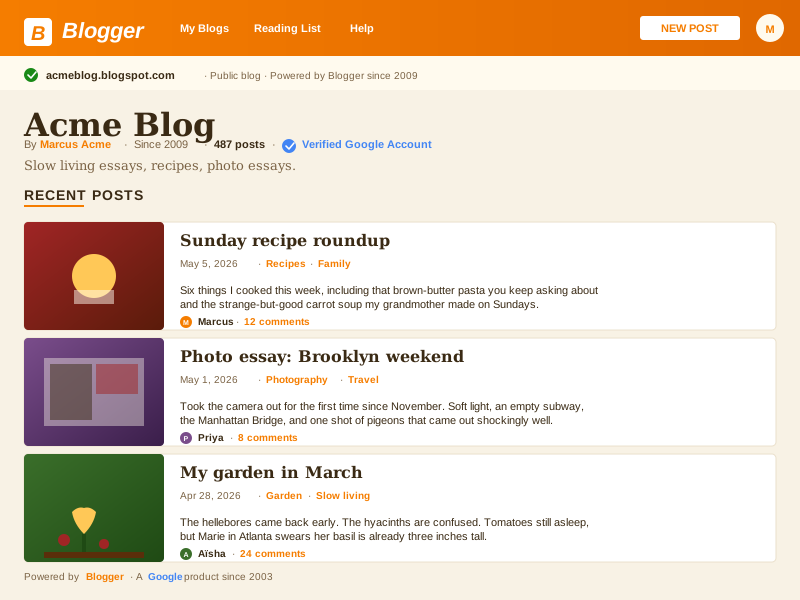
Blogger.com page for acmeblog.blogspot.com showing Blogger orange branding with Google account verification, Acme Blog by Marcus Acme since 2009, 487 posts, and three post cards from Marcus, Priya and Aïsha with comment countsSource: BloggerOpen
Blogger.com page for acmeblog.blogspot.com showing Blogger orange branding with Google account verification, Acme Blog by Marcus Acme since 2009, 487 posts, and three post cards from Marcus, Priya and Aïsha with comment counts
acmeliving.com
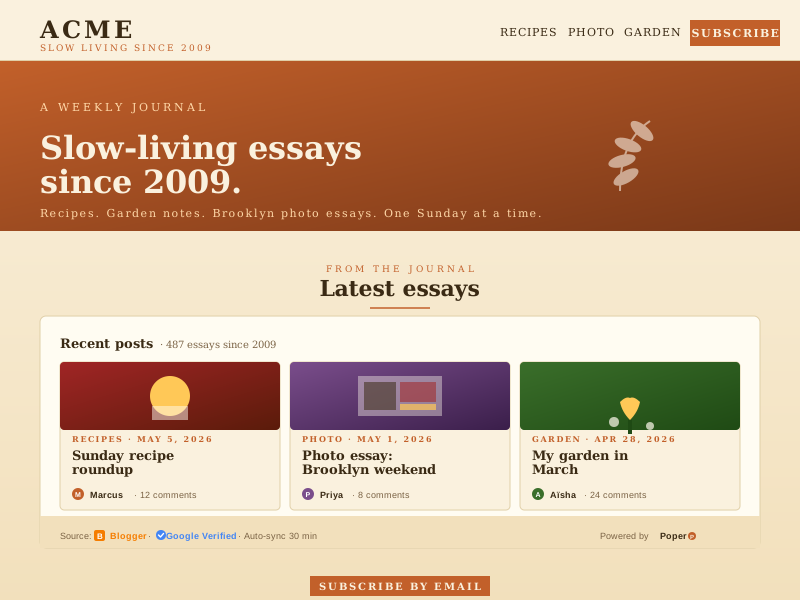
Acme Living slow-living journal site at acmeliving.com with the Poper Blogger feed widget embedded inline showing the same three Blogger posts in a muted-coral and warm-cream palette distinct from Blogger's own orange and Google stylingPoper widget live
Acme Living slow-living journal site at acmeliving.com with the Poper Blogger feed widget embedded inline showing the same three Blogger posts in a muted-coral and warm-cream palette distinct from Blogger's own orange and Google styling

Mockups for illustration. Pull your real Blogger Feed Widget: Embed Blogspot and Custom-Domain Blogger Posts on Any Website from Blogger and embed in 90 seconds.

How to use it

How to add Blogger to your website

Three steps. Under two minutes. No developer needed.

  1. 01

    Paste your Blogspot or custom-domain Blogger URL

    Drop in yourblog.blogspot.com, your custom-domain Blogger URL, or any public Blogger blog. Poper resolves the underlying Atom feed endpoint automatically.

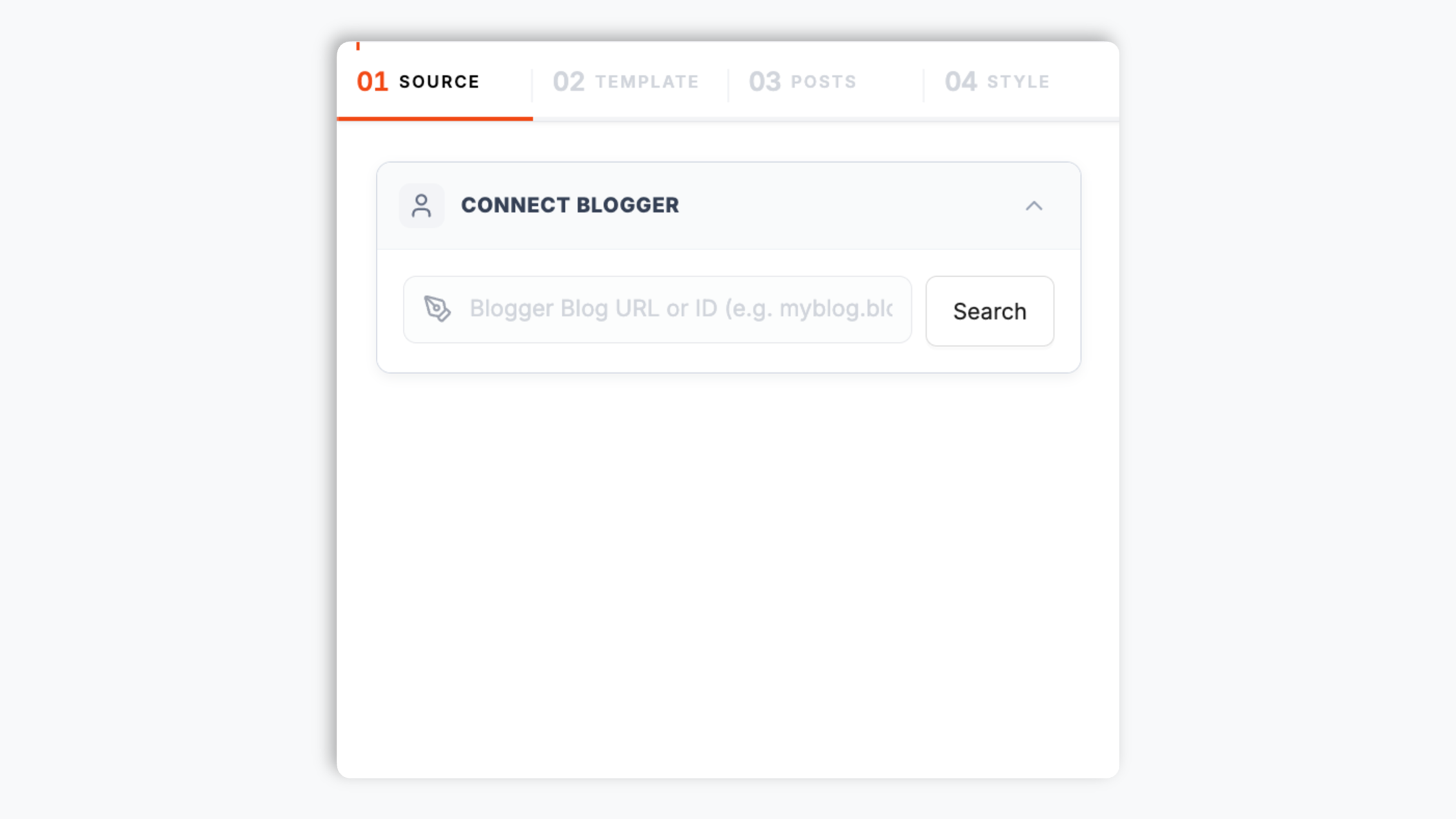
    Poper widget builder showing the Blogger blog search input with Acme Blog autocomplete result resolving to acmeblog.blogspot.com, a verified Google Account row for owner marcus@acmeblog.com, and an orange Connect button
  2. 02

    Pick a layout, filter by label, and brand it

    Choose Magazine, Article List, Card Grid, Stacked, Featured, or Compact. Filter by Blogger labels like Reviews or Tutorials. Tune typography, accent color, and image rendering.

    Layout picker showing 6 Blogger feed layouts (Magazine, Article List, Card Grid, Stacked, Featured, Compact) styled like classic Blogger post-cards plus brand color swatches and label filter chips
  3. 03

    Copy the snippet and embed

    Paste the one-line script tag into your site. Works on WordPress, Shopify, Wix, Squarespace, Webflow, Ghost, Framer, and 250+ platforms.

    One-line embed script tag for the Blogger feed widget shown in a code editor with an orange Copy button and Webflow, Framer, Wix, Squarespace, and Ghost platform badges

Works everywhere

Works with every website platform you already use

Drop-in install on WordPress, Shopify, Wix, Squarespace, Webflow, Framer, Ghost, and any HTML-friendly stack. No build step, no developer needed.

WordPress
Shopify
Wix
Squarespace
Webflow
Framer
Ghost
HTML

Plus 250+ other platforms via the embed snippet. If your site can render a <script> tag, it can render the Blogger Feed Widget: Embed Blogspot and Custom-Domain Blogger Posts on Any Website.

What you get with Poper Blogger Feed

Six things that matter when you are paying for a Blogger widget, not 30 features no one uses.

Atom-feed native, no scraping, no breakage

Blogger has shipped the same Atom 1.0 feed at /feeds/posts/default since 2003 when Google acquired the platform. Poper parses that official endpoint instead of scraping the rendered HTML or hitting the undocumented Blogger admin endpoints. When Blogger ships a theme update or template change, your embed keeps working because the Atom contract has been frozen for over twenty years. The widget can also fall back to Blogger API v3 with a Google Cloud project key if you need higher rate limits or want to read a private blog.

Label-filtered streams as a first-class feature

Blogger labels are categorical taxonomy, not WordPress-style tags, and Atom exposes them at /feeds/posts/default/-/LabelName. Poper renders this as a real filter so the Reviews label shows on your reviews page and Tutorials shows on your learn page. Combine multiple labels per embed for hand-curated reading collections without leaving the dashboard.

Custom-domain Blogger blogs resolved

Blogger has supported free custom domain mapping since 2010. Paste journal.yourcompany.com and Poper follows the redirect, resolves the underlying blogspot.com origin, and embeds the correct Atom feed. Your URL stays branded, the integration just works.

Multi-author and team blogs handled

Blogger blogs can have unlimited authors with admin or contributor roles. Atom entries include author name and email per post, so Poper renders correct attribution on team blogs without any manual mapping. Great for educational and society blogs.

Built for Google Workspace for Education

Blogger is bundled with Google Workspace for Education and remains widely used by teachers, classroom blogs, and student journals because it is free, integrated with Google accounts, and acceptable to school IT. Poper embeds these classroom blogs onto school websites, district hubs, and learning portals without OAuth friction or Google account requirements for readers.

Honors a 20-year archive that is still alive

Google has invested little in Blogger since 2017, but the platform is still online, still free, still hosting personal journals, recipe sites, and long-running niche blogs that started before Twitter existed. Poper treats Blogger as a legitimate first-class source instead of a relic, so your decade-old Blogspot archive earns a tasteful home on whatever modern site you ship next.

Use cases

Where Blogger Feed Widget: Embed Blogspot and Custom-Domain Blogger Posts on Any Website actually moves the needle

Four buyer types who get the most lift from embedding Blogger Feed Widget: Embed Blogspot and Custom-Domain Blogger Posts on Any Website on their site.

Personal blogger work setup with laptop showing a draft Blogger post, an open paper journal, a coffee cup, and a small potted plant in warm Google-cream tones

Personal blogger

Many writers and hobbyists have kept personal Blogspot journals running since the early 2000s. Embed a decade-plus archive on a modern portfolio or personal site without migrating a single post away from Google's free hosting.
Hobby and craft blog scene with an open scrapbook diary, craft supplies, washi tape, a vintage camera, and a finished project on a warm wood desk

Hobby/craft blog

Craft, scrapbooking, and DIY communities have used Blogger for years to document projects with photos and step-by-step write-ups. Embed those label-filtered project feeds on a craft store or maker portfolio site.

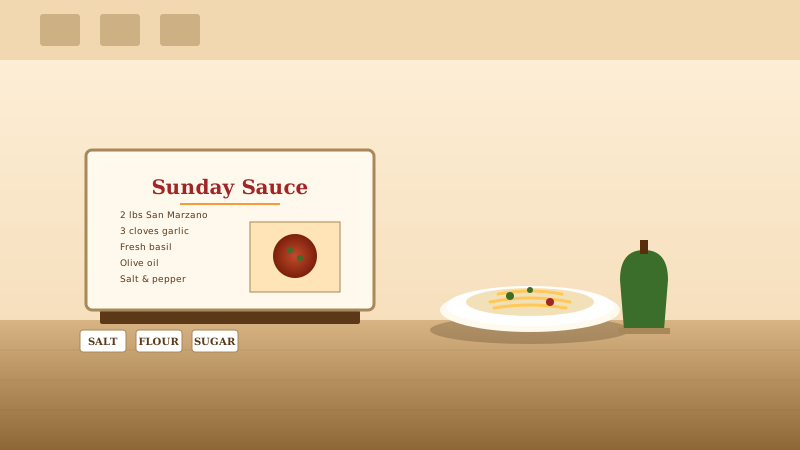
Recipe blog scene with an open cookbook on a warm-toned kitchen counter, a plated pasta dish with sauce, fresh herbs, and labeled ingredient jars for salt, flour, and sugar

Recipe blog

Long-running recipe Blogspot sites accumulate hundreds of label-tagged posts (Sunday Sauces, Holiday Bakes). Embed label-filtered recipe feeds on a kitchenware store, restaurant, or cookbook site with images and ingredient lists intact.

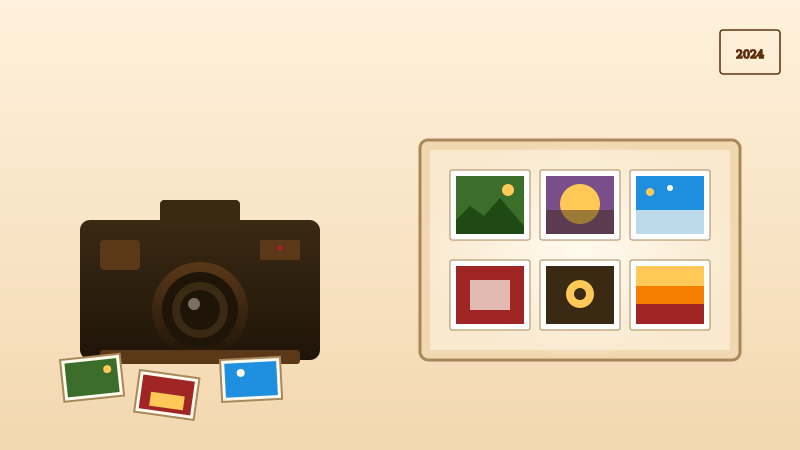
Photography blog setup with a vintage camera, a portfolio mat showing six photo prints on a backlit lightbox, and three loose photo prints scattered on a warm-cream desk

Photography blog

Photographers and photo essayists have used Blogger as a low-friction publishing surface for years. Embed those photo-led posts on a photographer portfolio or print-shop site with full-size googleusercontent.com images proxied at the correct resolution.

Poper vs other Blogger embed options

Blogger ships its own gadgets that only work on other Blogger blogs. WP-feed widgets target WordPress migrators. Substack-feed serves writers escaping to a paid model. Here is how the popular options stack up for a Blogspot source.

 Recommended
Poper
Blogger native widget gadgets
WP-feed widget
Substack feed widget
Free plan available
Embed Blogspot subdomain feeds
Only inside Blogger
Embed custom-domain Blogger blogs
Only inside Blogger
Filter by Blogger labels
Multi-author Blogger blogs handled
Embed on non-Blogger websites
WordPress only
Sync frequency (lowest plan)
1 hour
Live (same blog)
Cache controlled
1 hour
Atom feed and API v3 support
Internal only
RSS only
Custom CSS / total design control
Limited
Theme dependent
Paid only
Pricing for unlimited posts
$19/mo (Starter)
Free
Free with WP
Free
Bundled with popups, forms, quizzes

Comparison reflects publicly listed pricing and features as of 2026. Verify current details on each provider's site.

Real teams. Real outcomes.

Hobbyist writers, classroom teachers, and society editors who put their Blogger writing where their audience already lives.

Poper has improved our website's user engagement! Since integrating Poper's personalized popups, we've seen a dramatic surge in conversions and user interactions. The platform's intuitive design makes creating and customizing popups a breeze, even for those with minimal tech skills. What truly sets Poper apart are its…
Jayson Ang
Jayson Ang
Singapore Property Swapper · Singapore Property Swapper
Fantastic app and support team, they are very quick to help and provide a solution or improvement to their product. Highly recommended!
Alex
Alex
CEO · AH
Poper has been a total lifesaver for our agency! As a digital marketing agency, we’re always juggling a million things at once. Poper has been a real game-changer in terms of streamlining our workflow and keeping track of all our clients’ campaigns. The ability to track all our clients’ websites from one place is a…
Idris Basir
Idris Basir
-

Pricing

Simple pricing. Free plan covers most websites.

Free forever for one widget. Upgrade only when you need faster sync, multiple instances, or to drop the watermark.

Free

Everything you need to ship the widget today.

$0forever
  • 1 widget instance
  • All layouts & customization
  • Brand-match styling
  • 6-hour sync cadence
  • Poper watermark
Start free
Most popular

Pro

Remove the watermark, faster sync, more widget instances.

$19/mo
  • Unlimited widget instances
  • 30-minute sync cadence
  • No Poper watermark
  • Custom CSS
  • Priority email support
  • Shoppable tagging
Start 14-day trial

Business

Multi-site, multi-account, white-label.

$49/mo
  • Multi-account combined feeds
  • Real-time sync
  • White-label embed
  • API access
  • Dedicated success manager
  • Custom SLA
Start 14-day trial

All plans include unlimited page views, no contracts, cancel anytime. Annual billing saves 20%.

Guide · 7 min read

The complete guide to embedding Blogger on your website

Blogger has been online since 1999 and Google-owned since 2003, which makes it the longest continuously running blog hosting platform on the public web. Despite Google's near-zero feature investment since 2017, the platform still hosts millions of active blogs: classroom journals, hobbyist food sites, ten-year personal travelogues, recipe archives, book-review communities, and quiet niche publications that outlasted Tumblr, LiveJournal, Posterous, Vox, and most of the early-2000s blogosphere. The catch is that Blogger hosts the writing on a blogspot.com subdomain (or a free custom-mapped domain), while your modern site lives somewhere else entirely on Webflow, Framer, Shopify, WordPress, or a hand-rolled stack. A blogger feed widget closes that gap by pulling your latest Blogspot posts onto your own site so a decade of archives finds a tasteful home on whatever frontend you ship next, with labels, authors, and Google-hosted images intact. This guide walks through what actually matters when you choose and configure a blogger feed widget in 2026: the Atom feed standard versus Blogger API v3, custom domain mapping, multi-author team blogs, the Google Workspace for Education footprint that keeps Blogger relevant in classrooms long after the wider tech industry stopped paying attention, the post-2017 reality of Google's investment posture, and the WordPress migration question that every Blogspot owner asks themselves at least once a decade.

01

Why every legitimate Blogger widget runs on the Atom feed

Blogger has shipped a standards-compliant Atom 1.0 feed at the path /feeds/posts/default on every public blog since Google acquired the platform in 2003. The same path returns full post content, author attribution, publish dates, label taxonomy, and links to image thumbnails. There is also a parallel /feeds/posts/summary path for summary-only entries when you want a lighter payload, plus per-post comment feeds at /feeds/COMMENT-ID/comments/default for blogs that have community discussion enabled. The Atom contract has been frozen for over twenty years, which means a widget that parses Atom today will still work in 2030 even if Google never touches Blogger again. The alternative is Blogger API v3, a JSON REST API that sits behind Google Cloud authentication. Blogger API v3 unlocks higher rate limits (10,000 requests per day per project on the free quota), private blog reads with OAuth, and the ability to write and edit posts programmatically. For an embed widget the Atom feed is almost always the right default because it requires no API key, has effectively unlimited rate limits for reasonable polling, and exposes everything a public widget needs. Poper uses Atom by default and exposes Blogger API v3 as an optional path for users who need the higher limits or want to embed a private blog. Either way, the widget never scrapes the rendered HTML and never hits undocumented internal endpoints, which is what some other tools do and which gets them blocked or broken whenever Google ships a Blogger template revision. The Atom-first design also means the widget gracefully degrades to summary entries when the full-content feed is too large, so even Blogspot blogs with twenty years of accumulated archives stay performant under polling load. Pagination across the full Blogger archive is handled through Atom's start-index parameter, which Poper uses transparently when an embed needs to surface posts older than the most recent 25 entries the default feed exposes.

02

Custom-domain Blogger blogs and the URL puzzle

Blogger has supported free custom domain mapping since 2010, which means a publication can run on journal.companyname.com while still hosted on Blogger under the hood. The Atom feed in that case still lives at journal.companyname.com/feeds/posts/default because Blogger transparently mirrors the feed path on the custom domain. The complication for widget tools is detecting whether a pasted URL is a Blogger blog at all, since the URL gives no obvious clue. Poper handles this by following redirects, reading the meta generator tag in the homepage HTML (Blogger injects content="blogger"), and checking for the canonical /feeds/posts/default path. If any of those signals match, the widget treats the URL as a Blogger blog and embeds the correct Atom feed. This makes custom-domain Blogger blogs as easy to embed as raw blogspot.com subdomains, with no manual configuration required. It is also the reason many long-running Blogger blogs feel completely white-labeled to readers but still get the benefit of Google's free hosting and AdSense integration on the backend. If you migrated TO Blogger years ago specifically because of its simplicity and Google account integration, custom domain mapping is what lets you keep that benefit while shipping a modern frontend through the widget.

03

Multi-author blogs, classroom journals, and Google Workspace for Education

Blogger blogs can have unlimited authors with admin or contributor roles, and Atom entries include the author name and email per post natively. This makes Blogger uniquely suited to multi-contributor blogs where attribution matters: writing societies pooling short fiction, book club blogs with rotating reviewers, and most importantly, classroom blogs running on Google Workspace for Education. Blogger is bundled with the free education tier of Google Workspace and remains one of the few blog platforms that school IT departments universally accept because it inherits Google account permissions, has no third-party data sharing, and is free at any scale. Teachers run year-long classroom journals, students contribute posts under shared authorship, and the whole thing is private by default with optional public reads. Poper handles multi-author Blogger blogs by reading per-entry author metadata and rendering correct attribution on every post. For school websites, district hubs, and learning portals, this means a classroom Blogger blog can be embedded on the school's public site with proper student credit, clear author labels, and zero OAuth friction for end readers. The widget never asks readers to sign in to Google to view posts, which matches how parents and prospective families actually browse school websites.

04

Why Blogger is still alive in 2026 despite the lack of investment

Google has visibly de-prioritized Blogger since 2017. There has been no major feature update in years, no mobile app, no theme marketplace expansion, and no public roadmap. By every conventional metric the platform should have been sunsetted alongside Google Reader, Google+, and dozens of other Google products that were quietly killed. Blogger is still online, still free, and still receiving security patches. The reason is that Blogger has hundreds of millions of active blogs accumulated over 25 years, an active AdSense revenue stream that Google still profits from, and a non-trivial Workspace for Education install base that would be politically expensive to remove. The result is an unusual product: a platform that is unfashionable, unloved, mostly forgotten by tech press, and yet legitimately useful as a free, lightweight, Google-integrated writing surface that does not require a credit card or a hosting bill. The honest framing for 2026 is that Blogger is not a place to start a new flagship publication, but it is an excellent place to keep a long-running personal blog, a hobbyist niche site, or a classroom journal alive without any operational overhead. A blogger feed widget makes that posture viable on the modern web by giving the Blogger archive a tasteful, well-styled home on any frontend you ship. Your readers see your posts on your domain, your writing process stays on Blogger, and the whole thing costs zero in hosting fees forever. The recipe blogger who has posted to a Blogspot URL since 2009 does not need to lose a decade of permalinks, AdSense earnings, and Google search ranking just to refresh the public surface in 2026. The classroom journal that started in 2014 does not need an IT department to migrate it. The hobbyist craft blog with a niche audience that already knows the URL does not need to break that audience by switching platforms. Embedding through the Atom feed lets every one of these blogs keep what works while presenting the result on whatever modern surface fits the brand today, which is the most pragmatic available answer to the long-tail Blogger question.

05

Migrating from WordPress to Blogger, or vice versa, and why the embed approach beats both

Many Blogger owners ask whether they should migrate to WordPress for the larger ecosystem, more themes, and modern plugin support. WordPress owners ask the inverse question when their hosting bills climb and they consider going back to Blogger for the free hosting. Both migrations are technically possible (Blogger to WordPress is one-click in the WordPress importer, WordPress to Blogger is harder but doable) and both are usually a mistake when an embed approach would solve the underlying problem at much lower cost. The real problem in most cases is not the writing platform, it is the public surface. Owners want their posts to feel modern, branded, and on-domain, and they assume the only way to get there is to migrate the entire blog. A blogger feed widget on a Webflow, Framer, or Shopify site achieves the same visible outcome with none of the migration risk: your existing Blogger archive stays in place, AdSense keeps earning, your Google account permissions stay intact, and the modern frontend gets fresh content automatically through the Atom feed. If you eventually decide the Blogger platform itself is the bottleneck, the same Poper feed widget configuration works against a WordPress feed, a Substack feed, or a Ghost feed by changing one URL, which keeps the cost of switching close to zero. The widget gives you the optionality that migration takes away. For a working Blogger publication in 2026 that has any audience at all, this is almost always the right play.

Quick reference

What is Blogger Feed Widget: Embed Blogspot and Custom-Domain Blogger Posts on Any Website?

A Blogger feed widget is an embeddable script that pulls posts from a Blogger or Blogspot blog onto a third-party website using Blogger's official Atom 1.0 feed at yourblog.blogspot.com/feeds/posts/default, with optional access through Blogger API v3 for higher-rate or private-blog reads.

Key facts

  • Blogger has been online since 1999 and Google-owned since 2003, making it the longest continuously running free blog hosting platform on the public web.
  • Blogger exposes a standards-compliant Atom 1.0 feed at /feeds/posts/default on every public blog, including label-filtered streams at /feeds/posts/default/-/LabelName.
  • Blogger has supported free custom domain mapping since 2010, so a publication can run on a fully white-labeled URL while still hosted on Google's free Blogger infrastructure.
  • Blogger API v3 is a JSON REST API sitting behind Google Cloud authentication, useful for higher rate limits, OAuth-gated private blog reads, and programmatic post writes.
  • Blogger is bundled with Google Workspace for Education and remains widely used by teachers, classroom journals, and student societies because it is free and IT-approved.
  • Google has invested little in Blogger since 2017 with no major feature updates, but the platform remains online, free, and actively serving hundreds of millions of accumulated blogs.

Frequently asked questions

Can't find the answer you're looking for? Chat with our support team.

Contact Support

Stop sending visitors away to read your Blogger archive

Poper takes 90 seconds to embed and survives every Blogger template change because it runs on the Atom feed. Free plan, no credit card.

Free plan available forever