
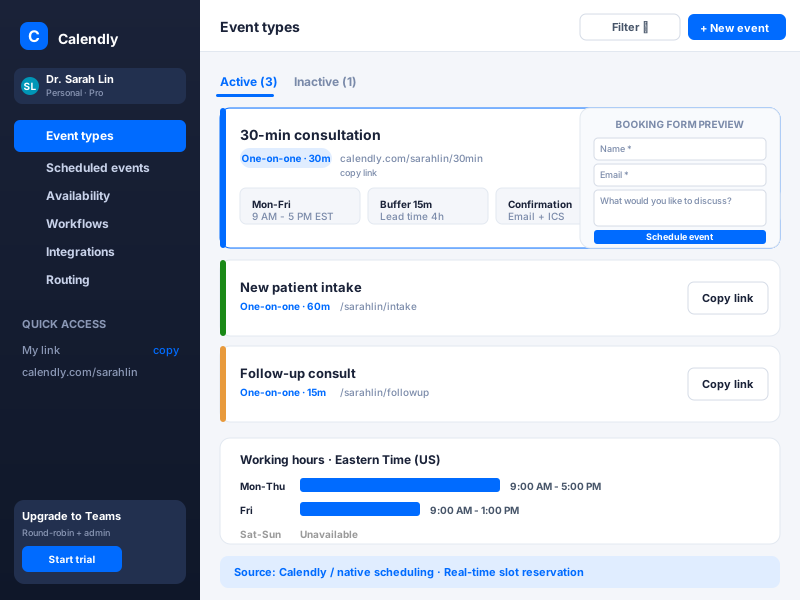
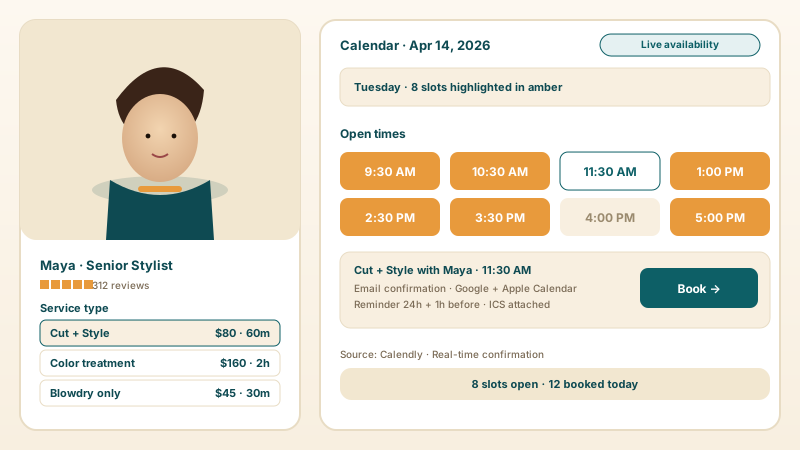
Salons + stylists
List services like Cut and Style, Color, and Blowdry, each with its own duration and price. Set your weekly hours, and clients pick an open 30-minute slot. The booking confirmation lands in their inbox automatically.
Embed a booking widget in 90 seconds. Set your services, weekly schedule, and time zone, let visitors pick a slot, and get an email confirmation for every booking. Free, no code.
Trusted by 11,000+ service businesses























Live demo, not a screenshot. Style it, brand it, embed it. What you see here is what ships to your site.
From Booking builder to your site
Poper crawls the official Booking builder review feed for your business and renders it inline on your website. Same reviews, your branding, your domain.
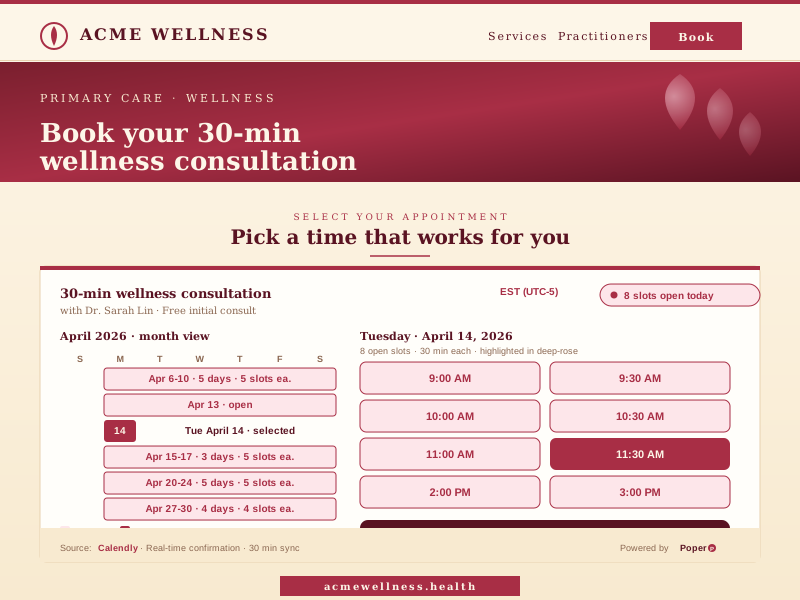 Poper widget live
Mockups for illustration. Pull your real Appointment Booking Widget: Embed Online Scheduling on Any Website from Booking builder and embed in 90 seconds.
How to use it
Three steps. Under two minutes. No developer needed.
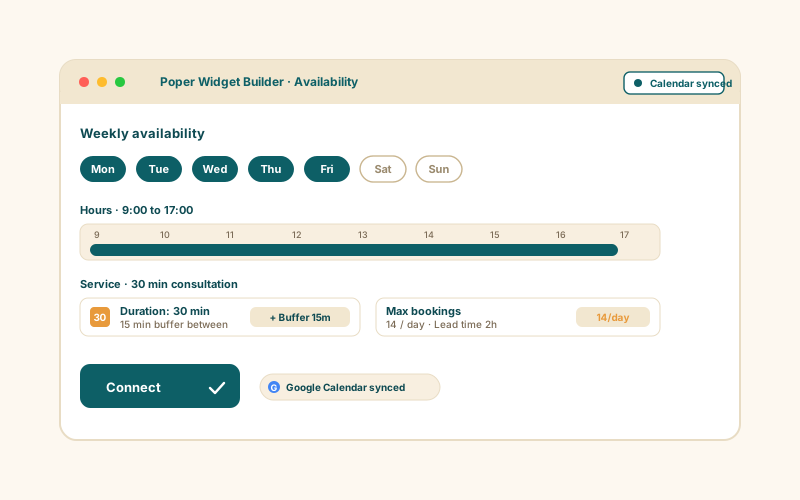
Add the services you offer with a name, a price, and a duration (15, 30, 45, or 60 minutes). Set your weekly schedule by toggling the days you work and the hours for each, then pick your time zone and how far ahead visitors can book.
Choose one of three templates: Embedded calendar, Inline Button, or Floating Button. Match your background, accent, and text colors, set the widget width, and style the button label, color, and corner radius.
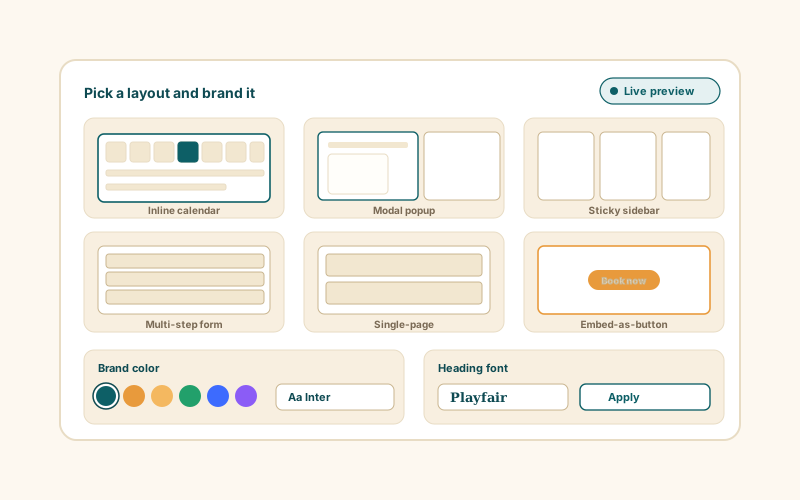
Paste the one-line script tag. Works on WordPress, Shopify, Wix, Squarespace, Webflow, Framer, Ghost, and any HTML site.
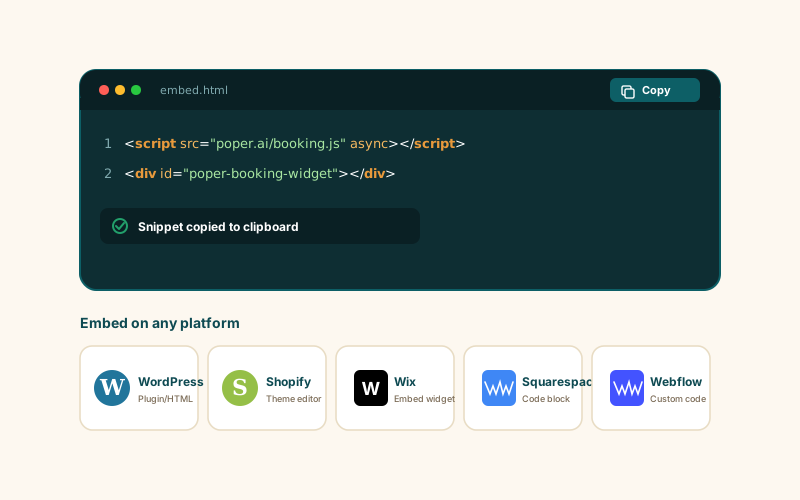
Works everywhere
Drop-in install on WordPress, Shopify, Wix, Squarespace, Webflow, Framer, Ghost, and any HTML-friendly stack. No build step, no developer needed.


Plus 250+ other platforms via the embed snippet. If your site can render a <script> tag, it can render the Appointment Booking Widget: Embed Online Scheduling on Any Website.
The things that matter when you are paying for a booking widget, not 30 features no one uses.
Set up the services you offer, each with a name, a price, and a duration of 15, 30, 45, or 60 minutes. Build your weekly schedule by toggling the days you work and the hours for each day, and the widget turns that into real time slots a visitor can pick from. When they choose a service, a date, and an open slot, the booking is confirmed. No developer, no monthly per-staff fee.
Pick your time zone from a full list of IANA zones so the calendar shows the right hours. Set the booking window from one week up to three months ahead so visitors only ever see slots you actually want to take.
Each service shows its own price and currency, so visitors see what a slot costs before they book.
Show your business name, bio, phone, email, website, and address so visitors know who they are booking with.
Every booking sends a confirmation email. Turn on appointment reminders and both parties get an email reminder ahead of the slot, with the lead time set to 15 minutes, 30 minutes, 1 hour, or 24 hours before. Turn on New Booking Alerts and your admin email is notified the moment a slot is booked.
Embed the full calendar inline, or use a button (inline or floating) that opens the booking flow. Match the background, accent, and text colors, set the widget width, and style the button label, color, and corner radius. Visitors get an add-to-Google-Calendar link the moment they book.
Use cases
Four buyer types who get the most lift from embedding Appointment Booking Widget: Embed Online Scheduling on Any Website on their site.
List services like Cut and Style, Color, and Blowdry, each with its own duration and price. Set your weekly hours, and clients pick an open 30-minute slot. The booking confirmation lands in their inbox automatically.
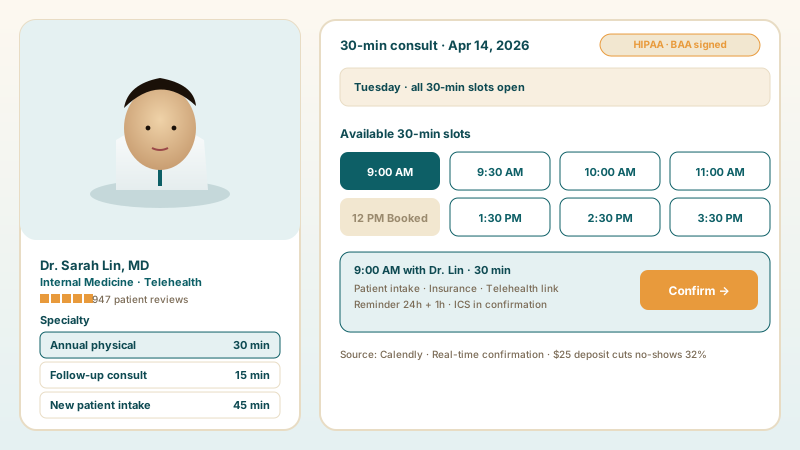
Offer Annual physical, Follow-up, and Intake as priced services with 30-minute slots. Add a business profile with your name, bio, and contact details, and turn on email reminders so clients show up.
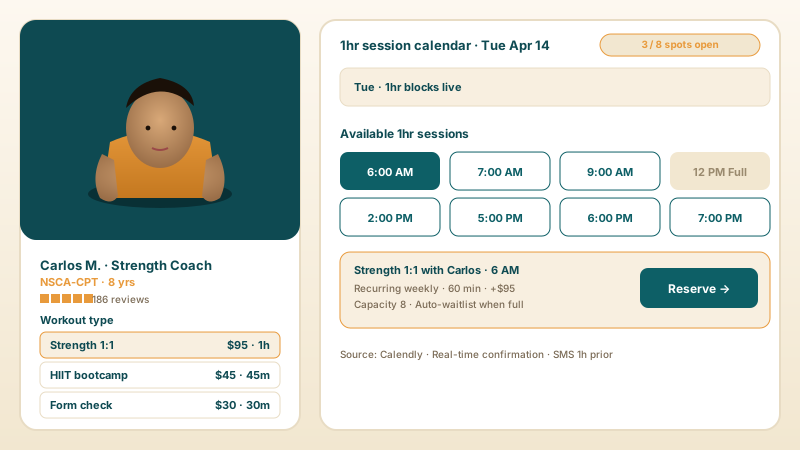
Set up 1:1 session types with 60-minute durations and your weekly availability. Clients book an open slot, get a confirmation email, and can add the session to their Google Calendar in one tap.
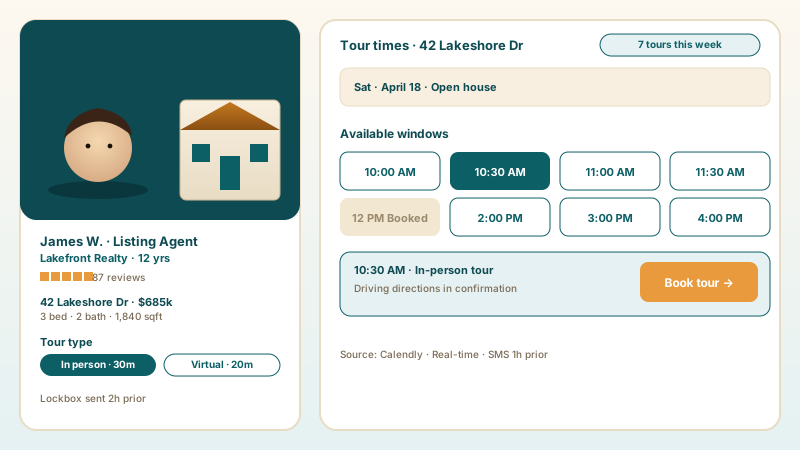
Add an in-person tour and a virtual tour as services, set the days and hours you show the property, and let buyers pick a window. The booking window control keeps slots open only as far ahead as you want.
Three of the most-installed appointment widgets, compared on what matters for a simple service-business booking page.
| Recommended Poper | Calendly | Acuity Scheduling | SimplyBook.me | |
|---|---|---|---|---|
| Free plan available | ||||
| Embeds on your own domain | Paid only | |||
| Multiple services with set durations | ||||
| Per-service price display | Limited | |||
| Weekly availability schedule | ||||
| Time-zone selection | ||||
| Email confirmations and reminders | ||||
| Inline, button, and floating templates | Limited | Limited | Limited | |
| Brand color and styling controls | Limited | Paid only | ||
| Pricing for unlimited bookings | $15/mo (Starter, yearly) | $10/mo+ | $20/mo+ | $9.90/mo+ |
| Bundled with popups, forms, quizzes, more widgets |
Comparison reflects publicly listed pricing and features as of 2026. Verify current details on each provider's site.
Salons, clinics, trainers, and consultants who run bookings on their own site with Poper.
“Poper has improved our website's user engagement! Since integrating Poper's personalized popups, we've seen a dramatic surge in conversions and user interactions. The platform's intuitive design makes creating and customizing popups a breeze, even for those with minimal tech skills. What truly sets Poper apart are its…”

“Fantastic app and support team, they are very quick to help and provide a solution or improvement to their product. Highly recommended!”

“Poper has been a total lifesaver for our agency! As a digital marketing agency, we’re always juggling a million things at once. Poper has been a real game-changer in terms of streamlining our workflow and keeping track of all our clients’ campaigns. The ability to track all our clients’ websites from one place is a…”

Pricing
All plans are billed yearly. Each card shows the per-month equivalent. Start free, then upgrade only when you need more campaigns, websites, or AI credits.
Yearly billing · save up to 40%Essential lead capture for solo creators and growing businesses.
billed $180/year
Full engagement suite with A/B testing, gamification & unlimited leads.
billed $348/year
Unlimited everything with white-label, API access & advanced analytics.
billed $948/year
Prices shown for the 50k monthly visitor tier on yearly billing. A Free Forever plan ($0) and a custom Enterprise plan are also available. No contracts, cancel anytime.
Service businesses lose more bookings to friction than to price. A 2025 BrightLocal study found that 67 percent of consumers will abandon a booking if they have to leave the business website to schedule. An appointment booking widget solves that by living on your own domain: visitors see your services, pick an open slot, and get a confirmation email without ever being sent to a third-party page. This guide walks through what actually matters when you choose a booking widget in 2026: setting up services with the right durations, building a weekly availability schedule, picking a time zone and a booking window, choosing between an embedded calendar and a button, and how Poper compares with Calendly, Acuity, and SimplyBook.me for a straightforward service-business booking page.
The single biggest leak in a service-business booking flow is the hand-off. A visitor reads your page, decides to book, clicks a button, and lands on a third-party scheduling domain that looks nothing like your site. A meaningful share of them hesitate and leave. An embedded booking widget removes that hand-off entirely: the calendar renders inside your page, in your colors, and the visitor never feels like they left. Poper's Embedded template places the full booking calendar directly on the page, so a visitor goes from reading about your service to picking a slot in one continuous motion. If you would rather keep the page clean, the Inline Button and Floating Button templates show a branded button that opens the booking flow in place. The point is the same in every case: the booking happens on your domain, under your brand, with no redirect to lose people on.
A booking widget is only as good as the services you put into it. In Poper, each service has a name, a currency and price, and a duration of 15, 30, 45, or 60 minutes. The duration matters more than it looks: it is what the widget uses to slice your working hours into bookable slots. A 30-minute service turns a 9-to-5 day into clean half-hour slots; a 60-minute service halves that count. List your services the way a customer thinks about them, Cut and Style rather than Service A, and set a realistic duration that includes the time you actually need, including any turnaround. Showing a price on each service is worth doing even when the price is approximate: visitors who see the cost up front and still book are visitors who will not be surprised at checkout, which means fewer awkward conversations and fewer cancellations.
The Availability tab is where you tell the widget when you are open. The weekly schedule lets you toggle each day on or off and set the hours for the days you work, so a business that is closed Sundays and Mondays simply switches those off. The time-zone selector, drawn from the full IANA list, makes sure the calendar shows the correct hours rather than guessing. The booking window control decides how far into the future a visitor can book, from one week up to three months ahead. The booking window is an underused lever: a short window concentrates demand and keeps your near-term calendar full, while a longer window suits businesses where clients plan well ahead. Set it deliberately rather than leaving it at the default, because it directly shapes which slots a visitor ever sees.
Every booking made through the widget sends a confirmation email, so the visitor has a record and you have a paper trail. The bigger lever is the reminder. Turn on Appointment Reminders and both parties receive an email reminder ahead of the slot, with the lead time set to 15 minutes, 30 minutes, 1 hour, or 24 hours before. A 24-hour reminder is the workhorse: it lands while there is still time to reschedule rather than just no-show, which is exactly when a reminder changes behavior. Separately, New Booking Alerts send an email to the admin address you set the moment a slot is booked, so you are never caught off guard by a booking you did not see. The booking confirmation screen also gives the visitor an add-to-Google-Calendar link, which puts the appointment in the place they already check.
Calendly is the default choice for solo consultants because of brand recall, but its free plan only allows one event type, and embedding on your own domain rather than redirecting to calendly.com is a paid feature. Acuity Scheduling is capable but priced per practitioner, which adds up. SimplyBook.me is feature-rich but its free plan caps your bookings per month. For a straightforward service-business booking page, the Poper appointment booking widget covers the essentials: multiple priced services, a weekly availability schedule, time-zone selection, a booking window, email confirmations and reminders, three embed templates, and brand styling. And because it is part of the Poper widget library, the same account that runs your booking widget also runs your popups, forms, and the rest of the Poper widgets, so you are not paying a separate subscription for each.
An appointment booking widget is an embeddable script that displays your services and availability on your own website and lets visitors pick an open slot without leaving your domain. The Poper appointment booking widget covers services with set durations, a weekly schedule, time-zone selection, a booking window, and email confirmations.
Last fact-checked: . We re-verify every quarter.
Tutorial
A quick walkthrough of setting up and embedding this widget.
Tutorial video coming soon
Can't find the answer you're looking for? Chat with our support team.
Contact SupportPoper takes 90 seconds to embed and keeps the whole booking flow on your own site.
Free plan available forever