
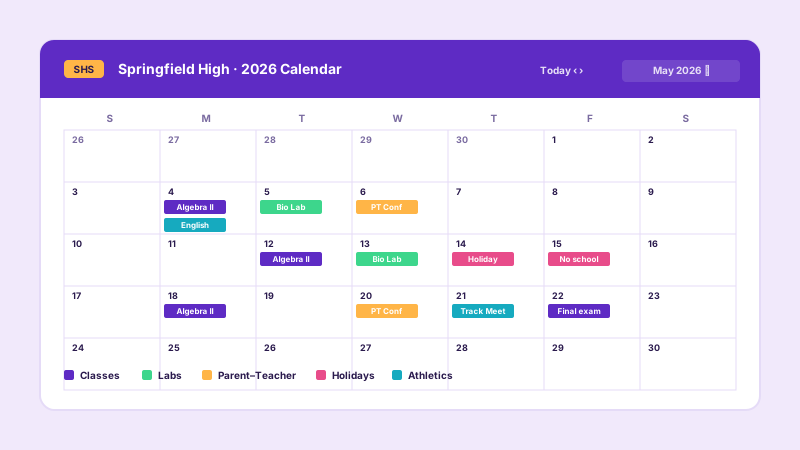
School and community calendars
List class events, conferences, athletics, and holidays, each with a category color so a visitor can scan the page fast. Add a venue and a host to every event and let parents filter by category.
Add your events with dates, times, venues, hosts, and category colors, then embed them as a list, grid, or masonry calendar. Built-in search and filters. No code.
Built for no-code website teams























Live demo, not a screenshot. Add events, pick a layout, brand it, embed it. What you see here is what ships to your site.
Before and after Poper
Here is the widget embedded on a real page layout, before and after. Style it to match your brand, then copy one snippet to go live.
 Before
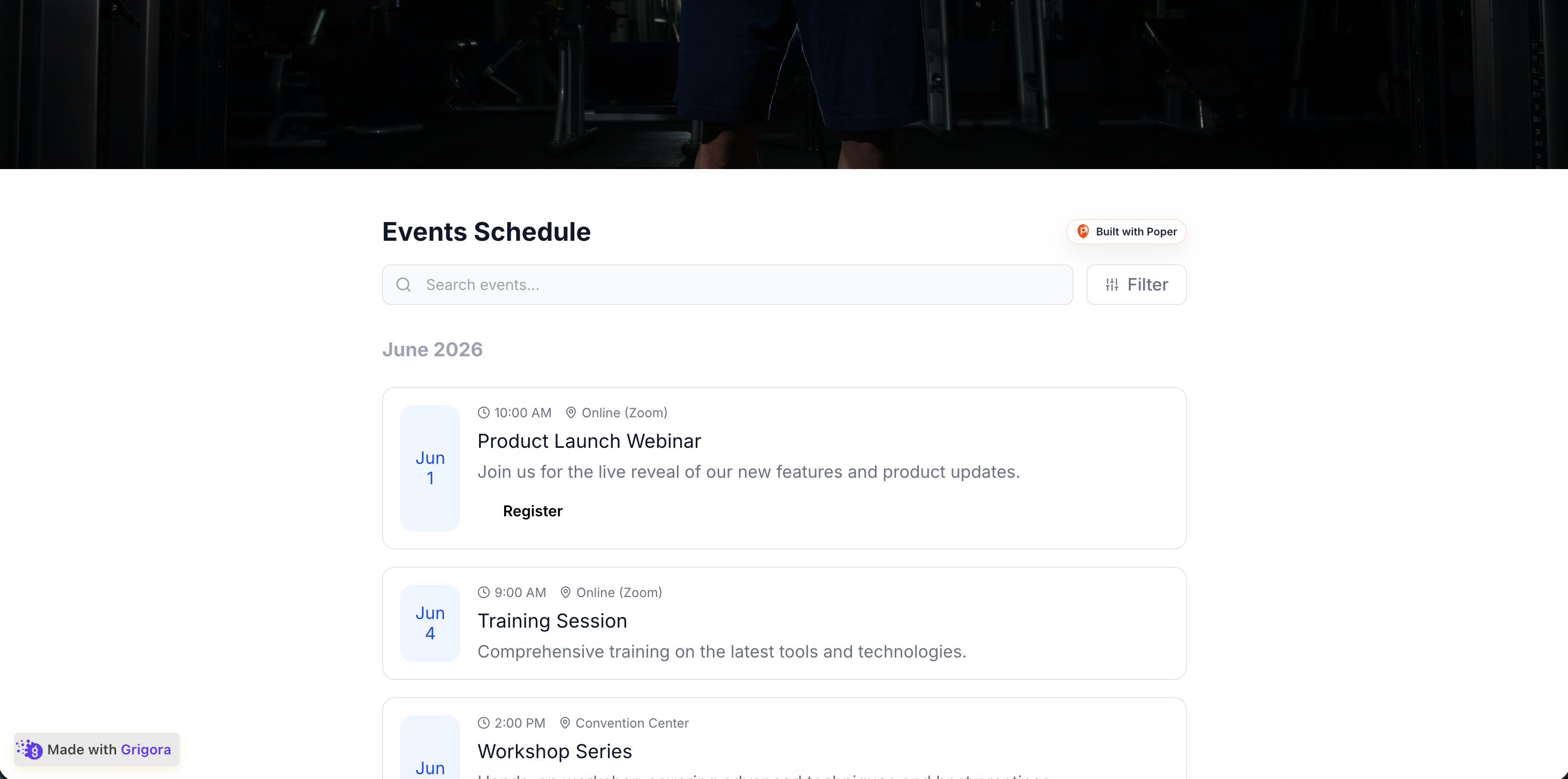 Poper widget live
Mockups for illustration. Style the widget to match your site and embed in 90 seconds.
How to use it
Three steps. Under two minutes. No developer needed.
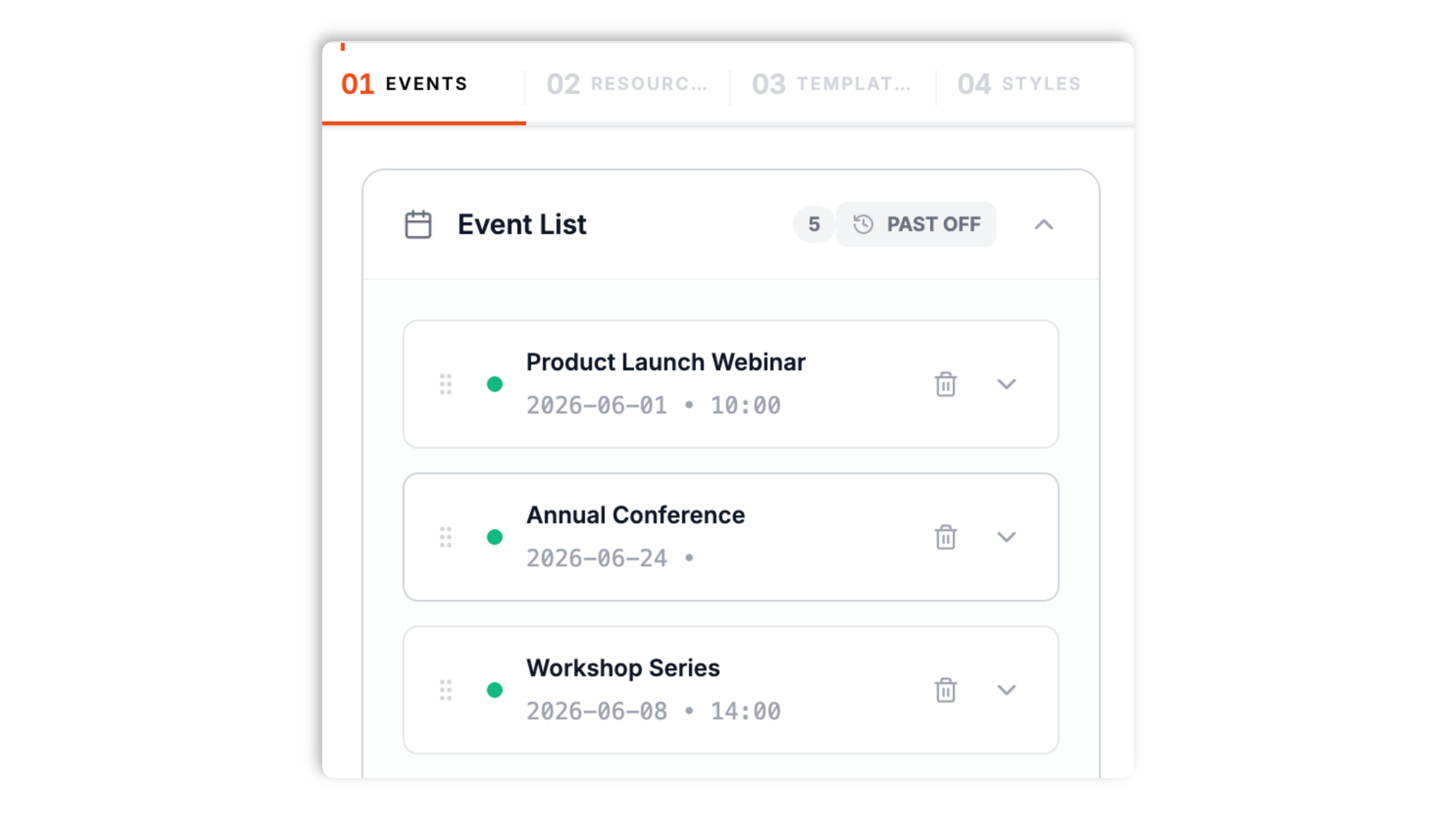
Add each event with a name, start and end dates, times (or mark it all-day), a description, and an image. Assign a category, a venue, and a host, and add an optional action button like Register or Buy Tickets.
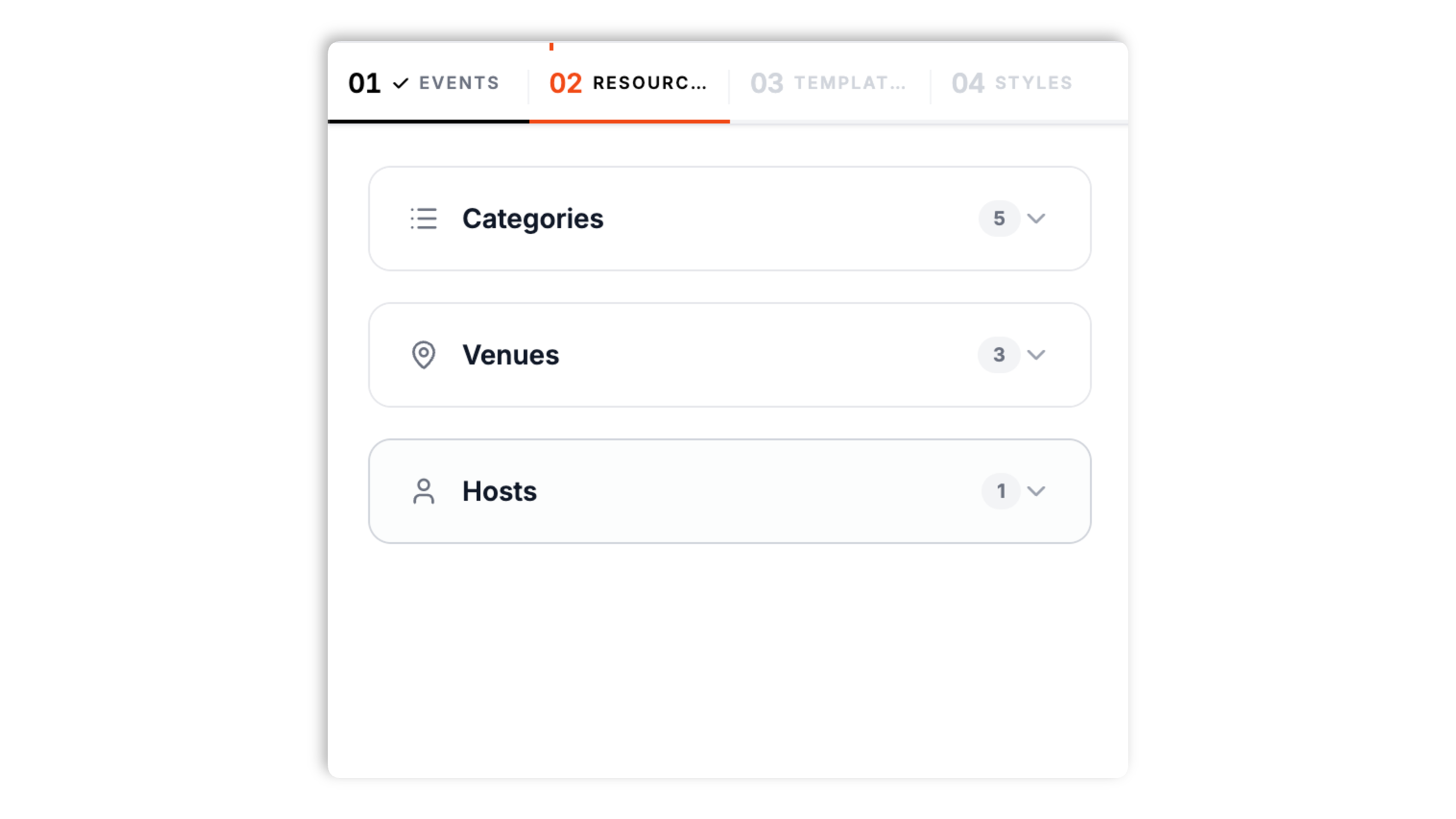
On the Resources tab, create the categories your events fall into (each with a color and icon), the venues they happen at (with an address), and the hosts who run them. Every event then picks from these lists.
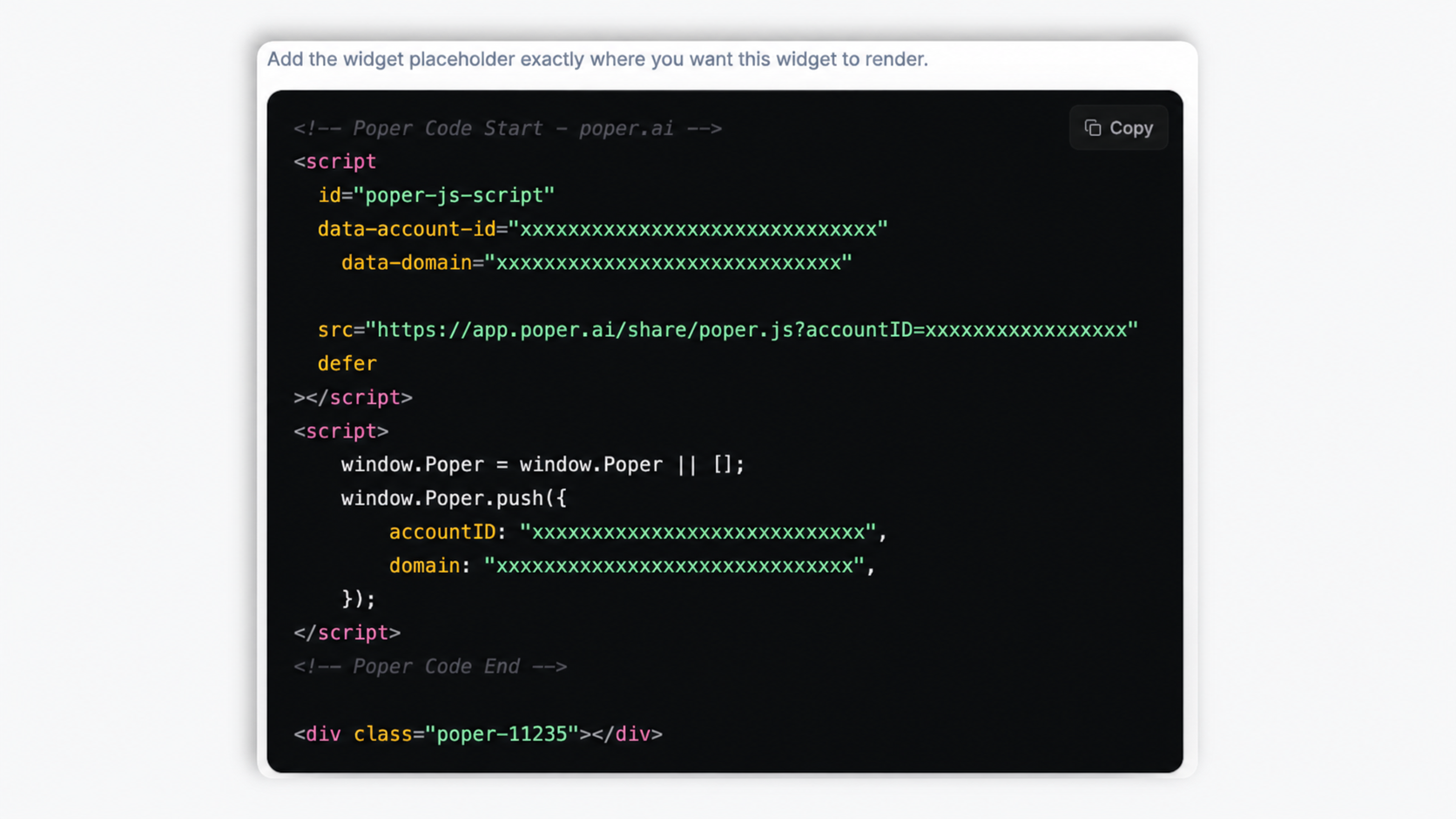
Choose a List, Grid, or Masonry layout, style the colors and typography, turn on search and filters, then paste the one-line script tag. Works anywhere your Poper embed snippet is supported.
Works everywhere
Drop-in install on WordPress, Shopify, Wix, Squarespace, Webflow, Framer, Ghost, and any HTML-friendly stack. No build step, no developer needed.


Plus 250+ other platforms via the embed snippet. If your site can render a <script> tag, it can render the Event Calendar Widget: Embed an Events Schedule on Any Website.
The things that matter when you are picking an event calendar widget, not 30 features no one uses.
Every event holds a name, a start and end date, start and end times or an all-day toggle, a description, and an image. You assign each event a category, a venue, and a host, and you can add an action button (like Register or Buy Tickets) with its own label and link, attach a PDF or video URL, set a simple repeat schedule, and add tags. No external account to connect, no feed to sync, just the events you enter.
The List layout stacks events in a scannable feed. The Grid layout lays them out in cards with a column count you set for desktop and mobile. The Masonry layout packs cards of varying height into a tight, magazine-style grid. Pick the one that fits your page.
Give each event a category with its own color and icon, so visitors tell a Webinar from a Workshop at a glance.
Set up venues with addresses and hosts with contact details once, then assign them to every event.
Visitors can search your events by keyword and filter them by date, category, or venue. The search bar and the filters are each toggleable, so you show only what your calendar needs.
Choose which elements show on each event card (image, category, date, time, venue, host, description, button), set typography and heading sizes, and brand the background, card, button, and date-badge colors. The widget is async-injected and lazy-loaded so it stays light on the page.
Use cases
Four buyer types who get the most lift from embedding Event Calendar Widget: Embed an Events Schedule on Any Website on their site.
List class events, conferences, athletics, and holidays, each with a category color so a visitor can scan the page fast. Add a venue and a host to every event and let parents filter by category.
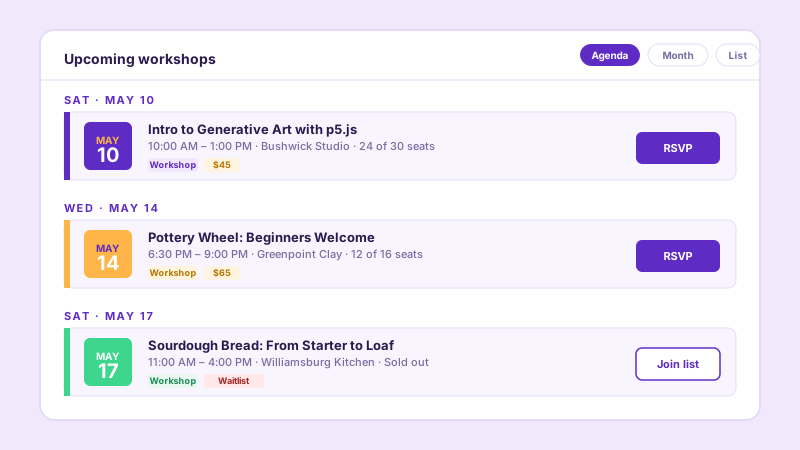
Show workshops, classes, and pop-ups as cards with a date, a description, a category, and a Register or Buy Tickets button that links to your sign-up page. Visitors search and filter to find the right one.
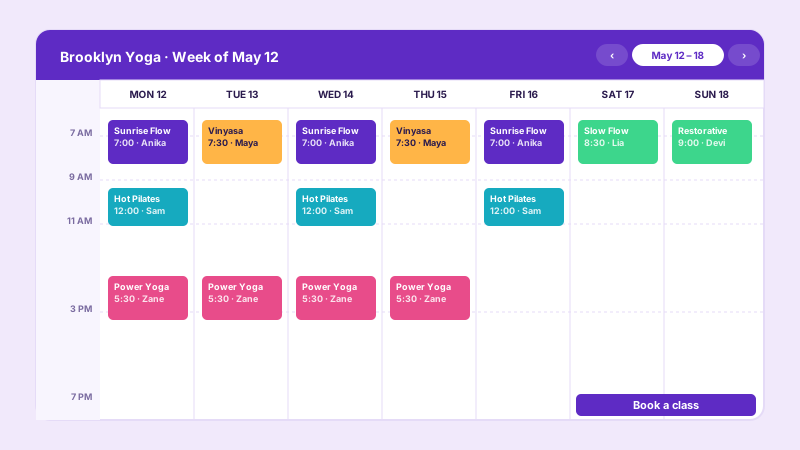
Add your classes with times, an instructor as the host, and a room as the venue. Updates follow the normal widget publish and refresh flow, and a Book a class button that links to your booking page.
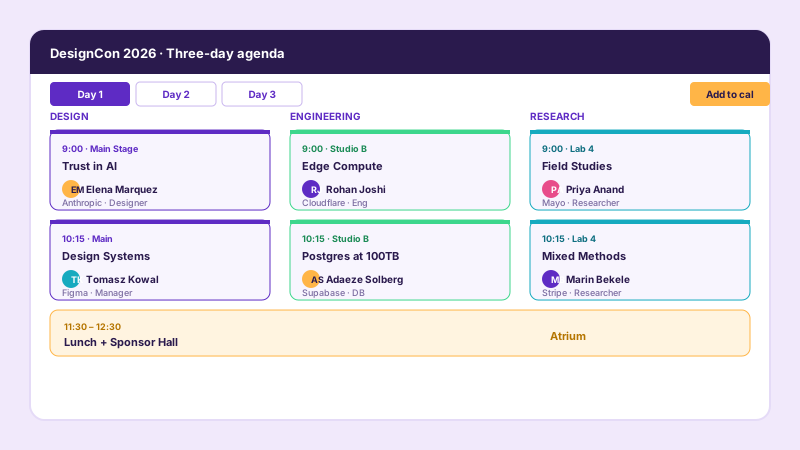
Build a multi-day agenda by adding each session as an event with a start and end time, a host, and a category. The masonry layout packs sessions of different lengths into a tight, readable grid.
Most event calendar widgets lock the layouts or the styling behind a paid tier. Here is how the popular ones stack up.
| Recommended Poper | Elfsight Event Calendar | Common Ninja Calendar | Spider Calendar (WP) | |
|---|---|---|---|---|
| Poper workspace available | 200 views/mo | Limited | ||
| Add and manage events yourself | ||||
| List, grid, and masonry layouts | Limited | Limited | Limited | |
| Color-coded categories | ||||
| Venues and hosts | Limited | Limited | Limited | |
| Built-in search and filters | Paid only | Paid only | Limited | |
| Per-event action button (Register, Buy Tickets) | Limited | Limited | Limited | |
| Brand colors and full styling | Paid only | Paid only | Limited | |
| Pricing for unlimited views | Plan details vary | Vendor pricing varies | Vendor pricing varies | Vendor pricing varies |
| Works alongside other Poper tools |
Comparison reflects external competitor positioning. Verify current details on each provider's site.
Fitness studios, community organizations, and event organizers who run their events page on Poper.
“We run 60 classes a week across yoga, pilates, and CrossFit. The studio homepage used to just say 'check our Instagram for the schedule.' Now we add every class as an event with its instructor and room, and the masonry layout keeps a busy week readable.”

“Color-coded categories were the unlock for us. Visitors can tell a service from a small-group meeting from a community event at a glance, and the category filter lets them narrow straight to what they want.”

“We add a Register button to every workshop that links straight to our sign-up form. Visitors browse the events page, find the workshop they want, and click through without any back and forth.”

Pricing
All plans are billed yearly. Each card shows the per-month equivalent. Start free, then upgrade only when you need more campaigns, websites, or AI credits.
Yearly billing · save up to 40%Essential lead capture for solo creators and growing businesses.
billed $180/year
Full engagement suite with A/B testing, gamification & unlimited leads.
billed $348/year
Unlimited everything with white-label, API access & advanced analytics.
billed $948/year
Prices shown for the 50k monthly visitor tier on yearly billing. A Free Forever plan ($0) and a custom Enterprise plan are also available. No contracts, cancel anytime.
An event calendar widget is one of the highest-utility additions a community-driven website can make: fitness studios live or die by their class schedule, community centers stand or fall on whether visitors can find this week's events, and event organizers depend on people being able to see what is coming up. The Poper event calendar widget is built around events you add and manage yourself: you enter each event with its dates, times, description, and image, organize them with categories, venues, and hosts, and embed them as a list, grid, or masonry calendar with built-in search and filters. This guide walks through what actually matters when you choose and configure an event calendar widget in 2026: structuring your events well, using categories, venues, and hosts so the calendar stays organized, picking the right layout for your page, making the calendar easy to search and filter, and styling it so it reads as part of your site. Get this wrong and visitors leave for a competitor whose schedule is easier to read. Get it right and your calendar becomes one of the most-visited URLs on your domain.
An event calendar is only as good as the events you put into it. In the Poper widget, each event holds a name, a start and end date, start and end times (or an all-day toggle), a description, and an image. Take the time to fill these in properly. A clear, specific event name does more work than any styling: 'Beginner Pottery Wheel, 3-week series' tells a visitor everything, where 'Workshop' tells them nothing. The description should answer the obvious questions a visitor has before they commit: what to bring, who it is for, whether it is suitable for beginners. An image gives each event a visual anchor and makes the whole calendar scannable. You can also attach an action button to an event, with a label like Register or Buy Tickets and a link to your sign-up or ticketing page, plus an optional PDF or video URL for events that need supporting material. Events with thin, vague details get skipped; events with a real name, a real description, and an image get clicked.
Once you have more than a handful of events, a flat list stops being useful. The Poper event calendar widget gives you three kinds of structure, all set up once on the Resources tab. Categories group your events by type and carry a color and an icon, so a visitor scanning the page can tell a Webinar from a Workshop from a Networking event at a glance, and the category also powers the category filter. Venues hold a name and an address, and they work for online events too, so a Zoom link is as valid a venue as a physical hall. Use the source fields supported by the widget, which is useful when different people or departments run different events. The payoff of setting these up is twofold: every event you add stays consistent because it picks from the same lists, and visitors get a clean, meaningful way to filter the calendar down to exactly the events they care about. A calendar with good category, venue, and host structure scales from ten events to a hundred without becoming a wall of text.
The Poper event calendar widget ships three layouts, and the right pick depends on your events and your page. The List layout stacks events in a single scannable column, with the next event on top. It is the safe default for most sites because it reads top to bottom the way a phone naturally scrolls, and it works well when event descriptions are substantial enough to want room to breathe. The Grid layout lays events out as cards in a grid, with a column count you set separately for desktop and mobile. It suits calendars where each event has a strong image and you want visitors to see many events at once, like a workshop catalog. The Masonry layout packs cards of varying height into a tight, magazine-style grid, which is the right pick when your events differ a lot in description length and you want a dense, visual page rather than a uniform one. Because the layout is a setting rather than a separate widget, the practical workflow is to enter your events once, then preview all three layouts and ship the one that fits the page you are placing it on.
A visitor arriving at your calendar usually has something specific in mind: a particular kind of class, an event at a particular venue, or simply 'what is on this month.' Making them scroll the whole list to find it is the fastest way to lose them. The Poper event calendar widget includes a search bar that filters events live by keyword, and a set of filters that narrow the calendar by date, by category, or by venue. Both the search bar and the filters are toggleable, so a small calendar with five events can turn them off and stay simple, while a busy calendar with dozens of events can turn them on and stay navigable. The filters lean directly on the structure you built with categories and venues, which is another reason that setup is worth doing: a 'Workshops only' or 'Downtown venue only' filter is only as good as the categories and venues behind it. The goal is that a visitor should reach the event they want in one or two clicks, never by scrolling.
An event calendar that does not match your site reads as a third-party embed, and visitors notice. The Poper event calendar widget gives you the controls to make it look native without writing CSS. You can choose which elements appear on each event card, including the image, the category tag, the date, the time, the venue, the host, the description, and the action button, so the cards carry exactly the information your visitors need and nothing they do not. Typography controls let you set heading sizes and event-name sizes to match your site's type scale. Color controls cover the background, the search bar background, the card background, the corner radius, the action-button color and text color, and the date-badge color and text color. Spend a few minutes matching these to your site's palette and spacing after you pick a layout: it is the difference between a calendar that looks like a section you designed and one that looks pasted in. The widget is async-injected and Validate performance on your own page after embedding and its styles are widget-specific so it cannot bleed into the rest of your page.
An event calendar widget is an embeddable script that displays a calendar of events on a website. The Poper event calendar widget shows events you add and manage yourself, organized with categories, venues, and hosts, in a list, grid, or masonry layout with built-in search and filters.
Last fact-checked: . We re-verify every quarter.
Tutorial
A quick walkthrough of setting up and embedding this widget.
Tutorial video coming soon
Can't find the answer you're looking for? Chat with our support team.
Contact SupportPoper takes 90 seconds to embed and turns your events into a clean, searchable, branded calendar.
Free plan available forever