
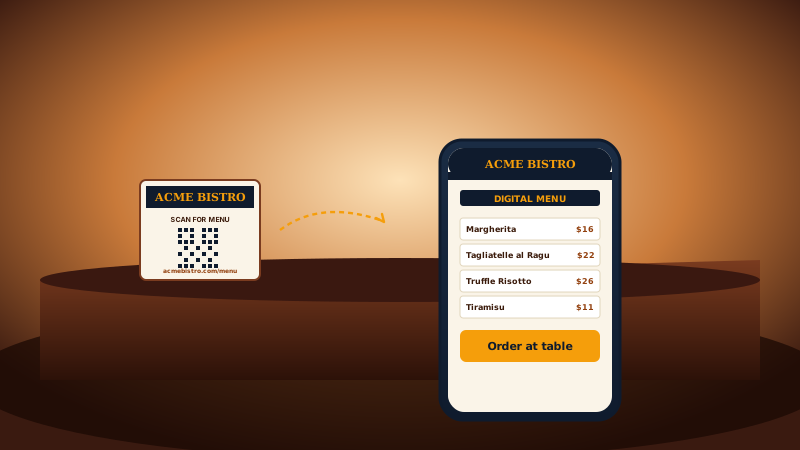
Restaurant menus
Table-tent menu QRs, contactless ordering, WiFi access for guests, and review-request QRs at checkout. The post-COVID hospitality stack runs on QR.
Generate QR codes for URLs, vCards, WiFi, social profiles, email, SMS, and events. Center your logo, match your brand colors, and pick from 7+ templates. No code.
Built for no-code website teams




















Live demo, not a screenshot. Pick a template, brand it, embed it. What you see here is what ships to your site.
Before and after Poper
Here is the widget embedded on a real page layout, before and after. Style it to match your brand, then copy one snippet to go live.
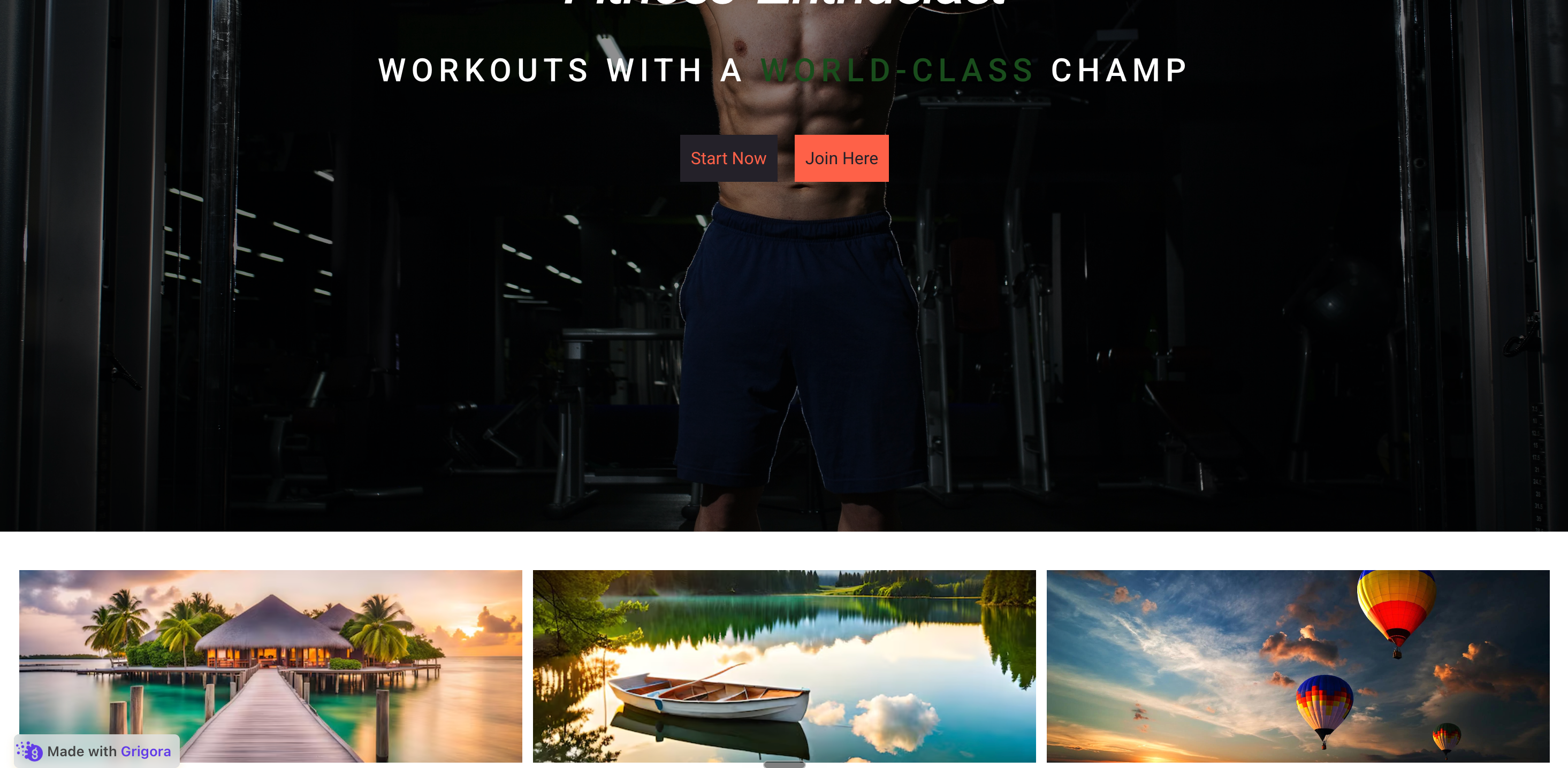 Before
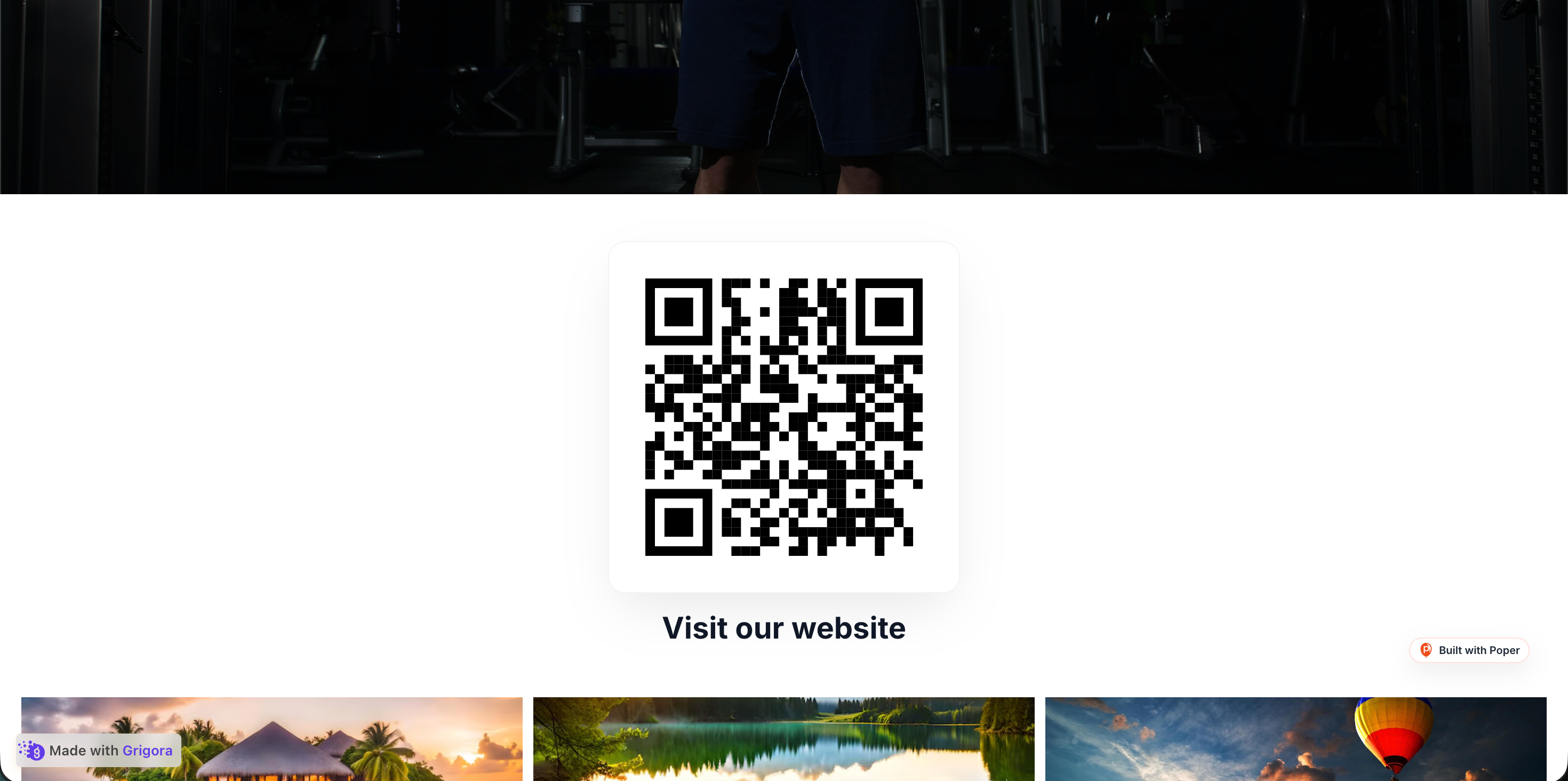 Poper widget live
Mockups for illustration. Style the widget to match your site and embed in 90 seconds.
How to use it
Three steps. Measure impact with your own analytics.
Choose from 35+ QR types: website URL, vCard, WiFi, social profiles, email, SMS, phone, calendar event, and more. Paste your link, contact details, or network credentials, and Poper encodes the right payload.
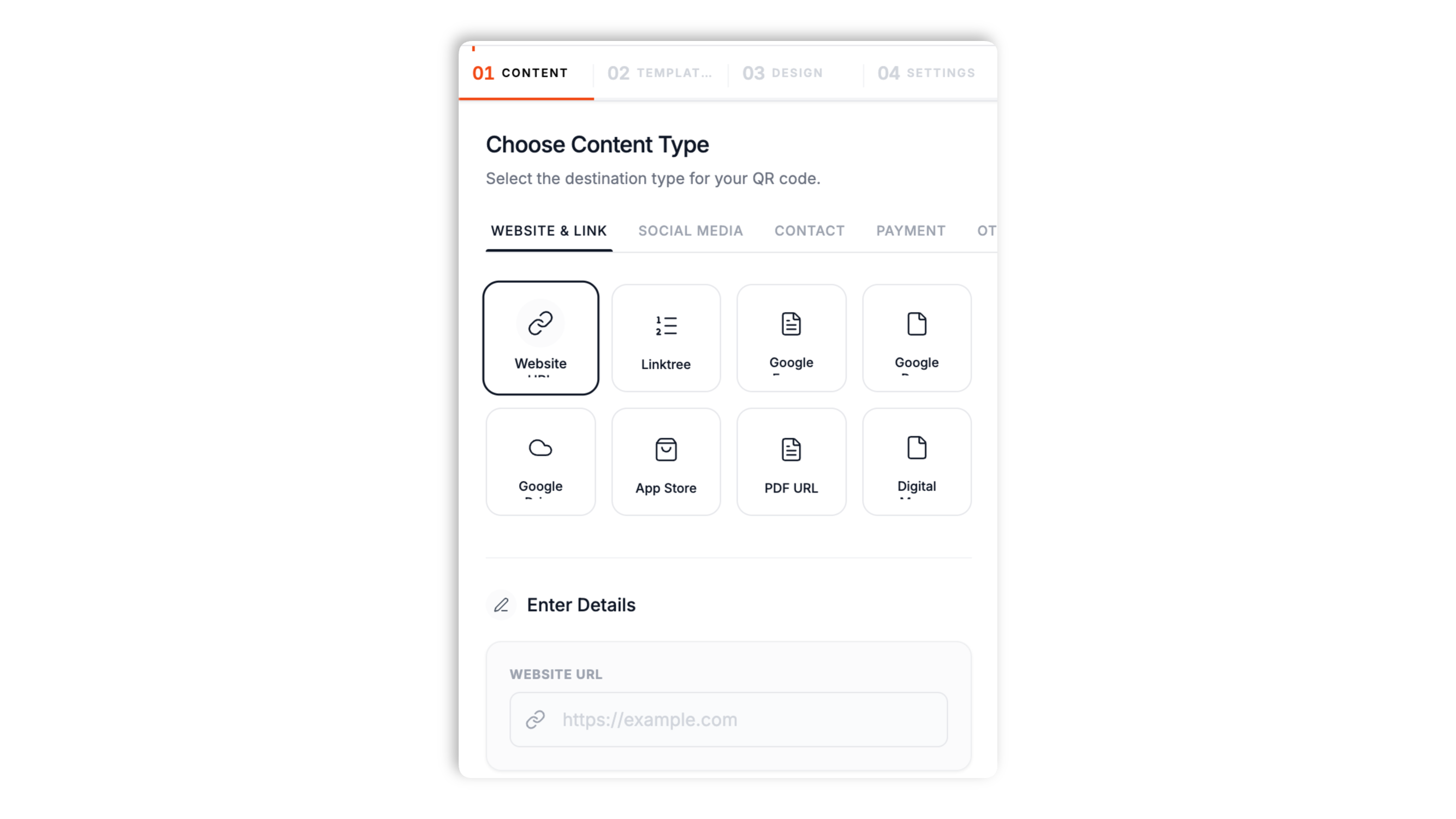
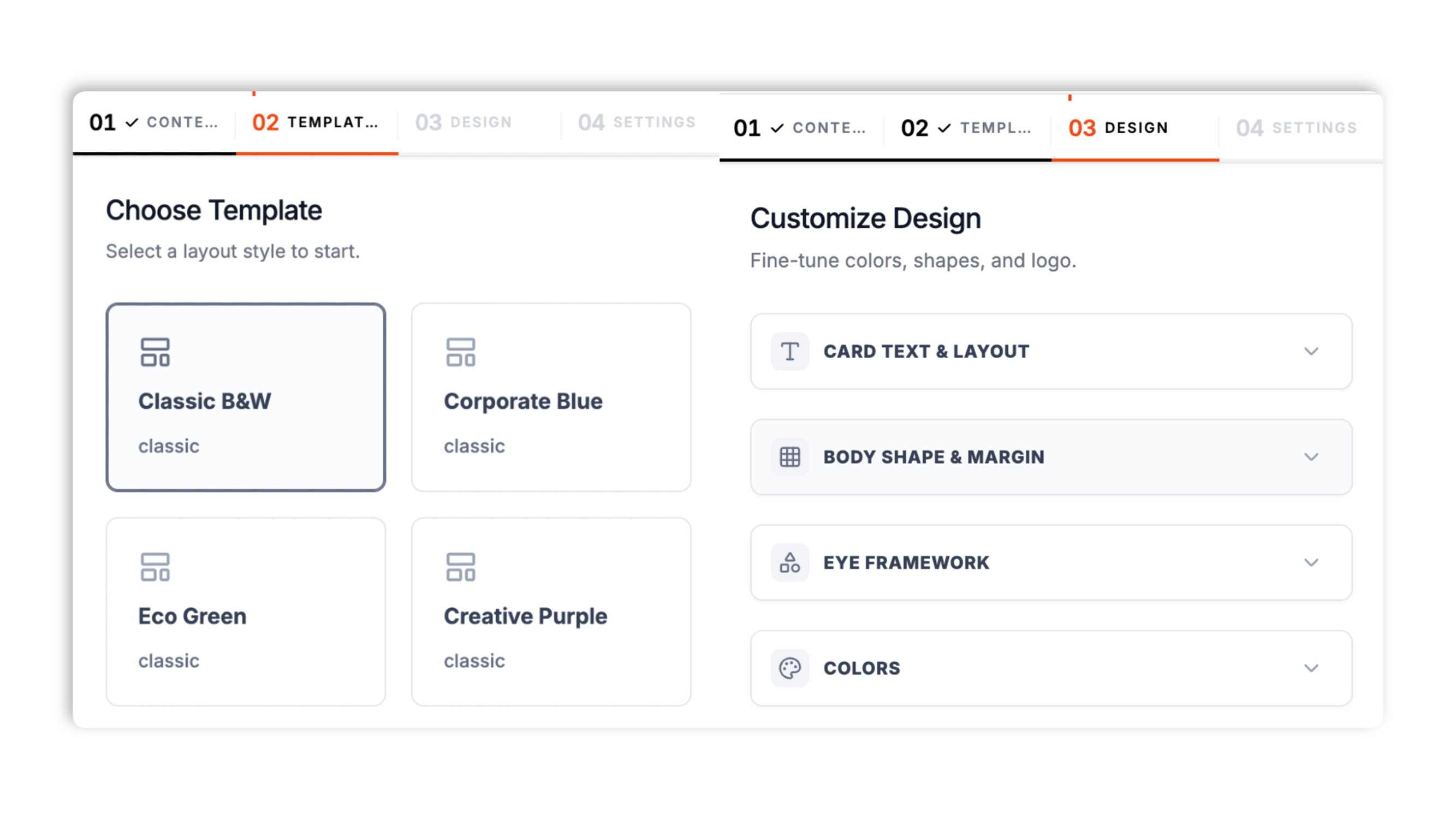
Drop your logo in the center, set your dot color and background color, and pick a dot style and corner style. Choose a layout style such as classic, bordered, or a footer bar.
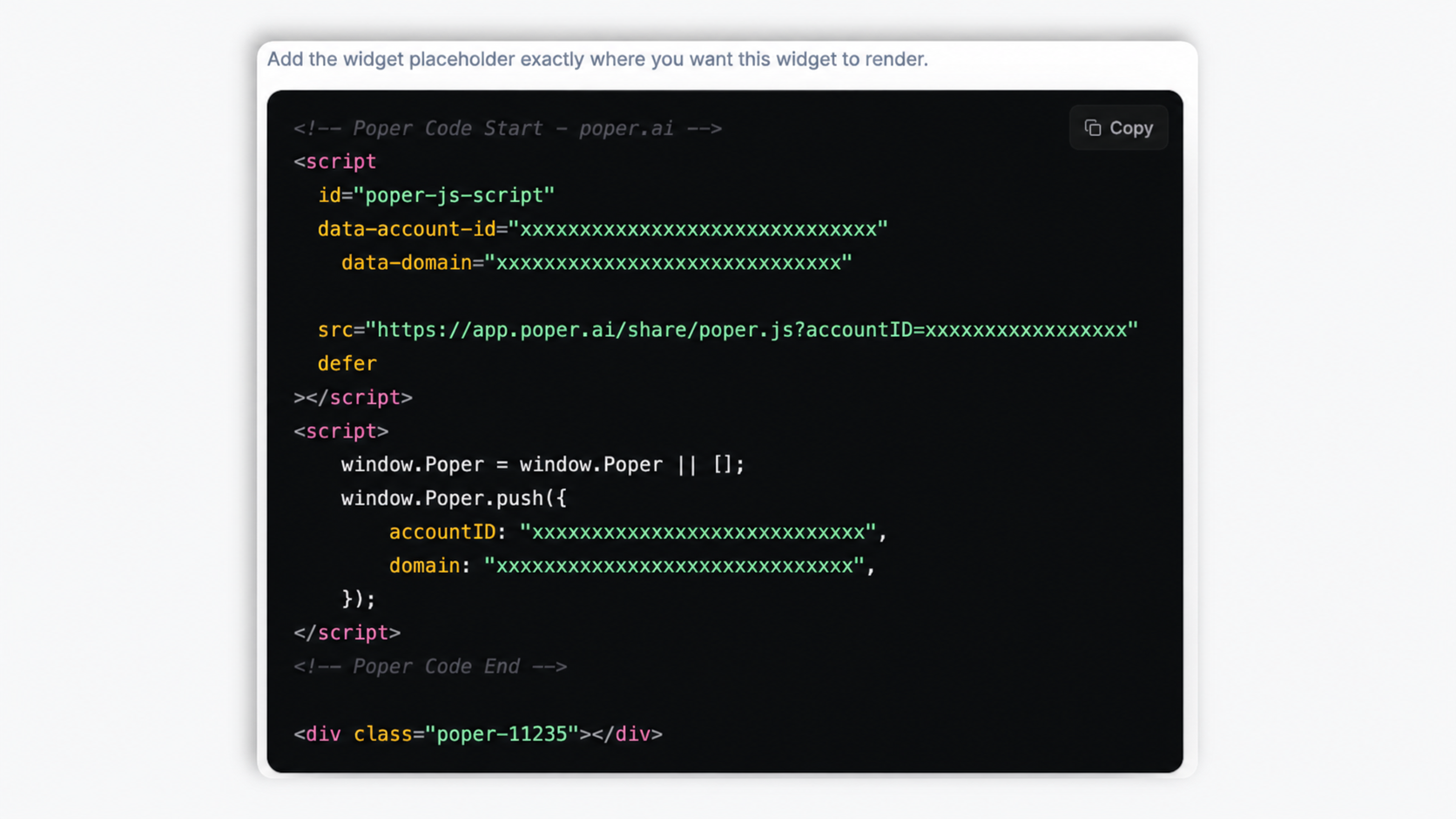
Paste the one-line snippet on WordPress, Shopify, Wix, Squarespace, Webflow, Framer, Ghost, or any HTML site. The QR renders client-side as an image with no extra setup.
Works everywhere
Drop-in install on WordPress, Shopify, Wix, Squarespace, Webflow, Framer, Ghost, and any HTML-friendly stack. No build step, no developer needed.


Plus 250+ other platforms via the embed snippet. If your site can render a <script> tag, it can render the QR Code Widget: Generate & Display Branded QR Codes on Any Site.
Six things that matter when you are paying for a QR generator, not 30 features no one uses.
Website URL, vCard, WiFi, calendar event, email, SMS, phone, and social profiles for Instagram, Facebook, X, YouTube, TikTok, LinkedIn, and more. Each type is encoded to the right payload so iPhone Camera and Google Lens resolve it without a scanner app. Pick a type, fill in the matching fields, and the widget builds the code.
Drop your logo into the center and set your dot and background colors so the QR looks native to your brand, not generic. Keep the dot color clearly darker than the background and the code stays easy for phone cameras to read.
Generate a PayPal payment QR with a preset amount and item, or a Bitcoin or Ethereum wallet-address QR. Display it at a checkout counter, on an invoice, or on a donations page.
Square, dots, rounded, classy, and extra-rounded dot styles, with separate styling for the corner squares.
Classic, bordered, footer bar, footer pill, and horizontal banner layouts to suit menus, tickets, and cards.
Rendered client-side as an image with Validate performance on your own page after embedding. Validate performance on your own page after embedding.
Use cases
Four buyer types who get the most lift from embedding QR Code Widget: Generate & Display Branded QR Codes on Any Site on their site.
Table-tent menu QRs, contactless ordering, WiFi access for guests, and review-request QRs at checkout. The post-COVID hospitality stack runs on QR.
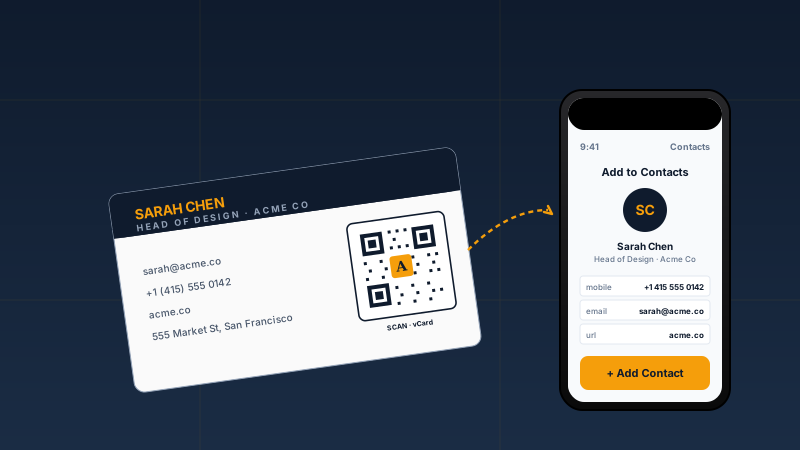
vCard QRs on business cards and email signatures so prospects save your contact info in one tap, no manual typing, no typos.
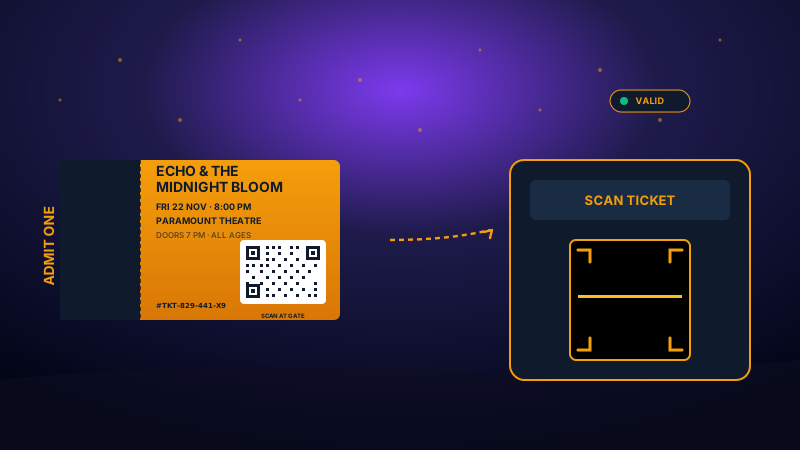
Use the source fields supported by the widget, Source and branding details depend on available widget data and workspace settings, networking vCards, and on-site WiFi credentials. One QR template per touchpoint.
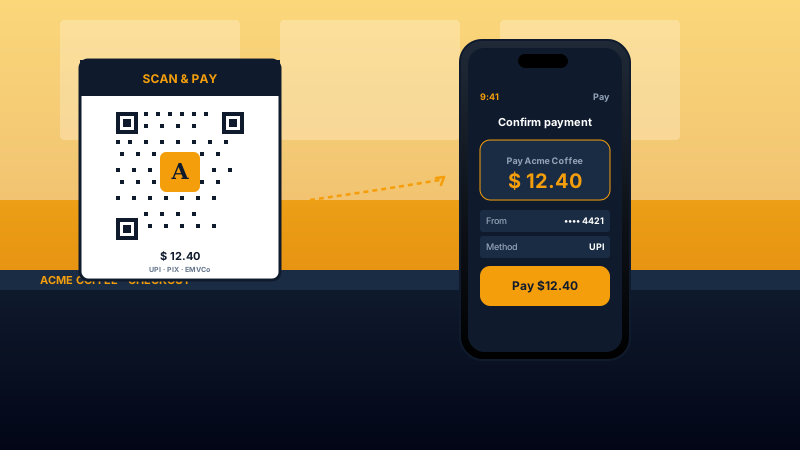
Generate a PayPal payment QR with a preset amount and item, or a Bitcoin or Ethereum address QR for crypto payments. Display it at a checkout counter, on an invoice, or on a donations page.
Most generators paywall brand colors, logo embedding, or extra QR types. Here is how the popular ones stack up.
| Recommended Poper | Elfsight QR | QR Code Generator | POWR | |
|---|---|---|---|---|
| Poper workspace available | Limited | |||
| QR types (URL, vCard, WiFi, social, email, SMS, event) | 35+ included | 5 included | All paid | 5 included |
| Brand colors + center logo | Paid only | |||
| Dot and corner style options | Paid only | Limited | ||
| Layout templates | 7+ included | Limited | Limited | Limited |
| PayPal and crypto payment QR | ||||
| Validate performance on your own page after embedding | Limited | Limited | ||
| Pricing for paid plan | Plan details vary | Vendor pricing varies | Vendor pricing varies | Vendor pricing varies |
| Bundled with popups, forms, quizzes, more widgets |
Comparison reflects external competitor positioning. Verify current details on each provider's site.
Restaurants, events, sales teams, and payment merchants who switched to branded QR codes.
“We switched our table-menu QR from a free generator to the Poper QR Code widget. The bordered layout with our logo in the center looks like part of the menu card, not a sticker someone slapped on.”

“We print conference badges with a vCard QR generated in Poper. Attendees tap it and the full contact saves straight to their phone. Picking the vCard type and filling the fields took two minutes.”

“We dropped our logo into the center of the QR and matched the dot colors to our brand. On the checkout page it looks built-in, not like a bolted-on third-party tool.”

Pricing
All plans are billed yearly. Each card shows the per-month equivalent. Start free, then upgrade only when you need more campaigns, websites, or AI credits.
Yearly billing · save up to 40%Essential lead capture for solo creators and growing businesses.
billed $180/year
Full engagement suite with A/B testing, gamification & unlimited leads.
billed $348/year
Unlimited everything with white-label, API access & advanced analytics.
billed $948/year
Prices shown for the 50k monthly visitor tier on yearly billing. A Free Forever plan ($0) and a custom Enterprise plan are also available. No contracts, cancel anytime.
QR codes went from a curiosity to everyday infrastructure during the 2020 to 2022 pandemic, when restaurants, retailers, and event venues replaced paper menus and check-in sheets with scannable codes. Five years later the habit stuck, and scanning a QR with a phone camera is now second nature for most people. This guide walks through what matters when you choose and configure a QR code widget for your website in 2026, based on what the Poper QR Code widget actually does: the 35+ QR types, the 7+ layout templates, branding a QR with a logo and colors without breaking the scan, and which payment QR types are supported.
Before 2020 the QR code was a curiosity in the West, common in Japan and China but rarely used elsewhere. The pandemic changed that: restaurants needed contactless menus, retailers needed touch-free checkout, and event venues needed paperless tickets. iPhone Camera had resolved QR codes natively since iOS 11 in 2017, and Android followed with Google Lens, so the scanner was already in everyone's pocket. Most businesses that adopted QR menus and codes during that period kept them. The QR code you embed today competes in a more demanding market: visitors expect the code to scan instantly, the destination to load fast on mobile, and the experience to feel like part of your brand. A plain black-and-white QR pointing at a bare redirect now reads as cheap. A branded QR with your logo, your colors, and a fast destination page reads as professional.
The Poper QR Code widget ships more than seven layout templates so the same QR fits different surfaces. The classic layout is a clean card with the code and a title, and the title can sit above, below, left, or right of the QR. The bordered layout adds a framed card with a scan-me strip, which suits a printed sign or a packaging insert. The footer-bar layout puts the QR on a colored card with the title in a bottom band, styled like an event ticket. The footer-pill layout is a compact, branded treatment with a pill-shaped label, good for a discount or a short call to action. The horizontal banner places the QR beside a block of copy, which works well for a review request or an inline website module. You pick the layout in the design controls and every layout collapses cleanly on mobile, so the choice is about visual fit rather than feature trade-offs.
The Poper QR Code widget is built around content types, and there are more than thirty-five. The link types cover a plain website URL plus Linktree, Google Forms, Google Docs, Google Drive, App Store, PDF, and digital menu links. The social types generate a QR straight to an Instagram, Facebook, X, YouTube, TikTok, LinkedIn, WhatsApp, Telegram, Discord, Snapchat, Spotify, Twitch, Pinterest, or Reddit profile. The contact types include vCard and MeCard, which save a full contact card to a phone's address book, plus dedicated email, phone, and SMS types that pre-fill the message. The other types cover WiFi network credentials, a map location, plain text, a calendar event, a Zoom meeting, and a Skype call. Each type encodes the correct payload format so the scanning phone knows what to do with it: a WiFi QR offers to join the network, a vCard QR offers to save the contact, a calendar QR offers to add the event. You pick the type in the Templates tab and fill in the matching fields.
A branded QR can scan just as reliably as a plain one if you respect two rules. The first is contrast: the dark dots and the light background need a clear difference in brightness, because a phone camera detects the code by that contrast. A dark dot color on a white background is the safe choice; a light color on another light color scans poorly. The Poper QR Code widget lets you set the dot color and the background color, so keep the dot color clearly the darker of the two. The second rule is the center logo: any area covered by a logo is area the scanner cannot read, so the code carries redundant data to fill in the rest. Use the source fields supported by the widget, so the logo can sit in the middle without stopping the scan. Keep the logo modestly sized rather than covering a large share of the code, upload a clean logo file, and always test the finished QR with a real phone before you print it.
The Poper QR Code widget includes payment-oriented types. The PayPal type builds a QR that opens a PayPal payment page, and you can preset the item name, amount, and currency so the payer sees the right total. The Bitcoin and Ethereum types build a QR from a wallet address, with an optional amount, using the standard crypto URI formats that wallet apps recognize. These suit a checkout counter, an invoice, or a donations page. When you display a payment QR, label it clearly so the payer knows what they are paying for and how much, and always test it with the actual app you expect customers to use before going live. Keep the QR large enough to scan comfortably from arm's length so customers are not forced to lean in at the counter.
A QR code widget is an embeddable component that generates a Quick Response code for a URL, contact card, WiFi network, social profile, email, SMS, calendar event, or payment, and renders it on your website with custom branding. The Poper QR Code widget supports 35+ QR types and 7+ layout templates.
Last fact-checked: . We re-verify every quarter.
Tutorial
A quick walkthrough of setting up and embedding this widget.
Tutorial video coming soon
Can't find the answer you're looking for? Chat with our support team.
Contact SupportPoper takes 90 seconds to embed a branded QR with your logo and colors.
Free plan available forever