
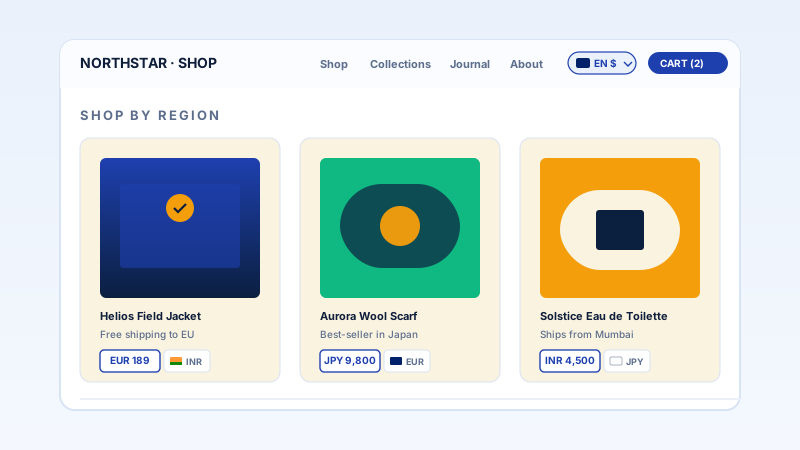
International ecommerce
Let cross-border shoppers read your product pages, shipping info, and FAQ in their own language. A clear language switcher in the nav lowers the barrier for visitors who do not read your site's default language.
Drop a styled language switcher on your site. Visitors pick a language and the page translates with Google translate, Available widget settings. 12 languages, 4 switcher layouts. Use the Poper builder.
Built for builder website teams























Live demo, not a screenshot. Pick languages, style the switcher, and embed. What you see here is what ships to your site.
Before and after Poper
Here is the widget embedded on a real page layout, before and after. Style it to match your brand, then copy one snippet to go live.
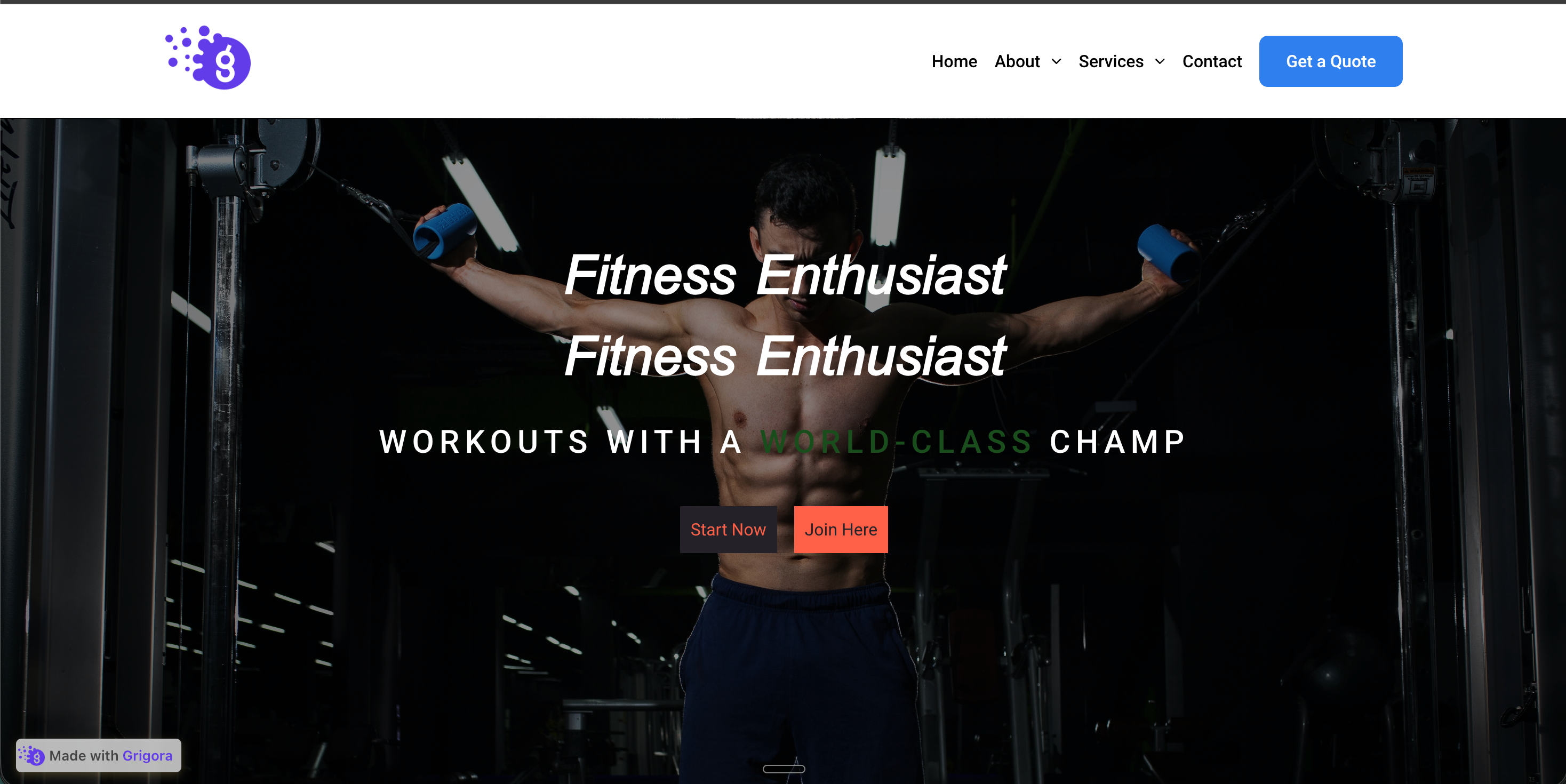 Before
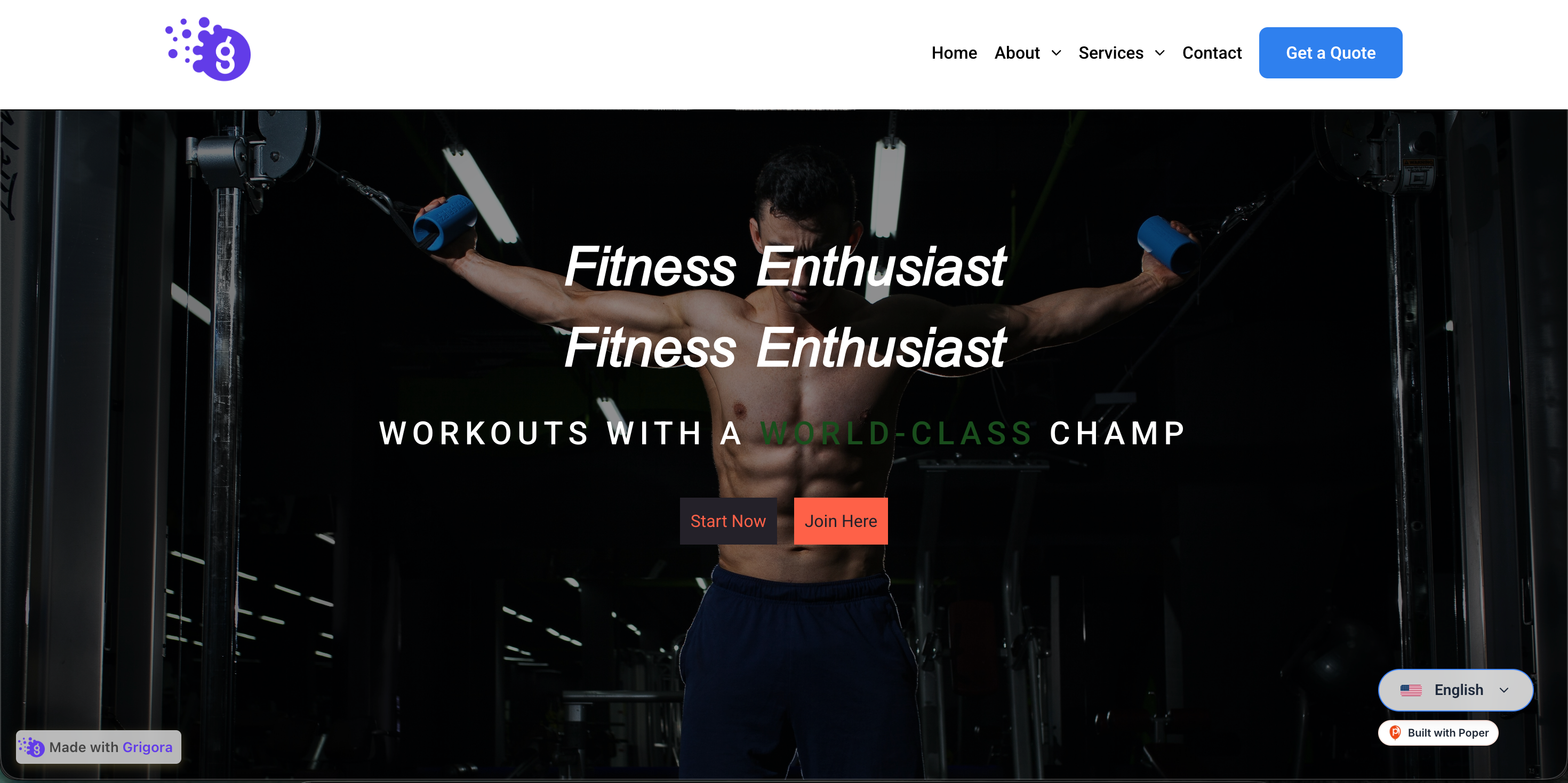 Poper widget live
Mockups for illustration. Style the widget to match your site and embed in 90 seconds.
How to use it
Three setup steps in the Poper builder.
Choose the languages you want to offer from a list of 12: English, Spanish, French, German, Chinese, Japanese, Italian, Portuguese, Russian, Arabic, Hindi, and Korean. The detected page language may also appear in the switcher.
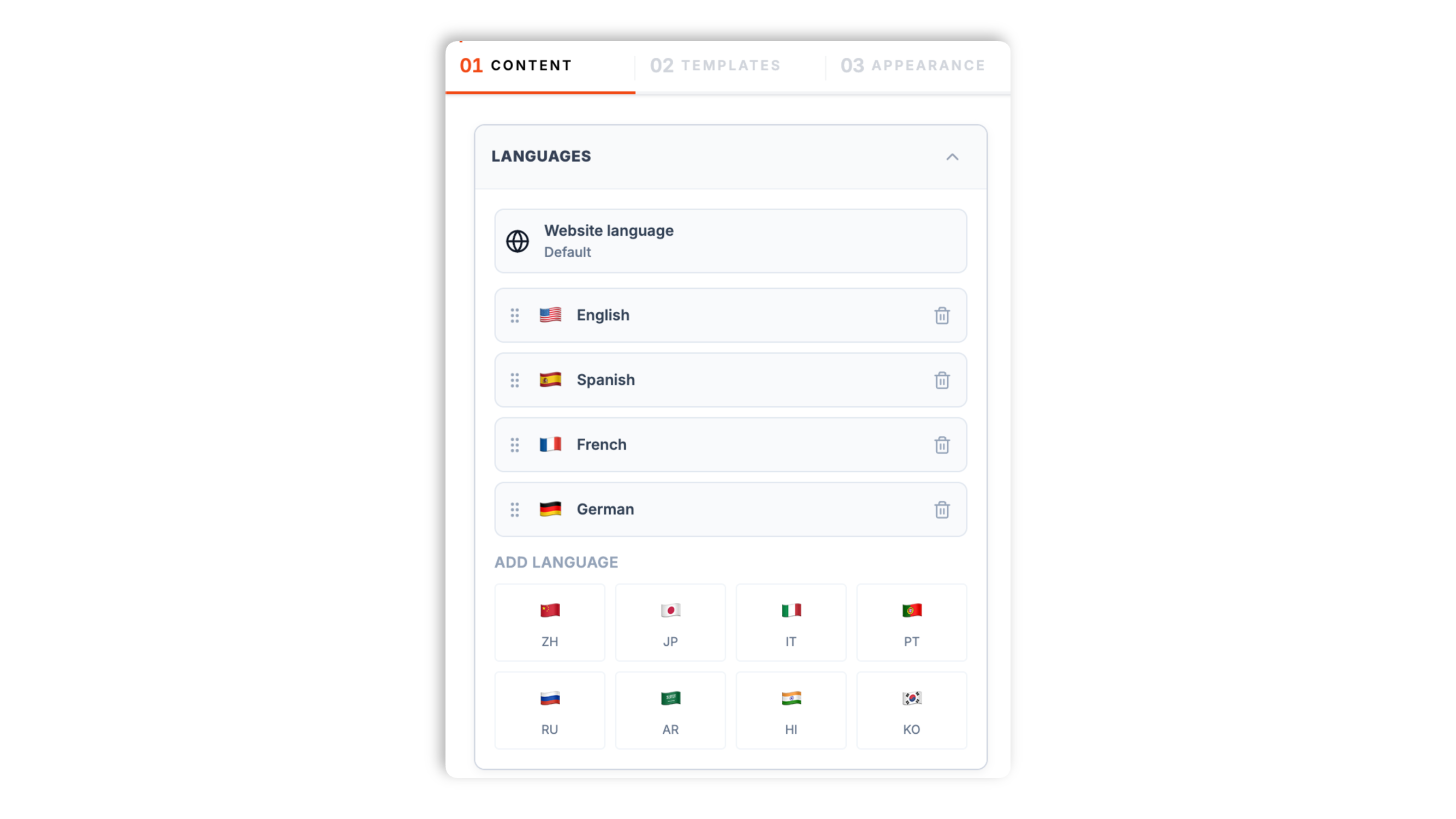
Choose one of 4 layouts: Glass Pill, Minimal Bar, Bubble Pop, or Cyberpunk. Set whether it floats in a screen corner or sits inline, pick the corner, and match your brand color, background, and text color.
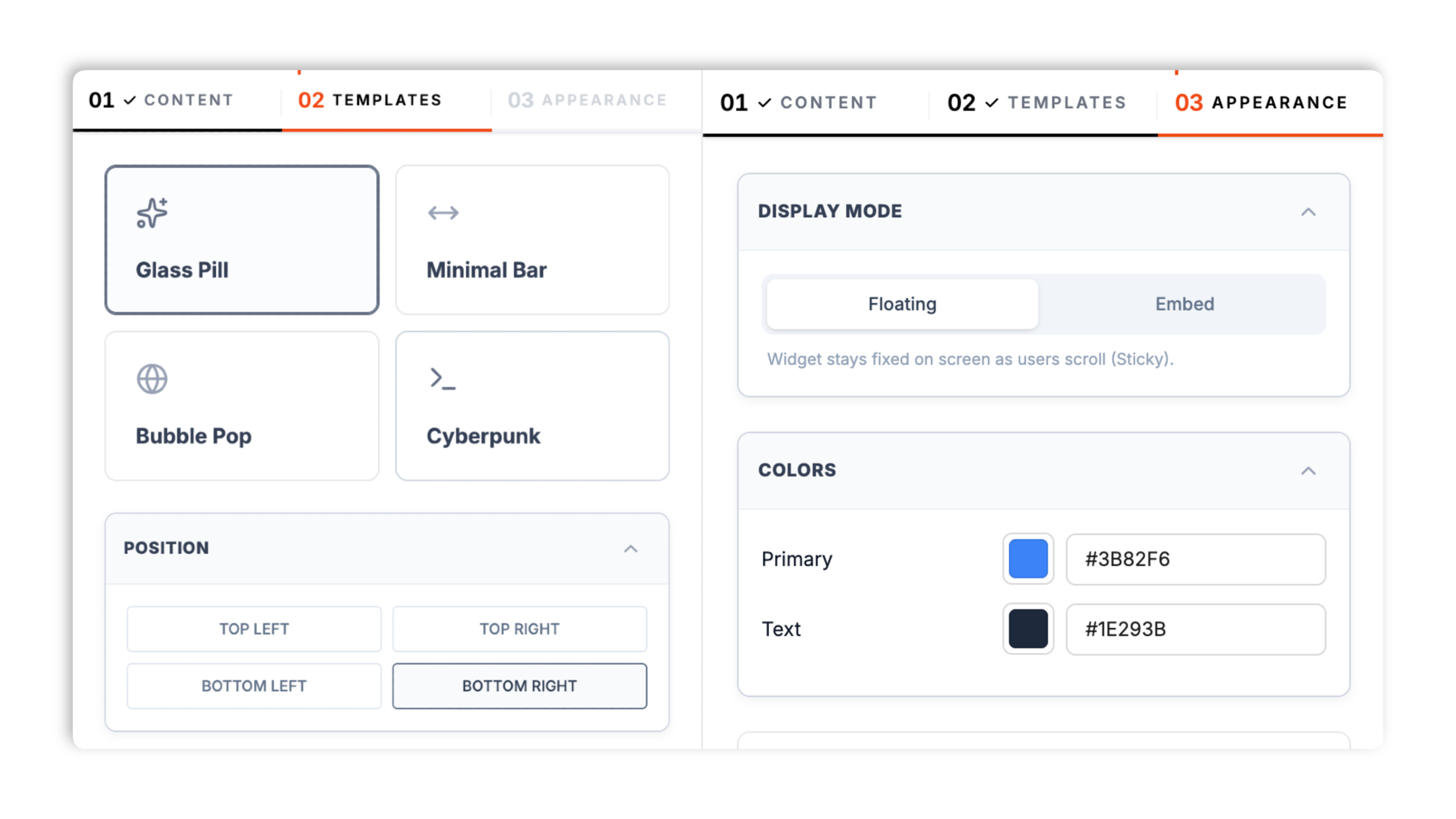
Paste the Poper embed snippet into your site. Use the Poper embed snippet in a supported page.

Works everywhere
Drop-in install on WordPress, Shopify, Wix, Squarespace, Webflow, Framer, Ghost, and any HTML-friendly stack. No build step, no developer needed.


Plus 250+ other platforms via the embed snippet. If your site can render a <script> tag, it can render the Website Translate Widget: Add a Language Switcher to Your Site.
A styled language switcher, 12 languages, 4 layouts, and available brand controls. Honest about what machine translation can and cannot do.
Add a switcher to your site and let visitors read it in their own language. When someone picks a language, the page is translated by Google's free website translate element, which runs in the browser. No translation API key, no developer, and no paid translation provider needed to get started.
Offer languages from the supported list. The detected page language may also appear in the switcher even if it is not selected.
Once a visitor picks a language, the widget keeps the site in that language as they browse.
Glass Pill, Minimal Bar, Bubble Pop, and Cyberpunk. Float it in a corner or place it inline.
Use the available color, layout, glass-effect, and position controls for the selected switcher layout. The live preview updates as you go.
Run PageSpeed Insights before and after embedding to confirm the impact on your page.
Use cases
Four buyer types who get the most lift from embedding Website Translate Widget: Add a Language Switcher to Your Site on their site.
Let cross-border shoppers read your product pages, shipping info, and FAQ in their own language. A clear language switcher in the nav lowers the barrier for visitors who do not read your site's default language.
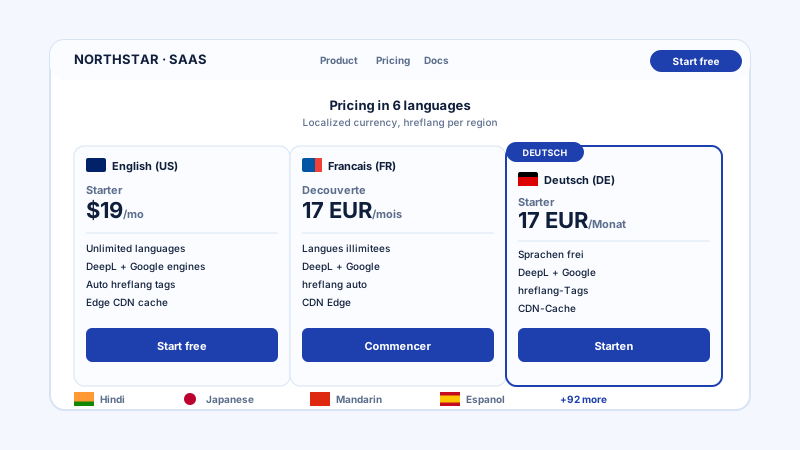
Make your marketing site readable in several languages without standing up separate localized subsites. Visitors switch to their language from the switcher and keep reading.
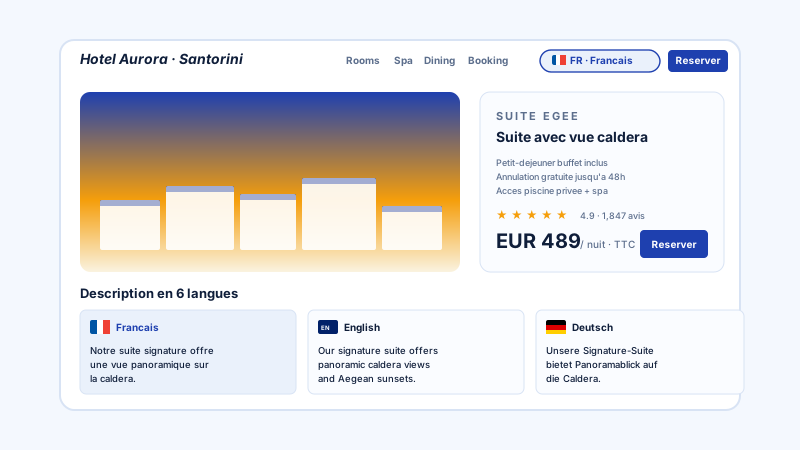
Travelers research in their native language even when traveling abroad. A switcher on your booking and FAQ pages helps international visitors read cancellation policies and amenities clearly.
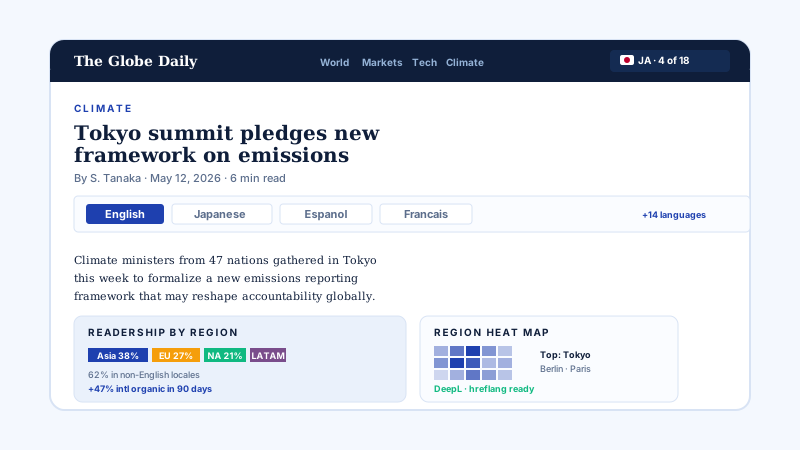
News and magazine sites reach readers across regions by letting them switch the article into their own language with one tap on the switcher.
Most translate widgets paywall the basics or lock you into one pricing tier. Here is how the popular ones stack up.
| Recommended Poper | Weglot | Elfsight Translate | GTranslate | |
|---|---|---|---|---|
| Poper workspace available | 1 language, limited words | Builder tier (with branding) | ||
| Translation runs in the browser, no API key | ||||
| Number of switcher layouts | 4 | Limited | Several | Several |
| Choose supported languages | ||||
| Remembers the visitor's language choice | ||||
| Match switcher to your brand colors | Paid plan | Paid plan | ||
| Available widget controls | Paid plan | Paid plan | Paid plan | |
| Plan details depend on your Poper workspace | Plan details vary | Vendor pricing varies | Vendor pricing varies | Vendor pricing varies |
| Bundled with popups, forms, quizzes, more widgets |
Comparison reflects external competitor positioning. Verify current details on each provider's site. Poper's translate widget uses Google's free website translate element to translate the page.
International growth, marketing, and communications leads using the Poper translate widget.
“We added the Poper translate widget so visitors can read our marketing site in their own language, then styled the switcher with the available brand controls.”

“The Glass Pill switcher floats in the corner and stays out of the way. International visitors switch language with one tap and the widget keeps them in it across the site.”

“We offer several languages on our nonprofit site. The widget was free to start with, no translation API key to set up, and our Performance checked after embedding.”

Pricing
All plans are billed yearly. Each card shows the per-month equivalent. Start free, then upgrade only when you need more campaigns, websites, or AI credits.
Yearly billing · save up to 40%Essential lead capture for solo creators and growing businesses.
billed $180/year
Full engagement suite with A/B testing, gamification & unlimited leads.
billed $348/year
Unlimited everything with white-label, API access & advanced analytics.
billed $948/year
Prices shown for the 50k monthly visitor tier on yearly billing. A Free Forever plan ($0) and a custom Enterprise plan are also available. No contracts, cancel anytime.
Adding a website translate widget is a fast way to make your site readable for visitors who do not speak its default language. Many consumers prefer to read and buy in their own language, so even a simple language switcher can lower the barrier for international visitors. This guide explains what Poper's translate widget actually does: it places a styled language switcher on your page, and when a visitor picks a language the page is translated in their browser by Google's free website translate element. We will walk through how that works, what you can customize, where machine translation is reliable and where it is not, and what to know about SEO and privacy so your expectations match reality.
Poper's translate widget has two parts. The first is the language switcher you see on the page: a styled control where a visitor chooses their language. The second is the translation itself, which is handled by Google's free website translate element. When a visitor selects a language, that element rewrites the visible text of the page into the chosen language directly in the browser. There is no separate translation API key to buy and no translation provider account to set up. The widget also remembers each visitor's choice, so once someone switches to, say, French, the site stays in French as they move from page to page. This is the simplest, lowest-friction way to add multilingual reading support to a site, and it is what the widget is built to do well.
The widget lets you pick which languages appear in the switcher from a fixed list of 12: English, Spanish, French, German, Chinese, Japanese, Italian, Portuguese, Russian, Arabic, Hindi, and Korean. You only show the ones relevant to your audience. For the switcher itself there are 4 layouts: Glass Pill (a soft frosted pill), Minimal Bar (a flat bar), Bubble Pop (a round floating button), and Cyberpunk (a neon terminal style). A floating switcher can sit in any corner of the screen, or you can place the switcher inline within your page. You can set the primary color, background color, and text color to match your brand and toggle a glass effect on three of the layouts. The editor previews every change live.
Be realistic about machine-translation quality. The translation here comes from Google's general-purpose machine translation, and modern machine translation is genuinely good for navigation menus, body copy, FAQs, blog posts, and product descriptions. Where it is weaker is marketing taglines, brand voice, idioms, humor, regional slang, and legal, medical, or financial language that depends on precise wording. A clever tagline translated by machine often lands flat or slightly wrong. The honest takeaway is that a translate widget is excellent for helping a visitor understand your content, but it is not a substitute for professionally localized copy on high-stakes pages. If your legal terms or core marketing message must be exact in another language, plan for a human translation of those specific pages and use the widget for everything else.
A common misconception is that a translate widget will rank your site in other languages on Google. It generally will not, and it is important to be clear about why. Because the translation happens in the visitor's browser after the page loads, Google still crawls and indexes your original-language page. To get separate language versions indexed and ranked, you would need genuinely separate, server-rendered language URLs with hreflang annotations, which is a different and much heavier project than dropping in a switcher. Poper's translate widget is designed for the on-site visitor experience: it helps the people already on your page read it comfortably in their language. That is a real and worthwhile benefit. Just do not expect it to be an international SEO strategy on its own.
On performance, measure the effect on your specific page with PageSpeed Insights before and after embedding. On privacy, it is worth knowing that the translation is powered by Google's website translate element, which can set its own cookies to track the chosen translation. If your site shows a cookie consent banner, account for that the same way you would for any Google-provided script. Pairing the translate widget with Poper's cookie consent widget is a clean way to keep your consent flow tidy when you also load other third-party scripts.
A website translate widget is an embeddable script that places a language switcher on a website so visitors can read the page in their own language. Poper's translate widget translates the page in the visitor's browser using Google's free website translate element, and ships a fixed list of 12 languages and 4 switcher layouts.
Last fact-checked: . We re-verify every quarter.
Tutorial
A quick walkthrough of setting up and embedding this widget.
Tutorial video coming soon
Can't find the answer you're looking for? Chat with our support team.
Contact SupportConfigure a styled language switcher and embed it where your Poper snippet is supported.
Free plan available forever