
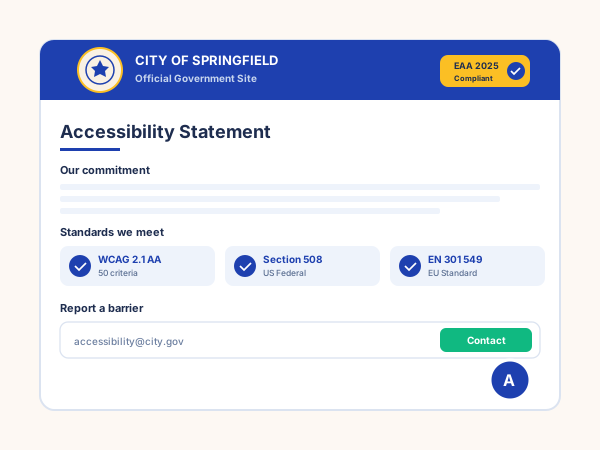
Government + public sector
Section 508 in the US, Public sector sites often need broader accessibility remediation beyond an overlay. The widget complements your remediation work and gives every resident the controls they expect on a.gov site.
Add font sizing, contrast modes, a dyslexic-friendly font, and reading and contrast controls in 90 seconds. Use alongside proper accessibility remediation. Poper workspace, no code.
Built for no-code website teams























Live demo, not a screenshot. Toggle profiles, pick a position, brand it. What you see here is what ships to your site.
Before and after Poper
Here is the widget embedded on a real page layout, before and after. Style it to match your brand, then copy one snippet to go live.
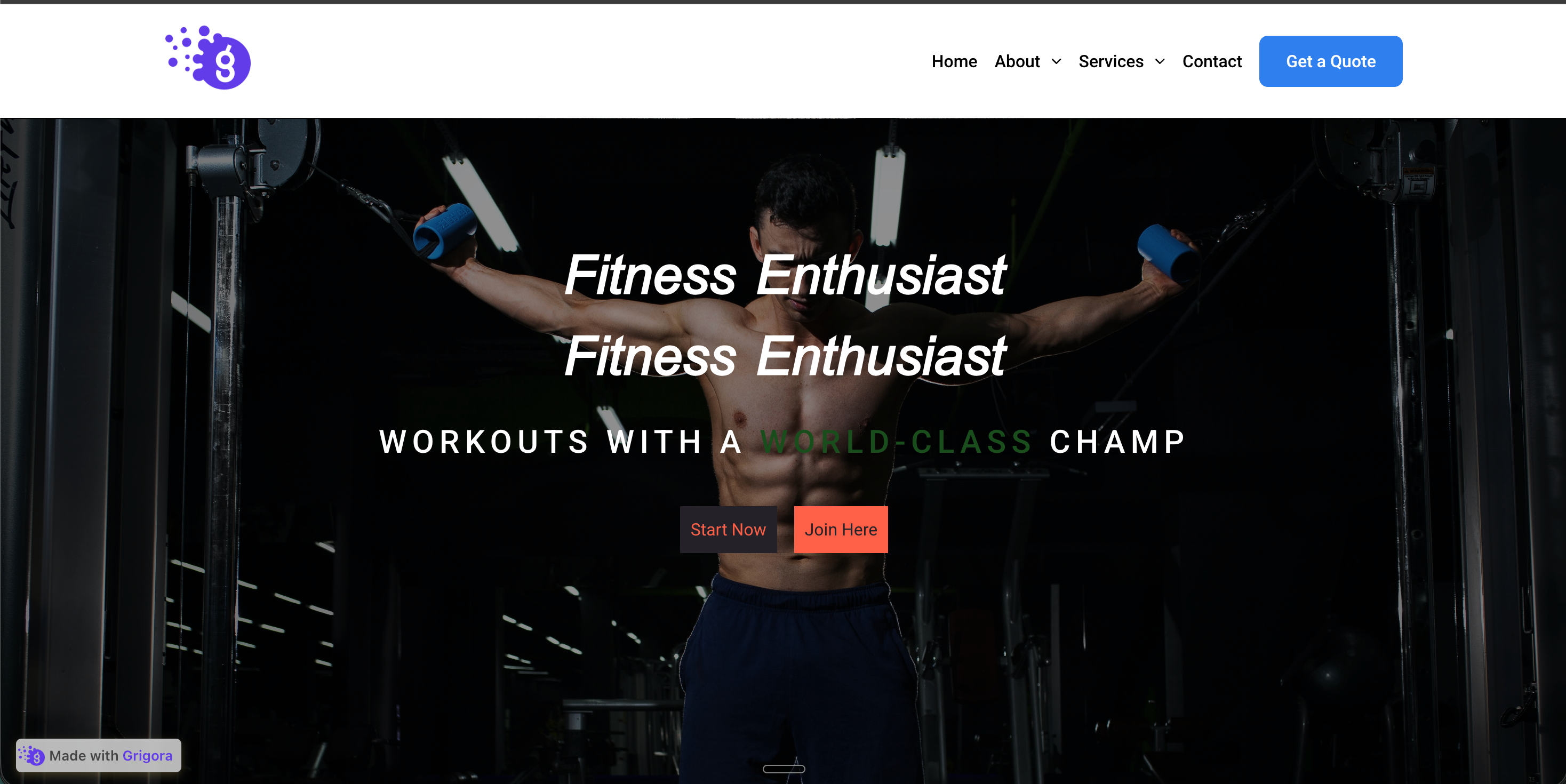 Before
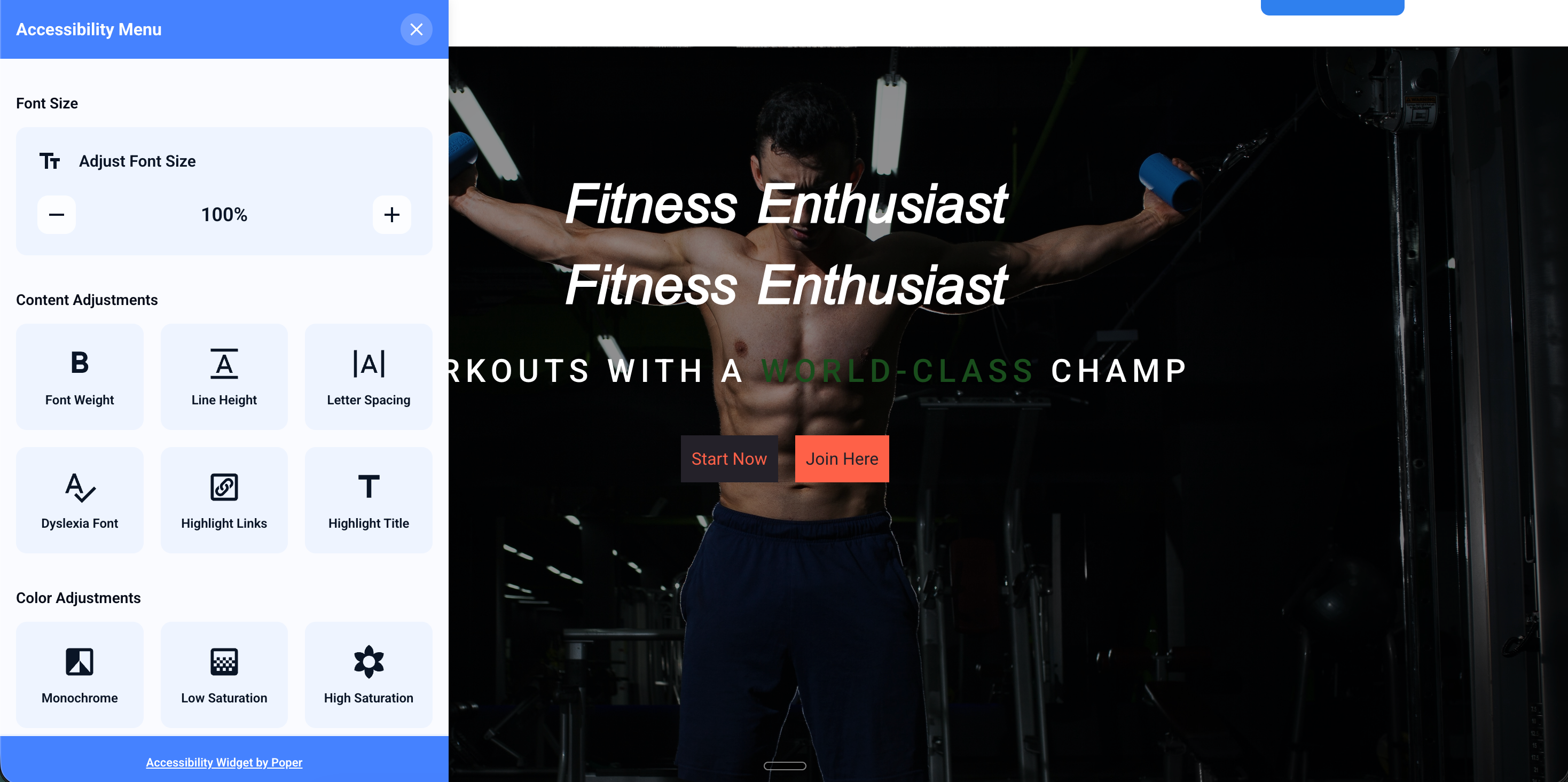 Poper widget live
Mockups for illustration. Style the widget to match your site and embed in 90 seconds.
How to use it
Three steps. Under two minutes. No developer needed.
Toggle on the features that matter for your audience: font sizing, line spacing, contrast modes, dyslexic-friendly font, link highlighting, animation pause, and reading guide controls.
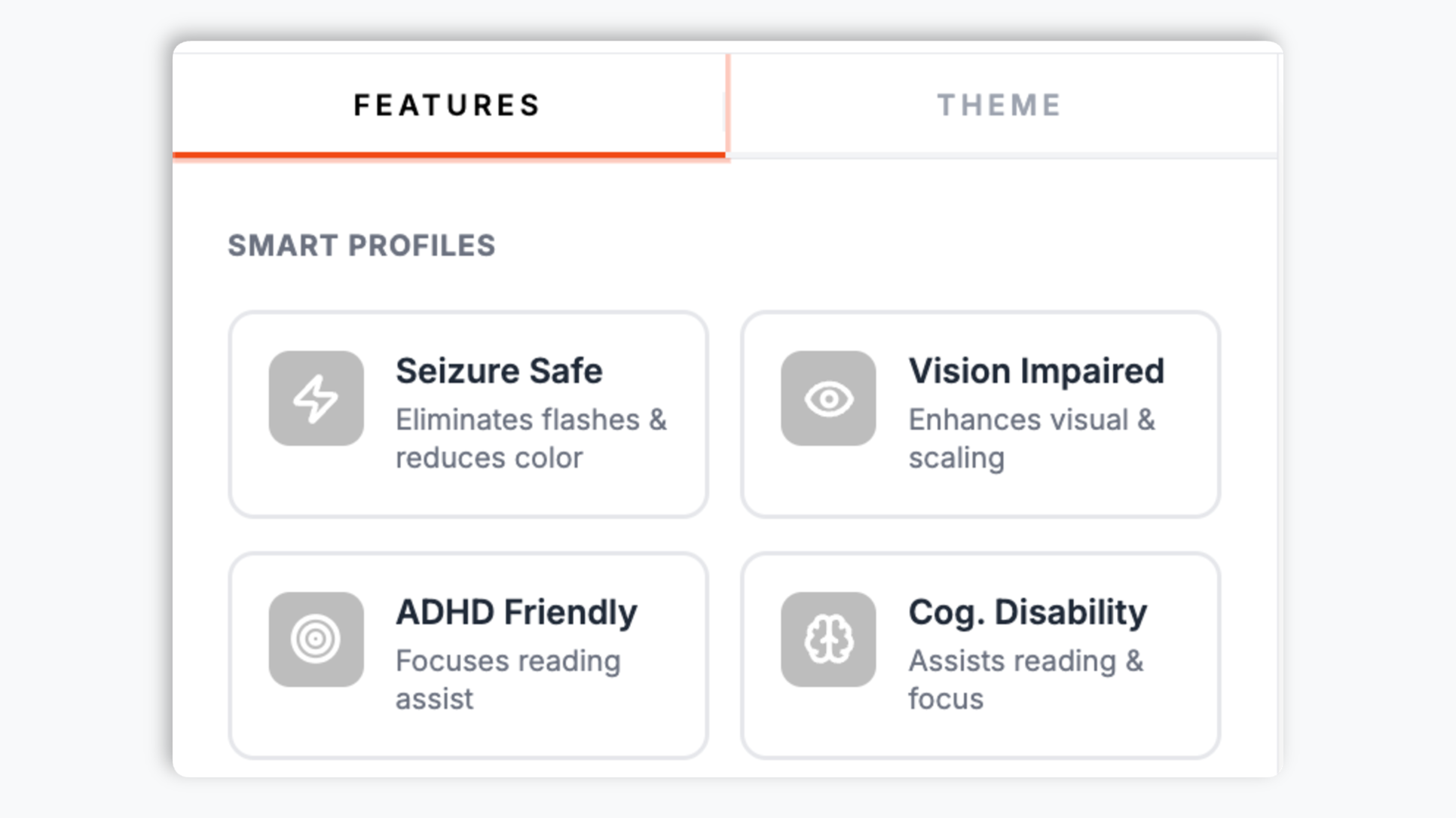
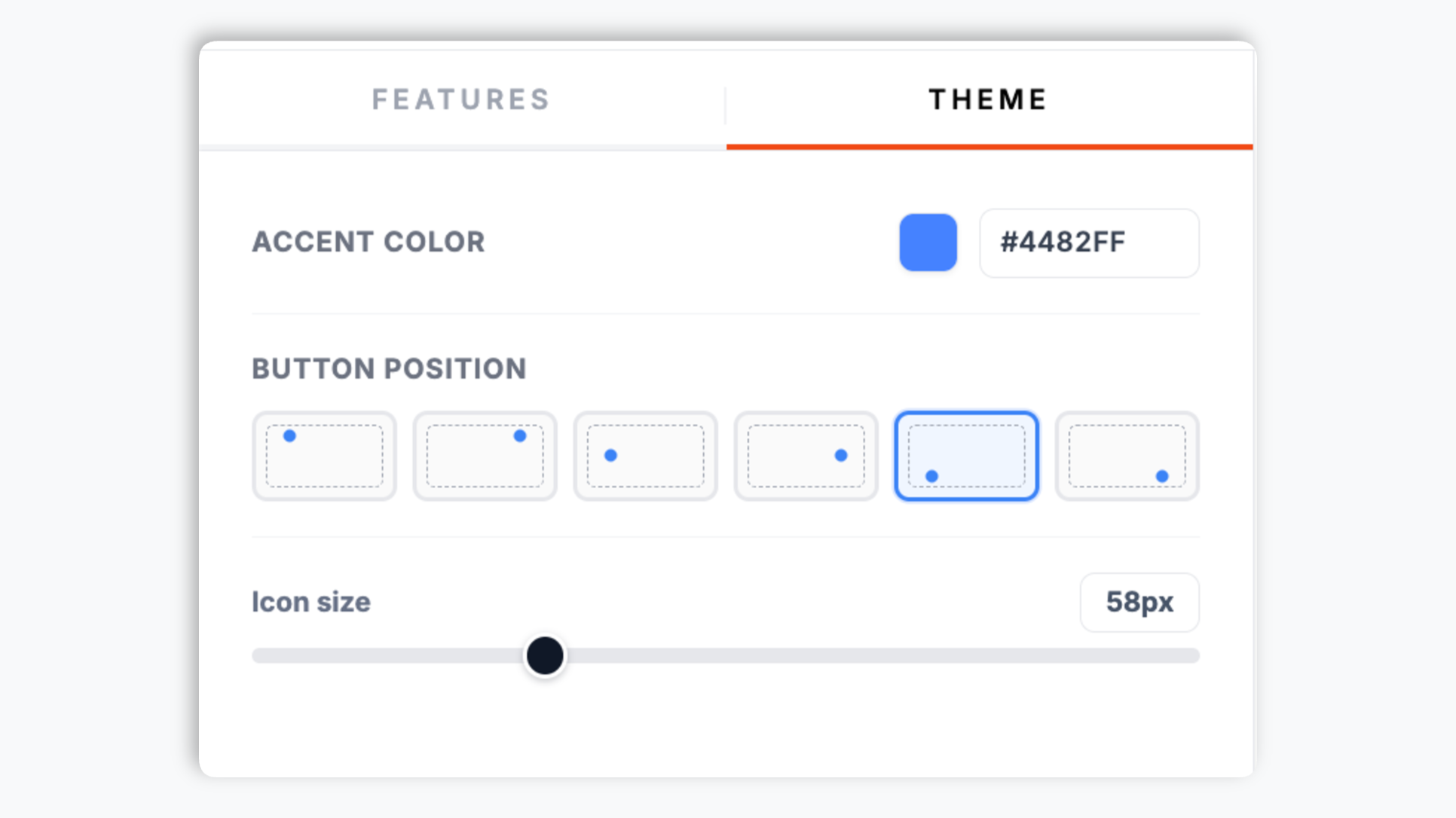
Pick a single accent color for the launcher, set its position on screen, and adjust the launcher size. Live preview updates as you tweak.
Paste the Poper embed snippet into your site. Works anywhere your Poper embed snippet is supported.

Works everywhere
Drop-in install on WordPress, Shopify, Wix, Squarespace, Webflow, Framer, Ghost, and any HTML-friendly stack. No build step, no developer needed.


Plus 250+ other platforms via the embed snippet. If your site can render a <script> tag, it can render the Accessibility Widget for Website: Visitor-side accessibility controls.
Six things that matter when you are layering an accessibility widget on top of real remediation work.
The widget exposes the accessibility profiles accessibility overlays commonly include: font scaling up to 200%, contrast modes, dyslexic font, animation pause, link highlighting, and reading guide controls. Important: a widget alone does not make a non-compliant site compliant. Use it alongside semantic HTML, real alt text, and proper heading order. We say this on the marketing page because the disability community has called out vendors who promise otherwise.
Visitors can scale text up to 200% without breaking your layout. Line and letter spacing controls help readers with dyslexia, low vision, or cognitive load. The OpenDyslexic font is bundled and toggleable.
High contrast, dark mode, monochrome, and dark contrast. Persisted per visitor.
Big cursor, animation pause, and reading-guide controls.
The embed is designed to stay lightweight; validate accessibility and performance on your own page after embedding.
Use the widget as a visitor-side control layer alongside your own accessibility remediation work and support process.
Use cases
Four buyer types who get the most lift from embedding Accessibility Widget for Website: Visitor-side accessibility controls on their site.
Section 508 in the US, Public sector sites often need broader accessibility remediation beyond an overlay. The widget complements your remediation work and gives every resident the controls they expect on a.gov site.
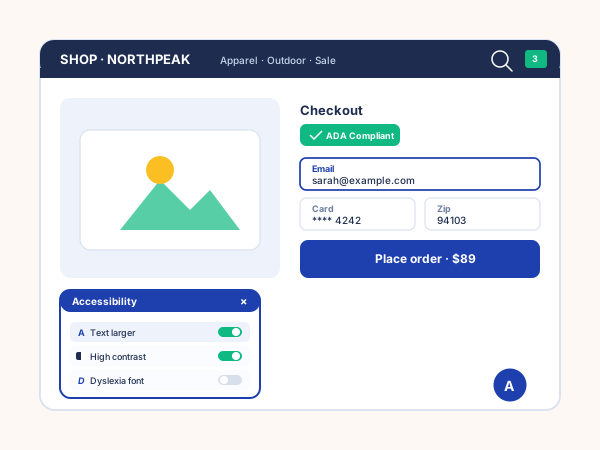
Use the widget to add visitor-side controls on storefront pages while your team fixes the source HTML, form labels, alt text, and keyboard flow that actually determine checkout accessibility.
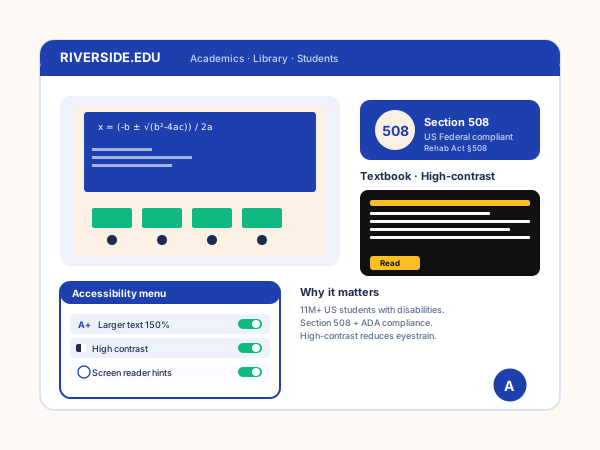
Education sites often need font sizing, contrast, spacing, animation pause, and reading-guide controls. The widget exposes those controls for visitors while the site owner handles the underlying Section 508 and WCAG remediation work.
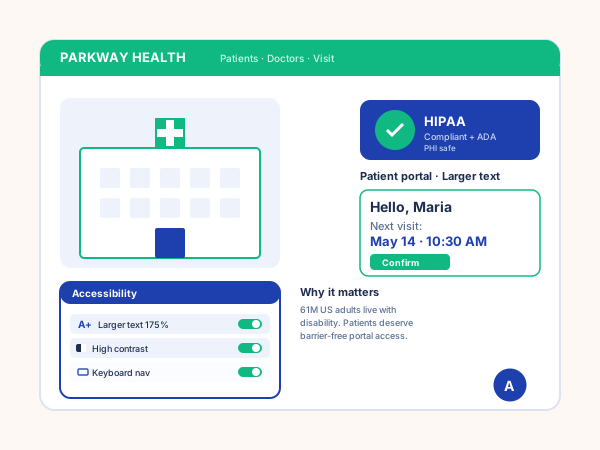
Healthcare sites can use visitor-side controls for readability and contrast on public pages. Patient portal accessibility, privacy, and compliance still need to be validated in the underlying application.
Three vendors dominate this market. Here is how the offerings actually compare on what regulators and disability advocates check.
| Recommended Poper | accessiBe | UserWay | EqualWeb | |
|---|---|---|---|---|
| Poper workspace available | ||||
| Honest about overlay limits in marketing | Improving | Partial | ||
| Font sizing, line + letter spacing | ||||
| Contrast and color modes | ||||
| Dyslexic-friendly font (OpenDyslexic) | ||||
| Reading guidance helpers | ||||
| Visitor-side accessibility controls | Paid only | |||
| Does not auto-rewrite your DOM in destructive ways | Disputed | |||
| Pairs with manual remediation guidance | Add-on | Add-on | Add-on | |
| Install method | Poper embed snippet | Vendor script | Vendor script | Vendor script |
| Pricing for unlimited pageviews | Vendor pricing varies | Vendor pricing varies | Vendor pricing varies | Vendor pricing varies |
| Bundled with popups, forms, consent, more widgets |
Comparison reflects external competitor positioning. Verify current details on each provider's site. The disability community has documented criticism of all overlay vendors; Poper recommends pairing any widget with manual remediation.
Compliance directors and digital leads who pair Poper with manual audits.
“We added Poper alongside a manual WCAG audit. The widget covers the visitor-facing controls. The remediation work fixed the deeper issues in our source code.”

“EAA enforcement was the deadline. We rolled Poper out across our EU storefronts while our internal team handled the accessibility statement, feedback process, and remediation plan.”

“What I appreciated is that Poper does not pretend the widget is a complete fix. It gave us the user-facing controls and pointed us at a manual auditor for the rest. That is the responsible way to sell this category.”

Pricing
All plans are billed yearly. Each card shows the per-month equivalent. Start free, then upgrade only when you need more campaigns, websites, or AI credits.
Yearly billing · save up to 40%Essential lead capture for solo creators and growing businesses.
billed $180/year
Full engagement suite with A/B testing, gamification & unlimited leads.
billed $348/year
Unlimited everything with white-label, API access & advanced analytics.
billed $948/year
Prices shown for the 50k monthly visitor tier on yearly billing. A Free Forever plan ($0) and a custom Enterprise plan are also available. No contracts, cancel anytime.
Web accessibility moved from a nice-to-have to a hard legal requirement in the last five years. ADA Title III lawsuits in the United States hit record highs in 2024 and 2025, the European Accessibility Act became enforceable on 28 June 2025, and WCAG 2.2 finalized as the working standard most regulators now reference. An accessibility widget is one tool in a layered compliance stack. It is not, by itself, a fix. This guide walks through what the widget does well, where it falls short, what regulators actually check, and how to combine the widget with manual remediation so you can serve disabled visitors with respect and reduce your legal exposure honestly.
Title III of the Americans with Disabilities Act applies to public accommodations, and US courts have consistently held that this includes commercial websites. Plaintiffs filed roughly 4,000 ADA Title III web lawsuits in 2024, with ecommerce, hospitality, and education sites the most-targeted. The Department of Justice published a final rule in 2024 confirming WCAG 2.1 AA as the applicable standard for state and local government sites under Title II, and most defense lawyers now treat WCAG 2.1 AA as the de facto standard for Title III as well. A widget alone has not held up as a defense in litigation. Several reported cases involved sites that had deployed an accessibility overlay and were sued anyway, with courts finding that the underlying HTML, alt text, and form labeling were still non-compliant. The widget reduces friction for many visitors and signals good-faith effort, but the underlying code has to do its share.
The European Accessibility Act (EAA, Directive 2019/882) became enforceable across all 27 EU member states on 28 June 2025. It applies to ecommerce, banking, electronic communications, e-books, transport ticketing, and media services that serve consumers in the EU. The technical standard is EN 301 549, which incorporates WCAG 2.1 AA at minimum and WCAG 2.2 in some categories. Penalties vary by member state but include fines, removal from the market, and reputational damage. Non-EU companies are in scope if they offer services to EU consumers. The widget is helpful for visitor-side controls, but semantic HTML, real alt text, keyboard reachability, screen reader compatibility, accessibility statements, and feedback channels remain site-owner responsibilities outside this widget.
WCAG 2.1 Level AA contains 50 success criteria across four principles: perceivable, operable, understandable, and robust. WCAG 2.2, finalized in October 2023, adds nine new criteria including focus appearance, target size minimum, dragging movements, and consistent help. Most regulators reference 2.1 AA as the floor; 2.2 is becoming the working standard. A widget can help visitors adjust presentation through controls such as font scaling, contrast modes, spacing, animation pause, and reading guides. It does not fix missing alt text, incorrect heading order, broken form labels, keyboard traps, focus management, or ARIA mistakes in your underlying code.
Be honest about this. The disability community has been openly critical of AI-only accessibility overlays for years. Public statements from disability advocates, accessibility consultants, and screen reader users have documented cases where overlays interfered with assistive technology, made navigation harder, or provided a false sense of compliance to site owners. The Overlay Fact Sheet, signed by hundreds of accessibility professionals and disabled people, recommends against marketing overlays as a complete solution. ADA lawsuits have proceeded against sites that deployed overlays. Poper takes the position that a widget is a useful complement: it gives visitors immediate user-facing controls (font sizing, contrast, dyslexic font, animation pause) that they would otherwise have to dig into browser settings to find. It is not a substitute for writing accessible code, conducting manual audits, testing with real assistive technology, and fixing the issues those tests reveal.
Industry-standard accessibility programs combine four things. First, manual code remediation: fixing alt text, heading order, form labels, focus management, and keyboard reachability in the source HTML. Second, automated testing in CI using axe-core or Pa11y to catch regressions before they ship. Third, manual testing with real users of assistive technology (screen readers, voice control, switch access) and with disability consultants who can identify barriers automated tools miss. Fourth, user-facing controls so visitors can adapt presentation to their needs without leaving your site. Poper covers the fourth pillar honestly. Your team still owns the statement, feedback process, testing, and source-code remediation.
An accessibility widget is an embedded launcher that gives website visitors user-facing controls for font size, contrast, dyslexic-friendly font, animation pause, and other assistive features. It is one piece of a WCAG and ADA compliance program, not a complete fix on its own.
Last fact-checked: . We re-verify every quarter.
Tutorial
A quick walkthrough of setting up and embedding this widget.
Tutorial video coming soon
Can't find the answer you're looking for? Chat with our support team.
Contact SupportPoper takes 90 seconds to embed. Pair it with manual remediation, testing, and your own accessibility process.
Free plan available forever