RateMDs Reviews Widget for Website. No-code - Poper
RateMDs Reviews Widget

RateMDs reviews on your practice site.

Embed your RateMDs patient reviews on any provider page. US and Canada coverage, transparent display of public review volume, schema validation with search tooling. Ready with the guided setup flow.

No credit card required
14-day free trial
Cancel anytime

Built for no-code website teams

Timetics
Academie Digitale
Goldcast
nbcf
Seedstock
Wow
Linkxar
Gale Toyota
Skills
Rugby Sport
Lamp
Leaktronics
Steel
Theatre in Chicago
Globerto
Meetup
FYM
Zeben
Kraftix
IETraditionala
Meethires
Leadscrape
Happily
Timetics
Academie Digitale
Goldcast
nbcf
Seedstock
Wow
Linkxar
Gale Toyota
Skills
Rugby Sport
Lamp
Leaktronics
Steel
Theatre in Chicago
Globerto
Meetup
FYM
Zeben
Kraftix
IETraditionala
Meethires
Leadscrape
Happily
Available on Poper plans

This is the actual widget

Live demo, not a screenshot. Style it, brand it, embed it. What you see here is what ships to your practice site.

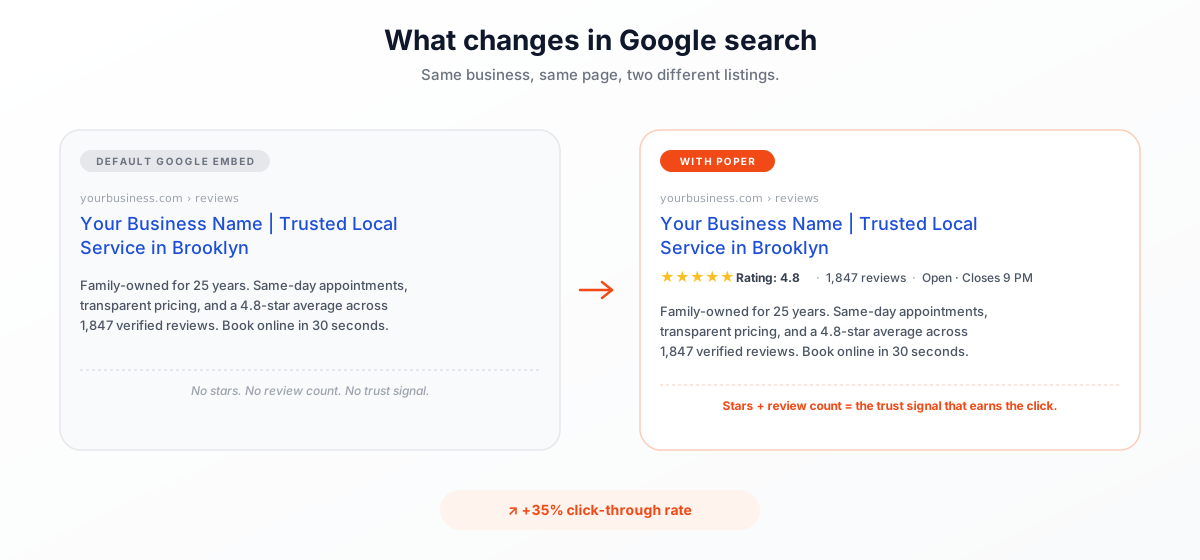
What changes when patients search your name

Two listings for the same provider. The one with star ratings earns the appointment booking.

Google search results comparison: default Google Reviews embed shows no stars or review count, while the Poper Google Reviews widget displays 4.8-star rating, 1,847 reviews, and Open Closes 9 PM rich snippet. Earn 35 percent more click-throughs in Google search.
Validate click-through rate

Use your own analytics to measure impact

From RateMDs to your site

Your RateMDs reviews. Now on your own domain.

Poper crawls the official RateMDs review feed for your business and renders it inline on your website. Same reviews, your branding, your domain.

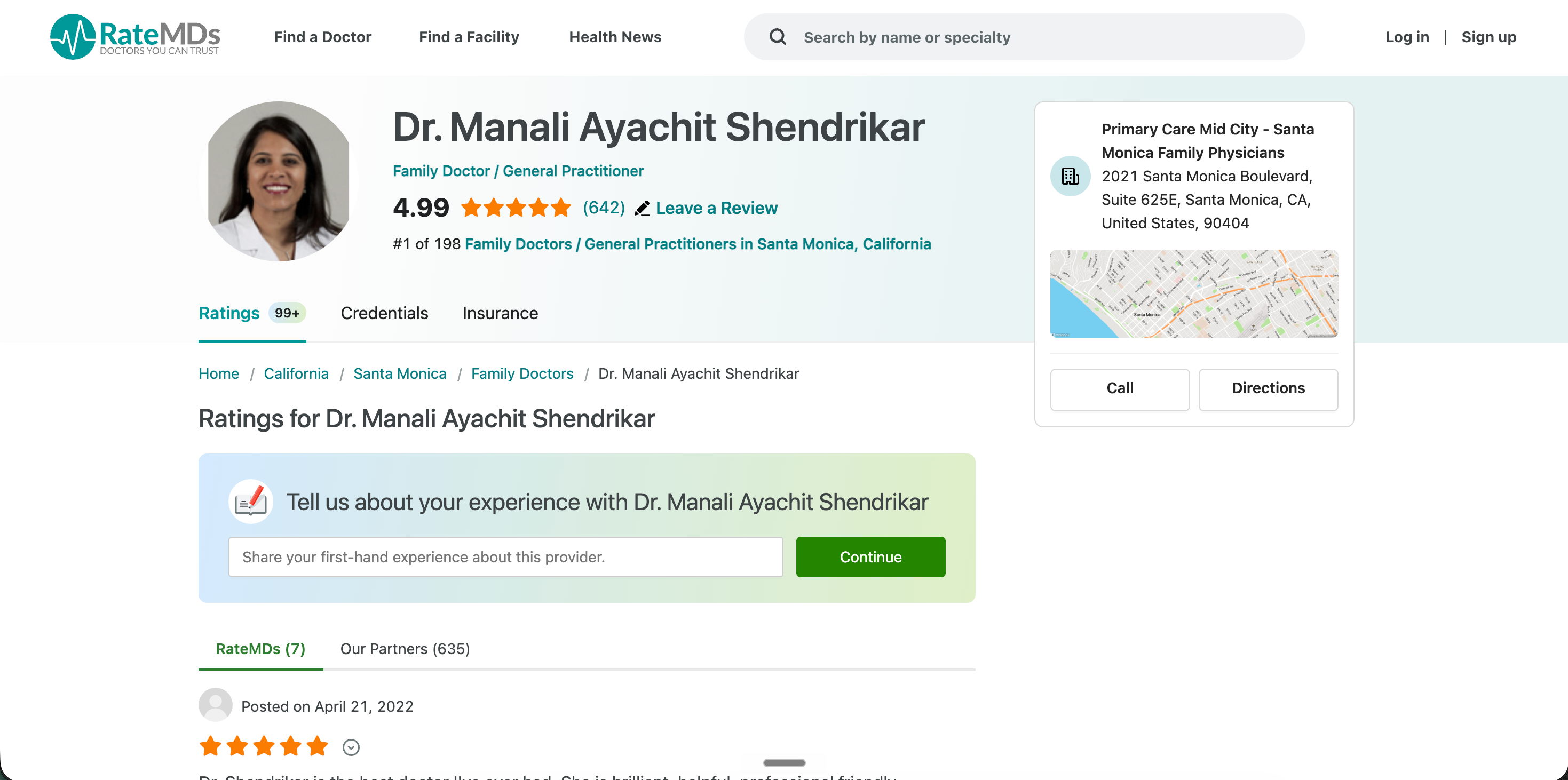
ratemds.com
Use your own analytics and search tooling to validate this widget on your site.Source: RateMDsOpen
Use your own analytics and search tooling to validate this widget on your site.
drmarcuslee.ca
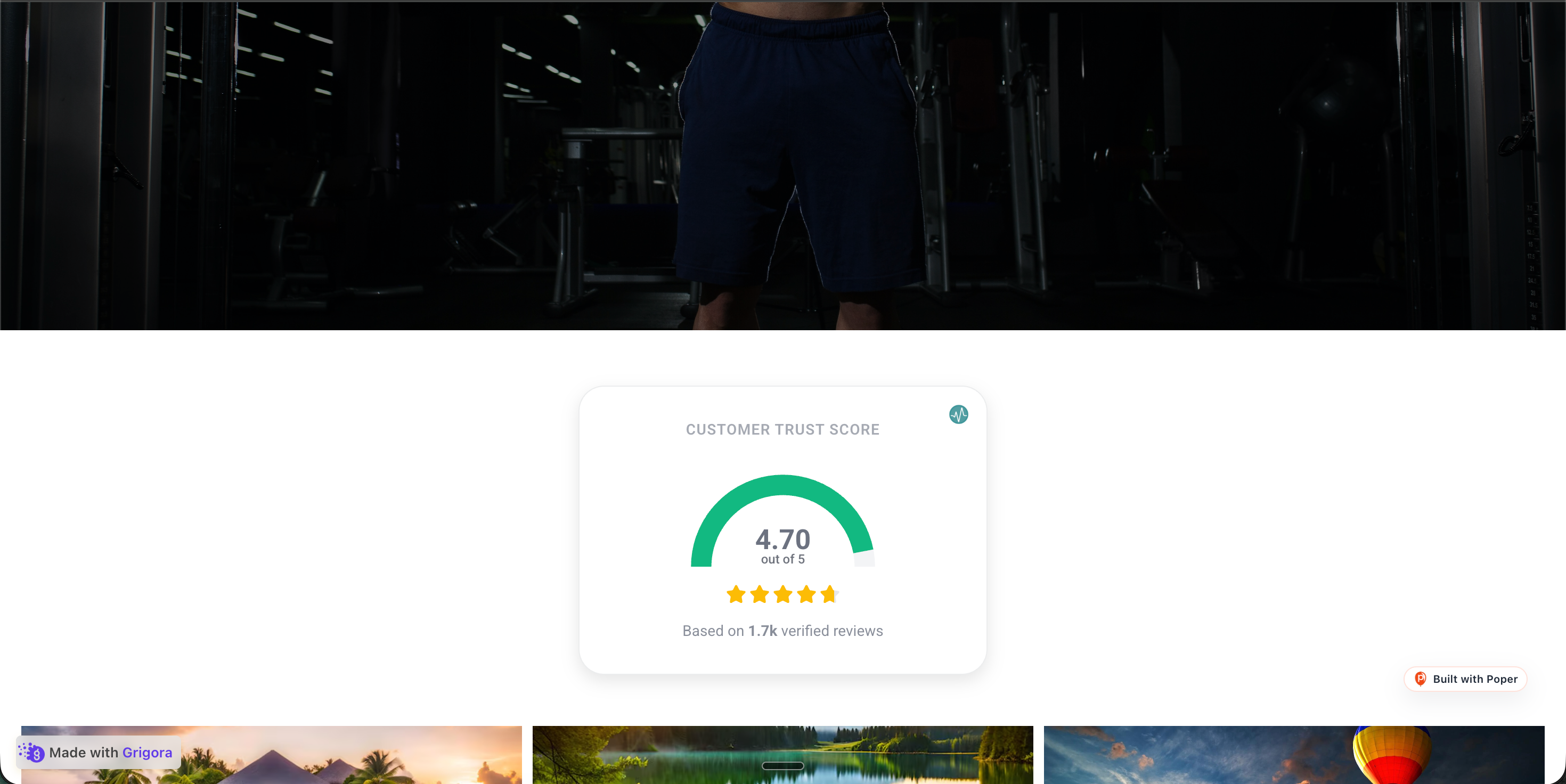
Dr. Marcus Lee's branded practice site at drmarcuslee.ca with the Poper RateMDs reviews widget embedded inline showing the same 3 patient reviews in a soft burgundy and cream palettePoper widget live
Dr. Marcus Lee's branded practice site at drmarcuslee.ca with the Poper RateMDs reviews widget embedded inline showing the same 3 patient reviews in a soft burgundy and cream palette

Mockups for illustration. Pull your real RateMDs Reviews Widget for Healthcare Provider Websites from RateMDs and embed in 90 seconds.

How to use it

How to add RateMDs reviews to your practice site

Three steps. with the guided setup flow. Works for US and Canadian providers.

  1. 01

    Copy your RateMDs profile URL

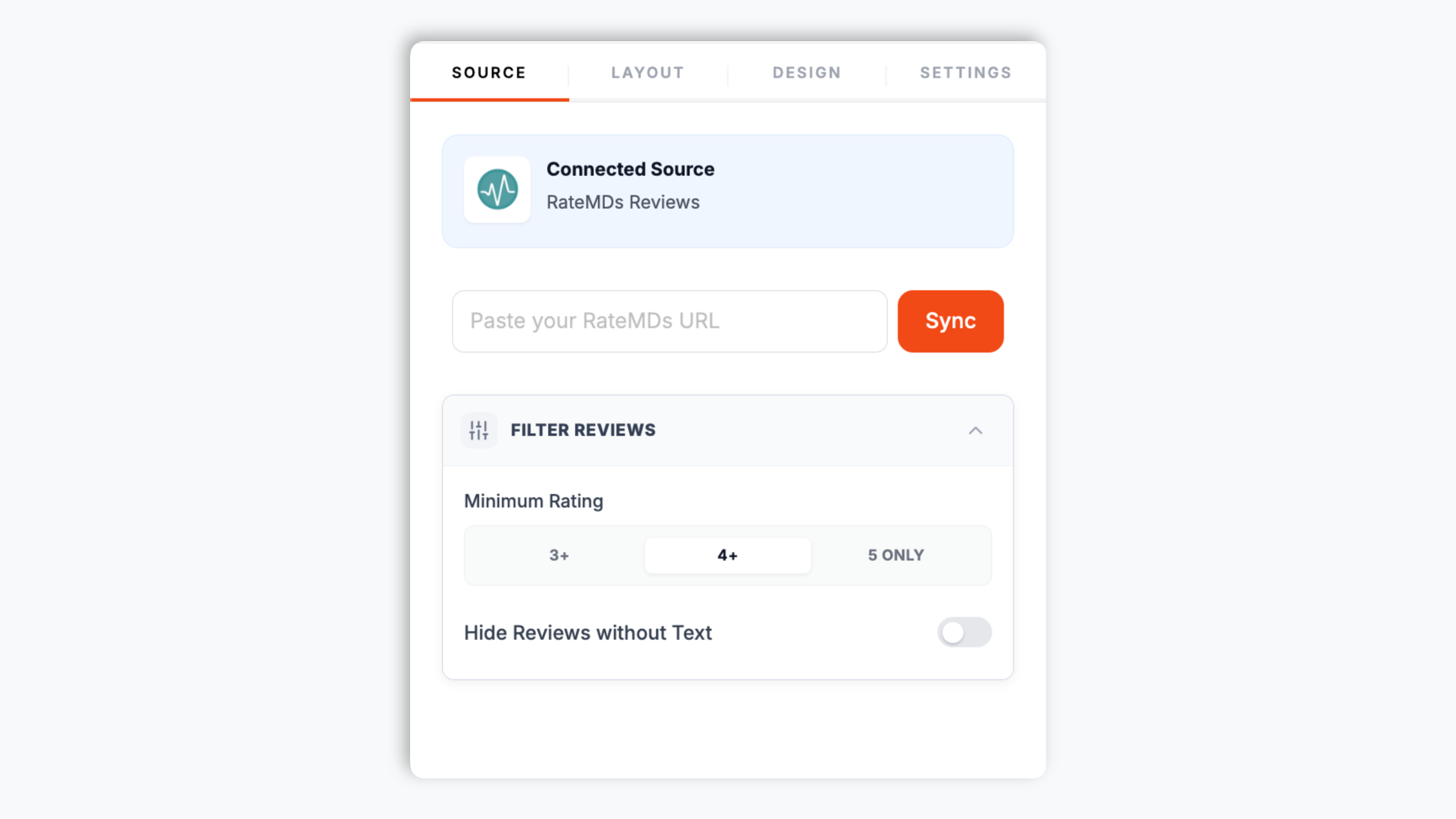
    Open your RateMDs profile and copy the page URL (e.g. ratemds.com/doctor-ratings/dr-marcus-lee). Paste it into the Poper builder and Poper pulls in the public reviews. Works the same for US and Canadian ratemds.com listings.

    Poper widget builder showing the RateMDs source input with a pasted ratemds.com doctor profile URL and a Sync button
  2. 02

    Pick a layout and brand it for your practice

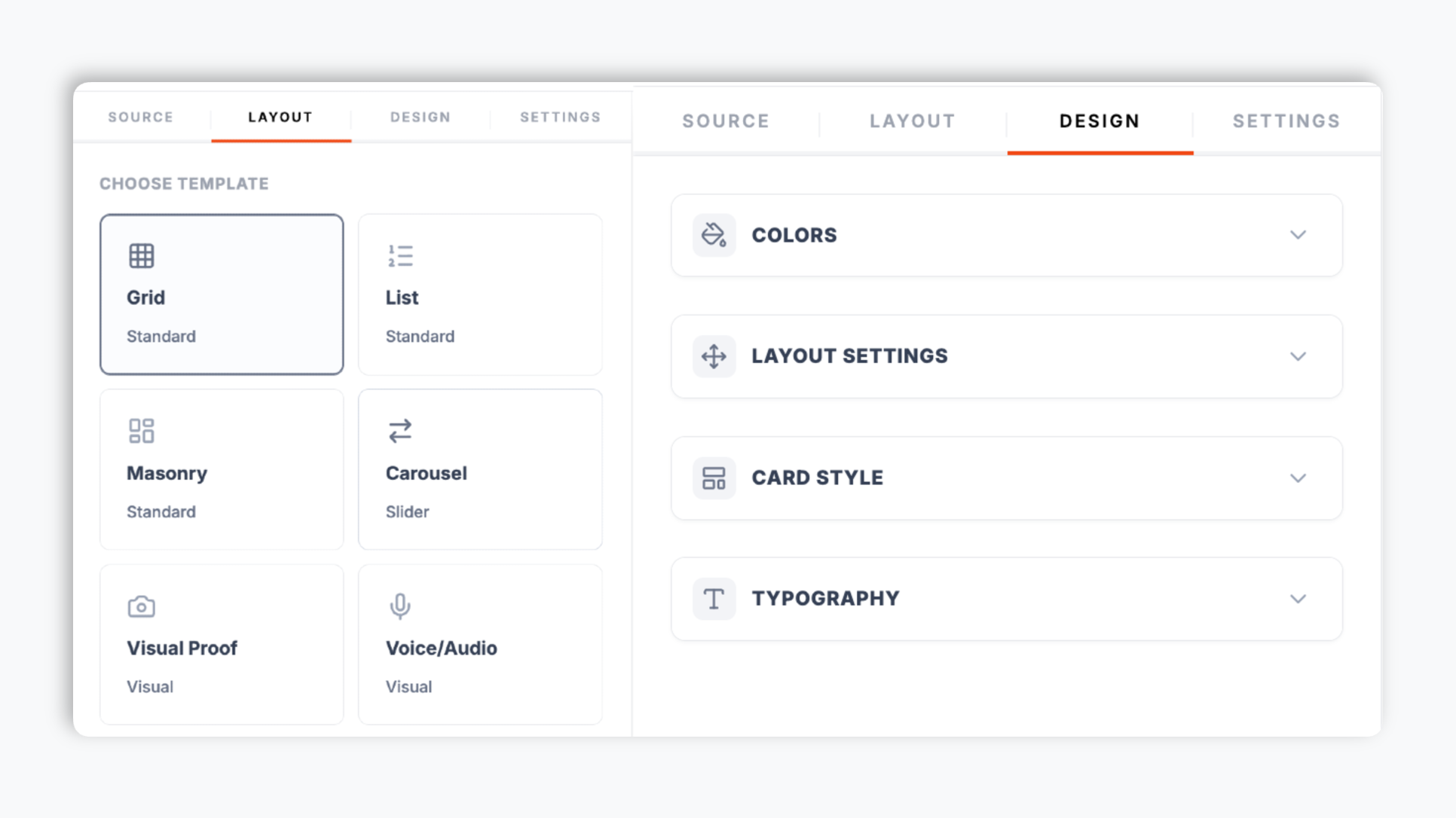
    Choose a layout in the Poper editor: carousel, grid, list, masonry, trust meter, and more. Tune background, card, text, and star colors, pick a font, set corner radius and shadow depth to match your practice brand. The live preview updates as you adjust.

    Poper review widget editor showing the layout template chooser with multiple layout options and color and font controls
  3. 03

    Embed and earn schema validation under your name

    Where supported, turn on optional LocalBusiness review schema and validate it with your own search tooling. Search engines decide if and how anything appears.

    One-line embed script for the RateMDs reviews widget shown in a code editor with a RateMDs blue Copy button and Squarespace, Wix Healthcare, WordPress, Webflow, and Sanity platform badges

Works everywhere

Works with every website platform you already use

Drop-in install on WordPress, Shopify, Wix, Squarespace, Webflow, Framer, Ghost, and any HTML-friendly stack. No build step, no developer needed.

WordPress
Shopify
Wix
Squarespace
Webflow
Framer
Ghost
HTML

Plus 250+ other platforms via the embed snippet. If your site can render a <script> tag, it can render the RateMDs Reviews Widget for Healthcare Provider Websites.

Built for what healthcare buyers actually shop for

Six things that matter when you are picking a RateMDs reviews widget for a practice site, not 30 features no patient cares about.

Validate optional review schema with search tooling

Where supported, turn on optional LocalBusiness review schema and validate it with your own search tooling. Search engines decide if and how anything appears.

yourbusiness.com
Your Business Name | Trusted Local Service
★★★★★Rating: 4.8·1,847 reviews
The only Google Reviews widget that auto-injects Schema.org markup so your listing earns rich-result stars in search.

Works for US and Canadian RateMDs profiles

RateMDs is one of the few healthcare review platforms with strong density in both countries. Paste any ratemds.com profile URL, US or Canadian, and Poper renders those reviews on your site the same way.

High review volume

RateMDs' anyone-can-post model means more recent reviews and broader coverage than appointment platforms.

Layouts and brand styling

Carousel, grid, list, masonry, trust meter, and more. Brand-match colors, fonts, radius, and shadow in the editor.

Show only the elements you want

Toggle reviewer name, avatar, review date, star rating, and the platform logo. Keep cards minimal for a homepage trust strip, or fuller for a dedicated reviews page.

Filter by rating

Set a minimum star rating (3+, 4+, or 5 only) so only your strongest reviews show on landing pages, and hide reviews without text so visitors see substantive feedback.

Use cases

Where RateMDs Reviews Widget for Healthcare Provider Websites actually moves the needle

Four buyer types who get the most lift from embedding RateMDs Reviews Widget for Healthcare Provider Websites on their site.

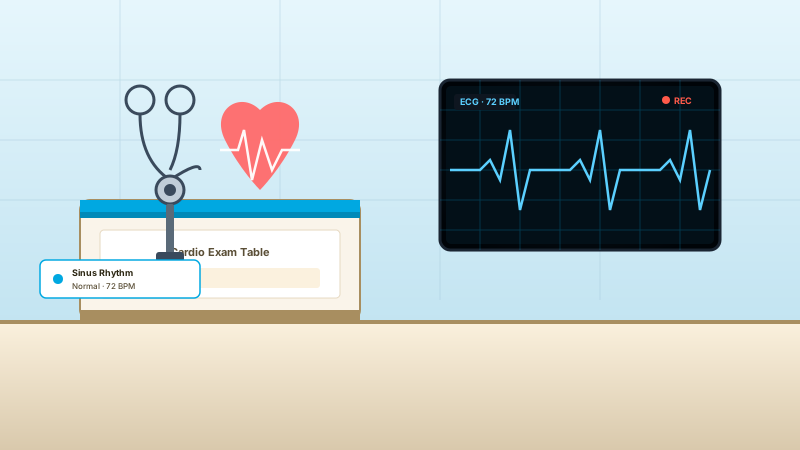
Cardiology exam room with heart-rhythm graph on ECG monitor, stethoscope, and a cardio-clinic exam table where RateMDs reviews drive specialist appointments

Cardiology and cardiovascular practices

Cardiologists where patients research heart specialists exhaustively before booking. RateMDs' volume of recent reviews lets visitors see patterns in patient experience across many appointments, and Poper surfaces ECG-specific keywords visitors searched for.

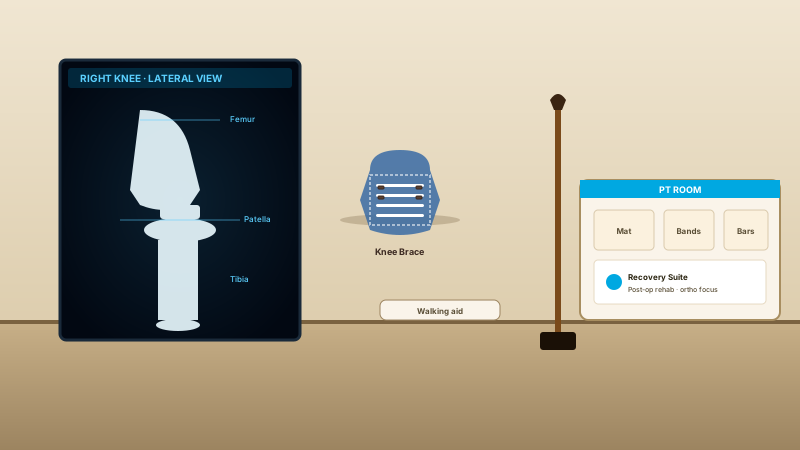
Orthopedic clinic with X-ray of a knee, knee brace, walking stick, and physical-therapy room where RateMDs reviews support booking decisions for surgical and rehab patients

Orthopedics and physical therapy

Orthopedic surgeons and PT clinics where the search journey starts with pain. RateMDs reviews of post-op recovery and rehab outcomes carry heavy weight. Poper's filters surface only 4 and 5-star reviews on knee, hip, and shoulder landing pages.

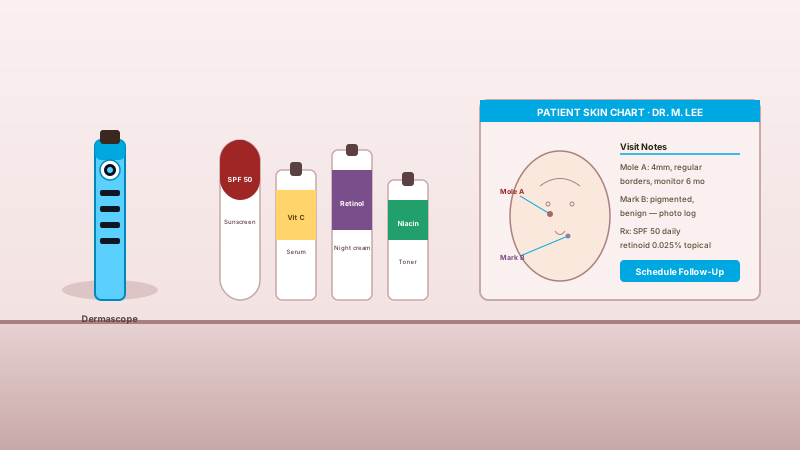
Dermatology consult room with dermascope, skincare-product line of sunscreen, vitamin C serum, retinol, and niacin, plus patient skin chart where RateMDs reviews drive aesthetic and medical-derm bookings

Dermatology and aesthetic practices

Dermatologists, cosmetic dermatology, and aesthetic clinics where patient outcomes are visual and research is heavy. RateMDs volume captures both medical-derm and cosmetic-derm experiences. Poper highlights procedure-specific keywords visitors searched.

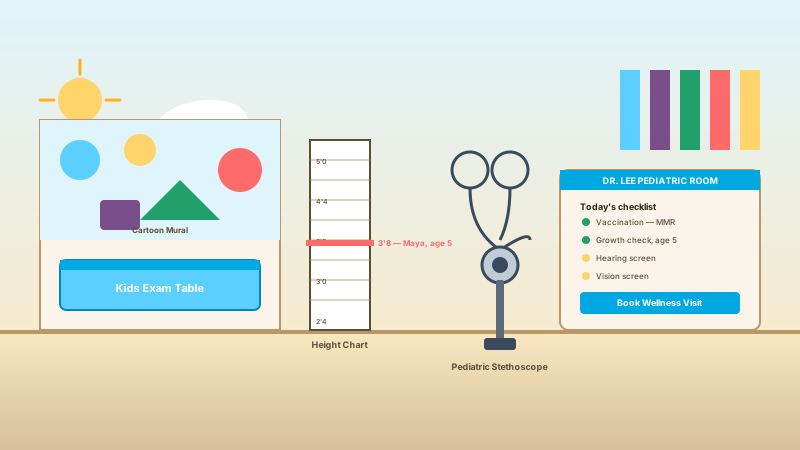
Pediatric care room with colorful kids exam table, cartoon mural, height chart with growth marker, and pediatric stethoscope where RateMDs reviews help visitors evaluate parent appointment requests

Pediatrics and family pediatric care

Pediatricians and family pediatric practices where parents read every review before trusting a doctor with their child. RateMDs' high volume and recency in pediatrics is decisive. Poper's healthcare presets keep parent privacy and child names protected.

Poper vs other review widget platforms

How Poper stacks up against other embeddable review widgets like Elfsight and Common Ninja on what actually matters for healthcare providers.

 Recommended
Poper
Elfsight
Common Ninja
Poper workspace available
Limited
Limited
Embed on any external website
Optional review schema toggle
Works for US and Canadian RateMDs URLs
Varies
Varies
Multiple layouts (carousel, grid, list, masonry, trust meter)
Limited
Limited
Minimum-rating filter
Limited
Hide reviews without text
Limited
Brand styling (colors, fonts, radius, shadow)
Element visibility toggles
Limited
Limited
Pricing for paid plans
Plan details vary
Vendor pricing varies
Bundled with popups, forms, quizzes

Comparison reflects external competitor positioning. Competitor pricing varies by plan and widget count. Verify current details on each provider's site.

Under the hood

What Poper actually injects on your provider page

Where supported, turn on optional LocalBusiness review schema and validate it with your own search tooling. Search engines decide if and how anything appears.

<script type="application/ld+json">
{
  "@context": "https://schema.org",
  "@type": "LocalBusiness",
  "name": "Your Business Name",
  "image": "https://yourbusiness.com/logo.png",
  "url": "https://yourbusiness.com",
  "aggregateRating": {
    "@type": "AggregateRating",
    "ratingValue": "4.8",
    "reviewCount": "1847"
  },
  "review": [
    {
      "@type": "Review",
      "author": { "@type": "Person", "name": "Jane Smith" },
      "datePublished": "2026-04-12",
      "reviewRating": {
        "@type": "Rating",
        "ratingValue": "5"
      },
      "reviewBody": "Outstanding service from start to finish."
    }
  ]
}

Validated against Google's official Rich Results Test on day one.

Run the test yourself

Real practices. Real outcomes.

Family physicians, dental practices, OB-GYN groups, and allied health clinics in the US and Canada who switched from the default RateMDs Plus profile or a competitor.

Poper's RateMDs widget gave our clinic a clean way to show patient reviews on our own site instead of sending visitors back to a directory. The review cards match our healthcare brand, and patients see the proof before they request an appointment.
Dr. Priya Shah
Family Physician · Maple Grove Family Care
We use the RateMDs widget on provider bio pages so each doctor can show relevant patient feedback beside the booking CTA. Setup was just the RateMDs profile URL, a template choice, and our clinic colors.
Marcus Lee
Practice Manager · Northview Dental Group
For our OB-GYN group, the RateMDs reviews widget keeps trust signals on our own domain. New patients can read real feedback, see the rating context, and continue straight into our appointment flow.
Elena Morris
Patient Experience Lead · Harbor Women's Health

Pricing

Simple, yearly pricing. Save up to 40%.

All plans are billed yearly. Each card shows the per-month equivalent. Start free, then upgrade only when you need more campaigns, websites, or AI credits.

Yearly billing · save up to 40%

Starter

Essential lead capture for solo creators and growing businesses.

$15/mo

billed $180/year

  • 5 active campaigns (5 widget instances)
  • 1 website, 1,000 leads/mo
  • 100+ templates, 10+ display formats
  • Smart triggers & basic analytics
  • No Poper branding
  • 500 AI credits
Start with Starter
Most popular

Pro

Full engagement suite with A/B testing, gamification & unlimited leads.

$29/mo

billed $348/year

  • Everything in Starter
  • Unlimited campaigns & leads
  • 10 websites, 5 team seats
  • A/B testing & gamification
  • Multi-step forms & quiz builder
  • Custom domain (CNAME), 2,000 AI credits
Start with Pro

Business

Unlimited everything with white-label, API access & advanced analytics.

$79/mo

billed $948/year

  • Everything in Pro
  • Unlimited websites & team seats
  • White-label (add-on) & API access
  • Logic jumps, live quizzes & polls
  • Payment forms (Stripe/PayPal)
  • Advanced analytics, 5,000 AI credits
Start with Business

Prices shown for the 50k monthly visitor tier on yearly billing. A Free Forever plan ($0) and a custom Enterprise plan are also available. No contracts, cancel anytime.

Guide · 4 min read

The complete guide to embedding RateMDs reviews on your practice website

RateMDs is one of the longest-running patient review platforms in North America. Founded in Toronto in 2004, it became the default patient-driven review site for Canadian physicians and dentists and has expanded steadily into US healthcare markets over two decades. Today RateMDs hosts millions of patient ratings across both countries, and for many family physicians, dentists, OB-GYNs, and allied health providers it is the single largest pool of public review volume that exists for their name. Healthcare consumers run an average of 6.4 online searches before booking a new provider, and the listing they see when they search your name has more weight on the booking decision than any other marketing surface you control. This guide walks through how to put your RateMDs reviews to work on your own practice site: the anonymous review model, RateMDs Plus, multi-provider workflows, US versus Canada coverage, and how to be honest with visitors about what RateMDs is and is not.


01

Why RateMDs is different from Healthgrades or Zocdoc on review verification

The most important fact about RateMDs, and the one most practices need to be honest about with their site visitors, is that RateMDs does not require appointment verification before a patient can leave a review. Healthgrades gates reviews behind Healthgrades Connect appointment authentication. Zocdoc only accepts reviews from patients who booked through Zocdoc. RateMDs accepts reviews from anyone with an internet connection. This is RateMDs' biggest weakness, and arguably also its biggest strength. The weakness: lower verification bar means a higher proportion of fake, defamatory, or off-target reviews. The strength: dramatically lower friction to leave a review means dramatically higher review volume, which for many providers is the entire reason they show up in patient searches at all. Practices that use both Healthgrades and RateMDs typically frame the difference clearly: Healthgrades for appointment trust weight, RateMDs for breadth and volume. Poper's filters let you display only 4 and 5-star reviews on landing pages while the aggregate score continues to reflect the full set, which keeps you FTC-compliant on cherry-picking while still putting your best foot forward in the moments that support booking evaluation.

02

RateMDs Plus and the on-platform reputation management workflow

RateMDs Plus is RateMDs' paid subscription product for healthcare providers. Practice managers often confuse it with the embed widget question, so it is worth being precise. Plus is about reputation management inside ratemds.com itself: it gives the provider the ability to post a public reply to any review on their RateMDs profile, request suppression of reviews that violate RateMDs' terms of service (specifically defamatory content, demonstrably false claims, off-topic complaints, or reviews that include personal attacks rather than care evaluation), enhanced profile presentation that includes the provider's response under the original review, and analytics on profile views and review trends inside the RateMDs dashboard. None of those are about your own website. Many practices run a hybrid approach: RateMDs Plus to manage what shows up on ratemds.com when patients search there, plus the Poper widget to embed the resulting reviews on the practice site itself with optional LocalBusiness review schema that should be validated with search tooling. The two are complementary, not redundant.
03

Why patient-driven review platforms matter for healthcare consumerism

Healthcare consumerism, the trend of patients researching providers like they research any other purchase, has restructured how new patients find a doctor or dentist. Before 2010, the dominant referral path was a phone-based primary care referral or an insurance-network search. After 2015, the dominant referral path became an online search, with reviews as the primary trust signal, and that shift accelerated permanently during COVID-19 as telehealth normalized researching providers entirely online. The consequence for providers is that the first three Google results for your name shape most of your new-patient pipeline. RateMDs typically shows up in those first three results, especially for family physicians and dentists, because of its long-running SEO authority and high review density. If you do not embed your RateMDs reviews on your own site, the patient who searches your name reads them on RateMDs.com, then has to leave RateMDs.com to find your booking page; the friction loss is meaningful. Embedding the reviews on your site keeps the entire decision-to-booking flow on your own domain, with your own design, your own CTAs, and your own engagement measurement.
04

Cross-border US and Canada coverage

Where supported, turn on optional LocalBusiness review schema and validate it with your own search tooling. Search engines decide if and how anything appears.

05

Being honest with patients about review verification on your own site

There is a quiet trust question every practice has to answer when embedding RateMDs reviews: do you tell visitors that the reviews are not appointment-verified? The answer that builds the most long-term trust is yes, briefly, in a way that frames the volume positively. The wrong answer is silence that lets visitors assume RateMDs reviews are source the way Healthgrades or Zocdoc reviews are. The right answer is a one-line caption near the widget that says something like 'Public patient reviews from RateMDs. RateMDs allows any patient to post; we display all reviews and respond on RateMDs Plus where appropriate.' This single line does three things: it sets accurate expectations, it signals that you are not trying to game the platform, and it preempts the bad-faith review reader who would otherwise dismiss the entire wall as unverified. Practices that run cross-platform aggregation (Healthgrades plus RateMDs plus Google) get the strongest result because the appointment Healthgrades reviews carry the trust weight while the RateMDs volume carries the recency and breadth, and the visitor sees both at once. Poper supports this multi-source display natively, and the comparative trust signals stack rather than cancel.

Quick reference

What is RateMDs Reviews Widget for Healthcare Provider Websites?

A RateMDs reviews widget is an embeddable script that displays patient reviews from a clinician's RateMDs profile on the practice's own website, with healthcare-aware presentation and optional LocalBusiness review schema that should be validated with search tooling.

Key facts

  • RateMDs was founded in Toronto in 2004 and remains the dominant patient-driven review platform for Canadian physicians and dentists, with significant coverage in the US as well
  • RateMDs accepts reviews from any user without verifying that the reviewer was a patient, which differs from Healthgrades and Zocdoc that gate reviews behind appointment authentication
  • The anonymous review model produces higher volume than appointment platforms, making RateMDs often the largest single pool of public patient feedback for a given provider
  • RateMDs Plus is the paid subscription that lets providers respond publicly to reviews and request suppression of reviews that violate RateMDs' terms of service
  • RateMDs provider profiles are matched by name, location, and specialty rather than by NPI, so cross-checking with the public RateMDs URL is the most reliable connection method
  • Cross-border US and Canada coverage makes RateMDs uniquely suited to multi-location practices and providers licensed in both countries

Tutorial

See the RateMDs Reviews Widget in action

A quick walkthrough of setting up and embedding this widget.

Tutorial video coming soon

Frequently asked questions

Can't find the answer you're looking for? Chat with our support team.

Contact Support

Stop letting your reviews live only on RateMDs.com

Where supported, turn on optional LocalBusiness review schema and validate it with your own search tooling. Search engines decide if and how anything appears.

Free plan available forever