


Healthgrades Reviews Widget for Website. No-code - Poper
Healthgrades Reviews Widget

Healthgrades reviews on your practice site.

Embed Source reviews where available from Healthgrades on any provider page. healthcare-site friendly display, NPI-matched profiles, schema validation with search tooling. Ready with the guided setup flow.

No credit card required
14-day free trial
Cancel anytime

Built for no-code website teams

Timetics
Academie Digitale
Goldcast
nbcf
Seedstock
Wow
Linkxar
Gale Toyota
Skills
Rugby Sport
Lamp
Leaktronics
Steel
Theatre in Chicago
Globerto
Meetup
FYM
Zeben
Kraftix
IETraditionala
Meethires
Leadscrape
Happily
Timetics
Academie Digitale
Goldcast
nbcf
Seedstock
Wow
Linkxar
Gale Toyota
Skills
Rugby Sport
Lamp
Leaktronics
Steel
Theatre in Chicago
Globerto
Meetup
FYM
Zeben
Kraftix
IETraditionala
Meethires
Leadscrape
Happily
Available on Poper plans

This is the actual widget

Live demo, not a screenshot. Style it, brand it, embed it. What you see here is what ships to your practice site.

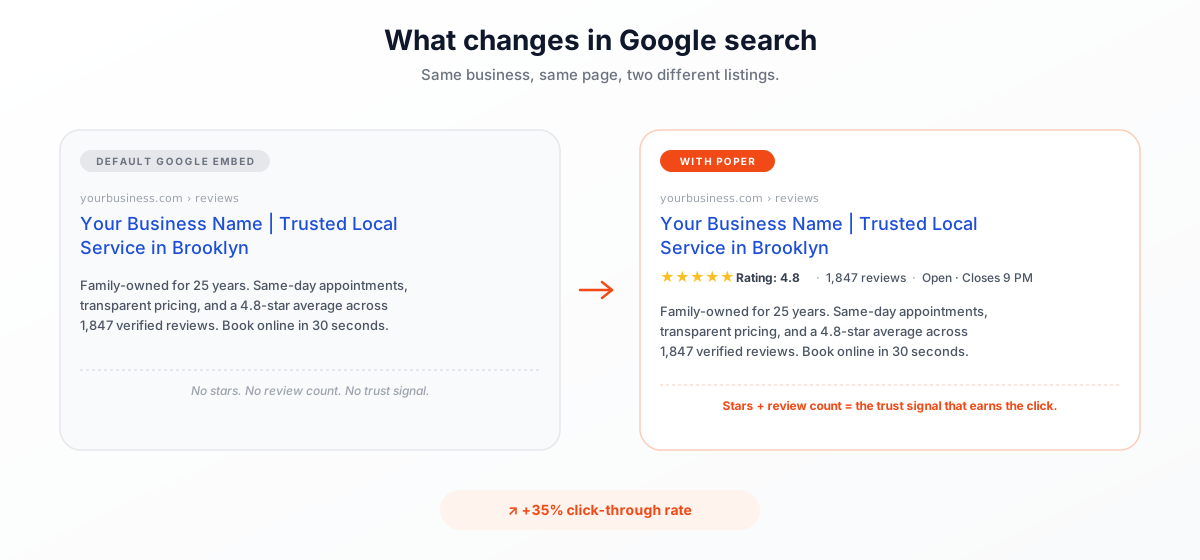
What changes when patients search your name

Two listings for the same provider. The one with star ratings earns the appointment booking.

Google search results comparison: default Google Reviews embed shows no stars or review count, while the Poper Google Reviews widget displays 4.8-star rating, 1,847 reviews, and Open Closes 9 PM rich snippet. Earn 35 percent more click-throughs in Google search.
Validate click-through rate

Use your own analytics to measure impact

From Healthgrades to your site

Your Healthgrades reviews. Now on your own domain.

Poper crawls the official Healthgrades review feed for your business and renders it inline on your website. Same reviews, your branding, your domain.

healthgrades.com
Healthgrades.com profile for Dr. Sarah Chen, MD - Internal Medicine, Manhattan: 4.9 of 5 from 247 source-patient reviews, Patient's Choice Award 2026, category bars for Bedside manner, Wait time, Trustworthiness, and 3 Source reviews where availableSource: HealthgradesOpen
Healthgrades.com profile for Dr. Sarah Chen, MD - Internal Medicine, Manhattan: 4.9 of 5 from 247 source-patient reviews, Patient's Choice Award 2026, category bars for Bedside manner, Wait time, Trustworthiness, and 3 Source reviews where available
drchen-internalmedicine.com
Dr. Chen's branded internal medicine practice site (drchen-internalmedicine.com) with Poper Healthgrades widget embedded inline showing the same 3 source-patient reviews in soft sage and cream palettePoper widget live
Dr. Chen's branded internal medicine practice site (drchen-internalmedicine.com) with Poper Healthgrades widget embedded inline showing the same 3 source-patient reviews in soft sage and cream palette

Mockups for illustration. Pull your real Healthgrades Reviews Widget for Healthcare Provider Websites from Healthgrades and embed in 90 seconds.

How to use it

How to add Healthgrades reviews to your practice site

Three steps. with the guided setup flow. No developer or compliance review needed.

  1. 01

    Copy your Healthgrades profile URL

    Open your provider profile on Healthgrades, copy the page URL from your browser, and paste it into the Poper widget builder. That is the only thing Poper needs. No account connection, no sign-in, no NPI lookup.

    Poper widget builder with a URL field showing healthgrades.com/physician/dr-sarah-chen pasted in and a teal Fetch reviews button
  2. 02

    Pick a layout and brand it for your practice

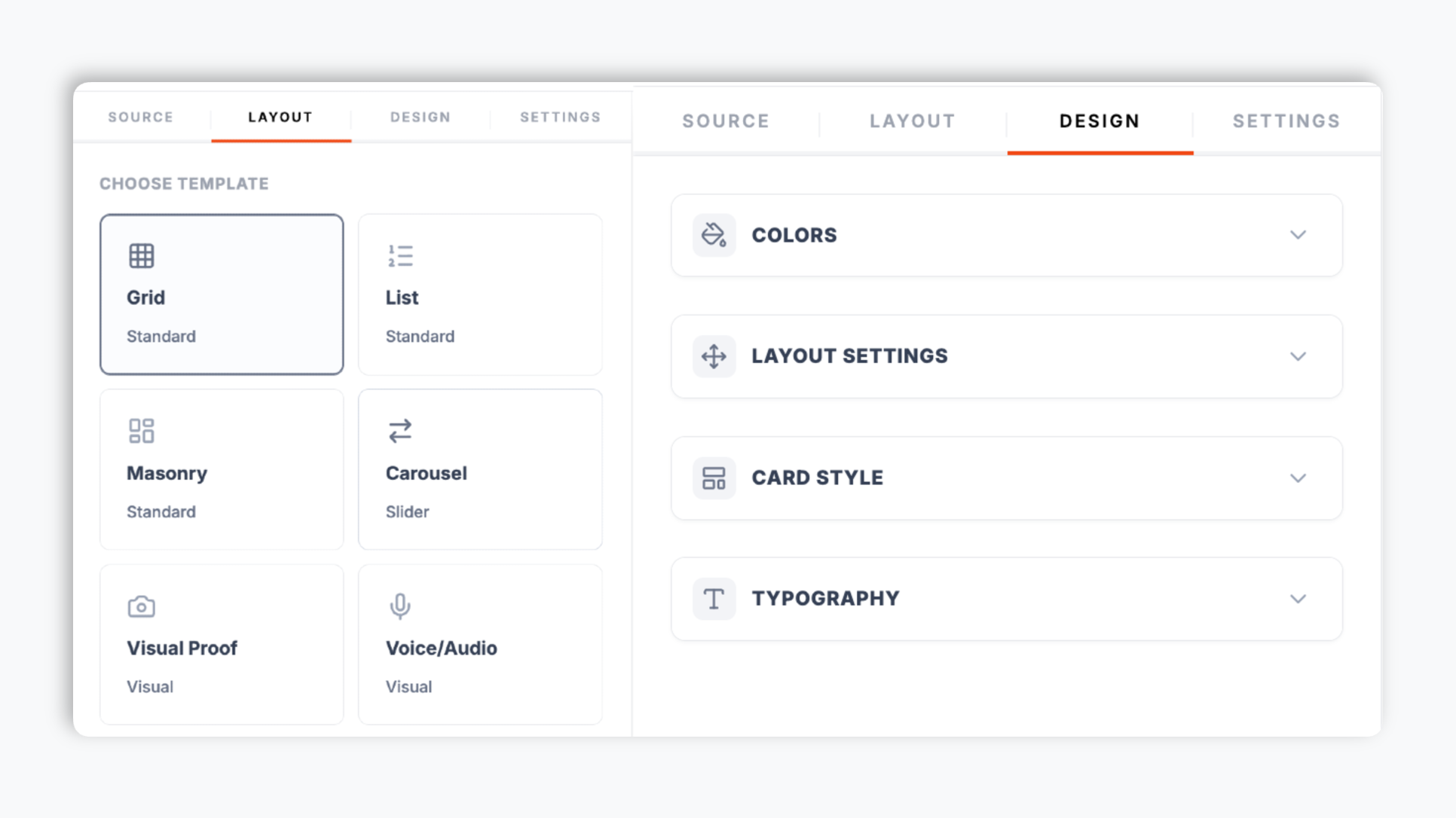
    Choose from 21 layouts including carousel, grid, list, and masonry. Tune background, card, text, and star colors, corner radius, shadow depth, and font to match your practice brand. The live preview updates as you adjust.

    Poper editor template chooser showing the review widget layout options (grid, list, carousel, masonry, trust meter) with brand color and typography controls
  3. 03

    Copy the snippet and embed

    Where supported, turn on optional LocalBusiness review schema and validate it with your own search tooling. Search engines decide if and how anything appears.

    Embed snippet in code editor with teal Copy button and healthcare CMS platform badges (Squarespace, Wix, WordPress, Webflow)

Works everywhere

Works with every website platform you already use

Drop-in install on WordPress, Shopify, Wix, Squarespace, Webflow, Framer, Ghost, and any HTML-friendly stack. No build step, no developer needed.

WordPress
Shopify
Wix
Squarespace
Webflow
Framer
Ghost
HTML

Plus 250+ other platforms via the embed snippet. If your site can render a <script> tag, it can render the Healthgrades Reviews Widget for Healthcare Provider Websites.

Built for what healthcare buyers actually shop for

Six things that matter when you are picking a Healthgrades reviews widget for a practice site, not 30 features no patient cares about.

Validate optional review schema with search tooling

Use your own analytics and search tooling to validate this widget on your site.

yourbusiness.com
Your Business Name | Trusted Local Service
★★★★★Rating: 4.8·1,847 reviews
The only Google Reviews widget that auto-injects Schema.org markup so your listing earns rich-result stars in search.

Just paste your profile URL

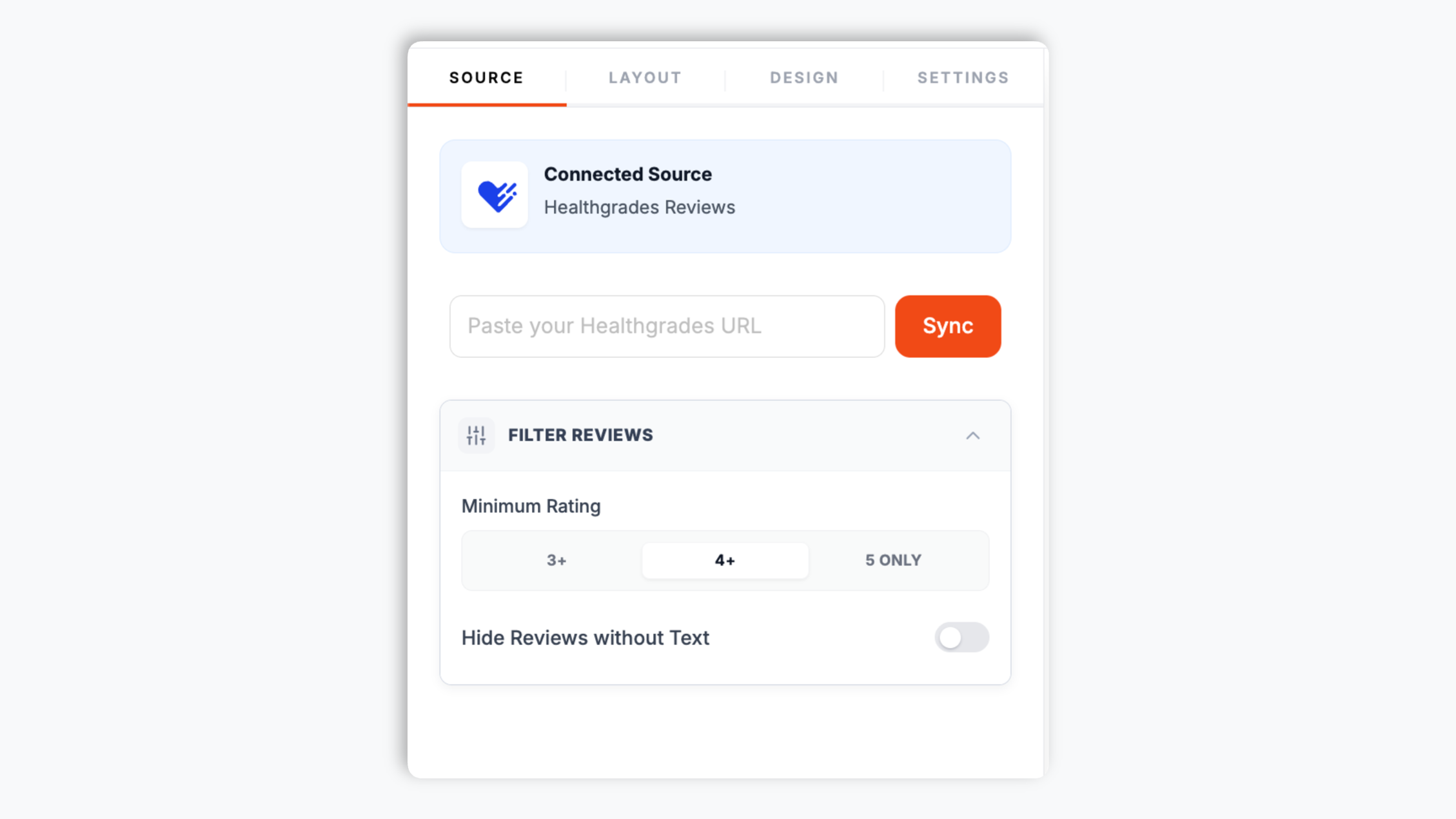
No OAuth, no account connection, no NPI lookup. Copy your public Healthgrades profile URL, paste it into Poper, and the patient reviews on that profile render on your site.

21 layouts included

Carousel, grid, list, masonry, trust meter, and more. Switch any time through the normal publish flow.

Hide the reviewer name

One toggle hides the reviewer name. Poper only renders what Healthgrades already publishes.

Full brand control

Set background, card, text, star, border, and button colors, corner radius, shadow depth, and a font from Inter, Roboto, Lato, or Montserrat. Toggle reviewer name, avatar, date, rating, and source logo per layout.

Filter by minimum rating

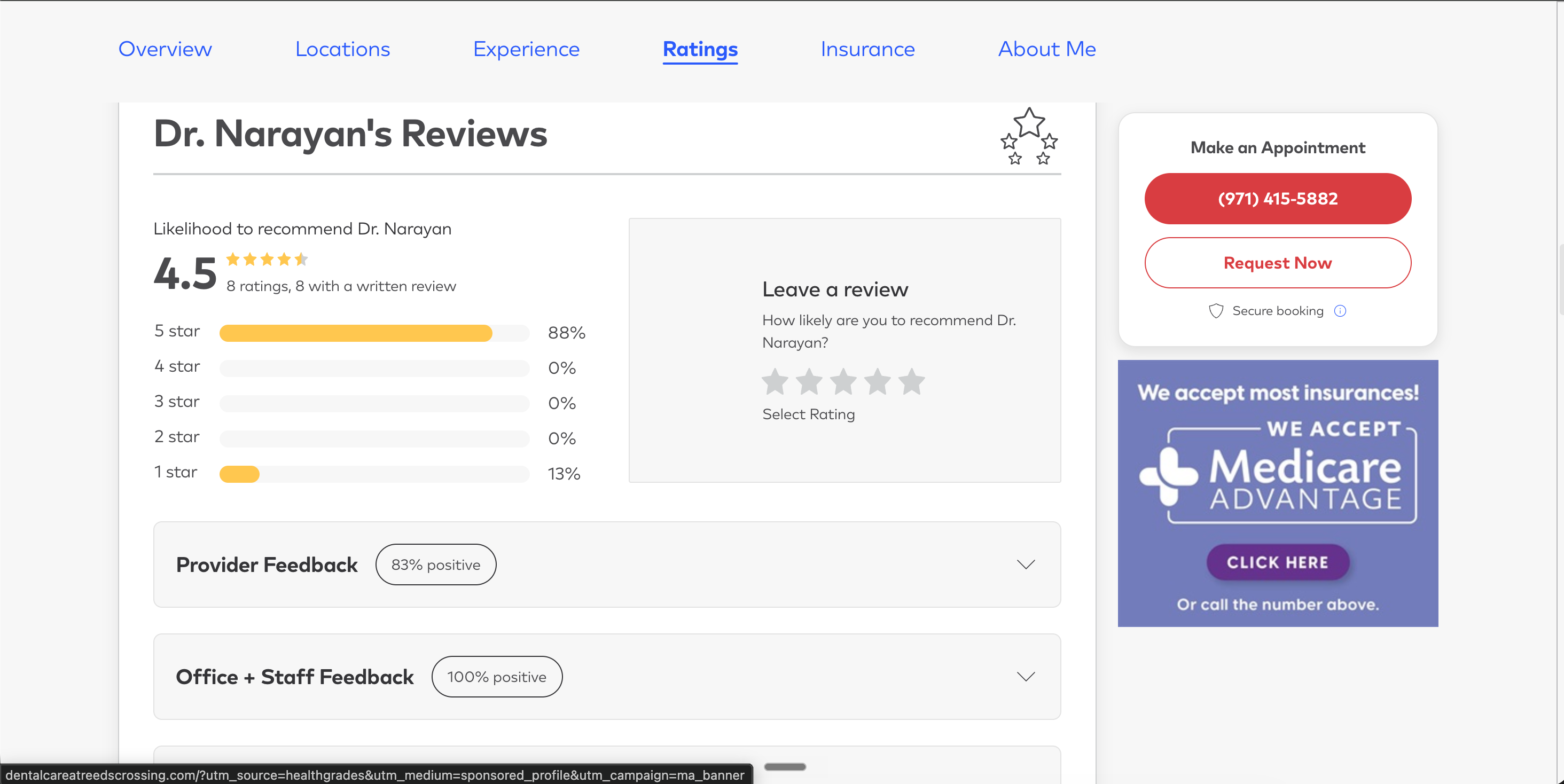
Show only 4 and 5-star reviews on landing pages with the minimum-rating filter, and hide reviews that have no written text. The reviews shown are the genuine reviews from your Healthgrades profile.

Use cases

Where Healthgrades Reviews Widget for Healthcare Provider Websites actually moves the needle

Four buyer types who get the most lift from embedding Healthgrades Reviews Widget for Healthcare Provider Websites on their site.

Independent doctor's clinic exam room with stethoscope on hook, clipboard on stand, patient exam chair, and Patient's Choice signage where Healthgrades reviews close new-patient bookings

Independent private practice

Independent doctors, dentists, and therapists where 'reviews under your name' is the deciding signal. schema validation support click rate, a full review wall on your bio page closes the booking. NPI-matched embed prevents same-name mix-ups.
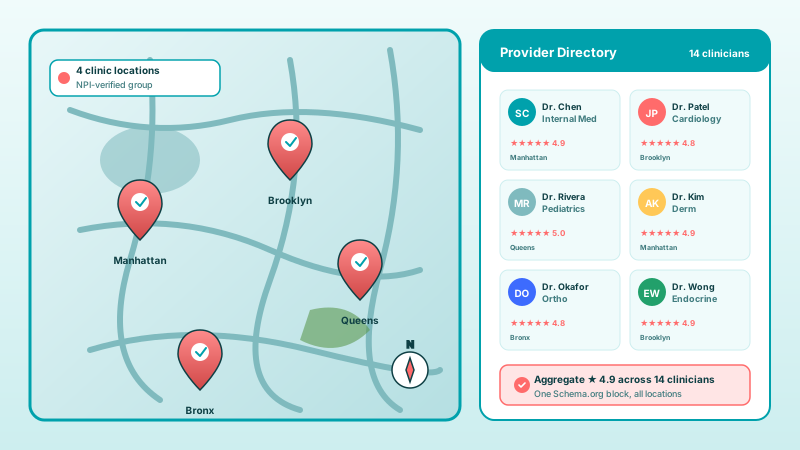
Multi-location healthcare group with 4 clinic location pins on a city map (Manhattan, Brooklyn, Queens, Bronx) and a practitioner directory grid of 6 named clinicians, each with star ratings

Multi-location healthcare groups

Connect every clinician's NPI, then surface per-provider feeds on bio pages and a practice-wide aggregate on the homepage. Critical for multi-physician primary care groups, hospital-employed networks, and DSOs.

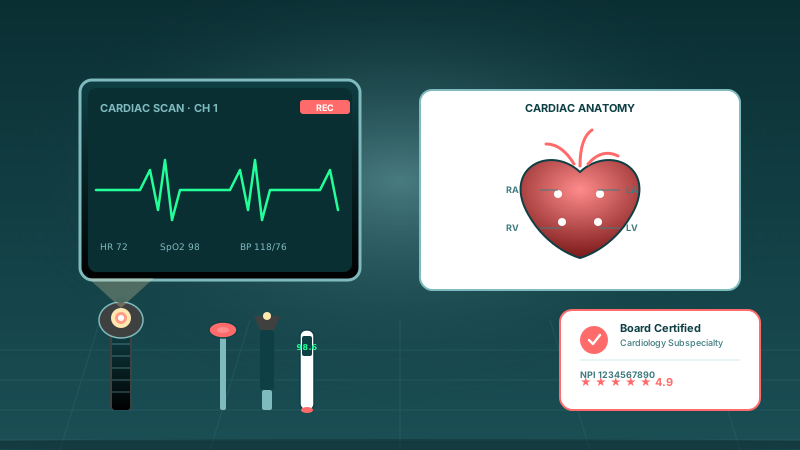
Specialist practice scene with cardiac monitor showing ECG trace, heart anatomy diagram, ophthalmoscope and reflex hammer instruments, and a Board Certified credentials badge

Specialty practices: cardiology, derm, ortho

Specialty-aware presets that match how patients shop for elective and high-trust procedures. Filter reviews by service line, surface outcome-specific testimonials, and show before-bookings social proof for cash-pay procedures.

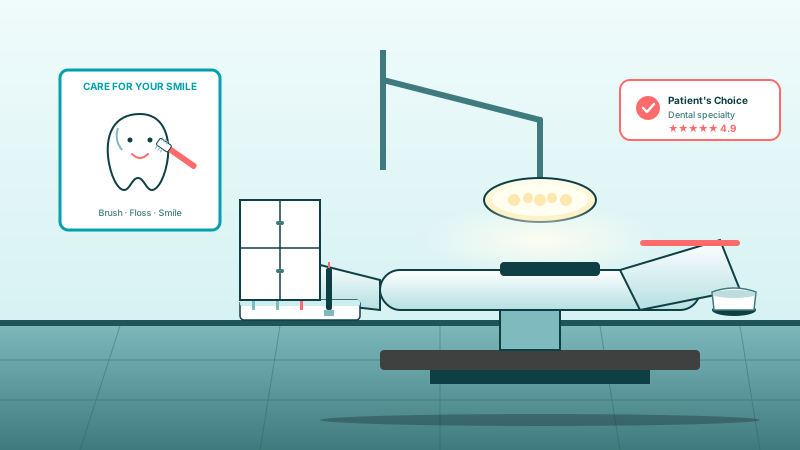
Dental practice operatory with reclining dental chair, surgical overhead light, tray of mirror probe scaler and drill instruments, smiling-tooth wall poster, and a Patient's Choice dental specialty badge

Dental practices

Dental chairs help visitors evaluate when patients see reviews near the dentist profile. Surface Healthgrades reviews on bio pages and procedure pages. Specialty preset matches the way patients shop dental care.

Poper vs other review widget platforms

How Poper stacks up against Elfsight and Common Ninja, the general-purpose widget platforms providers use to embed Healthgrades reviews, on what actually matters.

 Recommended
Poper
Elfsight
Common Ninja
Poper workspace available
Embed on any external website
Optional LocalBusiness review schema
Paid add-on
Connect by pasting a profile URL only
Minimum-rating and empty-review filters
Paid only
Paid only
Hide reviewer name toggle
Limited
Number of layouts
21
A few
A few
Bundled with popups, forms, quizzes
Pricing (lowest paid plan, yearly)
Plan details vary
Vendor pricing varies

Comparison reflects external competitor positioning. Elfsight and Common Ninja price per widget; Poper's plan covers all widget types. Verify current details on each provider's site.

Under the hood

What Poper actually injects on your provider page

Where supported, turn on optional LocalBusiness review schema and validate it with your own search tooling. Search engines decide if and how anything appears.

<script type="application/ld+json">
{
  "@context": "https://schema.org",
  "@type": "LocalBusiness",
  "name": "Your Business Name",
  "image": "https://yourbusiness.com/logo.png",
  "url": "https://yourbusiness.com",
  "aggregateRating": {
    "@type": "AggregateRating",
    "ratingValue": "4.8",
    "reviewCount": "1847"
  },
  "review": [
    {
      "@type": "Review",
      "author": { "@type": "Person", "name": "Jane Smith" },
      "datePublished": "2026-04-12",
      "reviewRating": {
        "@type": "Rating",
        "ratingValue": "5"
      },
      "reviewBody": "Outstanding service from start to finish."
    }
  ]
}

Validated against Google's official Rich Results Test on day one.

Run the test yourself

Real practices. Real outcomes.

Solo practitioners, group practices, specialty clinics, and telehealth providers who switched from the default Healthgrades embed or a competitor.

Poper's Healthgrades reviews widget let us bring patient feedback from our Healthgrades profile onto our provider pages without sending visitors away from our site. The cards match our practice branding and sit right beside the appointment CTA.
Dr. Laura Kim
Family Physician · Riverside Family Medicine
We use the Healthgrades widget across our orthopedic specialist pages so each provider can show relevant patient reviews in a consistent layout. Setup was just the public Healthgrades profile URL, a template choice, and our brand colors.
Jason Reed
Practice Administrator · North Valley Orthopedics
The Healthgrades reviews widget gives telehealth patients confidence before they book. We can show public patient feedback, keep reviewer details tidy, and keep the next step on our own scheduling page.
Amelia Torres
Patient Access Lead · BrightLine Telehealth

Pricing

Simple, yearly pricing. Save up to 40%.

All plans are billed yearly. Each card shows the per-month equivalent. Start free, then upgrade only when you need more campaigns, websites, or AI credits.

Yearly billing · save up to 40%

Starter

Essential lead capture for solo creators and growing businesses.

$15/mo

billed $180/year

  • 5 active campaigns (5 widget instances)
  • 1 website, 1,000 leads/mo
  • 100+ templates, 10+ display formats
  • Smart triggers & basic analytics
  • No Poper branding
  • 500 AI credits
Start with Starter
Most popular

Pro

Full engagement suite with A/B testing, gamification & unlimited leads.

$29/mo

billed $348/year

  • Everything in Starter
  • Unlimited campaigns & leads
  • 10 websites, 5 team seats
  • A/B testing & gamification
  • Multi-step forms & quiz builder
  • Custom domain (CNAME), 2,000 AI credits
Start with Pro

Business

Unlimited everything with white-label, API access & advanced analytics.

$79/mo

billed $948/year

  • Everything in Pro
  • Unlimited websites & team seats
  • White-label (add-on) & API access
  • Logic jumps, live quizzes & polls
  • Payment forms (Stripe/PayPal)
  • Advanced analytics, 5,000 AI credits
Start with Business

Prices shown for the 50k monthly visitor tier on yearly billing. A Free Forever plan ($0) and a custom Enterprise plan are also available. No contracts, cancel anytime.

Guide · 4 min read

The complete guide to embedding Healthgrades reviews on your practice website

Healthgrades is the largest physician directory in the United States. Founded in 1998, acquired by Aurora Capital Partners in 2022, it now hosts over 1 million provider profiles built from the federal NPI/CMS registry, with patient-submitted reviews source through Healthgrades Connect appointment authentication. Healthcare consumers run an average of 6.4 online searches before booking a new provider, and the listing they see when they search your name has more weight on the booking decision than any other marketing surface you control. This guide walks through how to put your Healthgrades reviews to work on your own practice site: HIPAA, NPI matching, multi-provider workflows, the difference between Provider Pro Profile and the public profile, and why telehealth review parity matters post-COVID.

01

Why Healthgrades is different from Google or Yelp for healthcare

Generic review platforms (Google, Yelp, Trustpilot) accept anyone who claims to have visited your business. Healthgrades does not. Every patient review is gated behind Healthgrades Connect appointment verification, which authenticates the patient as a real visitor before a review can be posted. This single difference is why healthcare buyers, especially patients shopping cash-pay or specialty procedures, weight Healthgrades stars more heavily than the same star count on Google. Healthgrades also draws its provider directory directly from the National Plan and Provider Enumeration System (NPPES), the federal CMS registry of every clinician with an NPI. That means your profile exists whether you have ever paid Healthgrades a dollar or not, populated from federal data the day you got your NPI. The reviews on that profile are yours to embed, and the public-profile-plus-NPI structure is what makes Healthgrades the authoritative review source for the healthcare vertical specifically.

02

What HIPAA actually says about embedding patient reviews

The compliance question every practice manager asks first: is it HIPAA compliant to embed patient reviews on our website? The honest answer is yes, with nuance. The Health Insurance Portability and Accountability Act regulates protected health information (PHI) that a covered entity discloses. A patient writing a review on Healthgrades and choosing to make it public is not your disclosure of PHI; it is the patient's own voluntary statement on a public platform. You are not breaching HIPAA by reproducing what is already public. The grey area is when a patient mentions specifics in their review (a procedure, a diagnosis, a date). That is still their voluntary disclosure, but practices should have a published review policy in their notice of privacy practices that clarifies the practice did not solicit identifying detail and will not respond on the public platform with anything that would confirm or expand it. Poper's healthcare-site friendly presets default to hiding reviewer surnames and masking common identifying patterns, which gives most practices a safe display without legal review. For elective and high-trust procedures (fertility, mental health, oncology), we recommend a plan-based call with your compliance officer before turning on the widget, mostly to align on patient-response policy rather than the embed itself.

03

How patient experience metrics compare across Healthgrades, HCAHPS, and CG-CAHPS

Health systems already track patient experience through standardized federal instruments: HCAHPS for inpatient hospital stays, CG-CAHPS for ambulatory clinician visits. These are valid, validated instruments with statistical rigor that Healthgrades reviews do not match. So why bother with the public reviews? Because HCAHPS and CG-CAHPS results are reported in aggregate to CMS and surface only on hospitalcompare.gov, not under your name in a search tooling. The patient deciding between two orthopedic surgeons is not pulling HCAHPS data; she is searching '[your name] reviews' and reading the first three results. Healthgrades reviews are the public surface that aligns with the patient-experience signals you already invest in, made visible at the consumer-decision moment. Embedding them on your provider page closes the loop between the operational measurement you do internally and the public reputation that drives bookings. Practices that pair internal CG-CAHPS programs with public Healthgrades embedding consistently should be validated against your own appointment analytics.

04

Healthcare consumerism and the post-COVID telehealth shift

Use your own analytics and search tooling to validate this widget on your site.

05

Provider Pro Profile vs the public profile: what the paid tier actually unlocks

Healthgrades sells a paid subscription called Provider Pro Profile (also bundled into the broader Healthgrades Connect product line for groups and health systems). Practice managers often ask whether they need it to embed reviews. They do not. Reviews on the public profile are yours to embed via Poper at no charge to Healthgrades. What Provider Pro Profile actually unlocks is on-Healthgrades features: prominent placement in Healthgrades search tooling, sponsored badges on your profile, lead-routing tools that capture booking inquiries through Healthgrades.com, and access to the patient-response feature that lets you reply to reviews on Healthgrades.com itself. None of those are about your own website. The decision tree is simple: if you want to compete inside Healthgrades.com (where ~80M visitors per month search for providers), Pro Profile may be worth it. If you want patient reviews on your own website with LocalBusiness review data on your page and brand-matched display, you do not need it. Many practices run both: Pro Profile for the on-Healthgrades funnel, plus the Poper widget for everything off Healthgrades.

Quick reference

What is Healthgrades Reviews Widget for Healthcare Provider Websites?

A Healthgrades reviews widget is an embeddable script that displays Source reviews where available from a clinician's Healthgrades provider profile on the practice's own website, with healthcare-site friendly presentation and optional LocalBusiness review schema that should be validated with search tooling.

Key facts

  • Healthgrades hosts over 1 million provider profiles, populated from the federal NPI/CMS NPPES registry
  • Healthgrades was acquired by Aurora Capital Partners in 2022, continuing as the largest US physician directory
  • All Healthgrades reviews are gated behind appointment verification via Healthgrades Connect (patient-only, post-visit)
  • Healthgrades does not expose individual patient PHI in review content, so embedding reviews on a practice site is HIPAA-compliant when no protected information is added by the practice
  • Provider profiles are matched by NPI, the 10-digit federal identifier, which prevents same-name provider mismatches in crowded specialties
  • Healthcare consumers run an average of 6.4 online searches before booking a new provider, with review listings the highest-weighted signal

Tutorial

See the Healthgrades Reviews Widget in action

A quick walkthrough of setting up and embedding this widget.

Tutorial video coming soon

Frequently asked questions

Can't find the answer you're looking for? Chat with our support team.

Contact Support

Stop letting your reviews live only on Healthgrades.com

Where supported, turn on optional LocalBusiness review schema and validate it with your own search tooling. Search engines decide if and how anything appears.

Free plan available forever