
SaaS pricing and upgrades
Show recent visit volume beside your plans so prospects see the page is busy.
Show how many people visited your site over a time window you choose. Poper counts real visits in the background, ideal for pricing pages, launches, and webinars.
Built for no-code website teams























Tune the time window, colors, and motion on a real preview, not a GIF.
How to use it
Three steps. Under two minutes. No code required.
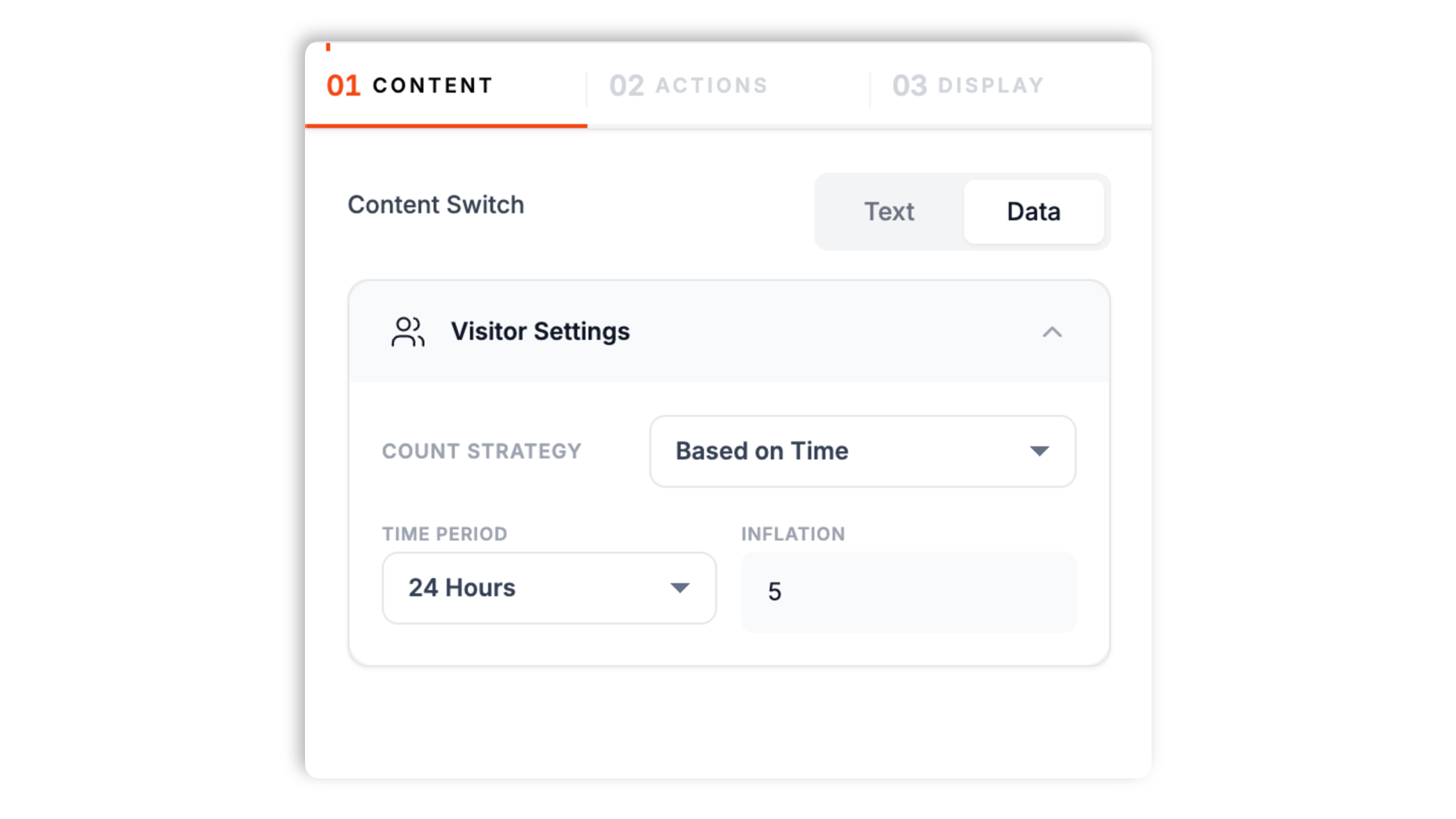
Pick the time-based strategy and The widget displays the visit count provided to it: the last hour, 24 hours, 7 days, 30 days, or all time. Or pick a static range and the widget shows a number between a minimum and maximum you set.
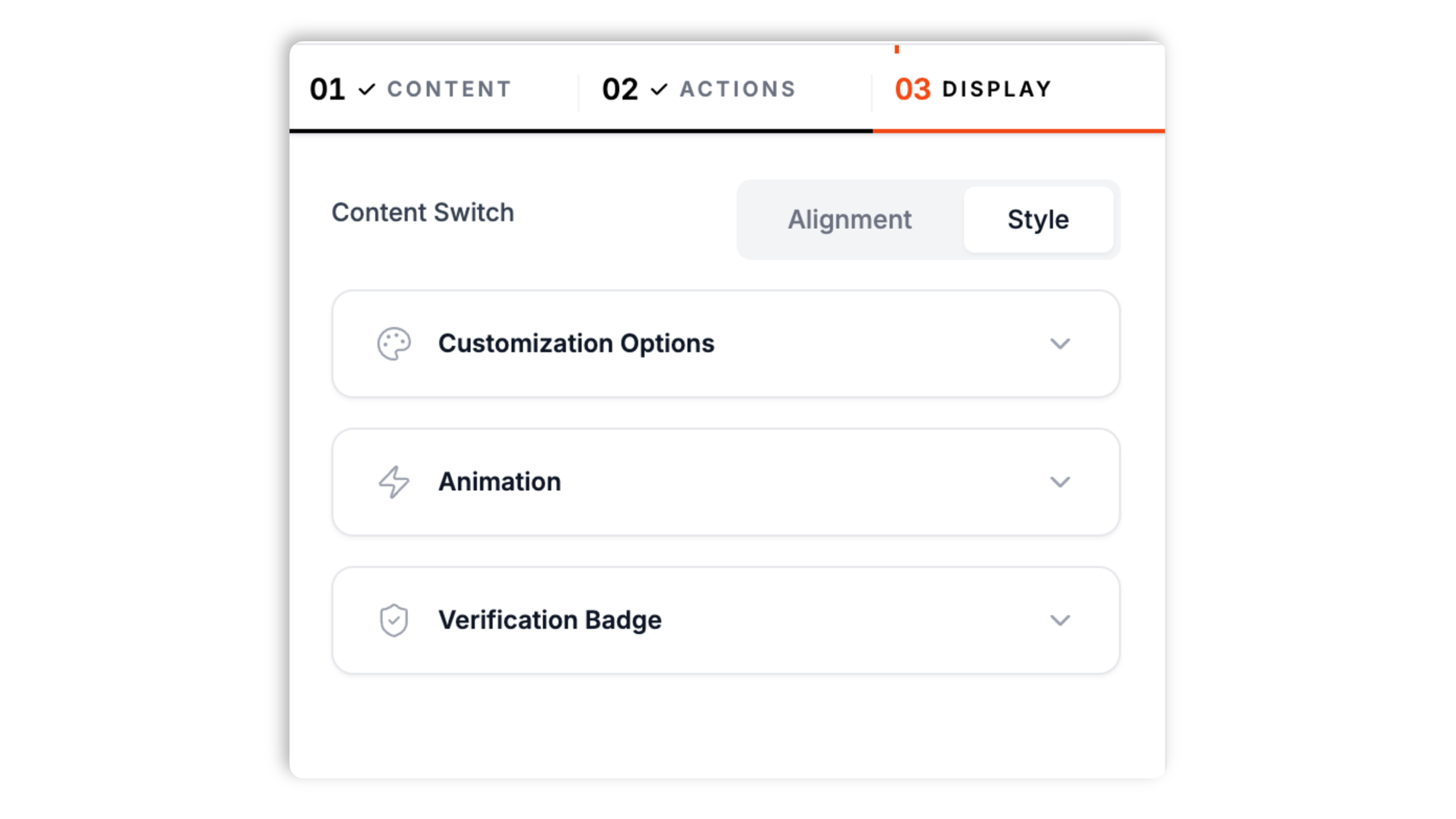
Write the headline and description text with a count token, set the live badge label, and choose background, text, and accent colors so the toast matches your page.
Drop the async tag near high-intent modules such as pricing toggles, webinar forms, or checkout summaries.

Works everywhere
Drop-in install on WordPress, Shopify, Wix, Squarespace, Webflow, Framer, Ghost, and any HTML-friendly stack. No build step, no developer needed.


Plus 250+ other platforms via the embed snippet. If your site can render a <script> tag, it can render the Live Visitor Counter Widget for Website. No-code - Poper.
A count anchored to real traffic, with crisp UI defaults.
With the time-based strategy, Poper counts the actual visits to your site over the window you choose and shows that number in the toast. The count is based on real traffic, not a number you invent.
Configure the available visitor-count display options. Shorter windows feel live, longer windows show steady popularity.
Add a small buffer number to the real count when you want the toast to read a little fuller during a launch.
When the real count is very low, the toast stays hidden so visitors never see an empty-room number.
Designed to render as an embedded widget with its own styles when the number ticks.
The count updates on the page every couple of seconds within a small range, and a pulse dot marks it as live. A static-range mode shows a random number between a min and max instead.
Use cases
Four buyer types who get the most lift from embedding Live Visitor Counter Widget for Website. No-code - Poper on their site.
Show recent visit volume beside your plans so prospects see the page is busy.
Use a short time window on a registration page so the count reflects current interest.
Pair the visitor count with inventory widgets to add momentum on a hype drop.
Show all-time or 30-day visit volume to signal a popular article or section.
Real visit counts, time-window choice, and a real free plan, compared with the popular widget providers.
| Recommended Poper | Yell Notify | Elfsight | Common Ninja | |
|---|---|---|---|---|
| Poper workspace available | Limited | Limited | Limited | |
| Counts your real site visits | ||||
| Choose the time window | Partial | Partial | Partial | |
| Optional buffer on the count | ||||
| Hides the toast when traffic is low | Partial | |||
| Desktop and mobile placement presets | Partial | Partial | ||
| Available styling controls | Paid | Paid | Paid | |
| Bundled with popups + forms | ||||
| Paid plan details | Plan details vary | Vendor pricing varies | Vendor pricing varies | Vendor pricing varies |
Comparison reflects external competitor positioning. Verify current details on each provider's site.
Operators who wanted a count that matches their traffic.
“We point the counter at a 24-hour window on our pricing page. It shows the real visit volume, so the number always matches what our analytics report.”

“Webinar registration pages felt busier the moment we added the counter with a short time window. Styling it to our brand took a couple of minutes.”

“The toast staying hidden until traffic picks up was the detail we wanted. A low number never undercuts the page during quiet stretches.”

Pricing
All plans are billed yearly. Each card shows the per-month equivalent. Start free, then upgrade only when you need more campaigns, websites, or AI credits.
Yearly billing · save up to 40%Essential lead capture for solo creators and growing businesses.
billed $180/year
Full engagement suite with A/B testing, gamification & unlimited leads.
billed $348/year
Unlimited everything with white-label, API access & advanced analytics.
billed $948/year
Prices shown for the 50k monthly visitor tier on yearly billing. A Free Forever plan ($0) and a custom Enterprise plan are also available. No contracts, cancel anytime.
A live visitor counter shows how many people have been on your site, which signals that a page is popular and worth attention. The Poper live visitor widget counts the real visits your site received over a time window you choose, so the number is based on actual traffic. This guide covers how the count is calculated, how to style the toast, and where to place it.
With the time-based strategy, Poper counts the visits your site received over the window you pick: the last hour, 24 hours, 7 days, 30 days, or all time. A shorter window feels live and current, while a longer window shows steady, accumulated popularity.
On the time-based strategy you can add a small buffer number on top of the real count. This is useful during a launch when you want the toast to read a little fuller, while still being anchored to your actual traffic.
If you prefer a fixed feel, the static-range strategy shows a number that varies between a minimum and a maximum you set. Use the time-based strategy when you want the count to reflect real visits, and the static range when you want a controlled display number.
When the real count is very low, the widget keeps the toast hidden so a small number never undercuts your page. Low-count hiding depends on the embed data path and settings to make it convincing.
Write the headline and description text with a count token, set the live badge label, and pick background, text, and accent colors, a shadow preset, and a font. Choose a desktop corner or mobile position and an enter animation. The displayed number can fluctuate locally for motion, and a pulse dot marks it as live.
A live visitor counter widget shows how many visits a site received over a chosen time window in a small corner toast.
Last fact-checked: . We re-verify every quarter.
Tutorial
A quick walkthrough of setting up and embedding this widget.
Tutorial video coming soon
Can't find the answer you're looking for? Chat with our support team.
Contact SupportPoper counts real visits over a window you choose, in the same editor as the rest of your social proof.
Free plan available forever