Indie game dev
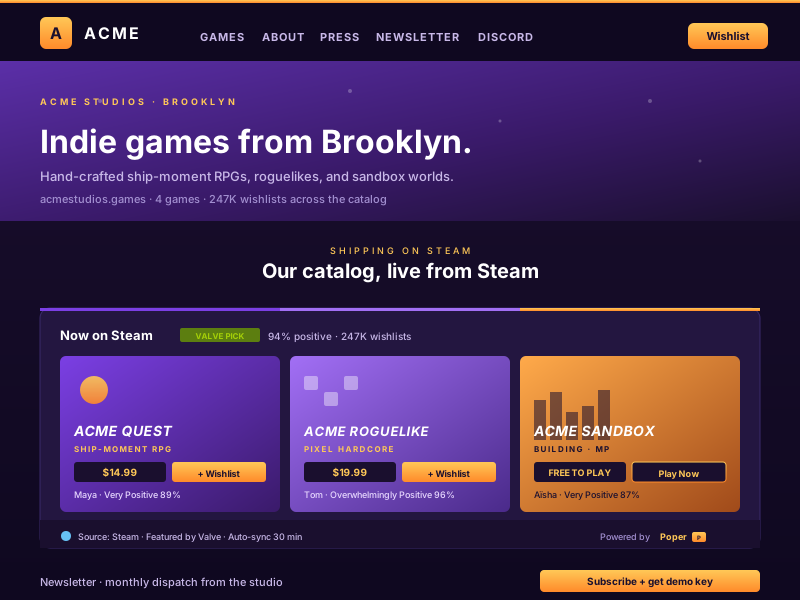
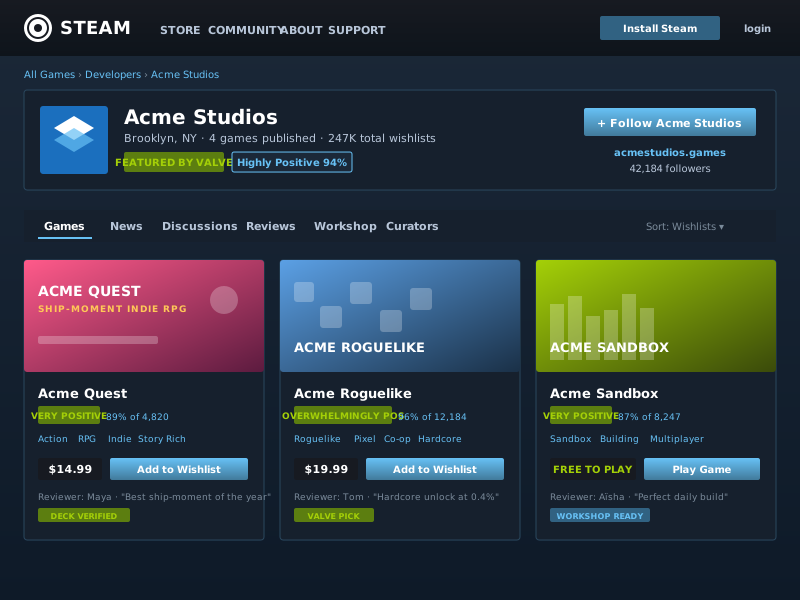
Showcase your own Steam catalogue alongside the games that influenced you. Wishlist counter, review score, and Steam Deck verified badge sit beside personal favourites so visitors land on a developer who actually plays the medium.
Embed your owned library, wishlist, achievements, and now-playing in 90 seconds. Powered by the official Steam Web API. Free, no code.
Trusted by 11,000+ brands



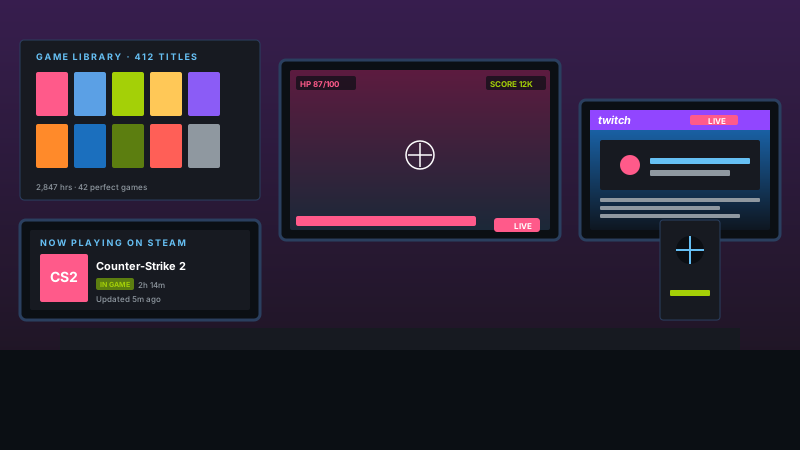
Live demo, not a screenshot. Style it, brand it, embed it. The In Game chip you see here is what ships to your site.
From Steam to your site
Poper crawls the official Steam review feed for your business and renders it inline on your website. Same reviews, your branding, your domain.
Mockups for illustration. Pull your real Steam Feed Widget: Embed Your Game Library, Wishlist, and Achievements on Any Site from Steam and embed in 90 seconds.
How to use it
Three steps. Under two minutes. No developer needed.
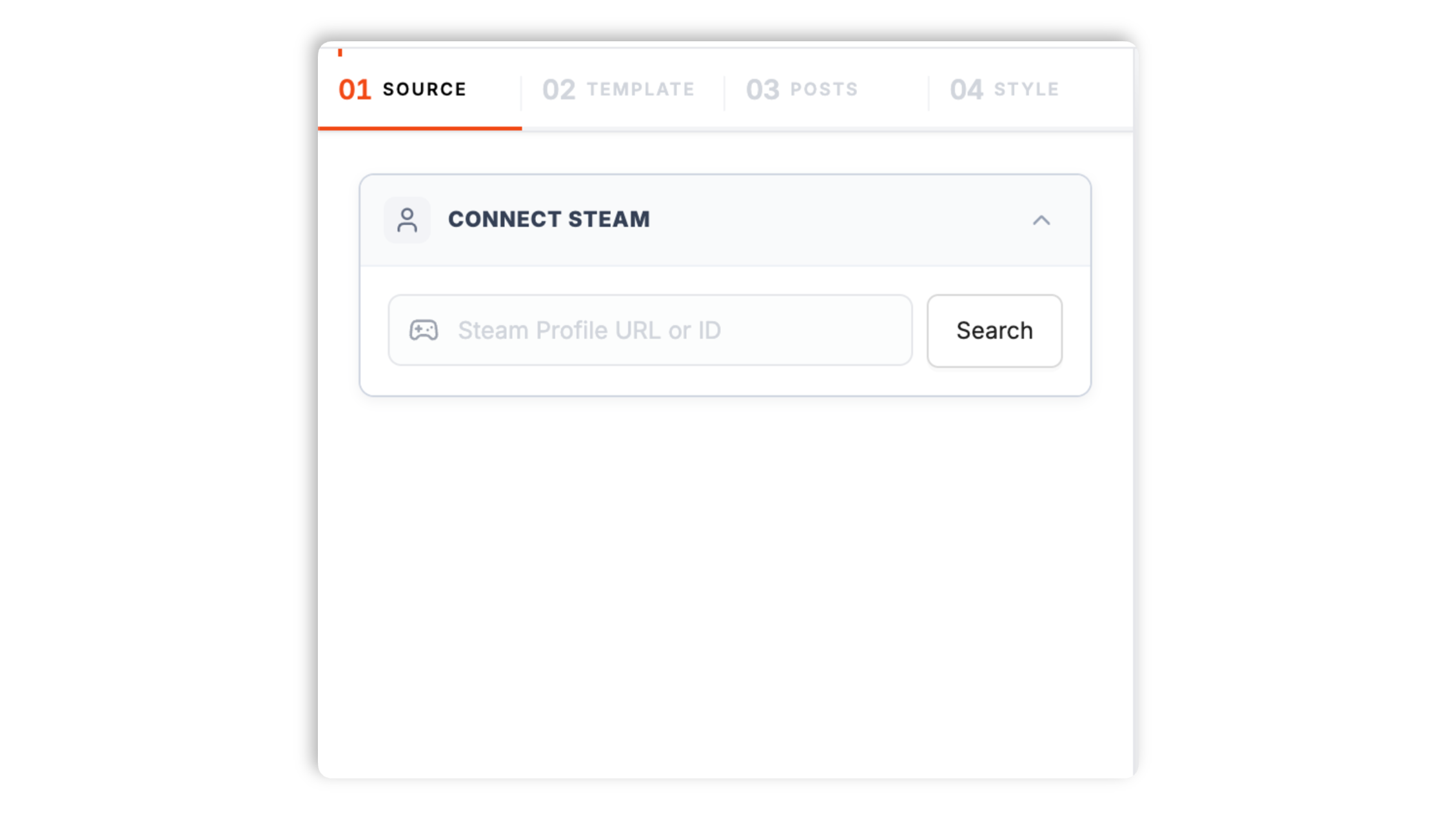
Paste a Steam profile URL, vanity name, or 64-bit SteamID. Poper resolves it through the official Steam Web API and pulls your owned games, wishlist, achievements, and recent playtime in seconds.
Choose Library Grid, Wishlist Reveal, Achievement Showcase, Now Playing, Recent Activity, or Multi-Player Roster. Tweak colors, fonts, capsule art treatment, and rarity badges to match your site.
Paste the one-line script tag into your site. Works on Webflow, Framer, Carrd, itch.io, GameJolt, WordPress, Shopify, and 250+ platforms.

Works everywhere
Drop-in install on WordPress, Shopify, Wix, Squarespace, Webflow, Framer, Ghost, and any HTML-friendly stack. No build step, no developer needed.
Plus 250+ other platforms via the embed snippet. If your site can render a <script> tag, it can render the Steam Feed Widget: Embed Your Game Library, Wishlist, and Achievements on Any Site.
Six things that matter when you are paying for a Steam widget, not 30 features no one uses.
This is the killer feature for any creator-first Steam embed and the one almost every other widget gets wrong. Most third-party Steam widgets either pull library data once at page-load and never refresh, or scrape steamcommunity.com which breaks every time Valve tweaks the markup. Poper polls GetRecentlyPlayedGames and the player summary endpoints on a 5-minute interval (Business plan) directly against the official Steam Web API, then pushes the result to your widget via WebSocket so the now-playing card updates without a page reload. The result is a live status chip that flips to In Game with the title, capsule art, and current session length the moment you launch on Steam. When you stop playing, the card falls back to your last session, your most-recently-played title, or a curated wishlist pick, so the embed stays useful between sessions. Streamers pair it with a Twitch live indicator and an Itch.io feed for a complete creator presence. No other Steam widget on this list does the polling correctly.
Most Steam widgets only embed the owned game library. Poper supports every major Steam Web API surface from the same widget config: owned games (with playtime, last-played, and capsule art), wishlist (with priority, sale state, and price), achievement showcase (with rarity and unlock date), and recent reviews. Switch between them without re-embedding the snippet on your site.
Surface the rarest achievements you have unlocked, ranked by global completion percentage from GetGlobalAchievementPercentagesForApp. Ultra-rare unlocks under 1 percent get a special badge that screams credibility to recruiters and clients.
Colors, fonts, capsule art frame, rarity badge style, custom CSS. Looks native to your site, not the dark blue Steam community chrome.
Default mode loads only capsule art (under 4KB per game in WebP) and a thin metadata strip. Heavy assets like full screenshots, trailers, and review walls only fetch when a visitor clicks into a game. No CLS, no LCP regression, no Lighthouse hit even with 200-game library grids on one page.
Surface Steam Deck verified status, Proton compatibility tier, Steam Workshop subscriptions, and indie-friendly metadata where it matters. Indie devs use the showcase to highlight their own games shipped on Steam alongside their personal library.
Use cases
Four buyer types who get the most lift from embedding Steam Feed Widget: Embed Your Game Library, Wishlist, and Achievements on Any Site on their site.
Showcase your own Steam catalogue alongside the games that influenced you. Wishlist counter, review score, and Steam Deck verified badge sit beside personal favourites so visitors land on a developer who actually plays the medium.
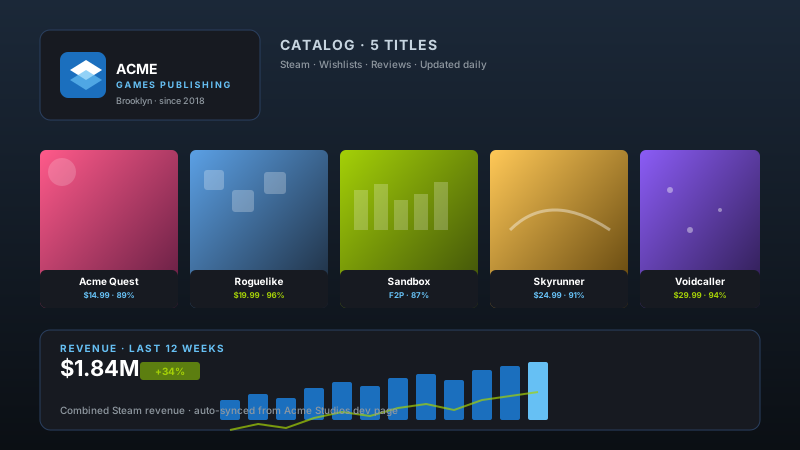
Show your full Steam catalogue on the publisher site with auto-synced wishlists, review scores, and revenue trend. One feed, every title, no manual updates when a new game ships.
Drop a now-playing block next to your Twitch embed. Live in-game status pulls fans into your current session, the game-library shelf hooks the long tail, and the wishlist drives gifts from supporters during streams.
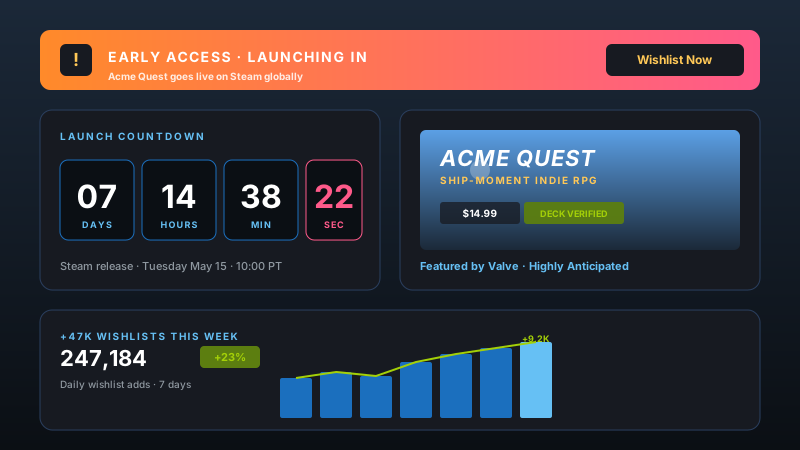
Drop a launch countdown, Early Access banner, and live wishlist counter on your pre-order page. The +47K-this-week graph turns hype into proof while the timer ticks down to release day.
Steam ships its own free profile widgets, but they stop at one game and never update live state. Here is how Poper stacks up against the most common alternatives on what actually matters.
| Recommended Poper | Steam Embed | GOG Galaxy | Epic Store Widget | |
|---|---|---|---|---|
| Free plan available | Limited | |||
| Owned library embed | Single game | |||
| Wishlist embed | ||||
| Achievement showcase with rarity | ||||
| Now-playing live status | ||||
| Multi-player team roster | ||||
| Steam Deck verified badge | Native only | |||
| Lite mode (defers heavy assets) | ||||
| Sync frequency | 5 min (Business) | On reload | Manual | On reload |
| Custom CSS / total design control | ||||
| Pricing for unlimited profiles | $19/mo (Starter) | Free | Free | Free |
| Bundled with popups, forms, quizzes |
Comparison reflects publicly listed features as of 2026. Verify current details on each provider's site.
Indie devs, gaming streamers, review-site editors, and esports teams who switched from native embeds and broken third-party widgets to Poper.
“Poper has improved our website's user engagement! Since integrating Poper's personalized popups, we've seen a dramatic surge in conversions and user interactions. The platform's intuitive design makes creating and customizing popups a breeze, even for those with minimal tech skills. What truly sets Poper apart are its…”

“Fantastic app and support team, they are very quick to help and provide a solution or improvement to their product. Highly recommended!”

“Poper has been a total lifesaver for our agency! As a digital marketing agency, we’re always juggling a million things at once. Poper has been a real game-changer in terms of streamlining our workflow and keeping track of all our clients’ campaigns. The ability to track all our clients’ websites from one place is a…”

Pricing
Free forever for one widget. Upgrade only when you need faster sync, multiple instances, or to drop the watermark.
Everything you need to ship the widget today.
Remove the watermark, faster sync, more widget instances.
Multi-site, multi-account, white-label.
All plans include unlimited page views, no contracts, cancel anytime. Annual billing saves 20%.
A steam feed widget is how you turn Steam playtime into website credibility. Steam is the dominant PC gaming platform on the open web, owned by Valve since launch in 2003, with roughly 130 million monthly active users and a peak concurrency that has cleared 36 million simultaneous players. For indie developers, gaming creators, review-site editors, and esports teams, your Steam library, achievement showcase, and recent playtime are a real form of proof: they show what you actually play, not what you tweet about. The right Steam embed keeps that proof on your domain instead of sending visitors to steamcommunity.com, where Valve owns the session, the cookie, and the next-page click. This guide walks through what actually matters when you choose and configure a Steam widget in 2026: the Steam Web API and the API key Valve issues at steamcommunity.com/dev/apikey, the difference between the IPlayerService, ISteamUser, and ISteamUserStats interfaces, vanity URL resolution, public versus private profile handling, achievement rarity, Steam Deck and Proton compatibility surfacing, Steam Workshop integration, and what the typical Steam embed really costs in Lighthouse.
The Steam Web API exposes dozens of distinct content endpoints across several interfaces, and each maps to a different job. The owned library is fetched through IPlayerService/GetOwnedGames with the include_appinfo and include_played_free_games flags, returns up to 2,000 owned titles per profile with playtime in minutes, last-played timestamp, and the appid that powers every other call. This is the right endpoint for a personal homepage, a developer portfolio that lists shipped games alongside personal favourites, or any place where the breadth of a library matters. The wishlist is fetched through the public IWishlistService/GetWishlist endpoint, returns priority order, current sale state, and the per-region price for every wishlisted title, and is the right endpoint for a creator gift page, a Patreon-backed wishlist reveal, or a personal homepage where conversion to store clicks matters more than back catalogue depth. Achievements come from ISteamUserStats/GetPlayerAchievements paired with GetSchemaForGame for the icons and display names, and ranked against GetGlobalAchievementPercentagesForApp for global rarity. This is the right endpoint for proving expertise: a 100 percent completion in a notoriously hard game, a sub-1-percent ultra-rare unlock, or a curated Hall of Fame of the rarest moments across a library. Now-playing and recent activity come from IPlayerService/GetRecentlyPlayedGames combined with the player summary in ISteamUser/GetPlayerSummaries, which returns the gameextrainfo field whenever a profile is currently launched into a game. This is the right endpoint for streamers who want a live in-game indicator next to a Twitch embed, or for review-site authors who want to show what they are currently grinding. There is a fifth surface worth knowing: Steam community reviews, surfaced through the public store reviews endpoint with cursor-based pagination. Mirroring your authored Steam reviews onto your own blog turns Valve-owned content into domain-owned content for SEO. Picking the right combination of endpoints at the start saves you a re-embed cycle later, and Poper supports every major surface from the same widget config so you can switch primitives without rewriting your site code.
Every Steam widget on the market is gated by the same thing: the Steam Web API, which Valve has documented at partner.steamgames.com and developer.valvesoftware.com since 2010 and which has remained remarkably stable across more than fifteen years. Authentication is a single API key issued at steamcommunity.com/dev/apikey, tied to the Steam account requesting it, and required for every endpoint outside the read-only public surface. The key is server-side only and must never ship to the browser, because anyone with the key can exhaust the daily 100,000-call quota in minutes by hitting any expensive endpoint in a loop. Most third-party Steam widgets fail in one of two ways. The first failure mode is to skip the API entirely and scrape steamcommunity.com pages, which is brittle (Valve tweaks the markup roughly twice a year and every scraper breaks), slow (full-page HTML loads versus 4KB JSON payloads), and rate-limited at the IP level rather than the key level so a popular widget gets throttled the moment it goes viral. The second failure mode is to ship the API key to the browser as a query parameter, which leaks the key on first page-load, lets anyone copy it, and either gets the key revoked by Valve or burned by abuse within hours. Poper handles every Steam Web API call server-side. We resolve vanity URLs to 64-bit SteamIDs once at connect time via ISteamUser/ResolveVanityURL, cache the mapping in our edge layer for the lifetime of the widget, then poll the appropriate endpoints on a tier-dependent schedule. Owned library refreshes every 6 hours on Free and every 30 minutes on Pro. Wishlist refreshes on the same cadence. Now-playing refreshes every 5 minutes on Business. Achievement payloads cache for 24 hours since unlock states change rarely and the schema changes even less often. The result is roughly 50 to 100 times more headroom than a browser-based widget, comfortable safety margin against the 100,000-call daily quota, and complete isolation between visitors hitting your site and Valve's API rate limits.
Steam has the most granular privacy model of any major gaming platform, and any widget that ignores it either breaks for half its users or surfaces hidden data and gets the user banned. The Steam profile privacy field has four states: public, friends-only, private, and the deprecated friends-of-friends. The owned game list has its own three-state field: public, friends-only, private. The total playtime field is independent again, as are the wishlist, the achievement showcase, the inventory, and the comments wall. A user can publish a fully public profile with private game details, or a private profile with a public showcase. The Web API respects every privacy setting at the endpoint level: GetOwnedGames returns an empty games array for any profile where game details are not public, GetPlayerSummaries returns only the public profile fields when the profile itself is private, and any attempt to read achievement data on a non-public profile returns a 403. Most third-party widgets handle this badly, either showing a confusing error message that tells visitors the profile is broken, or guessing the profile is empty and rendering a blank embed with no explanation. Poper detects every privacy state on connection and renders a helpful, branded fallback card that explains exactly what is private and how the profile owner can adjust it. For private library cases, we offer a one-click guided flow that links the owner to steamcommunity.com/my/edit/settings with the right tab pre-selected. For friends-only library cases, we surface only the public summary fields and offer a Steam Group join CTA instead of a games list. The same logic applies to wishlist privacy, which is independent again: a user can have a fully public profile and a private wishlist (default for new accounts) or vice versa. Surfacing this clearly in the widget builder saves dozens of support tickets and protects every user from the embarrassment of a broken-looking embed.
Steam in 2026 is no longer just a desktop game store, and any modern Steam widget needs to reflect the platform-level features Valve has shipped since the Deck launched in February 2022. The Steam Deck verified rating is a four-tier system: Verified (works perfectly out of the box), Playable (works with manual config), Unsupported (does not work on Deck), and Unknown (Valve has not tested yet). The rating is exposed on every store page and surfaced through the appdetails endpoint, which Poper calls once per game per week and caches at the edge. For creators and reviewers who emphasise handheld play, surfacing the Verified badge directly on the library grid is a major credibility signal. The Proton compatibility tier (Platinum, Gold, Silver, Bronze, Borked) comes from the community-maintained ProtonDB project rather than Valve directly and is opt-in in the Poper widget builder. Steam Workshop subscriptions are exposed through the IPublishedFileService interface and matter for indie creators who ship Workshop content alongside their main games. Steam Family Sharing membership and Steam Cloud sync state are both surfaced where the API allows. Achievements deserve their own treatment: the rarity field comes from GetGlobalAchievementPercentagesForApp and represents the percentage of global owners who have unlocked each achievement. Anything under 10 percent is rare, anything under 1 percent is ultra-rare, and the truly hardest achievements (the Cookie Clicker Hardcore unlock, the Dark Souls Lord of Cinder solo no-death run) sit at fractions of a percent globally. Surfacing rarity on the achievement card with a colour-coded badge turns a wall of icons into a credibility-led showcase. Indie game developers building a portfolio site benefit doubly: their own shipped games can be highlighted with a developer badge alongside their personal library, and their own ultra-rare achievements (often unlocked only by their own QA team) become a conversation starter for sponsorship and partnership pitches. Poper auto-detects developer ownership through the appdetails publishers field and offers a one-click Mark as my game toggle in the widget builder.
A naive Steam embed is one of the heavier integrations you can put on a content page, and the size scales linearly with library breadth. A 500-game library at full capsule art resolution (header capsules are 460 by 215 pixels, hero capsules are 1840 by 860) can pull more than 8MB of imagery on first load, blow Largest Contentful Paint past 4 seconds, and regress Cumulative Layout Shift if the cards lazy-load without reserved dimensions. Embed multiple profiles in a team roster and you can lose 30 Lighthouse points before any other code runs. The fix is the lite-mode pattern, which renders only the small library capsule (231 by 87 pixels, roughly 4KB in WebP) and a thin metadata strip on initial load, then swaps in the full hero capsule, screenshot reel, and trailer only when the visitor clicks into a specific game. The same pattern works for wishlist cards and achievement showcases. Poper ships lite mode as the default, so all the Steam content you embed costs you no more LCP than the same number of static thumbnails. Visitors who click see the full Steam-store-style detail card with screenshots, trailer, system requirements, review distribution, and Steam Deck status. Visitors who scroll past pay nothing. The performance difference between lite mode and a naive full-capsule embed is the difference between a 92 Lighthouse score and a 60. Three additional optimisations Poper applies on top of lite mode. First, capsule art is served from steamcdn-a.akamaihd.net (Valve's official CDN) and converted to WebP on the fly through our edge layer, which typically halves capsule weight versus the default JPEG. Second, the click-to-expand uses CSS containment and content-visibility: auto so off-screen library cards never paint. Third, when a visitor does open a game detail card, we lazy-fetch screenshots and trailer URLs from the Steam appdetails endpoint at click time rather than at page-load, which keeps the initial HTML payload tiny. The combined result is that a page with a 500-game Steam library in lite mode often outperforms a page with a single naive full-capsule embed on every Core Web Vitals metric. If page speed matters to your SEO, this is the single biggest reason to choose carefully which Steam widget you embed.
A Steam feed widget is an embeddable script that pulls owned games, wishlist, achievements, and now-playing data from Steam through the official Steam Web API and renders them on a website with brand-matched styling, achievement rarity highlights, and lite-mode performance to keep Core Web Vitals green.
Can't find the answer you're looking for? Chat with our support team.
Contact SupportEmbed your library, wishlist, achievements, and now-playing on your own domain. Real-time Steam Web API, lite-mode performance, brand-matched.
Free plan available forever