Kick Feed Widget for Website. Free, Unlimited - Poper
Kick Feed Widget

Kick.com on any website.

Embed any Kick channel, VOD, or category leaderboard in 90 seconds. Real LIVE pulse, brand styling, and the 95/5 creator economics intact. Free, no code.

No credit card required
14-day free trial
Cancel anytime

Trusted by 11,000+ brands

Timetics
Academie Digitale
Goldcast
nbcf
Seedstock
Wow
Linkxar
Gale Toyota
Skills
Rugby Sport
Lamp
Leaktronics
Steel
Theatre in Chicago
Globerto
Meetup
FYM
Zeben
Kraftix
IETraditionala
Meethires
Leadscrape
Happily
Timetics
Academie Digitale
Goldcast
nbcf
Seedstock
Wow
Linkxar
Gale Toyota
Skills
Rugby Sport
Lamp
Leaktronics
Steel
Theatre in Chicago
Globerto
Meetup
FYM
Zeben
Kraftix
IETraditionala
Meethires
Leadscrape
Happily
Free forever, paid plans from $19/mo

Try the live Kick widget

Live demo, not a screenshot. Style it, brand it, embed it. The LIVE pulse you see here is what ships to your site.

From Kick to your site

Your Kick reviews. Now on your own domain.

Poper crawls the official Kick review feed for your business and renders it inline on your website. Same reviews, your branding, your domain.

kick.com
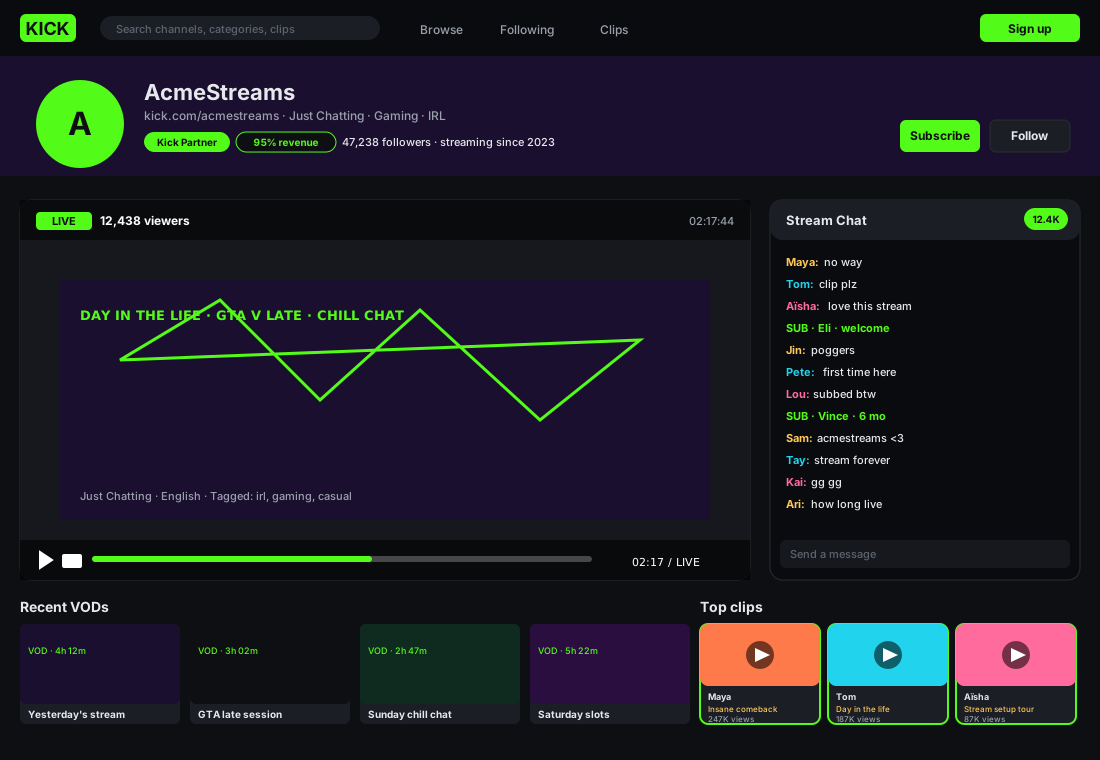
kick.com/acmestreams channel page with the Kick green logo, AcmeStreams header, 47K followers, Kick Partner badge, 95% revenue share callout, a LIVE stream tile with viewer count, a row of recent VODs, and three highlighted clips by Maya (Insane comeback, 247K views), Tom (Day in the life, 187K views), and Aïsha (Stream setup tour, 87K views)Source: KickOpen
kick.com/acmestreams channel page with the Kick green logo, AcmeStreams header, 47K followers, Kick Partner badge, 95% revenue share callout, a LIVE stream tile with viewer count, a row of recent VODs, and three highlighted clips by Maya (Insane comeback, 247K views), Tom (Day in the life, 187K views), and Aïsha (Stream setup tour, 87K views)
acmestreams.live
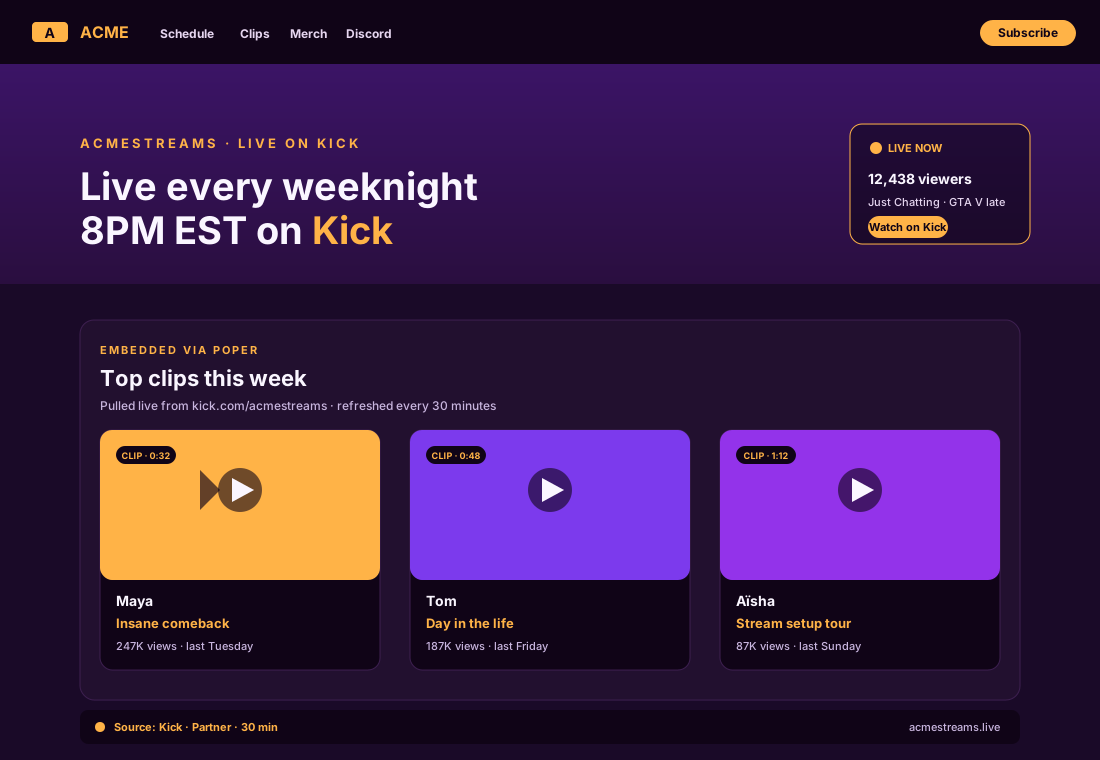
AcmeStreams personal site at acmestreams.live in a deep-violet and warm-amber palette, top nav reading ACME, Schedule, Clips, Merch, Discord, hero text Live every weeknight 8PM EST on Kick, and the Poper widget embedded inline showing the same three clips by Maya, Tom, and Aïsha sourced from KickPoper widget live
AcmeStreams personal site at acmestreams.live in a deep-violet and warm-amber palette, top nav reading ACME, Schedule, Clips, Merch, Discord, hero text Live every weeknight 8PM EST on Kick, and the Poper widget embedded inline showing the same three clips by Maya, Tom, and Aïsha sourced from Kick

Mockups for illustration. Pull your real Kick Feed Widget: Embed Kick.com Streams, VODs, and Categories on Any Site from Kick and embed in 90 seconds.

How to use it

How to add a Kick channel to your website

Three steps. Under two minutes. No developer needed.

  1. 01

    Connect a Kick channel, VOD, or category

    Paste a kick.com channel URL, a VOD slug, or a category like Just Chatting or Slots. Poper resolves it via the public Kick channel endpoint and pulls the right metadata in seconds.

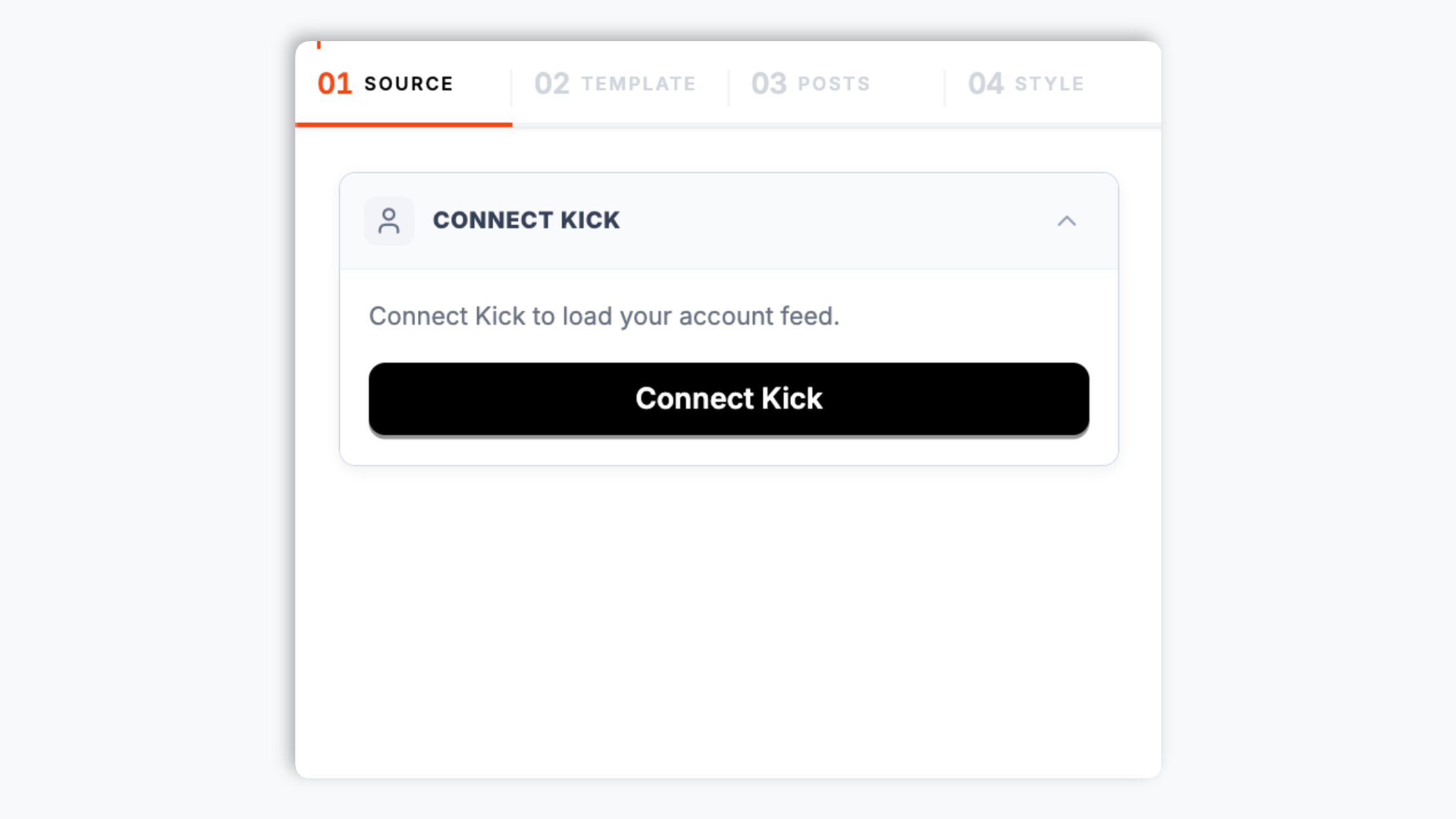
    Poper builder Connect Kick screen with the search input filled with AcmeStreams resolving to kick.com/acmestreams, 47K followers, a green Kick Partner badge, and a Kick green Connect button
  2. 02

    Pick a layout and brand it

    Choose Live Card, Channel Grid, VOD Wall, Category Leaderboard, Stream Schedule, or Multi-Channel Lobby. Tweak colors, the live-pulse style, and player chrome to match your site, not the green Kick chrome.

    Layout picker showing six Kick widget thumbnails styled as stream tiles with Kick green LIVE indicators: Live Card, Channel Grid, VOD Wall, Category Leaderboard, Stream Schedule, and Multi-Channel Lobby
  3. 03

    Copy the snippet and embed

    Paste the one-line script tag into your site. Works on WordPress, Shopify, Wix, Squarespace, Webflow, Ghost, Framer, and 250+ platforms.

    One-line embed script tag for the Kick feed widget shown in a dark code editor with a Kick green Copy button and five creator platform badges (WordPress, Webflow, Framer, Carrd, Squarespace)

Works everywhere

Works with every website platform you already use

Drop-in install on WordPress, Shopify, Wix, Squarespace, Webflow, Framer, Ghost, and any HTML-friendly stack. No build step, no developer needed.

WordPress
Shopify
Wix
Squarespace
Webflow
Framer
Ghost
HTML

Plus 250+ other platforms via the embed snippet. If your site can render a <script> tag, it can render the Kick Feed Widget: Embed Kick.com Streams, VODs, and Categories on Any Site.

What you get with Poper Kick Feed

Six things that matter when you are paying for a Kick widget, not 30 features no one uses.

Real live-status indicator that flips on within 60 seconds of any Kick streamer going live

This is the killer feature for any Kick.com embed and the one almost every other widget gets wrong. Most third-party Kick widgets either never check live state, or check it once when the page loads and then forget, so visitors see a stale Offline badge while the streamer is actually live. Poper polls the public Kick channel endpoint every 60 seconds (every 30 seconds on Business) server-side, parses the is_live and livestream fields from the JSON response, and updates the live indicator client-side without a page reload. The result is a glowing green LIVE pulse the moment the streamer goes on, a viewer count that ticks in real time, the current category and stream title pulled from the Kick metadata, and a graceful fallback to the most recent VOD or top clip when the channel is offline. Visitors arriving at your site during a stream click straight into the embedded player. No other Kick widget on this list does the polling correctly.

Live channels, VODs, and category leaderboards

Most Kick widgets only embed the live player. Poper supports all three useful Kick primitives from the same widget config: live channel embed, VOD list pulled from the channel videos endpoint, and category leaderboard (top streams in any Kick category like Just Chatting, Slots, or any game). Switch between them without re-embedding the snippet on your site.

Multi-channel team feeds

Combine an entire roster of Kick streamers into one lobby view with per-player live indicators. Built for orgs that need a single hub showing which players are streaming right now.

Brand-match styling

Colors, fonts, live-pulse style, badge shapes, custom CSS. Looks native to your site, not the default green Kick chrome.

Lite player keeps Core Web Vitals green

Default mode loads only the thumbnail and a play button (under 6KB per channel). The full Kick player iframe (which weighs 600KB+ and ships third-party cookies) only loads when a visitor actually clicks play. No CLS, no LCP regression, no Lighthouse hit even with multiple channels on one page.

Category leaderboards and live discovery

Point at any Kick category like Just Chatting, Slots, GTA V, or IRL and the widget renders a live-updating leaderboard of the top streams in that category right now. Useful for fan sites, category-specific community hubs, and discovery pages that want to surface what is hot on Kick without manual curation.

Use cases

Where Kick Feed Widget: Embed Kick.com Streams, VODs, and Categories on Any Site actually moves the needle

Four buyer types who get the most lift from embedding Kick Feed Widget: Embed Kick.com Streams, VODs, and Categories on Any Site on their site.

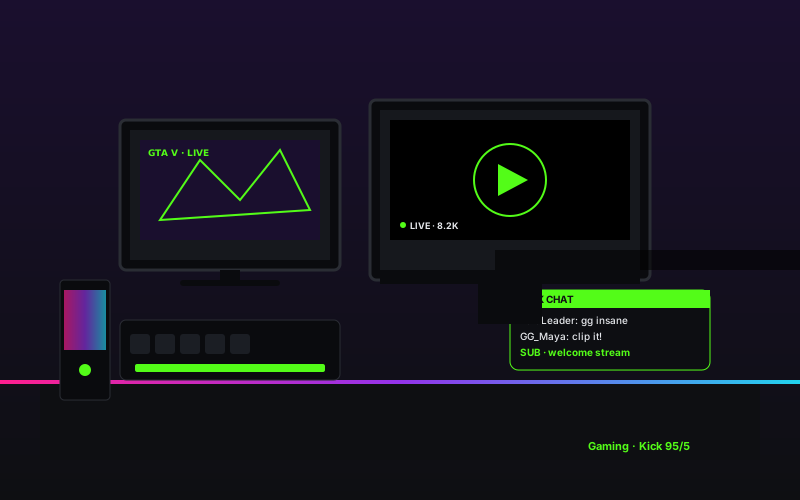
Gaming streamer setup with multiple monitors showing GTA V, RGB-lit gaming PC, mechanical keyboard, and a Kick chat overlay with subscriber notifications during a live stream

Gaming streamer

Kick's headline 95/5 revenue split (creators keep 95% of subscription revenue versus the standard Twitch split) has pulled in mid-tier gaming streamers squeezed by Twitch ad cuts. Embed your channel on your site to consolidate fans across both platforms with a real LIVE pulse on the homepage.

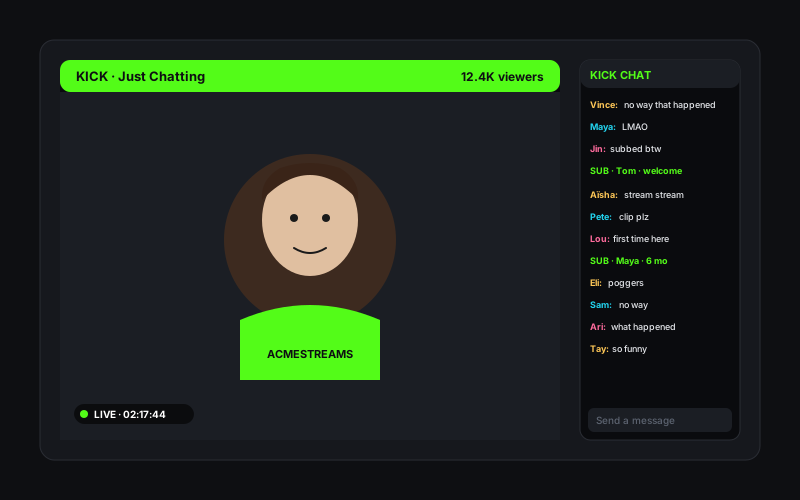
Just Chatting Kick stream with face-cam shot, Kick green overlay header, viewer count, and a scrolling chat panel filled with subscriber messages

Just Chatting

Kick's looser content rules made it the post-Twitch home for Just Chatting and face-cam streamers, including names like xQc who took a reported nine-figure deal to migrate. Embed your channel on your own site so visitors and ad sessions stay on your domain instead of leaking to Kick's discovery algorithm.
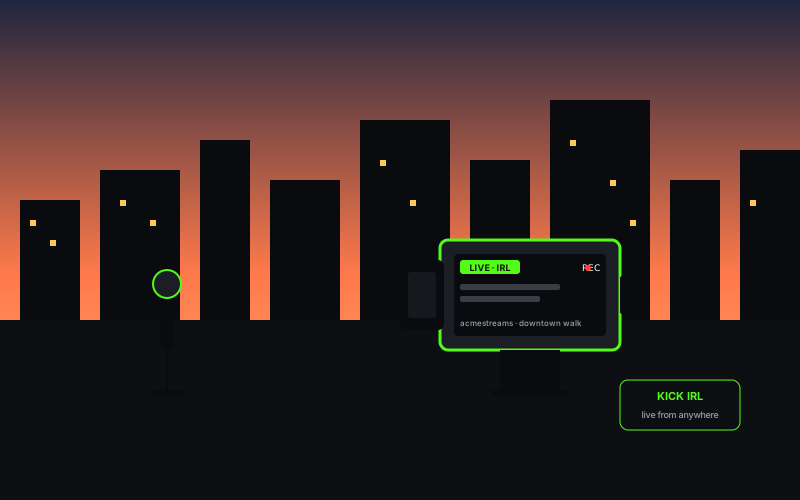
IRL Kick streamer on a city street at golden hour with handheld camera rig, portable shotgun mic, and a small Kick LIVE overlay on the camera display

IRL streamer

IRL streamers built a real audience on Kick because the platform tolerates the kinds of public-walk and travel content other platforms throttle. Embed your IRL channel on a personal site so fans can find your live broadcasts and recent VODs in one place.

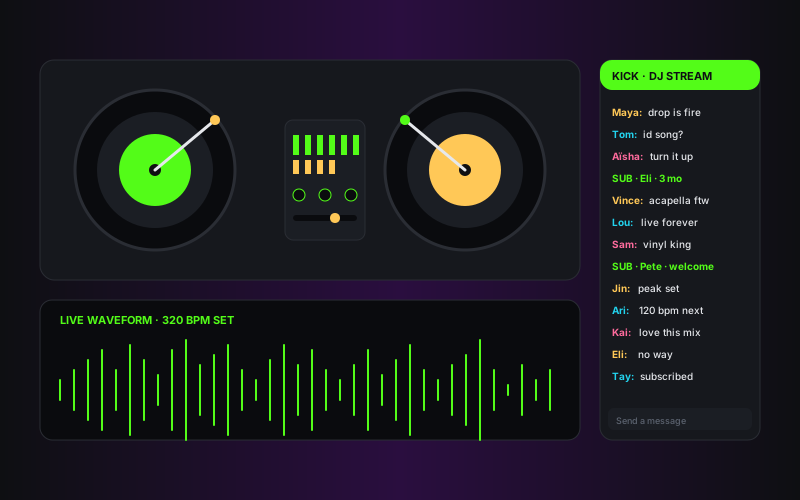
DJ stream setup with twin turntables, mixer, audio waveform across the bottom, and a Kick stream chat panel filled with live messages from listeners

Music DJ stream

Music DJs run long live sets on Kick where copyright pressure is lighter than on the dominant rival. Embed your DJ channel on a label or sponsor page so listeners can drop into the live waveform and chat without leaving your site.

Poper vs other Kick widgets

Kick ships its own free iframe via kick.com/embed/{channel}, but it stops at one channel and never updates live state. Twitch widgets are the dominant rival because most multi-platform streamers still embed Twitch. Here is how Poper stacks up against the alternatives a Kick streamer actually evaluates.

 Recommended
Poper
Kick Native Embed
Twitch Widget
Rumble Embed
Free plan available
Live channel embed
Real-time live status indicator
Twitch only
VOD list from channel videos endpoint
Twitch only
Manual
Category leaderboard embed
Multi-channel team lobby
Paid only
Permissive on gambling and slots content
Yes (matches Kick policy)
Yes
No (Twitch policy)
Yes
Lite player (defers iframe until click)
Live status poll frequency
60s (30s on Business)
Manual
Twitch only
Manual
Custom CSS and total design control
Paid only
Pricing for unlimited channels
$19/mo (Starter)
Free
$15/mo+
Free
Bundled with popups, forms, quizzes

Comparison reflects publicly listed pricing and features as of 2026. Verify current details on each provider's site.

Real Kick streamers. Real outcomes.

Slots and casino streamers, IRL creators, gaming streamers post-Twitch demonetization, and creator-economy operators who switched from native iframes and broken third-party widgets to Poper.

Poper has improved our website's user engagement! Since integrating Poper's personalized popups, we've seen a dramatic surge in conversions and user interactions. The platform's intuitive design makes creating and customizing popups a breeze, even for those with minimal tech skills. What truly sets Poper apart are its…
Jayson Ang
Jayson Ang
Singapore Property Swapper · Singapore Property Swapper
Fantastic app and support team, they are very quick to help and provide a solution or improvement to their product. Highly recommended!
Alex
Alex
CEO · AH
Poper has been a total lifesaver for our agency! As a digital marketing agency, we’re always juggling a million things at once. Poper has been a real game-changer in terms of streamlining our workflow and keeping track of all our clients’ campaigns. The ability to track all our clients’ websites from one place is a…
Idris Basir
Idris Basir
-

Pricing

Simple pricing. Free plan covers most websites.

Free forever for one widget. Upgrade only when you need faster sync, multiple instances, or to drop the watermark.

Free

Everything you need to ship the widget today.

$0forever
  • 1 widget instance
  • All layouts & customization
  • Brand-match styling
  • 6-hour sync cadence
  • Poper watermark
Start free
Most popular

Pro

Remove the watermark, faster sync, more widget instances.

$19/mo
  • Unlimited widget instances
  • 30-minute sync cadence
  • No Poper watermark
  • Custom CSS
  • Priority email support
  • Shoppable tagging
Start 14-day trial

Business

Multi-site, multi-account, white-label.

$49/mo
  • Multi-account combined feeds
  • Real-time sync
  • White-label embed
  • API access
  • Dedicated success manager
  • Custom SLA
Start 14-day trial

All plans include unlimited page views, no contracts, cancel anytime. Annual billing saves 20%.

Guide · 8 min read

The complete guide to embedding Kick.com on your website

A kick feed widget is how you turn Kick.com watch time into website watch time. Kick launched in late 2022 as a Twitch alternative backed by the same group that owns the crypto-casino Stake.com, and within two years had become the second-largest live-streaming platform on the open web by hours watched. The pull was structural: a 95/5 revenue split (creators keep 95% of subscription revenue versus the much lower split on the dominant rival), permissive content policies that allow gambling and slots streaming where Twitch does not, and large guaranteed contracts paid to top creators to migrate. Felix xQc Lengyel's reported nine-figure exclusive deal in 2023 was the headline moment. Adin Ross, Trainwreckstv, Drake, and a long roster of slots and IRL streamers followed. If your audience watches creators on Kick, embedding their streams on your site is how you meet viewers where they already are. This guide walks through what actually matters when you choose and configure a Kick widget in 2026: the public Kick channel endpoints, the difference between live, VOD, and category embeds, real-time live-status polling, the gambling-content economics that make Kick what it is, and what the Kick player iframe really costs in Lighthouse.

01

Live channel embed vs VOD list vs category leaderboard: which Kick primitive do you actually want

Kick exposes three useful content primitives through its public web endpoints and each maps to a different job. A live channel embed drops the Kick player iframe pointed at kick.com/yourname into your page, plays the live stream the moment the channel goes on, and goes to a configurable offline state when the streamer is not live. This is the right primitive for a personal homepage, a creator landing page, or any place where the goal is to convert visitors into live viewers. A VOD list pulls past broadcasts from the channel videos endpoint, surfaces them in a wall layout, and auto-includes new VODs as the streamer goes live and Kick saves the archives. This is the right primitive for a content library, a multi-VOD highlight page, or any place where the back catalogue matters more than the live moment. A category leaderboard pulls the top live streams in any Kick category at /categories/{slug}, ranks them by current viewer count, and refreshes every minute so the leaderboard always shows what is actually hot right now. This is the right primitive for a fan site, a category-specific community hub, or a discovery page that wants editorial freshness without manual curation. Picking correctly at the start saves you a re-embed cycle later, and Poper supports all three from the same widget config so you can switch primitives without rewriting your site code. There is also a fourth option worth knowing about: the Kick clips endpoint, which surfaces individual highlight clips with permanent slugs. Clips are the most durable Kick content type because they survive even if the source VOD is removed, which makes clip reels the right addition for sponsor pages and press kits where the same embed needs to keep working for years.

02

The Kick public endpoints, rate limits, and what every widget builder gets wrong

Every Kick widget on the market is gated by the same thing: Kick.com does not currently publish a stable, OAuth-secured developer API the way Twitch Helix does. What exists instead is a set of publicly readable web endpoints under kick.com/api that the Kick site itself uses, including kick.com/api/v2/channels/{slug} for channel metadata and live state, /api/v1/channels/{slug}/videos for VOD lists, and /api/v2/categories/{slug} for category leaderboards. These endpoints return JSON, are not officially documented for third-party use, and have informal rate limits enforced via Cloudflare. Most third-party Kick widgets either query these endpoints from the browser (which means every visitor to the embedding site triggers a direct Cloudflare call, hits the rate limit within minutes, and dies) or skip live polling entirely (which means the LIVE indicator stays stuck at whatever state was true on page load). Poper handles every Kick call server-side from a small pool of dedicated outbound IPs, caches responses at the global CDN edge, and pushes live-state changes to your embedded widget via WebSocket. The result is roughly 100x more headroom than a browser-based widget plus zero exposure of the embedding site visitor to Cloudflare challenges. We refresh channel metadata every 60 seconds for live status on Pro and 30 seconds on Business, refresh VOD lists every 6 hours, and refresh category leaderboards every 60 seconds because rankings move that fast. If Kick ships an officially documented developer API with OAuth in the future, Poper will migrate to it immediately so authorized features like sub-only VODs become accessible without any change to your widget config.

03

Live status polling, autoplay restrictions, and the Kick parent-domain requirement

The Kick player iframe has three quirks that catch every widget builder by surprise the first time. First, autoplay is blocked by default in every modern browser unless the iframe is muted. Kick returns a static thumbnail with a click-to-play prompt when autoplay is enabled with audio, which kills any embedded experience where the visitor expects sound on first frame. The fix is to default the player to muted=true, autoplay=true on first load and let visitors click to unmute, which Poper does by default. Second, the player iframe at kick.com/embed/{channel} requires the embedding domain to be allowed via the parent= query parameter, the same way Twitch and Vimeo work. If your domain is example.com, the iframe must be loaded with parent=example.com or it will return a refused-to-display error. Custom subdomains, staging environments, and preview deployments all need their own parent values. Poper auto-injects the parent value from window.location.hostname so this never breaks across environments. Third, mobile playback uses a different player surface than desktop and requires playsinline=true to avoid the iOS native fullscreen takeover. Most third-party widgets ship the desktop iframe code on mobile, which is why so many Kick embeds black-screen on iPhone. Poper detects mobile user agents and serves the playsinline-enabled mobile player. On the polling side, the Kick channel endpoint is the source of truth for live status. A naive widget either never polls (so the live indicator stays stuck at whatever state was true on page load) or polls from the browser (which leaks visitor IPs into Kick's rate-limit pool and dies within minutes). Poper polls server-side every 60 seconds on Pro and 30 seconds on Business, pushes the result to connected widgets via WebSocket, and falls back to a 60-second client poll if the WebSocket connection drops.

04

VOD types, clips, and the honest reality of Kick's content policies

Kick stores past broadcasts as VODs in a similar way to Twitch, with auto-saved archives appearing in the channel videos endpoint within minutes of a stream ending. Unlike Twitch, Kick does not enforce a 14-day expiry on VODs for non-Partner accounts, which means the back catalogue tends to be much deeper on Kick channels. Poper renders all VODs returned by the channel videos endpoint by default and lets you filter by date range, length, or title regex per widget instance. Clips work the same way as Twitch clips: short permanent-slug highlights that survive even when the source VOD is removed, served as MP4s from Kick's CDN, and load 4x faster than the live channel embed because they have no parent-domain requirement. The honest part of any Kick widget conversation is content policy. Kick was founded in late 2022 by a group that includes the owners of the Curacao-licensed crypto-casino Stake.com, and the platform's permissive stance on gambling, slots streaming, and IRL content is structural to its appeal. Most of the largest Kick channels stream slots, casino games, or other gambling content sponsored by Stake. The 95/5 creator revenue split that Kick markets aggressively is partially funded by gambling sponsorship economics rather than ad revenue. None of this is illegal, but it is fair to know what you are linking to when you embed a Kick category leaderboard or a top-streamer roster on your site. Poper renders the same content Kick itself surfaces, including mature-content warnings on flagged channels, and never editorializes the Kick feed beyond what the platform's own metadata flags.

05

What the Kick iframe really costs in Lighthouse, and how to keep your score green

The default Kick player iframe is one of the heaviest single resources you can put on a page. A single embedded channel pulls roughly 600KB of JavaScript on first load, sets multiple third-party cookies (including some routed through Stake-affiliated analytics domains), blocks the main thread for several hundred milliseconds during initialization, and frequently regresses Largest Contentful Paint by 1.2 to 2.0 seconds. Embed a multi-channel team lobby with five players and you can lose 22 Lighthouse points before any other code runs. The fix is the lite-player pattern, which renders only the thumbnail (pulled from the Kick channel endpoint or the channel preview image) and a play button overlay (under 6KB per channel) on initial load, and only swaps in the real Kick iframe when the visitor clicks play. The same pattern works for VODs and category cards. Poper ships lite mode as the default, so all the Kick content you embed costs you no more LCP than the same number of static images. Visitors who click see the full Kick player with chat overlay, quality controls, theatre mode, and every native feature included. Visitors who scroll past pay nothing. The performance difference between lite mode and standard iframe embeds is the difference between a 90+ Lighthouse score and a 65. There are three additional optimizations Poper applies on top of lite mode. First, channel thumbnails are served from Kick's CDN and converted to WebP on the fly through our edge layer, which typically halves thumbnail weight versus the default JPEG. Second, the play-button overlay uses a single inline SVG instead of an image request, which saves a round trip per channel. Third, when a visitor does click play, the iframe is loaded with the muted=true playsinline=true autoplay=true parameters and the correct parent= value, which avoids the autoplay block, the iOS fullscreen takeover, and the parent-domain refusal in one shot. The combined result is that a page with a five-channel Kick team lobby in lite mode often outperforms a page with one standard Kick embed on every Core Web Vitals metric. If page speed matters to your SEO, this is the single biggest reason to choose carefully which Kick widget you embed.

Quick reference

What is Kick Feed Widget: Embed Kick.com Streams, VODs, and Categories on Any Site?

A Kick feed widget is an embeddable script that pulls live channels, VODs, and category leaderboards from Kick.com through the platform's public channel endpoints and renders them on a website with real-time live-status polling, custom branding, and lite-player performance to keep Core Web Vitals green.

Key facts

  • Kick.com was founded in late 2022 as a live-streaming alternative backed by the same group that owns the Curacao-licensed crypto-casino Stake.com.
  • Kick markets a 95/5 revenue split (creators keep 95% of subscription revenue) versus the standard 50/50 split on the dominant rival platform Twitch.
  • Kick's content policies are more permissive than Twitch on gambling and slots streaming, which is structural to the platform's economics rather than incidental.
  • Several top streamers including Felix xQc Lengyel migrated to Kick in 2023 under reported nine-figure guaranteed contracts, accelerating the platform's growth.
  • Kick does not currently publish a stable, OAuth-secured developer API. Third-party widgets rely on the public channel endpoints at kick.com/api/v2/channels/{slug}.
  • The Kick player iframe at kick.com/embed/{channel} requires a parent= query parameter listing the embedding domain, autoplay must be paired with muted=true, and mobile playback requires playsinline=true.

Frequently asked questions

Can't find the answer you're looking for? Chat with our support team.

Contact Support

Stop losing live viewers to Kick recommendations

Embed your channel, VODs, and category leaderboards on your own domain. Real-time live status, lite-player performance, and the 95/5 creator economics intact.

Free plan available forever