
Google Play Reviews Widget for Android Apps. Free - Poper
Google Play Reviews Widget

Google Play reviews widget for Android app landing pages.

Embed your Play Store star rating and verified user reviews on any landing page. Lifts install conversion, surfaces real social proof, and proves momentum without a stale screenshot.

No credit card required
14-day free trial
Cancel anytime

Trusted by 11,000+ brands

Timetics
Academie Digitale
Goldcast
nbcf
Seedstock
Wow
Linkxar
Gale Toyota
Skills
Rugby Sport
Lamp
Leaktronics
Steel
Theatre in Chicago
Globerto
Meetup
FYM
Zeben
Kraftix
IETraditionala
Meethires
Leadscrape
Happily
Timetics
Academie Digitale
Goldcast
nbcf
Seedstock
Wow
Linkxar
Gale Toyota
Skills
Rugby Sport
Lamp
Leaktronics
Steel
Theatre in Chicago
Globerto
Meetup
FYM
Zeben
Kraftix
IETraditionala
Meethires
Leadscrape
Happily
Free forever, paid plans from $15/mo billed yearly

Try the live Google Play widget

Live demo, not a screenshot. Style it, brand it, embed it on an Android app landing page. What you see here ships to your marketing site.

From Google Play to your site

Your Google Play reviews. Now on your own domain.

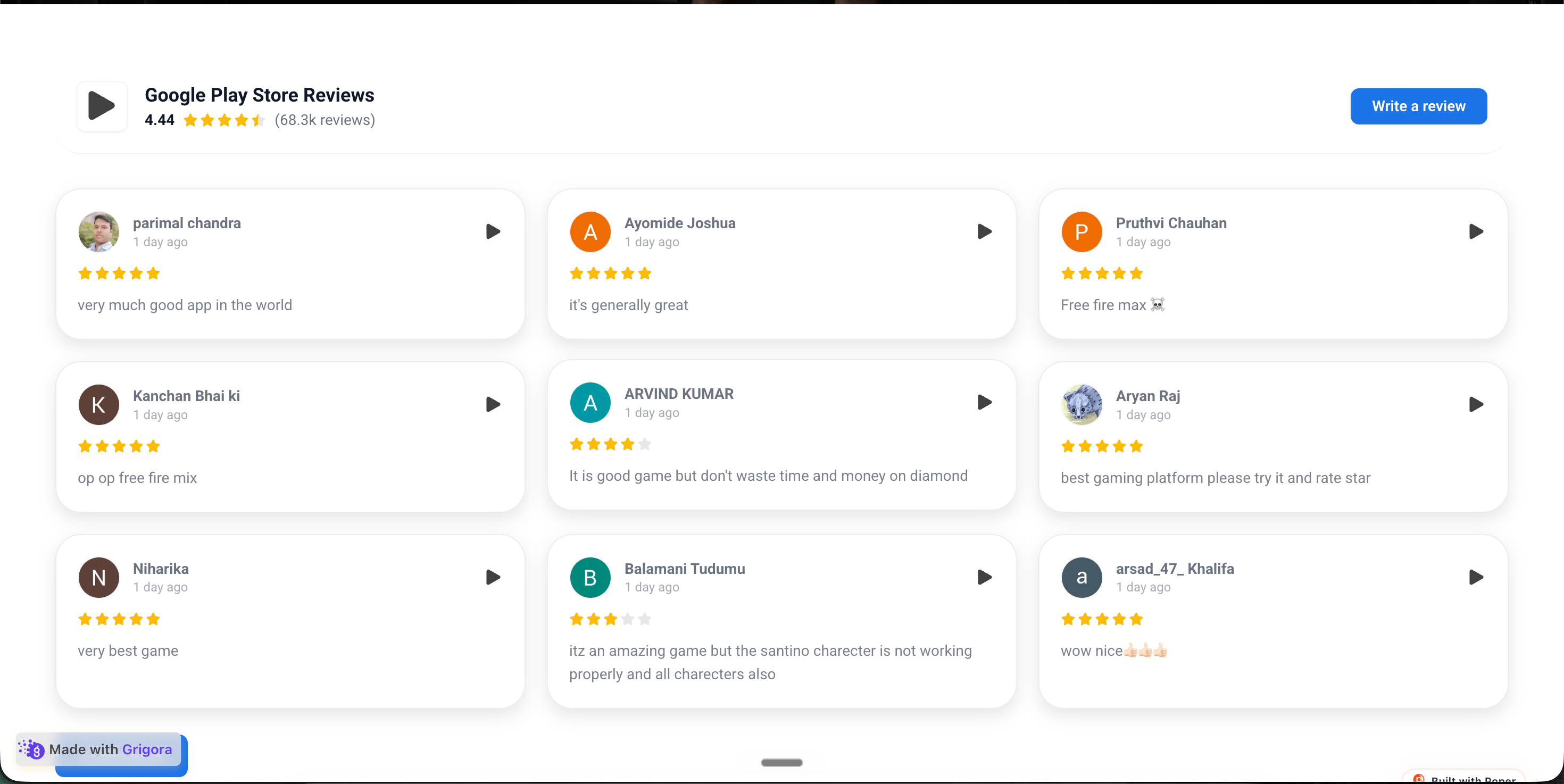
Poper crawls the official Google Play review feed for your business and renders it inline on your website. Same reviews, your branding, your domain.

play.google.com
Google Play Store listing page for Acme Notes showing 4.6 stars from 1,247,891 reviews, 100M+ downloads, install button, and verified user review cardsSource: Google PlayOpen
Google Play Store listing page for Acme Notes showing 4.6 stars from 1,247,891 reviews, 100M+ downloads, install button, and verified user review cards
acmenotes.app
Acme Notes branded app marketing site at acmenotes.app with Material You hero, Get it on Google Play button, and the embedded Poper widget showing the same 3 Play Store reviews in deep teal and warm amber palettePoper widget live
Acme Notes branded app marketing site at acmenotes.app with Material You hero, Get it on Google Play button, and the embedded Poper widget showing the same 3 Play Store reviews in deep teal and warm amber palette

Mockups for illustration. Pull your real Google Play Reviews Widget: Embed Android App Ratings, Reviews, and Developer Responses on Any Site from Google Play and embed in 90 seconds.

How to use it

How to add your Google Play reviews to your website

Three steps. Under two minutes. No developer needed.

  1. 01

    Copy your Google Play Store URL

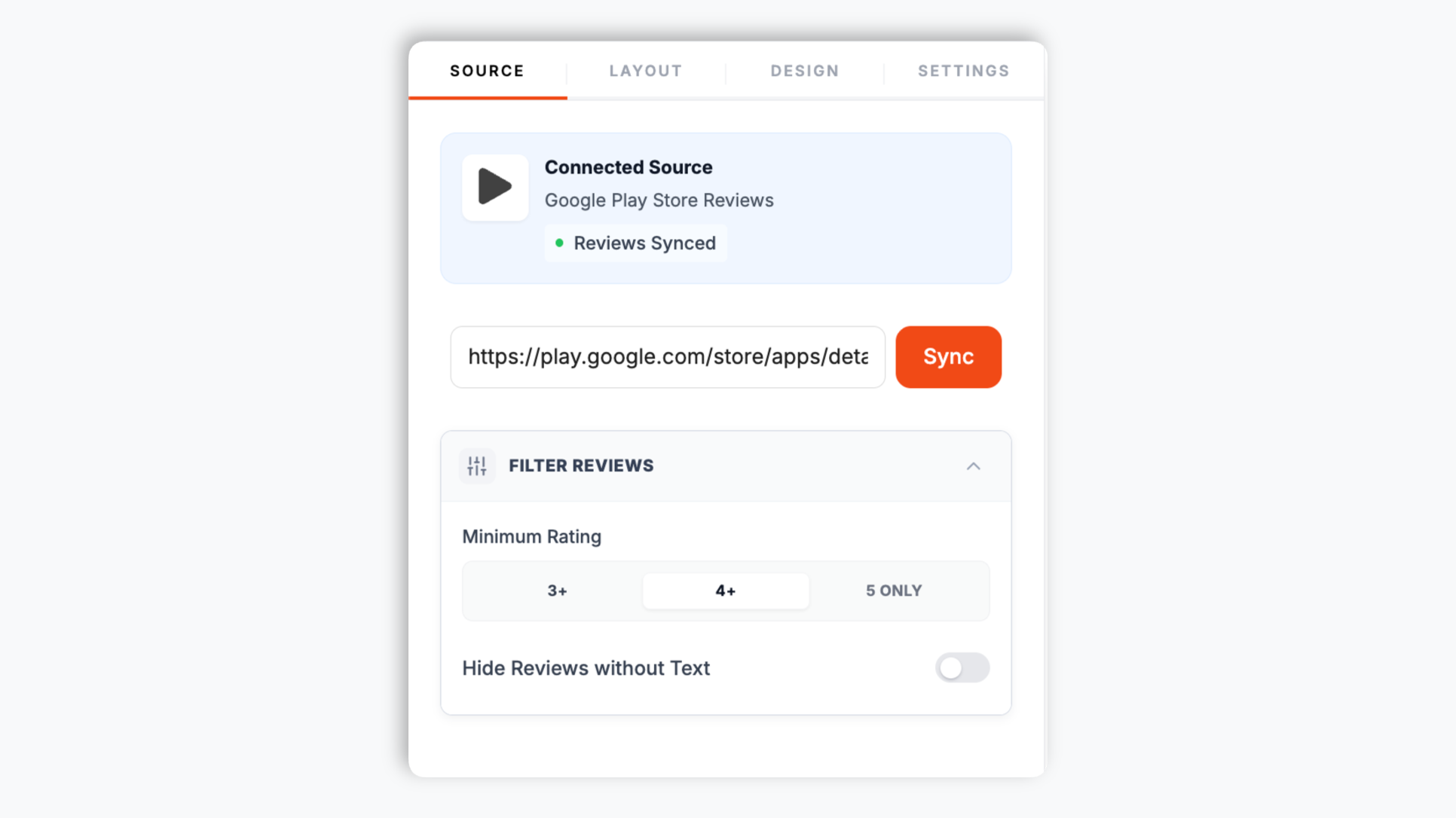
    Open your app's Google Play Store page, copy the URL from the address bar, and paste it into the Poper widget builder. That is the only thing the widget needs. Poper fetches the reviews and star rating from that listing.

    Poper widget builder source tab with the Google Play Store URL pasted into the input field showing Acme Notes reviews and a 4.6 star rating ready to load
  2. 02

    Pick a layout and brand it

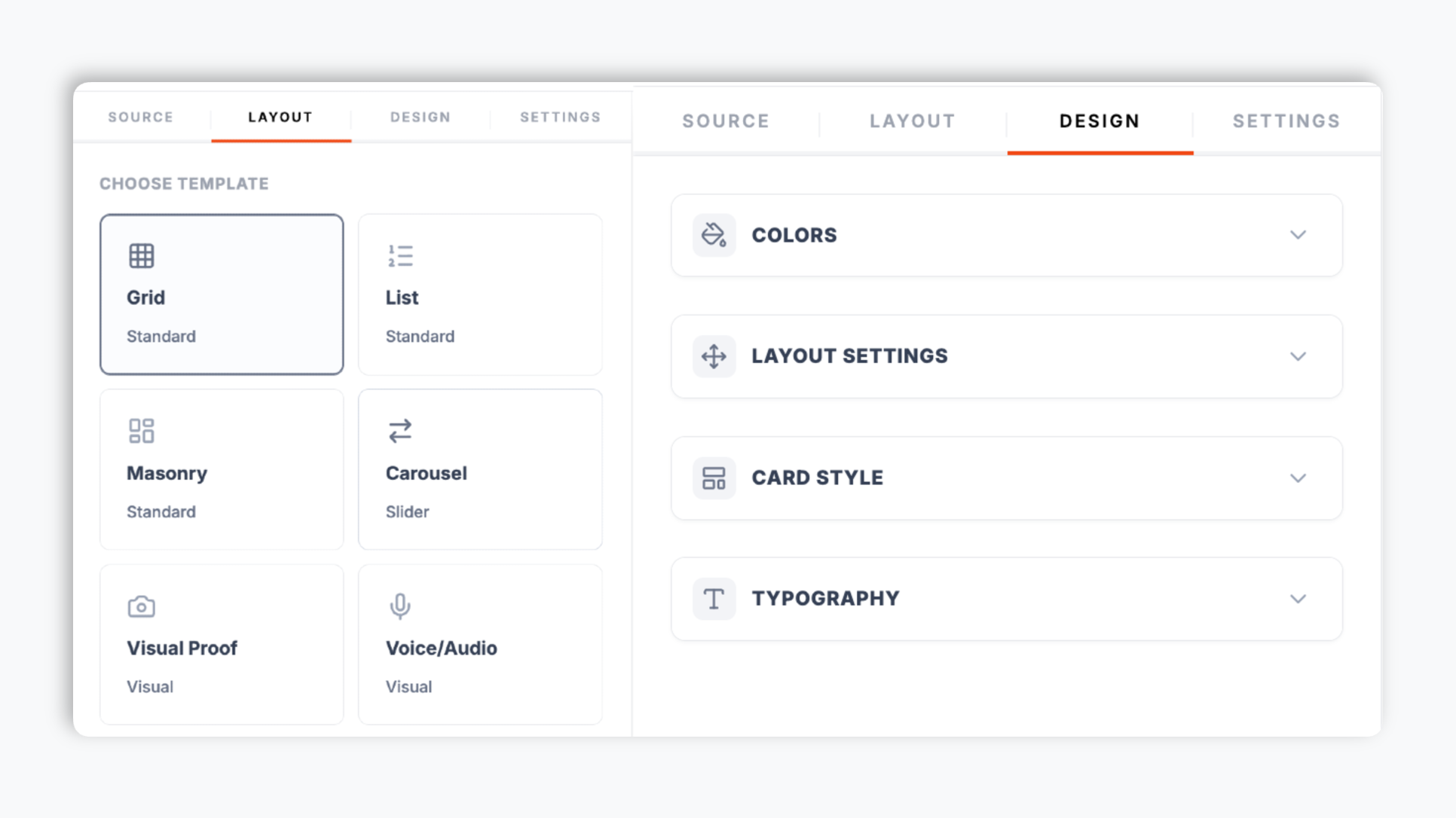
    In the editor template tab, choose a layout such as carousel, grid, masonry, list, photo grid, or badge. Match your app brand colors, fonts, star color, and card style so the embed feels native to your Android marketing site.

    Poper editor template tab showing the layout options for the Google Play reviews widget with carousel, grid, masonry, and list thumbnails plus a brand color picker
  3. 03

    Copy the snippet and embed

    Paste the one-line script tag into your homepage, app feature page, press kit, or country-specific landing pages. Works on WordPress, Webflow, Framer, Shopify, and any HTML stack the app marketing team owns.

    One-line embed script tag for the Google Play reviews widget shown in a code editor with a green Copy button and Webflow, Framer, WordPress, and Shopify platform badges

Works everywhere

Works with every website platform you already use

Drop-in install on WordPress, Shopify, Wix, Squarespace, Webflow, Framer, Ghost, and any HTML-friendly stack. No build step, no developer needed.

WordPress
Shopify
Wix
Squarespace
Webflow
Framer
Ghost
HTML

Plus 250+ other platforms via the embed snippet. If your site can render a <script> tag, it can render the Google Play Reviews Widget: Embed Android App Ratings, Reviews, and Developer Responses on Any Site.

What you get with Poper Google Play Reviews

Six things that matter when an Android app team embeds a Play Store widget, not 30 features no one uses.

Auto-injects Review and AggregateRating schema for SEO

Most Play Store widgets just embed a static badge. Poper goes further: turn on the SEO schema option and the widget injects Review and AggregateRating JSON-LD directly into your page so Google can show stars next to your listing in search results. For Android app teams, this is one of the highest-ROI ways to turn your Play Store rating into organic click-through on branded queries.

21 layouts, all responsive, all included

Carousel, grid, masonry, list, photo grid, badge, trust meter, timeline, and more. Switch between them per page in the dashboard without re-embedding. Each layout is responsive from 320px mobile to 4K, so the embed fits any Android app marketing surface from the homepage hero to a press kit roundup.

Show the reviews that matter

Filter by minimum rating and hide reviews with no text, so visitors see your strongest verified user proof.

Brand-match styling

Background, card, text, star, and border colors, corner radius, shadow depth, and four font families. Native to your app site.

Core Web Vitals safe on app marketing sites

Lazy-loaded below the fold, async-injected, scoped CSS, sub-40 KB gzipped. Shipped on Webflow, WordPress, and headless Next.js Android landing pages without moving Lighthouse Performance, LCP, or CLS. Your install conversion funnel pagespeed budget stays intact.

Element controls and read-more built in

Toggle the reviewer name, avatar, date, rating, header, and platform logo per layout. Long reviews open in a read-more modal, and a load-more button keeps the initial render light. The carousel layout adds autoplay, arrows, and dots so the widget stays clean on any marketing page.

Use cases

Where Google Play Reviews Widget: Embed Android App Ratings, Reviews, and Developer Responses on Any Site actually moves the needle

Four buyer types who get the most lift from embedding Google Play Reviews Widget: Embed Android App Ratings, Reviews, and Developer Responses on Any Site on their site.

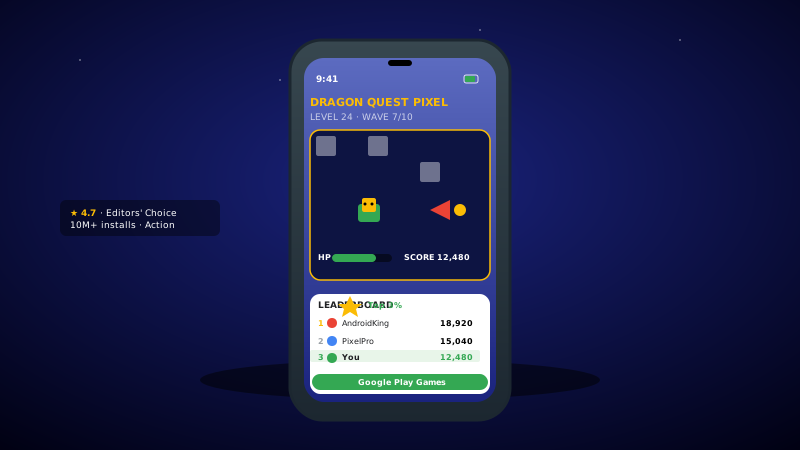
Android phone showing a vivid pixel-art mobile game with HP and score HUD next to a marketing card with a 4.7 star Google Play rating strip

Game studios and Android-first markets

Mobile game studios with strong APAC, LATAM, and EMEA performance embed their Play Store reviews on the studio site so the discovery-to-install journey stays on their domain. Real player reviews next to the install button lift conversion.

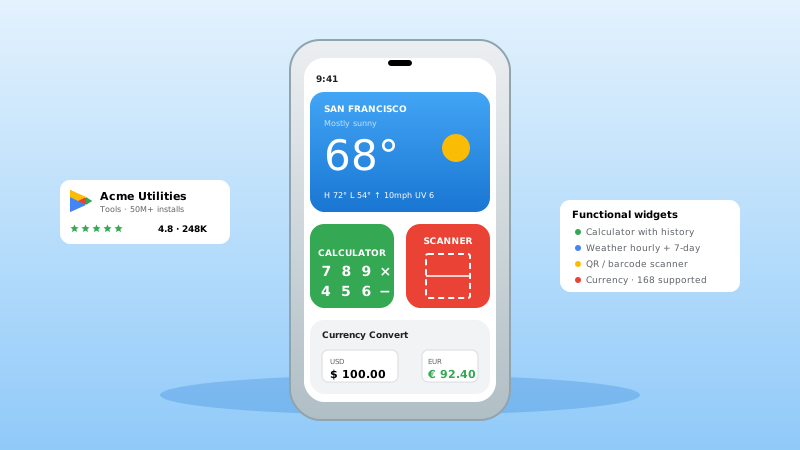
Android phone showing a clean utility app interface with weather card, calculator and barcode scanner tiles, and a currency converter, plus Acme Utilities marketing card with Google Play 4.8 rating

Utility apps (calculators, weather, scanners)

Android-first utility apps from indie shops to consumer brands embed Play reviews on the website to convert curious browsers into installs. Functional widgets and a clean marketing site close the loop with verified Play Store proof.

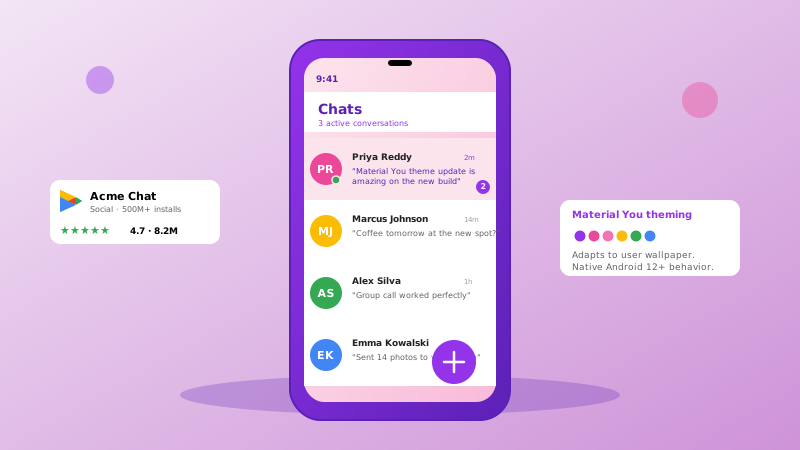
Android phone showing a chat list with five colorful avatar bubbles in Material You purple theming, plus an Acme Chat Google Play 4.7 marketing card and a Material You theming swatch palette

Social and messaging apps

Social and chat apps live or die by network momentum. A grid or quote-wall layout of Play Store reviews on the marketing homepage proves global Android traction and gives new users the social proof they need before joining a friend.

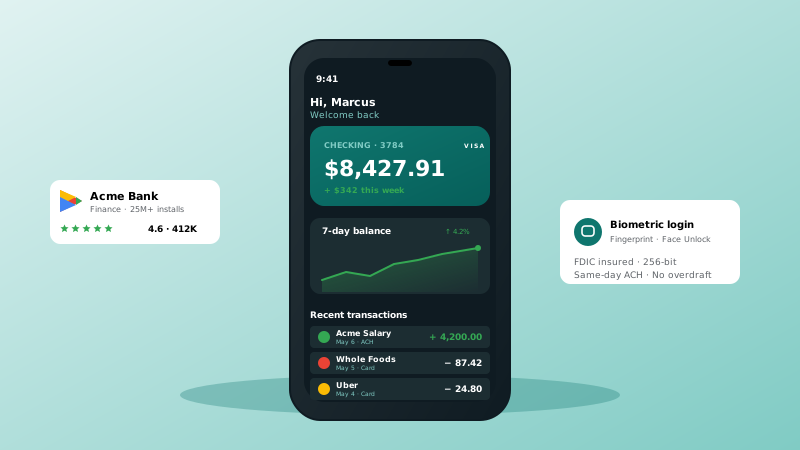
Android phone showing a finance app with checking balance card, 7-day balance trend chart, recent transactions list, plus Acme Bank Google Play 4.6 rating card and a biometric login security panel

Finance and banking apps

Banking, brokerage, and budgeting apps require Android users to trust the brand before installing. Embedding live Play Store reviews next to the Get it on Google Play button on the marketing site lifts install conversion across regulated finance segments.

Poper vs other review widget platforms

Here is how Poper compares with other widget tools that embed reviews on your website.

 Recommended
Poper
Elfsight
Common Ninja
Free plan available
Limited
Limited
Embed Google Play reviews from a URL
Number of layouts
21 layouts
Limited
Limited
Auto-injects Review + AggregateRating schema
Limited
Filter by minimum rating and hide empty reviews
Limited
Limited
Brand colors, fonts, and card styling
Read-more modal and load-more button
Limited
Limited
Carousel autoplay, arrows, and dots
Starting paid price
$15/mo (Starter, billed yearly)
From $5/mo per widget
From $5.40/mo per widget
Bundled with popups, forms, quizzes, more widgets

Comparison reflects publicly listed pricing and feature scope as of 2026. Verify current details on each provider's site.

Real Android teams. Real install impact.

Mobile growth leaders and indie developers who shipped Poper on Android landing pages and feature surfaces.

22% install click lift
Adding the Poper Google Play widget to our Android landing page lifted install clicks 22% in the first month. Showing the live 4.7 star rating and India-specific reviews next to the Get it on Google Play badge converted visitors from our biggest market.
Sarah Mitchell
Sarah Mitchell
Head of Growth · TapWave Mobile
14% APAC conversion lift
We embed Poper's review carousel on every regional landing page. Showing real Play Store reviews next to the install button improved our install conversion in APAC by about 14% on average.
James Wilson
James Wilson
Director of Mobile · RetailHub Android
Lighthouse 97 maintained
Lighthouse score stayed at 97 on our headless Next.js Android marketing site after embedding. Setup was just pasting our Play Store URL, and the SEO schema option earned us stars in Google a few weeks later.
Maria Garcia
Maria Garcia
Performance Engineer · Wellness Studio

Pricing

Simple, yearly pricing. Save up to 40%.

All plans are billed yearly. Each card shows the per-month equivalent. Start free, then upgrade only when you need more campaigns, websites, or AI credits.

Yearly billing · save up to 40%

Starter

Essential lead capture for solo creators and growing businesses.

$15/mo

billed $180/year

  • 5 active campaigns (5 widget instances)
  • 1 website, 1,000 leads/mo
  • 100+ templates, 10+ display formats
  • Smart triggers & basic analytics
  • No Poper branding
  • 500 AI credits
Start with Starter
Most popular

Pro

Full engagement suite with A/B testing, gamification & unlimited leads.

$29/mo

billed $348/year

  • Everything in Starter
  • Unlimited campaigns & leads
  • 10 websites, 5 team seats
  • A/B testing & gamification
  • Multi-step forms & quiz builder
  • Custom domain (CNAME), 2,000 AI credits
Start with Pro

Business

Unlimited everything with white-label, API access & advanced analytics.

$79/mo

billed $948/year

  • Everything in Pro
  • Unlimited websites & team seats
  • White-label (add-on) & API access
  • Logic jumps, live quizzes & polls
  • Payment forms (Stripe/PayPal)
  • Advanced analytics, 5,000 AI credits
Start with Business

Prices shown for the 50k monthly visitor tier on yearly billing. A Free Forever plan ($0) and a custom Enterprise plan are also available. No contracts, cancel anytime.

Guide · 4 min read

The complete guide to embedding Google Play reviews on an Android app website

Google Play is the largest Android app distribution platform on the open web, with around 3 million Android apps and games and tens of billions of installs each year. For Android-first app teams, a Google Play reviews widget is one of the highest-leverage trust signals a marketing site can carry: Play Store reviews compress the time between landing on your homepage and tapping the install button. This guide walks through what actually matters when you embed Google Play reviews in 2026: how the Poper widget works, why review schema earns stars in Google search, how to choose a layout for each marketing surface, and how the built-in filters keep your strongest proof front and center.

01

Why Google Play reviews matter more than first-party app testimonials

Android app users research differently than B2B SaaS buyers. The decision to install is made in seconds, often inside a research session that spans the Play Store listing, a Google search for the app name, a quick scan of the developer site, and maybe a YouTube review or a Reddit thread. At every step in that loop, the visitor is looking for one thing: verification that real Android users actually use and like the app. First-party testimonials on a developer site carry almost no weight in that loop because users assume vendor-curated quotes are cherry-picked. Google Play reviews carry weight because they are tied to real Google accounts and the review history is publicly auditable on the Play Store listing. Embedding your Play Store reviews on your own marketing site short-circuits the research loop. Instead of forcing the visitor to bounce out to the Play Store, where they will scroll past three competitor apps and may never come back, you bring verified Android user proof directly into your install funnel. The downstream effect is measurable: higher install conversion from web traffic, lower bounce on app feature pages, and a meaningful lift in organic install volume from web sources.

02

How the Poper Google Play reviews widget works

The Poper widget is built to be simple. You open your app's Google Play Store page, copy the URL, and paste it into the Poper builder. That is the entire connection step. There is no sign-in, no account linking, and no developer setup. Poper fetches the reviews and the star rating that already show on that public listing and renders them on your site. From there you choose a layout, brand it to your app, and copy a one-line embed snippet. The widget normalizes each review into a consistent card, removes duplicates, and falls back to demo content while you are still configuring it so the editor preview never looks empty. Because the only input is a URL, the setup works the same whether you are an indie developer with one app or a studio standing up a new marketing site. Everything else, layout, colors, filters, and element visibility, is controlled from the editor.

03

Earning Google Play stars in Google search results via review schema

When Google detects a properly-formatted AggregateRating JSON-LD block on your Android app's web page, it can render gold stars next to your organic search result. For an Android app website, this is one of the highest-leverage SEO wins available, because it surfaces verified Play Store credibility on the SERP for branded queries where your install conversion is already highest. Poper handles this for you: turn on the SEO schema option in the editor and the widget injects AggregateRating (your overall Play Store score) and individual Review entities (the quotes you display in the widget) into the page. Validate after embedding using Google's Rich Results Test at search.google.com/test/rich-results. You should see Review and AggregateRating both detected. The click-through lift typically pays for the widget within the first month of indexing once Google re-crawls and starts showing the stars. For Android apps that already rank in the top 10 for branded category keywords, the SERP star treatment is one of the highest-leverage organic install drivers available.

04

Choosing a layout for each Android marketing surface

Poper ships 21 review layouts, and the right choice depends on where the widget sits. A compact rating-inline or badge layout belongs next to the install button above the fold, where you have one screen to convert a cold visitor. A carousel suits the app feature page, rotating through reviews that mention specific capabilities by name. A grid, masonry, or quote-wall layout is the highest-impact choice for press kits and About pages where you want to flood the page with verified social proof. A photo-grid layout works when your reviews include screenshots. Every layout is responsive from 320px mobile to 4K, and you can switch between them in the dashboard without re-embedding, so it costs nothing to test which layout converts best on each page. Pick layouts per marketing surface, not per site, and let the stage of the funnel drive the choice.

05

Filtering, element visibility, and keeping the widget clean

A good review widget is not just a feed dump. Poper gives you two filters that matter: a minimum-rating filter that hides anything below the threshold you set, and a hide-empty option that drops ratings with no written text. Together they keep your strongest, most descriptive reviews in front of visitors. Element visibility toggles let you show or hide the reviewer name, avatar, date, rating, header, and platform logo independently per layout, so the embed matches the density of the page it sits on. Long reviews open in a read-more modal instead of stretching the card, and a load-more button keeps the initial render light for Core Web Vitals. The carousel layout adds autoplay, arrows, and dots. None of this requires code: it is all driven from the editor's design and settings panels, and the live preview updates as you tweak. The result is a Google Play reviews widget that looks intentional on your marketing site rather than bolted on.

Quick reference

What is Google Play Reviews Widget: Embed Android App Ratings, Reviews, and Developer Responses on Any Site?

A Google Play reviews widget is an embeddable script that displays your Android app's Play Store reviews and star rating directly on a marketing website. With Poper you paste your Google Play Store URL, pick a layout, and embed a one-line snippet.

Key facts

  • Google Play hosts around 3 million Android apps and games (as of 2026)
  • The Poper widget only needs your public Google Play Store URL, with no sign-in or account connection
  • Poper offers 21 review layouts including carousel, grid, masonry, photo grid, and badge
  • Turning on the SEO schema option injects Review and AggregateRating JSON-LD so stars can appear in Google search
  • Built-in filters hide reviews below a minimum rating and reviews with no written text
  • Brand controls cover background, card, text, star, and border colors plus corner radius, shadow, and four fonts
  • The widget is async, scoped, lazy-loaded, and under 40 KB gzipped so Lighthouse scores hold steady

Last fact-checked: . We re-verify every quarter.

Tutorial

See the Google Play Reviews Widget in action

A quick walkthrough of setting up and embedding this widget.

Tutorial video coming soon

Frequently asked questions

Can't find the answer you're looking for? Chat with our support team.

Contact Support

Stop hiding your Google Play rating in a screenshot

Poper takes 90 seconds to embed and earns you Play Store stars in Google search.

Free plan available forever