
Free Google Popup Compliance Checker
Is your popup hurting Google rankings? Audit it against Google's intrusive interstitial policy, Core Web Vitals (CLS), and mobile usability — get a compliance score and specific fixes in seconds.
Describe your popup
Set the parameters below — the audit runs live against Google's published interstitial guidelines.
Popups covering 30%+ of the mobile screen are high-risk. 50%+ typically trigger a penalty.
Good: < 0.1 · Needs improvement: 0.1 – 0.25 · Poor: > 0.25
Your popup is likely triggering a Google penalty
2 critical issues · 3 warnings · 0 passing checks
Mobile viewport preview
375 × 667What Google sees
Googlebot renders mobile pages and flags popups that cover content above the fold. Your popup covers 55% of the initial viewport at delay short.
Core Web Vitals
CLS score 0.14 — needs improvement. Google rewards sites with lower CLS.
Close-button accessibility
Close button tap area is below the 44×44px mobile guideline.
Popup covers 55% of the mobile viewport
CriticalPopups covering half or more of the mobile screen trigger Google's intrusive interstitial signal, especially if shown above the fold.
Fix: Reduce popup size so it covers under 30% of the mobile viewport — ideally under 20%.
Popup blocks the main content
CriticalPopups that cover or obscure the main content while a visitor is reading are a direct policy violation, even if the popup is dismissible.
Fix: Use a slide-in corner popup, a bottom banner, or a floating button that does not cover the reading area.
Popup fires within 3 seconds
A short delay is better than instant, but visitors often have not seen the content yet.
Fix: Increase the delay to 10+ seconds, or switch to a scroll-depth trigger.
CLS needs improvement — 0.14
CLS between 0.1 and 0.25 is in the 'needs improvement' band for Core Web Vitals. Small shifts add up.
Fix: Reserve space for the popup or render it as a fixed-position overlay.
Close button is too small for mobile
Tap targets under 44×44px fail Google's mobile usability guidelines and frustrate visitors.
Fix: Increase the close button tap area to at least 44×44px.
Stop guessing. Start with popups that pass Google by default.
Poper popups are Google-compliant out-of-the-box — mobile-aware sizing, smart timing, CLS-safe rendering, accessible close buttons. Plus A/B testing, 100+ templates, and 96+ integrations — no code needed.
11,000+ brands use Poper · 4.9/5 on G2 · No credit card required
Want to launch this as a real popup?
Poper lets you build, target, A/B test, and track high-converting popups without code.
How to Check Google Popup Compliance?
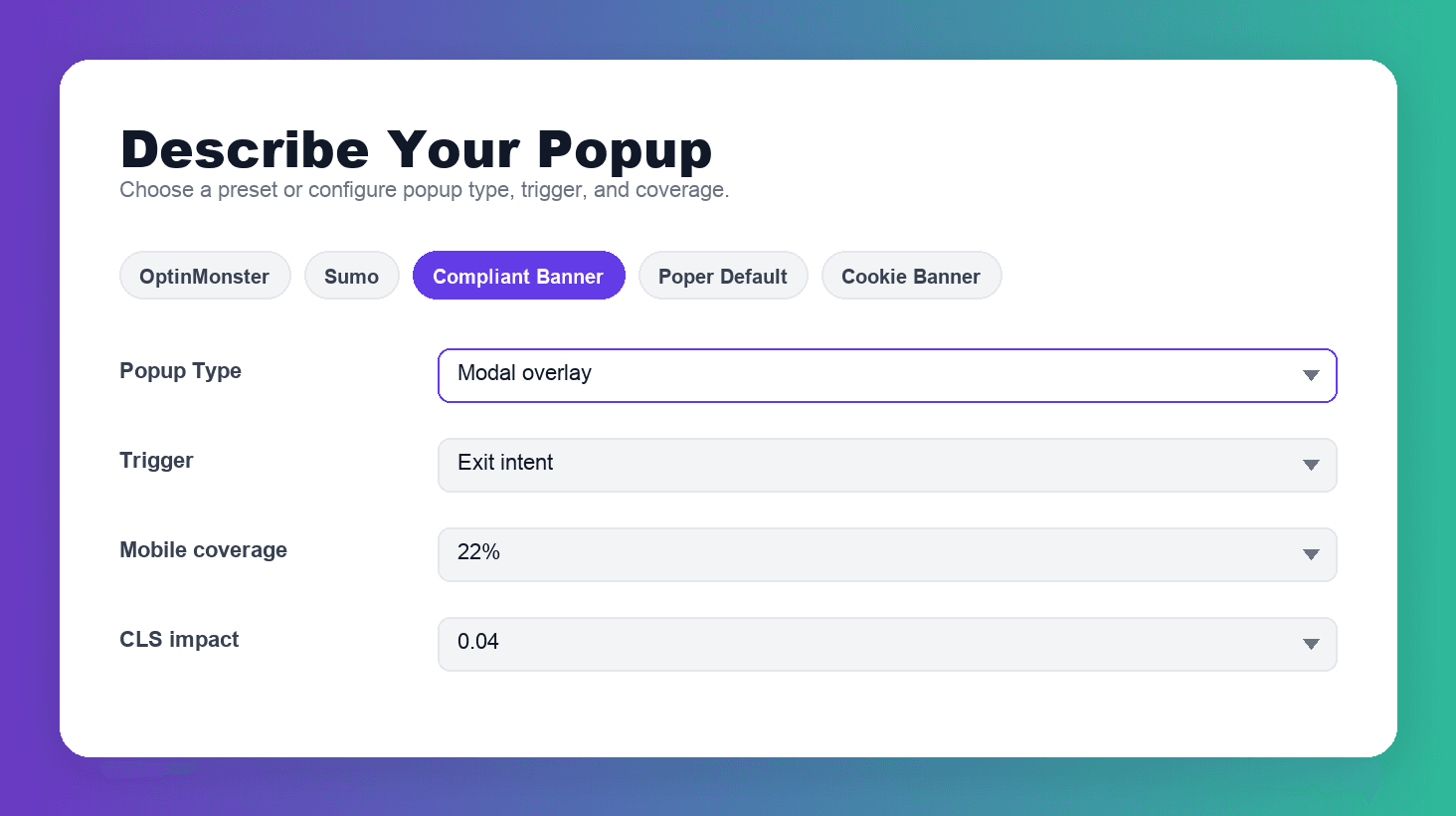
Describe Your Popup
Select your popup type, trigger, mobile viewport coverage, CLS impact, and close-button setup. Or jump-start with a preset for OptinMonster, Sumo, a compliant banner, or Poper's default.
Get an Instant Compliance Score
The audit runs live against Google's published interstitial guidelines. See a score out of 100, a visual mobile-viewport preview, and a verdict: Compliant, At risk, or Penalty likely.
Apply the Recommended Fixes
Each violation includes a specific fix with Google's rationale. Apply them to your current popup — or switch to a Poper template that's compliant by default.
Audit Your Popups Against Google — Before Google Does
The Google Popup Compliance Checker is a free audit tool that simulates exactly how Googlebot evaluates your popup on mobile. It checks the three patterns Google explicitly penalizes — intrusive interstitials, content-blocking overlays, and layout-shift-inducing popups — plus Core Web Vitals (CLS) impact, trigger timing, and mobile usability. Get a compliance score, see what Google's crawler sees, and apply specific fixes — all without writing a line of code.
Why Use This Free Compliance Checker?
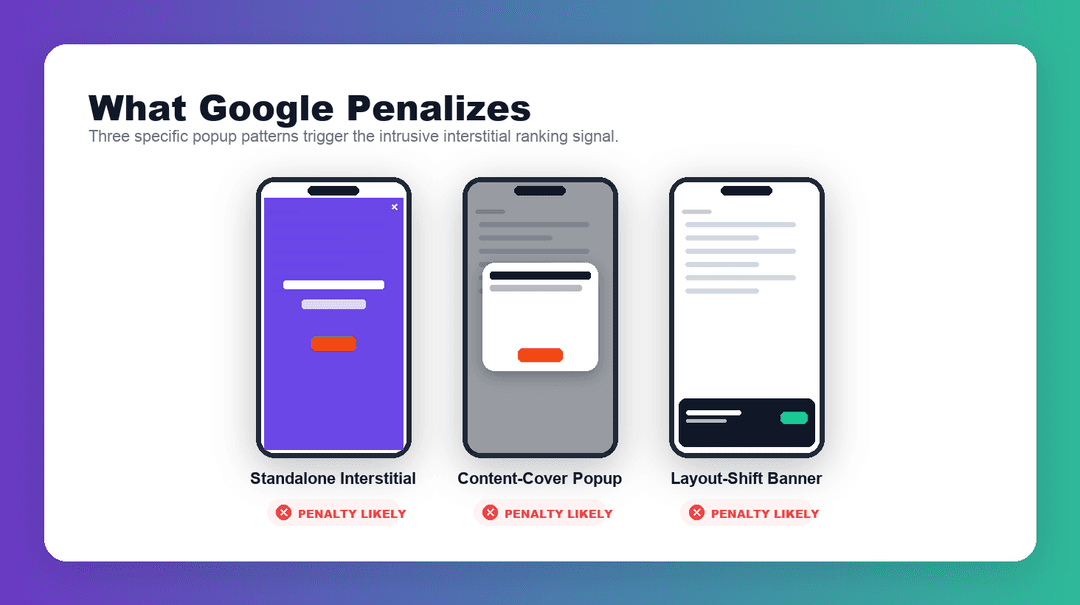
What Google Actually Penalizes
In 2017 Google rolled out its mobile-first intrusive interstitial signal — a direct ranking penalty for pages that hide content behind popups on mobile search results. The policy covers three specific patterns: standalone interstitials that must be dismissed before reaching content, popups that cover the main content immediately or while scrolling, and above-the-fold layouts that resemble standalone interstitials.
The penalty still applies in 2026 and has quietly expanded. Core Web Vitals — particularly CLS (Cumulative Layout Shift) — now factor into rankings directly. A popup that pushes your content down even slightly can tip your CLS into the 'poor' band and cost you rankings, on every device.
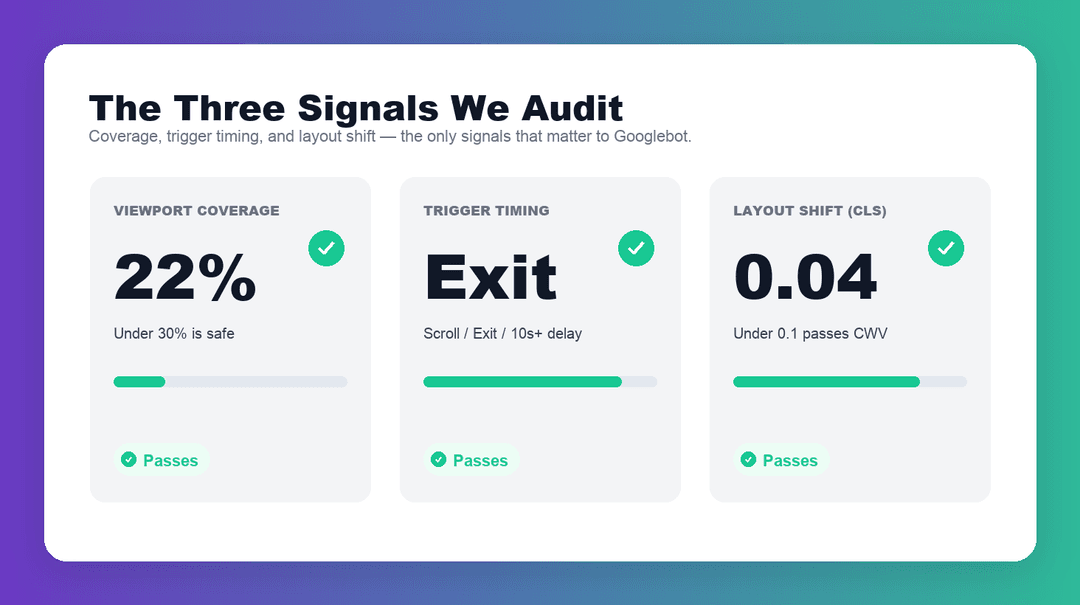
The Three Signals Our Checker Audits
First: coverage. We measure the percentage of the mobile viewport your popup occupies. Coverage above 30% is the high-risk zone; 50%+ almost always triggers a penalty. Cookie and legally-required banners are exempt.
Second: trigger timing. Popups that fire on page load are the highest-risk pattern in Google's documentation. Scroll-based, exit-intent, and time-delayed triggers (10+ seconds) are materially safer.
Third: layout shift. If your popup pushes content down on render instead of overlaying on top of it, your CLS score suffers. We flag popups that cause CLS above 0.1 and show you how much ranking headroom you're leaving on the table.
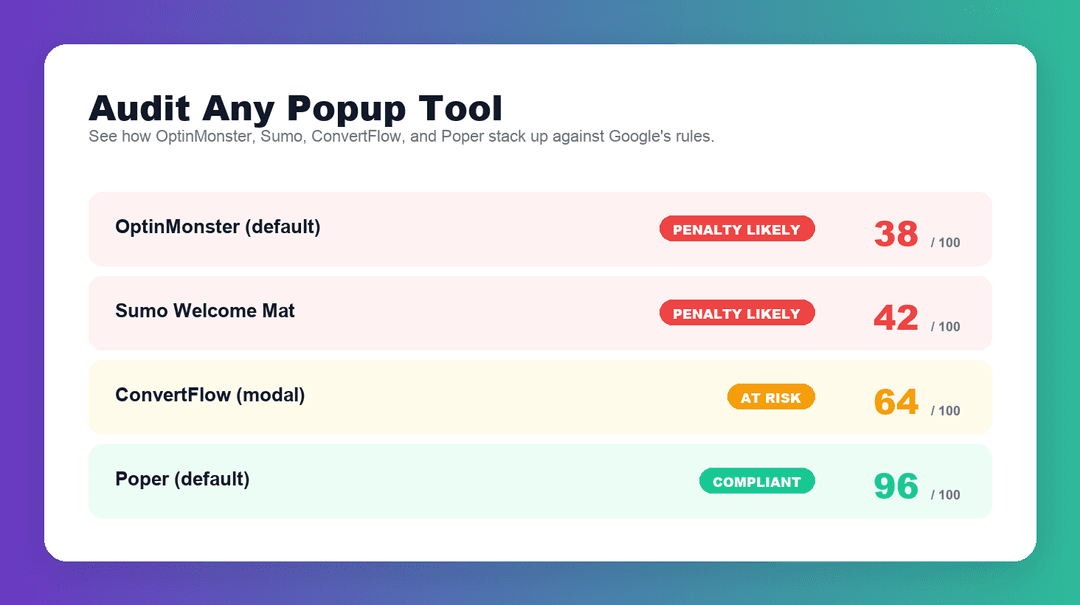
Audit Any Popup — OptinMonster, Sumo, ConvertFlow, or Custom
Not sure how your current popup stacks up? Use the built-in presets to audit the default configurations from OptinMonster, Sumo, ConvertFlow, and other popular popup tools. You'll see exactly where each one typically fails Google's guidelines — and what Poper's default configuration changes to make popups compliant out-of-the-box.
This is the same audit we ran across 2,000+ real websites before building Poper's compliance layer. The patterns are consistent: fullscreen modals, 3-second triggers, and tiny close buttons. Our checker catches every one of them.
Built for Marketers, Not Just SEOs
You don't need to read Google's developer documentation to use this tool. Describe your popup in plain English — type, timing, coverage, close-button behavior — and get a verdict in plain English. Every violation comes with a specific fix and the reasoning behind it, drawn from Google's own Search Central documentation.
If you're a marketer, product manager, or founder running popups to grow your email list, this is the fastest way to make sure you're not quietly losing mobile search traffic every week.
Skip the audit — start from a popup that already passes Google
Every Poper template is configured to pass Google's intrusive interstitial policy by default. Install once, change the copy, ship in minutes.
Newsletter Signup Banner
Compact bottom banner with scroll-trigger — passes Google's mobile rules and converts at 4–7%.
Try it liveExit-Intent Email Capture
Desktop-first exit-intent popup with CLS-safe rendering. The most Google-friendly modal pattern.
Try it liveSlide-in Promo
Corner slide-in that covers under 25% of the screen — compliant on every device, every time.
Try it liveSimilar Tools
Popup Best Practices to Pass Google
Every violation this tool flags maps to one of these best practices. Apply them and your popups will stay out of Google's penalty zone.
The single most important rule. Cover less than 30% of the mobile viewport — ideally under 20% — so the main content remains visible and interactive.
Avoid on-page-load triggers on mobile. Wait 10+ seconds, trigger on 30% scroll depth, or use exit-intent on desktop. These patterns are all materially safer.
Render popups as a fixed overlay with their own stacking context. Never inject them inline in a way that pushes existing content — that spikes your CLS score and fails Core Web Vitals.
Mobile usability guidelines require a minimum 44×44px tap area. Smaller close buttons are a direct mobile-usability fail even if they look visually fine.
These patterns cover less viewport, shift less content, and are far less likely to trigger the intrusive interstitial signal. Save modals for desktop-first traffic.
Cookie and GDPR banners are exempt from the interstitial penalty, but oversized banners still hurt CLS and engagement. Keep them under 25% coverage and bottom-anchored.