Free Calendly Embed Generator
Generate Calendly embed codes for inline widgets and popup buttons using Calendly's official widget.
Enter your Calendly URL and click Generate Embed Code to see your results here
How to Use Calendly Embed Generator?
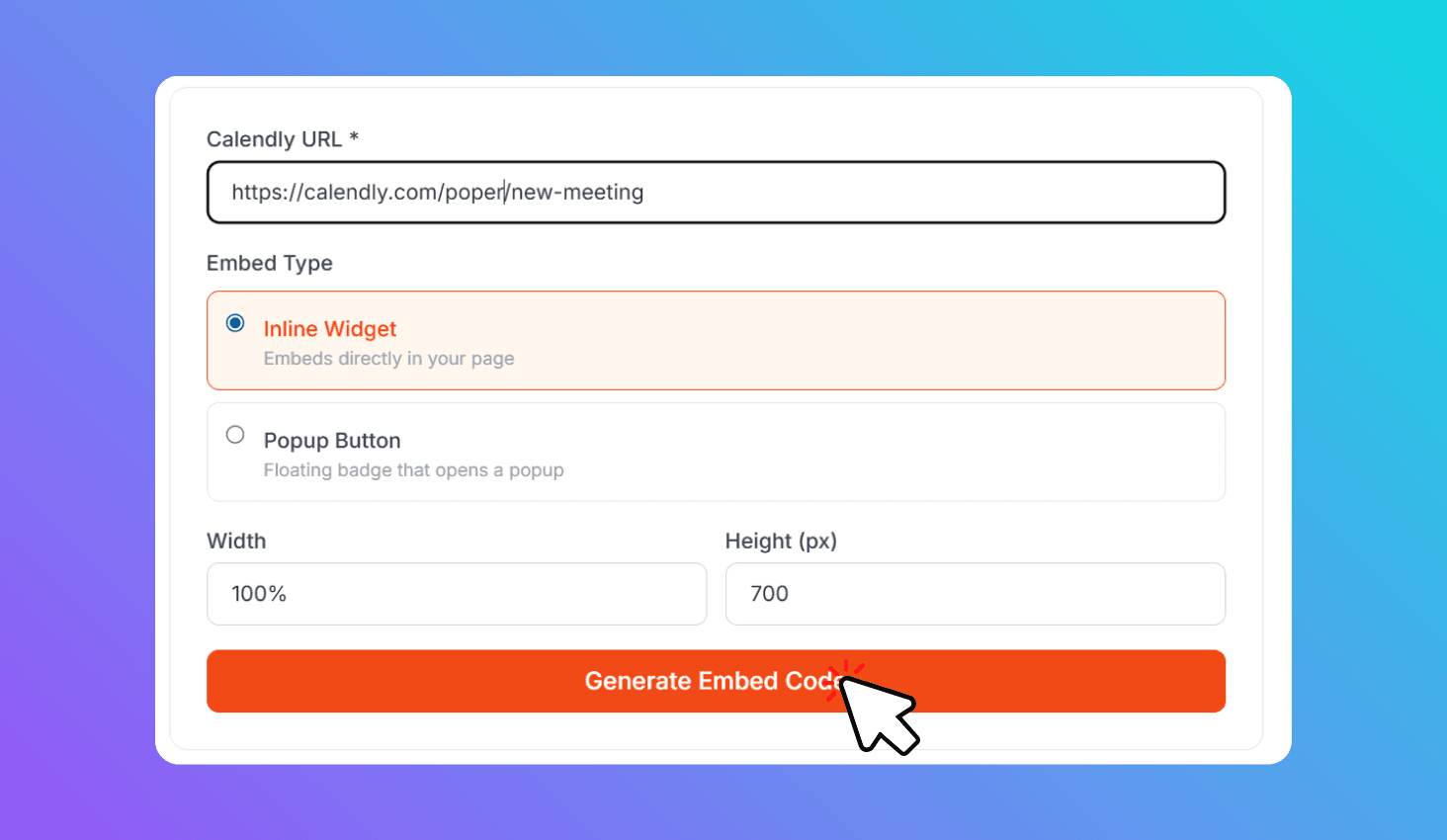
Choose Embed Type
Select Inline Widget or Popup Button.
Enter Calendly URL
Paste your scheduling link and customize colors and size.
Copy Embed Code
Click Generate and paste the code into your website.
About Calendly Embed Generator
Generate Calendly embed codes using the official widget.js library. Choose between inline widgets that show the calendar on your page or popup buttons that open a scheduling overlay.
Embed Calendly on Your Website Using the Official Widget Library
Choose between Inline Widget (full calendar on page) for booking pages, or Popup Button (floating badge) that opens scheduling in an overlay without taking page space.
Unlike generic iframe generators, this tool uses Calendly's official widget.js library for reliable, responsive embeds with popup overlays and mobile support. The generated code is copy-paste ready — works on any CMS, landing page builder, or custom site.