Free Floating Widget Generator
Create floating action buttons with customizable icon, position, color, size, and tooltip. Get production-ready code.
How to Create a Floating Widget?
Choose Widget Type and Action
Select Phone, Email, Scroll-to-Top, or Link. Enter the relevant contact info or URL.
Customize Position, Colors, and Size
Pick a corner position, set colors, adjust size and border radius, and toggle the hover tooltip.
Copy Production-Ready Code
Copy the generated CSS and HTML from the code panels and paste them into your website.
Build Floating Action Buttons with Live Preview and Clean Code Output
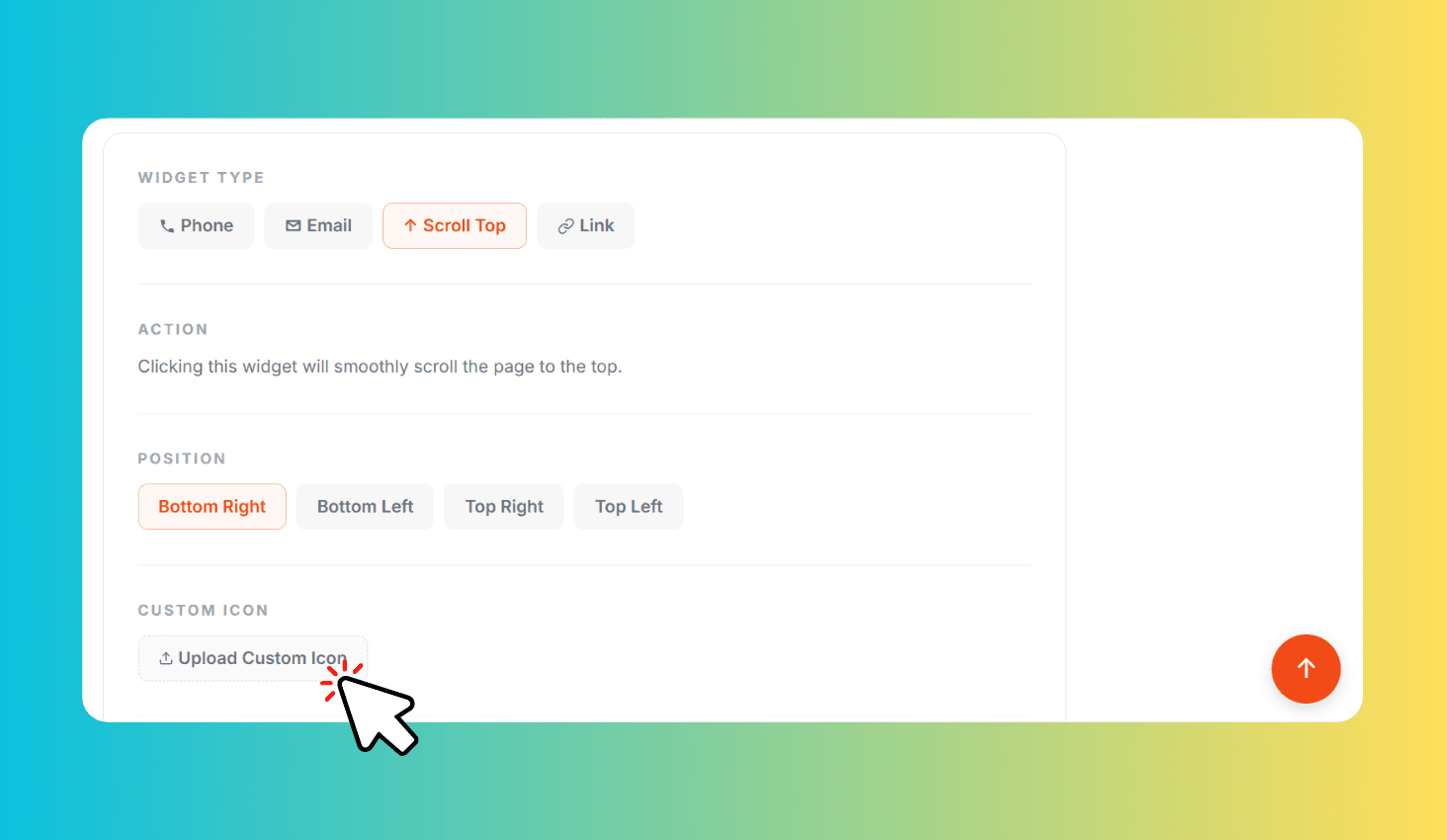
Floating Widget Generator lets you create fixed-position action buttons for your website. Choose from 4 widget types — Phone (click-to-call), Email (mailto), Scroll-to-Top, and Link — or upload a custom icon. Position it in any corner, customize background and icon colors, adjust size and border radius, and add a hover tooltip. The widget previews live on the page as you configure it, and the generated CSS and HTML code updates in real-time below.
Four Widget Types with Custom Icons, Tooltips, and Live Preview
Each widget type generates the correct HTML action: Phone creates a tel: link for click-to-call, Email creates a mailto: link, Scroll-to-Top smoothly scrolls to the page top on click, and Link opens any URL in a new tab. You can also upload a custom icon image to replace the default SVG icons.
The hover tooltip appears next to the widget with a smooth fade-in animation, helping visitors understand the button's purpose before clicking. The tooltip text, widget size, border radius, and all colors are fully customizable. A live floating widget appears on the page as you adjust settings, so you see exactly how it will look.