
Cart abandonment is one of the biggest challenges in e-commerce today. Marketers spend months optimizing landing pages, ads, product descriptions, and checkout flows, yet a massive chunk of shoppers still drop off right before paying.
According to a survey by Drip, high shipping costs remain one of the top reasons customers abandon their carts.
But the good news? You can reduce this dramatically by offering targeted free-shipping incentives at exactly the right moment. Instead of giving free shipping to everyone, which hurts margins, you can show personalized free-shipping prompts to customers who meet certain cart thresholds.
This simple change encourages customers to complete checkout and often increases average order value at the same time.
In this guide, you’ll learn how to set up a free-shipping offer inside BigCommerce using Poper, an app designed to create high-converting popups and onsite offers.
We’ll walk through the entire process from installation to targeting rules so that your free-shipping offer appears precisely when a customer qualifies for it.
Step 1: Install Poper from the BigCommerce App Store
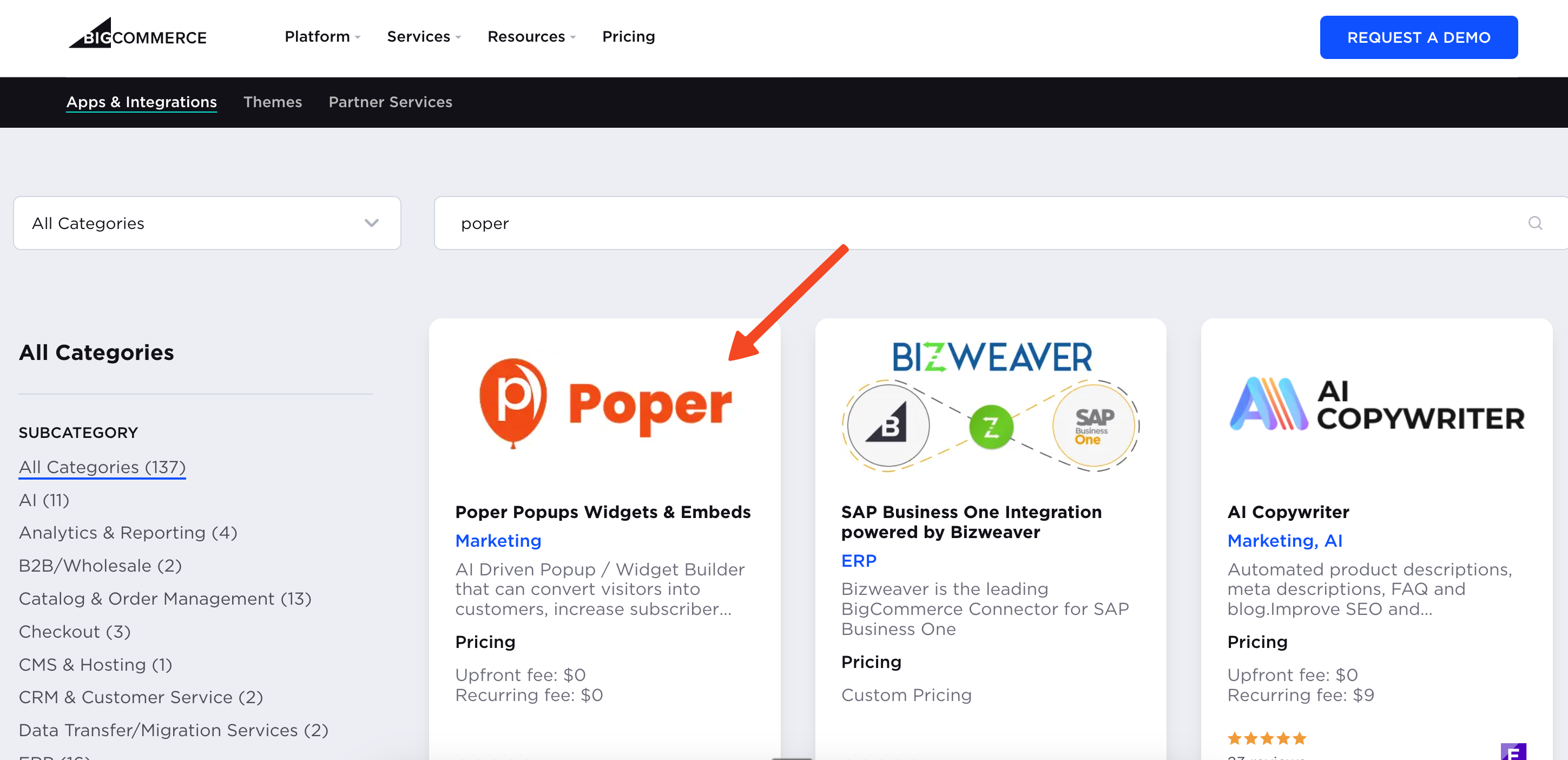
Start by logging into your BigCommerce admin panel. Head over to the App Marketplace and search for Poper. Once you install the app, you won’t need to sign up or create an account manually.
Poper automatically creates an account for you using your BigCommerce credentials and takes you straight into the dashboard.
It’s seamless, and you can begin building campaigns immediately.
Step 2: Create a New Free-Shipping Popup
Inside the Poper dashboard, click the “New Popup” button. Use the search bar to look for Free Shipping. You’ll find more than 30–40 beautifully designed templates created specifically for free-shipping promotions.
Choose a design that matches your brand’s style, clean, bold, minimal, seasonal, or high-contrast options are all available.
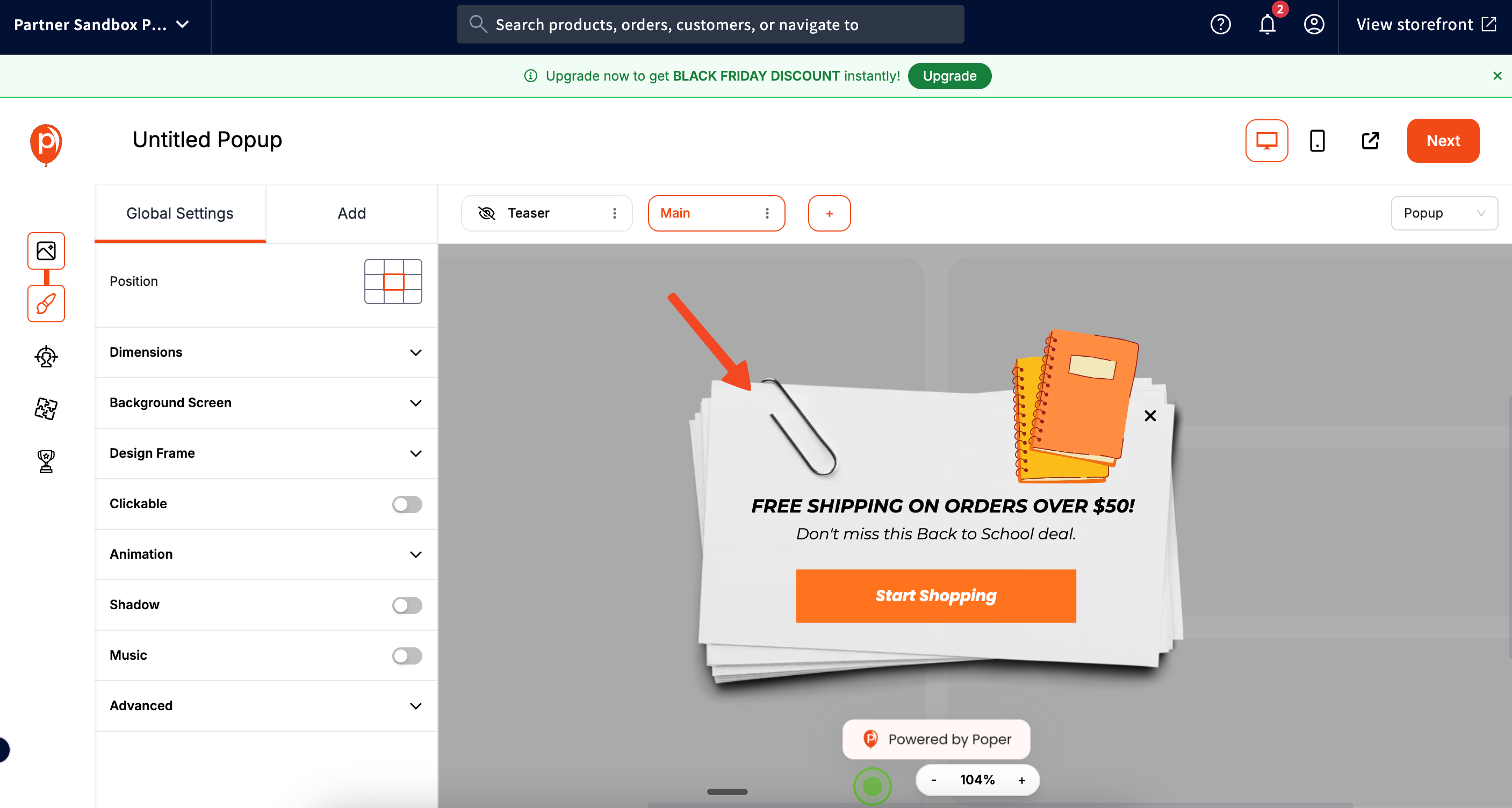
Once you’ve selected a template, you’ll enter the visual editor. Here, you can adjust colors, change text, reposition elements, add your coupon code, and customize the overall look so it blends perfectly with your store’s aesthetics.
Take your time here, the better the popup looks, the more trustworthy and compelling it feels to your customers.
Step 3: Define When Your Free-Shipping Offer Should Appear
After designing your popup, click Next. You can skip the default triggers for now because we’re going to use smart, cart-based targeting instead of time delays or exit intent.
When you're on the Targeting page, look at the left side panel for the E-commerce section. Open the BigCommerce targeting options. This is where Poper truly shines.
Select the Cart Total filter. Now, enter a value, for example, $500. This means: whenever a shopper adds items worth $500 or more to their cart, the free-shipping popup will automatically appear. You don’t have to rely on generic triggers, this is a targeted, value-based offer shown at the perfect moment in the buying journey.
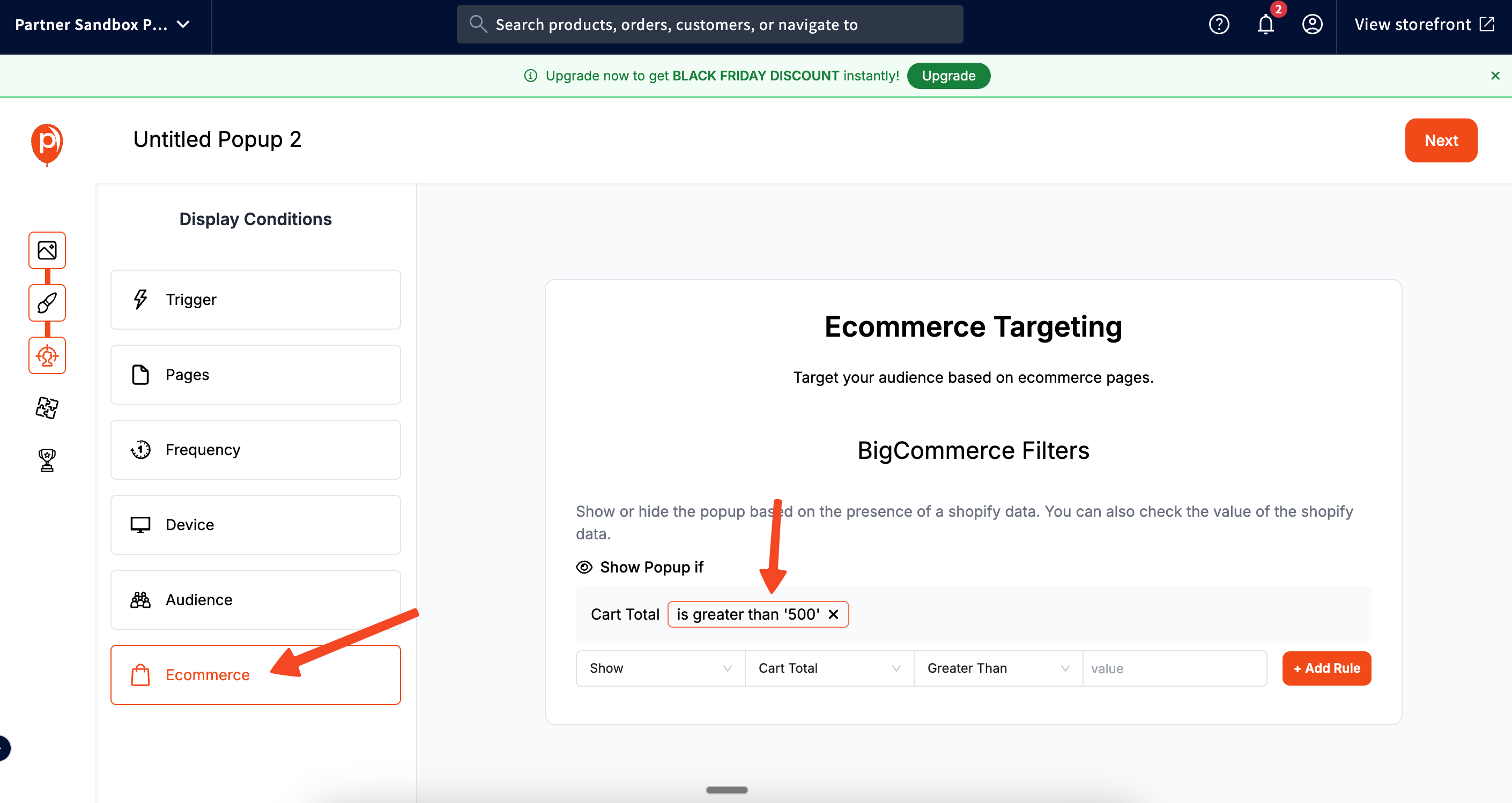
Click Add Rule to apply this condition.
You can create additional rules if needed, such as specific product combinations, customer groups, or repeat-visitor logic. But for most free-shipping campaigns, the cart-total filter is more than enough.
Step 4: Connect Email Marketing & Analytics (Optional but Powerful)
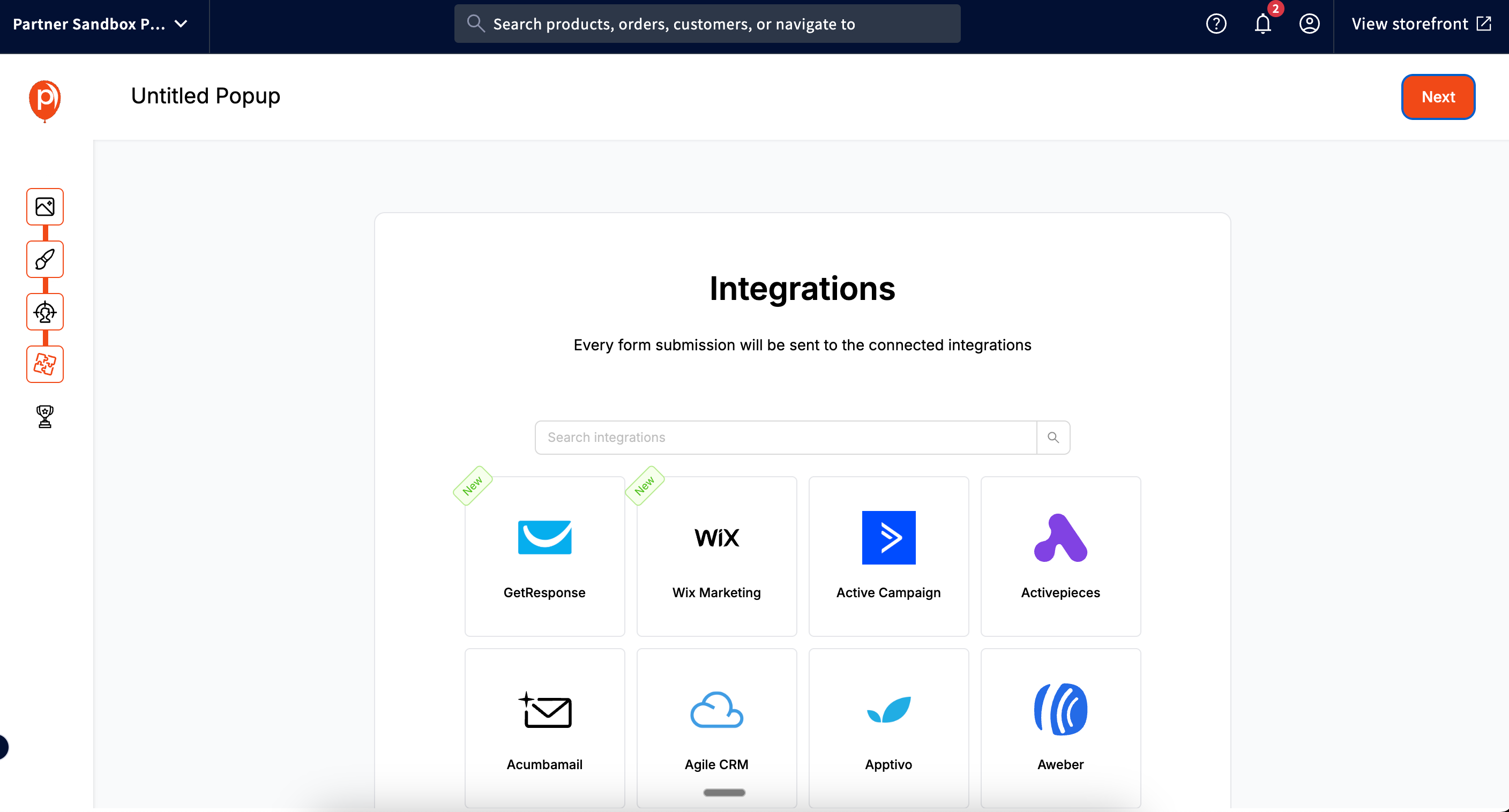
Once the targeting rules are set, move to the next step where Poper lets you integrate with your marketing tools. You can connect email platforms like Klaviyo, Mailchimp, ActiveCampaign, or others. This is useful if you want to:
Collect the shopper’s email before showing the coupon
Send automated reminders for abandoned carts
Track popup engagement and conversions
You can also connect analytics tools, Google Analytics, Meta Pixel, and more, so you can measure performance over time and optimize your campaigns based on real data.
Step 5: Publish the Campaign and Test It
After configuring integrations, click Save & Publish. Your free-shipping popup is now live on your BigCommerce storefront.
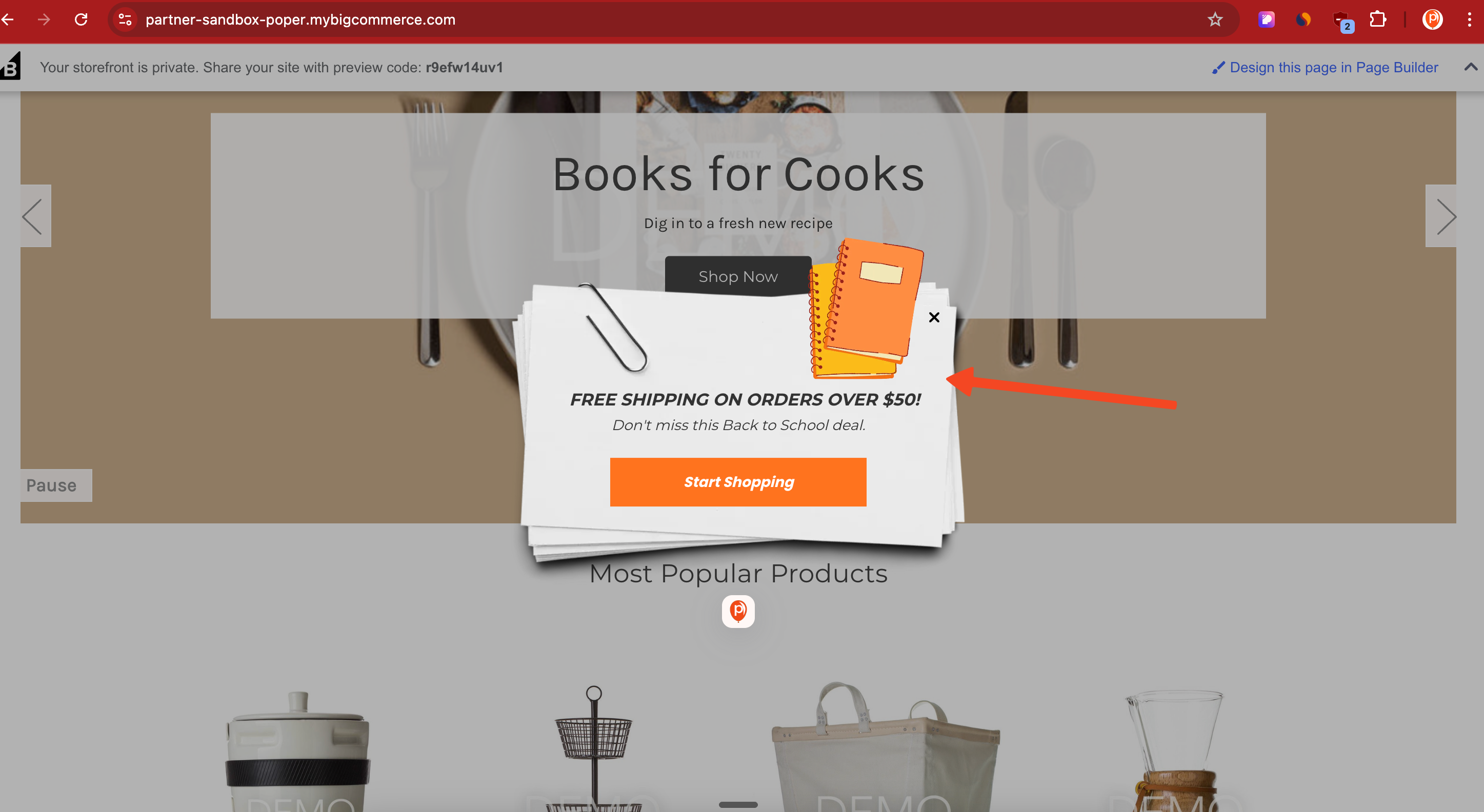
To test it, visit your website as a shopper would. Add items worth $500 (or whatever threshold you set), and watch the popup appear instantly. This confirmation ensures that your targeting rules and design are working perfectly.
Why This Strategy Works
Offering blanket free shipping to everyone is expensive and often unnecessary. But offering free shipping in BigCommerce strategically, only to carts that hit a certain threshold, creates a moment of delight for the customer while increasing conversions.
You’re reducing friction (shipping cost anxiety), rewarding higher-value customers, and nudging shoppers toward completing checkout rather than abandoning their cart.
When done correctly, this approach leads to:
Lower cart abandonment
Higher average order value
Better customer satisfaction
More predictable conversion improvements
And with Poper, you can launch this in minutes without writing a single line of code.