
Order Form Generator
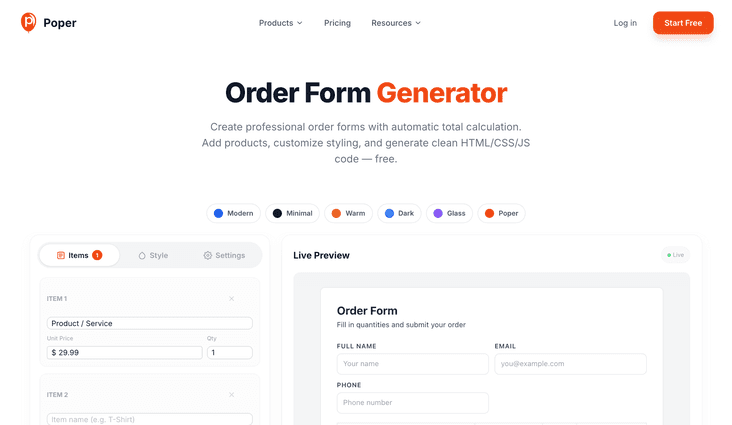
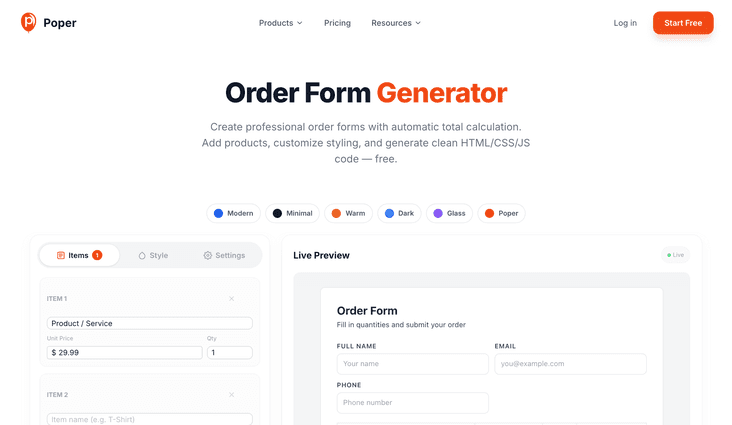
Create professional order forms with automatic total calculation. Add products, customize styling, and generate clean HTML/CSS/JS code — free.
Live Preview
LiveOrder Form
Fill in quantities and submit your order
| Item | Price | Qty | Total |
|---|---|---|---|
| Product / Service | $29.99 | 1 | $29.99 |
| Item name | $0.00 | 1 | $0.00 |
| Item name | $0.00 | 1 | $0.00 |
Need smarter order collection?
With Poper, you can show order forms as popups with smart triggers, collect submissions without a backend, integrate with 96+ tools (CRMs, email, Stripe), and A/B test everything — without code.
How to Create an Order Form with Total Calculator?
Add Your Products or Services
Add item rows with product names and unit prices. Configure tax rate, currency symbol, and optional customer fields like name, email, and special instructions.
Customize the Design
Choose from 6 preset themes or fully customize colors, border radius, and typography to match your brand. See every change live in the real-time preview.
Generate and Copy the Code
Click Generate Code to get clean, production-ready HTML, CSS, and JavaScript with automatic total calculation. Copy-paste into your website — it works instantly.
Free Order Form Generator — Build Professional Order Forms Instantly
This free order form generator creates production-ready HTML, CSS, and JavaScript code for order forms with automatic total calculation. Add your products or services, configure tax rates and currency, customize the design to match your brand, and generate clean code you can embed on any website — no signup, no backend, no limits.
Why Use This Free Order Form Generator?
Why Every Business Needs an Online Order Form
Online order forms reduce friction between your customers and their purchase. Instead of back-and-forth emails, phone calls, or complicated checkout flows, a simple order form lets customers select what they want, see the total instantly, and submit their order in seconds. This is especially valuable for service businesses, restaurants, wholesalers, and custom product sellers.
The key to a high-converting order form is automatic total calculation. When customers can see the running total update as they change quantities — including tax — they feel confident about what they're paying. No surprises, no confusion, no abandoned orders. This generator builds that calculation logic into every form automatically.
How the Order Form Code Generator Works
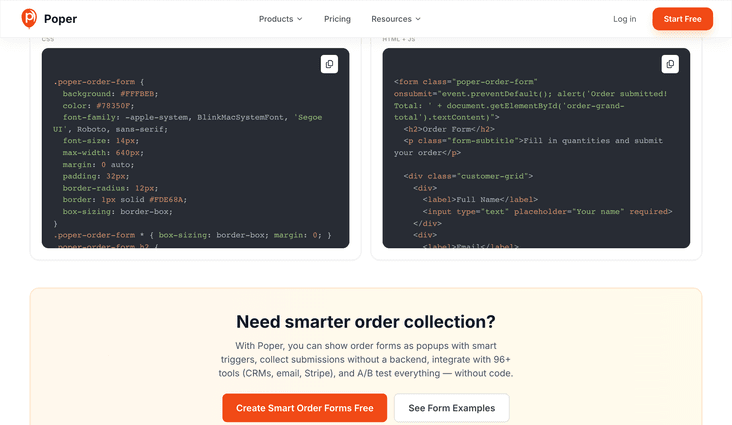
This tool generates three layers of code: CSS for styling, HTML for structure, and JavaScript for the total calculation logic. The CSS is scoped to a .poper-order-form class so it won't conflict with your existing website styles. The HTML creates a clean, semantic table layout with quantity inputs. The JavaScript handles real-time line total and grand total calculations.
The generated code is lightweight, dependency-free, and works on any website — WordPress, Shopify, Squarespace, Wix, static HTML, or any custom platform. Simply copy the CSS into your stylesheet, paste the HTML where you want the form, and the JavaScript handles the rest. No jQuery, no frameworks, no external libraries required.
Customization: Match Your Brand Perfectly
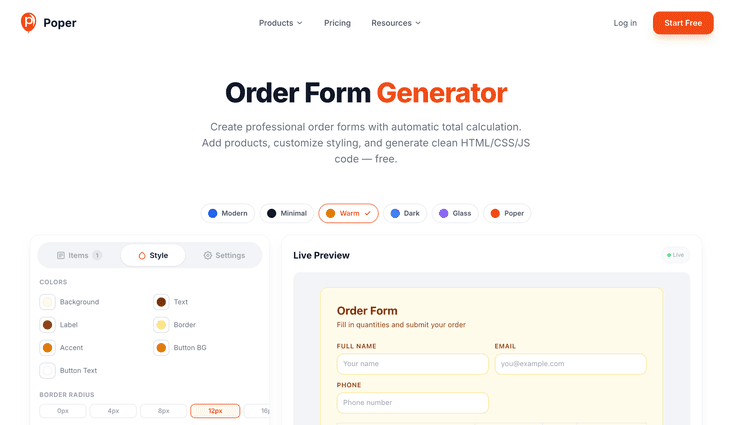
Choose from 6 preset themes — Modern, Minimal, Warm, Dark, Glass, and Poper — or fully customize every color: background, text, labels, borders, accent, button background, and button text. Adjust border radius from sharp corners to fully rounded, and set the font size to match your website's typography.
The live preview updates instantly as you make changes, so you see exactly what your customers will see. No guesswork, no deploy-and-check cycles. When the form looks perfect, click Generate Code and you're done. The code preserves every customization you've made.
Order Form Use Cases Across Industries
Restaurants use order forms for takeout and catering orders. T-shirt and merchandise sellers use them for custom product orders with size and color options. Wholesalers use them for bulk purchase orders. Service businesses use them for booking packages. Event planners use them for ticket and meal selections. The flexible item row system works for any product or service.
For higher conversion rates, consider embedding the order form inside a Poper popup triggered by exit-intent, scroll depth, or a CTA button click. Popup order forms capture attention at the right moment and can include smart targeting rules, A/B testing, and automatic email notifications — all without writing any backend code.
Similar Tools
Order Form Best Practices
Follow these tips to maximize order completions and reduce form abandonment
Use descriptive item names so customers know exactly what they're ordering. Include size, color, or variant info in the item name to prevent confusion and order errors.
Customers are more likely to complete an order when they can see the total update in real-time. Never hide the total or make customers calculate it themselves.
Only ask for information you actually need. Every extra field reduces completion rates. If you don't need a phone number, don't ask for one.
Most order form traffic comes from mobile devices. Test your form on a real phone to make sure quantities are easy to change and the total is clearly visible.
If you charge tax, configure the correct rate for your region. Showing tax as a separate line builds trust and prevents sticker shock at the total.
Use specific button text like 'Place Order', 'Submit Order', or 'Order Now' instead of generic 'Submit'. Action-oriented text increases completion rates.