
Blog subscription popups are interactive elements that appear on a website, prompting visitors to subscribe to the blog. These popups are designed to capture the attention of readers and encourage them to join your mailing list.
Building a subscriber list is crucial for any blog. A strong subscriber list allows you to communicate directly with your audience, share updates, and drive traffic back to your blog. It helps in creating a loyal community around your content.
This article will explore seven effective ways to use popups for blog subscriptions. We'll cover everything from designing compelling popups to integrating them with your marketing tools, ensuring you have all the knowledge needed to maximize your subscription rates.
Understanding Blog Subscription Popups
What Are Blog Subscription Popups?
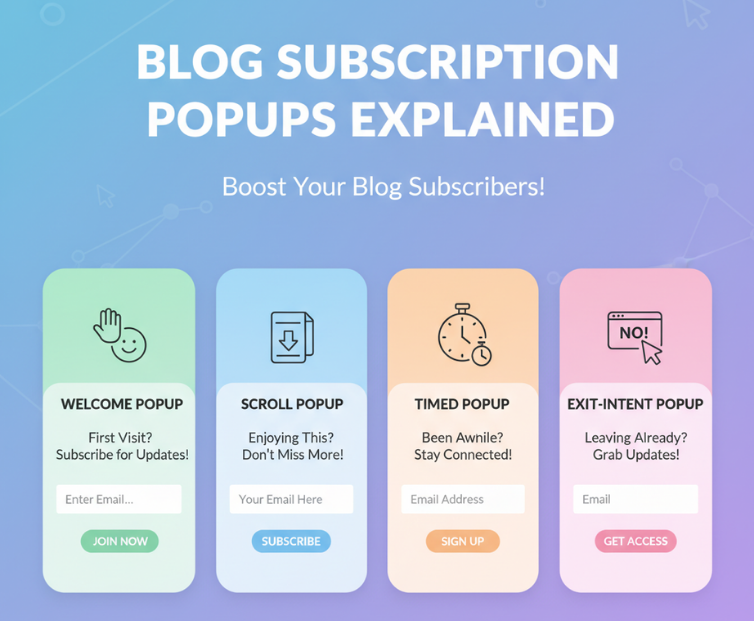
Blog subscription popups are designed to prompt visitors to enter their email addresses to receive updates from the blog. These can appear as lightboxes, slide-ins, or overlays and are typically triggered by user behavior.
Benefits of Using Popups for Blog Subscriptions
Using popups for blog subscriptions offers several benefits:
Increased Visibility: Popups ensure that your subscription prompt is seen by more visitors.
Higher Conversion Rates: Well-designed popups can convert more visitors into subscribers.
Enhanced Engagement: Popups can engage visitors who might otherwise leave without subscribing.
Types of Blog Subscription Popups
There are several types of popups you can use:
Welcome Popups: Appear when a user first visits the site.
Exit-Intent Popups: Triggered when a user is about to leave the site.
Scroll-Triggered Popups: Appear when a user scrolls to a certain point on the page.
Timed Popups: Displayed after a user has spent a specific amount of time on the site.
Click-Activated Popups: Triggered by clicking on a specific element.
Turn Blog Readers Into Subscribers
Poper builds the subscribe prompt and the email capture form in one place, so a reader who liked this post can join your list without leaving the page.
Build a Subscription PopupFree plan, no credit card required.Ways to Use Popups to Increase Blog Subscriptions
1. Collect More Email Subscriptions with a Popup
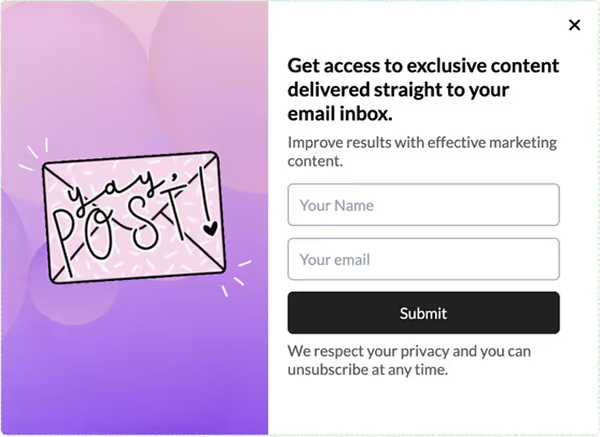
Creating an incentive for visitors to subscribe can significantly boost your email list. Offer something of value, like an eBook, exclusive content, or a discount. Timing is crucial; avoid showing the popup immediately. Instead, use scroll-triggered or exit-intent popups to catch users when they're more engaged.
Example Table:
| Timing | Type of Popup | Purpose |
|---|---|---|
| On Exit | Exit-Intent | Capture users about to leave |
| After Scrolling | Scroll-Triggered | Engage users who show interest by scrolling |
2. Announce Giveaways and Contests

Giveaways and contests are excellent for attracting new subscribers. Use popups to notify visitors about these promotions and direct them to participate. A catchy design and clear instructions can boost participation rates.
3. Promote Featured Blog Posts or New Content
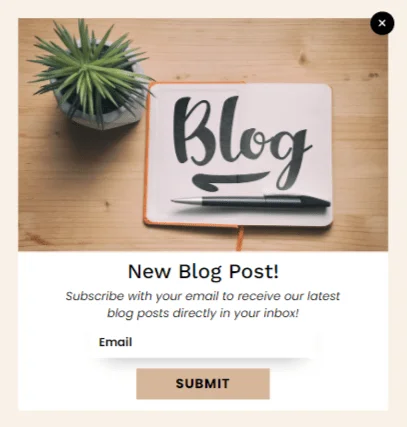
Highlight popular or new articles with targeted popups. Display these popups when a visitor has scrolled 80% of the page or is about to exit. This strategy can drive more traffic to key content.
4. Survey Your Readers to Get Content Ideas
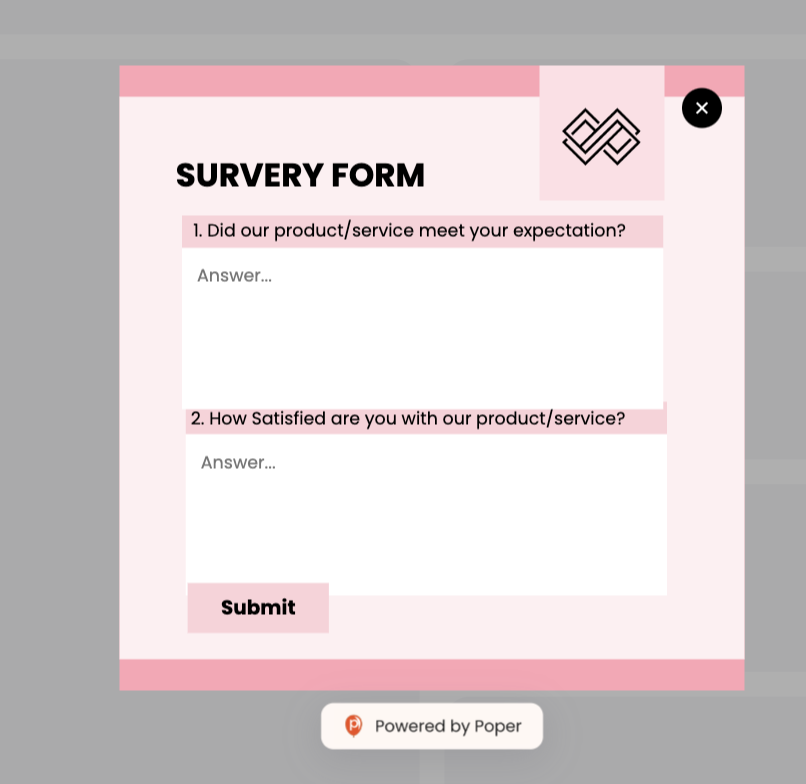
Understanding your audience is key to creating relevant content. Popup surveys can gather valuable feedback. Use star ratings or simple questionnaires to find out what readers enjoy most.
5. Offer Exclusive Content or Resources
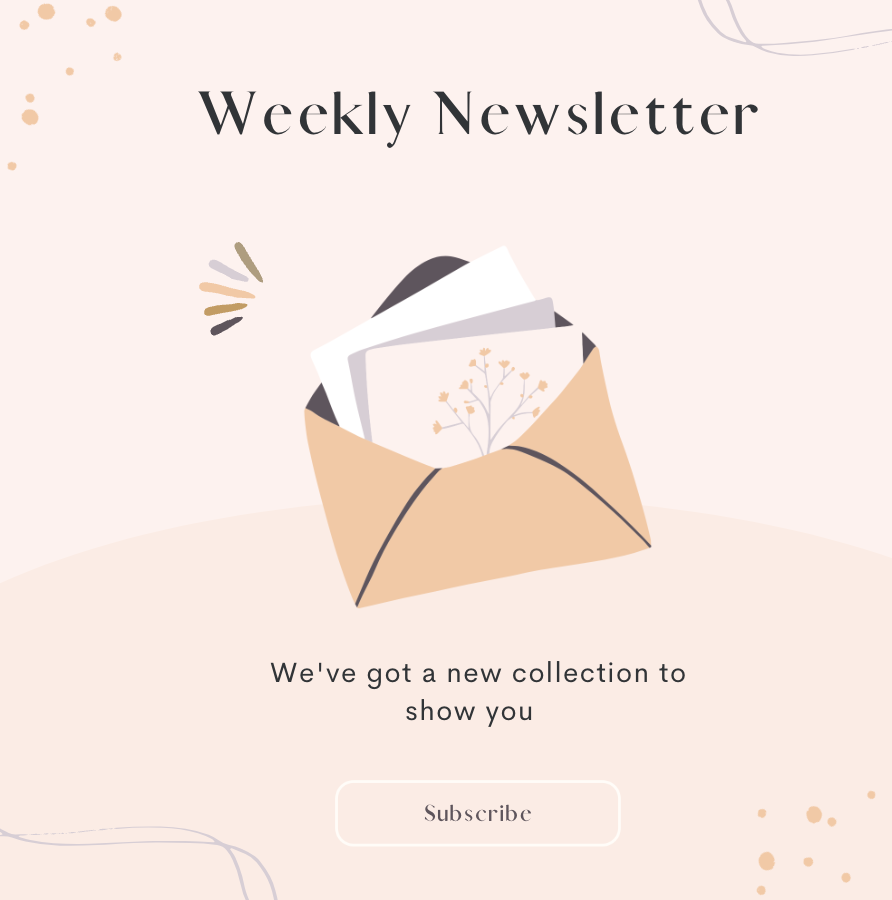
Provide access to exclusive content like eBooks or guides through popups. Highlight the unique value of the content to entice visitors to subscribe. Ensure the popup design is appealing and the offer clear.
6. Encourage Social Media Follows

Popups can also be used to increase your social media following. Offer incentives for followers, such as exclusive updates or promotions. Direct links to your social media profiles make it easy for visitors to follow you.
7. Highlight Special Promotions or Discounts
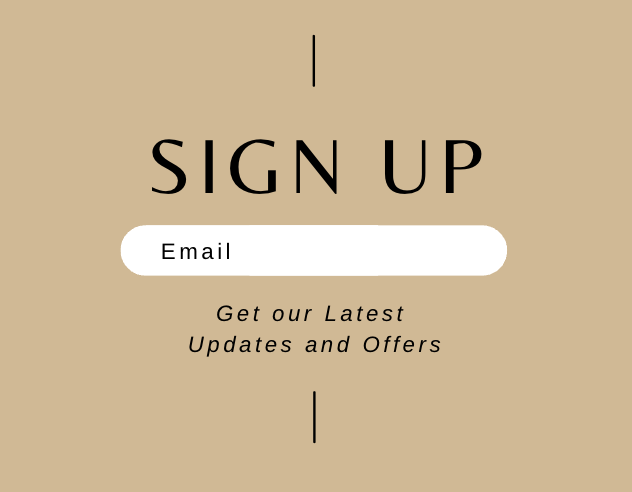
Promote limited-time offers or discounts with popups. Use countdown timers to create a sense of urgency, encouraging immediate action. Display these popups strategically to maximize visibility and engagement.
Designing Blog Subscription Popups
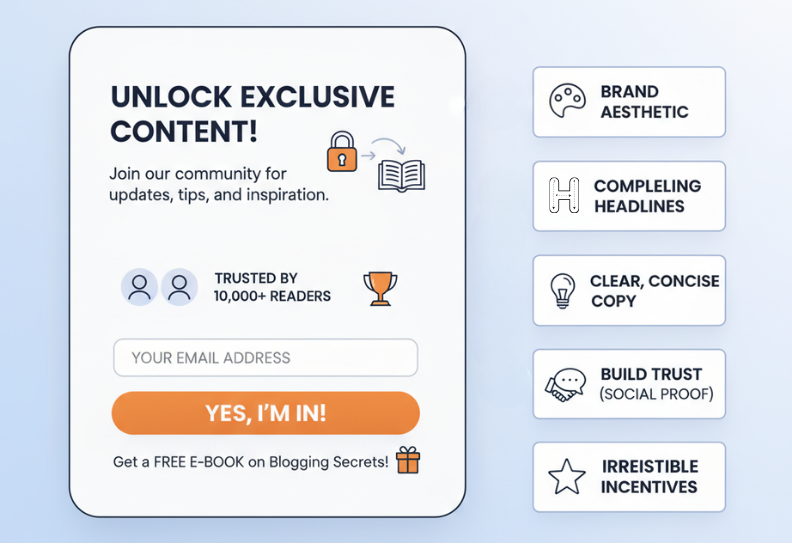
Choosing the Right Design Templates: Select templates that match your brand’s aesthetic.
Crafting Engaging Headlines: Write headlines that grab attention and convey value.
Writing Persuasive and Concise Copy: Keep your message clear and compelling.
Incorporating Social Proof: Use testimonials or subscriber counts to build trust.
Adding Incentives to Encourage Signups: Offer something valuable in exchange for an email address.
Timing and Placement Strategies for Blog Subscription Popups
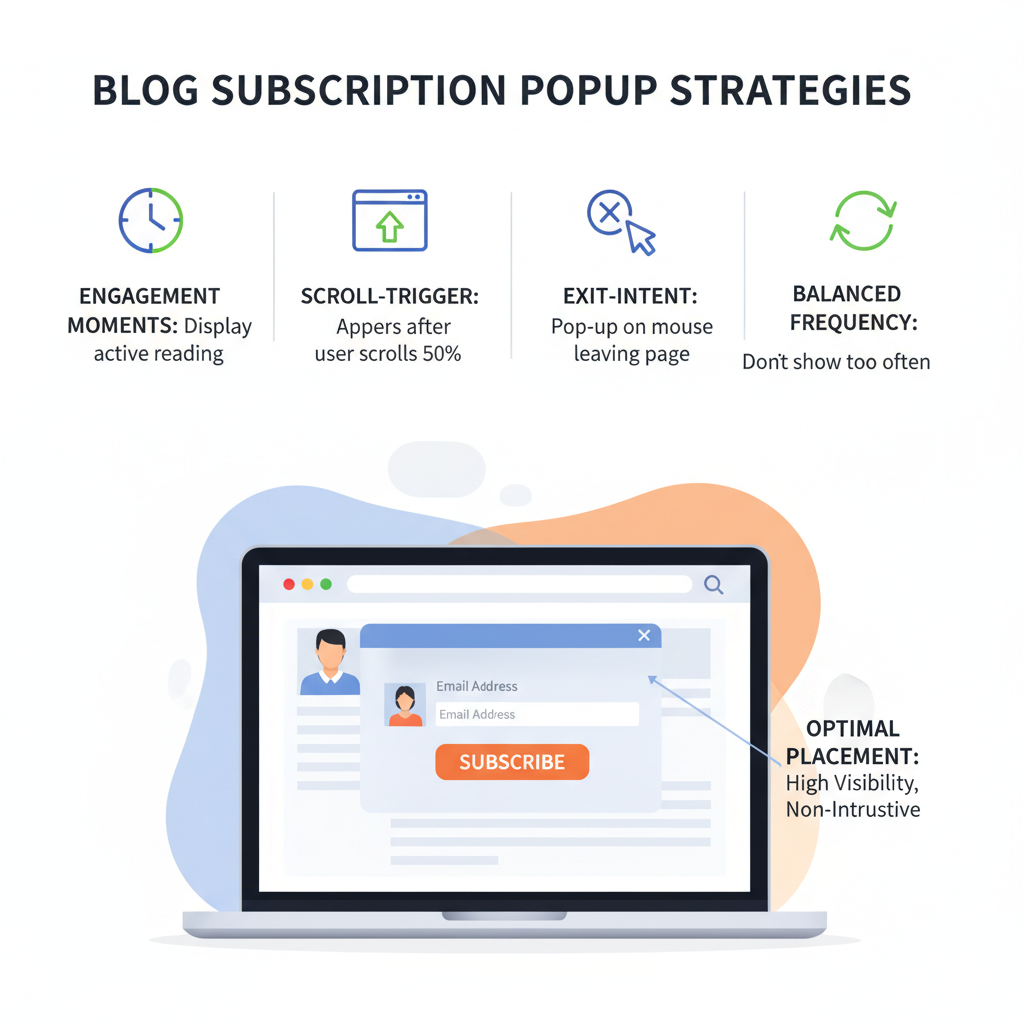
Optimal Placement for Maximum Visibility: Place popups where they’re most likely to be seen without being intrusive.
Best Times to Display Subscription Popups: Display popups when visitors are most engaged.
Using Scroll-Triggered Popups: Engage users who show interest by scrolling through your content.
Implementing Exit-Intent Popups: Capture attention before a visitor leaves.
Frequency of Display: Balance the frequency to avoid annoying visitors while maximizing engagement.
Show The Subscribe Prompt When The Reader Is Ready
The placement rules above map onto real Poper settings. Choose a template, then decide who sees the popup and at what moment.
Set Up Your PopupFrequency capping stops regular readers from seeing the same prompt every visit.- 1Trigger on scroll depth or exit intent so the prompt lands after the reader is invested in the article.
- 2Target blog URLs only, and treat first time visitors differently from returning readers.
- 3Pass captured addresses to your email tool through a Poper integration, no export files needed.
How to Create Blog Subscription Popups Using Poper
Overview of Poper’s Capabilities
Poper offers a range of features to create and optimize your blog subscription popups:
Customizable Templates: Easily create popups that match your brand.
Advanced Targeting: Show popups to specific audience segments based on behavior.
A/B Testing: Test different versions of your popups to see which performs best.
Real-Time Analytics: Monitor the performance of your popups with detailed analytics.
Step-by-Step Guide to Creating Popups with Poper
Creating effective blog subscription popups with Poper.ai is simple and fast. Using Poper’s intuitive editor and customizable templates, you can build eye-catching, high-converting subscription popups in just a few steps. Here’s a step-by-step guide:
Step 1: Log In to Poper.ai
Access Your Dashboard: Start by signing in to your Poper.ai account.
Create a New Popup: Click “Create Popup” to begin designing your subscription popup.
Step 2: Choose a Template
Browse Subscription Templates: Search for 'Newsletter / Subscription' and select a template designed to capture email sign-ups. Look for clean layouts that highlight your value proposition.
Start From Scratch (Optional): Prefer full control? Choose a blank canvas and build your popup using Poper’s drag-and-drop tools.
Step 3: Customize the Design
Add Engaging Visuals:
Use Poper’s design library to add visuals that reinforce your blog's theme.- Background Style: Choose soft, minimal, or branded colors to maintain a professional look.
- Images/Icons: Add icons like envelopes, pens, or illustrations that represent writing, learning, or updates.
Edit Text Content:
Craft clear and compelling subscription messaging, such as:- Headline: “Join Our Blog Community!”
- Subtext: “Subscribe to get fresh insights delivered weekly.”
Include CTAs:
Use strong calls-to-action like “Subscribe Now”, “Get Updates”, or “Join Free”.
Step 4: Add Interactive Elements
Lead-Capture Fields:
Add Email address (required)
Name (optional)
Gamified Options (Optional):
If you want a more engaging approach, you can use spin-the-wheel or scratch cards to offer exclusive content, guides, or freebies for subscribing.
Step 5: Personalize the Experience
Dynamic Personalization:
Use Poper’s AI-driven features to tailor your subscription popup based on user behavior.Geo-Targeting: Show region-specific content or language variations.
Behavioral Triggers: Display subscription prompts when users show intent to leave, scroll halfway through a blog post, or return to the website.
Step 6: Configure Display Rules
Set Triggers: Choose when your popup appears.
On page load
Exit intent
After scrolling a set percentage
After a delay (e.g., 10 seconds)
Placement: Display your subscription popup on key content pages, especially:
Blog posts
Homepage
Resources or guides pages
Step 7: Preview and Test
Preview Your Popup:
Check how your popup looks on both desktop and mobile devices using Poper’s built-in preview tool.A/B Testing:
Experiment with different designs, CTAs, or headlines to see which version converts best.
Step 8: Publish Your Popup
Save and Launch:
Once you're satisfied, click “Publish” to activate your subscription popup.Monitor Performance:
Track impressions, conversion rates, and signups using Poper.ai’s analytics dashboard.
What are the key elements of a successful blog subscription popup?
Key elements include a compelling headline, clear copy, strong CTA, eye-catching design, and relevant incentives.
How can I increase my blog subscribers with popups?
Offer valuable incentives, personalize messages, and strategically place popups at the right moments to increase engagement.
What are the best practices for designing blog subscription popups?
Use clean designs, ensure readability, maintain brand consistency, and include a clear CTA.
How often should I update my blog subscription popups?
Regularly update to keep content fresh and relevant, ideally every few months or after analyzing performance data.
Are there any legal considerations for using blog subscription popups?
Ensure compliance with privacy laws like GDPR and CCPA. Clearly state terms and conditions and obtain user consent before collecting data.
Summary
Popups are an effective tool for increasing blog subscriptions. By following best practices in design, timing, and placement, you can significantly boost your subscriber list.
To maximize the effectiveness of your popups:
Keep the message simple and direct.
Offer genuine value to your audience.
Ensure quick load times and mobile compatibility.
Regularly test and optimize your popups based on data.
Launch Your Blog Subscription Popup Today
Welcome popups, exit intent prompts, survey forms, giveaway entries: every format in this guide is built in the same drag and drop editor. Add one script to your site and your first subscribe popup can go live today.
Create Your Free Poper AccountWorks on WordPress, Shopify, Webflow, Wix, and plain HTML.


