Let me talk about one of the most frustrating moments for any online store owner: watching a visitor load up their cart, browse for a while, and then move their mouse to close the tab. That’s a potential sale walking right out the door.
Exit-intent popup. Tadaaa
It’s a smart, subtle way to give visitors one last compelling reason to stay and complete their purchase.
Today, I'll show you exactly how to set up an effective exit-intent popup for your BigCommerce store.
Creating Your Exit-Intent Popup
Before we activate the trigger, let’s build the popup that your visitors will see. The message here is everything, it has to be valuable enough to make them pause.
Step 1: Start with a Goal-Oriented Template
In the Poper dashboard, click New Popup. I always recommend starting with a template because the design is already optimized for conversions.
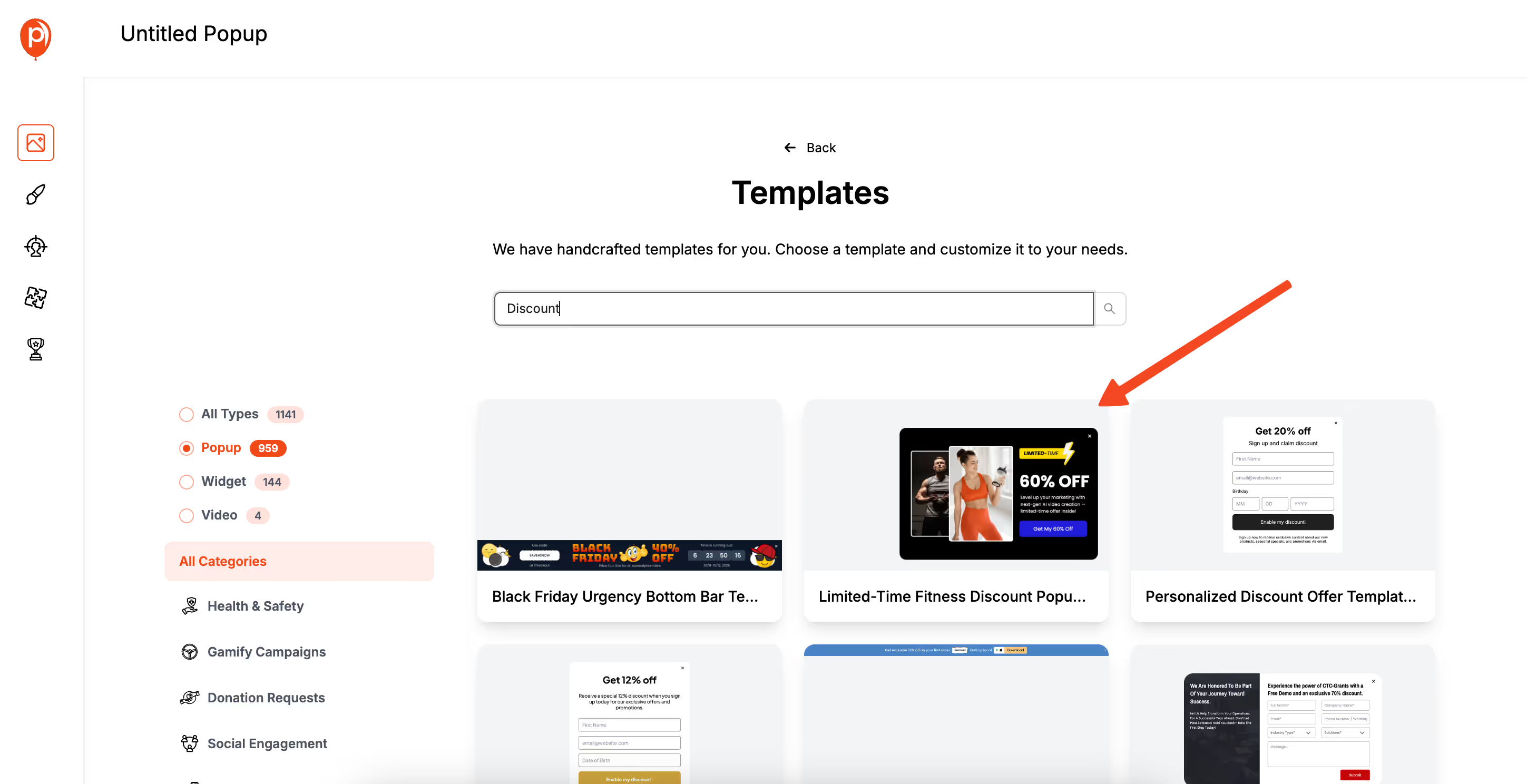
Use the search bar and look for terms like "Discount," "Free Shipping," or "Wait!" to find designs created specifically for this purpose.
Choose a template that feels like a natural extension of your brand. A clean, simple design often works best because you want the offer to be the main focus.
Step 2: Craft a Compelling "Wait, Don't Go!" Offer
Once you’re in the editor, think about what would make you reconsider leaving a site. A last-minute discount is the most common and effective offer. Change the text to something like, "Wait! Get 15% Off Your Order, Right Now."
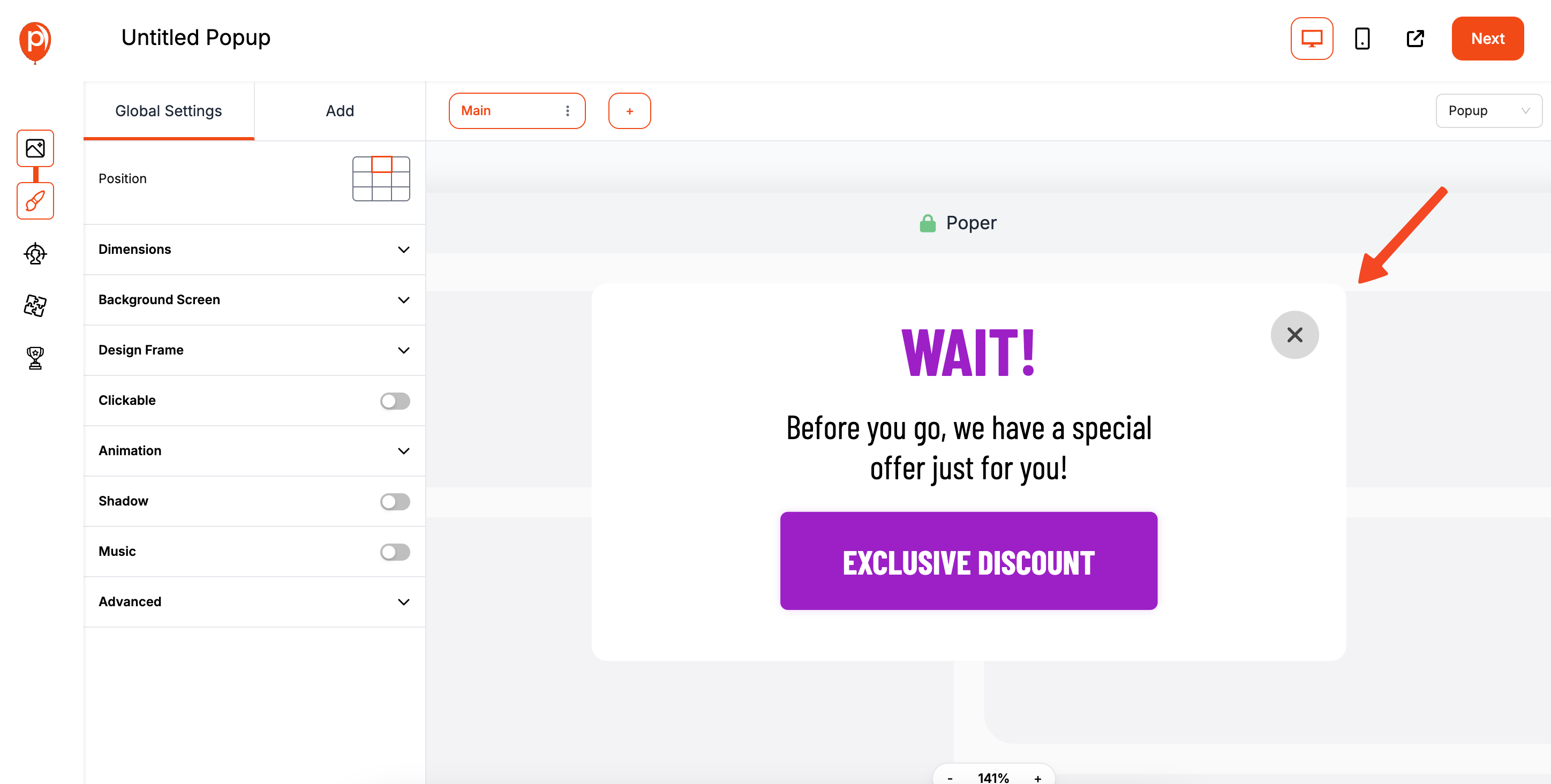
Another great option is offering free shipping, especially if high shipping costs are a common reason for cart abandonment. You could also offer help, with a message like, "Have Questions? Let's Chat!" that links to your support page. Keep the message short, friendly, and to the point.
Setting Up the Exit-Intent Trigger
With your design ready, it’s time to tell Poper when to show it. This is the most important step.
Step 3: Activate the Exit-Intent Trigger
Navigate to the Display Conditions page. This is where you control the logic behind your popup. In the Triggers section, you’ll see an option for Exit-Intent. Simply turn it on.
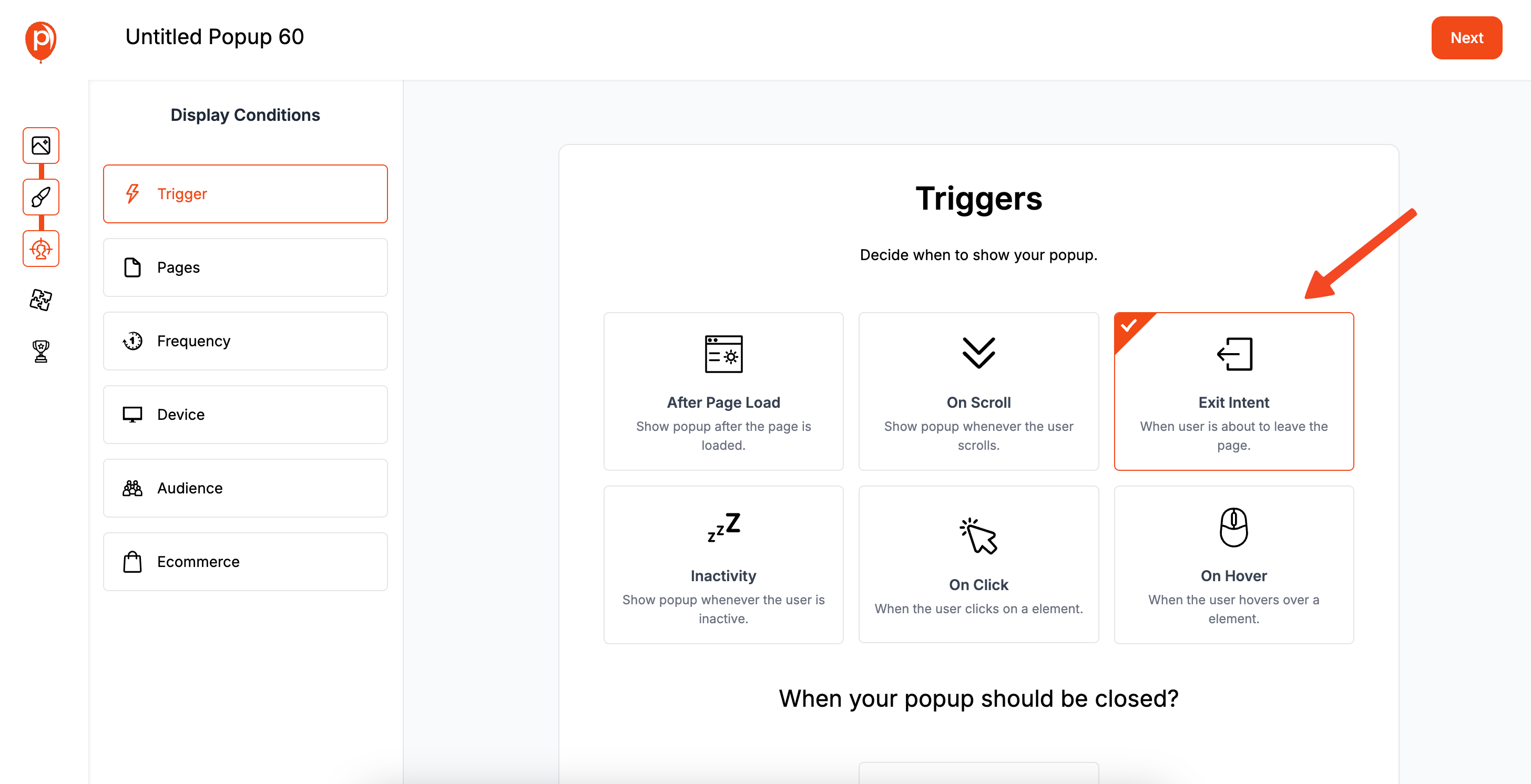
Poper will continuously monitor the visitor's mouse movements. The moment their cursor moves rapidly towards the top of the browser window, a clear sign they intend to close the tab or switch to another, your popup will instantly appear.
Step 4: Refine Your Page Targeting (Optional but Recommended)
An exit-intent popup is powerful, but you don't need to show it on every single page. To make it even more effective, go to the Page Targeting rules and set the popup to appear only on key pages, like the cart page or checkout page.
Showing it here is incredibly effective because the visitor has already shown strong purchase intent. Your last-minute offer can be the final nudge they need to overcome any hesitation and complete the checkout process.
Step 5: Publish Your Campaign and Test It
Once you’ve set your trigger and targeting rules, click Save & Publish. Your exit-intent campaign is now live!
To make sure it’s working perfectly, visit your BigCommerce store in a new incognito browser window. Add an item to your cart, then move your mouse up as if you're about to close the tab. Your popup should appear right on cue.
Why This Is Your Secret Weapon Against Cart Abandonment
Unlike popups that appear after a few seconds, an exit-intent popup is not interruptive. It only shows up when the visitor is already leaving, so it doesn't disrupt their shopping experience. It acts as a safety net, catching potentially lost sales at the last possible second.
By setting one up, you’re not just reducing cart abandonment, you’re actively engaging customers who are on the fence and giving them a great reason to become loyal shoppers. It’s one of the simplest and most effective ways to boost your conversions.