
Popups have evolved from mere marketing tools to essential elements for collecting user feedback. They offer a convenient way to engage visitors and gather valuable insights directly from the source. User feedback through popups can provide critical data to improve user experience and refine product offerings.
Collecting feedback is not just about asking questions; it's about understanding the user's journey and enhancing their experience.
Popups can be strategically placed at various touchpoints on your website to capture real-time responses from users. Whether it's a brief survey, a rating system, or an open-ended question, popups enable you to understand your audience better and address their needs more effectively.
Benefits of Collecting User Feedback for Websites and Applications
Collecting user feedback through popups has numerous advantages, including:
Real-time Insights: Gather immediate feedback from users while their experience is fresh.
Increased Engagement: Encourage interaction with your website or application, making users feel valued.
Improved User Experience: Use feedback to identify pain points and areas for improvement.
Enhanced Product Development: Leverage user insights to guide product features and updates.
Higher Retention Rates: Show users that their opinions matter, fostering loyalty and long-term engagement.
Understanding the Importance of User Feedback
Why User Feedback Matters
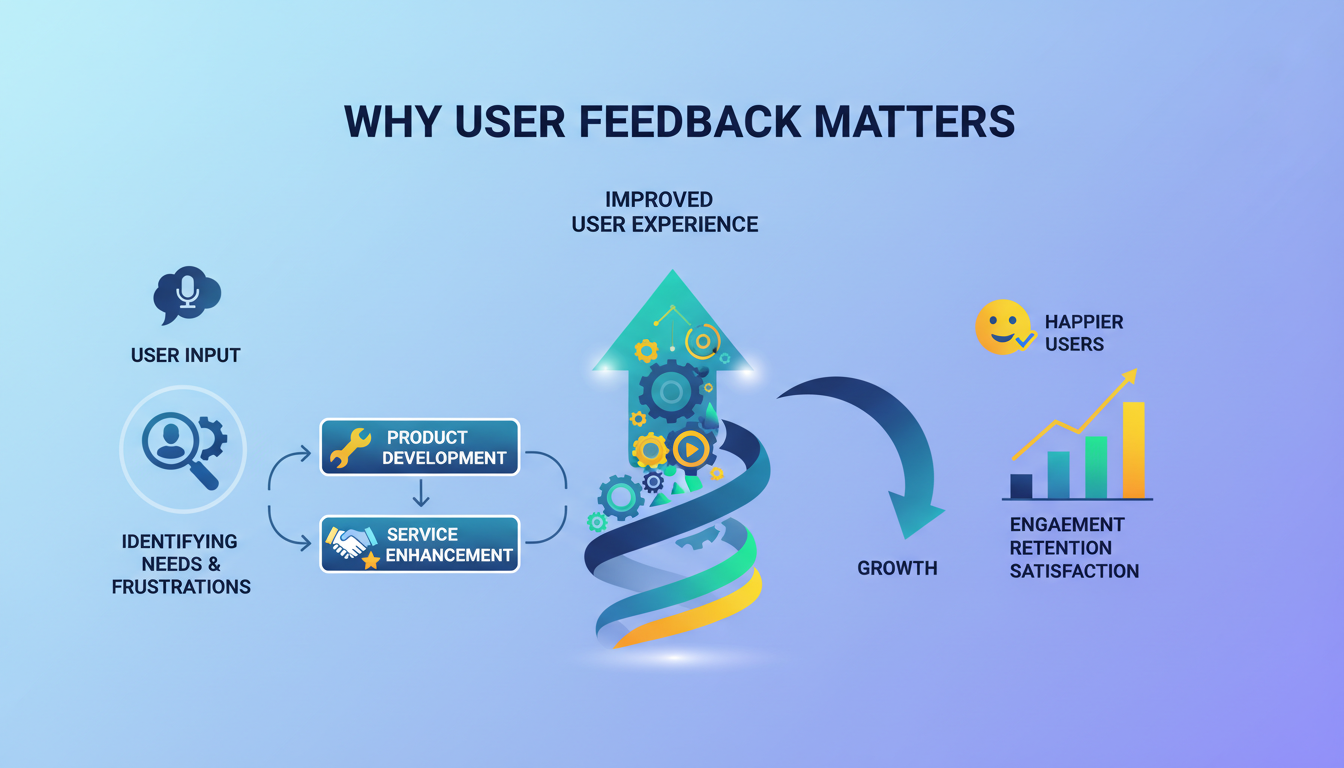
User feedback is the cornerstone of a successful digital presence. It bridges the gap between what you offer and what your users need. Here’s why it’s crucial:
Improving User Experience: Feedback identifies user frustrations and preferences, allowing you to enhance their journey.
Enhancing Product Development and Services: Direct input from users guides feature development and service improvements, ensuring they align with user needs.
Types of User Feedback
Feedback can be broadly categorized into two types: qualitative and quantitative.
Qualitative Feedback: This includes open-ended responses, comments, and suggestions that provide in-depth insights into user thoughts and feelings. Examples include survey responses, user interviews, and comment sections.
Quantitative Feedback: This consists of numerical data that can be measured and analyzed statistically. Examples include ratings, usage metrics, and poll results.
Table: Qualitative vs. Quantitative Feedback
| Type | Description | Examples |
|---|---|---|
| Qualitative | In-depth, descriptive insights into user experiences and opinions | Open-ended survey questions, comments |
| Quantitative | Measurable, numerical data that can be statistically analyzed | Ratings, polls, usage metrics |
Planning Your Feedback Collection Strategy
Setting Clear Objectives
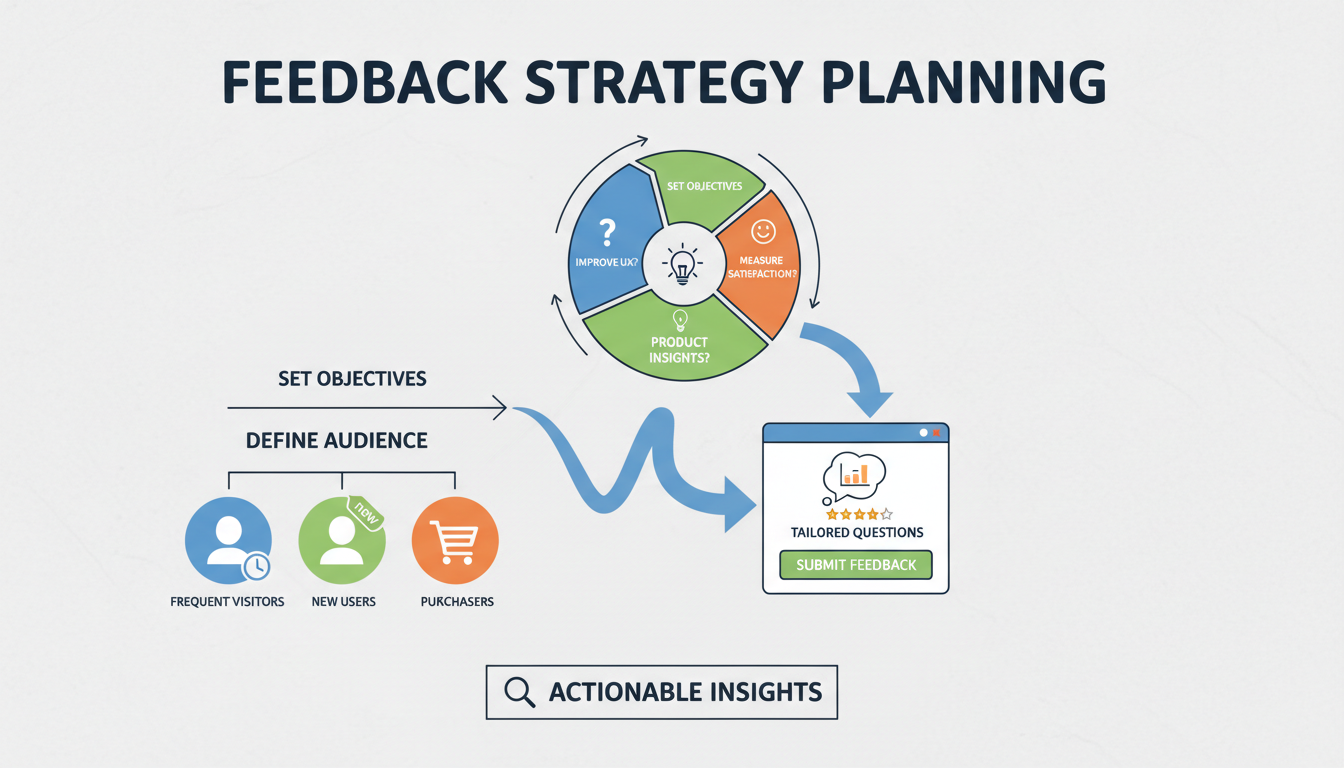
Before deploying feedback popups, it’s essential to set clear objectives. Knowing what you want to achieve will shape your approach and the type of feedback you collect.
Identifying Goals for Collecting Feedback: Determine whether you aim to improve user experience, gather product insights, or measure satisfaction.
How Objectives Influence the Feedback Process: Your goals will dictate the design of your feedback popups, the questions you ask, and the triggers you use.
Identifying Target Audience
Understanding who provides valuable feedback is crucial for collecting relevant and actionable insights.
Understanding Who Provides Valuable Feedback: Segment your audience based on their interactions with your site, such as frequent visitors, new users, or those who have made a purchase.
Segmenting Your Audience for More Targeted Feedback: Tailor your feedback requests to different segments to ensure the data you collect is specific and actionable.
Designing Effective Feedback Popups
Choosing the Right Type of Popup
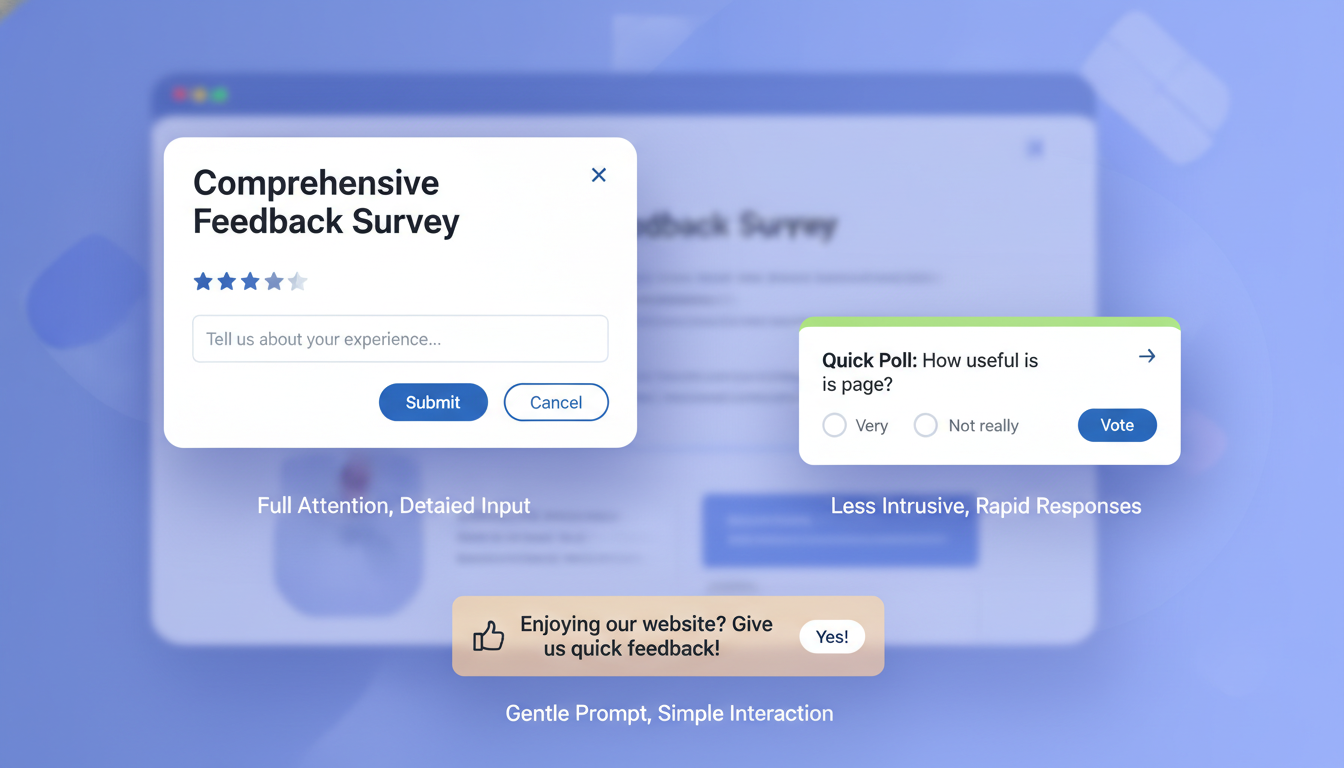
Selecting the appropriate type of popup is crucial for maximizing user engagement and feedback quality. Different types of popups serve different purposes and can be deployed based on your specific needs.
Modal Popups: These are central popups that dim the background, drawing full attention to the popup content. Ideal for comprehensive surveys or important feedback forms.
Slide-in Popups: These appear from the side of the screen and are less intrusive. They are perfect for quick feedback requests or short polls.
Banners: These popups appear at the top or bottom of the page and are great for gathering simple feedback without interrupting the user’s experience.
Pros and Cons of Each Type
| Type | Pros | Cons |
|---|---|---|
| Modal | High visibility, full attention | Can be intrusive if not timed well |
| Slide-in | Less intrusive, good for quick feedback | May be overlooked by users |
| Banners | Minimal disruption, easy to dismiss | Limited space for detailed questions |
Crafting Compelling Content for Feedback Popups
The content of your feedback popup is what ultimately determines its success. Clear, engaging, and concise content will encourage users to participate.
Writing Engaging Questions: Use open-ended questions to gather detailed feedback and closed-ended questions for specific insights. For example, “What can we improve?” versus “How satisfied are you with our service?”
Importance of Concise and Clear Language: Avoid jargon and keep your language simple. Make sure the purpose of the feedback is clear and the instructions are easy to follow.
Design Aesthetics for User-Friendly Popups
A well-designed popup not only looks good but also enhances usability, encouraging more users to provide feedback.
Using Colors, Fonts, and Layout to Enhance Usability: Ensure that your popup design aligns with your brand while remaining readable and visually appealing. Use contrasting colors for text and background to improve readability.
Ensuring Mobile Responsiveness: Given the high number of mobile users, your popups must be optimized for mobile devices. Test your popups on various screen sizes to ensure they are accessible and functional.
Implementing Feedback Popups
Best Practices for Popup Placement
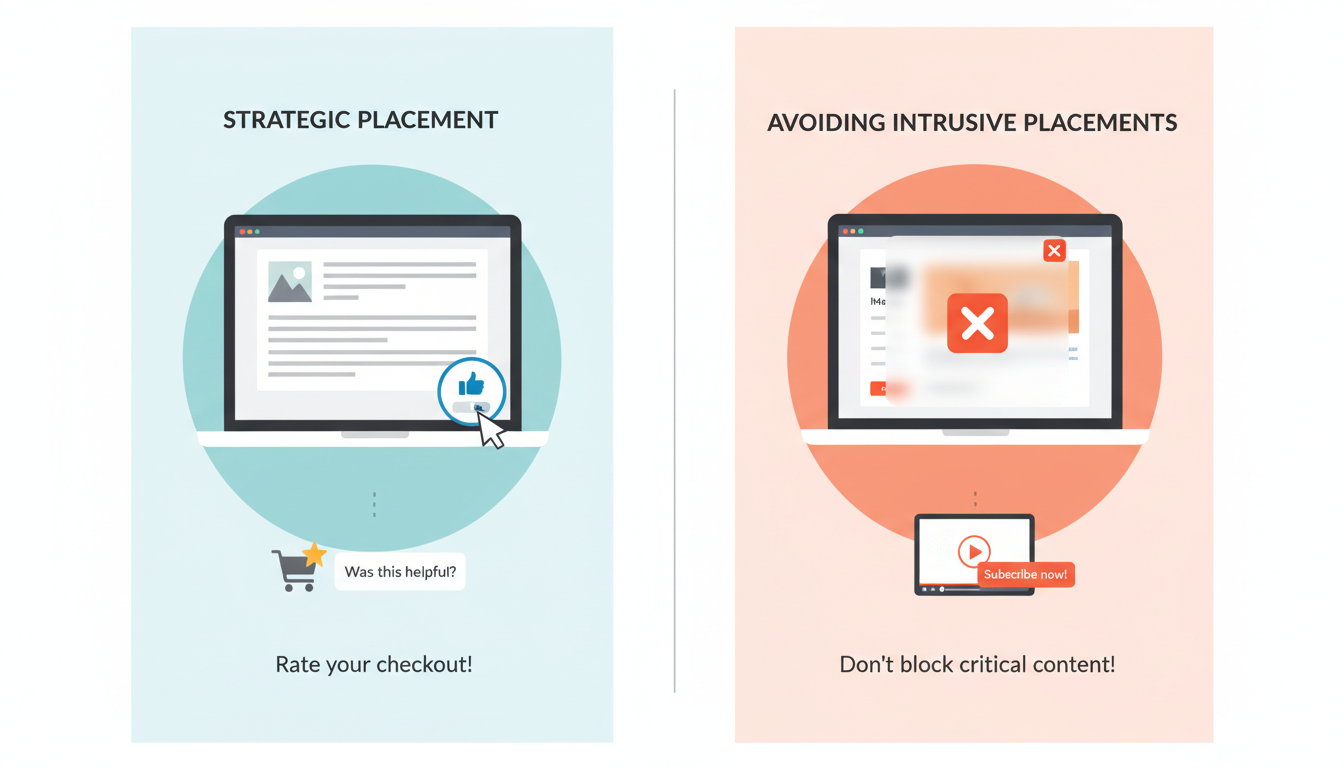
Strategic placement of feedback popups is essential to ensure they are seen without disrupting the user experience.
Strategic Placement for Maximum Visibility: Place popups in locations where users are most likely to engage, such as after they have interacted with key content or features.
Avoiding Intrusive Placements: Ensure that popups do not block important content or actions, and provide an easy way for users to dismiss them if they are not interested.
Timing Your Popups Effectively
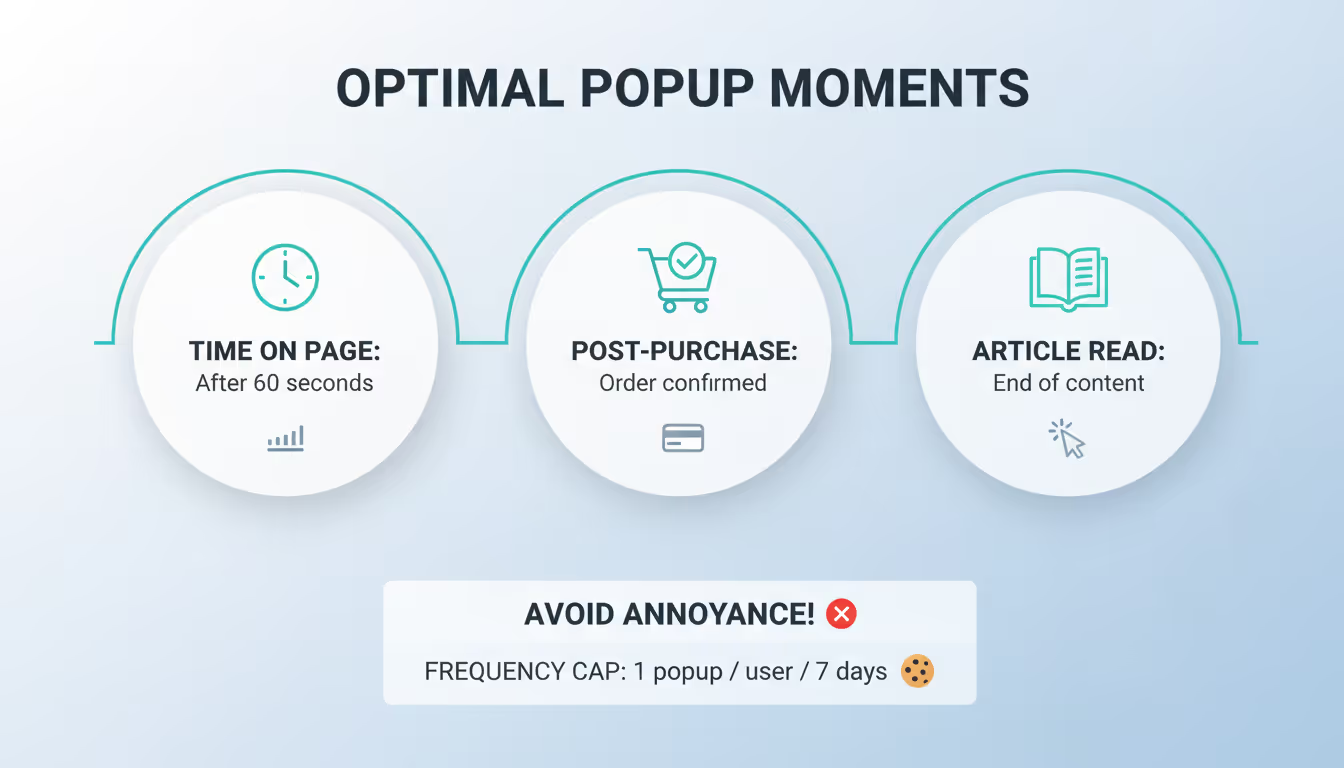
Timing is crucial for maximizing the effectiveness of your feedback popups. Popups should appear at moments when users are most receptive to providing feedback.
Ideal Times to Prompt for Feedback: Display popups after a user has spent a certain amount of time on a page, completed a purchase, or finished reading an article.
Balancing Frequency to Avoid User Annoyance: Avoid showing popups too frequently to the same user. Use cookies to remember user interactions and space out feedback requests.
Using Triggers for Feedback Popups
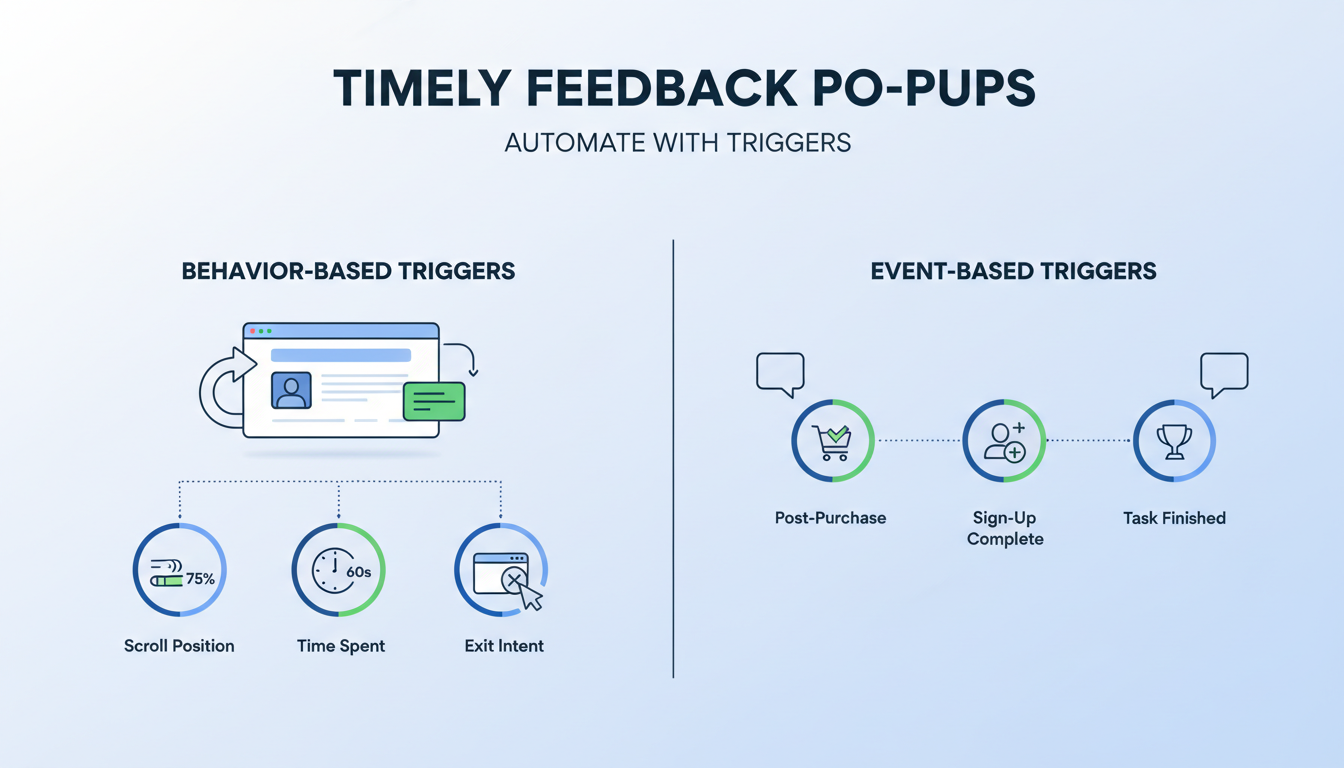
Triggers help to display popups based on user behavior, ensuring that feedback requests are timely and relevant.
Behavior-Based Triggers: Set triggers based on actions like scrolling to a certain point, spending a specific amount of time on a page, or attempting to exit the page.
Event-Based Triggers: Use triggers based on specific events, such as post-purchase, post-signup, or after completing a particular task on your site.
Step-by-Step Guide to Creating User Feedback Popups with Poper
Creating effective user feedback popups with Poper.ai is quick and straightforward. With Poper’s intuitive editor and flexible templates, you can collect valuable insights from visitors and customers in just a few steps.
Step 1: Log In to Poper.ai
Sign in to your Poper.ai account and open your dashboard. Click “New Popup” to begin creating your user feedback popup.
Step 2: Choose a Template
Browse through Feedback, Survey, or Lead Generation templates and select a layout designed for collecting opinions, ratings, or suggestions.
You can also start from scratch using Poper’s drag-and-drop editor if you want a fully custom design.
Alternatively, use Poper AI to generate a feedback popup based on your prompt.
Step 3: Customize the Design
Use Poper’s design tools to match your brand and encourage responses.
Background colors should be clean and non-intrusive to keep users focused.
Graphics such as icons for comments, stars, or surveys can make the popup more engaging.
Messaging should be clear and friendly.
Headline examples include “We’d Love Your Feedback,” “Help Us Improve,” or “Tell Us What You Think.”
Supporting text can say “Share your thoughts and help us improve your experience.”
Call-to-action buttons should be simple and inviting, such as “Submit Feedback,” “Share Opinion,” or “Send Response.”
Step 4: Add Interactive Elements
Include input fields like rating scales, multiple-choice questions, text boxes, or yes/no options.
You can also add interactive elements such as star ratings, emoji reactions, or quick polls to make feedback easy and engaging.
Keep the number of questions minimal to increase completion rates.
Step 5: Configure Display Rules
Decide when and where the feedback popup should appear for maximum relevance.
Triggers can include after a user spends time on a page, after scrolling, on exit intent, or after completing an action.
Placement works best on checkout pages, help articles, feature pages, or after key interactions where feedback is most valuable.
Step 6: Publish Your Popup
Preview the popup to ensure it looks good on both desktop and mobile devices.
Once satisfied, click Publish.
Use Poper.ai’s analytics dashboard to track impressions, responses, and completion rates. Use these insights to improve future feedback collection.
Step 7: Preview and Test
Run A/B tests to optimize performance by experimenting with different headlines, question formats, popup timing, and CTA buttons.
Testing helps you understand which approach gathers the most useful and actionable feedback.
Analyzing and Utilizing Feedback Data
Collecting and Storing Feedback Data
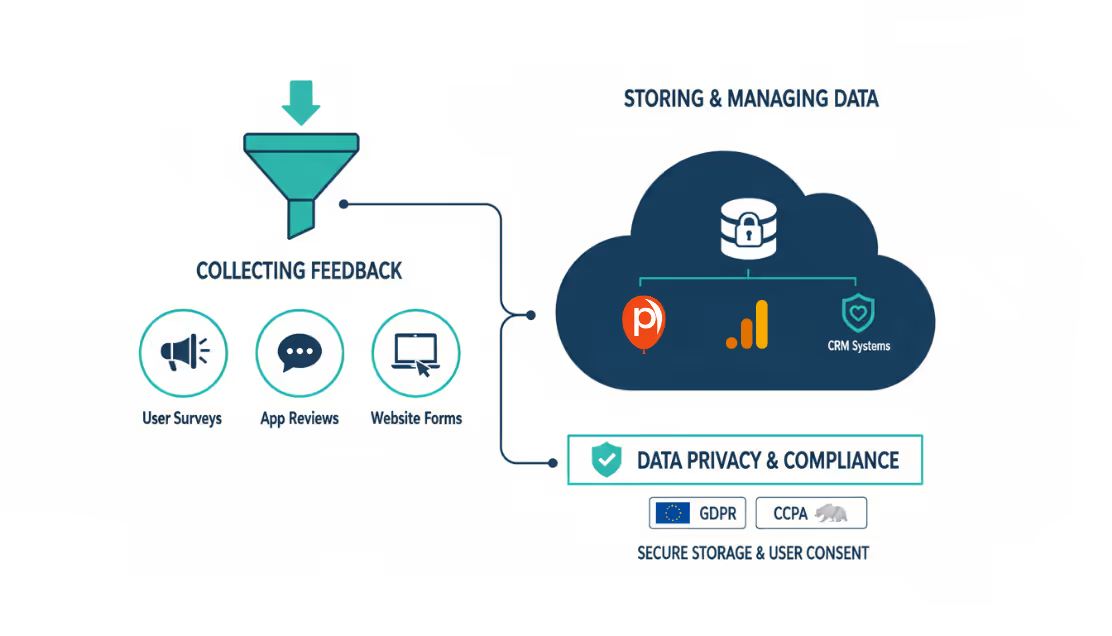
Once you’ve collected user feedback, it’s essential to manage and store this data effectively.
Tools and Platforms for Managing Feedback: Use tools like Poper’s analytics, Google Analytics, and CRM systems to organize and analyze feedback data.
Ensuring Data Privacy and Compliance: Adhere to data privacy regulations such as GDPR and CCPA. Ensure that user data is stored securely and that users are informed about how their data will be used.
Analyzing Feedback for Actionable Insights

Transforming raw feedback into actionable insights involves careful analysis.
Methods for Qualitative and Quantitative Analysis: Use qualitative analysis for open-ended feedback to identify themes and trends. Employ quantitative analysis for numerical data to track metrics and performance indicators.
Identifying Trends and Common Issues: Look for recurring themes and issues in the feedback. This helps prioritize areas for improvement and guides strategic decisions.
Implementing Changes Based on Feedback
Feedback is only valuable if it leads to actionable changes.
Prioritizing Feedback for Improvements: Focus on feedback that aligns with your business goals and has the most significant impact on user experience.
Communicating Changes to Users: Keep your users informed about the changes you’ve made based on their feedback. This fosters trust and encourages further engagement.
Advanced Strategies for Feedback Popups

Leveraging AI and Machine Learning
Artificial intelligence can significantly enhance the feedback collection process.
How AI Can Enhance Feedback Collection and Analysis: AI can automate the analysis of qualitative feedback, identify patterns, and predict user behavior, making the feedback process more efficient.
Tools and Technologies to Consider: Implement tools like Poper’s AI features, Natural Language Processing (NLP) for sentiment analysis, and machine learning algorithms to optimize feedback strategies.
A/B Testing Your Feedback Popups
A/B testing allows you to experiment with different popup designs and content to find the most effective combination.
Testing Different Designs and Questions: Compare variations in design, wording, and placement to see which versions yield the highest engagement and feedback quality.
Analyzing Test Results for Optimization: Use the results of A/B tests to refine your feedback popups continuously. This iterative process ensures that your popups remain effective over time.
Personalizing Feedback Requests
Personalization can significantly increase user engagement and the quality of feedback received.
Customizing Popups Based on User Behavior and Preferences: Use data such as past interactions, purchase history, and browsing behavior to tailor feedback requests to individual users.
Benefits of Personalized Feedback Requests: Personalized requests feel more relevant and respectful, leading to higher response rates and more meaningful feedback.
Common Mistakes and How to Avoid Them
Understanding common pitfalls can help you avoid mistakes that could undermine your feedback efforts.
Pitfalls in Feedback Collection: Issues like overly intrusive popups, poorly worded questions, and lack of follow-up can reduce the effectiveness of feedback popups.
Tips for Improving User Participation: Ensure your popups are well-timed, easy to understand, and offer value to the user. Communicate clearly about how the feedback will be used to make improvements.
Frequently Asked Questions
What are the best practices for designing feedback popups?
Best practices include using clear and concise language, ensuring the popup is visually appealing and aligned with your brand, and making it easy for users to respond.
How can I increase user participation in feedback popups?
Increase participation by timing popups correctly, offering incentives, and ensuring the questions are relevant and engaging.
What tools are recommended for collecting and analyzing feedback?
Tools such as Poper, Google Analytics, and CRM systems are excellent for managing and analyzing feedback data.
How do I ensure compliance with data privacy laws?
Ensure compliance by following regulations like GDPR and CCPA, being transparent about data usage, and securing user data.
How often should I prompt users for feedback?
Avoid overwhelming users by spacing out feedback requests and using cookies to remember user interactions.
What are the common mistakes to avoid in feedback collection?
Common mistakes include using intrusive popups, asking too many questions, and failing to act on the feedback received.
How can I leverage AI to improve feedback collection?
Use AI to analyze qualitative feedback, identify patterns, and personalize feedback requests based on user behavior.
What types of questions should I ask in feedback popups?
Ask a mix of open-ended and closed-ended questions to gather both qualitative and quantitative data.
How do I balance between quantitative and qualitative feedback?
Use quantitative feedback for measurable insights and qualitative feedback for in-depth understanding of user experiences.
How can I effectively communicate changes based on user feedback?
Inform users about the changes made based on their feedback through email updates, blog posts, or in-app notifications.
Conclusion
Summing Up Key Takeaways
Collecting user feedback through popups is a powerful strategy for enhancing user experience and driving continuous improvement. Key takeaways include the importance of thoughtful feedback collection, strategic placement and timing, effective design, and the use of advanced tools and techniques.
Encouragement to Innovate and Experiment
The digital landscape is constantly evolving, and so are user expectations. Encouragement to innovate and experiment with new designs, questions, and strategies will keep your feedback collection fresh and effective. Continuous improvement is the key to staying ahead and meeting user needs.



