I had a quick coffee chat with a dentist friend last month who told me her front desk was drowning. She was sending out reminders all over the place: emails to some patients, texts to others, sometimes both, often neither. Her no-show rate was creeping up, and she could not figure out which channel was actually doing the work. That is the question we kept circling back to: when you weigh SMS and email appointment reminders against each other, which one really pulls its weight?
If you have ever asked the same thing, this post is for you. I want to walk you through what each channel does best, where each one falls short, and how to combine SMS and email appointment reminders so you do not waste a single minute or a single message. By the end you will have a clear plan that fits your business, not someone else's playbook.
Why Appointment Reminders Matter More Than Ever
Before we pick a channel, let me set the stage. Missed appointments are not a small problem. An industry summary from Curogram pegged the average no-show rate across service businesses at around 23%, with healthcare swinging between 15% and 30%. An analysis by Etisia reported that missed visits cost the United States healthcare system more than $150 billion every year. Numbers like that are exactly why SMS and email appointment reminders have become a non-negotiable part of running any service business.
The good news is that even a basic system moves the needle fast. The same Curogram research found that appointment reminders cut no-show rates by 30% to 60%, depending on industry and timing. So the real question is not whether to use appointment reminders. It is whether to lean on SMS, email, or both, and how to make each one count.
What SMS Appointment Reminders Do Best
Let me start with text, because the data is hard to argue with. SMS appointment reminders win on attention. According to a SimpleTexting report, business SMS hits an open rate near 98%, and most messages are read within three minutes of delivery. Email, by comparison, is still stuck around the 20% to 30% open rate range in most service verticals.
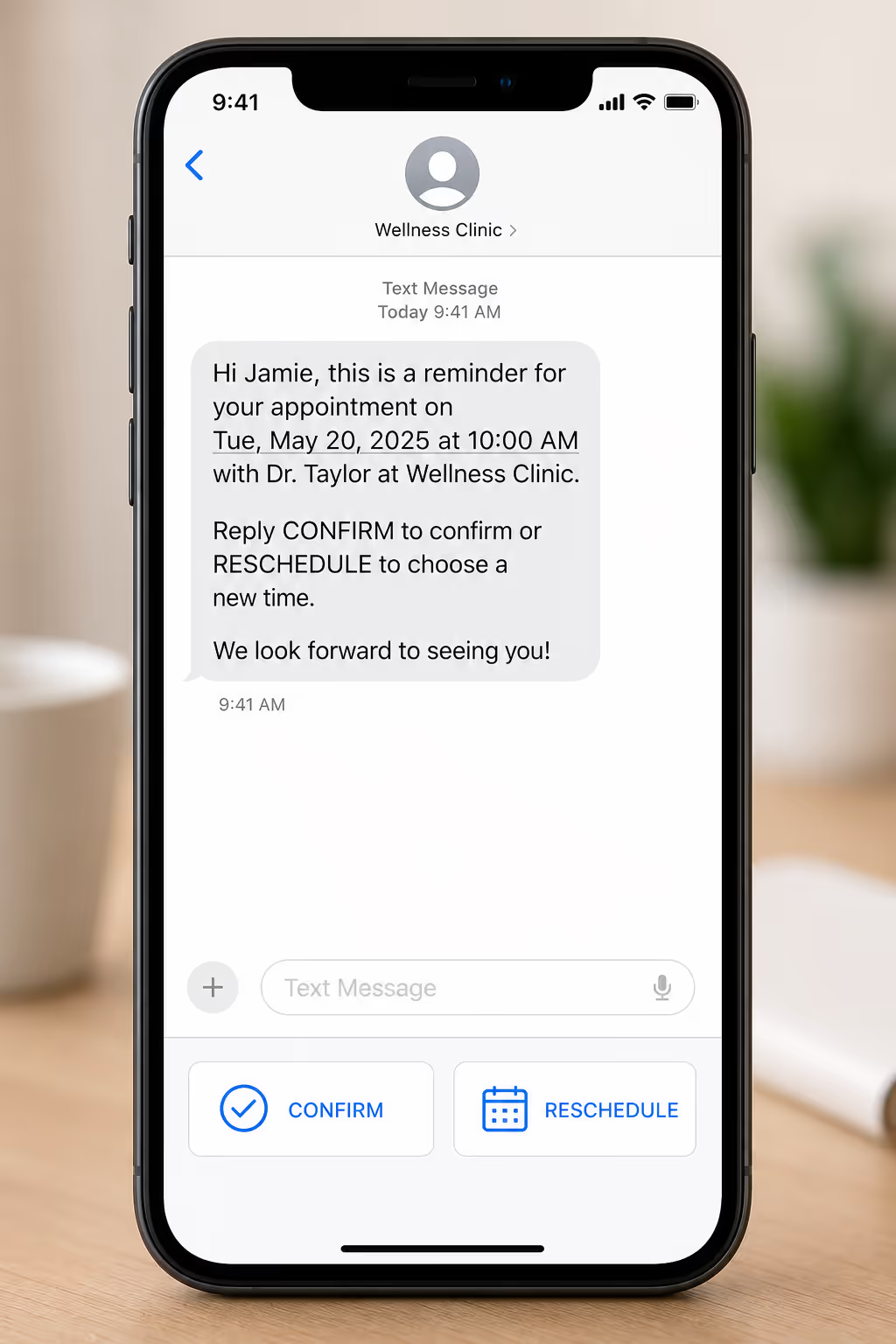
That speed and visibility is what makes SMS appointment reminders the strongest single lever for cutting no-shows. A study covered by Klara showed that text-only appointment reminders reduced no-shows by 38%, and a review of patient communication tools found that two-way SMS, where the client can reply YES or RESCHEDULE, pushed confirmation rates up by another 20% to 25%.
SMS appointment reminders also work for the audiences email tends to miss. Older clients who do not check their inbox often, blue-collar workers without desk jobs, and anyone with a noisy promotional inbox all respond better to a text. If your client base skews mobile-first, SMS appointment reminders are the channel that actually gets through.
Where SMS Appointment Reminders Fall Short
It is not all upside though. SMS has a 160-character limit per segment, so you cannot fit a long policy explanation, a map, or detailed prep instructions in one message. Costs add up too. SMS in the United States typically runs from 1 to 5 cents per message, and international SMS can be far more expensive. Compliance is another factor: under the TCPA in the US and similar rules globally, you need explicit consent before sending SMS appointment reminders, and one bad complaint can get your number flagged for weeks.
Capture the Email and the Phone Number at Booking
Neither channel works if you never collected the contact detail. Poper's appointment booking widget takes the slot, the email address, and the mobile number in one no-code form, so the reminder tools you already send from have a complete record. One script tag on the page and the widget is live.
<script id="poper-js-script" data-account-id="YOUR_ACCOUNT_ID" src="https://app.poper.ai/share/poper.js" defer></script>What Email Appointment Reminders Do Best
Now let me make the case for email. Email is cheaper, longer, and richer. Where SMS appointment reminders win on speed, email appointment reminders win on depth. You can attach prep documents, embed a map, include a full pricing breakdown, and add a calendar invite, all in one message that costs a tiny fraction of a cent to send.
Recent benchmarks bear that out. The Klaviyo email benchmark report showed average open rates for transactional emails, the category appointment reminders fall under, hitting 60% to 75%, far higher than promotional campaigns. Click-through rates on reschedule links inside transactional appointment reminders average around 8% to 12%, which is meaningful when you are trying to free up slots before the day arrives.
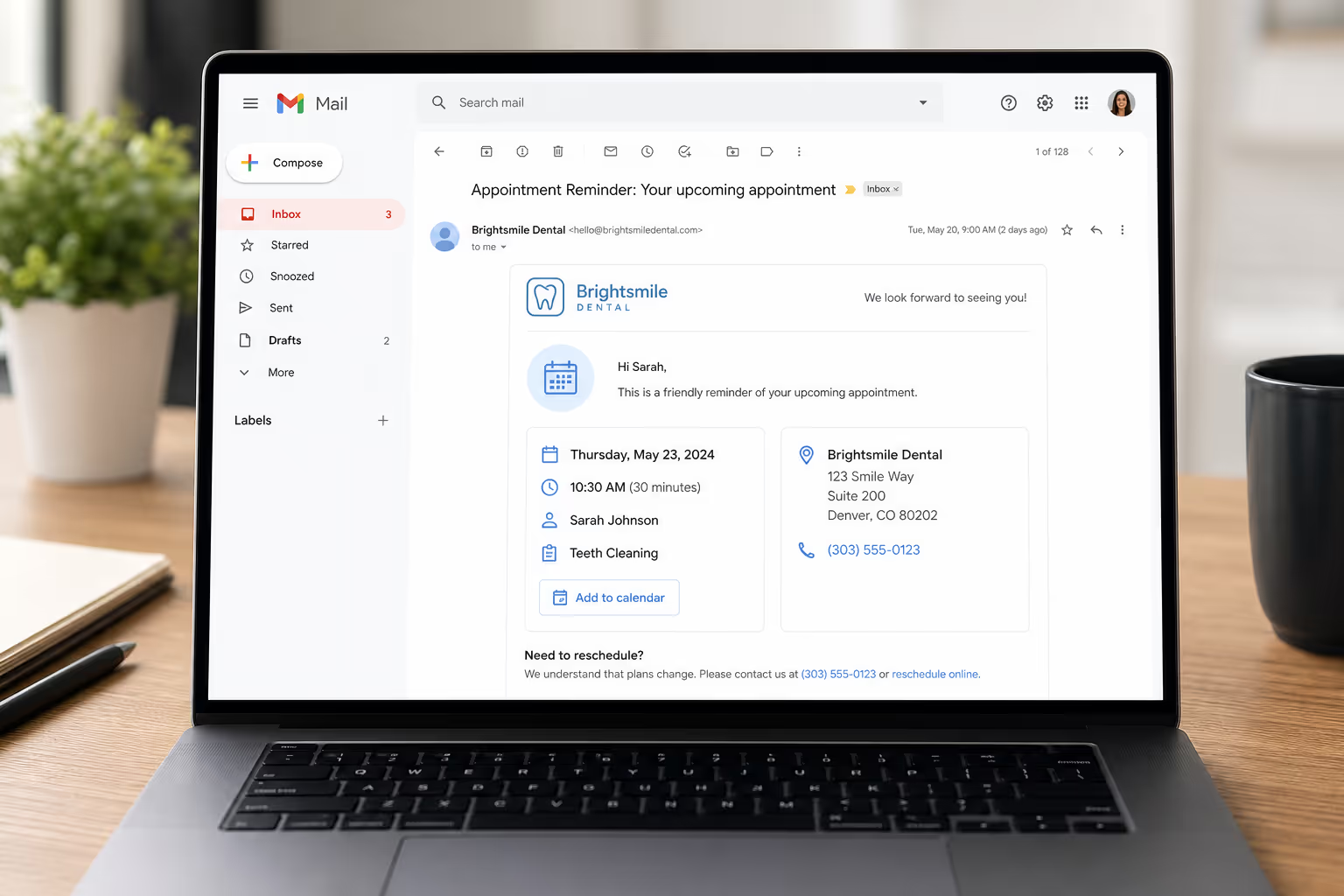
Email appointment reminders also create a paper trail. Clients can search their inbox days later for the address, the time, or the booking link. That is harder to do with a text that has scrolled out of view. For longer appointments, complex services, or anything that needs documentation, email appointment reminders are the channel that holds up over time.
Where Email Appointment Reminders Fall Short
The weakness is obvious: people do not open every email. Spam folders, promotional tabs, and full inboxes all eat reminders before they are ever seen. According to a Validity Sender Snapshot report, around 17% of legitimate marketing email never reaches the inbox in the first place. Even when an email lands, it may sit unread for hours. For a 9am appointment, an email sent the night before may not be opened until after the slot is missed.
SMS vs Email Appointment Reminders, Side by Side
To make this concrete, here is how the two channels actually stack up on the dimensions that decide whether a reminder works in the real world.
| Factor | SMS appointment reminders | Email appointment reminders |
|---|---|---|
| Open rate | ~98% within 3 minutes | 20% to 30% within 24 hours |
| Speed of read | Almost immediate | Hours to days |
| Length | 160 characters per segment | Effectively unlimited |
| Cost per message | 1 to 5 cents in the US | Fractions of a cent |
| Attachments and links | One link, no attachments | Maps, PDFs, calendar invites, images |
| Best for | Time-sensitive nudges, confirmations | Detailed prep, policies, paper trail |
| Compliance burden | Explicit opt-in required (TCPA, GDPR) | Easier to send with broad consent |
Reading the table this way makes the answer clear to me. It is not really SMS vs email appointment reminders. It is SMS plus email, used at the right moments for the right job.
How To Combine SMS and Email Appointment Reminders
The combined sequence I recommend is simple, and it leans on each channel for what it does best. Use email at booking, when the client needs the full context. Use SMS as the day approaches, when the client needs a fast nudge they will not miss.
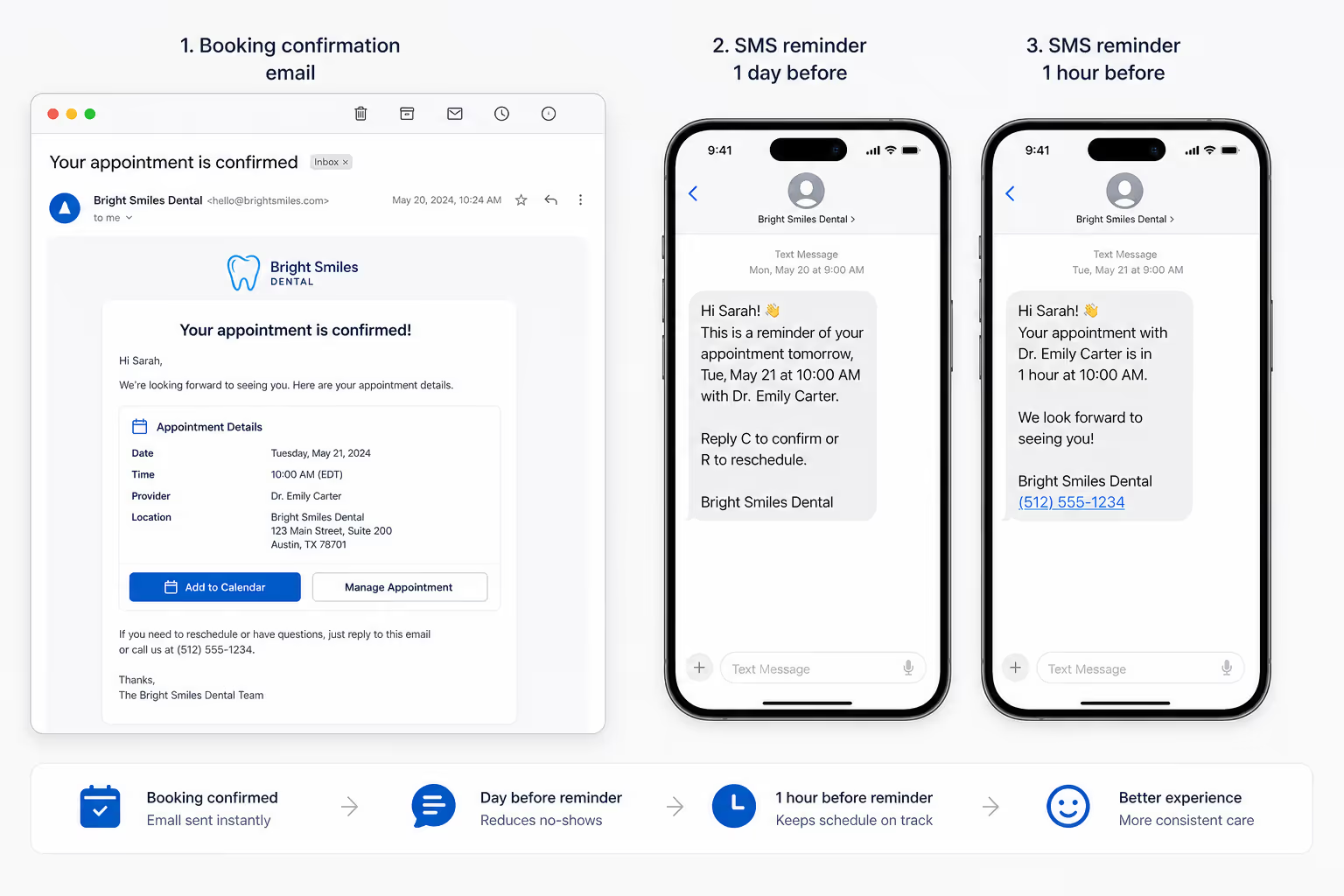
Here is the pattern I have seen work across clinics, salons, and B2B sales teams alike. At booking, send an email with the date, the address, a map, any prep instructions, and a calendar invite. Three days before the appointment, send a soft email reminder with a reschedule link in case anything has shifted. 24 hours out, switch to SMS for a short, two-way confirmation message. On the morning of the appointment, send one more SMS, no more than a sentence, with the time and the location pin.
That blend respects the strengths of each channel. The email appointment reminders carry the information. The SMS appointment reminders carry the urgency. Together, SMS and email appointment reminders form a safety net the client has to actively ignore to miss the slot. According to a AgentZap roundup, businesses that use both channels in sequence see no-show rates settle in the 4% to 7% range, compared to 18% to 25% with no reminders at all.
Make the Booking Form Do Half the Reminder Work
The email at booking and the text 24 hours out both read from the same record. Put the booking widget on the page the visitor is already reading, ask for the details once, and the sequence you just mapped out has something reliable to fire from.
Picking the Right Tools for SMS and Email Appointment Reminders
Tooling matters because a clunky setup will quietly kill your reminder cadence. For SMS appointment reminders in the US, look at platforms like Twilio, SimpleTexting, or EZ Texting that handle TCPA-compliant opt-ins, two-way replies, and short codes. For international SMS, MessageBird and Vonage cover wider geographies. For email appointment reminders, almost any modern transactional sender like Postmark, SendGrid, or your CRM will do the job, as long as deliverability is solid.
The trap I see owners fall into is using a tool that only does one channel and then patching the other channel together with Zaps and spreadsheets. That is where reminders quietly get dropped. Pick a stack where SMS and email appointment reminders live in the same workflow, or use an automation layer that ties them together cleanly with one source of truth for the booking.
How Poper Helps With SMS and Email Appointment Reminders
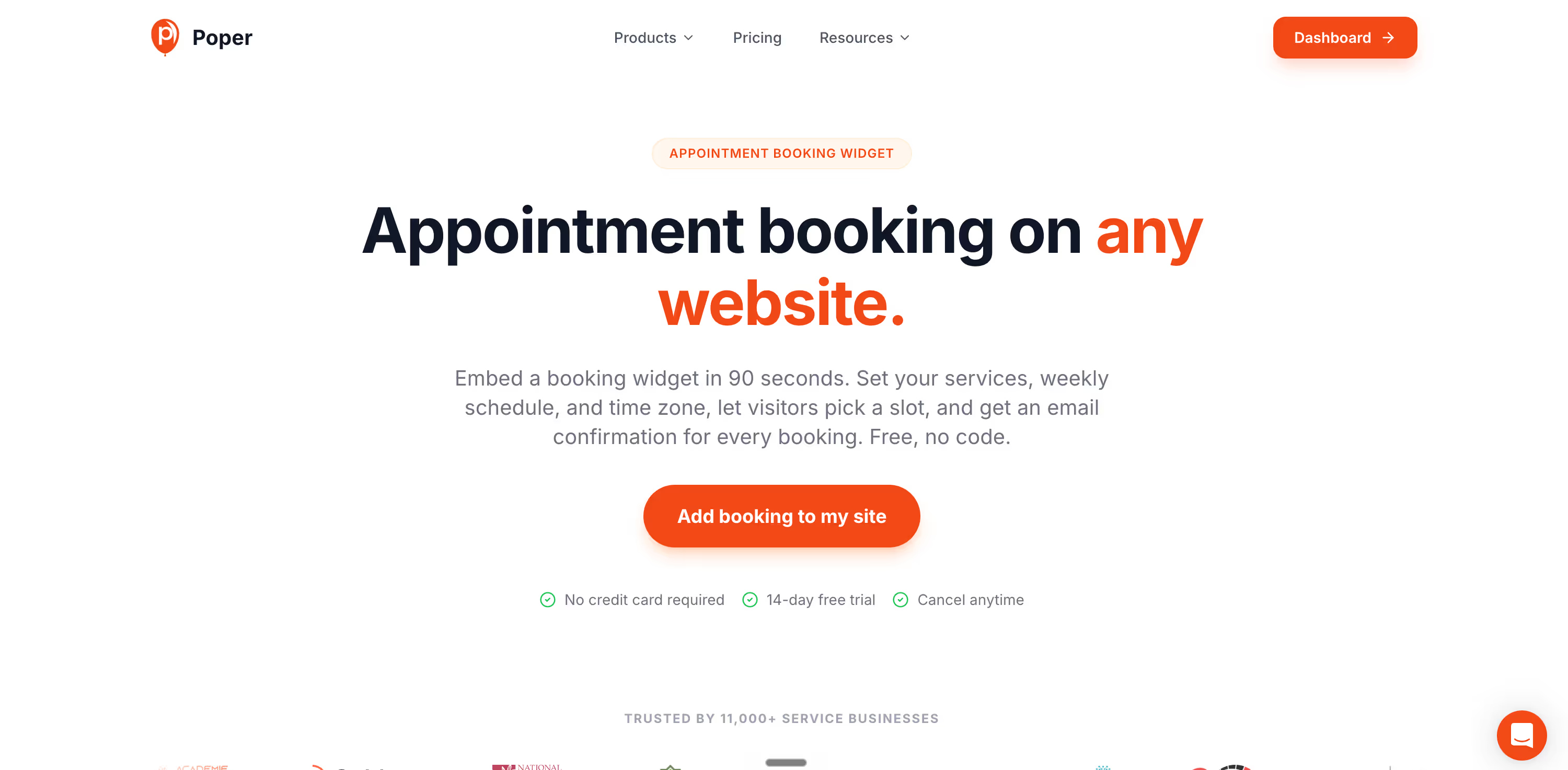
I want to be upfront about where our tool fits. Poper is an AI-powered engagement platform, and our Appointment Booking widget is built to remove friction at the moment of booking, which is the upstream half of the appointment reminders problem. The cleaner the booking, the cleaner your reminder sequence.
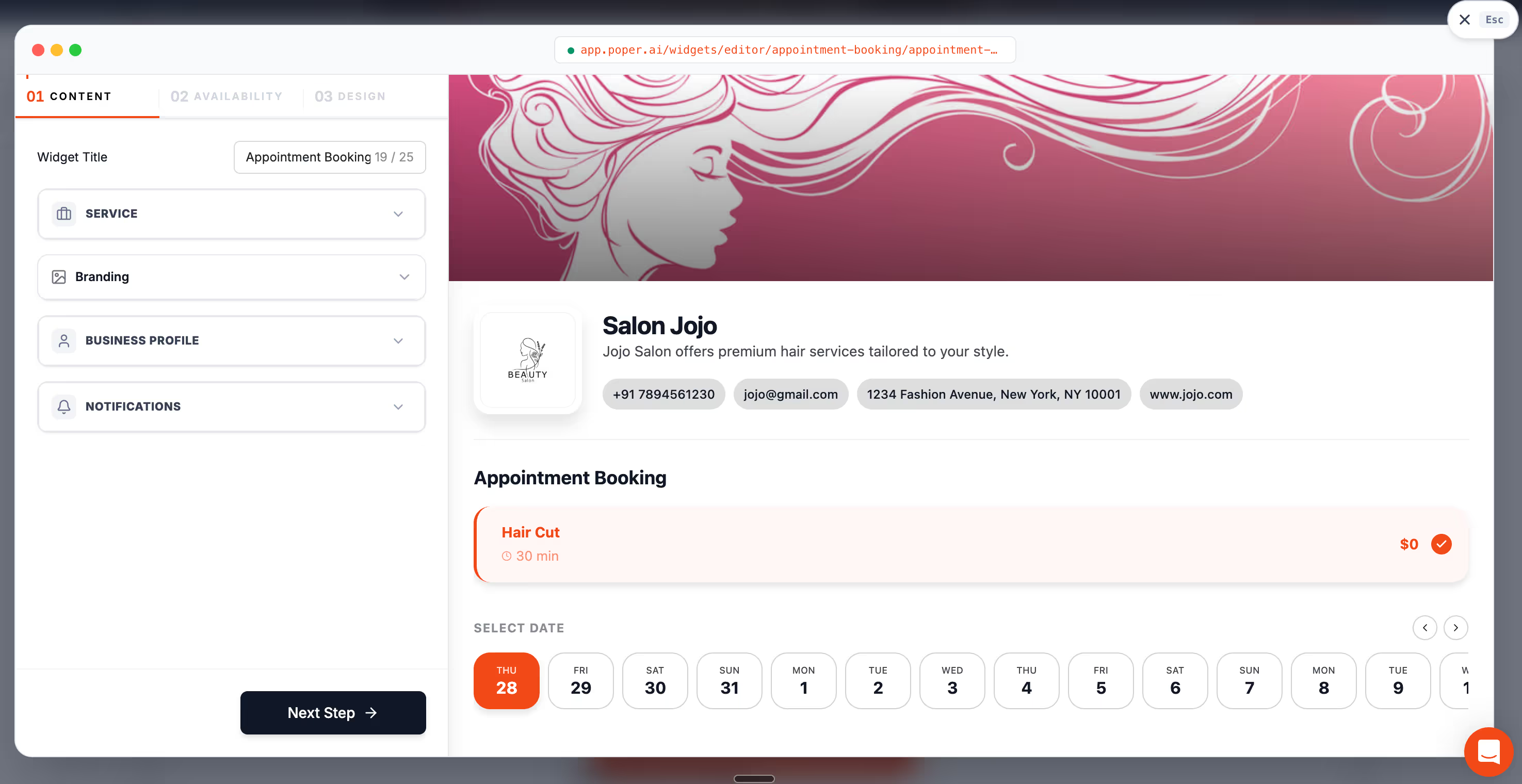
With Poper you can drop a no-code booking widget onto any WordPress, Shopify, Webflow, Wix, or Squarespace site in under two minutes. You capture both the email and the phone number at booking, so your downstream SMS and email appointment reminders have everything they need from minute one. You can trigger the booking widget on exit intent or scroll, and the AI form builder ensures the fields you actually need, not a bloated form that scares people off. Pair that with whichever SMS and email tool you already use, and your reminder system finally has a clean data source it can rely on.
To wrap up, stop thinking about SMS vs email appointment reminders as a binary. Email carries the context, SMS carries the urgency, and together they cover almost every reason a client misses an appointment. Set up the sequence, test it for a month, and watch your no-show rate drop. That dentist friend of mine did exactly that, and her front desk is finally breathing again.
References
Fix the Booking Step, Then Fix the Reminders
Email carries the context, SMS carries the urgency, and both depend on a booking record that is complete. Add Poper's appointment booking widget to your site, collect the slot and both contact details in one pass, and give the reminder sequence a source of truth it can rely on.
Create Your Free Poper AccountFree plan, no credit card required. Setup takes one snippet.