
Over 619.2 million people listened to podcasts in 2026, a 6.83% jump year over year, and 67% of US weekly listeners reach for a phone first.1 A growing slice of those plays never opens an app at all — they happen inside a podcast embed on someone's own website.
The problem is that the same embed that wins you that on-page listen is often the heaviest thing on the page. This guide shows you how to ship a podcast embed on your website that loads fast, holds its layout, and still looks like a real player.
Quick Take: A podcast embed is the cheapest way to turn a web visitor into a listener, but a careless iframe taxes your Core Web Vitals. Lazy-load it, compress the file, and reserve its space.
Why an On-Page Podcast Embed Is Worth Protecting
Listening is fragmenting across platforms, and your website is the one surface you fully own. As of now, YouTube led US monthly podcast listening at 42%, Spotify trailed at 15%, and Apple Podcasts sat at 7%.1 No single platform owns the audience anymore, your site is the neutral ground where any listener can press play.
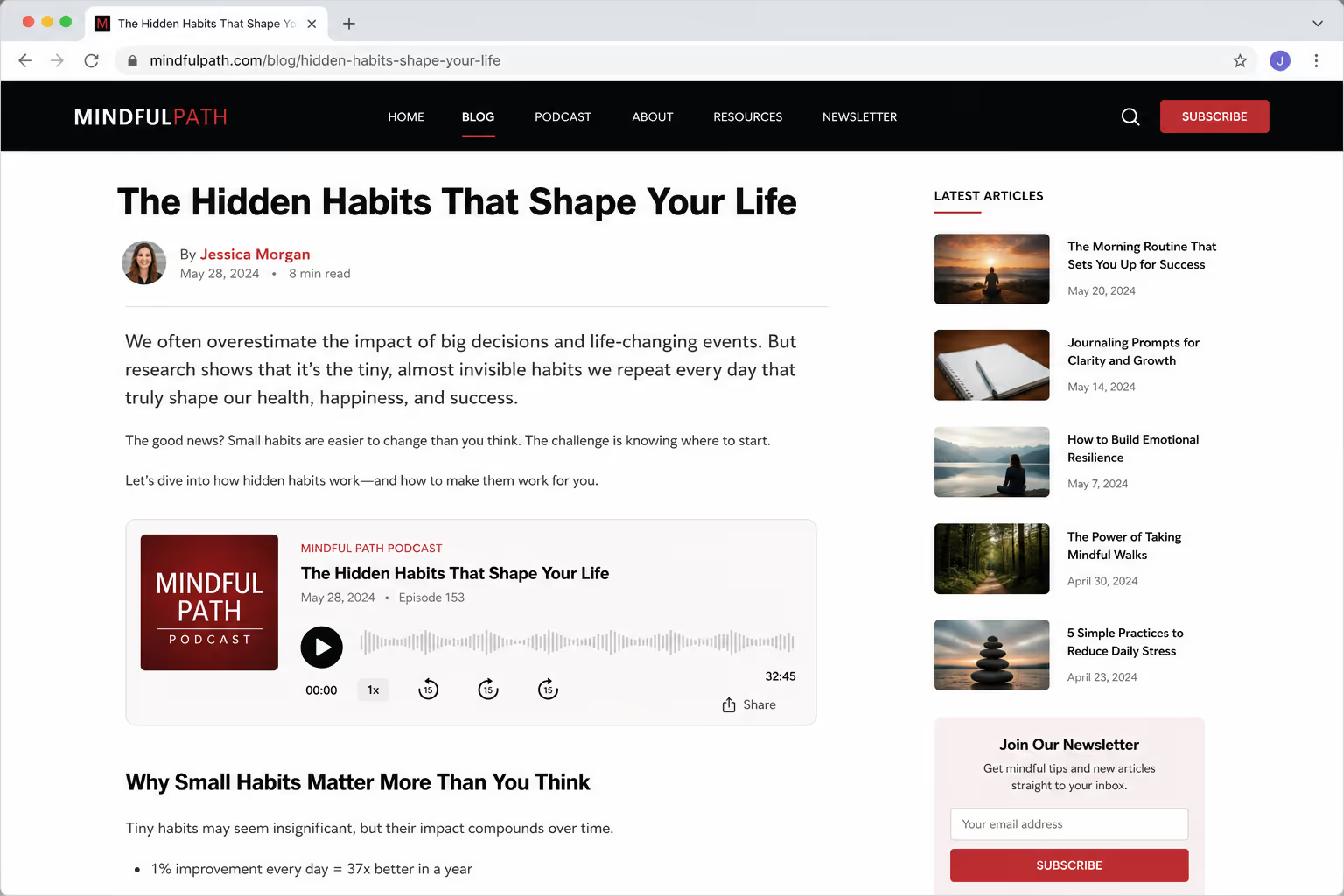
That play matters because it keeps people on the page. A visitor who starts an episode stays to listen, which lifts time on page and gives every other element on the page more room to convert.
The risk is speed. Page abandonment is brutal: 53% of mobile visitors leave a site that takes more than three seconds to load, and a single second of delay tends to cut conversions by 7%.2 A podcast embed is exactly the kind of third-party iframe that pushes you past that threshold if you drop it in raw.
3 Ways To Embed a Podcast
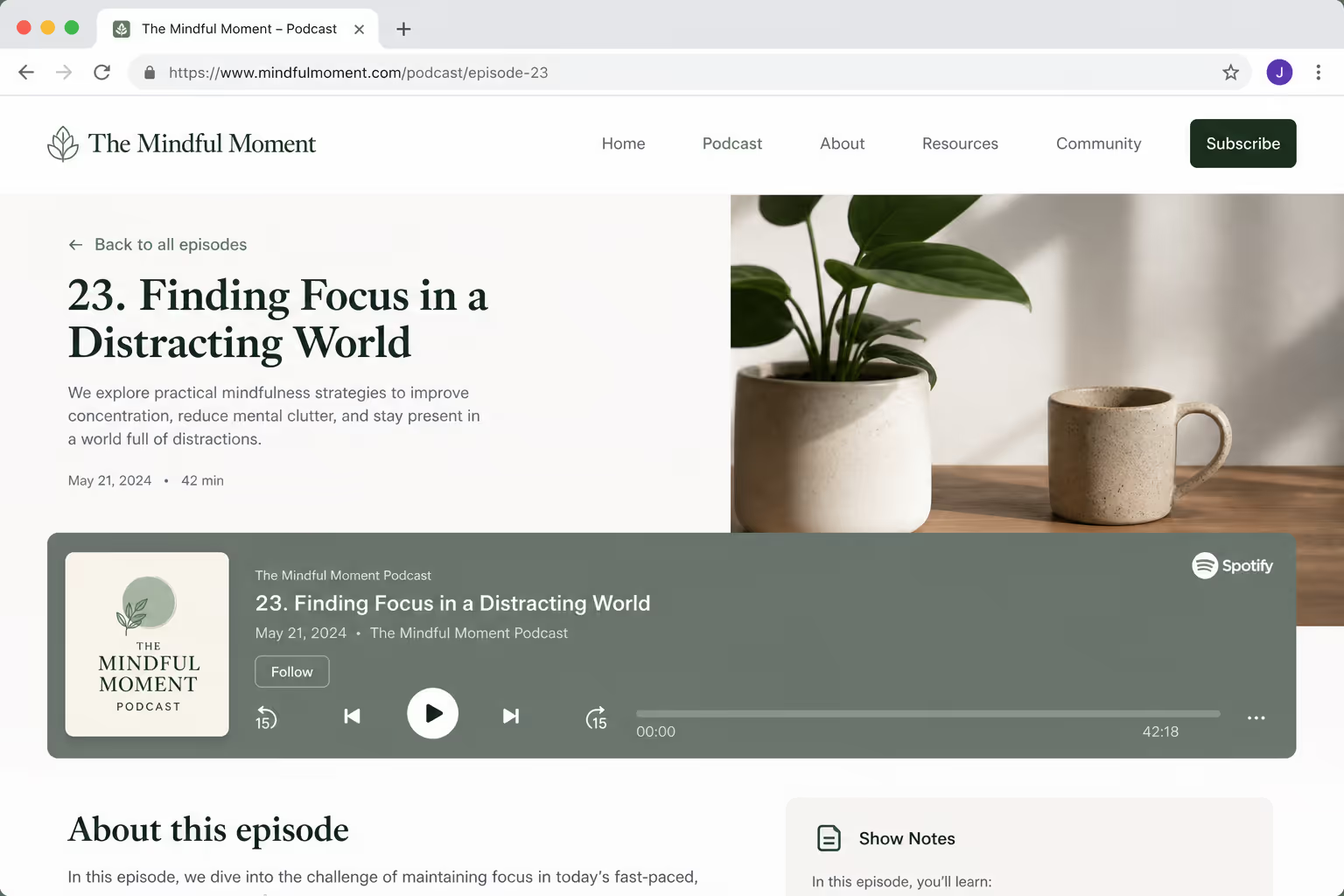
You have three real options for a podcast embed on your website, and they trade reach against page weight. The table below is the decision I make before writing a single line of markup.
| Method | Page weight | Discovery | Best fit |
|---|---|---|---|
| Poper Audio widget | Light to medium - lazy-loaded by default | None, but full style control | Brand sites that want their own look |
| Spotify iframe | Heavy - player scripts plus branding assets | Spotify's ~7M podcast catalog | Shows already published on Spotify |
Native HTML5 <audio> | Lightest - no external script | None beyond your site | Trailers, single episodes, course intros |
Each method answers a different question. A no-code widget like Poper is the answer when you want a clean, on-brand player without the iframe tax. A Spotify iframe is the answer when you want to ride an audience that already follows you there.
Native HTML5 is the answer when speed and control beat everything else. We walk through all three below, in that order.
Method 1: Add the Podcast Embed With Poper's Audio Widget
Start with Poper, because it gives you a real player without the iframe tax. Poper's Audio Widget drops a single episode or a short playlist onto any page with no code, you upload the file or paste a link, and Poper handles the responsive layout, the controls, and the lazy loading for you.
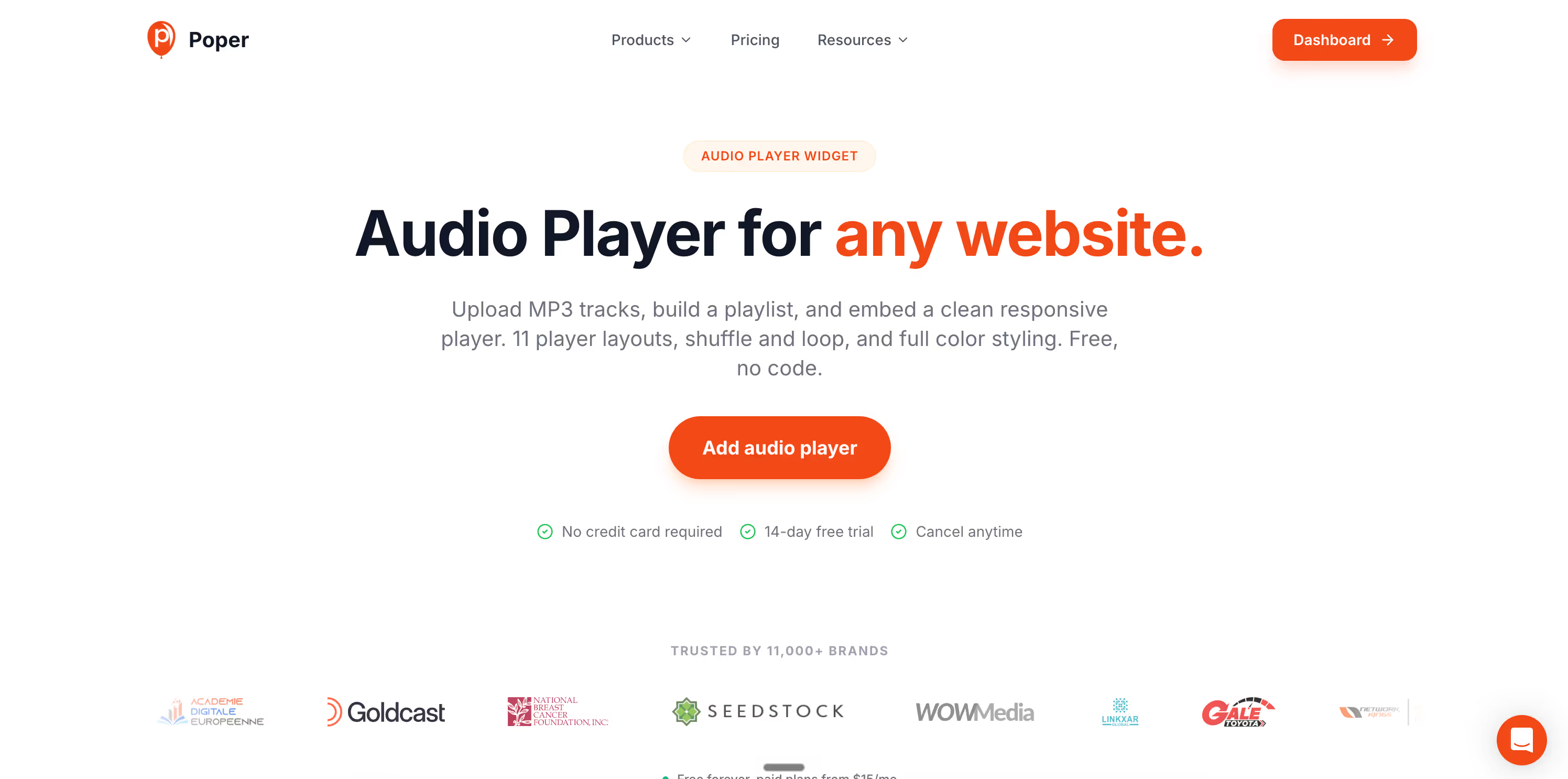
It loads from one async script tag, so it never blocks your first paint the way a third-party iframe can.
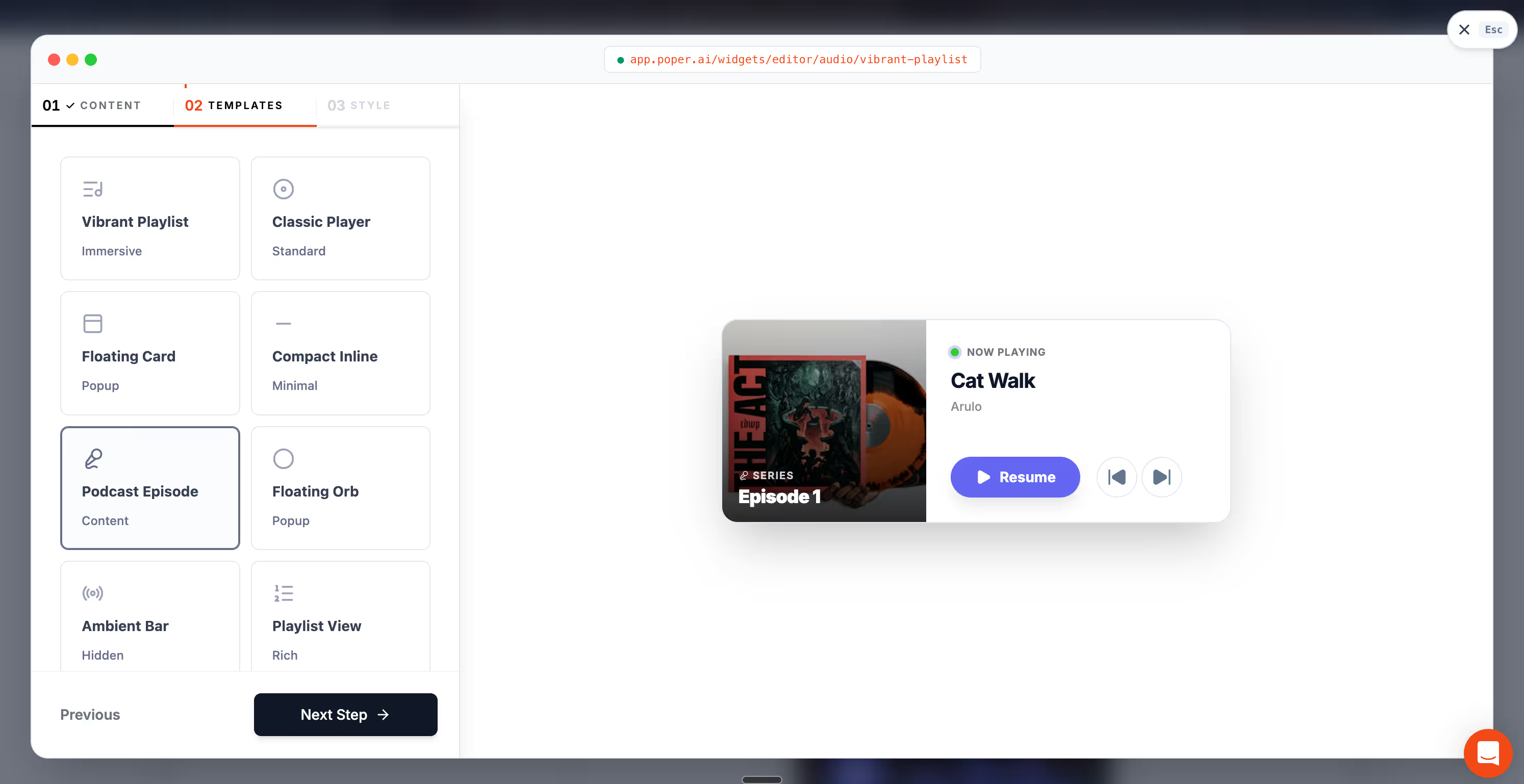
Here is the exact flow I use:
Sign up at poper.ai on the free plan, then open the widget library and pick the Audio widget.
Upload your MP3 or paste a hosted audio URL, then set the title, cover image, and accent color so the player matches your brand.
Choose where it appears, inline inside the page or as a sticky bottom bar, and pick the pages or URL patterns where it should run.
Hit Save, copy the small snippet from the Install screen, and paste it wherever you want the widget to load.
On WordPress, Shopify, Webflow, Wix, and Squarespace the install is even shorter thanks to native plugins and one-click integrations, so you never touch theme files. The widget is mobile responsive, lazy-loads below the fold, and keeps the same podcast embed behaving identically across platforms, which is why it sits at the top of the table above.
Method 2: Embed the Podcast From Spotify
If your show already lives on Spotify, embedding it back onto your site closes the discovery loop and hands visitors a player they already know how to use. Spotify hosts roughly 7 million podcast titles as of early 2026,1 so for a published show this is the reach play.
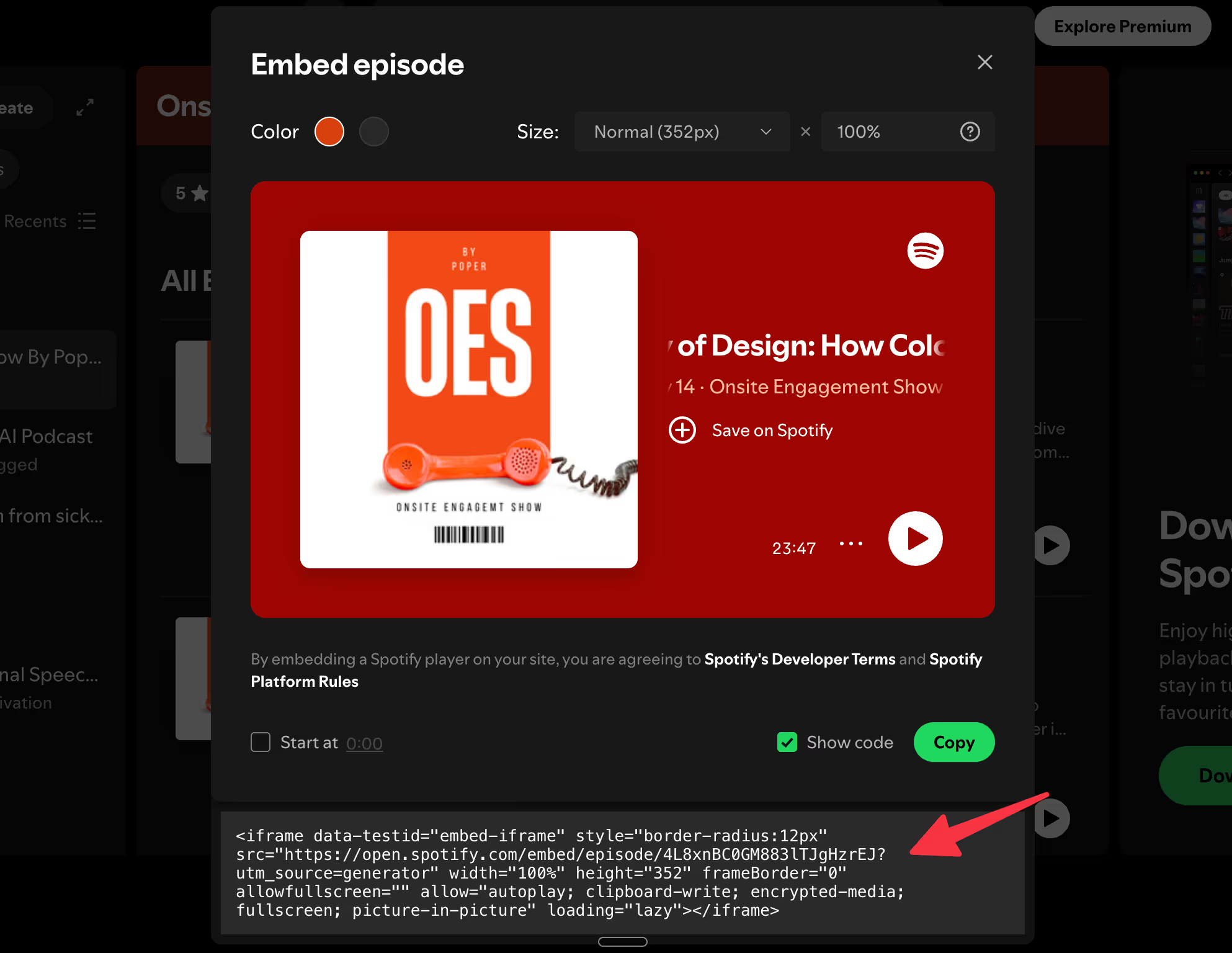
To grab the snippet, open the episode in Spotify, click the three dots, choose Share, then Embed episode, and copy the iframe. Paste it where you want the player, and add loading="lazy" so it does not drag down your first paint.
The strength is reach: listeners can save, follow, and share without leaving your page. The trade-off is page weight and fixed branding. The iframe pulls in player scripts, album art, and a Follow button, and the look is Spotify's, not yours. Fine for a creator who lives on Spotify, a friction point for a brand site that wants its own style.
Method 3: Use the Native HTML5 Audio Player
The lightest option is the one most people forget: the native HTML5 <audio> element. You host the file yourself, point a tag at it, and the browser does the rest, no external script, no tracking pixel, and no third-party domain to slow you down. For a single voice memo, a course intro, or a low-traffic episode, this is often the right call.

The trade-off is hosting and discovery. You pay for the bandwidth and storage, and you get none of the discovery a platform like Spotify provides. Native HTML5 audio also lacks the rich player look, the waveform, the subscribe button, the chapter list, that listeners now expect on a podcast page. So "lightest" is not always "best" for a working show.
Lazy-Load Every Podcast Embed Below the Fold
The single biggest win is to not load the player until the visitor scrolls near it. Third-party embeds are render-blocking by nature: many popular embeds ship over 100 KB of JavaScript, and some climb toward 2 MB. A podcast embed dropped at the top of the page makes the browser fetch and run all of that before the main content settles.
A late-loading iframe hurts you in three measurable ways, according to a recent year breakdown of iframes and Core Web Vitals:
Largest Contentful Paint - the iframe delays your main content from painting.
Cumulative Layout Shift - a player that loads late shoves text down right as someone goes to click.
Interaction to Next Paint - heavy embed scripts can freeze the page for a beat.
The fix is one attribute. Add loading="lazy" to the iframe and the browser defers it until the visitor approaches:
On most episode pages the listener scrolls to the player anyway, so deferring it costs you nothing and buys back your first paint.
Compress the File Before You Style the Player
Most creators obsess over how the podcast embed looks and ignore the one number that actually decides load time: the bitrate of the audio file itself.
A 60-minute episode at 320 kbps stereo is glossy and slow. The same episode at 96 kbps mono is nearly indistinguishable on a phone speaker and a fraction of the size. Before you ship any podcast embed, run the file through this short checklist:
Export spoken-word episodes at 96 kbps mono, not 320 kbps stereo.
Trim dead air at the head and tail so the player has less to buffer.
Serve the file from a CDN, not your origin server, so the first byte arrives fast.
These three moves shrink the payload before the player ever renders, and they help every method in the table equally, whether you went native or chose a hosted iframe.
Reserve Space So the Embed Does Not Shift Your Layout
Layout shift is the silent killer of a podcast embed. When the iframe loads late and the page has not saved room for it, everything below jumps, and that jump is what Cumulative Layout Shift measures.
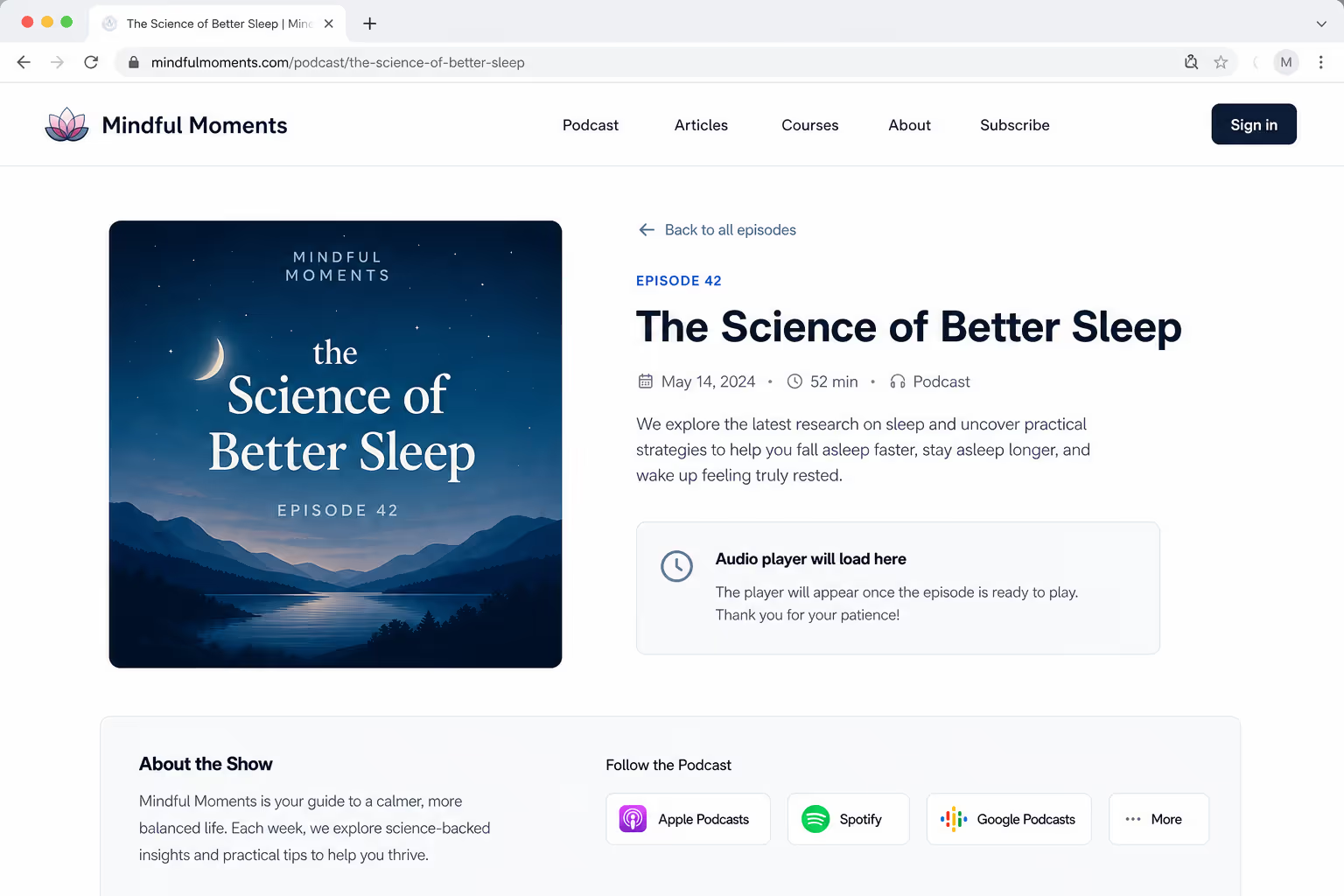
Reserve the space up front. Wrap the player in a container with a fixed height that matches the embed, so the browser holds the slot empty while the audio loads:
Pair that with a visible poster image, the episode title, and a duration tag above the player. People wait far more patiently when they can see what is loading, a still frame and a runtime tell the brain "this is the right thing" and buy you a couple of seconds before a bounce.
What This Means for Your Stack
If you would rather not hand-tune iframes and bitrates, this is where a tool like Poper fits. Poper's Audio Widget drops a single track or a small playlist onto any page with no code, you upload a file or paste a link, and Poper handles the responsive layout, the controls, and the lazy loading for you. It runs on WordPress, Shopify, Webflow, Wix, and Squarespace, so the same podcast embed behaves the same way across platforms.
It also pairs cleanly with the platforms you already use: keep a Spotify iframe on episode pages for one-click follows, and use the widget for a trailer or a course intro where you want your own styling. If you are weighing the raw-code routes side by side, our deeper walkthrough on how to embed audio on a website compares HTML5, SoundCloud, and Spotify in detail.
The Bottom Line
A podcast embed on your website is the rare growth lever that costs almost nothing and keeps visitors on the page longer. The catch is that the default way most people add one, pasting a raw iframe near the top of the page, is also the fastest way to wreck their Core Web Vitals.
Treat the player as part of your performance budget: lazy-load it, compress the file, and reserve its space. Do that, and the podcast embed earns its place instead of taxing every other element around it.



