
A few weeks ago a friend of mine, who runs a small history podcast, called me in a slight panic. She had just launched a new episode and wanted it playable right on her homepage. Her host, her web builder, and a forum post had each pointed her at a different solution, and the embed she finally pasted into her site silently dropped her page speed by half.
I sat down with her, opened the HTML, and we tried four approaches side by side: a Poper Audio widget, raw HTML5 audio, a SoundCloud embed, and a Spotify embed. By dinner the page was fast again, the player looked clean, and the episode was streaming on a phone. That afternoon is why I now get asked, almost weekly, how to embed audio on website pages without breaking them, and that is exactly what I want to walk you through here.
So in this guide I am going to compare Poper, HTML5, SoundCloud, and Spotify as the four real options for how to embed audio on website pages in 2025 and 2026. I start with Poper because it is the fastest, lowest friction path for most site owners, then walk through the classic three for the cases where they still win.
I will share what each one is good at, where each one quietly hurts you, and which one I would pick for different goals like podcasting, music previews, or a single voice memo. You will get the steps, the trade offs, and a small framework to decide quickly. By the end you should be able to embed audio on a website without losing speed, looks, or listeners.
Why People Care So Much About How To Embed Audio on Website Pages Right Now
Audio on the web is not a niche any more. According to podcast figures from The Podcast Host, the global number of podcast listeners reached 619.2 million in 2026, a 6.83% year on year increase, with 651.7 million projected for 2027. Backlinko's roundup of US listening data shows that an estimated 158 million Americans listened to a podcast in the last month as of 2025, up from 135 million in 2024. That is a serious tailwind for any creator, brand, or course owner who wants people to listen on their own domain rather than only on a third party app.
The flip side is that audio embeds are heavy. Page speed roundup reports that a 1 second delay in page load time tends to cause a 7% drop in conversions, 11% fewer page views, and a 16% drop in customer satisfaction, and that 53% of mobile visitors leave a site that takes more than 3 seconds to load. So the question of how to embed audio on website pages is really a question of how to add a player without paying that speed tax. The next sections work through each option with that lens in mind.
Option 1: Poper Audio widget (the fastest path)
If you want a faster path than wiring up iframes or hand rolling an HTML5 player, the cleanest answer to how to embed audio on website pages today is Poper. Poper is an AI powered engagement platform, and its Audio widget lets you embed a single track or a short playlist directly on a page without touching code.
You upload a file or paste a link, drop the widget where you want it, and Poper handles the responsive layout, the controls, and the lazy loading. The widget is loaded by a single async script tag, so it does not block your first paint the way a Spotify or SoundCloud iframe can.
Here is the exact flow I use with Poper. First, sign up at poper.ai on the free plan, no credit card. Second, open the widget library and pick the Audio widget. Third, upload your MP3 or paste a hosted audio URL, then set the title, cover image, and accent color so the player matches your brand.
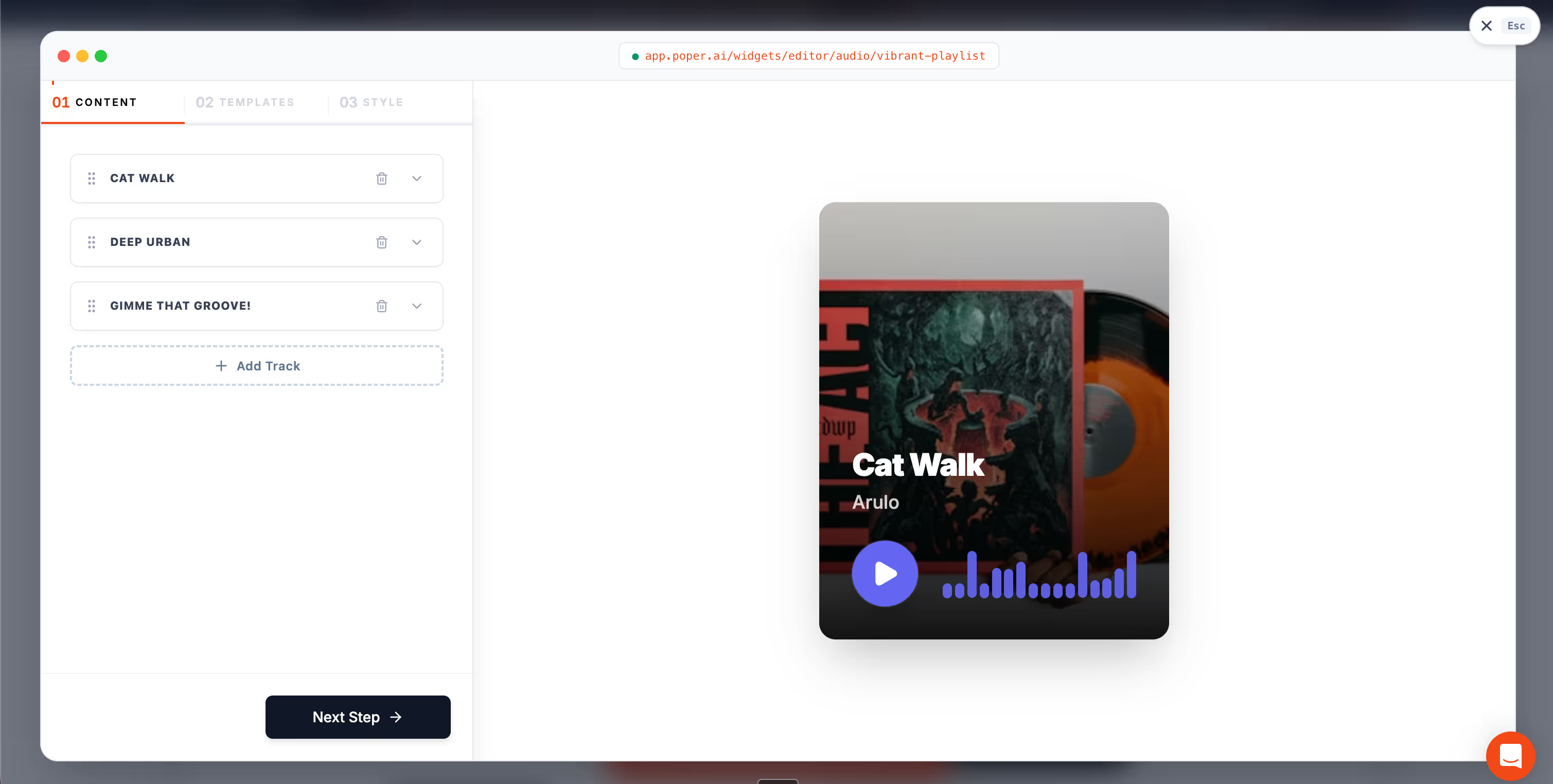
Fourth, choose where it should appear, either inline inside a page or as a sticky bottom bar, and pick the pages or URL patterns where it should run. Fifth, click Save, copy the small Poper embed snippet from the Install screen, and paste it once inside the <head> of your site. From that point on, every change you make in the Poper editor is live, no redeploy needed.
On WordPress, Shopify, Webflow, Wix, and Squarespace the install is even shorter, because Poper has native plugins or one click integrations, so you do not edit theme files at all. The Audio widget is mobile responsive by default, lazy loads below the fold, and exposes basic engagement events like play, pause, and listen through, which is useful if you also want to retarget listeners with a Poper popup or a newsletter capture later. That is a layer that raw HTML5, SoundCloud, and Spotify embeds do not give you out of the box.
The trade off is honest: Poper is not a discovery platform. If your goal is to reach the millions of listeners already searching inside Spotify or SoundCloud, you still want one of those embeds on the same page. The way I think about it is that Poper owns the on site player, Spotify and SoundCloud own the off site audience, and the two stack cleanly. For a brand site, a course page, a landing page, or a newsletter pitch, Poper is the answer to how to embed audio on website pages with the least code and the lowest speed cost.
Option 2: Native HTML5 Audio
The simplest hand coded answer to how to embed audio on website pages is the one most people forget about: the native HTML5 `audio` element. You host the file yourself, point a tag at it, and the browser does the rest. It looks like this.

This is the lightest possible way to embed audio on a website. There is no external script, no tracking pixel, and no third party domain to slow you down. You also keep total control of the file, the styling, and the listener data. For a single voice memo, a course welcome message, or a low traffic podcast, this is often the right answer to how to embed audio on website pages.
The trade off is hosting and discovery. You pay for the bandwidth, you handle the storage, and you do not get the discovery surface that a platform like Spotify gives you. Native HTML5 audio also lacks the rich player look that visitors now expect on a podcast page, since most users have been trained by Spotify and SoundCloud to recognize a waveform, a subscribe button, and a chapter list. So for a working podcast, "lightest" is not always "best".
Option 3: SoundCloud Embed
SoundCloud has been one of the most popular answers to how to embed audio on website pages for over a decade, especially for indie podcasters, musicians, and creators who already have an audience there. The embed is an iframe, and SoundCloud gives you a tidy generator: click the track, hit Share, choose Embed, copy the snippet.

SoundCloud's strength is the player itself. It shows the waveform, supports comments at specific timestamps, and works well across devices. The HTML5 embedded player is mobile friendly and adjusts to small screens, which matters because the majority of audio listeners are on a phone. So if your question is how to embed audio on website pages for a music or podcast catalog where the visual identity of the player matters, SoundCloud is a strong pick.
The trade off is weight and dependency. Every SoundCloud iframe loads scripts and assets from another domain, which adds requests and can hurt your Core Web Vitals. With only 57.8% of websites achieving a good Largest Contentful Paint score, dropping a heavy iframe at the top of your page can quietly slip you out of the "good" bucket. The other dependency is account based: if a track is removed, your embed silently breaks. I have seen creators lose entire archives this way after a takedown.
Option 4: Spotify Embed
Spotify is, in 2026, the heavyweight option for how to embed audio on website pages, particularly for podcasts. Backlinko's 2026 podcast statistics show that Spotify hosts about 7 million podcast titles as of early 2026, and that worldwide podcast ad spending was estimated at roughly $4.46 billion in 2025, much of it flowing through Spotify's catalog. If you publish on Spotify already, embedding back to your own site closes a discovery loop and gives the visitor a player they already know how to use.
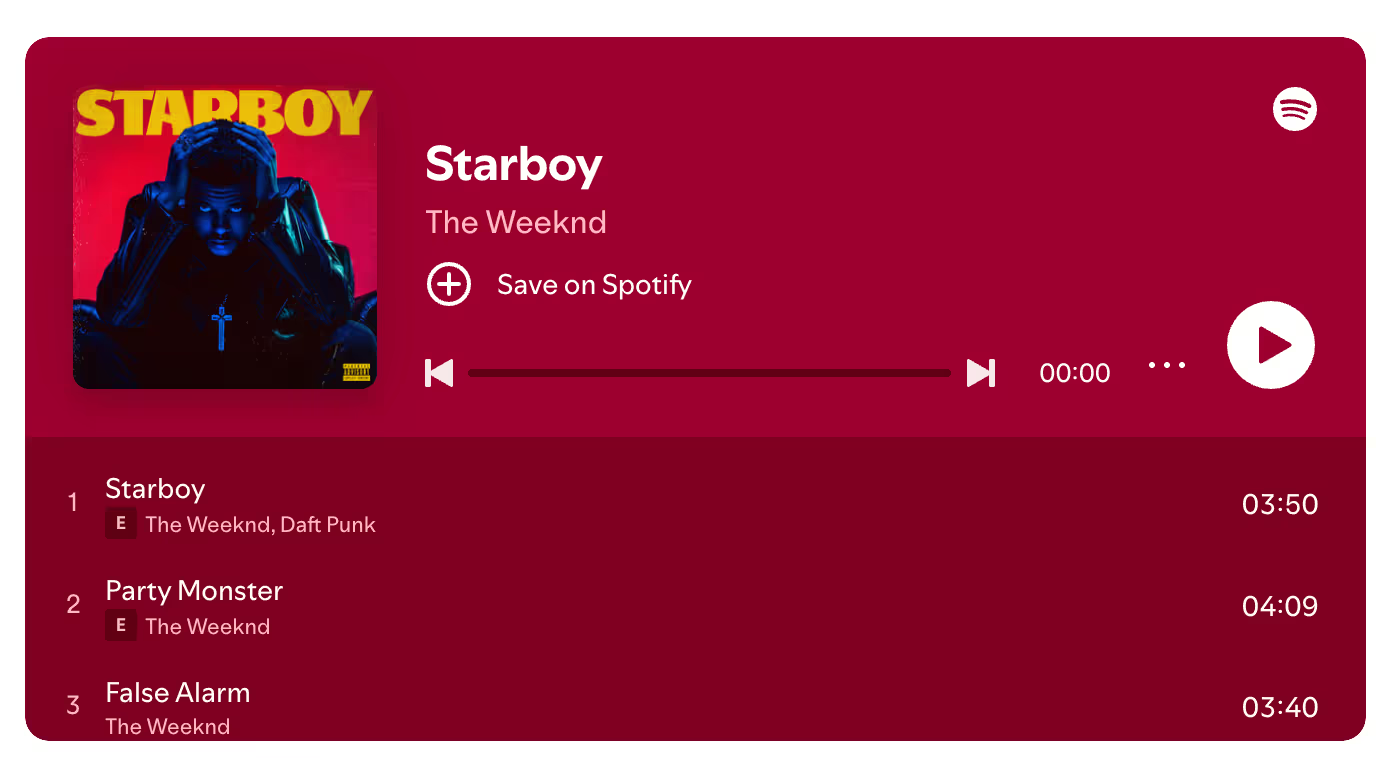
To get the snippet, you open the episode in Spotify, click the three dots, choose Share, then Embed episode, and copy the iframe. The resulting code looks similar to a SoundCloud embed, with Spotify branding and a Follow button built in.
The strength is reach. Listeners who already use Spotify can save, follow, and share without leaving your page. The trade off is again page weight. A Spotify iframe pulls in player scripts, branding, and album art, and the player branding is fixed, so your site has to match Spotify's look rather than the other way around. For a creator who lives on Spotify, that is fine. For a brand site that wants its own style, this is the friction point.
Poper vs HTML5 vs SoundCloud vs Spotify: a side by side I actually use
When someone asks me how to embed audio on website pages, I usually pull up this table on the spot. It is the cheat sheet I built after running the four options against each other for my friend's history podcast, plus a couple of brand sites I helped with last year.
| Dimension | Poper Audio widget | HTML5 audio | SoundCloud | Spotify |
|---|---|---|---|---|
| Page weight | Light, single async script, lazy loaded | Lightest, no external scripts | Medium, iframe + scripts | Heaviest, iframe + branding assets |
| Player look | Fully branded, custom colors and cover | Plain, browser native | Waveform, comments, recognizable | Spotify branding, follow button |
| Setup effort | No code, drag and drop in editor | Hand coded HTML tag | Copy iframe from Share menu | Copy iframe from Share menu |
| Discovery | None, on site only | None outside your site | SoundCloud network | Spotify's 7M podcast catalog |
| Mobile experience | Responsive by default | Depends on your CSS | Responsive by default | Responsive by default |
| Best fit | Brand sites, courses, landing pages, newsletters | Single tracks, courses, lightweight pages | Music and podcast catalogs | Podcasts already published on Spotify |
| Main risk | Tied to Poper account, not a discovery channel | You handle hosting and CDN | Track removal can break embeds | Site speed and brand control |
The way I read this table is simple. If your priority is speed, brand control, and zero code, Poper wins. If your priority is the absolute lightest tag with no third party at all, HTML5 wins. If your priority is a recognizable player and a community feel, SoundCloud wins. If your priority is to ride the audience already on Spotify, Spotify wins. None of these are wrong answers to how to embed audio on website pages, they just answer slightly different questions.
The Performance Moves I Make When I Embed Audio on a Website
No matter which option I pick, I always treat the audio embed as a performance feature, not a decoration. Given the page speed data, where 53% of mobile users abandon a site over a 3 second load and a single second of delay can cost 7% of conversions, any embed deserves the same care as a big image.
The first move is to keep the player below the fold whenever I can. On most podcast pages, the visitor scrolls to the player anyway, so loading it as the page settles is more than fine. The second move is lazy loading: I add a small `loading="lazy"` hint where supported, so the iframe does not fight the rest of the page for the first paint. With Poper this is on by default, which is one less thing to remember. The third move is to compress the audio file itself, which is the one tip most creators miss. A 60 minute episode at 320kbps is glossy and slow; the same episode at 96kbps mono is barely distinguishable on a phone and loads much faster.
The fourth move is to give the visitor a clear poster image and title above the player. People are surprisingly patient when they can see what is loading. A still image, a track name, and a duration tag tell the brain "this is the right thing", which buys you a couple of extra seconds before they bounce. That is appointment level psychology, applied to audio.
So How Should You Decide How To Embed Audio on Website Pages Today
If you take one thing from this guide, take this short decision frame. If you want the fastest no code path with a branded, mobile ready player, choose the Poper Audio widget. If you only need to play a single file and you care most about a zero dependency tag, choose HTML5. If you want a rich, recognizable player and a community feel, choose SoundCloud. If you already publish on Spotify and want to bring that audience back to your own site, choose Spotify. Whatever you pick, lazy load it, compress your file, and treat the player as part of the page's performance budget rather than an afterthought.
That is the same playbook I walked my friend through. She kept her HTML5 player for the homepage trailer, used Spotify embeds on the episode pages so existing listeners could one click follow, and dropped a Poper Audio widget on her newsletter landing page for a 30 second pitch. The site was fast again by dinner, and her downloads were up by the weekend. That is how to embed audio on website pages in 2026, without losing speed, looks, or listeners.