
ESPN logged 24.4 million brackets in its Tournament Challenge, a third straight record, and every one of them lived on ESPN's property, not on the websites of the leagues, creators, and brands whose events those fans actually care about. That is the gap. When you embed a bracket on your website, the predictions, the refreshes, and the repeat visits stay with you instead of a third-party domain.
Quick Take: To embed a bracket on your website, generate it in a bracket maker, copy the embed snippet, and paste it into your page, the live version updates in place and keeps fan traffic on your own domain.
This guide walks through how to embed a bracket on your website the practical way: what an embed actually is, the three-step process, the format choices that matter, and how to keep the whole thing fast and mobile-friendly. No code required for any of it.
Why Embedding Beats Linking Out
A bracket is one of the stickiest pieces of content you can publish. People do not check it once, they return between every round to see who advanced. Interactive content already drives roughly 2.7x more engagement than static pages, and quiz-style interactive pages post average dwell times near 4 minutes 38 seconds against 1 minute 52 seconds for static equivalents. A live bracket sits squarely in that interactive category.

The problem is where that engagement happens. Link out to a third-party bracket and every refresh, every share, and every return visit lands on someone else's analytics. When you embed a bracket on your website instead, that compounding attention, the most valuable kind, accrues to your own pages, your own pixel, and your own SEO.
The stakes scale with the event. Organizers run more than 50,000 esports tournaments, reaching a global audience of roughly 640.8 million viewers, and the public bracket is the page all of them watch. Owning that page is the entire point of choosing to embed a bracket on your website.
Host The Live Bracket On Your Own Domain
Build the grid in Poper, then add one tag to your site head. The bracket renders inside your page and reflects score changes as an admin enters them, so the refreshes count as your traffic.
<script id="poper-js-script" data-account-id="YOUR_ACCOUNT_ID" src="https://app.poper.ai/share/poper.js" defer></script>What "Embed a Bracket" Actually Means
An embed is a small block of code, usually an iframe or a one-line script tag, that pulls a live widget hosted elsewhere into your page. You are not rebuilding the bracket in your CMS, and you are not exporting a static image that goes stale the moment a match ends.
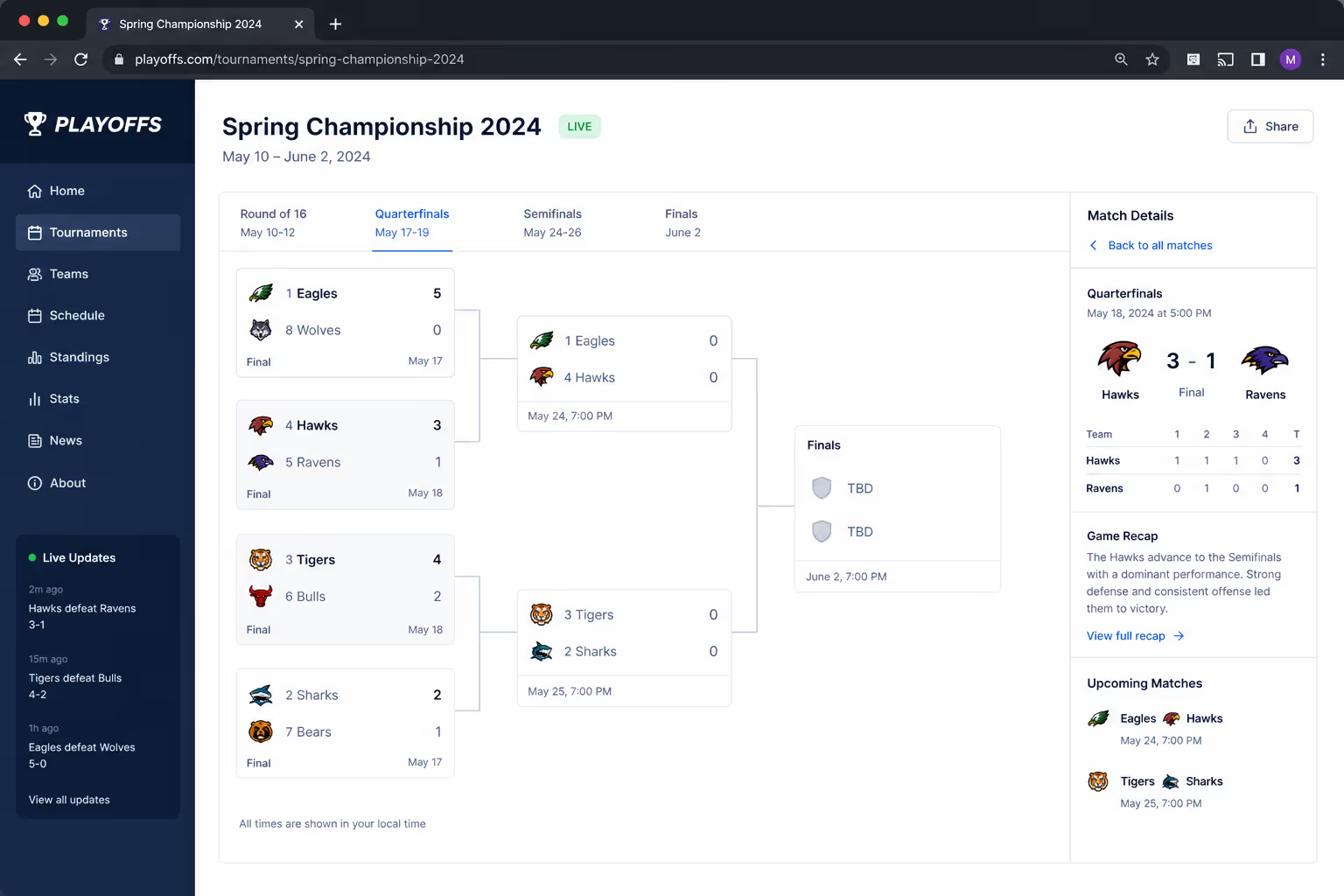
The bracket maker keeps the data; your site keeps the audience. When an admin updates a score, the embedded bracket reflects it everywhere it appears, with no re-upload on your end. That live-sync behavior is the difference between a real embedded bracket and a screenshot.
How to Embed a Bracket on your Website in Three Steps
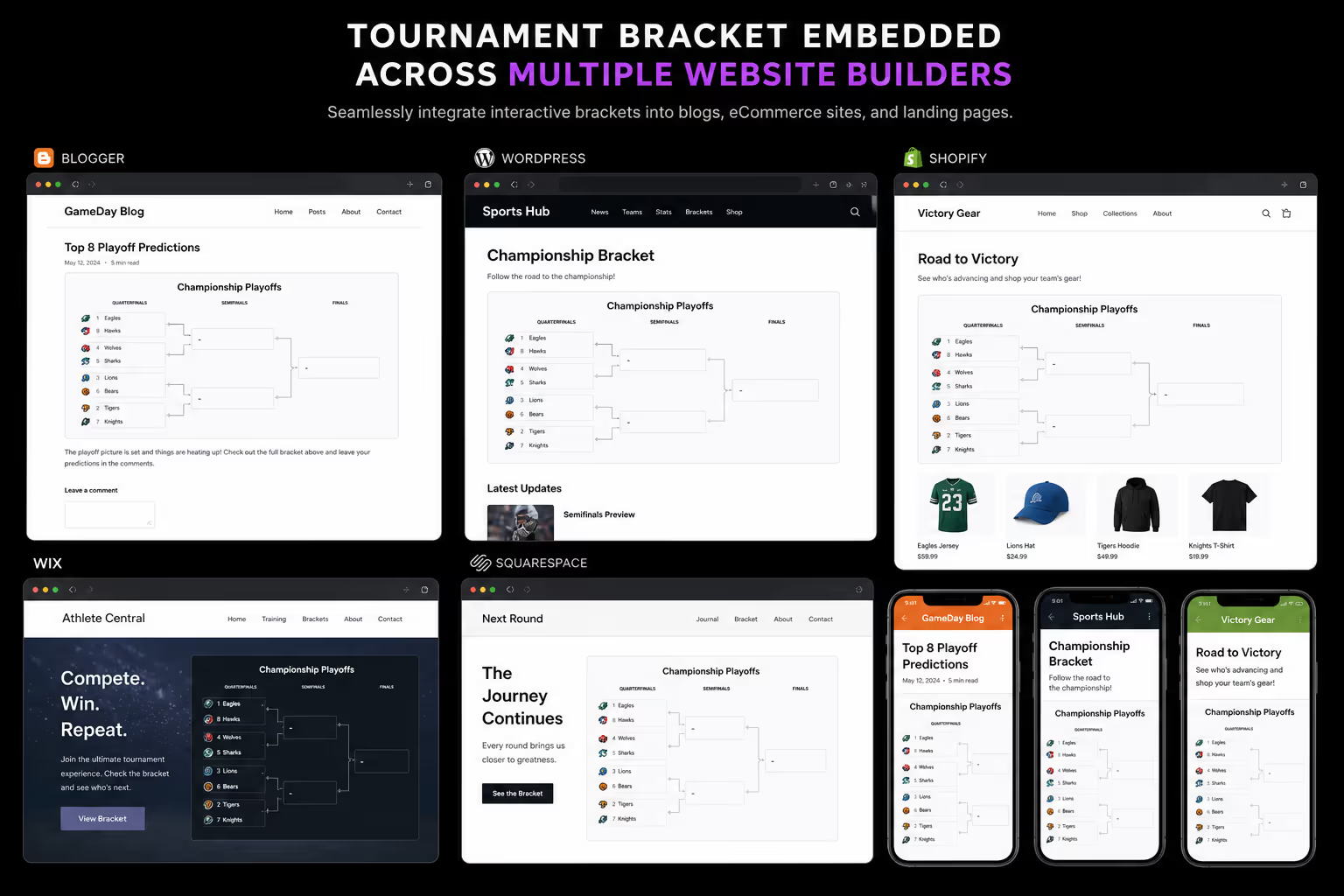
The mechanics are the same across every modern platform, WordPress, Shopify, Webflow, Wix, Squarespace, or hand-coded HTML. Here is the core procedure.
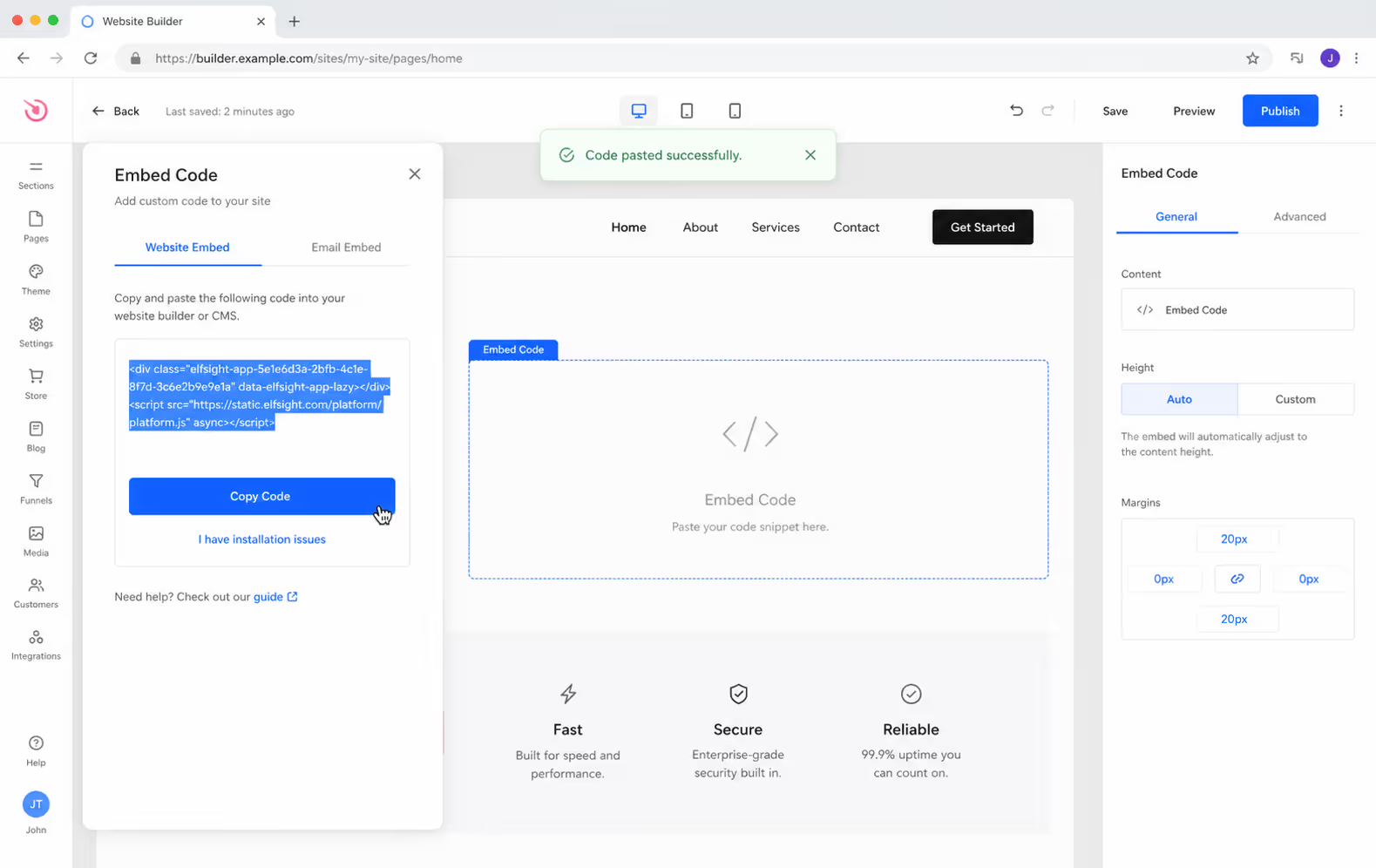
Build the bracket. Open a bracket maker, choose your format, and add participants. A tool like Poper's Bracket Maker widget lets you seed teams, name rounds, and style the grid without touching code.
Copy the embed code. Find the
EmbedorSharebutton and copy the generated snippet. Good tools hand you a single line you can paste anywhere.Paste it into your page. Drop the snippet into a custom-HTML block, then publish. The live bracket renders in place and updates itself as results come in.
That is the whole flow. The friction people fear, developers, plugins, manual updates, only shows up when you pick a tool built for tournament admins rather than for the web. Choosing where you embed a bracket on your website matters more than the embedding itself.
Embed Options Compared
Not every method gives you the same control. Here is how the common ways to embed a bracket on your website stack up.
| Method | Setup | Live updates | Branding control | Best for |
|---|---|---|---|---|
| No-code widget embed | Copy-paste snippet | Yes, automatic | Full, your colors, your domain | Brands, creators, and marketers |
| Third-party iframe | Copy-paste snippet | Yes | Limited, vendor logos and ads | Casual or one-off events |
| Static image export | Upload manually | No - re-upload each round | Full | Final results only, never live |
| Custom-coded bracket | Developer required | Depends on build | Full | Engineering teams with time |
For most teams the no-code widget wins on every axis that matters - speed, live sync, and the ability to embed a bracket on your website that looks like it belongs there rather than borrowed from a vendor.
Pick the Format Before you Embed
The format decides how long the bracket stays interesting, so settle it before you generate the embed.
Single elimination - fastest to run and easiest for casual audiences to follow. One loss and you are out.
Double elimination - fairer, since a single upset does not end a strong competitor's run. Better for events where the result has to feel earned.
Round-robin - everyone plays everyone, which maximizes total matches and keeps more participants engaged for longer.
The format you embed is the format your audience commits to. A bracket that ends in one upset gives fans one reason to return; one that runs for three weeks gives them twenty.
If you are still deciding, our walkthrough on how to make a tournament bracket breaks down each format with examples before you ever reach the embed step.
From Empty Grid To Embedded Bracket
The Bracket Maker widget covers the full flow described above without a plugin or a developer, and the format you picked stays editable after the first round.
Build Your BracketFree plan, no credit card required.- 1Seed your participants and choose single elimination, double elimination, or round robin.
- 2Match the grid to your own colors and fonts in the editor.
- 3Paste the snippet into the page, then update scores from the dashboard as rounds finish.
Keep it Fast and Mobile-First
Most bracket traffic arrives on phones, often mid-event, so the embed cannot be heavy. Three rules keep it clean.
Lazy-load below the fold. If the bracket sits lower on the page, defer it so it does not block your initial render.
Test horizontal scroll. Large brackets overflow narrow screens - confirm the widget scrolls or reflows rather than clipping.
Match your theme. Set the embed's colors and fonts to your brand so it reads as native content, not a pasted-in box.
A 2026 implementation guide from Poper notes that a single styled embed line is now the fastest route to a professional bracket on a live site, no plugin sprawl required.
What this Means for Your Stack
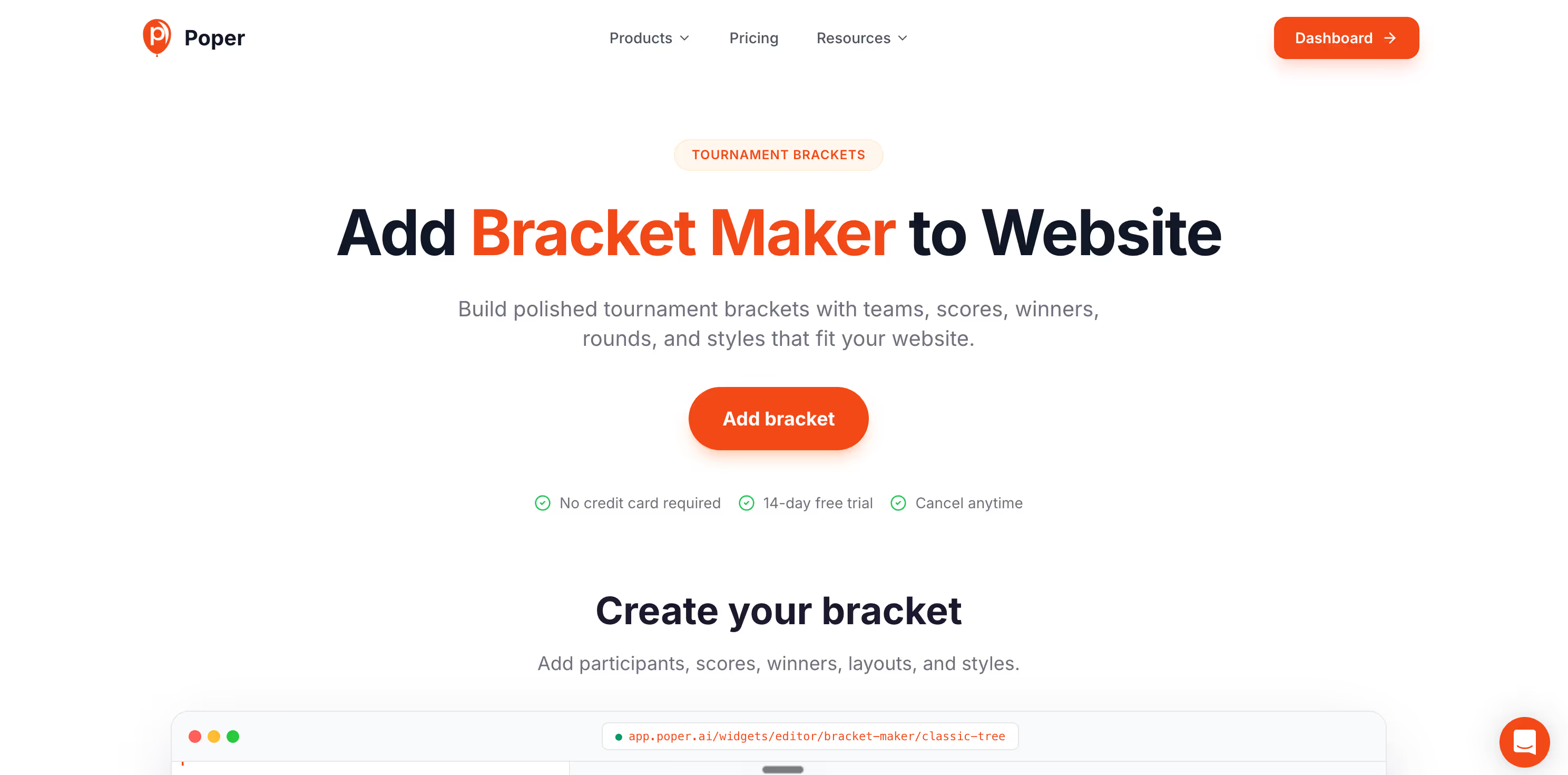
If your goal is to embed a bracket on your website and actually keep the audience it attracts, the widget layer is where the decision lives.
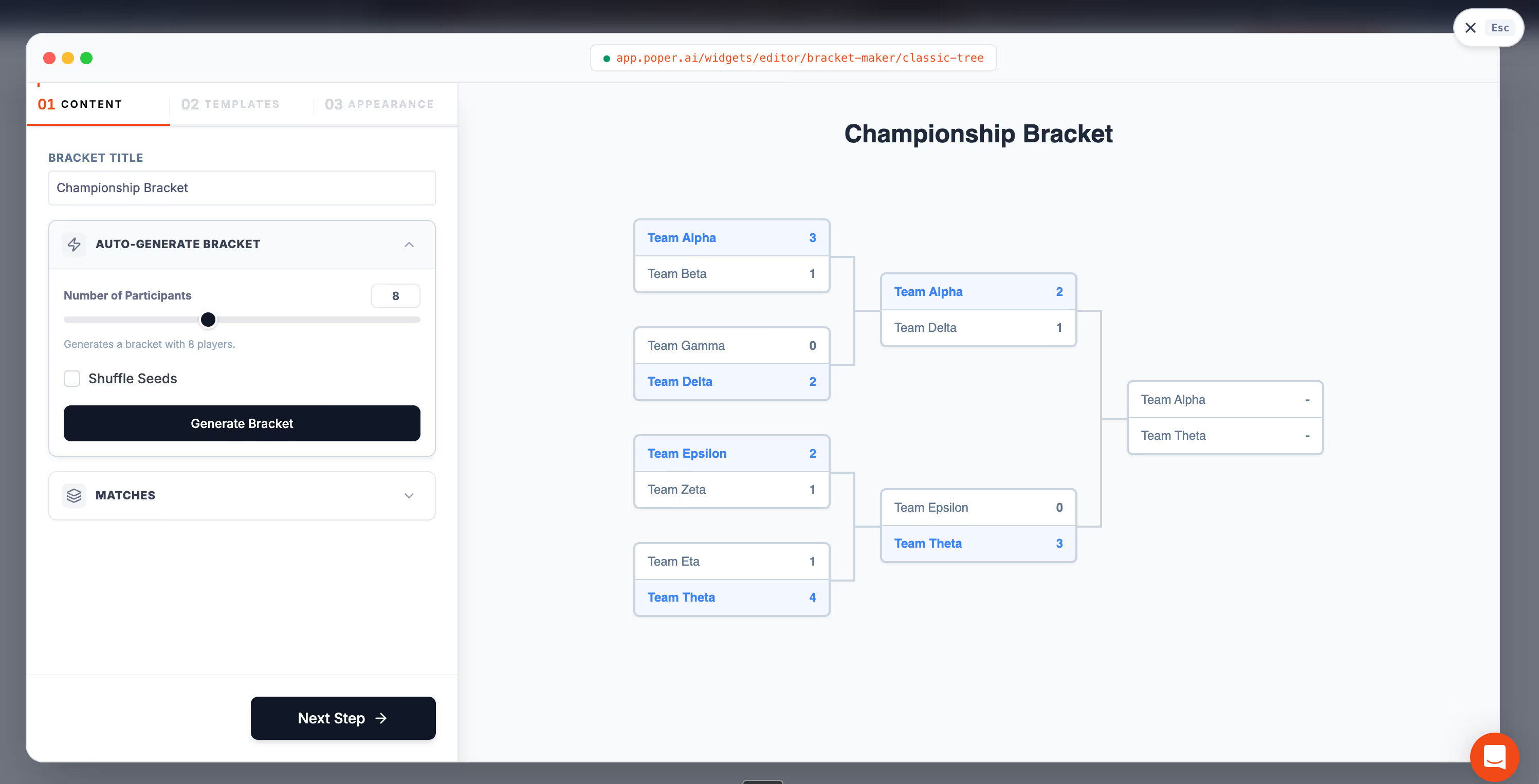
Poper's Bracket Maker generates the grid, hands you one embed snippet, and renders a live, brand-matched bracket on any platform - and because it is part of a broader engagement suite, you can pair it with a number counter for live entry totals or a countdown timer for round deadlines on the same page.
That combination turns a passive results page into a reason to come back - which, given that interactive content keeps growing its engagement lead over static formats, is exactly where the traffic is heading.
Conclusion
To embed a bracket on your website, you do not need a developer or a plugin - you need a bracket maker that outputs a clean, live embed snippet. Build the bracket, copy the code, paste it in, and the predictions and repeat visits stay on your domain instead of a third party's.
Pick the format first, keep the embed light on mobile, and style it to match. Do that, and the bracket stops being content you link to and becomes content people return to your site for.
Sources
Keep The Between Rounds Traffic On Your Site
Every result sends people back to check the grid. Run that grid yourself with Poper's Bracket Maker, and put a countdown timer for the next round deadline on the same page.
Create A Free Poper Account160+ embeddable widgets, one install snippet.


