
A customer comes on your store looking for Diwali gifts. They have a budget, several people to buy for, and a delivery deadline that matters more than your sale countdown.
Your popup offers 10% off.
That might be a little help. But it leaves their biggest questions unanswered: What should they buy? Does the gift arrive ready to give? Will it reach the recipient before the celebration day?
A useful Diwali popup connects an offer to one of those decisions. It can introduce a gift collection, explain a discount, collect early-access signups, or direct shoppers to delivery information. The festive design gets attention. The message gives that attention somewhere to go.
This guide brings together 10 Diwali popup templates from Poper, practical campaign ideas, and research to help you decide what to show, when to show it, and how to measure whether it worked.
Start here: Choose one audience, one useful offer, and one action for each popup. You can build a coordinated Diwali campaign without asking every visitor to interact with every promotion.

What festive shopping research tells us
A Diwali campaign needs more than a larger discount. I have been researching about popup strategies from past few days and these three research findings provide a useful starting point.
Quality still matters when shoppers are looking for deals
In the Ipsos IndiaBus Festival Shopping Survey, 70% of respondents identified quality as a purchase consideration. Price and discounts each influenced 62%, while brand reputation influenced 33%.
The survey covered urban Indian consumers. Ipsos describes its IndiaBus methodology as reaching more than 2,200 adults across metros and smaller towns through face-to-face and online interviews. These are broader festive-shopping findings, not popup conversion statistics. Source: Ipsos
For your popup, pair the offer with a concrete reason to consider the product. Depending on what you sell, that might be the material, craftsmanship, included packaging, or a clear photograph of the complete gift set.

Delivery belongs in the offer
A Google-commissioned Ipsos study found that 81% of surveyed festive shoppers chose their retailer based on delivery speed. The study surveyed Indian adults who had recently undertaken Navratri or Diwali shopping activities, with this finding based on 2,450 respondents across seven product categories.
The same research reported that 53% used visual tools to discover or compare products. Fieldwork took place in September through November 2025; Google published the findings in October 2026. Source: Google India
Use that context to make your offer easier to evaluate: show the actual product and make delivery information easy to reach.

Shopping activity can build well before Diwali
Criteo’s analysis of organic sales from more than 50 Indian retailers found that sales on September 26, 2024, were 44% above the September 5–18 average. That was roughly a month before Diwali.
This is evidence from Criteo’s retailer sample, not a measurement of the entire Indian market. It is still a useful reminder to prepare for shoppers who start early. Source: Criteo’s Diwali shopping analysis
Give those visitors something worth returning for: a gift shortlist, an early-access invitation, or a collection they can browse before the rush.
Build your Diwali popup strategy around five buying decisions
Before choosing a design, consider what the visitor needs to decide next.
1. Who is the gift for?
Someone choosing a gift for a family member needs different information from someone ordering 100 employee hampers.
Personal shoppers may want help with taste, budget, or presentation. Business buyers may need quantities, customization details, invoices, and delivery to multiple addresses.
Create separate destinations for those needs. A popup on a corporate gifting page could invite visitors to request a catalogue. A popup on a homeware collection could direct them to gifts for hosts.
Example copy:
Buying Diwali gifts for your team?
Explore hamper options, customization, and delivery arrangements.
Button: Request the catalogue
Only promise a response time your team can consistently meet.

2. What can they spend?
A discount percentage does not tell someone whether your products fit their budget.
Budget collections can make browsing easier. Depending on your range, you might create gifts under ₹999, ₹1,999, or ₹2,999. Choose thresholds that contain a useful selection of available products.
Example copy:
Thoughtful Diwali gifts under ₹1,999
Explore gift sets with festive packaging included.
Button: Browse the collection
Check what the stated price covers. If delivery or personalization costs extra, make those charges clear before checkout.

3. What makes the offer worthwhile?
Give shoppers enough information to understand the deal without doing mental arithmetic.
“Festive surprises await” says very little. “Save ₹200 on selected gift sets over ₹1,999” explains the benefit and the threshold.
A useful offer might include:
A discount on selected products.
Complimentary wrapping.
A gift message.
A bundle with a clear price advantage.
Free delivery above an order threshold.
Early access to a limited collection.
Choose the benefit your customer values and your margins can support. A bigger discount is not automatically a better campaign.

4. Will it arrive in time?
Delivery uncertainty deserves a direct answer.
If arrival estimates depend on the destination, send shoppers to a PIN-code checker or clearly explained delivery page. Avoid a nationwide promise when only some locations qualify.
Example copy:
Planning a Diwali gift delivery?
Check availability and estimated arrival for your PIN code.
Button: Check delivery
After your shipping cutoff, change the promotion. Local pickup or digital gift cards may be suitable alternatives if your store actually offers them.
A countdown cannot compensate for an order that will arrive too late.

5. Can they trust the gift they are buying?
Show what arrives in the box.
For a hamper, include the contents and packaging. For clothing, make sizing and exchanges easy to understand. For personalized products, explain the approval process and production time.
Keep the popup brief, then link to the details.
For example, “See the gift box” is a useful invitation when your product page includes photographs of the packaging, dimensions, and contents. It is less useful when the destination is a generic collection page.

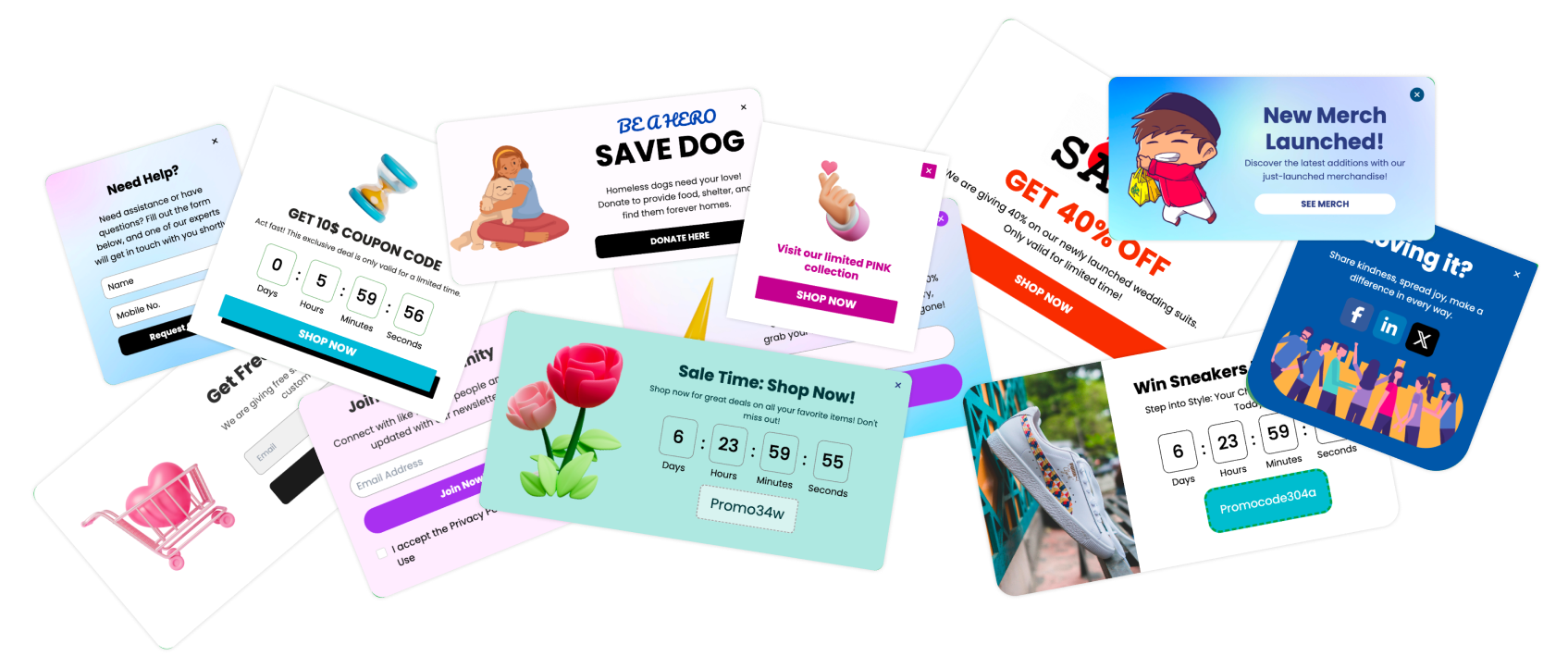
10 Poper Diwali popup templates to build your campaign
These templates cover different jobs, from introducing a first-order offer to promoting an in-store event.
The suggested copy below is illustrative. Replace discounts, thresholds, dates, and service promises with your actual offer. Targeting, fulfillment, and checkout rules need to be configured separately from the design.
1. Diwali First-Time Visitors Discount Popup

Best for: Introducing an eligible first-order offer.
Poper’s Diwali First-Time Visitors Discount template pairs festive imagery with a discount message and a clear claim button.
Use it when a new visitor has had a chance to understand what you sell. Explain whether the offer applies to a first order, selected products, or a minimum spend.
Suggested copy:
Your first Diwali order comes with a little extraSave 15% on eligible gift sets with your first purchase.Button: Get my first-order offer
Avoid showing the same acquisition message to known customers who cannot redeem it. Also remember that a first-time website visitor is not necessarily a first-time buyer. Your checkout should enforce eligibility.
2. Diwali Offers Signup Popup

Best for: Building interest before your sale opens.
The Diwali Offers Signup template includes an email field and messaging around exclusive offers.
Give visitors a specific reason to subscribe. Early access is useful when it means a real advance shopping window, a preview of a new collection, or an earlier chance to order limited products.
Suggested copy:
See our Diwali gift collection first
Get the launch link and our gifting guide by email.
Button: Send me early access
Explain what happens after signup. If you promise a guide immediately, deliver it immediately. If the collection opens later, state when subscribers should expect the link.
Judge this campaign by the quality and later activity of subscribers, as well as the number collected.
3. Diwali Offers Lightbox Popup

Best for: Offering useful content alongside your products.
The Diwali Offers Lightbox template starts with a festive recipe offer. That makes it a natural option for a culinary publication or a store whose products fit that content.
You could also adapt the layout for a hosting checklist, gift-wrapping guide, or decoration planner.
Suggested adaptation:
Hosting this Diwali?
Get our table-setting checklist and a shopping list for the finishing touches.
Button: Send me the checklist
The original description includes a name field. If your delivery method is email, configure an email field and the corresponding delivery workflow.
Make the resource useful enough to keep. A thin PDF that simply repeats your product catalogue gives visitors little reason to trust the next email.
4. Diwali Discount Offer Popup

Best for: Making an active promotion easy to find.
The Diwali Discount Offer template uses a prominent sale message, coupon code, and shopping button.
This is a straightforward choice when the visitor needs to understand the offer and reach eligible products quickly.
Suggested copy:
A festive offer for your home
Get 10% off selected Diwali décor with code DIWALI.
Button: Shop eligible décor
Link directly to the collection covered by the discount. Sending shoppers to the homepage makes them find the offer again.
Check the complete redemption journey. A visible coupon that fails at checkout can undo the confidence your popup created. If exclusions apply, make them available beside the offer.
5. Diwali Gift Voucher Popup

Best for: Presenting a promotional code clearly.
The Diwali Gift Voucher template prominently displays a festive voucher message and coupon code.
Be precise about what you are offering. The design presents a promotional code; it does not, by itself, create a stored-value gift card or deliver one to a recipient.
Suggested copy:
Your Diwali shopping voucher
Save ₹200 on eligible orders above ₹1,999.
Button: Browse eligible gifts
State the expiry, minimum spend, exclusions, and redemption limits in readable language.
If you adapt this design to promote actual digital gift cards, connect it to your store’s gift-card system and explain how delivery and redemption work.
6. Diwali Season Exit-Intent Popup

Best for: Addressing a specific hesitation before a visitor leaves.
The Diwali Season Exit-Intent template provides a festive layout for a final invitation to continue shopping.
Start with the question the visitor may still have. On a gift collection, that might be budget. On a product page, it might be packaging or delivery.
Suggested adaptation:
Still choosing a Diwali gift?
Explore our shortlist of gift sets under ₹1,999.
Button: Show me the shortlist
A relevant collection can be more useful than an automatic extra discount.
Keep the dismissal option clear and neutral. Test the trigger on your intended devices, since mobile browsing does not have the same cursor behavior as desktop browsing.
7. Grand Diwali Giveaway Top Bar

Best for: Keeping a short announcement visible while people browse.
The Grand Diwali Giveaway Top Bar template is a narrow banner originally designed to promote a hamper giveaway.
Use the original concept when you have a relevant prize and a properly organized promotion. Link to the entry details, eligibility, closing date, and selection process.
You can also adapt the banner for a different announcement:
Ordering Diwali gifts?
Check delivery availability for your PIN code.
Link: View delivery details
That adaptation requires changing the copy and destination. The banner itself does not calculate delivery estimates.
On mobile, check that it does not cover navigation, the search field, or important shopping controls.
8. Diwali Sale Countdown Popup

Best for: Communicating a genuine offer deadline.
The Diwali Sale Countdown template combines festive artwork, a countdown, and a button leading to the sale.
Choose the deadline before writing the message. It might be the end of a promotion or the closing time for a specific service.
Suggested adaptation:
Complimentary gift wrapping ends soon
Place an eligible order before the deadline shown below.
Button: Shop gifts
Keep the timer synchronized with the offer’s actual end. Configure what happens after expiry, including the popup, coupon, and destination page.
A countdown that starts over when the visitor returns makes the deadline difficult to believe.
9. Diwali Sale Alert Popup

Best for: Connecting an active promotion with a clear next step.
The Diwali Sale Alert template combines a festive image, countdown, and promo-code call to action.
Use it for visitors who are ready to explore an offer. The message should identify the products or collection involved.
Suggested copy:
Our Diwali gifting offers are liveGet the current promo code and explore eligible gift sets.Button: Get the promo code
If you collect an email address, explain whether it is used to deliver the code, subscribe the visitor to marketing, or both. Make the next step obvious after submission.
Avoid displaying this alongside another popup asking the same visitor to claim a competing offer.
10. Diwali Celebration Popup

Best for: Connecting online visitors with a local event.
The Diwali Celebration template is designed around an event invitation, details, and a button leading to further information or registration.
It can suit a festive collection preview, a shopping evening, or a community celebration organized by your business.
Suggested copy:
Join our Diwali gifting evening
Explore the collection in person on [date] at [location].
Button: View event details
Keep practical information visible: opening time, location, booking requirements, and accessibility details where relevant.
Show the invitation to an appropriate audience. A local event is unlikely to be useful to every international visitor.
Plan the campaign around your actual deadlines
Use the following schedule as a planning framework. Work backward from your delivery cutoff, production capacity, and audience’s buying cycle.
Corporate orders or personalized products may need a longer lead time.
| Campaign phase | Useful message | Destination |
|---|---|---|
| Early planning | Early access or corporate gifting enquiry | Signup form or gifting catalogue |
| Collection launch | Gifts by recipient, category, or budget | Relevant product collection |
| Active sale | Clear offer with eligibility and expiry | Eligible products |
| Before shipping cutoff | Delivery availability and order deadline | Delivery checker or information page |
| After shipping cutoff | Available pickup or digital gifting options | Verified last-minute options |
Where Dhanteras is relevant to your products and audience, give it a distinct message and destination. Do not simply rename every promotion. The offer should make sense for the occasion.
What Poper’s conversion research can tell you about timing
Poper’s published trigger research examined approximately 15,700 campaigns across 5,300 customer domains over a 365-day period.
Three findings are particularly relevant when planning a festive offer:
On-click: 8.93% recorded conversion rate.
Exit intent: 2.54%.
On-load: 2.11%.
These figures describe recorded conversion events per popup display. They cover multiple industries and campaign types, and a conversion is not necessarily a purchase. They are not Diwali-specific benchmarks. Source: Poper’s popup trigger research
The on-click result is worth testing, but its audience has already chosen to open the popup. People who saw the invitation and did not click are outside that display-based rate. The comparison does not establish that changing the trigger caused better performance.

For a Diwali campaign, try a visible invitation such as “View our festive offer.” Measure the full journey from eligible visitors to purchases, as well as interaction with the popup.
Make the popup work on a real shopping session
A template preview cannot show every condition your customer will encounter. Test the finished campaign on actual page layouts and devices.
Keep the first visit usable
Let shoppers see the content they came for. A compact banner or an offer opened by a deliberate click can make a promotion available without covering the page immediately.
Google advises avoiding intrusive interstitials and recommends small banners that preserve access to content. That matters for visitors arriving from search as well as for general usability. Source: Google Search Central
Check the mobile keyboard
Open every form on a phone. Confirm that the keyboard does not hide the field, submit button, error message, or close control.
Use readable text and adequate contrast. Decorative fonts may work for a short greeting, but offer conditions need to remain easy to read.
Set campaign priority
Decide which message should appear when several campaigns qualify.
A visitor should not close an early-access invitation, encounter a first-order offer, and immediately receive an exit discount. Suppress completed campaigns where possible and set a sensible frequency limit.
Match the language to the audience
Use the wording your customers recognize, whether that is Diwali, Deepavali, or a locally appropriate greeting.
If you translate the popup, translate the offer conditions and destination page too. A localized headline followed by an unfamiliar checkout creates extra work for the shopper.
Verify the systems behind the promise
Before launch, check:
Coupon eligibility and expiry.
Collection inventory.
Delivery information.
Signup confirmation and follow-up.
Event or enquiry destinations.
Campaign scheduling and time zones.
Close controls and keyboard navigation.
The design communicates the offer. Your store and fulfillment workflows must deliver it.
Measure sales and contribution, not just popup activity
A popup can collect more clicks while making the campaign less profitable.
Suppose you compare two randomly assigned groups of eligible shopping sessions. One group sees no promotional popup; the other sees a discount popup.
The following figures are hypothetical, included to explain the calculation.
| Metric | Without popup | With popup |
|---|---|---|
| Eligible sessions | 10,000 | 10,000 |
| Purchase conversion rate | 2.0% | 2.3% |
| Orders | 200 | 230 |
| Average contribution per order | ₹400 | ₹370 |
| Total contribution | ₹80,000 | ₹85,100 |
Here, contribution means sales remaining after discounts and relevant variable costs, including product, packaging, payment, and fulfillment costs.
The popup scenario produces 30 more orders and ₹5,100 more contribution before additional campaign costs.
However, if contribution per popup order fell to ₹340, the same 230 orders would produce ₹78,200. You would have more orders but less contribution than the comparison group.
This arithmetic is not a forecast or a statistically validated test result. It shows why the discount, conversion rate, and cost of serving an order must be evaluated together.
Measurement note: Coupon redemptions do not automatically represent additional sales.
Some customers would have purchased anyway.
A properly designed holdout helps estimate the campaign’s incremental effect.

Questions to answer before launching Diwali popups
When should I start a Diwali popup campaign?
Start when you have something useful to offer and can fulfill the promise. Early-access signups and corporate enquiries can begin before the main sale. Shipping reminders should follow your actual delivery schedule.
Work backward from production and fulfillment deadlines rather than copying another store’s calendar.What is a good conversion rate for a Diwali popup?
A newsletter signup, coupon interaction, corporate enquiry, and completed purchase are different outcomes. Define the conversion and denominator first, then compare similar campaigns and your own previous performance.
Should every popup offer a discount?
No. Gift selection, packaging details, delivery information, event invitations, and useful guides can all provide a reason to interact.
Choose a discount when it supports the purchase decision and makes economic sense.Can I use the same template throughout the season?
Yes, but review the message as the campaign progresses.
An early-access invitation becomes outdated once the collection opens. A delivery promise becomes unsuitable after the shipping cutoff. Update the destination and campaign rules along with the text.How do I avoid annoying visitors?
Keep the message relevant, make dismissal easy, and limit repetition.
Test whether the popup blocks product information or shopping controls. Give completed actions priority: someone who has subscribed should not immediately be asked to subscribe again.What should I change after Diwali?
Remove expired offers, stop outdated countdowns, and review any remaining delivery claims.
Record what you learned about offers, audiences, signups, purchases, and contribution. Keep useful gift guides available where they remain accurate, and update seasonal messaging before reusing it.
Choose the template that solves the next problem
Start with the point where your shoppers need help.
If they cannot find an appropriate gift, improve the collection and use a popup to introduce it. If they are unsure about delivery, make that information accessible. If the offer is difficult to understand, simplify the terms before changing the design.
Then choose the relevant Poper popup template, adapt the message, and test the complete shopping journey.
A good Diwali campaign makes the celebration easier to prepare for. Your popup should earn its place by helping with that.