
Contrast failures show up on 83.6% of home pages, the single most common accessibility violation on the web, according to the WebAIM Million report.[1] Code blocks are quiet repeat offenders in that number: low-contrast syntax themes, mouse-only scrolling, and markup search engines never render.
If you publish tutorials or docs, your code snippet SEO and accessibility are probably leaking traffic and locking out readers at the same time, and neither problem announces itself.
A code block can fail Google and screen readers at once: rendered late, scrolled by mouse only, and colored below 4.5:1. Fix the markup, the contrast, and the keyboard path, and you fix both audiences with one pass.
Why code snippets fail SEO and accessibility together
The same shortcut breaks both. When a snippet is injected by JavaScript, styled by a dark theme nobody contrast-checked, and scrolled by mouse only, it disappears for crawlers and for assistive tech in one move.
The scale is real. A audit of Common Crawl's top domains found that 1,771 of 4,327 unique color pairings, or 40.9%, failed the 4.5:1 ratio for normal text, with only 20.4% of sites fully compliant.[2] Syntax highlighting, with its greens, grays, and comment dimming, sits right in that failure zone.
On the SEO side, Google crawls your HTML first and runs JavaScript only later, once rendering resources free up.[3] A code snippet that exists only after a script runs may never be indexed as text. So the audit below treats your code snippet SEO and accessibility as one checklist, not two.
| The shortcut | What it costs in SEO | What it costs in accessibility |
|---|---|---|
| Snippet injected by JavaScript | May not be indexed as text[3] | Can render after screen-reader focus lands |
| Code as an image or screenshot | Zero crawlable text | Unreadable without exact alt text |
| Low-contrast syntax theme | Neutral, but signals low quality | Fails 4.5:1 text contrast[2] |
| Mouse-only horizontal scroll | Neutral | Fails keyboard operability |
No semantic <pre><code> | Weaker content signals | No code role announced |
Audit one: can a crawler actually read the code?
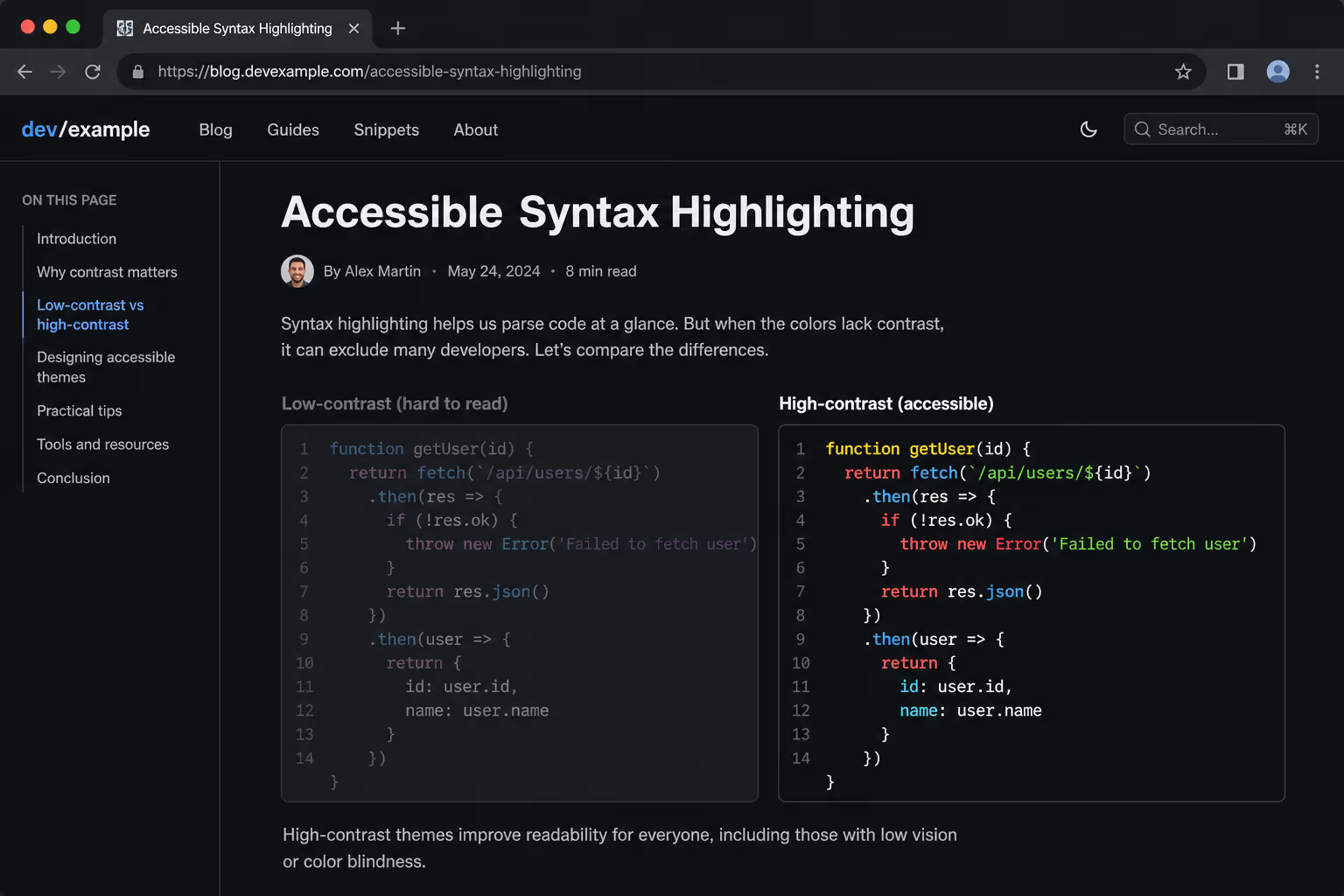
Start with indexability, because a snippet no crawler sees earns nothing. The test is blunt: view the page source, not the rendered DOM, and search for your code text.
Open
view-source:on the page and Ctrl-F a distinctive line from your snippet.If it is missing from raw HTML, it is JavaScript-injected, a rendering risk Google may skip.[3]
Confirm the code is real text, not a
<img>or a screenshot.Wrap every block in semantic
<pre><code>so the structure is unambiguous.
Lazy loading is the trap most docs sites fall into. Google's own guidance warns that content loaded only on user action, such as a click or a tab switch, can stay invisible to the crawler.[4] If your snippets hide behind a tab or an accordion that fetches on open, render them server-side or load them in the initial HTML instead.
Audit two: does the contrast pass 4.5:1?
This is where most code blocks quietly fail. Popular dark themes dim comments to a soft gray that looks elegant and measures around 3:1, below the AA floor.
WCAG Level AA requires 4.5:1 for normal text and 3:1 for large text. Run every token color in your theme, including keywords, strings, comments, and line numbers, against the block's background, not against white.
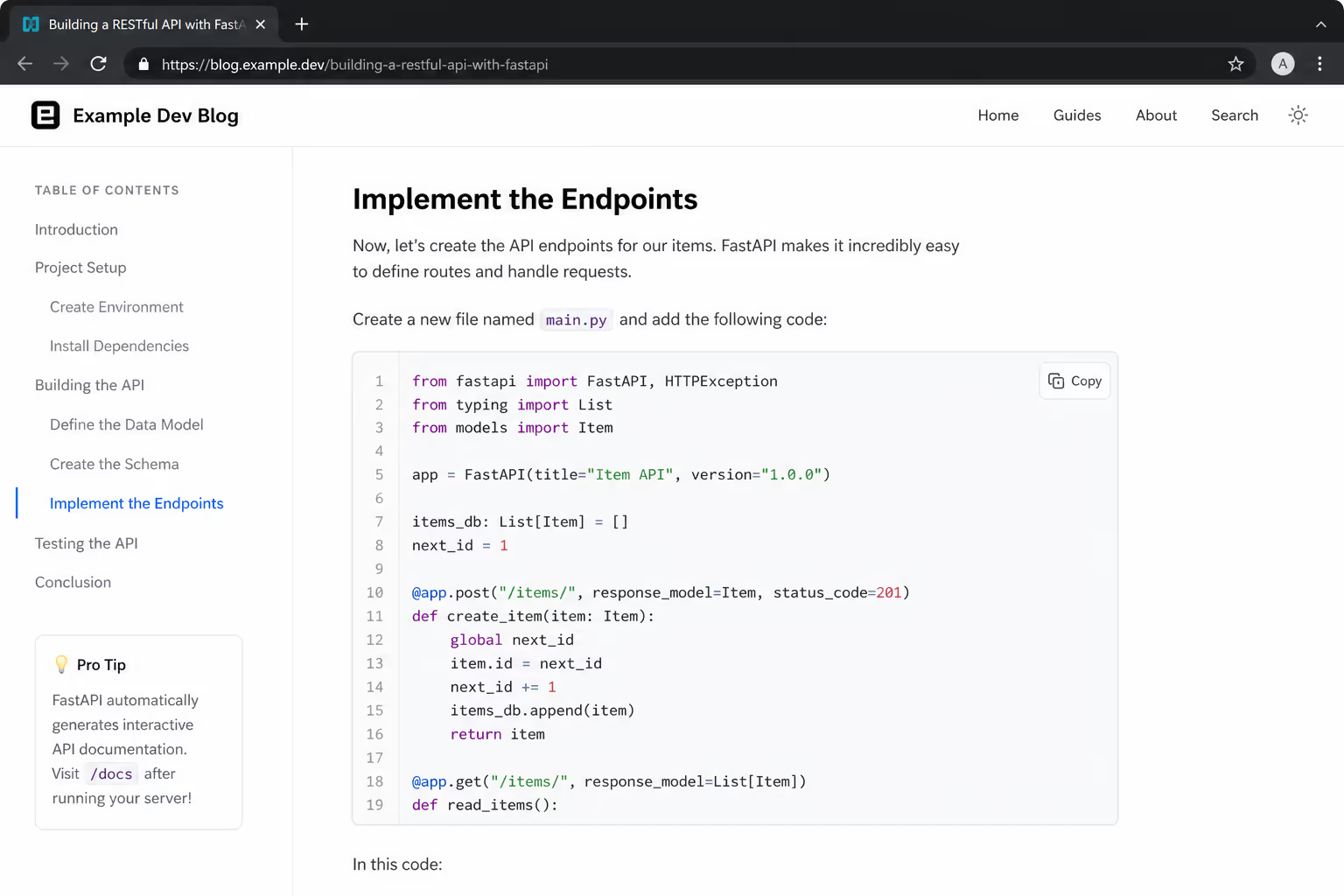
A syntax theme is not accessible because it looks clean on your monitor. It is accessible when every token, including the dim gray comments, clears 4.5:1 against the code background.
Comments and line numbers are the usual offenders because designers deliberately fade them. Test the faded colors hardest. If a theme cannot pass, swap it. Accessible high-contrast code themes exist for every major highlighter, and the visual cost is small.
Audit three: can a keyboard reach and scroll the block?
Long lines force horizontal scroll, and that scroll is a mouse gesture by default. Keyboard-only users, and the screen-reader users who rely on them, simply cannot reach the clipped code. WCAG 2.1.1 makes keyboard operability a Level A requirement, the strictest tier.
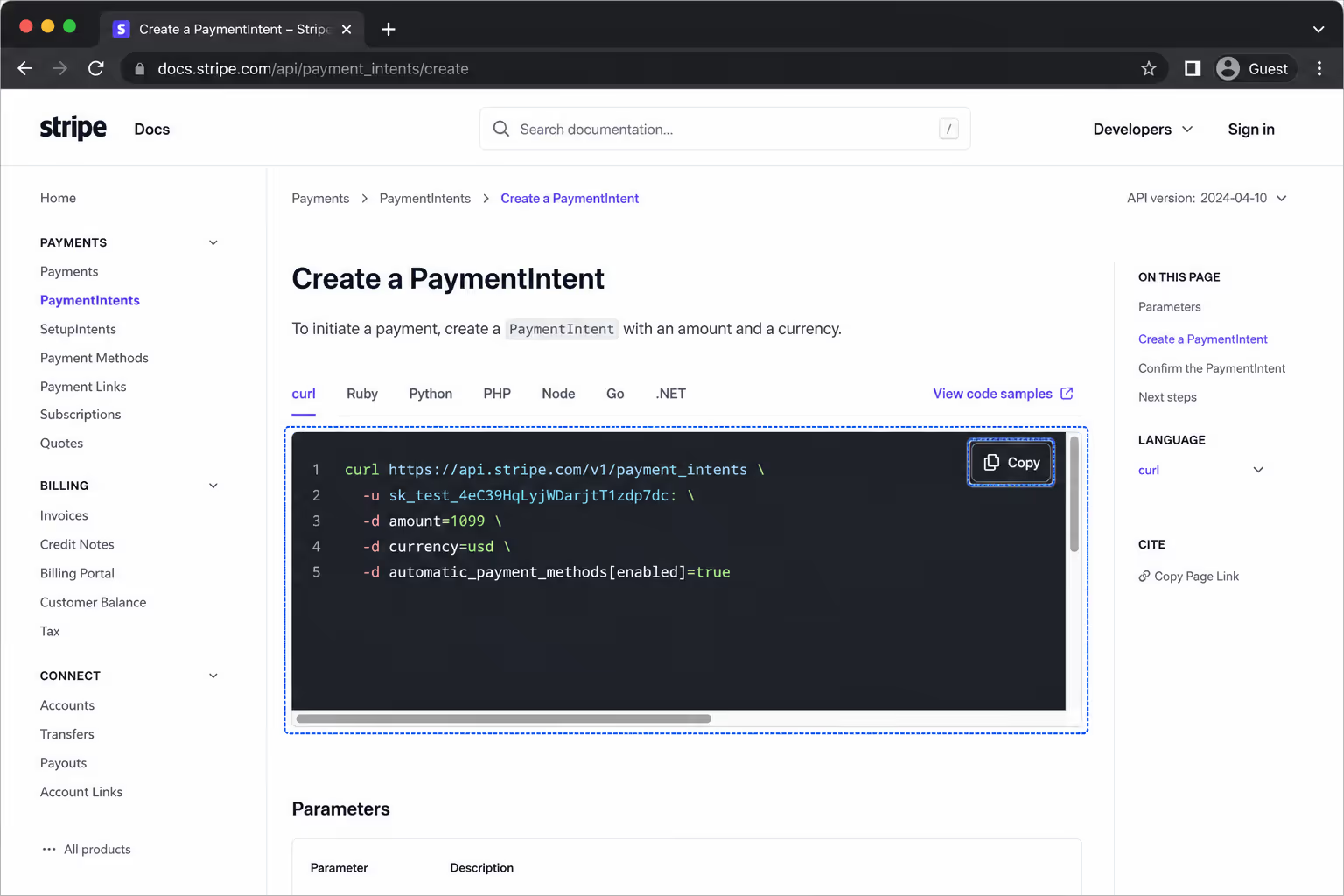
The fix is three attributes on the scroll container, well documented in accessibility engineering practice.
Add
tabindex="0"so the scrollable region enters the focus order.Add
role="region"so assistive tech announces it as a landmark.Add an
aria-label, for examplearia-label="Code example", so the region has a name.Give the focused state a visible outline of at least 3:1 contrast and 2 CSS pixels.
The alternative is to wrap long lines with white-space: pre-wrap and word-break: break-word, which removes the scroll problem entirely on narrow screens. Pick one approach per block, and do not ship both.
Audit four: what does a screen reader announce?
Semantics decide the experience here. A screen reader handles a real <code> element differently from a styled <div>, and the difference is whether the user knows they hit code at all.
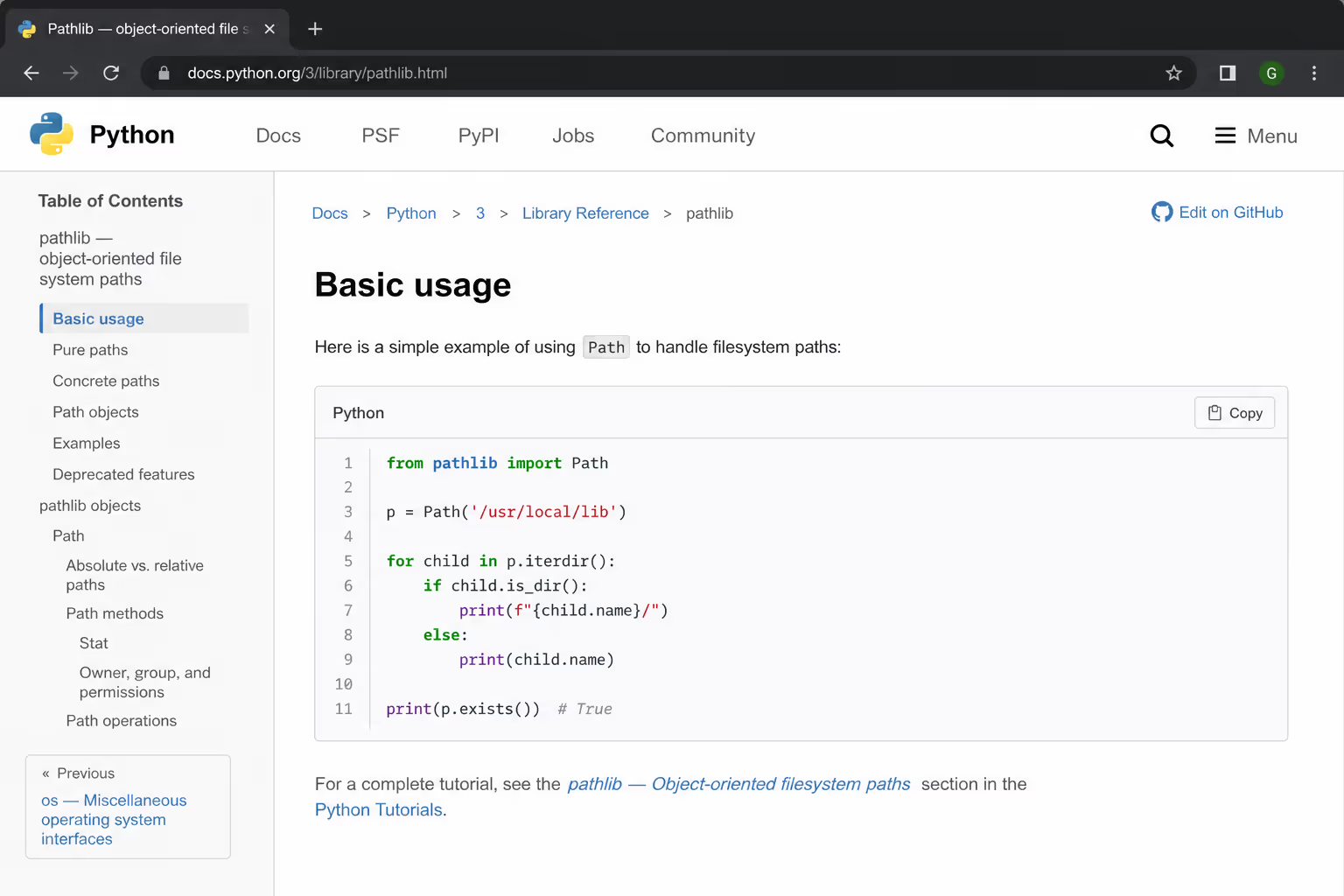
Keep the markup honest and the labels present:
Use
<pre><code>, never a<div>dressed up with CSS.Name the language in visible text or an accessible label, not by color alone.
If you ship a copy button, give it real text or an
aria-labellikearia-label="Copy code", since an icon-only button reads as nothing.Never lock meaning to color, since a red token must also carry a word or symbol.
The one-pass audit checklist
Run this on any page with code before you publish. Each line maps to a real failure mode above.
| Check | Pass condition | Audience saved |
|---|---|---|
| Code in raw HTML | Visible in view-source | Search engines |
| Real text, not image | Selectable, no <img> | Both |
| Token contrast | Every color clears 4.5:1 | Low-vision readers |
| Keyboard scroll | tabindex="0" + visible focus | Keyboard users |
| Region label | role="region" + aria-label | Screen-reader users |
| Semantic markup | <pre><code> present | Both |
Fixing it once, across every page
Hand-fixing every snippet across a docs site is slow, and theme updates undo your work. Poper's Code Snippet widget ships syntax-highlighted blocks with semantic markup and a labeled copy control, so the accessibility plumbing, meaning a focusable region, an accessible name, and real <code>, is handled instead of hand-patched on each post.
Pair it with the Table of Contents widget to keep long tutorials navigable by keyboard, and the Accessibility widget for site-wide contrast and focus controls that catch the themes your audit missed. The point is to make code snippet SEO and accessibility a default of your stack, not a manual chore repeated per article.
Why Poper passes every check in this audit
The checklist above is exactly what the Code Snippet widget is built to satisfy out of the box, so you ship a passing block without touching markup, theme files, or ARIA by hand. Here is how each audit line maps to what the widget does by default.
| Audit check | How Poper passes it |
|---|---|
| Code in raw HTML | Renders the snippet as real, crawlable text in the page, not a late client-only fetch |
| Real text, not image | Output is selectable text inside <pre><code>, never a screenshot |
| Token contrast 4.5:1 | Ships high-contrast syntax themes tuned to clear the AA floor, including faded comments |
| Keyboard scroll | Long-line blocks are focusable with a visible focus outline, reachable without a mouse |
| Region label | The block carries a region role and an accessible name for screen readers |
| Semantic markup | Always emits semantic <pre><code>, plus a labeled copy button |
That is the real reason to use it over a raw highlighter library: the library colors your code, but you still own every accessibility and indexing fix on every page. Poper makes the passing version the default. Set it once, and new posts inherit code snippet SEO and accessibility instead of failing it quietly. Because it is no-code, you can drop it onto WordPress, Webflow, Shopify, or any site in under two minutes, with no developer in the loop.
The takeaway
Code snippet SEO and accessibility are the same audit wearing two labels. Ship code as crawlable text, not images or late JavaScript. Clear 4.5:1 on every token, including the faded comments. Make the block reachable by keyboard with a labeled, focusable region. Do that once per template and both Google and your readers stop bouncing off the exact content you wrote for them.



