
A customer finds the perfect Christmas gift on your website. The price is right, the product is available, and the photographs look good.
Then they start looking for delivery information.
Will it arrive before Christmas? Does free shipping apply to their address? Can the recipient exchange it?
If those answers are difficult to find, another discount may not be what closes the sale.
Christmas shoppers have several decisions to make at once. They are choosing something for another person, working within a budget, and buying against a deadline. Your Christmas sale strategy needs to support those decisions.
A useful popup can introduce a gift collection, explain a shipping offer, invite someone to receive a launch announcement, or clarify when a promotion ends. The best choice depends on what the visitor needs at that moment.
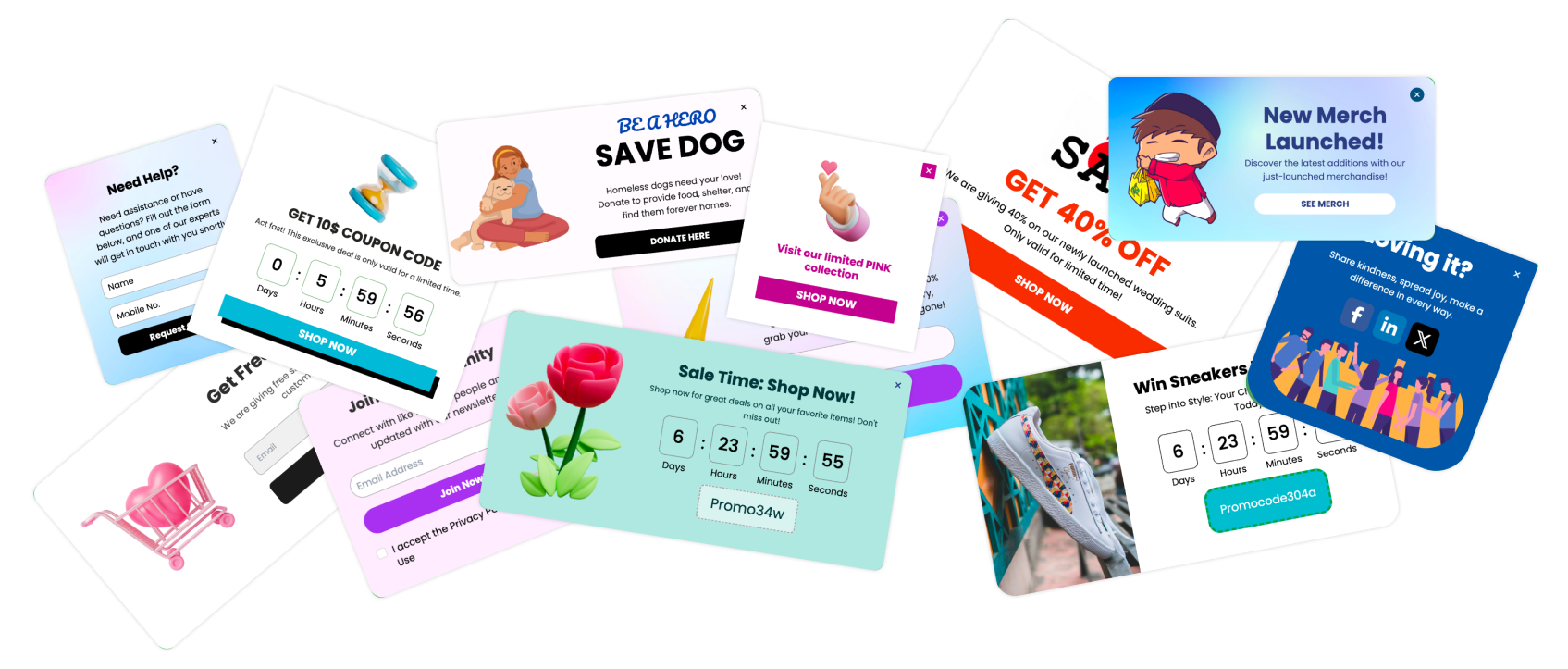
This guide brings together holiday shopping research, practical campaign ideas, and ten Poper Christmas popup templates. Use it to plan the whole journey, from early gift browsing to the orders placed after your standard shipping cutoff.

What Christmas shoppers need from your store
Holiday shopping does not finish when the Black Friday promotions end.
In a December 2025 survey, NRF and Prosper Insights & Analytics found that consumers had completed 51% of their holiday shopping on average by early December. Among respondents who still had more than half their shopping left, 33% were still deciding what to buy. The survey covered 8,005 adult consumers. Source: NRF’s December 2025 holiday shopping survey.
That creates a useful role for your Christmas campaigns: helping visitors make a choice.
Someone browsing without a specific gift in mind may benefit from a collection of gifts under $30. Someone comparing two products may need delivery information. Someone returning after payday may be ready for a straightforward sale announcement.
Choose your message around the decision in front of the shopper.

Build your Christmas sale around five shopper decisions
1. Help people find a gift within their budget
Organize a few useful collections before promoting them.
Examples include:
Small gifts under $25.
Gifts for someone who enjoys cooking.
Stocking fillers.
Gift sets ready to wrap.
Products available for local pickup.
Keep each collection manageable. A page with six thoughtfully selected products can be easier to shop than a sale page with several hundred items.
Then match the popup to the page being viewed. A visitor browsing desk accessories could see a link to gifts for a home office.
Make the promise precise. If the button says “Shop gifts under $25,” every product on the destination page should fit that description.

2. Give early subscribers a concrete reason to join
“Subscribe for updates” asks for an email address without explaining the benefit.
A stronger invitation tells visitors what they will receive: the Christmas collection launch, a gift guide, or access to a defined promotion.
If you promise early access, decide what that means before collecting signups. Will subscribers receive a private link? Will they shop several hours before the public launch? Which products will be available?
The confirmation email should answer those questions.
Keep the promise achievable. A smaller, specific benefit is easier to deliver than a vague invitation to become a VIP.

3. Make shipping information part of the offer
Free shipping and delivery before Christmas are separate promises.
An order can qualify for free shipping and still arrive after December 25. Your popup, product page, and checkout should make that distinction clear.
Before writing a shipping message, confirm:
Eligible destinations.
Qualifying order value.
Dispatch time.
Delivery service.
Product exclusions.
The cutoff your team can realistically support.
Use an estimated arrival window when that is what you can substantiate. Publish guaranteed arrival language only when your operation supports the guarantee.
Practical note: Create separate campaign end times for the sale and the shipping cutoff. They may fall on different days.

4. Choose incentives that leave room for profit
A Christmas promotion does not always need a larger percentage discount.
Depending on your products and costs, you could test a complimentary gift, gift packaging, a useful bundle, or free shipping above a threshold.
Calculate the cost of the complete offer. Include the gift, packaging, shipping subsidy, and any additional fulfillment work.
Also consider whether shoppers can reach the threshold naturally. If a customer needs another $12 to qualify, make relevant products available near that price. An unreachable threshold creates frustration instead of a useful reason to add something.

5. Prepare an offer for after shipping closes
Once standard shipping can no longer meet your Christmas arrival estimate, replace the message.
If your store supports them, promote digital gift cards, local pickup, or suitable digital products. Explain when and how the customer will receive the purchase.
NRF reported that 43% of shoppers planned to purchase at least one gift card during the 2025 holiday season. That is a measure of purchase intention, not completed gift-card sales. Source: NRF’s gift-card research.
Test digital fulfillment before promoting it. Confirm the email reaches the intended recipient and make scheduled delivery or redemption instructions clear.


Ten Christmas popup templates to use in your campaign
The templates below cover different campaign jobs. This is an editorial selection, not a ranking by measured conversion rate.
The suggested copy is illustrative. Replace discounts, thresholds, products, and deadlines with your actual promotion. Configure the audience, links, scheduling, and store rules before publishing.
1. Christmas Email Signup Popup

Best for: Building an audience before your collection or sale launches.
The Christmas Email Signup Popup provides a seasonal design with an email field and a clear signup action.
Give the visitor something specific to anticipate. You can adapt the copy for collection announcements or a useful gift guide.
Suggested copy:
Get a head start on Christmas gifting
Receive our Christmas collection announcement and a guide to gifts under $50.
Button: Send me the Christmas guide
Connect the form to the appropriate email sequence. If the guide is available immediately, deliver it promptly rather than sending an unrelated welcome offer.
Measure: Valid signups and purchases from that subscriber group.
2. Christmas Mega Sale Slide-In Popup

Best for: Directing browsers toward a focused gift collection.
The Christmas Mega Sale Slide-In Popup is designed to announce a seasonal promotion.
You can customize its message and destination to promote a gift collection instead of a broad discount. This adaptation is useful when a shopper needs help choosing.
Suggested copy:
Small gifts, thoughtfully chosen
Explore stocking fillers and giftable accessories under $25.
Button: Shop gifts under $25
Use a relevant product image and a collection that matches the price promise. The template presents the message; you will need to create and maintain the collection separately.
Measure: Collection visits, product engagement, and orders.
3. Christmas First Order Discount Popup

Best for: Introducing an offer to eligible new customers.
The Christmas First Order Discount Popup includes seasonal imagery, a coupon, and countdown elements.
A first-order offer needs matching eligibility rules. Configure the discount in your store and exclude existing customers where your available targeting allows.
Suggested copy:
A little welcome gift for your first order
Save 10% on your first eligible purchase with code FIRSTXMAS.
Button: Explore Christmas gifts
Explain exclusions and whether the offer combines with sale pricing. Check that the code works for an eligible customer and fails when it should.
Measure: First-time customer orders and contribution after discount costs.
4. Christmas Promotion Popup

Best for: Announcing the main Christmas sale.
The Christmas Promotion Popup uses a festive red-and-gold design and a prominent shopping button.
Use it when the visitor needs to understand the live offer quickly.
Suggested copy:
Christmas gifting, with a little extra value
Save 20% on selected gift sets through Sunday.
Button: Shop eligible gift sets
Link directly to the qualifying products. If different categories have different discounts, explain them on the destination page.
Keep the offer readable without relying on the festive artwork. The customer should understand it even if they glance at the popup for only a moment.
Measure: Click-through, purchases, and discount redemption.
5. Christmas Free Shipping Sidebar Popup

Best for: Explaining a shipping incentive during browsing.
The Christmas Free Shipping Sidebar Popup presents a shipping offer in a vertical format.
State the threshold and destination restrictions clearly.
Suggested copy:
One less thing on your Christmas list
Free standard shipping on eligible U.S. orders over $60.
Button: View shipping details
Include arrival estimates on the linked page. Avoid suggesting that free shipping automatically includes delivery before Christmas.
If you want a message such as “Add $12 more,” confirm that cart values are available to the campaign and update correctly. A static template should not imply a live calculation.
Measure: Qualifying orders and contribution after shipping costs.
6. Christmas Free Gift Popup

Best for: Adding a relevant bonus to qualifying purchases.
The Christmas Free Gift Popup is designed around a gift-with-purchase offer.
Choose a gift that belongs with the order. A small ornament, travel pouch, or gift-packaging upgrade may make more sense than an unrelated item.
Suggested copy:
A little extra under the tree
Receive a complimentary ornament with eligible orders over $60, while allocated stock lasts.
Button: Shop qualifying gifts
Show the actual item where possible. Confirm how it is added to the order and what happens when stock runs out.
Measure: Qualifying orders and contribution after the gift’s full cost.
7. Christmas Spin and Win Popup

Best for: Testing an interactive seasonal offer.
The Christmas Spin and Win Popup combines email capture with a reward wheel.
Decide which rewards you can support before launching. Make redemption instructions and exclusions easy to find.
Suggested copy:
Unwrap a Christmas reward
Enter your email and spin to reveal your seasonal offer.
Button: Reveal my reward
Check the experience on a phone, including the completed spin and reward screen. A visitor should be able to retrieve the offer without starting again.
Watch what participants do afterward. A popular game can generate entries without attracting many purchases.
Measure: Valid entries, reward redemption, orders, and contribution per participant.
8. Christmas Giveaway Widget

Best for: Introducing a relevant seasonal prize.
The Christmas Giveaway Widget invites visitors to enter a festive giveaway.
Choose a prize connected to the products you sell. That gives the campaign a clearer relationship with future purchases.
Suggested copy:
Win a festive finishing touch
Enter our Christmas ornament giveaway. View the prize, closing date, and entry details below.
Button: View giveaway details
Link the complete rules and explain how the winner will be contacted. Make any marketing subscription choice clear.
Track entries separately from subscribers and customers so participation does not become an inflated sales claim.
Measure: Valid entries, opted-in subscribers, and subsequent purchases.
9. Christmas Countdown Sale Popup

Best for: Communicating a genuine promotion deadline.
The Christmas Countdown Sale Popup combines seasonal imagery, a countdown, and a shopping button.
Explain exactly what is ending. The sale deadline and Christmas delivery cutoff may be different.
Suggested copy:
Christmas gift-set savings end tonight
Shop selected offers before 11:59 p.m. ET.
Button: Shop the gift-set sale
Set the timer and discount to expire together. If you adapt it for a shipping cutoff, replace the sale wording and link to the applicable delivery details.
Measure: Purchases during the closing period and correct expiry behavior.
10. Christmas Limited-Time Discount Bar

Best for: Keeping a short offer visible while customers browse.
The Christmas Limited-Time Discount Bar presents a concise promotion and coupon code in a slim banner.
Use it for a message that needs only a line or two.
Suggested copy:
Christmas gift-set offer ends tonight
Save 15% on eligible sets with GIFT15.
Avoid crowding the bar with several offers or long exclusions. Put supporting details on the relevant page.
Check that it does not cover navigation, chat controls, or an add-to-cart button on mobile.
Measure: Code redemption and purchases, alongside any available banner interactions.
Let visitor intent influence when the popup appears
A visitor who clicks “Show Christmas offers” has already expressed interest. Someone who has just landed may still be deciding whether your store is relevant.
Poper’s published trigger research recorded 8.93% conversion for on-click campaigns across approximately 412,000 displays, compared with 2.11% for on-load campaigns across 105.1 million displays. These were different campaign groups, not a controlled experiment, and conversions were recorded campaign events rather than necessarily purchases. Source: Poper’s popup trigger research.
Consider testing a visitor-initiated offer on a gift collection page. Measure the complete journey, including people who see the invitation but never open the popup.

Design for the phone in the shopper’s hand
Adobe reported that mobile accounted for 66.5% of U.S. online sales on Christmas Day 2025, compared with 65% on Christmas Day 2024. These figures describe sales share, not popup conversion. Source: Adobe’s 2025 holiday shopping report.
Review each campaign on an actual phone.
Open the keyboard, enter an email address, dismiss the popup, and follow the button to the destination page. Check text wrapping and any conflict with sticky shopping controls.
A Christmas illustration should not push the action button out of reach. Shorten the copy before shrinking the type.

Measure whether the offer improves the economics
A larger order is useful only if the extra revenue supports the incentive.
Consider this hypothetical free-gift promotion:
| Illustrative measure | Original basket | Larger qualifying basket |
|---|---|---|
| Revenue | $50 | $65 |
| Assumed product cost | $25 | $32 |
| Assumed shipping and fulfillment cost | $5 | $5 |
| Assumed gift cost | $0 | $3 |
| Revenue less listed costs | $20 | $25 |
In this example, the basket increases by $15, while the amount remaining after the listed costs increases by $5.
These are invented planning assumptions. Payment fees, returns, advertising, taxes, and overhead are excluded. This is not net profit or evidence that a popup will make customers spend more.
Also account for customers who would already have placed a qualifying order. Giving them a gift adds cost without necessarily creating additional revenue.

Keep your campaign useful after December 25
Schedule the next message before the Christmas campaign ends.
Remove delivery claims, expired coupons, and products that have sold out. If you offer a post-Christmas promotion, give it its own message and terms.
Visitors may be spending gift cards, buying something for themselves, or checking exchange information. Make those routes easy to find.
Keep acquisition popups away from pages where an existing customer is trying to resolve an order issue. A promotional message is unlikely to help someone looking for their delivery status.
Christmas popup launch checklist
Before publishing, complete the customer journey:
Check each offer against your store’s actual rules.
Confirm product availability and gift stock.
Test coupon eligibility and expiry.
Review shipping thresholds and destination restrictions.
Verify delivery wording with your fulfillment process.
Submit every form and check the follow-up email.
Inspect mobile layouts with the keyboard open.
Check that campaigns do not overlap.
Confirm that every button opens the promised destination.
Schedule replacement messages for shipping cutoffs and sale expiry.
Assign someone to review the campaigns while they are live. A gift collection that was accurate yesterday may contain sold-out items today.
Frequently asked questions
When should I start my Christmas popup campaign?
Begin when your collection, offer, and fulfillment plan are ready. Use early campaigns for discovery and signups, then move toward live offers and delivery information as the holiday approaches.
Which Christmas popup template should I choose first?
Choose the job first. Start with email signup for an upcoming launch, a promotion popup for a live sale, or a shipping sidebar when delivery cost is the main question.
Should I offer a discount or a free gift?
Compare the full costs and test against your audience. A relevant gift can add value, but it can also increase fulfillment expense. Measure contribution and purchases rather than participation alone.
Can I promote delivery before Christmas with a countdown?
Yes, if the deadline and wording match your actual delivery commitment. Account for destinations, processing time, and shipping services. Keep that deadline separate from the sale’s expiry.
What should I show after the shipping cutoff?
Promote options you can still fulfill as described, such as digital gift cards or local pickup. Otherwise, clearly communicate the expected arrival window for physical products.
Make the next Christmas purchase easier
Start with the question your visitor is trying to answer.
Help them find a suitable gift, understand the cost, or choose a realistic delivery option. Then use a template that presents that answer clearly.
Choose a Poper popup template, customize it around your actual Christmas offer, and test the full journey from the first message to order confirmation.